
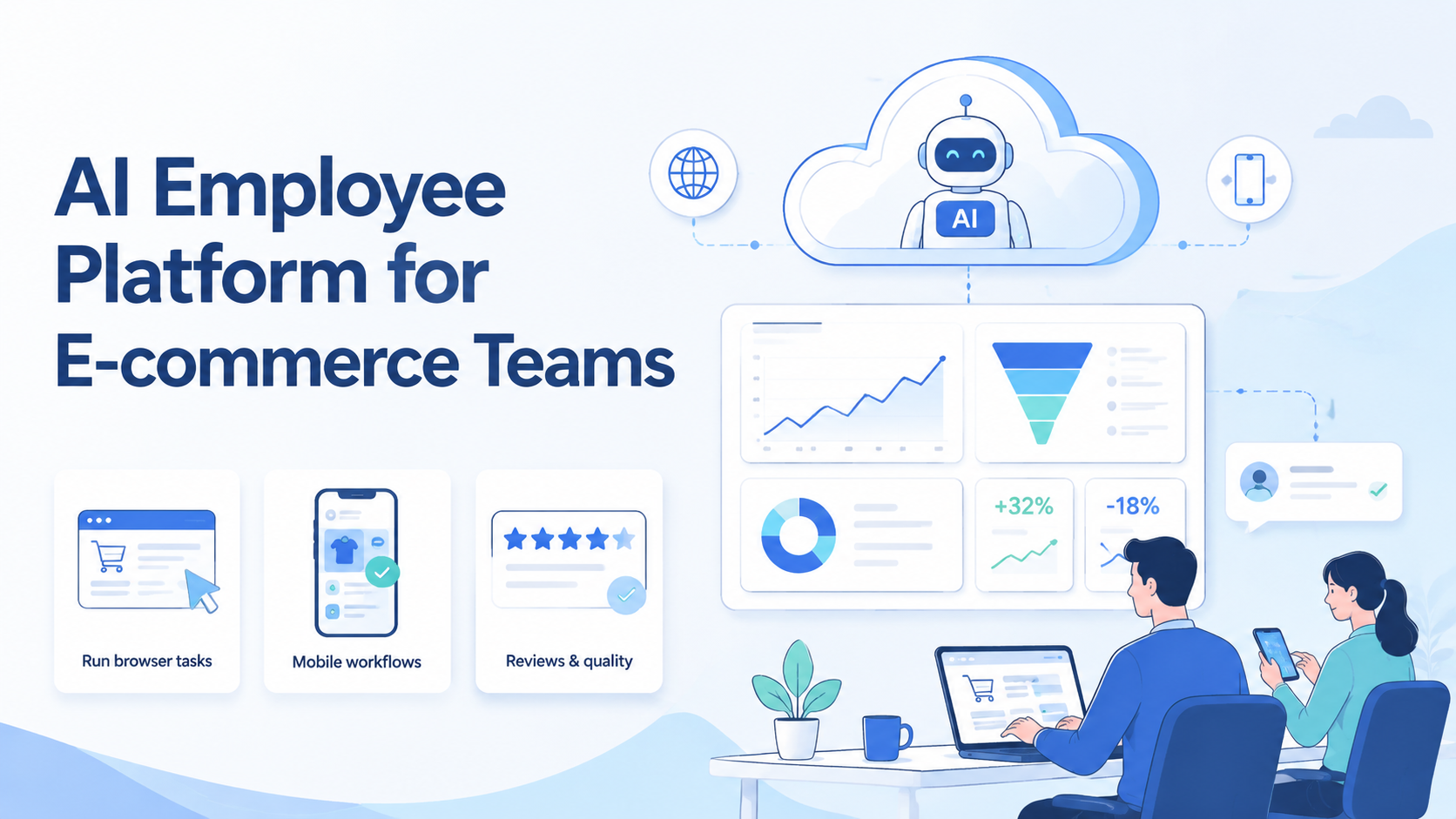
An AI employee platform is an execution system that gives software agents defined tasks, tools, permissions, logs, and review paths. For e-commerce teams, the goal is not to replace every operator. The goal is to move repeatable web and mobile work into controlled lanes that people can inspect.
Start with the lane, not the hype.
Key Takeaways
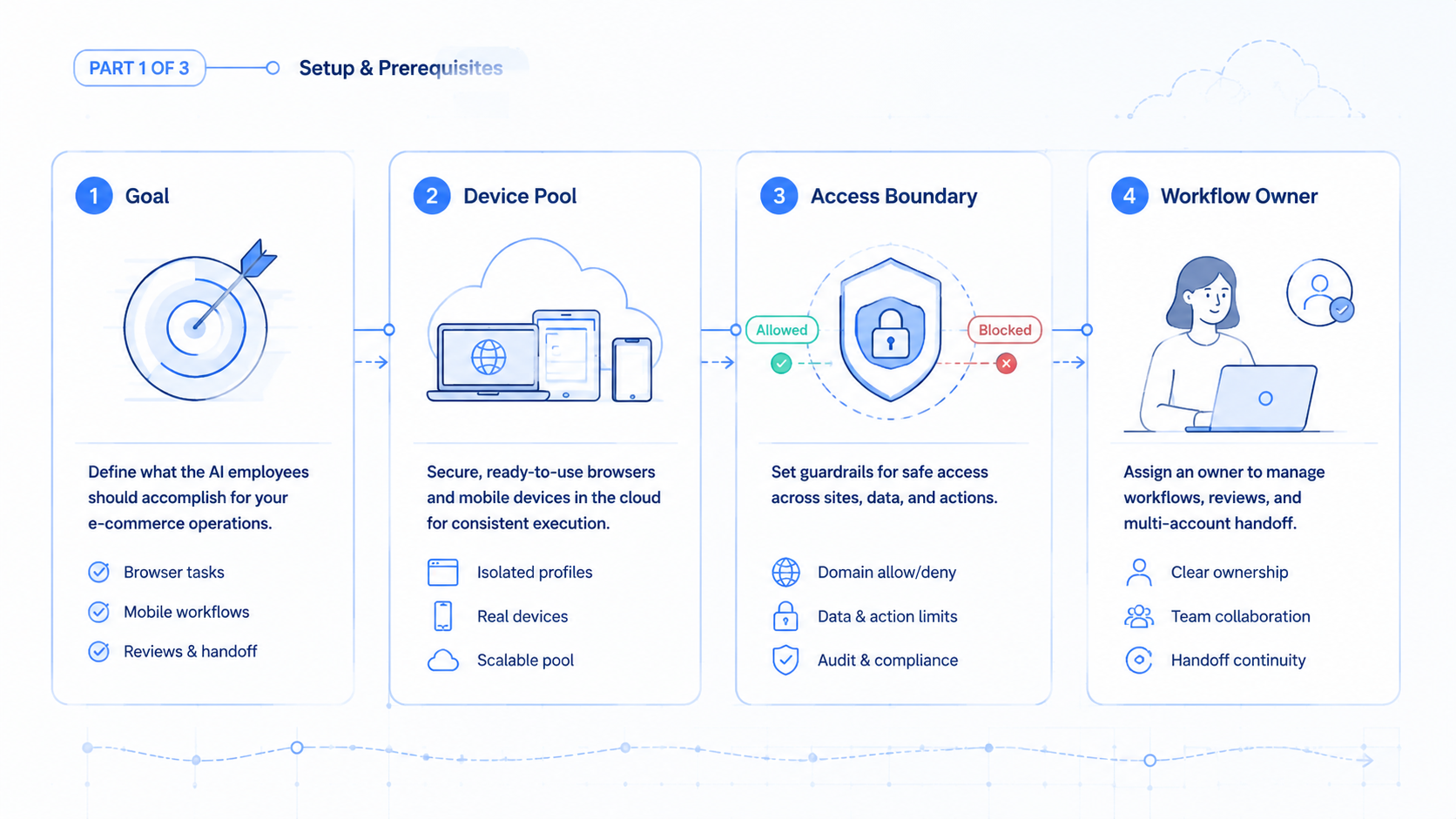
- An AI employee platform should start from real operating tasks, not generic chatbot prompts
- E-commerce teams need account boundaries, task logs, stop rules, and review evidence
- Strong use cases include listing checks, dashboard review, order support, competitor monitoring, and workflow handoff
- Weak use cases include unclear judgment tasks, policy-sensitive actions, and unmanaged shared logins
- A pilot should measure rescue rate, review time, account errors, and handoff quality
What Is an AI Employee Platform for E-commerce Teams?
An AI employee platform gives agents a structured place to execute business work. It usually connects task instructions, browser actions, mobile app access, account context, human approval, and logs.
For e-commerce teams, this matters because daily work often crosses many systems. A staff member may check a marketplace dashboard, update a spreadsheet, reply to a customer, review an ad result, and confirm mobile app state. One prompt cannot manage that safely.
The useful model has three layers:
- Task layer: what the agent should do, where it starts, and when it must stop.
- Execution layer: browser, mobile, account, proxy, and device context used for the task.
- Review layer: logs, screenshots, notes, approvals, and recovery steps.
This is why an AI browser execution platform must be more than a page-control tool. It needs operating rules around identity, routing, and evidence.
Why AI Employee Platform for E-commerce Teams Matters
E-commerce work is full of small repeated checks. A team may monitor product status, review customer messages, compare competitor pages, and move exceptions to a human queue.
The problem is not only task volume. The harder problem is handoff. If work happens in personal browsers, private spreadsheets, or local phones, managers cannot see why a task failed or who should fix it.
An AI employee system gives the team a shared operating unit. Each task has an owner, tool boundary, result format, and stop rule. That does not remove human review, but it makes review faster and less dependent on memory.
Google Search Central's helpful content guidance focuses on serving real users instead of chasing automation for its own sake. The same idea fits operations: automate work that improves the user's outcome, and avoid automation that hides errors. Source: Google Search Central.
AI Employee Platform Use Cases and Benefits
The best use cases are narrow, repeated, and easy to verify. A task should produce a clear result, not a vague claim that something was checked.
| Use case | Good agent task | Human review point |
|---|---|---|
| Listing operations | Check product status, price fields, and missing assets | Approve fixes before publishing |
| Customer support | Open case records and draft structured notes | Approve replies for sensitive issues |
| Competitor monitoring | Capture page changes and summarize visible differences | Confirm commercial interpretation |
| Ad and campaign checks | Read dashboard status and flag exceptions | Decide budget or creative changes |
| Mobile workflow QA | Verify app-side state through controlled devices | Review failed steps and account prompts |
For mobile-heavy operations, AI employees may need remote device access through cloud phone infrastructure. Browser work and app work should stay separate until the handoff is well defined.
How to Get Started with an AI Employee Platform
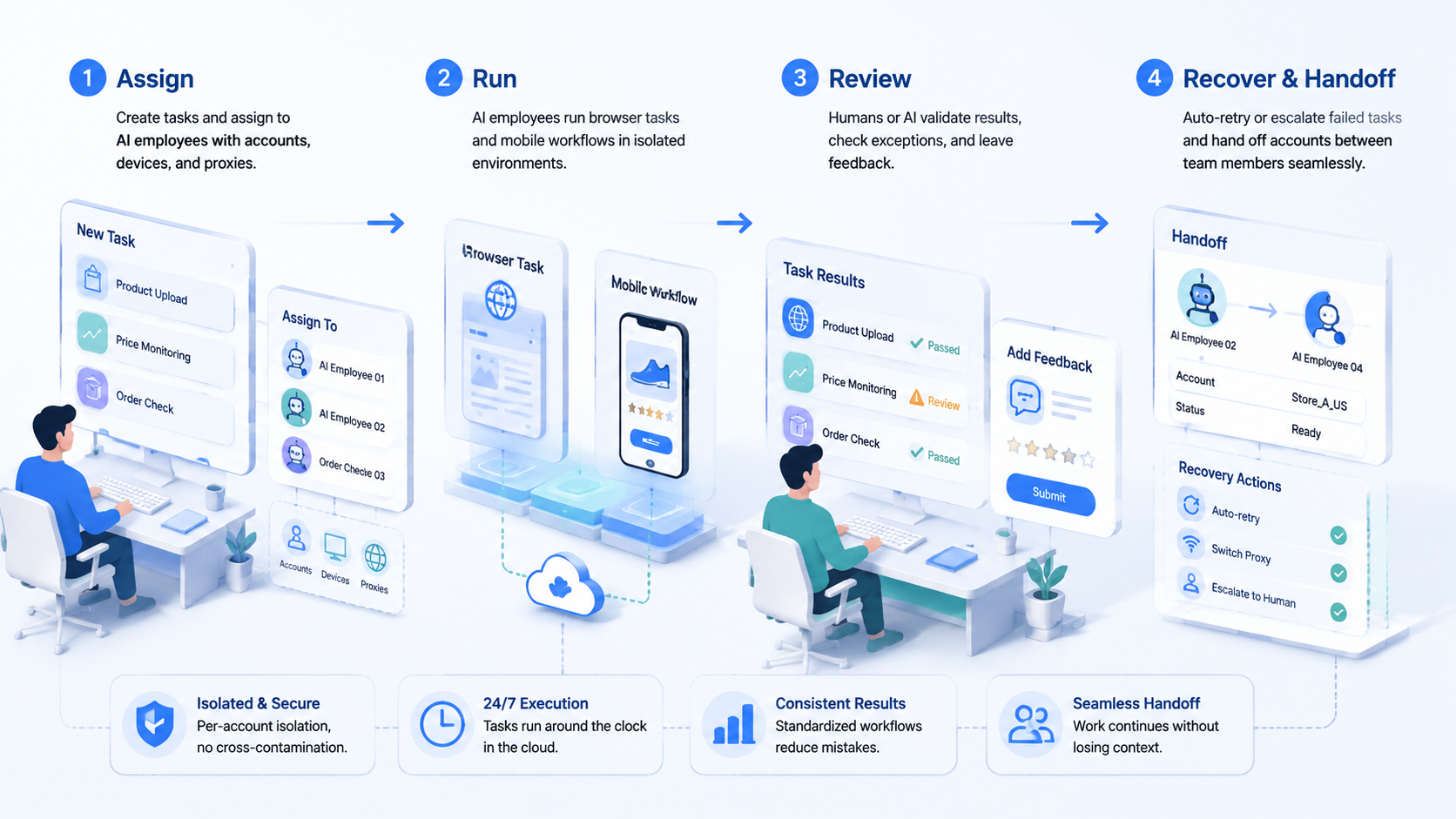
Start with one task that operators already understand. A weak SOP will not become strong just because an agent runs it.
- Pick one workflow: choose a dashboard check, listing review, message triage, or QA task
- Write the allowed actions: define what the agent may read, click, type, and skip
- Set account boundaries: map accounts to profiles, routes, and owners
- Add stop rules: pause on login prompts, payment steps, policy warnings, or unclear customer issues
- Collect evidence: save task status, page reached, output, issue note, and reviewer decision
- Review before scaling: compare the agent result with a human baseline
Keep the first workflow boring. If the agent cannot complete a simple known task with clear evidence, it should not move into customer-sensitive work.
NIST's Cybersecurity Framework treats identity, access, and monitoring as ongoing functions. That framing is useful for AI employees because access is never a one-time decision. Source: NIST Cybersecurity Framework.
Fit and Not-Fit Rules
Use an AI employee platform when the work is repeatable and reviewable. Do not use it to hide unclear ownership.
Strong fit
- Known dashboards with stable fields
- Routine checks with clear pass or fail results
- Multi-account work that needs clean handoff
- Mobile app workflows that need [device isolation](https://www.moimobi.com/en/products/device-isolation)
Weak fit
- Tasks that require fresh judgment at every step
- Accounts with no owner or review history
- Actions that conflict with platform or customer terms
- Workflows where failures are ignored after the run
For multi-account management, the fit test should include profile ownership, routing, and review cadence. If those parts are missing, the agent will inherit the team's mess.
Common Mistakes to Avoid
The first mistake is calling every automation an employee. A real AI employee workflow needs a job description, tool limits, and a manager who reviews output.
The second mistake is skipping mobile context. Many e-commerce tasks do not end in a browser. They may need app checks, device state, account prompts, or human takeover through mobile automation.
The third mistake is weak logging. OWASP recommends logging enough security-relevant information to support investigation while avoiding careless exposure of sensitive data. AI employee logs should follow the same idea. Source: OWASP Logging Cheat Sheet.
Pilot Metrics and Review Loop
A pilot should prove that the system can fail clearly. Clean demos are not enough.
Track these numbers for two weeks:
- Runs completed without manual rescue
- Runs stopped by known stop rules
- Unknown screens or prompts
- Review minutes per run
- Corrections made after review
- Handoffs completed without a call
Short numbers help managers see the real workflow. If review time keeps rising, the agent may be doing the wrong task or logging the wrong evidence.
Frequently Asked Questions
Is an AI employee platform just chatbot software?
No. Chatbots produce answers. AI employee software needs tools, permissions, task state, logs, and review workflows.
What should e-commerce teams automate first?
Start with routine checks that have clear inputs and outputs. Avoid judgment-heavy work in the first pilot.
Does this replace human operators?
No. It moves repeatable execution into controlled lanes while humans keep ownership, review, and exception handling.
Where does browser automation fit?
Browser automation fits dashboard checks, form tasks, research, and status capture. Use account boundaries and logs.
Where does mobile execution fit?
Mobile execution fits app-side checks, device state review, and workflows that cannot be completed in a browser.
How should teams handle sensitive actions?
Require approval for payment, publishing, customer commitments, account recovery, or policy-sensitive actions.
When is the pilot ready to scale?
Scale when failures are explainable, review time is predictable, and another operator can follow the run notes.
Conclusion
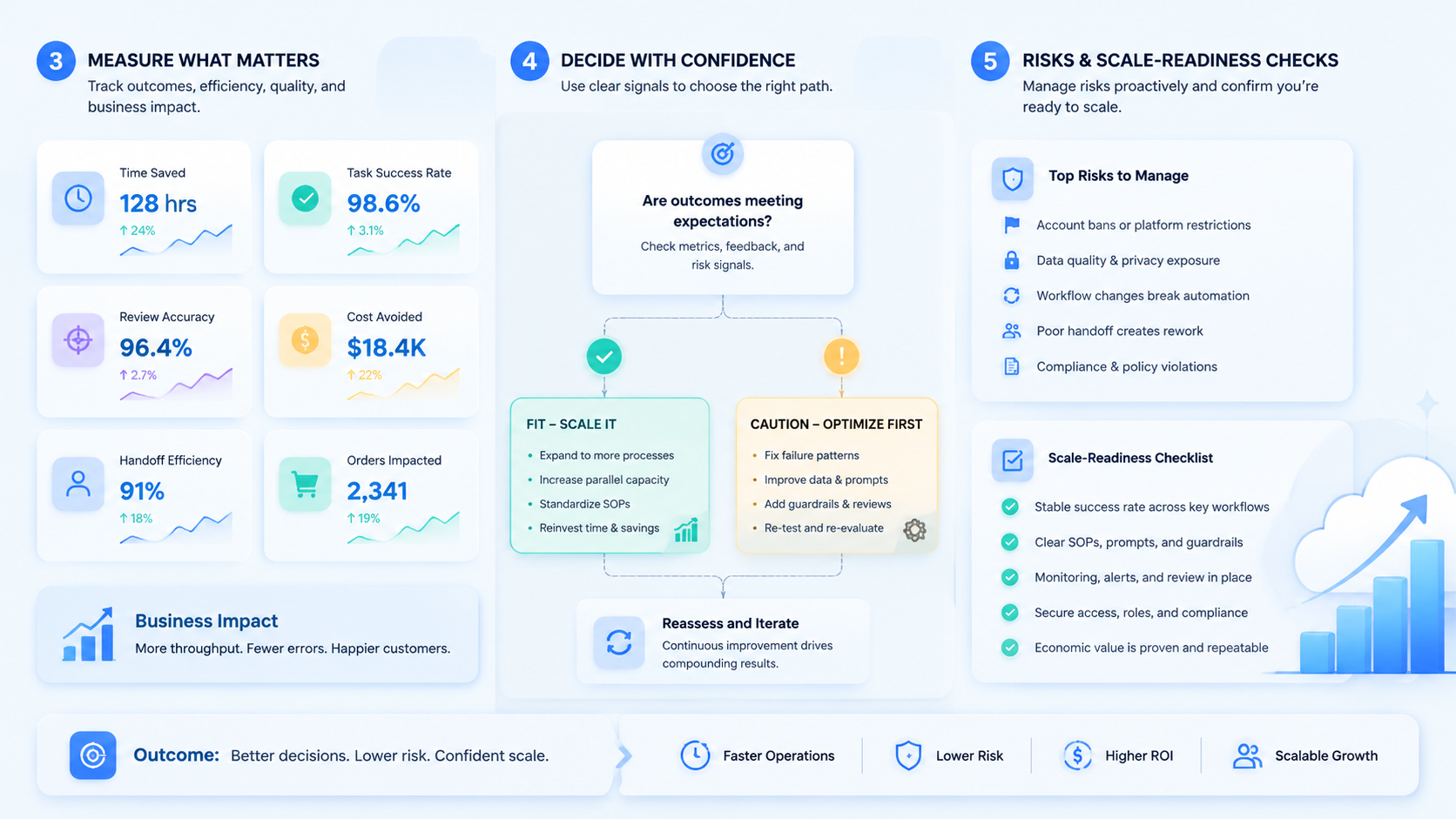
An AI employee platform works when it is treated as execution infrastructure. The priority order is simple: define the task, limit the tools, protect account boundaries, log the run, and review the result.
Before expanding, run one narrow e-commerce workflow through a two-week pilot. If the team can explain each stop and repeat the same process with less handoff friction, the platform is ready for the next task.



