
Key Takeaways
- A cloud phone platform gives teams remote Android workspaces
- Android automation needs account context, app state, and review rules
- Cloud phones should connect to browser workflows, not replace them
- The first pilot should measure task result, recovery time, and handoff quality
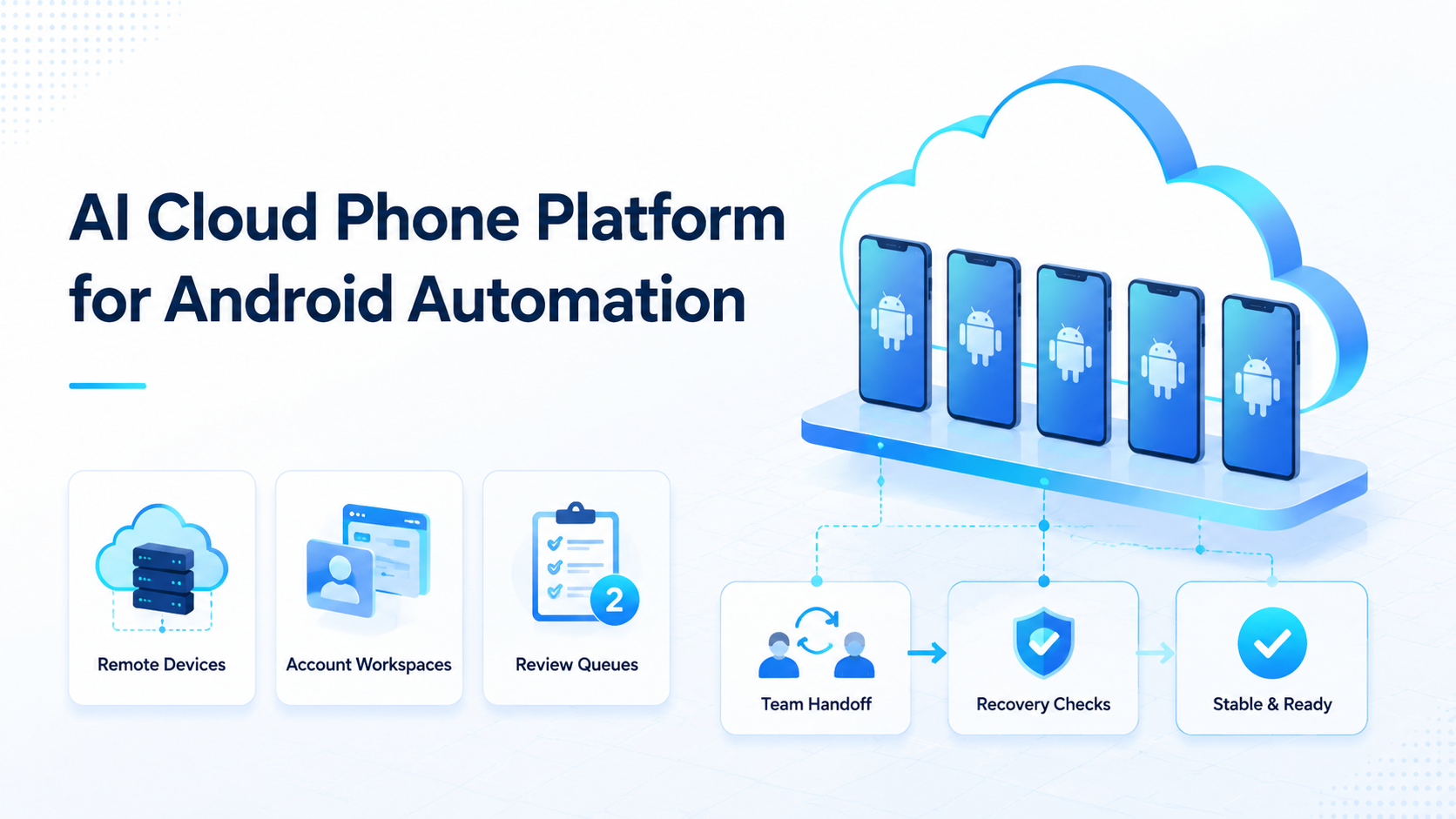
A cloud phone platform is a remote Android execution system that lets teams run mobile workflows without relying on personal devices. For AI automation, the platform gives workers a controlled place to open apps, handle account tasks, pause for review, and record results.
This is not only about renting a device. A team may need browser research, mobile publishing, account handoff, and recovery checks in one workflow. Moimobi connects cloud phone execution with browser and account operations.
The Core Idea Behind an AI Cloud Phone Platform for Android Automation
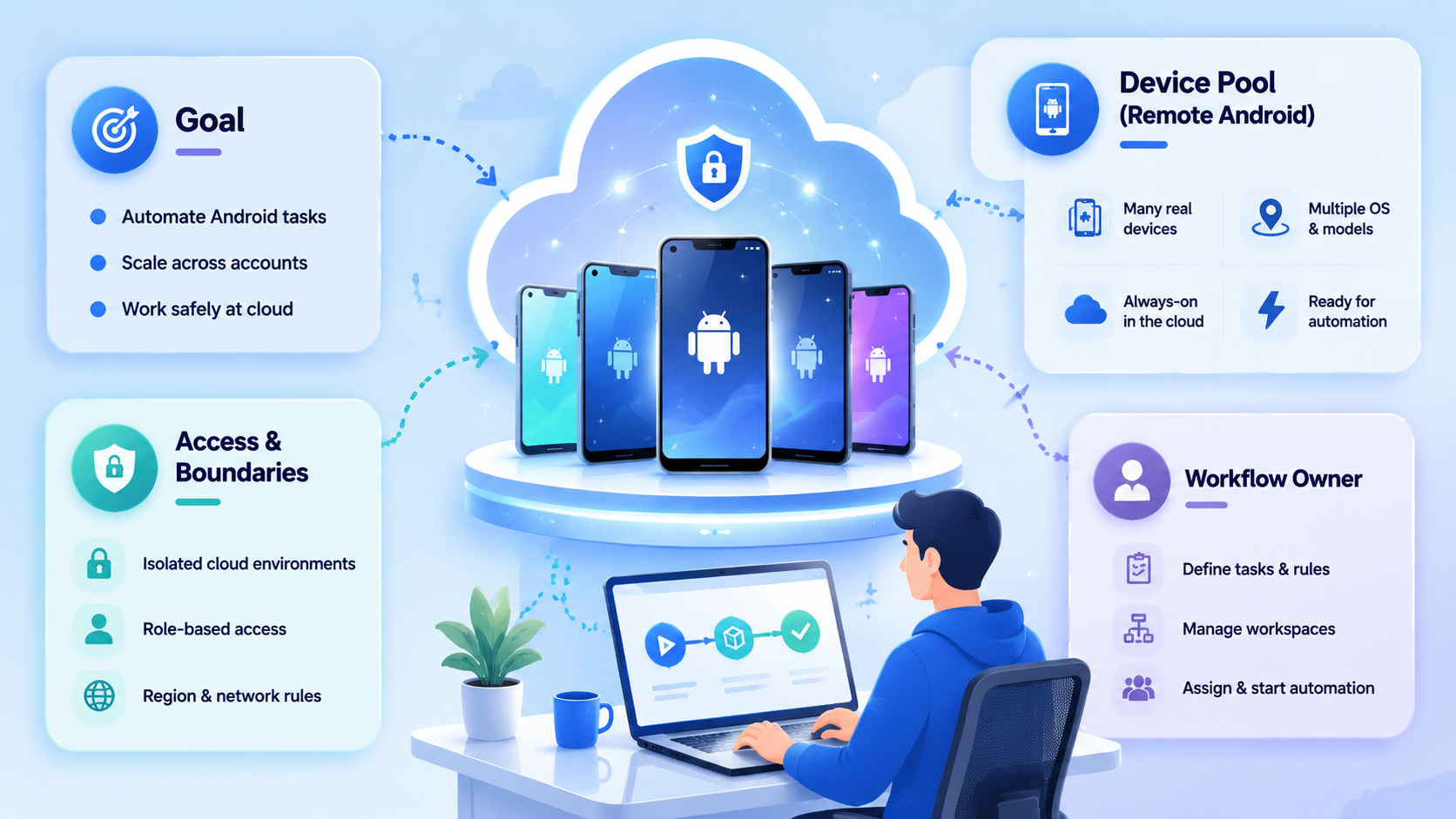
The core idea is controlled mobile execution. A worker needs a known Android workspace, not a random device. The workspace should map to an account, a task type, and a review rule.
Android Enterprise presents Android as a platform for business devices and managed work use (Android Enterprise). That context matters because mobile automation for teams needs management, ownership, and policy. Screen access alone is not enough.
A Moimobi workflow may start in a browser, move into a mobile app, and return to a task log. That makes the cloud phone one layer inside a broader execution system.
Why Teams Search for a Cloud Phone Platform
Teams usually search for this topic when mobile work becomes hard to run manually. The issue may be scale, handoff, account separation, or app-only workflows.
Common triggers include:
- Social accounts need mobile app actions
- Operators work across different shifts
- Content must be checked inside the app
- Customer replies happen in mobile messaging tools
- Device ownership creates handoff problems
- Failed app steps need review and recovery
AWS Device Farm remote access describes hosted device interaction through a browser session (AWS Device Farm). That model is useful for operations teams: remote devices still need visible session control.
Who Benefits Most and In What Situations
The best fit is a team that runs repeated Android workflows. Social media operators, customer support teams, ecommerce sellers, and agencies often have this pattern.
Strong fit:
- The app workflow repeats daily
- The account environment matters
- Several operators need shared visibility
- Browser and mobile steps must connect
- Managers review failed or sensitive steps
Weak fit:
- One person uses one phone
- The task is rare
- The outcome is unclear
- The team has no review process
For teams comparing device fleet options, Moimobi's cloud phone farm infrastructure guide is a useful next step.
How to Evaluate or Start Using a Cloud Phone Platform
Evaluate the platform around workflow control, not only device count.
| Step | Setup decision |
|---|---|
| 1 | Map each account group to a phone workspace |
| 2 | Define which app workflows run there |
| 3 | Decide when the AI worker must pause |
| 4 | Record task results and failed steps |
| 5 | Assign a recovery owner |
| 6 | Add browser workflow links only after the mobile path is clear |
Browser work still matters. Playwright documents structured browser automation for web workflows (Playwright). A strong Android automation stack should connect web and mobile state rather than treat them as separate islands.
Mistakes That Reduce Results
Avoid buying capacity before mapping work. More phones do not fix unclear task ownership.
Separate account groups by platform, client, campaign, or risk level, then assign each group to the right device isolation model. This one decision shapes the whole workflow.
Review queues are not optional for unclear mobile states. A prompt, missing file, expired session, or failed upload should pause the workflow before the worker continues.
What a Cloud Phone Platform Should Track
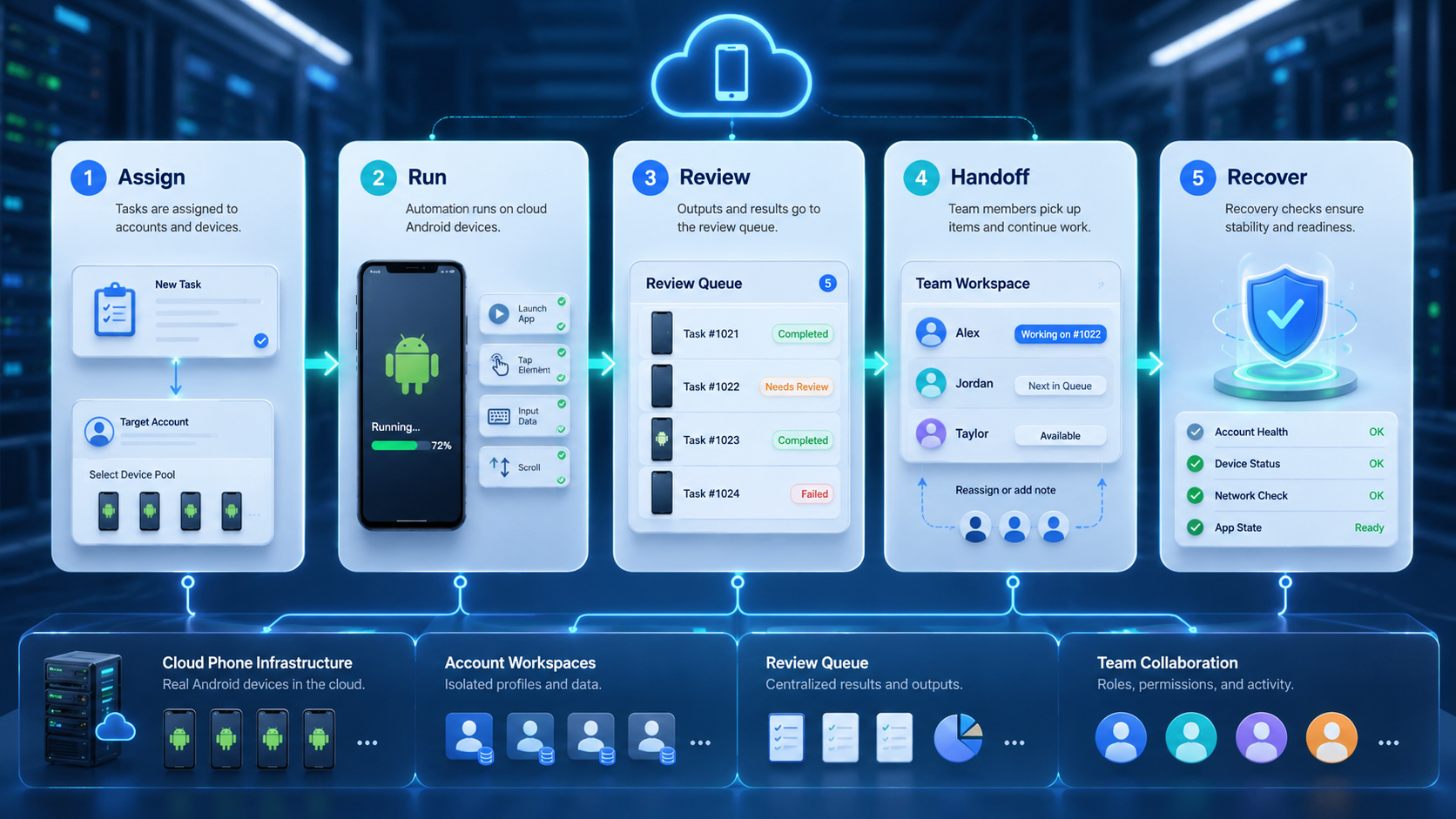
Track the device as part of the workflow, not as a separate asset list. The team needs to know which phone ran the task and what happened inside that workspace.
Useful fields include:
- Device or workspace ID
- Account group
- App name
- Task type
- Last action
- Current app state
- Review status
- Recovery owner
- Result note
With those fields, an operator can take over a blocked task without asking the previous operator to explain the whole session. A manager can also spot repeated failures on one app, one account group, or one device workspace.
For larger teams, connect the phone record to multi-account management. The account pool shows ownership; the phone workspace shows where the work ran.
Browser-to-Phone Workflow Example
A common workflow starts with browser preparation. The team reviews content in a web dashboard, attaches an asset, and sends the task to a mobile workspace for app publishing.
The mobile step should not start blindly. The phone record should show the account, app, asset, caption status, and review rule. If the app shows a prompt or the asset is missing, the task pauses instead of continuing.
This model keeps the cloud phone platform tied to real operations. It also avoids treating Android automation as a black box.
Fit Boundaries for a Cloud Phone Platform
A cloud phone platform is a strong fit when the mobile app is part of the business workflow. It is also useful when operators need shared visibility without passing around personal devices.
It is not the first answer for every automation project. If the task is fully web-based, browser automation may be enough. If one person owns one phone and one account, a platform may add more process than the team needs.
Use a simple stop rule. Add cloud phones when the task needs mobile app state, remote access, account workspace control, or shared review. If none of those conditions exist, fix the workflow design before adding more devices.
Pilot Rollout, Measurement, and Recovery Checks
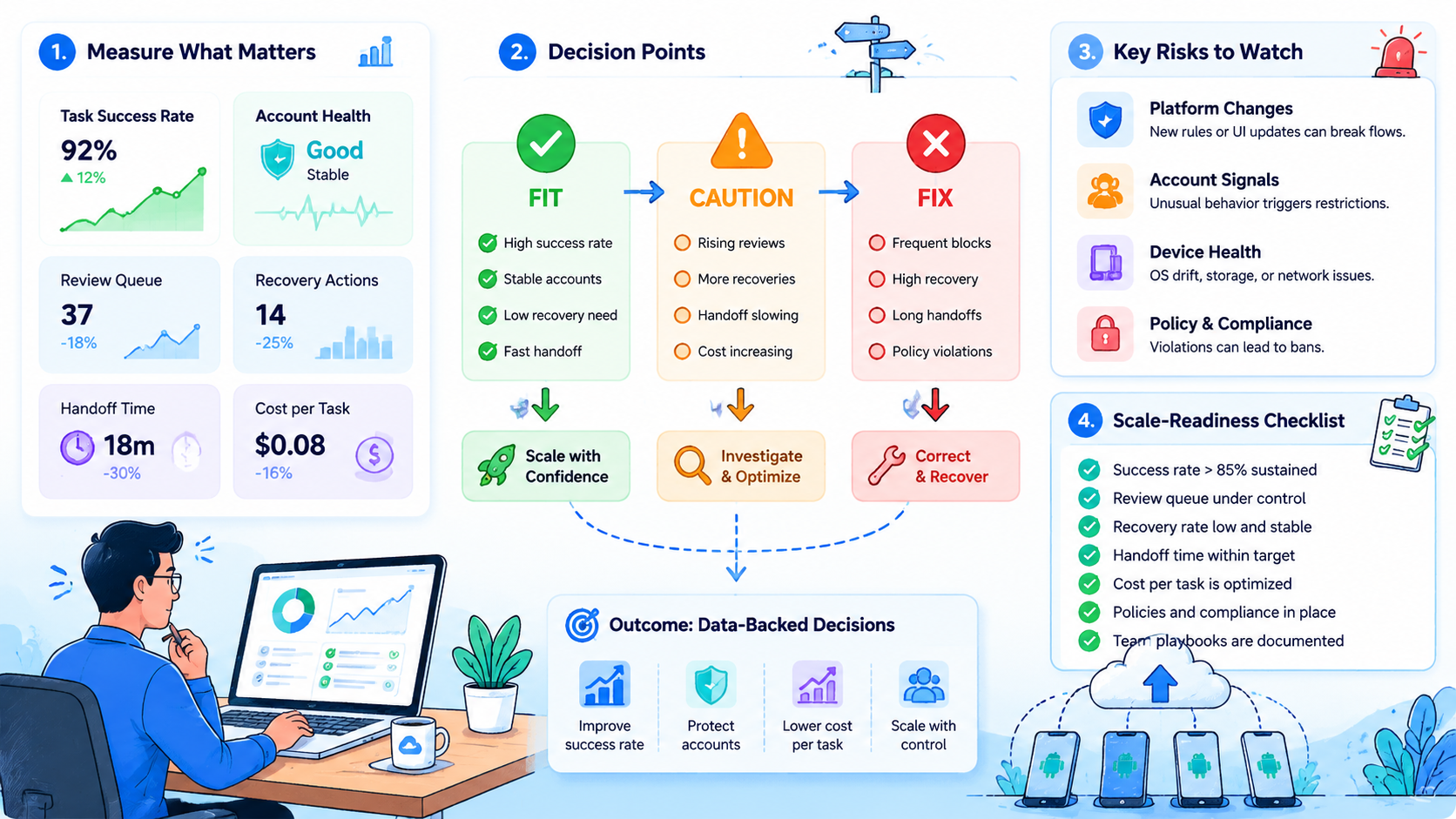
Start with one app and one account group. A narrow pilot makes failures easier to explain.
Track:
- Tasks attempted
- Tasks completed
- App-state failures
- Missing asset events
- Human takeover events
- Average recovery time
- Accounts with repeated issues
NIST SP 800-53 includes audit and accountability controls for organizational systems (NIST). A cloud phone workflow can use a lighter version: owner, timestamp, result, and recovery note.
Frequently Asked Questions
What is a cloud phone platform?
It runs remote Android devices as managed workspaces.
How does it support AI agents?
It gives AI workers a mobile environment where app tasks can run, pause, and enter review.
Is a cloud phone the same as an emulator?
No.
Evaluation should focus on workflow control, account mapping, and device operation, not only virtualization.
When should a team use cloud phones?
Use them when work must happen inside mobile apps or remote Android account environments.
Does this replace browser automation?
No, it extends it. Use browser automation for web surfaces and cloud phones for app-only or mobile-first steps.
What should the first pilot measure?
Measure stops, not just completions.
Track pauses, failures, recovery time, handoff quality, and the app states that caused the most manual review.
Where does Moimobi fit?
Moimobi connects cloud phones with mobile automation, account workspaces, and browser workflows. That gives teams one visible route from task setup to mobile execution.
Conclusion
Start with one Android workflow.
Use a cloud phone platform when mobile execution is part of a repeatable team workflow.
Start small. Each account group needs a device workspace, task scope, review rule, and recovery owner.
Before scaling, test one Android workflow. If the team can see every result and recover failed steps quickly, expand to the next account group.



