
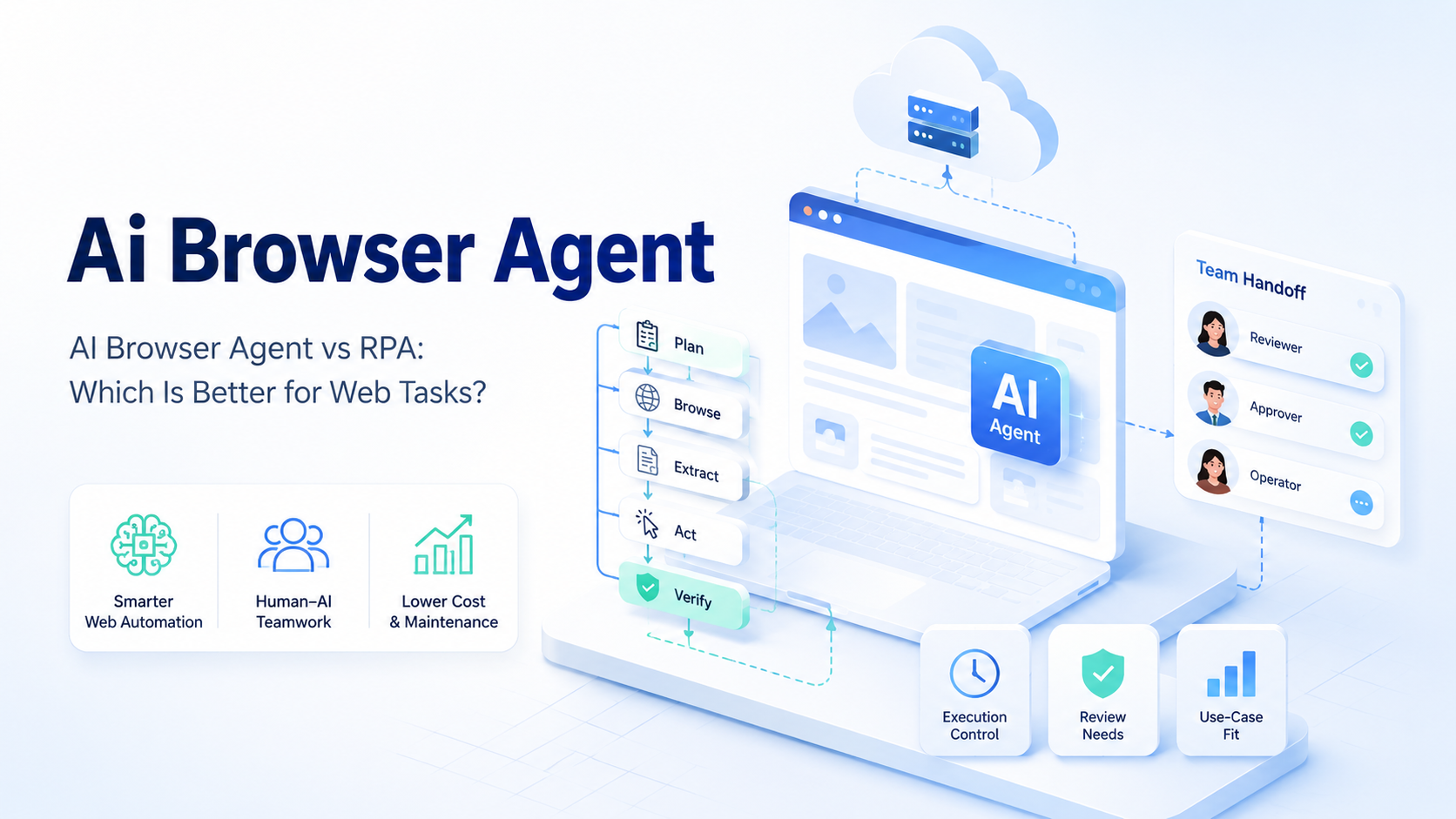
A browser agent is an AI browser agent when it can interpret a task, inspect page state, and act within a controlled environment. RPA is usually better when the task is stable, repetitive, and rule-based. Agent-led browser work is usually better when the page changes, the task needs interpretation, or the workflow spans tools that do not expose clean APIs.
The selection rule is practical. Use RPA for deterministic work with fixed selectors and predictable screens. Use an agent when the workflow needs observation, decision checks, and recovery from small interface changes.
Teams should not make this decision from feature lists alone. The better question is how the work fails. A script fails when an element moves. An agent fails when instructions are vague, permissions are too wide, or the execution environment is not controlled.
Failure tells the truth.
Key Takeaways
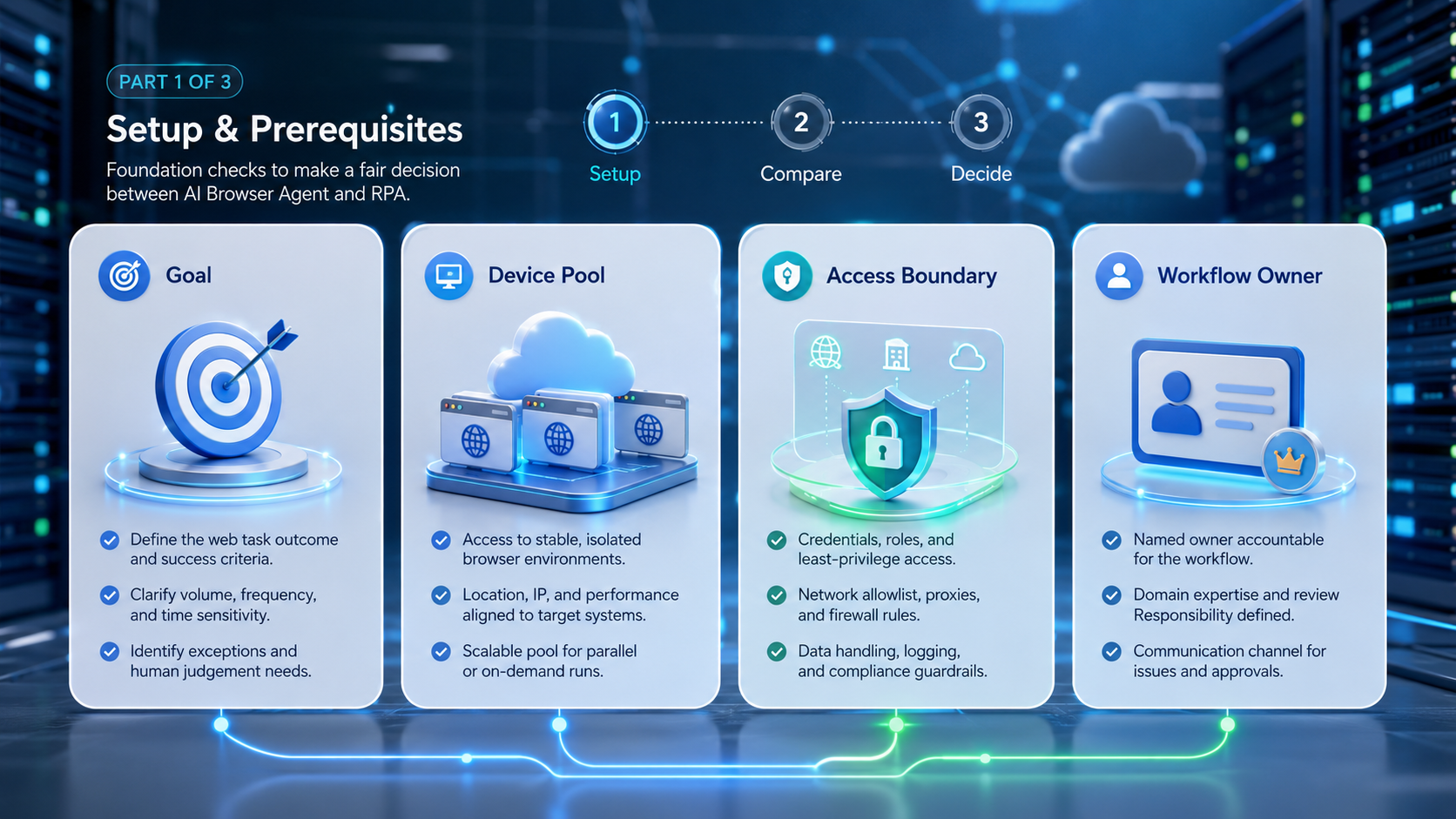
RPA fits fixed, high-volume steps with stable interfaces. An AI browser agent fits variable web tasks that need observation and task-level reasoning.
Choose carefully.
The browser environment matters as much as the agent model. Team review, logs, and recovery rules decide whether either option is practical to scale.
A mixed stack is common: RPA for stable back-office steps, agents for variable web workflows.
Use both when needed.
A Practical Comparison Framework for AI browser agent Decisions
Start with task shape. A fixed task has known screens, fields, selectors, and outcomes. A variable task has uncertain page states, changing labels, pop-ups, dynamic dashboards, or review decisions.
Shape beats features.
RPA is strong when task shape stays fixed. It can execute fast and predictably after setup. It also tends to be easier to explain because each step is explicit.
Scripts like certainty.
Agent-led browser work is stronger when the workflow needs interpretation. For example, a growth operations team may need to review a dashboard, identify a failed campaign state, open the right account workspace, and prepare a follow-up action. A brittle script may break on a small UI change.
| Decision Axis | RPA | AI Browser Agent |
|---|---|---|
| Best task shape | Fixed screens | Variable screens |
| Setup model | Script and selectors | Goal, context, guardrails |
| Failure mode | Broken steps | Weak instructions |
| Review need | Lower for simple tasks | Higher for decisions |
| Best team fit | Process automation team | Operations and AI workflow team |
Google's helpful content guidance is about content quality, not automation tooling. Still, it gives a useful operating principle: systems should support helpful work, not produce low-value output at scale.
The same rule fits automation.
Use Case Fit Before Feature Fit and AI browser agent
Feature comparisons can mislead teams. A tool may claim visual recognition, workflow recording, API triggers, scheduling, and reporting. None of those features matter if the task shape is wrong.
Fit comes first.
| Better Fit | Use It When | Watch For |
|---|---|---|
| RPA | Screens repeat and inputs are clean | Selector repair |
| RPA | The workflow is mostly internal | Script ownership |
| RPA | Review teams want pre-approved steps | Change requests |
| AI browser agent | The task crosses several web tools | Weak instructions |
| AI browser agent | The page changes often | Review quality |
| AI browser agent | Humans need drafts or decision queues | Stop rules |
For mobile-heavy work, browser tasks may connect with mobile automation and account operations. The selection should follow the workflow, not the label on the vendor page.
Workflow decides.
Operational Trade-Offs and Team Workflow
The myth is that an AI agent removes operations work. The workable view is different. It moves the work from step scripting to context design, environment control, and review policy.
There is still work.
RPA needs maintenance when pages change. Teams update selectors, test scripts, and rerun broken jobs. This maintenance is predictable, yet it can become expensive across many websites and owners.
Small changes matter.
An agent needs clearer boundaries. It must know which account, browser profile, data source, and action scope it can use. Without those constraints, a capable agent may still do the wrong work.
Boundaries come first.
MoiMobi treats ai browser execution as infrastructure rather than a loose chat command. The surrounding system should handle account assignment, device or browser context, logs, and review handoff. That is where agent automation becomes operational instead of experimental.
Context is tooling.
Setup Cost, Ongoing Cost, and Management Overhead
Setup cost is not only engineering time. It includes policy design, credential handling, browser environment preparation, task logs, and recovery ownership.
Count the handoff.
RPA often has a higher initial configuration burden for each unique screen. After setup, it can be efficient when the process stays unchanged. That makes it attractive for back-office tasks with controlled systems.
Stable screens help.
An AI browser agent may start faster for ambiguous web work. The ongoing cost moves into evaluation. Teams need to review whether the agent followed the right path, stopped at the right moment, and produced a useful result.
The OWASP logging guidance explains why event logs matter for investigation. For web task automation, logs are equally practical. They show which account ran, which browser environment acted, what changed, and who approved the next step.
Logs make reviews faster.
Which Option Fits Different Teams Best
The best option depends on who owns the workflow after launch.
Operations teams with stable internal tools: RPA usually fits first. It gives repeatable execution for known screens and clear exception routing.
Simple is fine.
Growth teams using many web platforms: An AI browser agent may fit better. The work often spans dashboards, account states, content queues, and changing interfaces.
This is common in growth work.
Compliance-heavy teams: RPA may be easier to approve when every step must be documented before execution. An agent can still work, but only with strict permissions and review logs.
Teams managing many accounts: The execution environment becomes a deciding factor. Use multi-account management, clean routing, and proxy network controls before scaling either method.
Identity rules come first.
Teams with mixed workflows: Combine both. Use RPA for fixed extraction or form work. Use agents for review queues, exception triage, and tasks where observation changes the next step.
Split the job.
Governance Comparison for AI browser agent Workflows
Governance is where the two approaches separate after the first demo. RPA governance usually reviews the script, the schedule, the credential path, and the output destination. That model works when every step is known before execution.
Agent governance needs a different review packet. The team should inspect the task prompt, allowed actions, browser profile, account assignment, stop rules, and the evidence returned after execution. The review is less about one fixed script and more about whether the agent stayed inside a defined operating lane.
Use a simple scorecard before production:
| Control | Pass Signal | Stop Signal |
|---|---|---|
| Scope | One goal and one account group | Mixed workflows |
| Identity | Browser context assigned before run | Unknown account lane |
| Evidence | Screenshots logs or notes returned | No review artifact |
| Approval | Public actions wait for a human | Agent changes live settings |
| Recovery | Named owner handles repeats | Generic queue |
This makes the comparison less abstract. RPA wins when governance needs pre-approved steps. An AI browser agent wins when governance can approve a controlled task envelope and review the evidence after each run.
Evidence is the bridge.
Maintenance Comparison for AI browser agent Teams
The first month usually exposes the real cost. RPA maintenance centers on selectors, test data, and step order. A small product update can break the run, but the repair path is direct when the screen is known.
Agent maintenance centers on instructions, context, and review quality. A team may not need to rewrite every step after a page change. It may need to improve task boundaries, add better stop conditions, or give the agent cleaner source data.
Use this rule after the pilot. If most failures are broken selectors, RPA may still be the cleaner system. If most failures are interpretation gaps or account-context errors, the team needs better agent governance and browser environment control before it scales.
Keep the review plain. Count what broke, who fixed it, and how long the fix took. A short weekly note is often more useful than a large report that no owner reads.
Pilot Comparison Plan
Run the same workflow through both options before choosing. Select one real web task, not a demo task. Set one hard stop rule before launch.
Use real work.
Example: test 30 accounts, 2 browser profiles per market, 1 review owner, and 3 repeated runs across the same dashboard task. Track failed selector events, wrong-account events, login stalls, manual minutes, and output corrections. If RPA breaks on selectors 8 times but the agent creates 6 unclear decisions, the better next step is not obvious. Fix the failure class with the higher repair cost first.
Measure these items:
| Metric | What To Review |
|---|---|
| Setup time | First working run |
| Failure rate | Repeated sessions |
| Review time | Human minutes per task |
| Recovery quality | Page login and account-context issues |
The NIST Cybersecurity Framework uses identify, protect, detect, respond, and recover as a security model. The same sequence is useful for automation pilots. Identify the task, protect the account context, detect failures, respond with a review owner, and recover before scaling.
Recover before scaling.
Keep pilots small, but make the evidence detailed enough that a new operator can understand the failed run without asking the original owner.
Frequently Asked Questions
Is an AI browser agent a replacement for RPA?
Not in every case. It replaces some browser tasks, but RPA still fits fixed and controlled workflows. The safer decision is to test one real task and compare failed-run repair time, not demo speed.
Which option is easier to maintain?
RPA is easier when screens stay stable. An agent is easier when small interface changes are common but task goals stay clear. Check how often the page changes before choosing.
Review weekly.
Can both work in the same stack?
Yes. Many teams use scripts for stable steps and agents for review, triage, or variable browser work.
Does an agent need a cloud browser?
It needs a controlled browser execution environment. Cloud browser setups can help when teams need shared infrastructure and clean handoff. They also give teams a cleaner place to bind account context and review logs.
Control matters.
Which option costs less?
The lower-cost option depends on maintenance load. Count setup time, review time, failed runs, and recovery work. Cheap tools become costly when every failure needs a senior operator.
Track hours.
What is the main risk of AI browser automation?
The main risk is broad permissions with weak instructions. Limit scope and add review checkpoints before live account actions.
Start narrow.
How should a team start?
Start with one workflow, one account group, and one measurable output. Compare failure recovery before expanding. Keep the first test small enough that every run can be reviewed by one owner.
Conclusion
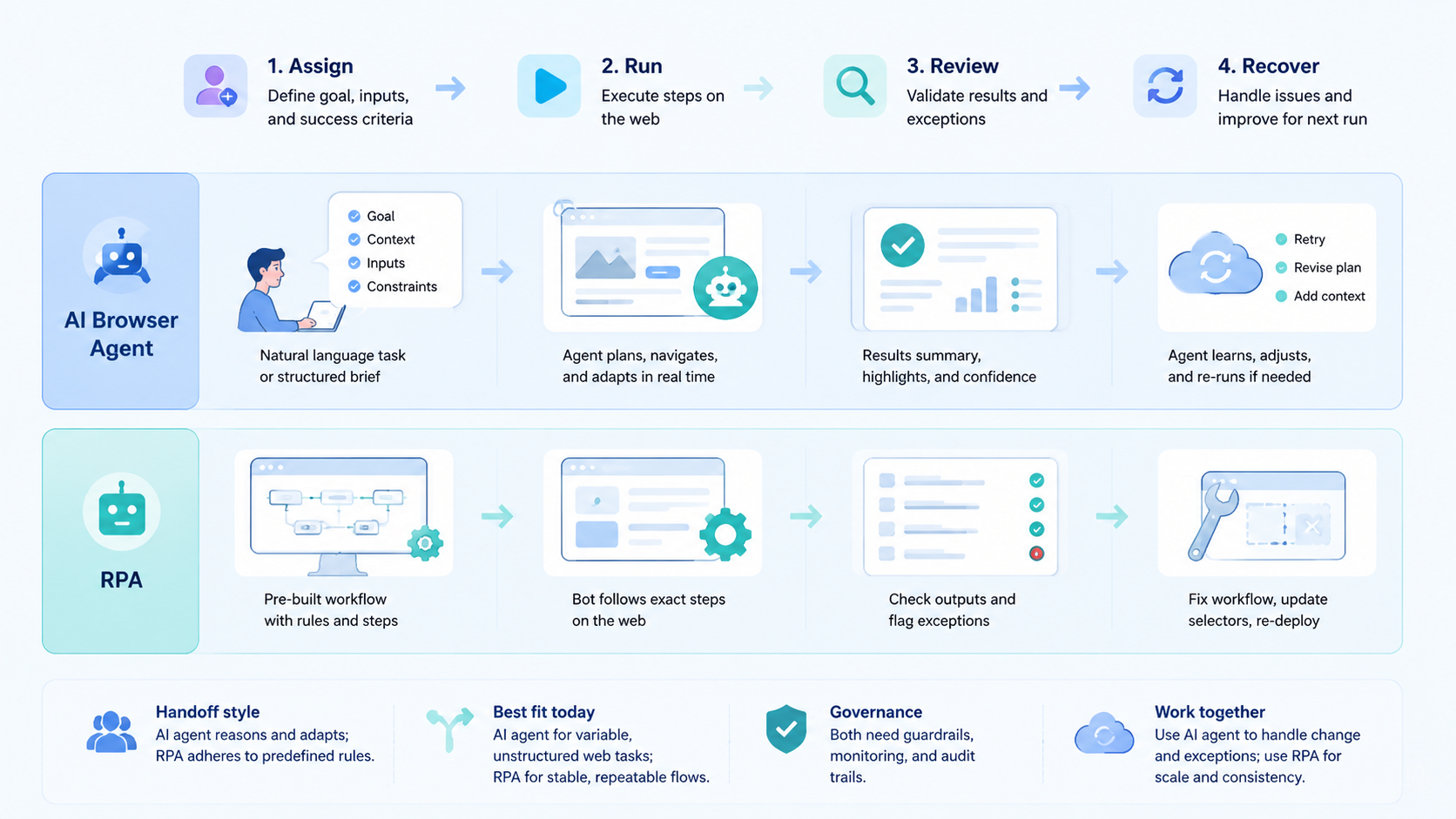
Choose RPA when the web task is fixed, internal, and selector-friendly. Choose an AI browser agent when the task needs observation, interpretation, and flexible recovery inside a controlled browser environment.
The next step is a pilot matrix. Put one real task through both options, measure setup time, failure rate, review time, and recovery time, then choose the model that gives the cleaner operating record.



