
Key Takeaways
- An AI agent execution platform is useful when it gives teams runtime control, review rules, and recovery paths
- Real business automation usually spans browser sessions, mobile tasks, and account-specific ownership
- The best first pilot is narrow, measurable, and easy to inspect run by run
- Strong execution depends more on boundaries than on a bigger agent pool
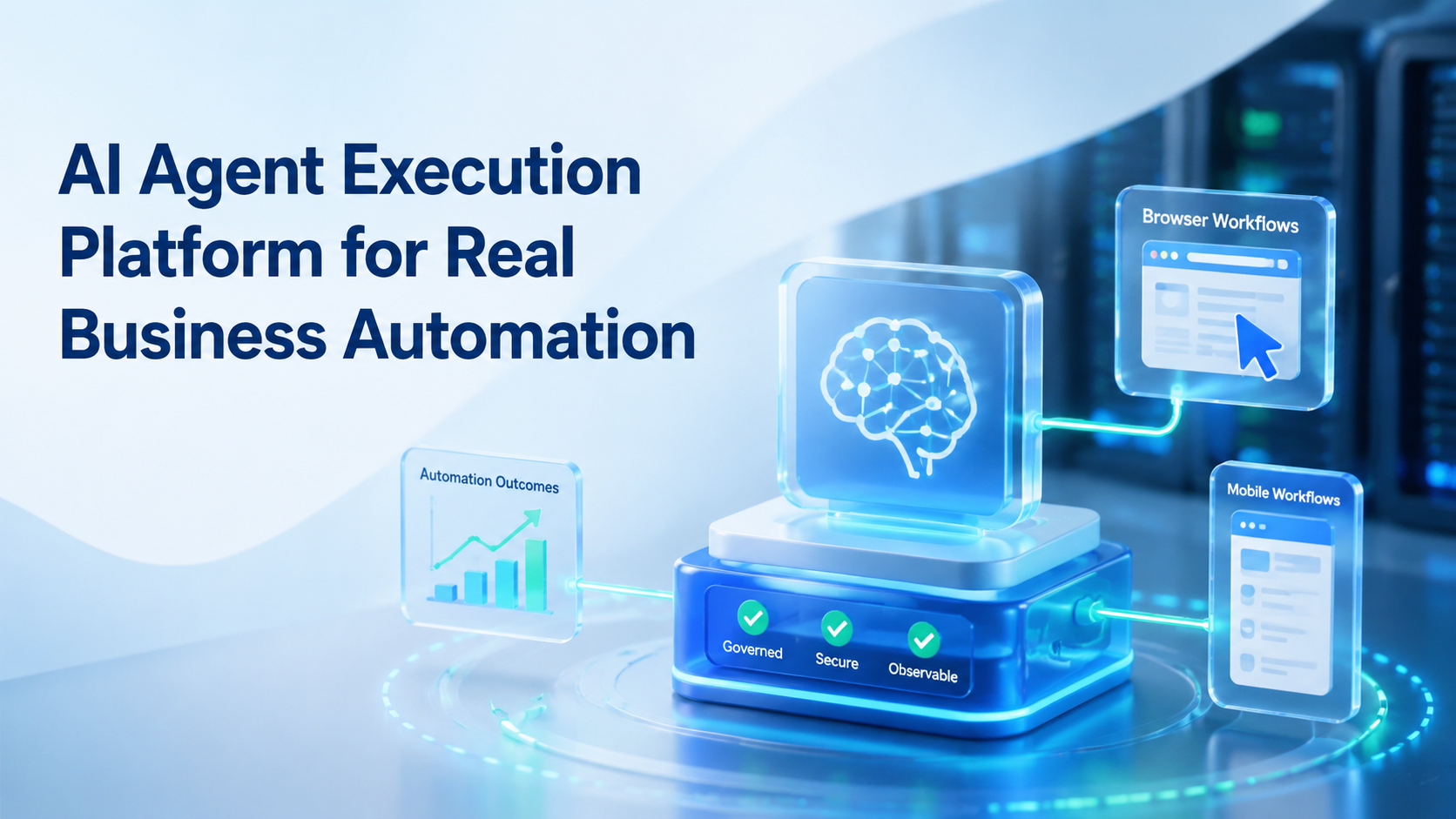
AI Agent Execution Platform for Real Business Automation is a system that lets teams run repeatable work inside controlled browser and mobile environments. The useful version is not just a smart prompt layer. It is an operating model with runtime choice, session control, and clear human takeover rules.
That distinction matters because many businesses already have AI content tools or basic scripts. What they often lack is a reliable path from instruction to execution. A team may need one step in a web dashboard, another in a mobile app, and a third in a review queue.
This is why an AI browser or a cloud execution stack should be judged by workflow control. The question is not whether the system can click or type. The question is whether the team can trust the workflow when volume grows.
The Core Idea Behind AI Agent Execution Platform for Real Business Automation
The core idea is simple. Each automation lane needs three things:
- a defined job
- a defined runtime
- a defined review owner
Browser work is usually tied to session handling. The W3C WebDriver standard models browser automation through explicit commands and sessions, which shows that session state is a first-class part of automation rather than a side detail. Playwright browser contexts make the same point through separate contexts for independent logged-in states.
Mobile work adds another layer. Some tasks depend on app-native behavior, device permissions, or notification flows. Android Enterprise frames managed Android devices as business workspaces with policy and management rules, which aligns with how teams should think about execution boundaries.
In practice, an AI agent execution platform should connect task logic with mobile automation, device isolation, and a review process. Without that link, the agent becomes a fragile wrapper around scattered tools.
Why Teams Search for This Topic and AI Browser Workflows
Most teams do not search this topic because they want a more impressive demo. They search it because manual operations have already become hard to manage.
In many teams, browser tasks, app tasks, and account tasks are split across several people. One person publishes content, another checks replies, and another updates a dashboard. The workflow may work at low volume, but it breaks when timing, ownership, and review are unclear.
That is where AI browser workflows start to matter. They give teams a way to route browser-native work into controlled sessions while leaving app-native steps inside the right mobile environment. The search intent is usually practical: teams want less rework, fewer mixed sessions, and cleaner accountability.
Common triggers include:
- repeated admin work across web tools
- mixed browser sessions across accounts
- app steps that do not fit browser-only automation
- slow recovery when a workflow fails halfway through
Who Benefits Most and In What Situations
This model fits teams that already have repeatable work and want tighter execution.
Strong-fit examples include:
- agencies running repeatable account workflows for clients
- growth teams handling content, monitoring, and follow-up steps
- support teams moving between inbox tools and mobile messaging apps
- e-commerce operators switching between seller dashboards and app actions
It is a weaker fit for work that changes every hour and depends on heavy judgment. A platform should reduce routine work, not pretend to replace live decision-making where context changes too fast.
Use this quick fit boundary:
Clear SOP, repeated tasks, known accounts, and reviewable outputs.
The task repeats, but runtime choice or ownership is still vague.
The work depends on custom judgment every run and has no stable lane.
Teams that need multi-account management usually benefit earlier than teams doing one-off projects. Repeated account work exposes boundary problems faster.
How to Evaluate or Start Using AI Agent Execution Platform for Real Business Automation
Do not start by asking one agent to do everything. That usually hides design problems instead of solving them.
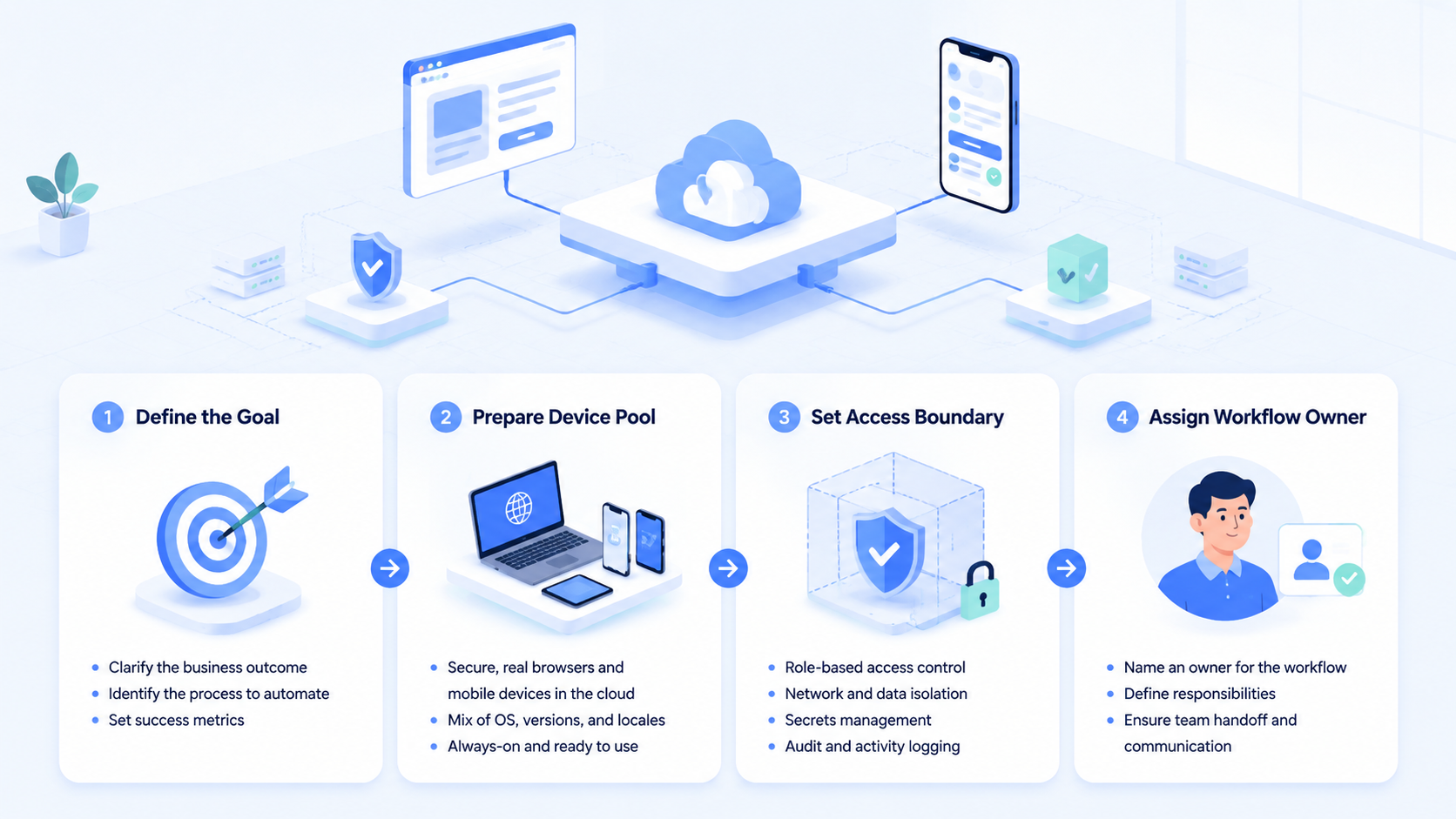
- Choose one narrow workflow. Pick one lane such as publishing review, inbox triage, or monitoring checks.
- Mark the runtime split. Decide which steps belong in browser sessions and which need a mobile environment.
- Assign one owner. Every lane needs one accountable operator for review and escalation.
- Set the stop rule. Define when the workflow must pause for human approval.
- Measure correction cost. Track how often humans must fix results, not only how fast the workflow runs.
- Review before scaling. Expand only after the first lane is stable enough to inspect quickly.
AWS Device Farm and BrowserStack App Automate both describe automated device execution around controlled, repeatable runs rather than loose background activity. That is the right operational benchmark for a real pilot.
If the workflow includes both browser and app steps, a cloud phone layer usually belongs in the design discussion early, not as a later workaround.
Mistakes That Reduce Results
The first mistake is overloading one agent. A single agent that researches, publishes, replies, and reports across unrelated workflows becomes hard to trust and harder to review.
Another mistake is forcing every step into the same runtime. Browser-native work belongs in browser sessions. App-native work belongs in mobile execution. When teams blur that line, they create extra cleanup.
A third mistake is treating AI browser automation as a full operating model by itself. Browser automation solves one part of the problem. It does not automatically solve ownership, account isolation, or recovery.
Avoid these patterns:
- one agent touching too many unrelated accounts
- no separation between browser and mobile tasks
- shared sessions without clear ownership
- scaling before correction cost is understood
If the workflow is agent-heavy, one useful supporting hub is agent execution workflow. It helps frame skills and task boundaries more clearly than a broad “one agent does all” approach.
AI Agent Execution Platform for Real Business Automation Pilot Rollout, Measurement, and Recovery Review
The first pilot should stay small enough to inspect event by event. That usually means one workflow, one owner, and one runtime split.
Track a short set of signals:
| Signal | Why it matters |
|---|---|
| Correction rate | Shows how often a human must repair output |
| Escalation time | Shows whether the takeover path is realistic |
| Session conflict count | Shows where account boundaries are weak |
| Workflow completion rate | Shows whether the lane is stable enough to scale |
Recovery should also be simple. A failed run should route to a named owner with enough context to resume or stop the task. If recovery requires several people to reconstruct what happened, the workflow is still too broad.
Frequently Asked Questions
What is an AI agent execution platform in simple terms?
It is a system that connects AI task logic with a real runtime, account boundary, and human review path.
Is an AI browser enough for real business automation?
Sometimes, but not always. Browser workflows are useful for web-native tasks. App-native steps may need mobile execution.
When should a team add mobile execution?
Add it when the workflow depends on Android app behavior, device permissions, or app-only interaction states.
Is this only for large teams?
No. Small teams often benefit early because they feel the cost of manual coordination faster.
What should a first pilot automate?
Start with one narrow workflow that repeats often and has a clear owner, such as triage, monitoring, or publishing review.
What matters more than raw speed?
Correction cost, ownership clarity, and recovery time usually matter more than raw execution volume.
How does account isolation affect results?
It reduces mixed session problems and makes workflow review easier because each lane has clearer boundaries.
Conclusion
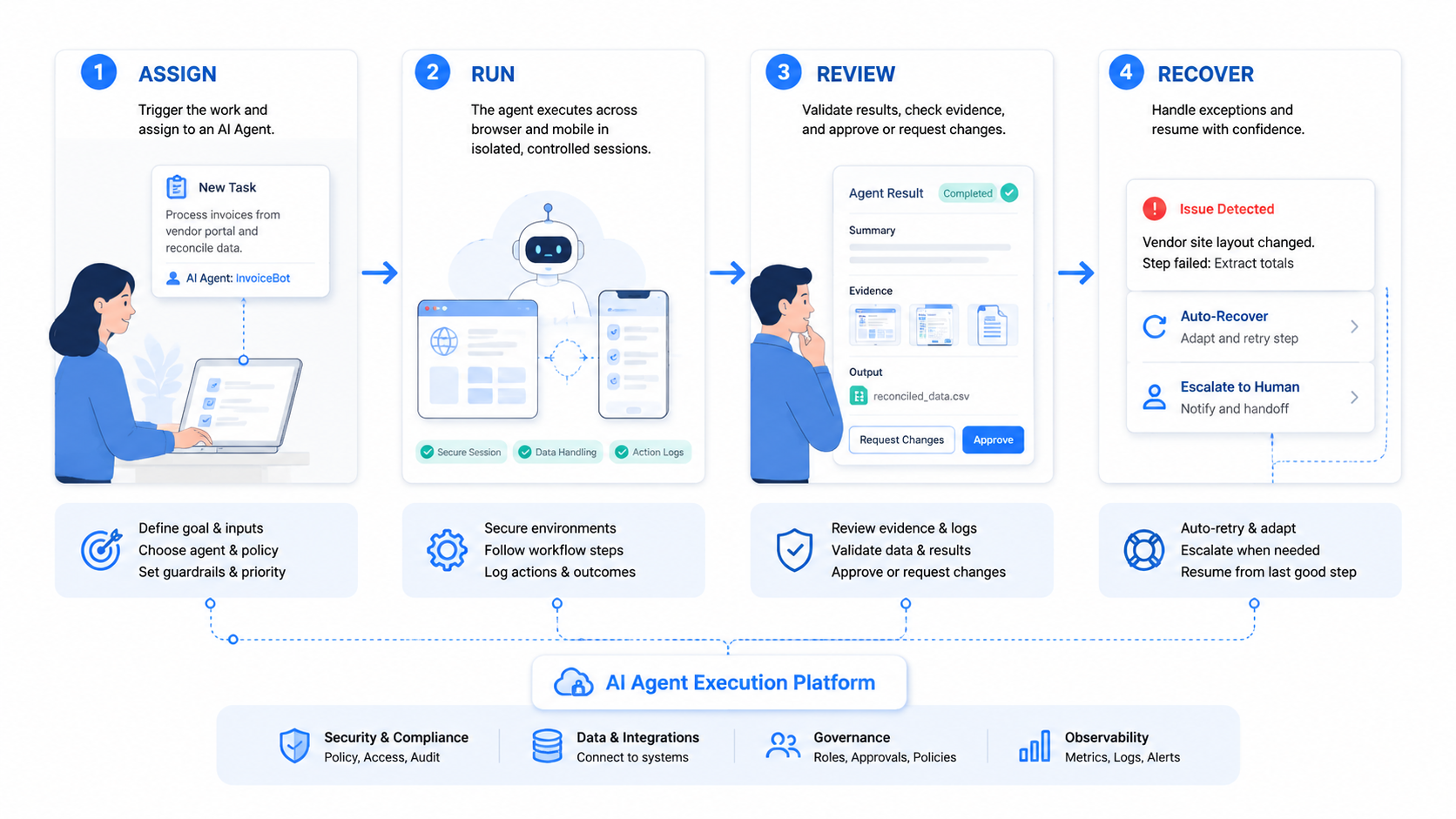
AI Agent Execution Platform for Real Business Automation is best understood as execution infrastructure, not just an AI feature layer. The business value comes from workflow control, runtime choice, and recoverable operations across browser and mobile tasks.
The next useful check is practical: pick one repeated workflow, define its runtime split, and review ten to twenty runs before you scale the lane.



