
Content Type: guide
Page Role: longtail
Intent Type: informational
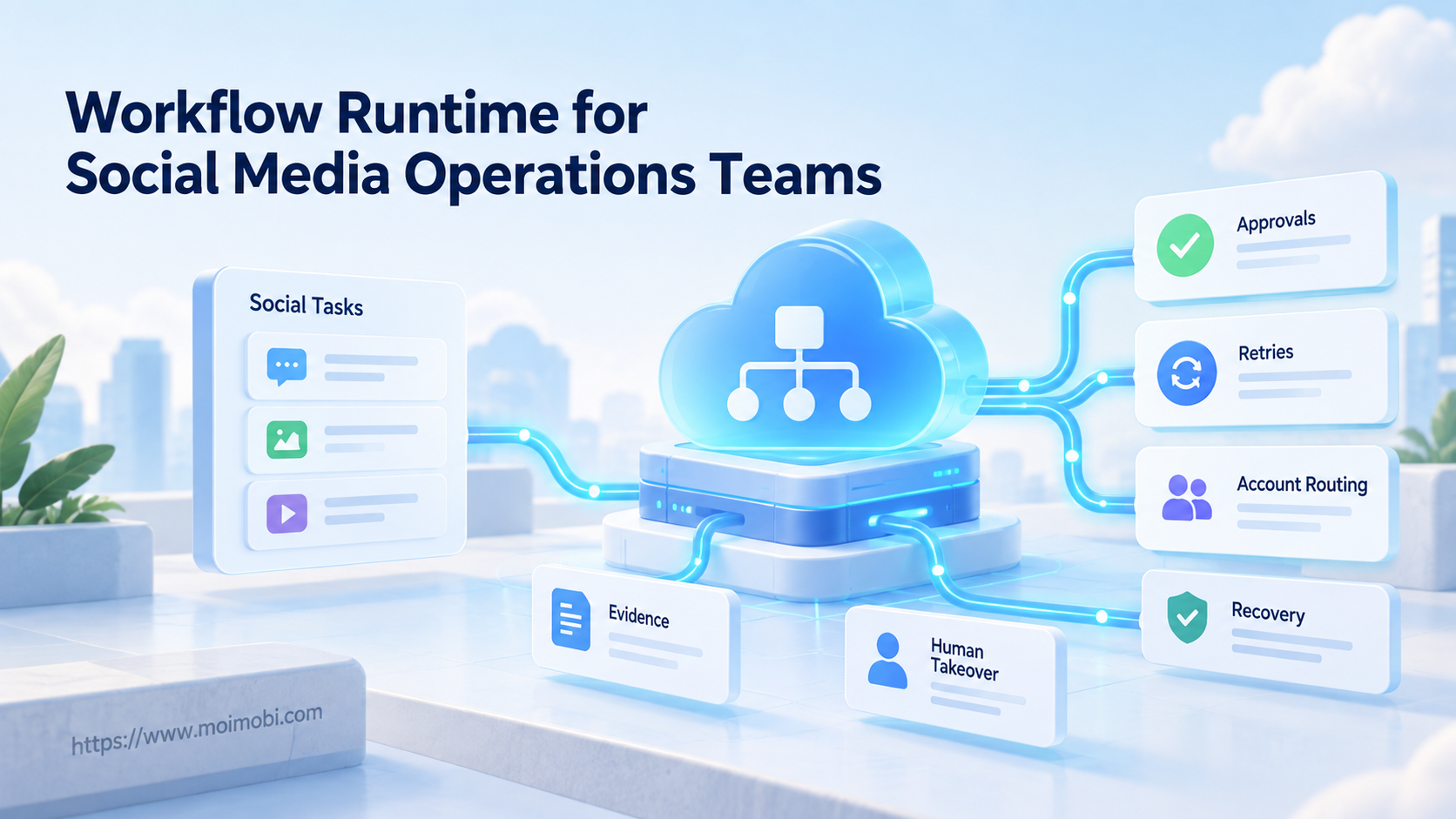
A workflow runtime for operations teams is the execution layer that turns approved social media instructions into tracked tasks, state transitions, retries, handoffs, and completion evidence. It does more than schedule posts. It controls what should happen before, during, and after each account action.
Social operations need this layer when work spans several accounts, people, browsers, mobile environments, and approval steps. A content calendar says when a post is due. A runtime records which version was approved, which account received the task, whether execution succeeded, and who owns the exception.
The right runtime should make failure visible and recoverable. It should not hide platform rules, guess missing permissions, or retry every action without limits.
Key Takeaways

- A scheduler starts work; a runtime owns task state through completion or controlled failure.
- Every task needs an identity, account, approved input, owner, timeout, and evidence requirement.
- Retries must depend on error type and whether the action has side effects.
- Human takeover is a normal state, not an emergency workaround.
- Account, browser, and mobile context must remain bound to the task.
- Pilot success depends on recovery quality, not only completion rate.
What Is a Workflow Runtime for Operations Teams?
A workflow runtime is not a prompt library, calendar, or collection of scripts. It is a stateful control system. It receives a task, checks prerequisites, assigns an execution environment, runs bounded steps, records outcomes, and routes failures.
Each task should have a durable record with these fields:
| Runtime field | Purpose | Example state |
|---|---|---|
| Task ID | Identifies one logical unit of work | reply-20260918-042 |
| Account and channel | Prevents destination ambiguity | Brand A / Instagram |
| Approved input version | Freezes the content or reply | Caption v7 |
| Current state | Shows what the runtime owns now | Awaiting approval |
| Execution environment | Binds the correct workspace | Mobile workspace 12 |
| Attempt and timeout | Limits retries and stale work | Attempt 2 / 5 minutes |
| Human owner | Routes exceptions | Support lead |
| Completion evidence | Proves the final state | Remote URL and screenshot |
Durability matters because social tasks cross network calls, devices, and human waits. Temporal describes durable execution as preserving workflow progress so execution can resume after failures. A social runtime needs the same property even if it uses a different engine: completed steps should not disappear when a worker restarts.
Why a Workflow Runtime for Operations Teams Matters
The common misconception is that reliability means retrying more. Blind retries can publish duplicate content, repeat replies, or continue after an approval has expired. Reliability comes from knowing the state and choosing the correct recovery action.
AWS Step Functions documents explicit retry and catch behavior, including error matching, backoff, timeouts, and fallback transitions. The useful principle is broader than one service: a timeout, invalid input, expired session, and platform rejection should not share one retry policy.
Social media work also includes ambiguous outcomes. A publish request may reach the platform even when the client loses the response. Retrying without checking remote state may duplicate the action. The runtime should move to verification, not immediately repeat the side effect.
For public brand actions, separate these states:
- prepared;
- awaiting approval;
- approved for a named account;
- queued for execution;
- executing;
- awaiting remote verification;
- completed;
- blocked for human action;
- canceled or expired.
That state model gives operators a shared answer to “what happened?” It also prevents a task from being treated as complete merely because a button was clicked.
Core Workflow Runtime for Operations Teams Components
A practical runtime connects six components. Missing one creates manual work elsewhere.
- Task intake: validates channel, account, content version, due time, permissions, and expected evidence.
- Policy gate: checks approval state, account scope, prohibited actions, and human-review triggers.
- Queue and scheduler: orders work by due time, priority, dependency, and available capacity.
- Environment router: assigns the correct browser profile, device, or cloud phone workspace.
- Executor: performs bounded browser or mobile steps and reports structured results.
- Evidence and exception layer: stores logs, screenshots, remote identifiers, errors, and the next owner.
The environment router should follow an account-to-workspace assignment model. An approved caption for Brand A is not permission to use Brand B's session. Record the account and environment binding in the task itself.
Human review belongs before sensitive actions and after uncertain outcomes. A runtime should pause cleanly, preserve context, and let an authorized operator continue from a known checkpoint.
Preflight Checklist for a Workflow Runtime for Operations Teams
Do not let incomplete requests enter the active queue. Check the following before the first execution step:
- account, platform, region, and business owner are identified;
- content, media, link, and disclosure versions are frozen;
- required approval is present and not expired;
- execution environment is assigned and available;
- credentials remain inside the approved environment;
- platform or client limits are represented in policy;
- timeout, retry classes, and stop conditions are defined;
- completion evidence and verification method are specified;
- human takeover owner and service window are known;
- cancellation can stop work that has not yet created a side effect.
Missing fields should create a blocked task with a reason. The runtime should not ask an AI model to invent account ownership, campaign facts, or approval.
How to Start a Social Media Workflow Runtime
Begin with one narrow workflow. Comment triage, approved-post publishing, or inbox assignment is easier to evaluate than an end-to-end “autonomous growth” process.
- Define the task contract. Write the input schema, allowed action, expected output, and evidence. Separate preparation from external execution.
- Draw the state machine. Include approval, queue, execution, verification, human takeover, completion, cancellation, and terminal failure.
- Classify failures. Mark transient network errors, authentication failures, invalid content, missing permissions, platform rejection, and ambiguous outcomes separately.
- Add retry boundaries. Retry only transient, non-destructive steps. Use backoff and a maximum attempt count. Route exhausted retries to a named owner.
- Protect side effects. Give each logical publish or reply action a stable operation ID. Stripe's idempotent request pattern illustrates how repeated requests can reuse one key so the server recognizes the same operation.
- Bind the environment. Store the account, profile, device, and worker references with the task. Do not let a retry select a different account by accident.
- Capture evidence. Record step timestamps, approved version, action result, remote identifier, screenshot when relevant, and final verifier.
- Test takeover. Pause midway, transfer the task to a human, and confirm that the operator sees the exact current state.
- Test recovery. Restart a worker after a completed step. The runtime should resume from durable state rather than repeat all prior actions.
Use a mobile workflow execution layer when the task requires native app actions. Keep the same task and approval model across browser and mobile executors.
Role, Task, and Handoff Contract
A runtime becomes easier to operate when every state has one accountable role. Shared ownership sounds flexible, but it leaves blocked tasks untouched. Define who may create, approve, execute, verify, cancel, and reopen each task type.
Use a small responsibility map:
| Scenario | Primary owner | Runtime checkpoint | Success measure |
|---|---|---|---|
| Approved post publishing | Channel operator | Account and version match | Remote post ID verified |
| Customer reply triage | Support lead | Intent and escalation class | Correct queue assignment |
| Campaign change | Brand or client reviewer | New version approval | Old version cannot execute |
| Session failure | Account owner | Authentication blocked state | Access restored without task loss |
| Ambiguous publish result | Verification operator | Remote-state lookup | Duplicate action avoided |
| Worker interruption | Runtime operator | Durable state replay | Resume starts at the next safe step |
The handoff payload should include task ID, current state, account, approved version, completed steps, unresolved error, evidence, and the next allowed action. It should not contain a raw password or ask the next operator to reconstruct context from chat messages.
A TikTok posting automation task illustrates the boundary. The content team may approve caption and media. The account operator owns the target profile and publish window. The runtime executes the bounded steps, while a verifier checks the remote result. If the session expires, the task moves to the account owner instead of asking the executor to improvise credentials.
Apply the same contract to every workflow runtime for operations teams. Roles may change by channel, but ownership should never disappear between states. Review the map whenever a new account, platform, or action type is added.
Common Mistakes to Avoid
Using cron as the source of truth. A timer knows when work should start, not whether it finished or what to do next.
Retrying every error. Invalid content, revoked access, and policy rejection need correction or escalation. Repeating them wastes capacity and may repeat side effects.
Marking a click as success. Confirm the external result. For publishing, capture a platform identifier or verify the remote post state.
Separating approval from the exact version. If text, media, link, account, or disclosure changes, reopen the required checks.
Losing account context on handoff. Keep account and environment references attached to the task. A generic “continue” button is unsafe when several sessions are open.
Hiding failures in dashboards. Every blocked task needs a reason, owner, age, and next action. A red count without context does not support recovery.
Running without stop rules. Pause an account lane when authentication fails repeatedly, task results become ambiguous, or a platform requires human review.
Who It Fits and When It Does Not
A workflow runtime fits teams with repeated, multi-step operations that cross accounts, systems, or people. It is useful when a task can wait for approval, fail halfway, move between browser and mobile environments, or require evidence after execution.
Good-fit cases include:
- approved content publishing across several owned accounts;
- routing comments or messages to the correct team;
- campaign tasks that require legal, brand, or client approval;
- mobile app workflows with scheduled and human-assisted steps;
- competitor and brand monitoring that creates follow-up tasks;
- customer support handoffs across time zones.
It is not a strong fit for a one-time task that a person can finish and verify in minutes. It also cannot make unauthorized automation acceptable, replace platform permissions, or turn unclear business rules into reliable execution.
Teams should connect the runtime to a controlled social media operations workflow, not use it as an isolated technical service. Content owners, reviewers, account operators, and support leads need the same task states.
Pilot Rollout, Measurement, and Recovery Checks
Run a two-stage pilot. First, use shadow mode: the runtime prepares routes and decisions while a human performs the final action. Then allow bounded execution for low-risk tasks with explicit approval.
Track measures that expose operational quality:
- tasks completed with valid remote evidence;
- tasks blocked before an incorrect action;
- duplicate side effects;
- retries by error class;
- time waiting for approval or human takeover;
- tasks resumed after worker interruption;
- account or environment routing errors;
- exceptions resolved without restarting the workflow;
- canceled tasks that stopped before execution.
Test recovery directly. Stop a worker after content upload but before final verification. Expire a session. Remove an approval. Return an ambiguous response. The runtime should preserve the task, avoid an unsafe repeat, and tell the operator what evidence is missing.
Do not expand account coverage until the pilot has clear stop rules and an isolated execution workspace for each required account boundary.
Frequently Asked Questions
Is a workflow runtime the same as a social media scheduler?
No. A scheduler focuses on timing. A runtime also owns task state, prerequisites, execution, retries, verification, exceptions, and handoffs.
Does every social media team need one?
No. Small, low-volume workflows may be clearer when handled manually. A runtime becomes valuable as steps, accounts, approvals, and failure paths increase.
Can a runtime publish without human approval?
It can execute pre-authorized low-risk tasks if policy permits. Sensitive content, uncertain outcomes, and changed inputs should route to human review.
How are duplicate posts prevented?
Use one logical operation ID, store execution state, and verify the platform result before retrying. Idempotency support depends on the target interface, so the runtime may also need remote-state checks.
What happens when an account session expires?
Move the task to a blocked authentication state, preserve its context, and notify the assigned owner. Do not loop login attempts without a stop rule.
Should browser and mobile tasks use separate runtimes?
They can use different executors while sharing one task model. Approval, ownership, account binding, evidence, and recovery rules should remain consistent.
What evidence should the runtime keep?
Keep the approved input version, task transitions, operator or worker identity, timestamps, action result, remote identifier, and relevant screenshots or logs.
How should retries be configured?
Classify errors first. Retry transient operations with bounded attempts and backoff. Send invalid input, revoked access, ambiguous side effects, and policy blocks to verification or human handling.
What is the first workflow to automate?
Choose a frequent, well-documented process with clear inputs and a reversible or easily verified result. Avoid the highest-risk account action as the first pilot.
Conclusion

A workflow runtime for operations teams gives social media work a durable record of intent, approval, execution, evidence, and recovery. Its value is not the number of actions it can trigger. Its value is knowing what happened, preventing unsafe repeats, and routing exceptions to the right owner.
Start with one bounded workflow. Define its task contract, states, retry classes, account binding, human checkpoints, and completion evidence. Expand only after worker interruption, ambiguous outcomes, cancellation, and takeover tests all produce a controlled result.


