
Key Takeaways
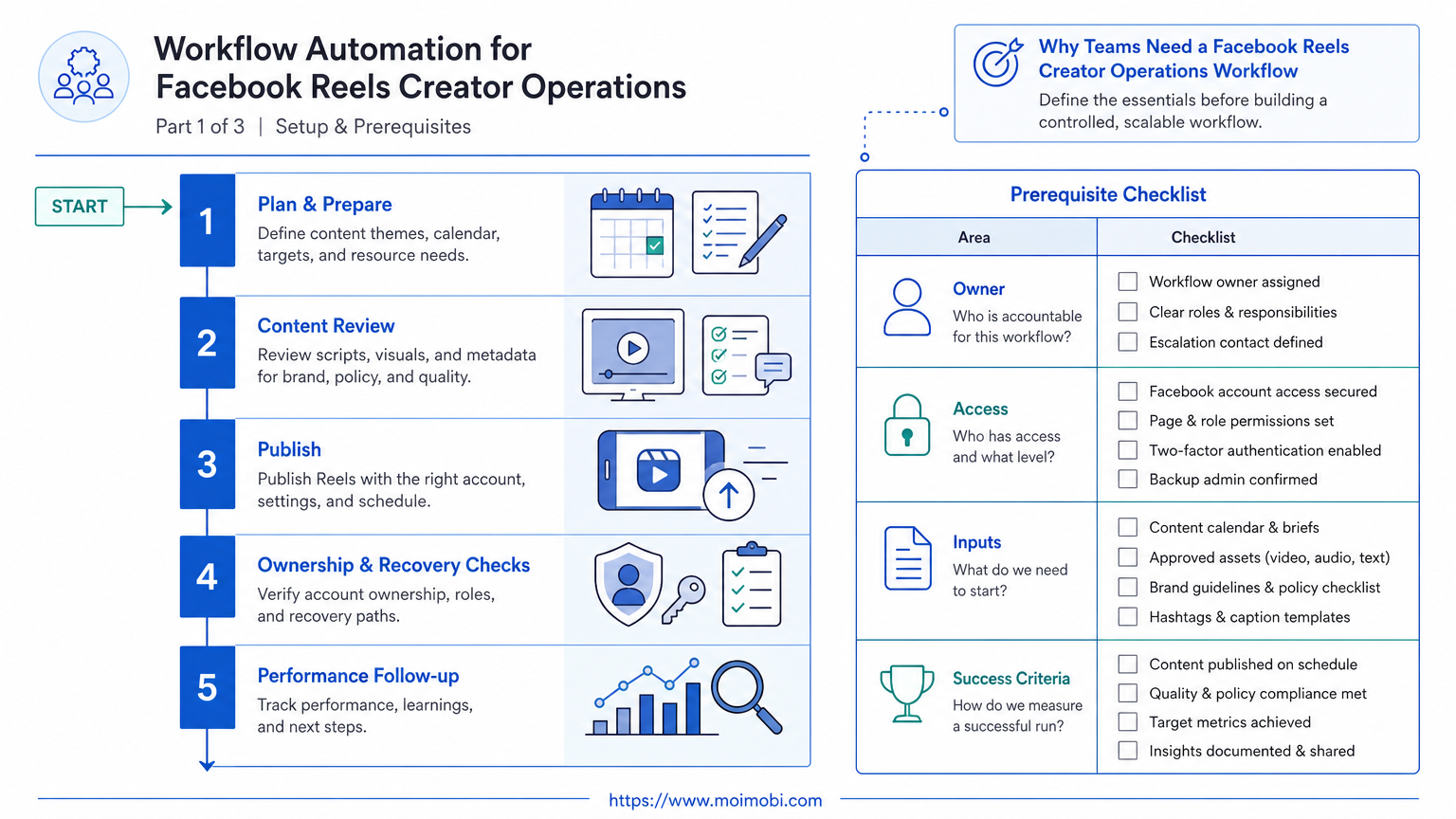
- Treat a Reel as a controlled publishing task, not just a video file.
- Separate asset preparation, approval, publishing, and measurement ownership.
- Keep audience, remix, caption, and cross-posting choices visible before publishing.
- Start with a small pilot and measure task completion as well as content response.
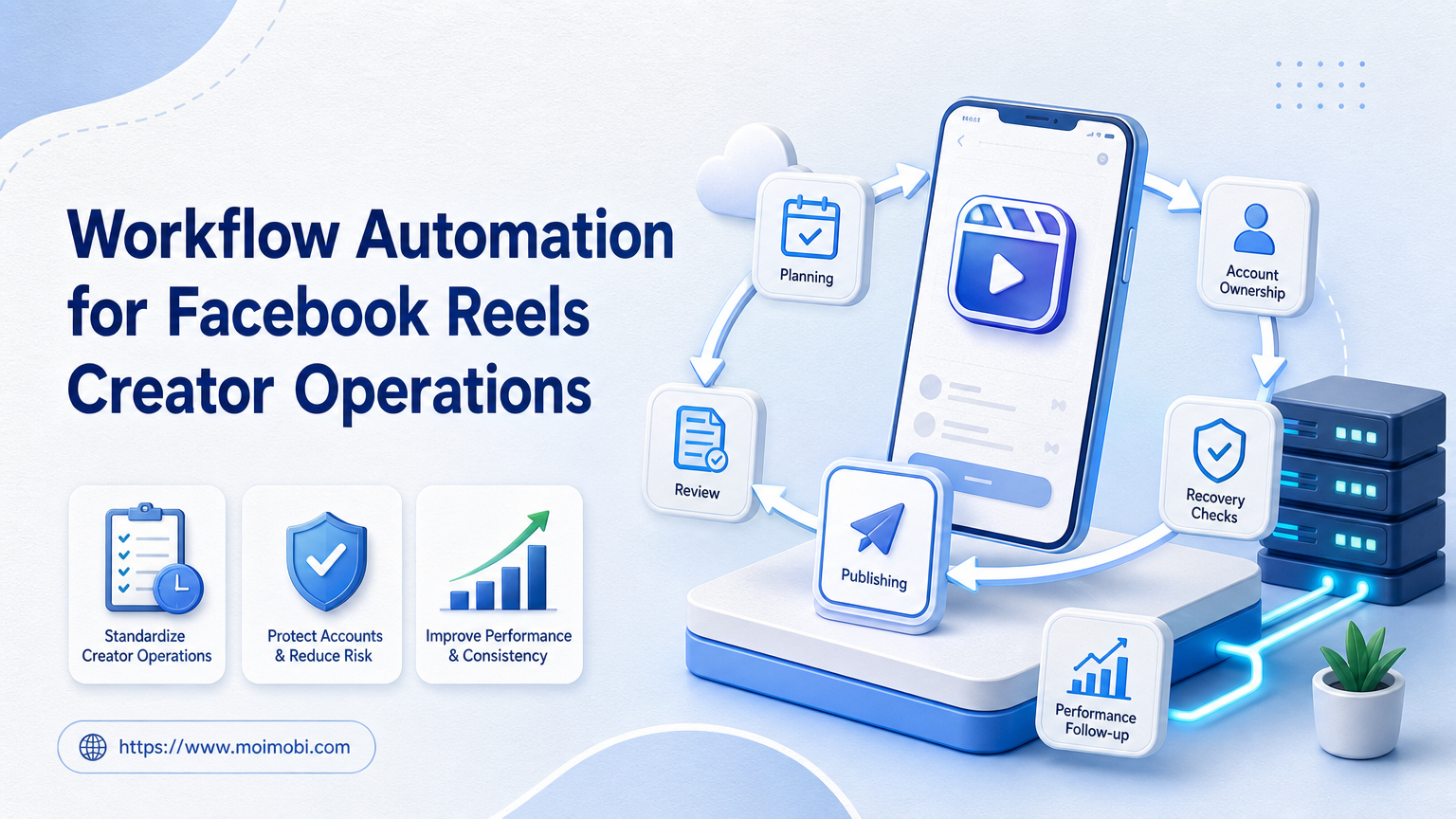
Facebook Reels creator operations is the team process for moving a short video from an approved asset to a published Reel, then recording what happened next. A useful workflow does not replace editorial judgment. It makes repetitive handoffs, approvals, account assignments, and reporting easier to see and repeat.
Facebook gives creators choices around a Reel's description, audience, remix setting, and, where accounts are linked, sharing to Instagram. Those choices mean a team should not reduce the workflow to a single "post" button. Facebook's Reel creation guidance also shows that some creation and publishing options are native-app tasks, so a workflow needs a clear owner for the actual account action.
The Core Idea Behind Facebook Reels Creator Operations
The core unit is a publish-ready package: the video asset, caption, audience choice, account owner, approval state, and measurement window. Once those fields live in different chat threads, teams lose track of what was intended and what was actually published.
For example, an agency may have an editor preparing three clips, a brand lead approving one, and an operator publishing from the assigned account. The workflow should record the selected asset, the responsible person, the target account, and the scheduled review. That gives the next person enough context without asking them to reconstruct the decision.
Facebook Reels creator operations also needs an explicit publishing boundary. Facebook lets users choose reel audiences and control remixing; public reels can be visible off Facebook and may allow remixing or use of original audio. Those are business and brand decisions, not mechanical fields to hide inside an automation. Facebook's audience guidance is a useful reason to put them in a pre-publish checklist.
| Workflow field | Owner | Why it matters |
|---|---|---|
| Approved source asset | Editor or creator | Prevents an outdated export from being published. |
| Audience and remix choice | Account owner | Keeps platform settings aligned with the campaign decision. |
| Caption and tags | Content lead | Creates a reviewable version of the message. |
| Publish record | Operator | Connects the live Reel to the planned task. |
| Performance review | Campaign lead | Turns results into the next content decision. |
Why Teams Need a Facebook Reels Creator Operations Workflow
The need usually appears when volume rises. A solo creator can remember which clip was edited and posted. A team with several creators, client accounts, and time zones cannot safely depend on memory and screenshots.
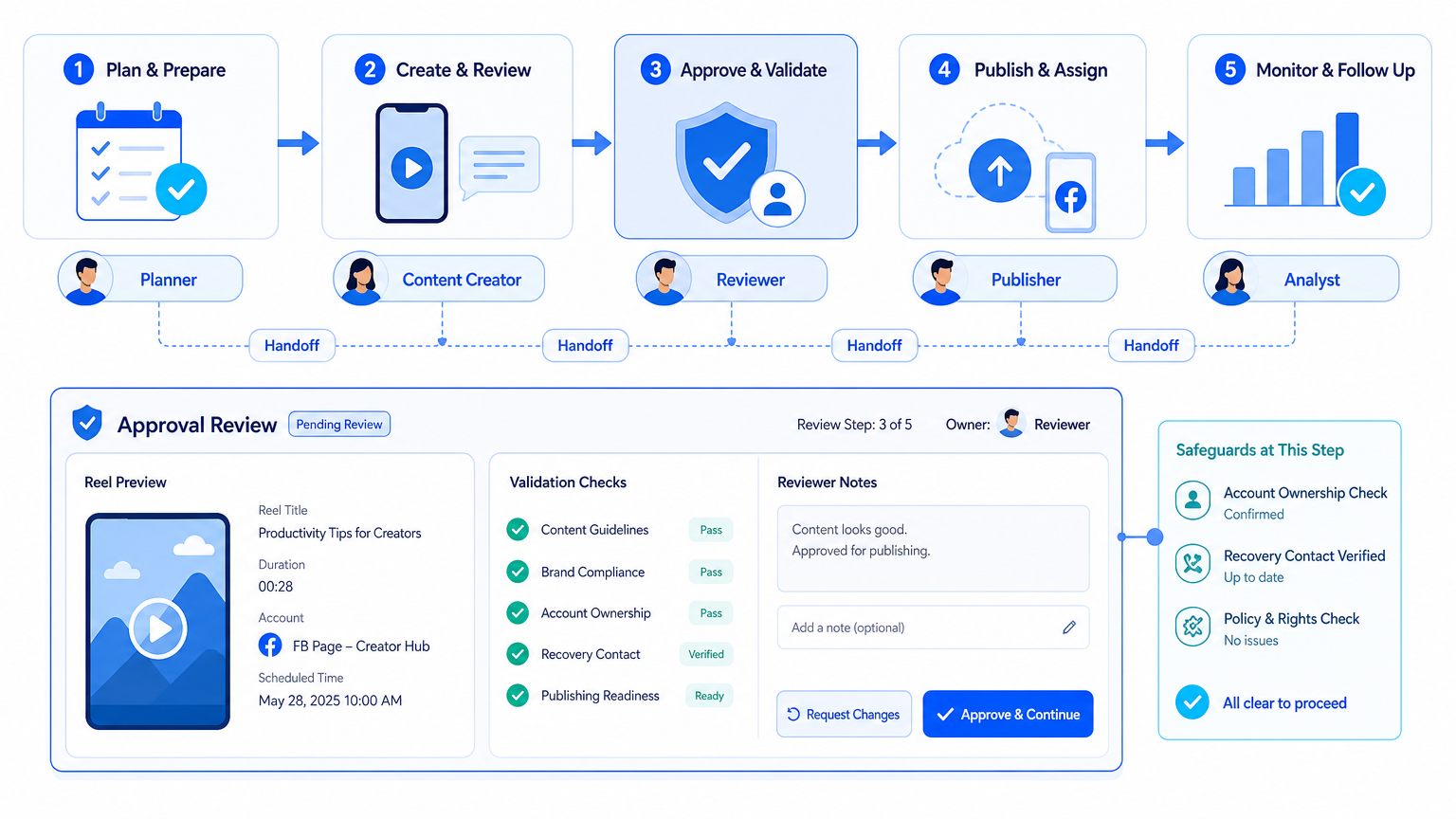
The workflow should make three distinctions. First, planning is not approval. Second, approval is not publishing. Third, publishing is not proof that the task achieved its purpose. Treating those as separate states prevents a scheduled item from being mistaken for a reviewed or live one.
This is where an AI execution platform can support the operational layer: it can help teams assign recurring tasks and keep handoffs visible. For mobile-first steps, mobile automation belongs around repeatable preparation and task tracking, while the account owner retains control over final platform choices.
Who Benefits Most and Who Should Not Start Yet
The best fit is a creator team, agency, or brand team that publishes repeatedly and already has a basic approval path. It is especially useful when one role creates assets, another owns the account, and a third reviews campaign results.
It is not a good first project for a team with no asset naming, no account ownership, or no review rule. Automating an unclear process only makes unclear decisions happen faster. Start by defining one account, one content lane, and one approved task type.
For teams working across multiple profiles, multi-account management should describe who owns each workspace and who can act in it. A cloud phone can provide a persistent mobile execution environment when the approved workflow genuinely requires an Android app step. It should not become a substitute for permissions or campaign review.
How to Start Workflow Automation for Facebook Reels Creator Operations
Do not begin by attempting to automate every publishing action. Begin with the steps that are repetitive, observable, and easy to pause.
- Define the publish package. Require an asset link, caption, target account, audience choice, owner, and requested publish window.
- Add a review state. A reviewer should approve or return the package before an operator sees it as ready.
- Assign one execution environment. Match the task to the correct browser or mobile workspace. Do not move logged-in work casually between people or devices.
- Record the live result. Save the published URL, timestamp, operator, and any exception such as a changed caption or unavailable option.
- Schedule a review window. Check the first results against the original intent rather than using a single vanity metric.
Facebook's Reels management hub covers actions such as viewing, editing, deleting, audience changes, and remix settings. A team SOP should map those platform actions to its internal owners instead of assuming every role can make every change.
Mistakes That Reduce Results
The common mistake is treating every Reel like the same task. Product launches, creator collaborations, local promotions, and customer education can share a workflow shell, but they may need different reviewers, captions, audience settings, and measurement windows.
Another mistake is putting approval after the publishing handoff. When the operator receives an incomplete brief, they must guess. That creates rework and makes it impossible to tell whether a later performance change came from the asset, the message, or a last-minute setting change.
Avoid measuring only views. Facebook notes that users can view information including plays, comments, likes, and shares on their Reels or videos. Its measurement guidance also notes that view definitions have changed across dates, so a team should record the reporting date and compare like with like.
Pilot Rollout, Measurement, and Recovery Checks
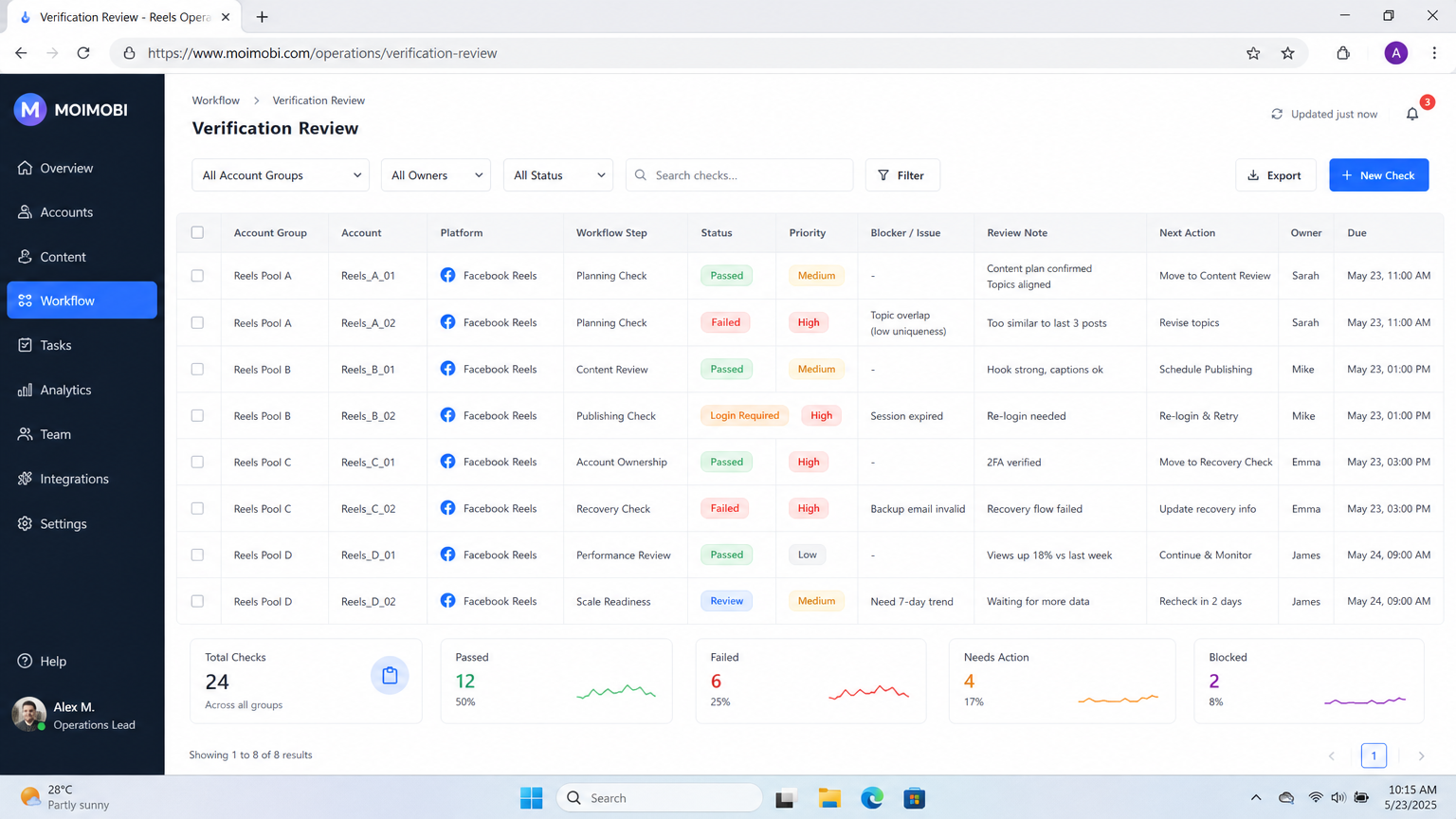
Pilot one workflow for two weeks with a small set of accounts. Keep the goal practical: can the team find the approved asset, see the assigned owner, publish from the right workspace, and record the live result without a side conversation?
Use a short verification checklist after each task:
- The Reel matches the approved asset version.
- The selected audience and remix setting are recorded.
- The live URL and publish time are stored with the task.
- The correct operator and account workspace are visible.
- A reviewer can see whether a follow-up is needed.
If an account action fails or a detail changes, pause that task type and record the reason. Recovery means fixing the task definition or permissions, not silently retrying the same ambiguous instruction.
Build a Content-Ready Queue Before the Publish Window
A workable queue is more than a calendar. Every queued Reel needs a clear state, a single source asset, and an owner who can answer the next question. The status names can stay simple: draft, ready for review, approved, assigned, published, or needs recovery. What matters is that the team uses the same meaning every time.
Keep the asset reference separate from the production file name. An editor may create several exports during review, while the publishing task needs one approved version. Store the source link, final export link, and a short version label in the task. That prevents an operator from choosing a file because it looks newest in a folder.
Captions need the same treatment. Store the approved caption in the task, then record the final caption if it changes during publication. Small edits happen. The record is not there to punish the operator; it helps a team distinguish content changes from platform setting changes when reviewing a campaign later.
Use one request field for the action that follows publishing. It might be "review comments after 24 hours," "send the live URL to the client," or "compare this creative with the previous product demo." A task without a next action often becomes a dead-end record that no one revisits.
Role Boundaries That Keep Creator Work Moving
Creator operations tend to stall when several people can technically publish but no one is explicitly responsible. A clear role model removes that uncertainty without forcing one person to do every job.
The creator or editor owns the source material and confirms that the selected export is the intended version. The content lead owns the message, campaign fit, and any approval requirement. The account operator owns the platform-side action and reports exceptions. The campaign lead owns the review decision after publishing. One person can hold several roles in a small team, but the responsibilities should still be visible in the task.
This division also makes absence easier to handle. If an account owner is unavailable, the replacement can see which environment is assigned, what has been approved, and what has not yet been done. The replacement should not inherit open-ended instructions such as "post the latest one when ready." They need a concrete package and a defined stop rule.
Permissions should follow the same logic. Give people access to what their role requires, then review changes to roles when campaigns or clients change. A shared password or a broadly shared device may look faster in the moment, but it weakens the task record and makes later recovery difficult.
Example: A Three-Reel Product Education Week
Consider a small product team publishing three educational Reels during one week. On Monday, the content lead creates three tasks with a campaign label, target account, intended audience, source asset links, captions, and a review date. The editor attaches final exports as each clip passes review.
On Tuesday, the reviewer approves the first package and returns the second because the opening line no longer matches the campaign message. The third remains in review. The operator sees only the first task as ready. They publish it from the assigned workspace, confirm the audience and remix setting, then record the live URL and actual time.
On Wednesday, the campaign lead reviews the available Reel information with the original purpose in mind. The question is not simply whether it received views. It is whether the audience choice, message, and asset version were the intended ones, and whether the result suggests a useful next content test. That review can lead to a new task, an update to the caption template, or no change at all.
At the end of the week, the team checks the queue. The first Reel has a live record. The second has a documented reason for revision. The third remains unapproved. That is a healthy outcome because the status tells the truth. A workflow is useful when it reveals unfinished work rather than making every item look complete.
What to Review Before Expanding the Workflow
Expand only after the pilot produces clean records. Check whether asset versions were clear, whether reviewers responded within the intended window, and whether operators had to ask for missing details. If those failures repeat, improve the package fields before adding more automation or more accounts.
Review whether the same exception appears across tasks. For example, repeated uncertainty about audience selection may mean the campaign brief needs a default audience rule. Repeated confusion about the correct device or login environment may mean the workspace assignment is too vague. Solve the recurring condition once instead of adding reminders to every task.
Finally, look for a decision that the workflow made easier. It could be choosing a better opening format, reducing review time, or finding that a content lane needs a different owner. If the team cannot name such a decision, the process may be collecting activity rather than producing operational learning.
Frequently Asked Questions
Is workflow automation the same as automatic posting?
No. It can organize preparation, review, assignment, and logging without removing human control from account-level choices.
Should every Reel use the same approval path?
No. Use a lighter path for routine content and a stricter review for paid, partner, or sensitive campaigns.
What should be recorded after publishing?
At minimum, save the live URL, time, account, operator, final caption, and any material difference from the approved package.
Can a team cross-post a Reel to Instagram?
Facebook documents that sharing to Instagram depends on linked accounts in Accounts Center. Treat it as a checked configuration, not an assumed default.
Which metrics belong in the first review?
Use the measures available for the account and compare them with the campaign goal. Plays, comments, likes, and shares are useful context when they are tracked consistently.
Is a cloud phone required for this workflow?
No. It is useful only when a required mobile app task needs a persistent, assigned Android environment.
What is the first sign that the workflow is too complex?
If operators regularly ask where the asset, approval, or account owner is, reduce the task fields and clarify the handoff before expanding automation.
Conclusion
Workflow Automation for Facebook Reels Creator Operations works when it makes responsibility visible. Prioritize the approved asset, account ownership, publishing settings, live record, and review loop in that order. Once one workflow can pass those checks reliably, extend it to another account or content lane. Do not scale the number of tasks until the team can explain what happened to each one.



