
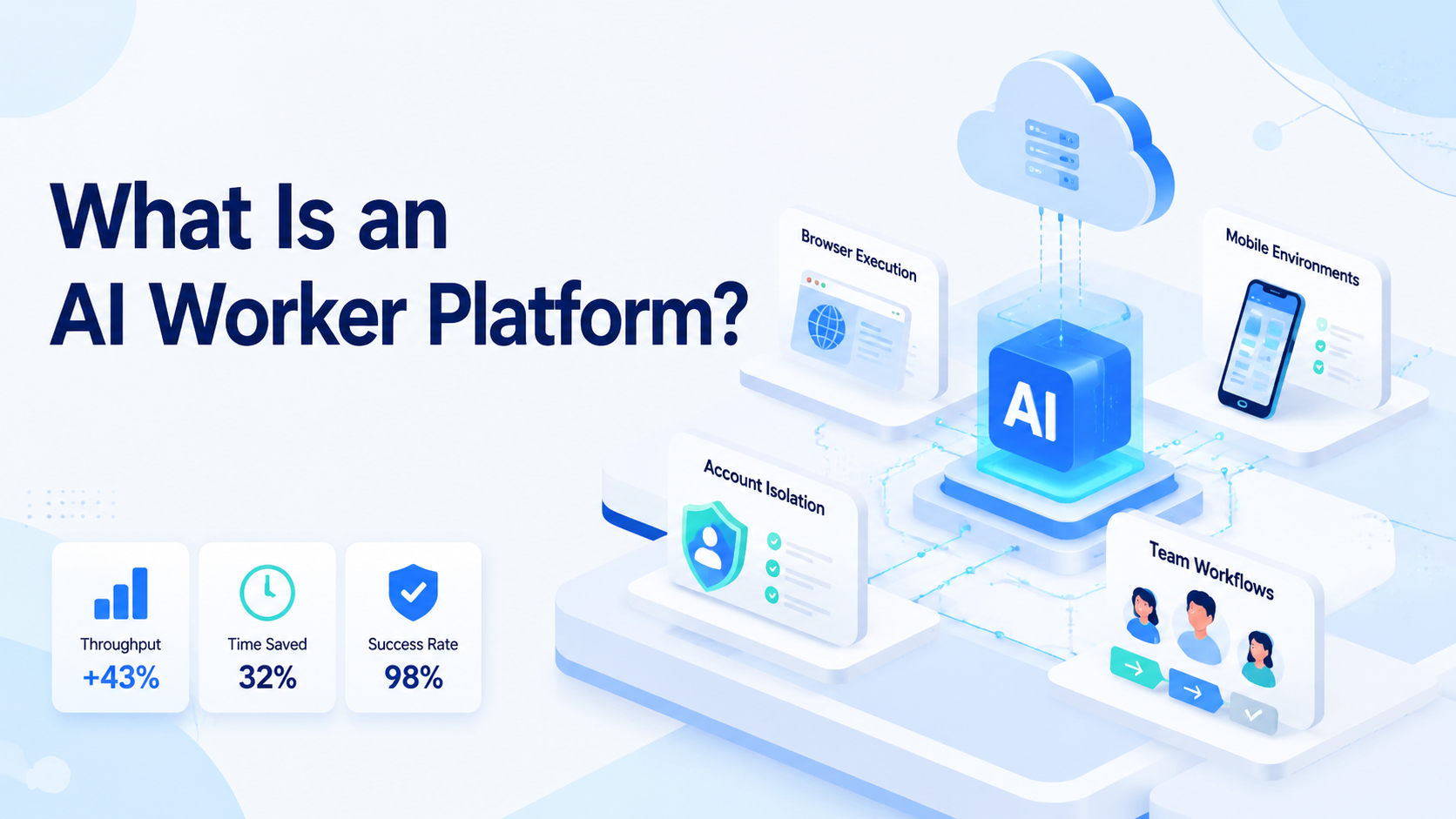
An AI worker platform is software that lets teams assign repeatable digital tasks to AI workers and run those tasks inside controlled browser, mobile, or account environments. It is different from a chatbot because it is built for execution, review, and workflow control.
For operations teams, the useful question is not whether AI can write an answer. The useful question is whether AI can help complete work across web apps, mobile apps, dashboards, inboxes, social accounts, and customer workflows without losing control.
MoiMobi approaches this category as AI browser and cloud phone platform infrastructure. AI can help generate content, replies, task plans, and research notes. The execution layer gives those tasks a place to run through browser profiles, cloud phones, Android environments, and account workspaces.
Core Operating Takeaways
- An AI worker platform connects AI reasoning with repeatable task execution.
- The platform needs environments, not only prompts: browsers, phones, sessions, and accounts.
- Good workflows include human review, logs, recovery rules, and account boundaries.
- Browser execution works for web apps; mobile execution matters for app-based workflows.
- Teams should pilot one workflow before scaling AI workers across many accounts.
What Is an AI worker platform?
An AI worker platform combines three layers: AI instructions, execution tools, and operational controls. The AI layer plans or drafts the work. The execution layer opens the website, browser profile, cloud phone, or mobile app. The control layer tracks status, approvals, failures, and handoffs.
The concept is close to the way modern agent systems are described by official developer platforms. The OpenAI Agents SDK describes agents with instructions, tools, handoffs, guardrails, sessions, tracing, and human-in-the-loop patterns. Microsoft also describes Copilot Studio agents as systems that combine instructions, knowledge, tools, inputs, triggers, and flows.
Those details matter because real work needs more than a model response. A customer reply workflow needs account context, tone rules, approval points, and send history. A publishing workflow needs assets, captions, target accounts, platform checks, and verification.
An AI worker platform becomes useful when it turns these pieces into a repeatable system. One worker can research leads. Another can monitor competitors. Another can prepare replies for approval. The platform keeps the work assigned, visible, and recoverable.
Why an AI worker platform Matters
The common mistake is treating AI workers as smarter chat windows. That view misses the execution problem. Many business tasks happen inside logged-in systems, not inside a blank text box.
A social media team may need to publish content, reply to comments, check inboxes, and record results. An ecommerce team may need to update listings, monitor orders, and respond to customer messages. A sales team may need to research prospects, check profiles, and update CRM fields.
Each workflow has state. It has accounts, permissions, timing, files, task owners, and exceptions. If AI only creates a suggestion, the team still carries the operating load manually.
An AI worker platform matters because it gives AI a controlled place to work. The browser side can support dashboards, forms, SaaS tools, and CRM workflows. The mobile side can support app-based work through cloud phone and Android execution environments.
That distinction is the reason MoiMobi focuses on execution infrastructure. A worker should not only describe the next step. It should operate in a separated workspace, produce an inspectable result, and leave enough context for a human to approve or recover the run.
Key Benefits and Use Cases
The main benefit is not replacing every operator. The main benefit is turning repeated work into visible workflows that a smaller team can manage.
| Use case | What the AI worker does | Control needed |
|---|---|---|
| Social media publishing | Prepares captions, assigns assets, opens the right account, and checks status. | Approval, account isolation, and publish logs. |
| Customer replies | Drafts responses from context and routes sensitive cases to humans. | Tone rules, escalation, and send history. |
| Lead research | Collects public information, checks web profiles, and prepares CRM updates. | Source tracking, field mapping, and review. |
| Competitor monitoring | Checks pages, accounts, or posts on a schedule. | Snapshots, change notes, and trend summaries. |
| Ecommerce operations | Reviews product data, order status, customer messages, and account tasks. | Account ownership, error handling, and audit trails. |
Browser automation standards help explain the execution layer. The W3C WebDriver specification defines a remote-control interface for inspecting and controlling browsers through a platform-neutral protocol. Playwright documentation emphasizes browser engines, isolation, parallelization, tracing, and tooling. These references show why durable browser execution needs more than a screen-clicking script.
Mobile workflows need a different surface. AWS Device Farm describes hosted phones and tablets with remote access, logs, and video for app testing. Teams using mobile-first accounts can apply the same infrastructure lesson: app-based work needs a real mobile environment, not only a desktop browser.
How to Get Started with an AI worker platform
Start with one narrow workflow. Do not begin by asking AI workers to manage every account and every channel. A bounded pilot gives the team clean data.
- Pick one repeated task. Choose a workflow with clear inputs and outputs, such as draft replies, competitor checks, or short video publishing preparation.
- Map the execution surface. Decide whether the task runs in a browser, mobile app, or both.
- Assign account environments. Use separate browser profiles, cloud phones, or mobile workspaces when the workflow touches multiple accounts.
- Define review points. Mark the steps that need human approval before a reply, post, outreach message, or account change goes live.
- Track results. Log completed tasks, failed runs, recovery actions, and operator corrections.
- Expand only after the workflow is stable. Add more accounts after the team understands completion rate and exception load.
MoiMobi supports this approach through mobile automation, browser execution, account workspaces, and multi-account management. The goal is to make the workflow inspectable before it becomes large.
Fit Boundaries for an AI worker platform
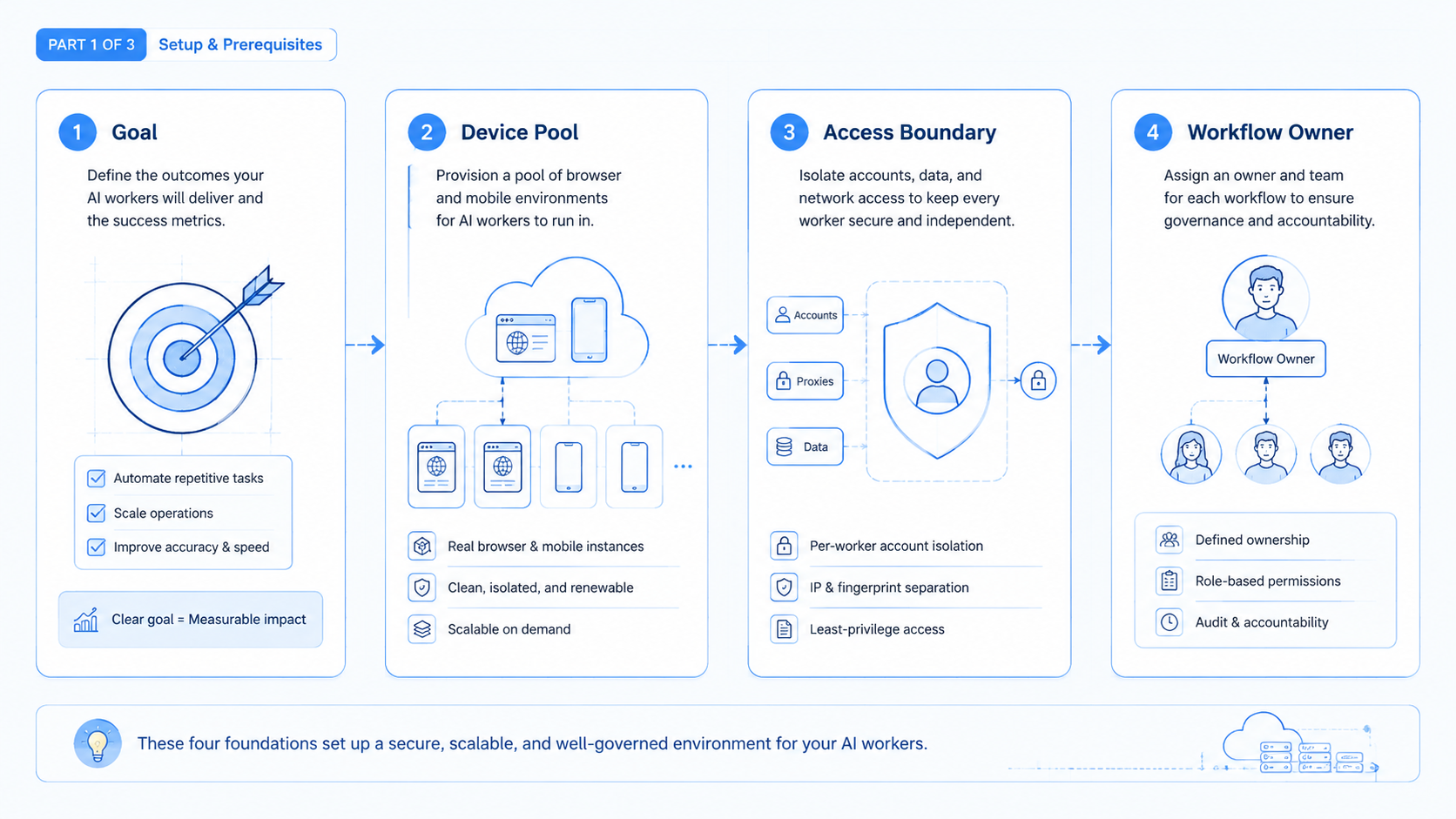
An AI worker platform fits recurring work with account context. It is especially useful when the workflow touches logged-in platforms, repeated actions, multiple profiles, or customer-facing communication.
It fits teams that need parallel capacity. Agencies, growth teams, ecommerce operators, and support teams often need several workflows running at once. They also need to know which account, device, or operator owns each run.
It is less useful for one-off tasks. If the work is a single document, a simple model prompt may be enough. If the work is a clean API call with no review or account state, a direct integration may be simpler.
The strongest fit appears when AI generation and environment control meet. For example, a worker can draft a TikTok reply, open the correct account environment, wait for approval, and record the result. That workflow needs more than text generation.
The deciding factor is repeatability. If the same task returns every day with similar inputs, the platform has room to learn the path and reduce manual handling.
Common Mistakes to Avoid
The first mistake is skipping account isolation. Shared browser sessions and shared mobile environments make it hard to audit who did what. They also create avoidable operational confusion across brands, clients, or regions.
The second mistake is automating the final action too early. Teams should usually start with draft, review, and verification steps. Direct publishing or direct customer replies should come later, after the workflow has clear rules and logs.
The third mistake is buying by feature list. A platform may advertise many AI skills but still lack the environment controls your team needs. The buying checklist should start with the task surface, account model, review path, and recovery path.
The fourth mistake is ignoring mobile execution. A browser-only workflow can work for web dashboards. It breaks down when the task depends on Android apps, mobile inboxes, or mobile account behavior. In those cases, device isolation and cloud phone capacity belong in the first evaluation round.
Pilot, Measurement, and Recovery Checks
The first pilot should measure the operating system, not only the AI output. A good answer from an AI model does not prove that the workflow is ready for production.
Track these signals during the pilot:
- Completion rate: how often the worker finishes the assigned task.
- Review load: how many runs need human correction.
- Recovery time: how long it takes to fix failed sessions, missing assets, or unclear screens.
- Account accuracy: whether the worker uses the correct profile, phone, or workspace.
- Business output: posts prepared, replies drafted, leads reviewed, or issues resolved.
Recovery checks should be deliberate. Test expired logins, app layout changes, missing files, duplicate tasks, and operator rejection. A serious AI employee software stack should make these failures visible.
The pilot is ready to scale only when the team can explain what succeeded, what failed, and what will happen next time. Without that loop, adding more AI workers only multiplies unclear work.
Frequently Asked Questions
Is an AI worker platform the same as an AI chatbot?
No. A chatbot mainly responds in conversation. An AI worker platform connects AI with tools, environments, task state, review, and workflow execution.
What is the difference between AI worker software and AI employee software?
The terms overlap. AI worker software usually emphasizes task execution. AI employee software often emphasizes roles, workflows, memory, and ongoing operating responsibilities.
Does every AI worker need a browser?
No. Some workers only need APIs or internal tools. Browser execution matters when the task happens inside websites, dashboards, forms, or logged-in accounts.
When does a team need cloud phones?
Cloud phones matter when the workflow depends on mobile apps, Android account environments, mobile inboxes, or mobile-first social platforms.
Can AI workers publish content automatically?
They can assist publishing workflows, but teams should use approval checks and platform-compliant methods. Sensitive actions should remain reviewable.
How should a small team start?
Start with one workflow, one account group, and one success metric. Expand only after logs and recovery rules are clear.
What should buyers compare first?
Compare execution surfaces, account isolation, review controls, logging, and recovery. Model quality matters, but it is not the whole platform.
What is a red flag?
A red flag is a tool that hides execution details. Teams need to inspect actions, failures, accounts, and handoffs.
Conclusion
An AI worker platform is best understood as execution infrastructure for repeatable digital work. It combines AI planning, browser or mobile environments, account separation, human review, and workflow tracking.
The next step is practical: choose one recurring task, map where it runs, decide which account environment it needs, and define the first review checkpoint. If that pilot can complete work, show logs, and recover from failure, the team has a real foundation for AI workers.



