
Key Takeaways
- Browser profile systems separate web workspaces for account-based operations
- Cloud phones are remote mobile environments for app-based workflows
- The right choice depends on where the task actually runs: web dashboard or mobile app
- Teams should map accounts to environments, roles, review paths, and recovery checks
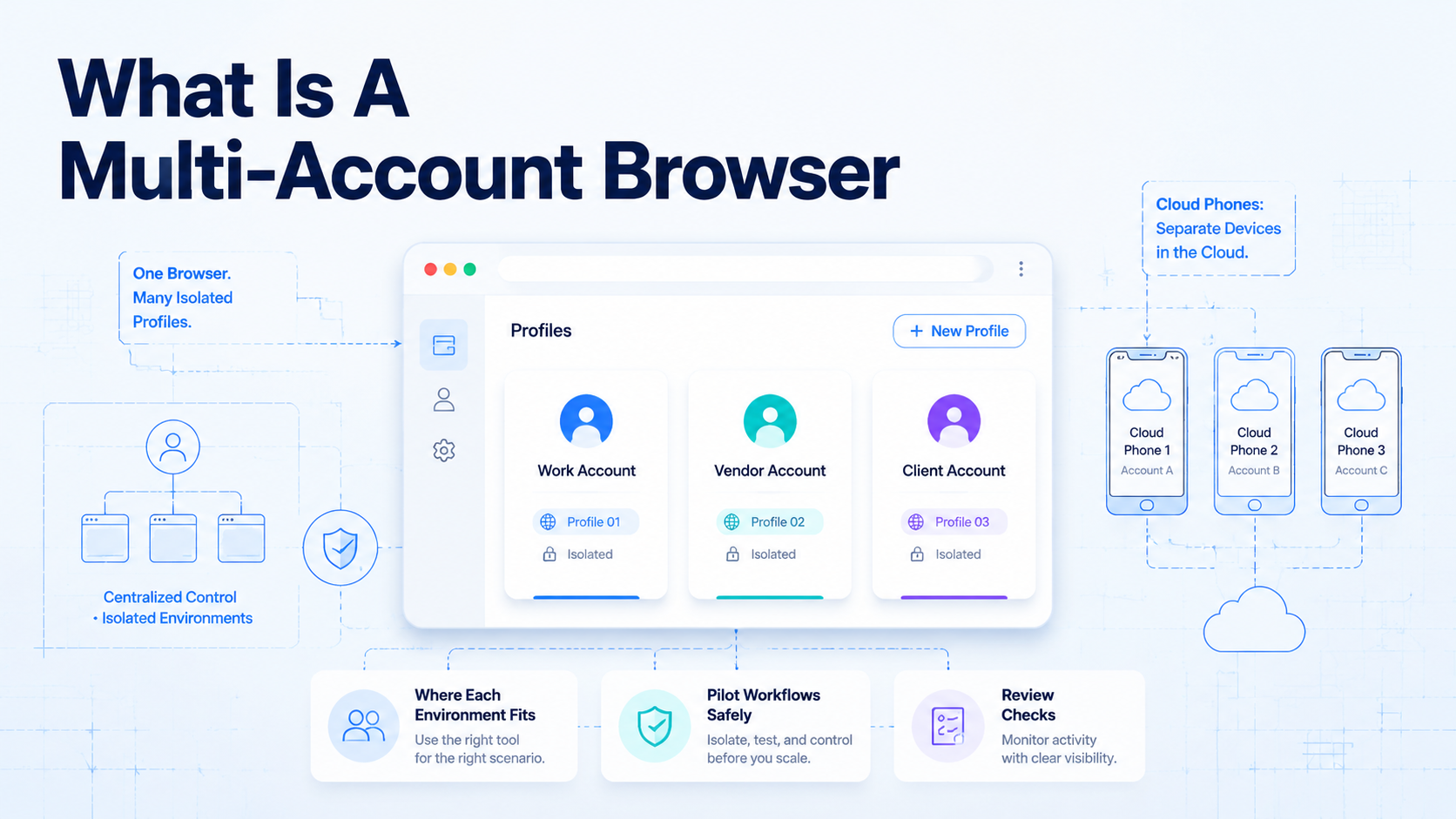
A multi-account browser is a browser workspace system that helps teams keep different web accounts separated by profile, session, and operating context. It is different from a cloud phone because the browser layer handles web-based workflows, while a cloud phone handles mobile app workflows.
The distinction matters for teams managing social accounts, e-commerce accounts, customer inboxes, and campaign work. A web dashboard may only need a profile named client-a-dashboard. A mobile inbox check or Android prompt may need a cloud phone named client-a-mobile. Pause.
What Is a Multi-Account Browser?
The browser profile model gives each account a separate web workspace. In practice, that usually means separated cookies, login sessions, browser storage, and profile settings.
Basic. Playwright's official documentation describes browser contexts as isolated sessions that do not share cookies or local storage (Playwright). Chromium also documents user data directories as the place where browser state such as history, cookies, and cache can live (Chromium). Check.
For operations teams, the useful idea is simple: one account should not depend on another account's browser state. That becomes the web task model.
Where Browser Profiles Fit Best
The browser layer is strongest when account work happens in web apps. Examples include dashboards, admin consoles, CRM updates, web inboxes, analytics tools, and browser-based publishing flows.
It helps when teams need:
- Separate web sessions for different accounts
- Clear account ownership by profile
- Repeatable browser workspaces for operators
- Handoff without sharing personal browser state
- Better review of web-based account activity
The tool is less useful when the workflow requires a mobile app. If a task must happen inside TikTok, WhatsApp, Telegram, Instagram, or another mobile-first surface, a browser workspace may not be enough.
Do not force it.
How Cloud Phones Are Different
A cloud phone is a remote mobile device environment. Operators access the phone remotely, but the work happens inside a mobile operating system and mobile apps.
AWS Device Farm describes remote access as a way to interact with hosted devices through a browser session (AWS Device Farm). That product is built for testing, but it shows the operating model: a team can interact with a device without physically holding it.
Cloud phones are relevant when the task is app-side. Mobile inbox checks, app prompts, QR flows, mobile publishing steps, and Android-only workflows fit this layer better than a browser profile.
Browser vs Cloud Phone Decision Table
| Question | Use browser profiles when... | Use cloud phones when... |
|---|---|---|
| Where does the task run? | Inside a web app or dashboard | Inside a mobile app or Android environment |
| What needs isolation? | Cookies, sessions, web storage, browser profile | Mobile workspace, app state, app login context |
| Who uses it? | Web operators, analysts, support teams | Mobile operators, social teams, app-side support teams |
| What is the handoff? | Profile ownership and web task notes | Device ownership, app task status, recovery notes |
This is not a winner-takes-all choice. Many teams need both layers. Browser profiles handle web dashboards, while cloud phones handle mobile account work.
Route by surface.
Use one routing rule that every operator can repeat during review and handoff. Put the task where the account normally lives. Use a browser profile for web forms, web inboxes, CRM screens, analytics reviews, and admin panels. Use a cloud phone for app prompts, mobile messages, mobile content checks, QR flows, and Android-only steps.
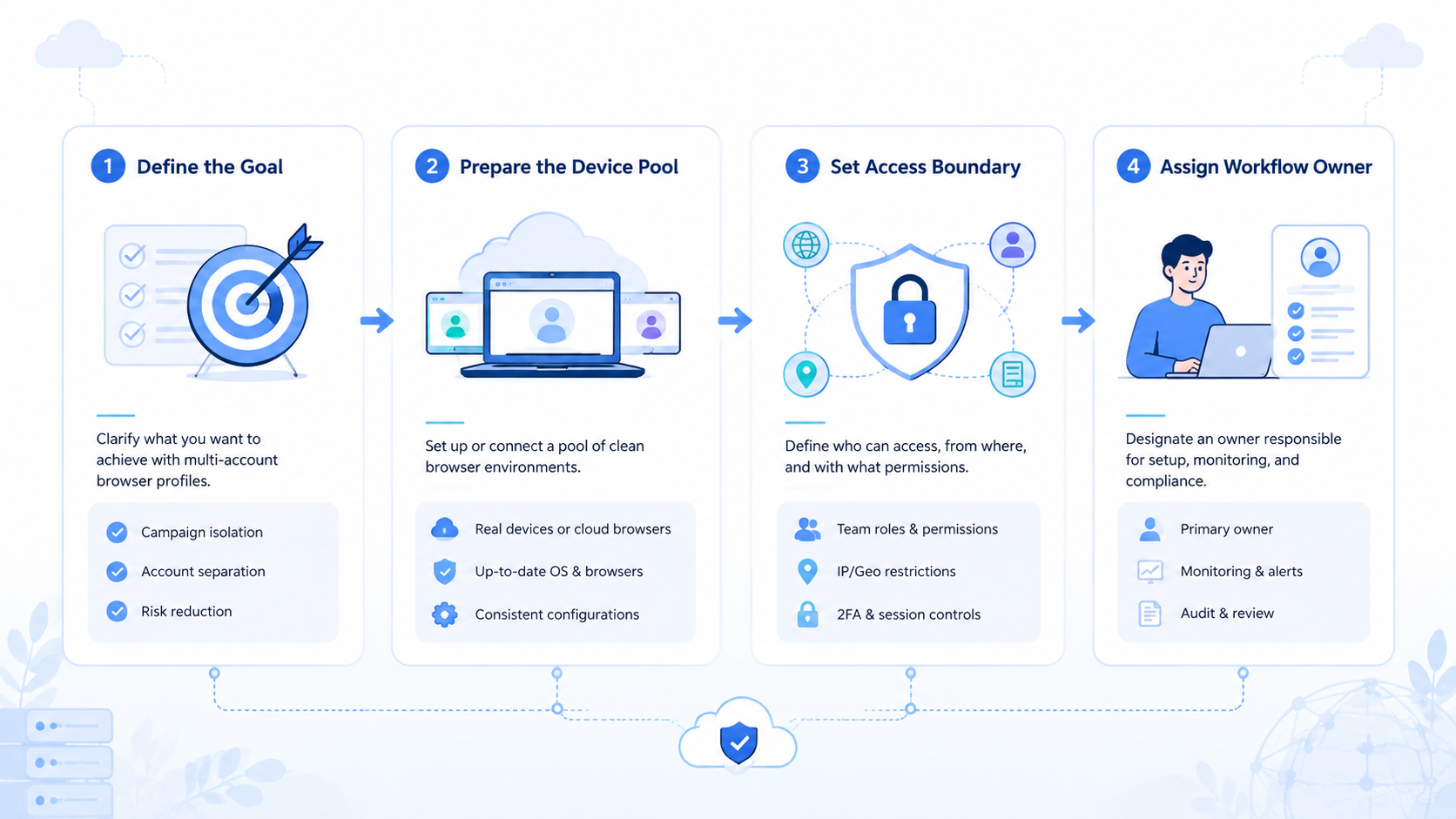
Teams also need one owner per environment. The owner does not have to perform every task, but someone must know the current account state. Without that owner, tools multiply while handoff quality stays weak. Decide.
What Is a Multi-Account Browser in Team Workflows?
Web profiles are a strong match when the team mostly uses browser surfaces. They also fit when operators need quick access to several account dashboards without mixing personal sessions.
Remote Android suits app work. Android Enterprise documentation frames Android as an enterprise device platform for managed work (Android Enterprise). A cloud phone uses a different delivery model, but the team problem is similar: mobile work needs assignment, control, and visibility.
Moimobi treats both as execution environments. Browser-side work belongs in a controlled web workspace. Mobile-side work belongs in a remote device workspace with device isolation.
Common Mistakes to Avoid
The first mistake is choosing by tool category instead of task surface. Start with the workflow. If the task runs in a web dashboard, begin with browser profiles. If the task runs in an app, evaluate cloud phones.
Access sprawl hurts. Least access wins. Separate workspaces still need role rules, review paths, and task ownership.
Do not freeze account assignments. Teams should review account assignments when roles, campaigns, clients, or recovery procedures change.
For broader operations, connect this decision to multi-account management, not only device count.
Pilot Rollout, Measurement, and Recovery Checks
Start with one account group and one workflow. For example, test web dashboard checks in browser profiles and mobile inbox checks on cloud phones.
Track five fields during the pilot:
| Field | Why it matters |
|---|---|
| Account owner | Shows who is responsible for the current account state |
| Environment type | Separates web work from mobile work |
| Operator role | Keeps access aligned with the task |
| Task result | Records what happened without asking in chat |
| Recovery owner | Gives failed work a clear next step |
Use this handoff note format:
account_id: client-a-instagramenvironment_id: browser-profile-04 or cloud-phone-12last_action: replied, reviewed, published, escalated, or failednext_owner: named teammate or managerstop_reason: prompt, permission issue, unclear reply, or no issue
After one week, review failures. Web failures point to profile rules. Mobile failures point to cloud phone assignment, app notes, or mobile automation boundaries.
Frequently Asked Questions
| Question | Short answer |
|---|---|
| Same as a fingerprint browser | They overlap; one names the team use case, the other usually names profile controls |
| Can cloud phones replace browser profiles | Only when the work is mobile-first |
| Can one account use both | Yes, one account can have a web profile and a phone workspace |
| What should be isolated first | Start with handoff, reply, campaign, or recovery issues |
| Does the browser layer automate tasks | No, it provides the workspace; automation depends on workflow rules |
| When do cloud phones come first | When key work happens in apps or Android-only states |
| What pilot size works | One workflow, a few accounts, named users, and a recovery owner |
Conclusion
Web profiles form the browser workspace layer for account-based operations. Remote phones form the mobile execution layer for app-based work.
Before choosing, map the task surface. Web dashboard work should start with browser profiles. Mobile app work should start with cloud phones. Teams that run both should connect them through one account workspace model, with clear owners, review rules, and recovery checks.



