
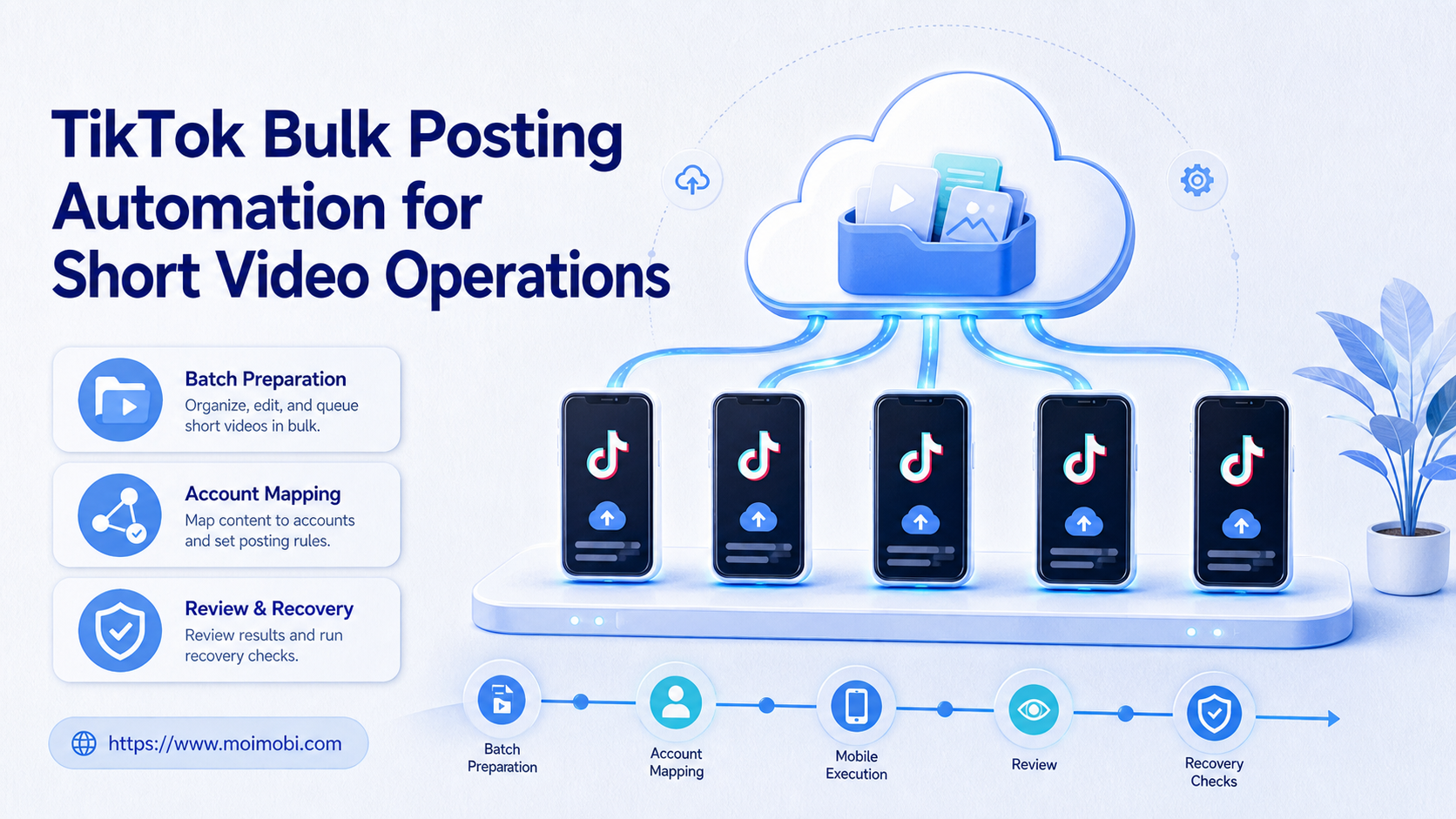
TikTok bulk posting is a controlled workflow for preparing, reviewing, assigning, posting, and tracking multiple short videos across TikTok accounts. It should not mean blind mass uploading. For operations teams, the real value is the system around each post: account ownership, content version, publishing environment, approval state, result record, and recovery path.
Short video teams often work in batches. A brand may prepare a week of product clips. An agency may manage several client accounts. A creator team may localize similar ideas for different audiences. A cloud phone can give the team a mobile execution layer, while the workflow keeps the right video tied to the right TikTok profile.
TikTok's developer documentation includes Content Posting APIs for sharing or uploading creator content from approved applications. TikTok's public terms and community guidance also make it clear that platform access, spam, fake engagement, and unauthorized behavior have boundaries. A serious automation workflow should respect those boundaries by using approved paths where relevant, keeping reviewers in control, and stopping when account context is unclear.
Key takeaways
- TikTok bulk posting should be treated as batch operations with ownership and review.
- The workflow needs content assets, account mapping, mobile execution, and result records.
- Automation should support preparation, routing, verification, and recovery before it expands posting volume.
- Teams should avoid repeating the same video and caption across accounts without context.
- A small pilot should measure completion, account mismatch, review delay, and failure reasons.
- MoiMobi fits when TikTok workflows need cloud phones, account isolation, and multi-account execution.
What Is TikTok Bulk Posting for Short Video Operations?
TikTok bulk posting for operations means batching repeated short video work into a controlled process. Operators can prepare many videos at once, but each item still needs a target account, caption, media file, reviewer, execution environment, and result.
The phrase can sound like a simple uploader. That is too narrow. A useful workflow handles the whole path from asset preparation to final verification.
Consider an e-commerce team with five regional TikTok accounts. The content team prepares product clips. The marketing lead reviews claims and captions. The operator publishes or verifies each post in the assigned account environment. The manager checks status and failure reasons after the batch.
That workflow is not only about speed. It is about avoiding confusion when several people, accounts, and videos move at the same time.
Why TikTok Bulk Posting Needs Operational Controls
The risky version of bulk posting focuses only on volume. It asks how many videos can be pushed out and ignores who owns the account, whether the content was approved, and what happens after a failed run.
The workable version focuses on control. It asks whether each video has a clear owner, whether the final action is reviewed, and whether the workflow stops when the page or app state changes.
TikTok's Content Posting API pages describe official posting and upload capabilities for eligible integrations. The docs also describe prerequisites such as registered apps and content requirements. That does not mean every team should build an API system first. It does mean the publishing path should be designed around clear permissions, content ownership, and platform rules.
A controlled TikTok workflow should answer:
- which account will publish the video;
- which file and caption version is approved;
- which teammate owns final review;
- which browser or mobile environment will execute the task;
- which status proves the work is complete;
- which exception should pause the workflow.
These answers matter more than whether a tool calls itself an uploader, scheduler, bot, or automation platform.
Preflight Checklist for TikTok Bulk Posting
A short preflight checklist prevents most avoidable mistakes. Use it before the first batch and before any larger rollout.
| Checkpoint | What to confirm | Stop condition |
|---|---|---|
| Account assignment | Each video has one target TikTok account | The operator must choose from memory |
| Content package | Video, caption, thumbnail note, hashtags, and reviewer are attached | The file version is unclear |
| Approval state | Claims, pricing, offers, and sensitive text are reviewed | The post has no owner approval |
| Execution workspace | The assigned browser or phone environment matches the account | The wrong account opens |
| Result capture | Status, link, timestamp, and failure reason are recorded | The only record is a chat message |
This checklist also helps when teams compare TikTok workflows with YouTube Shorts, Instagram Reels, n8n automations, or GitHub upload scripts. The names change, but the same operating fields still matter.
How to Get Started With TikTok Bulk Posting Automation
Start with one account group and one content type. Do not begin with every region, every client, or every campaign. A narrow test gives cleaner feedback.
Use this sequence:
- Build the batch sheet. Add account, asset, caption, reviewer, planned window, and environment.
- Review content before execution. Check claims, offers, music rights, hashtags, and brand fit.
- Assign the environment. Match each account to a separated browser profile or cloud phone.
- Run the task. Use automation for routing, opening, reminders, and status capture.
- Keep final control visible. Require manual review for sensitive accounts, unusual warnings, or unclear app states.
- Verify the result. Capture link, status, timestamp, account, and failure reason.
- Review exceptions. Separate content issues from login issues, app changes, account mismatch, and unclear instructions.
The workflow should be boring when it works. Each person knows what to do. Each account opens in the expected environment. Each failure creates a useful note.
TikTok Bulk Posting vs Schedulers, Scripts, and Phone Farms
Schedulers usually focus on calendars and timing. Scripts usually focus on a fixed upload path. Phone farms focus on hardware capacity. A social operations workflow needs more than any one of those pieces.
Short video teams need a system that connects content, account, device, reviewer, and result. A scheduler may not solve app-only checks. A script may break when the page or app changes. A physical phone farm may add hardware control, but it can make handoff and tracking harder if the team lacks clear records.
For a multi-account team, device isolation and multi-account management are part of the decision. The team needs to know which account ran which task and which environment was used.
Use a simple decision rule:
- choose a scheduler when calendar timing is the main problem;
- choose a script when engineers own a stable, narrow workflow;
- choose a phone farm when direct hardware control is the main requirement;
- choose an execution platform when accounts, roles, mobile steps, and review records all matter.
MoiMobi is designed for the last case. It connects browser and mobile execution for teams that run repeatable social workflows.
Fields Every TikTok Batch Should Track
A TikTok posting batch becomes easier to manage when every video uses the same task fields. The fields do not need to be complex, but they should be consistent enough for review.
Use this minimum field set:
| Field | Purpose | Example |
|---|---|---|
| Account | Prevents posting to the wrong profile | tiktok_us_03 |
| Asset ID | Connects the task to the final video | product_demo_june_07 |
| Caption version | Shows which text was approved | caption_v2_localized |
| Reviewer | Names the decision owner | campaign_lead |
| Environment | Ties execution to a browser or phone workspace | cloud_phone_12 |
| Status | Shows current progress | ready, posted, blocked |
| Failure reason | Turns failed runs into fixes | login expired, missing file |
These fields are especially useful for teams using n8n-style automations, GitHub upload scripts, or internal task queues. A technical workflow may trigger a task, but the operations team still needs proof that the right asset reached the right account. Without those fields, a bulk posting system can look fast while creating more review work.
MoiMobi keeps this field logic close to the execution layer. The account environment, task state, and result can stay connected when work moves between browser dashboards and mobile devices.
Who It Fits and When It Is a Strong Match
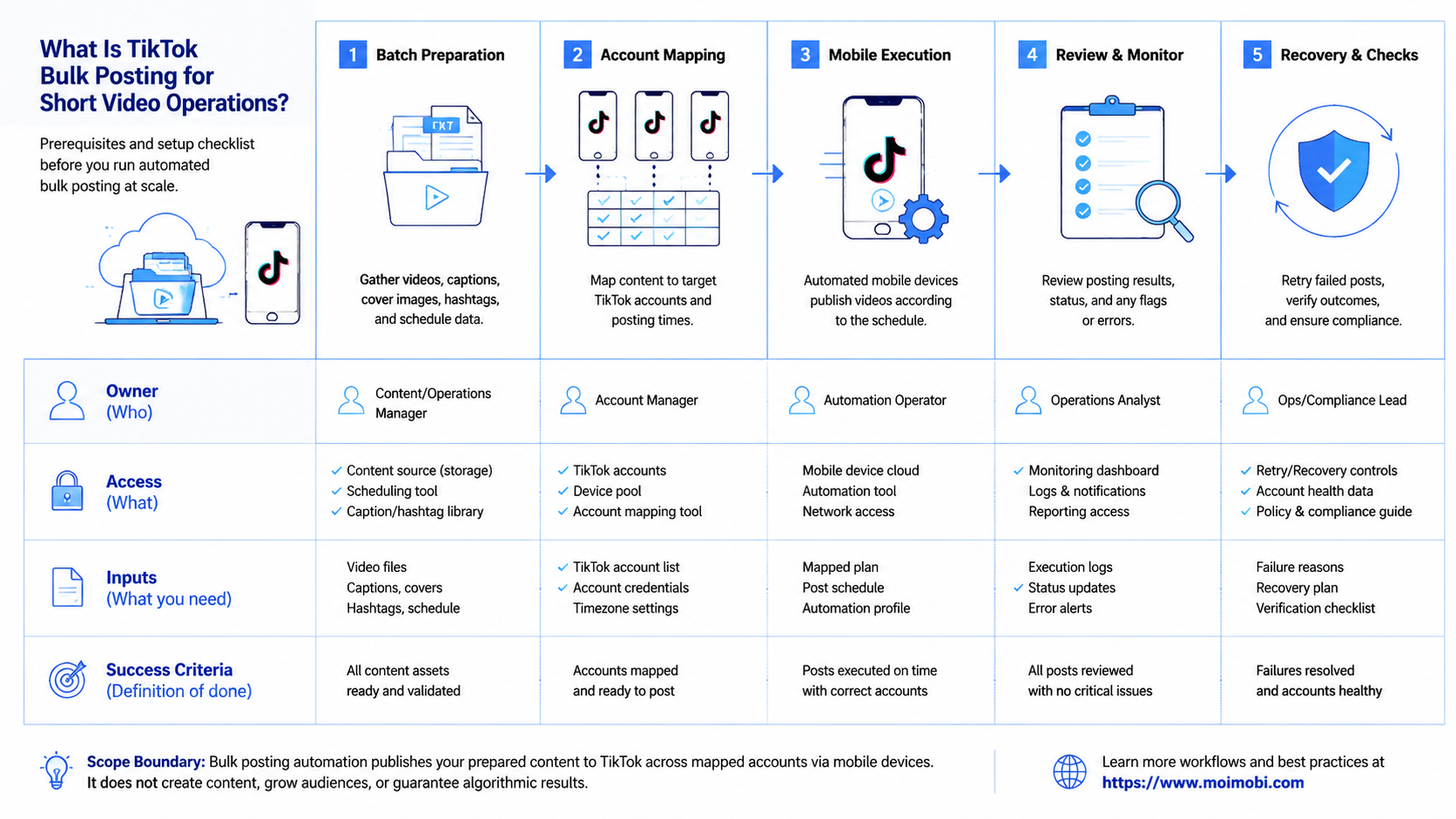
This workflow fits teams that already publish short videos on a regular schedule. Agencies, cross-border sellers, creator teams, and multi-brand operators are common examples.
It is less useful for a single account with light posting. If one person posts a few times a month, manual publishing may be simpler. Automation starts to matter when batching, approval, account separation, and reporting become daily work.
Several TikTok accounts, repeated short video batches, clear reviewers, and a need for visible status.
One account, no publishing rhythm, no approval process, or a plan to push identical content everywhere.
Teams that publish across TikTok and other short video platforms should also evaluate social media marketing workflows. Publishing is only one part of the operating loop. Replies, monitoring, asset reuse, and reporting usually follow.
Common Mistakes to Avoid
Batch work should not erase account context. The same video idea may need different captions, hashtags, timing, and product notes across accounts.
Approval still matters when the workflow feels routine. A routine workflow can still publish wrong claims, outdated pricing, or brand-inconsistent language.
Failed posts should become diagnostic signals. A failed batch may point to login expiry, missing files, app UI changes, permission gaps, or unclear instructions. Record the reason so the next batch improves.
Upload speed is only one small metric. The better question is whether the team can see task ownership, reviewer state, account environment, and recovery history.
Pilot Rollout, Measurement, and Recovery Checks
The first pilot should prove control before scale. Choose three to five accounts, one content type, and one review owner.
Track these metrics:
| Metric | What it shows | Good sign |
|---|---|---|
| Completion rate | Whether planned videos reached a final state | Routine tasks finish or block clearly |
| Review delay | Whether approvals slow the batch | Reviewers have enough context to decide |
| Account mismatch | Whether the wrong profile or environment opens | No unexplained account switches |
| Failure reason quality | Whether issues can be fixed | Every failure has a category |
| Manual takeover success | Whether a person can continue the task | Operators can resume from the saved state |
Recovery rules should be written before the pilot. Stop when the account is wrong, the content package is incomplete, the app shows an unexpected warning, or the reviewer has not approved the post.
Add one expansion gate before the second batch. Reviewers should confirm that every failed run from the pilot has a category, an owner, and a fix. If the same failure repeats, keep the batch small until the root cause is clear and the fix has been tested.
Scale only after the pilot shows clean handoff. If publishing works but verification is weak, fix verification first. If the account environment is unclear, fix assignment before adding more videos.
Frequently Asked Questions
What is TikTok bulk posting?
It is a workflow for preparing, reviewing, assigning, posting, and tracking multiple TikTok videos across accounts.
Is TikTok bulk posting the same as spam?
No. A controlled publishing workflow is different from repetitive unwanted activity. Teams should keep account context and review rules visible.
Can TikTok posting use official APIs?
TikTok offers Content Posting APIs for eligible integrations. Teams should review TikTok's official developer requirements before building API-based publishing.
Should every short video be posted automatically?
No. Automation can prepare, route, and verify work. Final posting may still need human review for sensitive accounts or campaigns.
How many accounts should a pilot use?
Start with three to five related accounts. That is enough to test assignment, content flow, and failure recovery.
Do teams need cloud phones for TikTok posting?
Cloud phones matter when mobile app checks, persistent mobile environments, or account-specific app work are part of the process.
What should teams avoid first?
Avoid identical content across all accounts, unclear approvals, missing asset records, and workflows that continue after unexpected warnings.
Where does MoiMobi fit?
MoiMobi fits teams that need cloud phones, browser profiles, account isolation, and repeatable TikTok workflows in one execution layer.
Conclusion
TikTok bulk posting automation works when it is designed as an operating system for short video work. Operators should prepare assets, map accounts, review captions, assign environments, verify results, and record failures.
Before scaling, run one small batch. Confirm the account map, approval rule, execution environment, and recovery path. If the workflow shows clear results and clean handoff, expand gradually into more accounts. If it only increases posting volume, fix the control layer before adding more automation and review the next batch carefully.



