
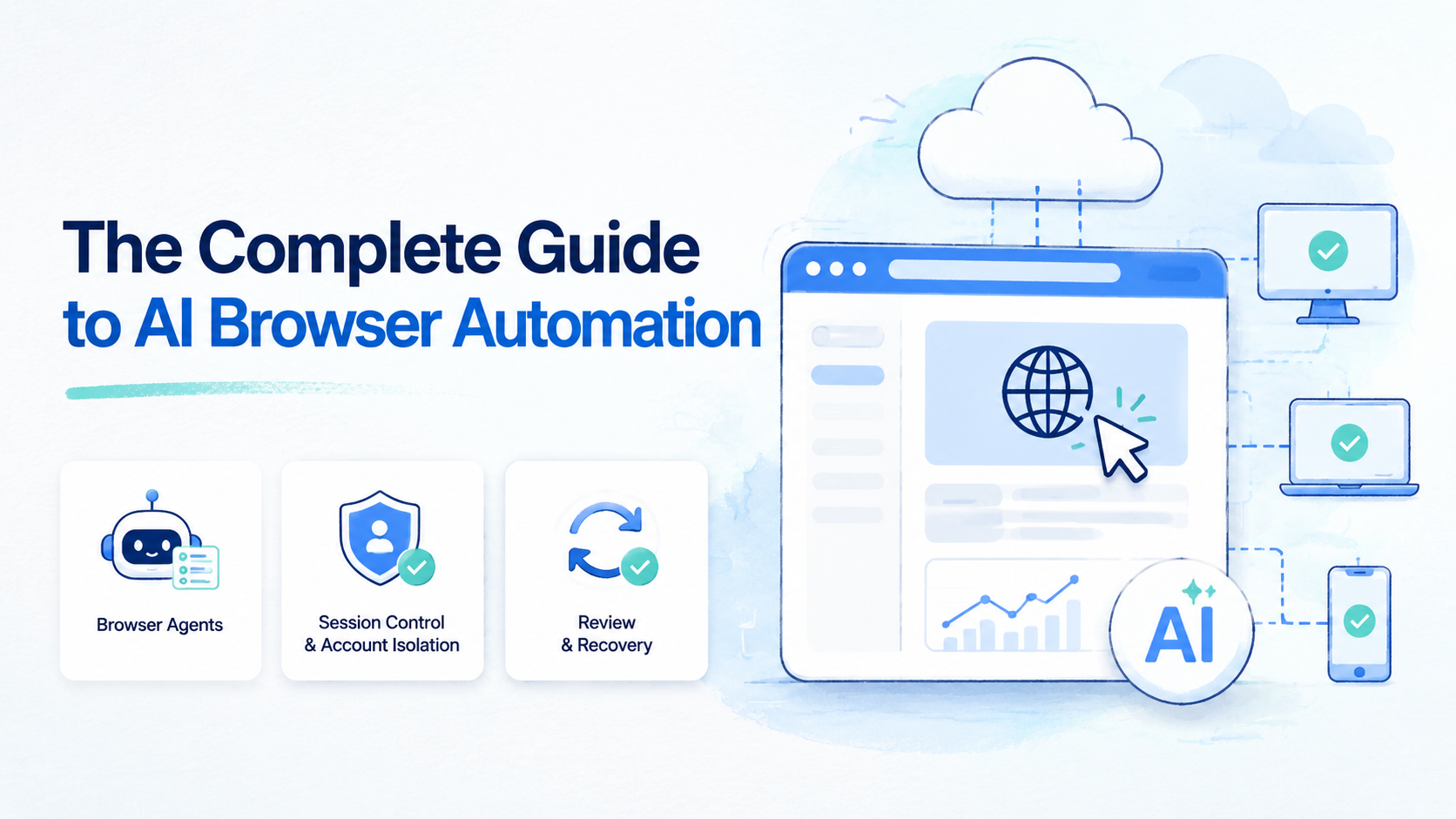
AI browser automation means using AI agents to understand web pages, operate browser sessions, and complete repeatable web tasks under clear workflow rules. It sits between traditional scripts and human operators.
The business value is not only faster clicking. The value is turning browser-based work into a process with owners, account lanes, review points, and recovery paths. Without those controls, automation can create more cleanup than it saves.
MoiMobi approaches the topic as execution infrastructure. Browser work may connect to cloud phones, device isolation, mobile automation, and multi-account management when workflows span web and mobile apps.
Key Takeaways
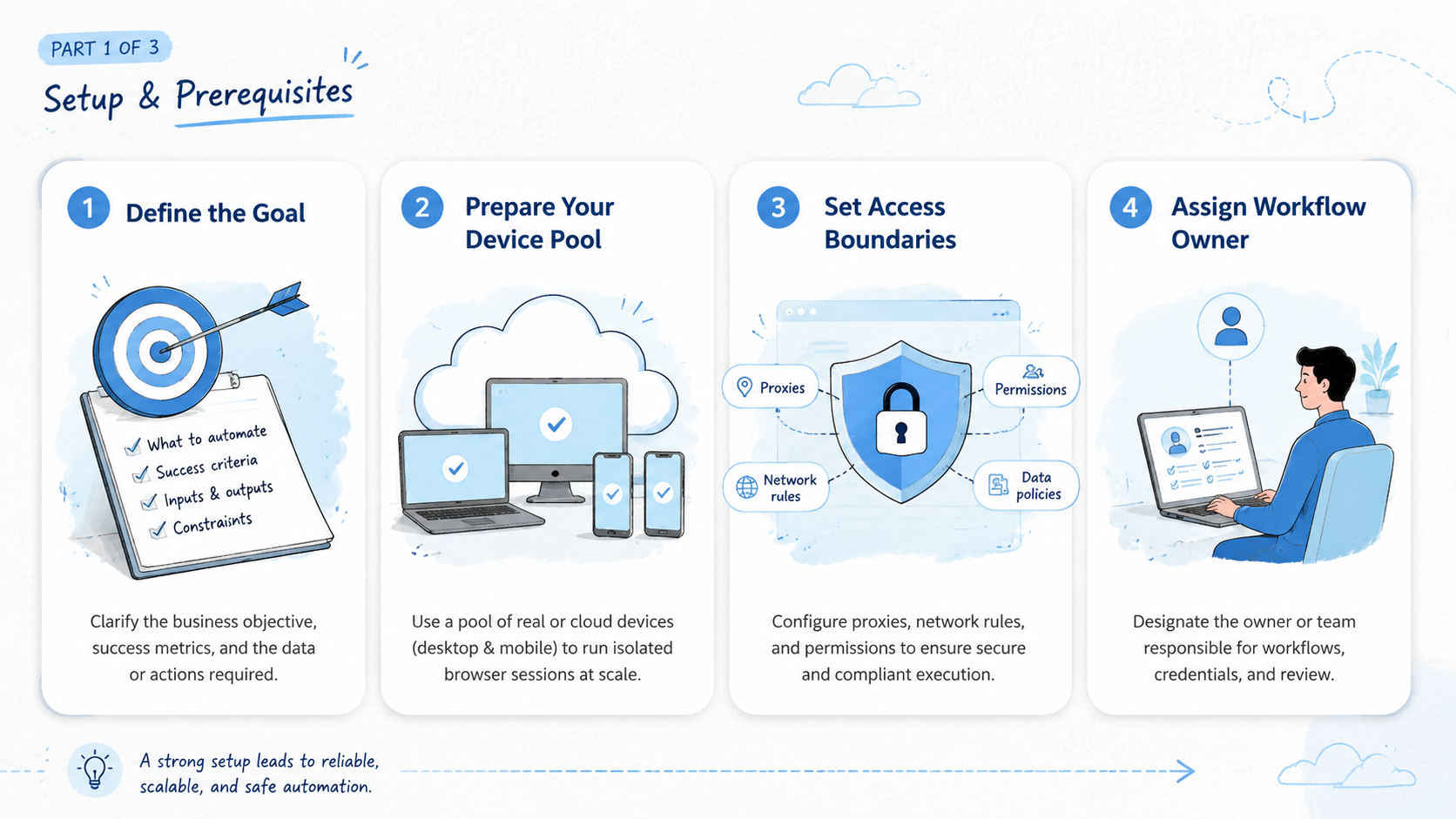
- AI browser automation should be designed as a workflow, not a loose prompt
- Teams need session control, profile separation, task records, review, and recovery
- Browser agents fit flexible web tasks better than rigid scripts
- Sensitive actions should pause for human approval
- A small pilot with 3 workflow lanes is the right starting point
How AI Browser Automation Works
The workflow has 4 parts: the browser session, the agent instructions, the task record, and the review path.
The browser session holds page state. Instructions define the allowed work. A task record explains what happened. The review path tells a person when to step in.
| Part | Role | Example |
|---|---|---|
| Browser session | Holds tabs, login state, files, and page context | CRM dashboard lane |
| Agent instruction | Defines task, limits, and stop rules | Collect missing lead fields |
| Task record | Logs action, output, and next step | 12 records checked, 3 need review |
| Review path | Routes sensitive cases to a person | Pricing question needs manager |
This is different from a simple script. A script follows a fixed path. A browser agent can respond to page context, but it still needs boundaries.
Google's SEO Starter Guide is about websites, yet the operating lesson is useful here: clear structure helps people know what exists and what to do next. Automation workflows need the same clarity.
Best Use Cases for Browser Agents
The best early use cases are repeated, web-based, and easy to review. Avoid starting with account settings, payments, customer-facing actions, or publishing changes.
Good first workflows include:
- Lead research across company pages and CRM records
- Competitor monitoring across public pages and dashboards
- Dashboard checks with a clear pass or fail state
- Form filling where fields come from approved records
- Draft reply preparation without sending messages
- Content QA before final publishing
- Spreadsheet updates from reviewed web sources
Each use case should have a stop rule. If a page changes, a source is missing, a customer issue appears, or a field is unclear, the agent should pause.
The Playwright documentation shows how scripted browser automation can control browsers for testing and web workflows. AI-led browsing is different because it can interpret changing page context, but it still benefits from the same discipline around browser contexts and repeatable steps.
AI Browser Automation vs Traditional Scripts
Traditional scripts work best when the path is stable. Agent-led browsing is useful when the task has variation but still follows a business rule.
| Question | Scripted automation | Agent-led browser work |
|---|---|---|
| Page layout | Stable | May change |
| Task path | Fixed | Flexible within limits |
| Owner | Developer | Operator or workflow owner |
| Best fit | Tests, scraping, fixed forms | Research, monitoring, admin workflows |
| Risk control | Code review and tests | Stop rules and human review |
Scripts are not obsolete; many teams should keep them for stable QA, backend jobs, fixed data flows, and any process where the page path rarely changes. Browser agents are better for tasks that need context, judgment, or human takeover.
Use both. Developers can build stable rails, while operators manage task rules, account lanes, and review decisions.
AI Browser Automation Session Control and Account Isolation
Session control decides whether repeated work stays usable, especially when a workflow depends on logged-in dashboards, saved filters, attached files, or a sequence of tabs. A task that logs in again every run is not ready for real operations.
Account isolation decides whether the right work happens in the right environment. Never put several clients, brands, or account groups in one shared session.
Use separate browser workspaces when work differs by:
- Client
- Region
- Brand
- Account group
- Operator role
- Review level
Isolation does not promise platform outcomes. It gives the team cleaner boundaries. Access control still matters.
For workflows that span web and mobile, session control should extend to mobile environments. A browser profile may handle a web dashboard, while a cloud phone handles app-only steps that would otherwise sit outside the operating record.
Human Review and Manual Takeover
Human review is not a weakness; it is part of the system design.
Use review for:
| Review trigger | Reason |
|---|---|
| Customer-facing reply | Tone and policy need judgment |
| Publishing action | Public output needs approval |
| Account setting change | Mistakes can affect access or billing |
| Missing source | The agent cannot verify the input |
| Login or permission issue | A person should decide the next step |
Manual takeover should be easy. A person should see the current page, task record, last action, and stop reason. Without that context, takeover becomes a guessing exercise.
The Model Context Protocol documentation explains a broader pattern for connecting models to tools. For business work, tool access should still be paired with permissions, records, and review.
AI Browser Automation Governance
Governance keeps browser-based automation from becoming a set of private experiments. Each workflow should have one owner, one reviewer, one stop rule, and one record format.
Use this governance table:
| Governance field | What to define | Example |
|---|---|---|
| Workflow owner | Person responsible for setup | Operations lead |
| Run owner | Person who starts or schedules the task | Operator A |
| Reviewer | Person who checks sensitive output | Team manager |
| Stop rule | When the agent must pause | Missing source or customer complaint |
| Allowed actions | What the agent may do | Read, draft, update reviewed fields |
| Blocked actions | What needs human approval | Send, publish, delete, change settings |
Governance should be visible inside the workflow, not hidden in a separate document. When a task pauses, the next person should see the stop reason and owner.
This also helps with audits. A manager does not need to inspect every click. The manager needs to know which workflow ran, what changed, where the record lives, and whether a person approved the sensitive step.
Buying Scorecard for Teams
A buying scorecard should test operating fit, not only feature count. Give each area a score from 1 to 5 and add one short note.
| Score area | What to check | Good sign |
|---|---|---|
| Session quality | Can work continue without repeated login | Stable session and clear workspace |
| Profile separation | Can accounts or clients stay apart | Separate browser profiles or lanes |
| Workflow memory | Can repeated tasks reuse prior structure | Less instruction needed after setup |
| Review path | Can a person approve or stop work | Manual takeover is visible |
| Recovery | Can failed runs be resolved | Next owner and next action are clear |
| Mobile reach | Can app-only steps be handled | Cloud phone or Android lane exists |
The note matters more than the number. A score of 4 without a reason is weak. A note such as "handoff worked, but recovery owner was unclear" tells the team what to fix.
Browser Profile and Mobile Lane Design
Browser work often connects to mobile work. A social team may research in a web dashboard, then check a mobile app. A support team may draft in a browser inbox, then verify a mobile message thread.
Use one lane per account group or workflow. The lane should define the browser profile, mobile environment, owner, reviewer, and state label.
| Lane field | Example |
|---|---|
| Browser profile | CRM-Research-01 |
| Mobile environment | CloudPhone-Support-02 |
| Account group | Support region A |
| Owner | Operator A |
| Reviewer | Manager B |
| State label | clean, active, paused, reset-needed |
This design prevents the browser record and mobile state from drifting apart. The work may happen in two environments, but the task still has one owner and one next step.
Recovery and Failure Handling
Every automation workflow should define failure states before it runs. Failure is normal. The problem is unclear recovery.
Use a simple recovery table:
| Failure state | First response | Owner |
|---|---|---|
| Login prompt | Pause and record account lane | Run owner |
| Missing source | Stop and request source review | Reviewer |
| Page layout changed | Mark blocked and update instructions | Workflow owner |
| Wrong account detected | Stop and remove task from active queue | Manager |
| Mobile step missing | Route to cloud phone lane | Mobile owner |
Do not let failed runs return to the queue without a decision. A blocked task should have a state label, an owner, and a next action.
Recovery metrics are useful. Track failed runs, manual takeover count, recovery time, and wrong-context events. Add short incident notes when a run fails for a new reason. Those notes become the next version of the workflow rules.
AI Browser Automation Metrics
Teams should measure whether browser work became more reliable, not only whether it became faster. Speed is useful, but speed can hide cleanup cost if the agent creates bad records, uses the wrong account, or leaves a task half-finished.
Use 2 metric groups.
| Metric group | What to measure | Why it matters |
|---|---|---|
| Execution quality | Completed runs, failed runs, wrong-context events, recovery time | Shows whether the workflow is stable |
| Business output | Leads reviewed, replies drafted, records updated, issues found | Shows whether the work is worth running |
A good weekly review is simple. Look at the failed runs first. Then check whether the same failure happened more than once. If a repeated failure appears, update the prompt, profile setup, permissions, or stop rule before adding more accounts.
Do not measure an agent by activity volume alone.
A browser worker that clicks 500 times and creates 50 cleanup tasks is not productive; a quieter workflow that completes 40 reviewed updates with no account confusion may be ready to scale.
AI Browser Automation Implementation Roadmap
Start narrow.
Pick one browser workflow, one account lane, and one human reviewer. Run it manually with the agent nearby before scheduling it, because early failures are easier to understand when the team has not added scheduling, parallel accounts, and mobile steps at the same time.
Week 1 should prove the task can be described. The team writes the input format, allowed actions, blocked actions, and stop rules; the task should stay small enough that a reviewer can inspect every output.
Week 2 should prove the session is stable. Use the same browser profile, the same source list, and the same record format. If the agent repeatedly asks for missing context, do not add more accounts yet.
Week 3 can add scheduling or parallel lanes, but only one new variable at a time: another account, another operator, or another environment. When teams add all 3 at once, failures become hard to explain, because the team cannot tell whether the problem came from the account, operator, environment, page layout, or instruction set.
After the first month, decide whether the workflow is a repeatable operating lane or a research experiment. Repeatable lanes deserve ownership, monitoring, and review rules; experiments should stay limited until their failure modes are understood.
AI Browser Automation and Mobile Execution
Many workflows do not stay inside one browser. That is the point.
Social teams may draft in a web tool and check a mobile app. Support teams may review messages in a browser and reply in a mobile-first app. Ecommerce teams may use a web dashboard and a seller app during the same operating day.
Use an execution map:
| Step | Environment | Record |
|---|---|---|
| Research source | Browser profile | Source URL and note |
| Update dashboard | Browser session | Field changed and owner |
| Check mobile state | Cloud phone | App screen and account lane |
| Draft response | Browser or mobile app | Needs review label |
| Final review | Human operator | Approve, revise, or stop |
This is where MoiMobi differs from a browser-only setup. It can support workflows that require both web and mobile environments.
Pilot Plan for Teams
Start with 3 lanes for 2 weeks. Do not automate every account at once.
| Pilot lane | Task | Success signal |
|---|---|---|
| Research lane | Gather 20 source-backed updates | Reviewer trusts the record |
| Account lane | Check a dashboard or inbox | Session context stays clean |
| Handoff lane | Second operator resumes the work | Next action is clear |
Measure 6 signals:
- Task completion time
- Manual takeover count
- Failed run count
- Wrong-context events
- Review time
- Recovery time
The pilot should end with a decision: expand, revise, or stop. Device access alone is not proof that the workflow is ready.
Common Mistakes
| Mistake | Why it hurts | Better rule |
|---|---|---|
| Starting with vague prompts | The agent improvises too much | Write task, owner, and stop rule |
| Ignoring logged-in sessions | Real apps need state | Test inside a controlled profile |
| Skipping review | Sensitive work moves too fast | Add approval points |
| Treating mobile as separate | Web and app steps drift apart | Map both environments |
| Measuring only speed | Cleanup hides the real cost | Track failure and recovery |
The goal is not maximum activity. The goal is repeatable work that the team can inspect and improve.
Frequently Asked Questions
What is AI browser automation
It uses agents to operate browser sessions, interpret page context, and complete web tasks under workflow rules.
How is it different from RPA
RPA usually follows fixed steps. Browser agents are better for flexible web tasks that still need rules, review, and records.
Is it safe for logged-in accounts
It can be useful when teams separate profiles, limit permissions, add review, and define stop rules. It should not run sensitive actions without oversight.
Does it replace Playwright
No. Playwright remains strong for tests and fixed automation; agent-led browsing is better for tasks with variation.
Why does mobile execution matter
Many business workflows include mobile apps, so browser work may need cloud phones or Android devices for app-only steps.
What should teams automate first
Start with low-risk research, monitoring, or draft preparation. Keep payments, settings, and public publishing behind review until the workflow has a clean record.
How should success be measured
Measure completion time, review time, failed runs, wrong-context events, manual takeover, and recovery time.
Conclusion
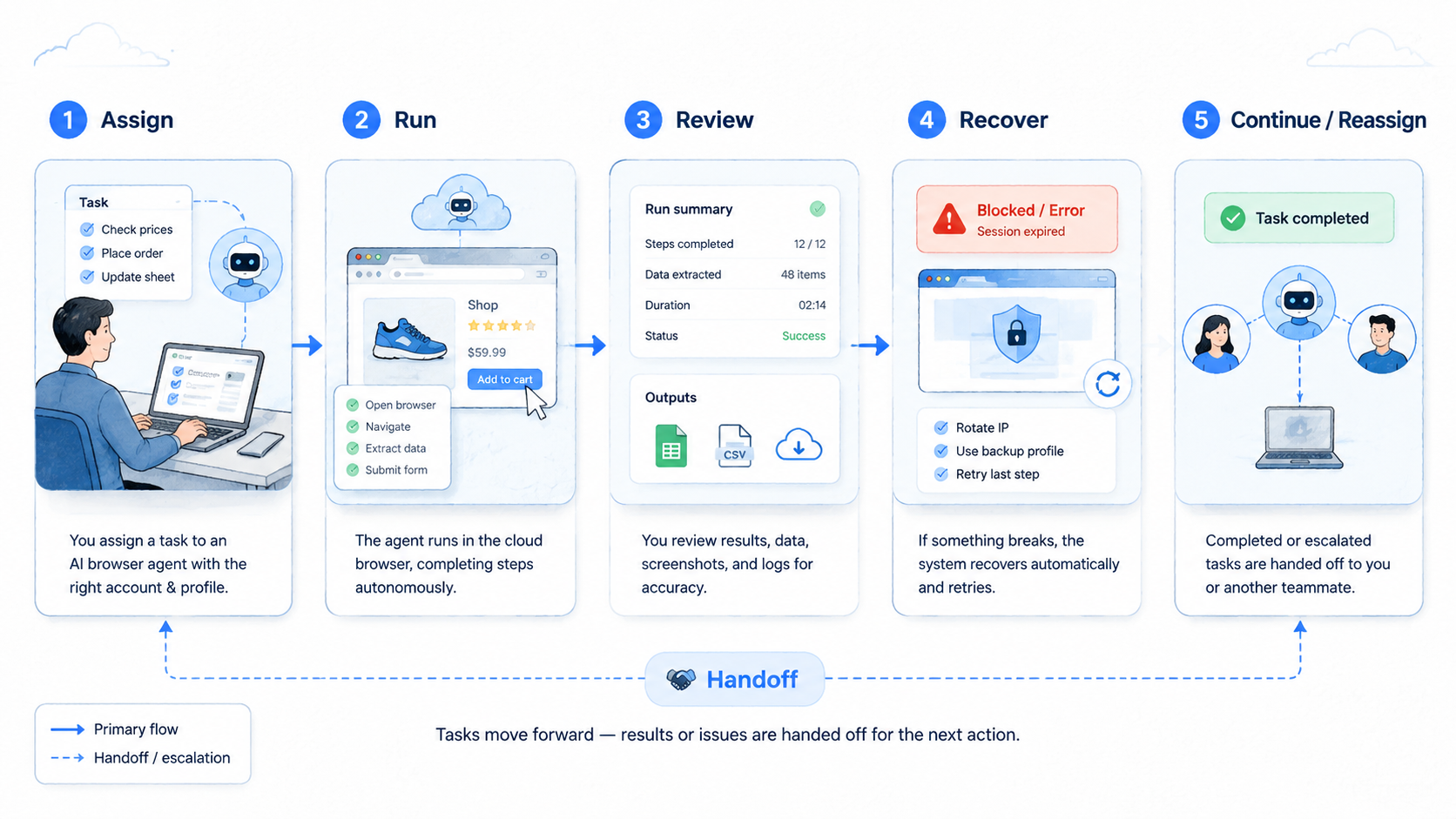
This approach is useful when it becomes a controlled workflow. The agent needs a session, instructions, account boundaries, records, review, and recovery.
Start small. Choose 3 lanes, run them for 2 weeks, and measure whether another person can inspect and continue the work. Then expand only after the process is clear.
MoiMobi is relevant when browser automation must connect to broader execution environments, including cloud phones, Android devices, isolated profiles, and multi-account work.



