
Key Takeaways

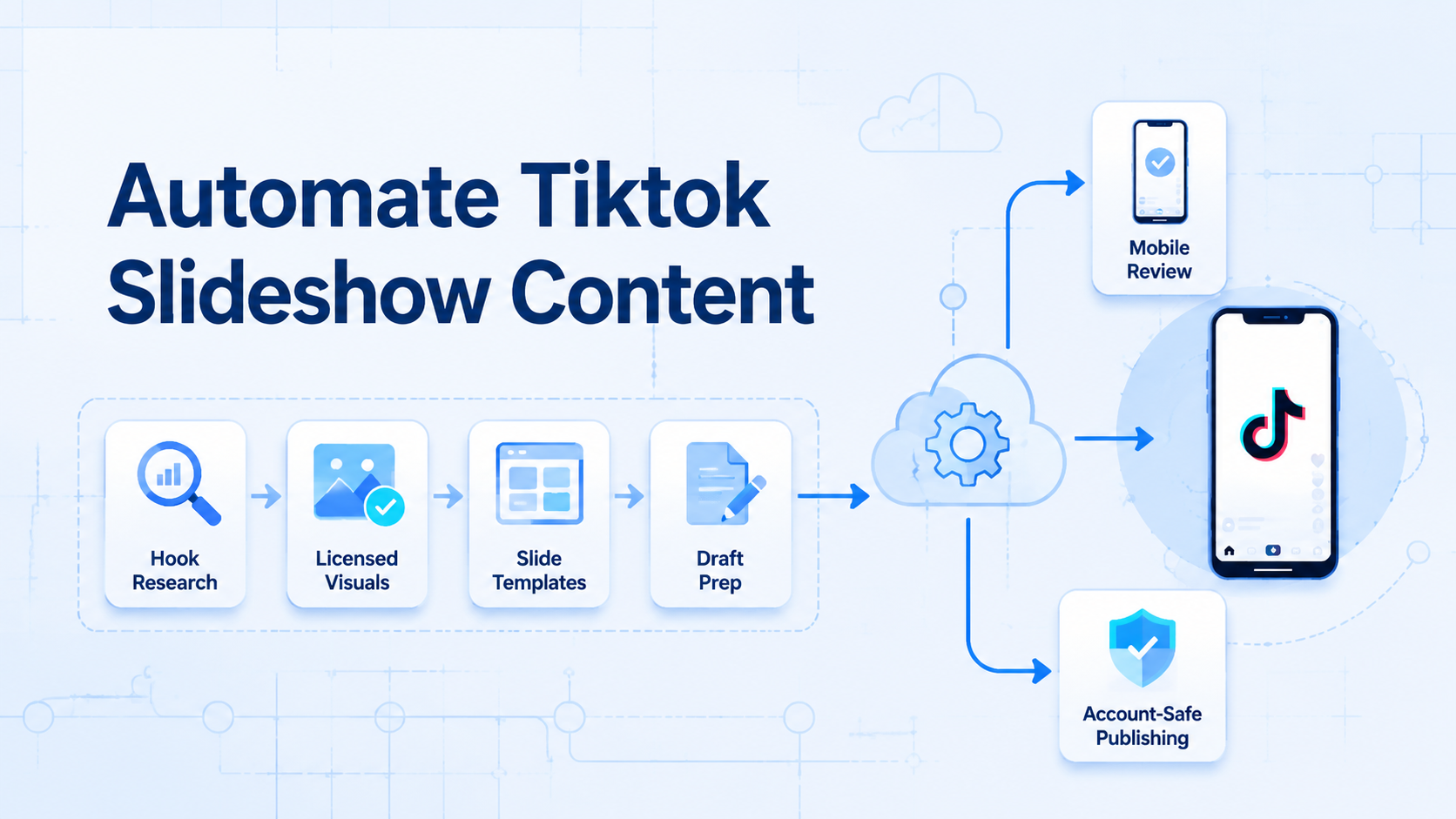
- The useful part of TikTok slideshow automation is not “AI makes random images.” It is a repeatable workflow for hooks, visuals, slide generation, drafts, and final review
- Pinterest can be useful for visual research, but teams still need copyright checks and licensed assets before using images in commercial posts
- For multi-account teams, the final publishing step should stay tied to real mobile environments, account isolation, and human confirmation
Automate TikTok slideshow content means using a repeatable system to research hooks, prepare visuals, render vertical slides, create drafts, and route each post to review before it goes live. The automation should prepare repeatable work. It should not remove human checks around copyright, brand language, account health, or publishing timing.
TikTok slideshow content is easy to understand but hard to produce consistently at scale. A creator can manually find an idea, write a hook, pick background images, design slides, upload them, and post. A team running many accounts has a different problem: too many repeated steps, too many files, too many posting windows, and too many chances to publish the wrong asset to the wrong account.
The original X article shares a practical workflow built around TikTok research, hook extraction, Pinterest visual search, script-based slide generation, and draft-first publishing. This rewrite keeps the core idea but reframes it for operators who manage multiple accounts. The goal is not to blindly automate every click. The goal is to separate creative judgment from repeatable production work.
Automate TikTok slideshow content by starting with real hook patterns
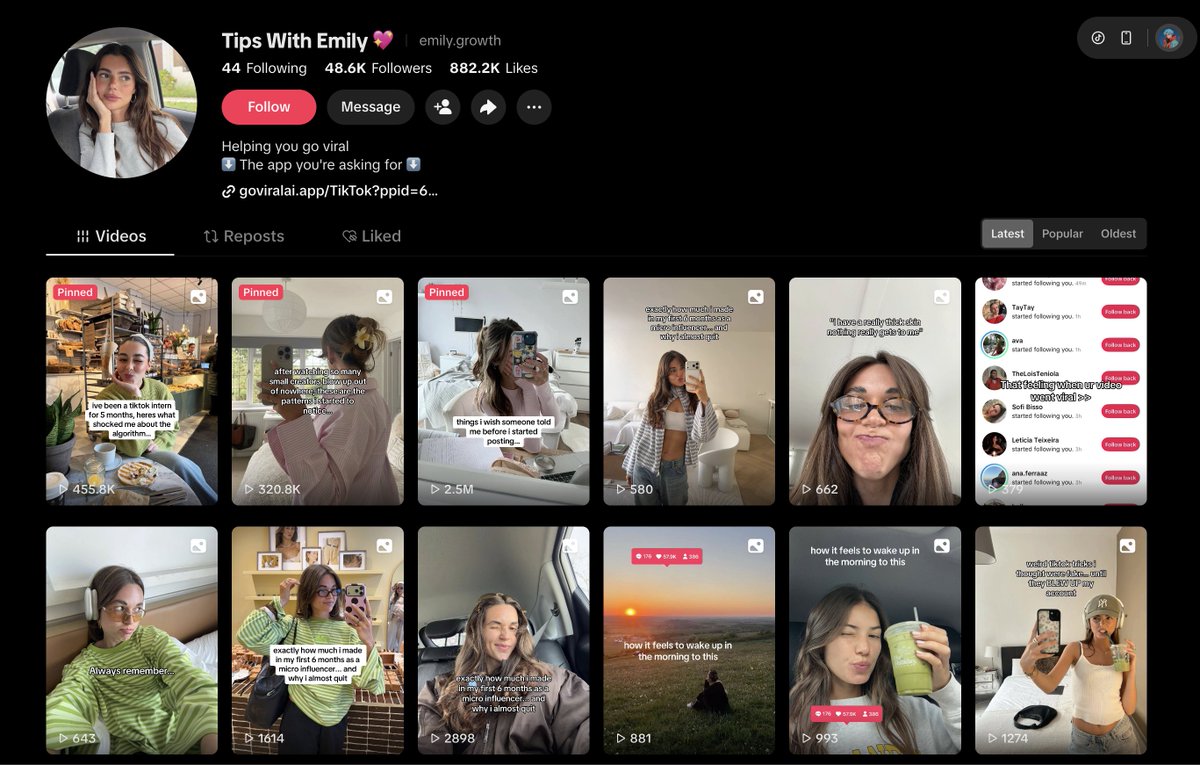
Slide one determines whether someone keeps watching. For slideshow posts, that first frame carries the hook, the visual tone, and the promise of the post. Instead of inventing hooks from scratch every day, teams can study posts that already work in their niche.
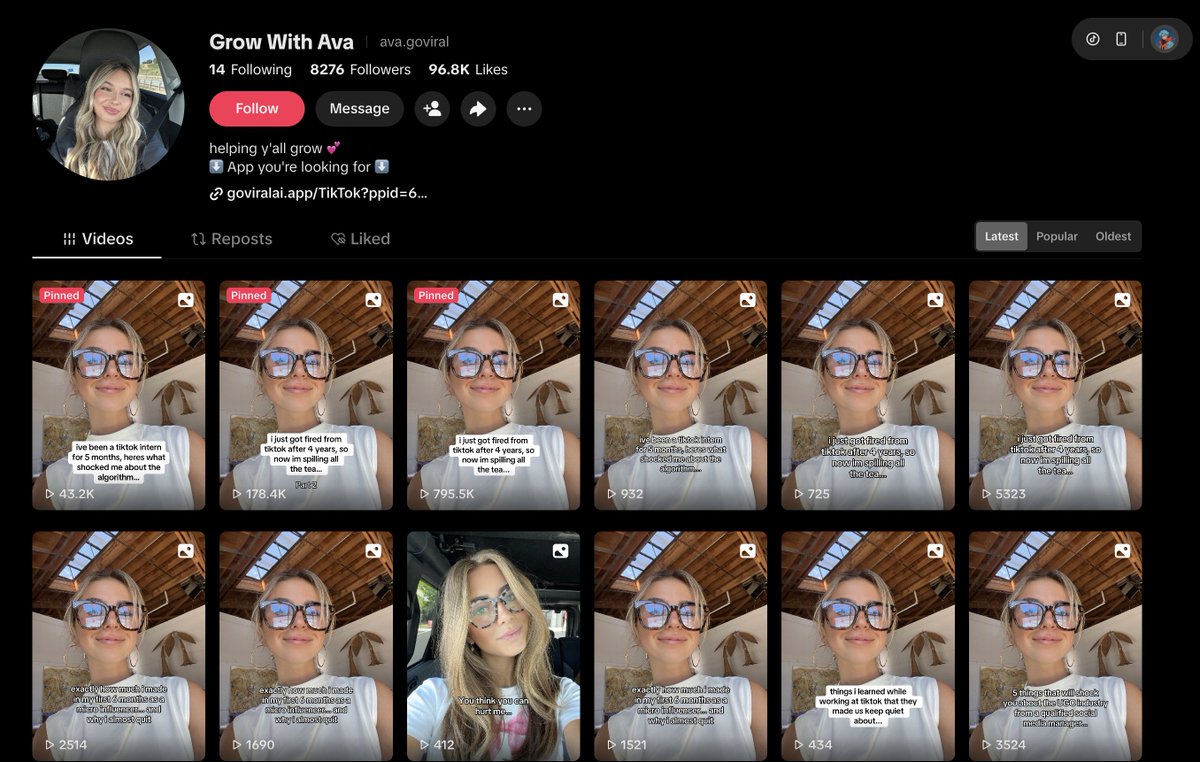
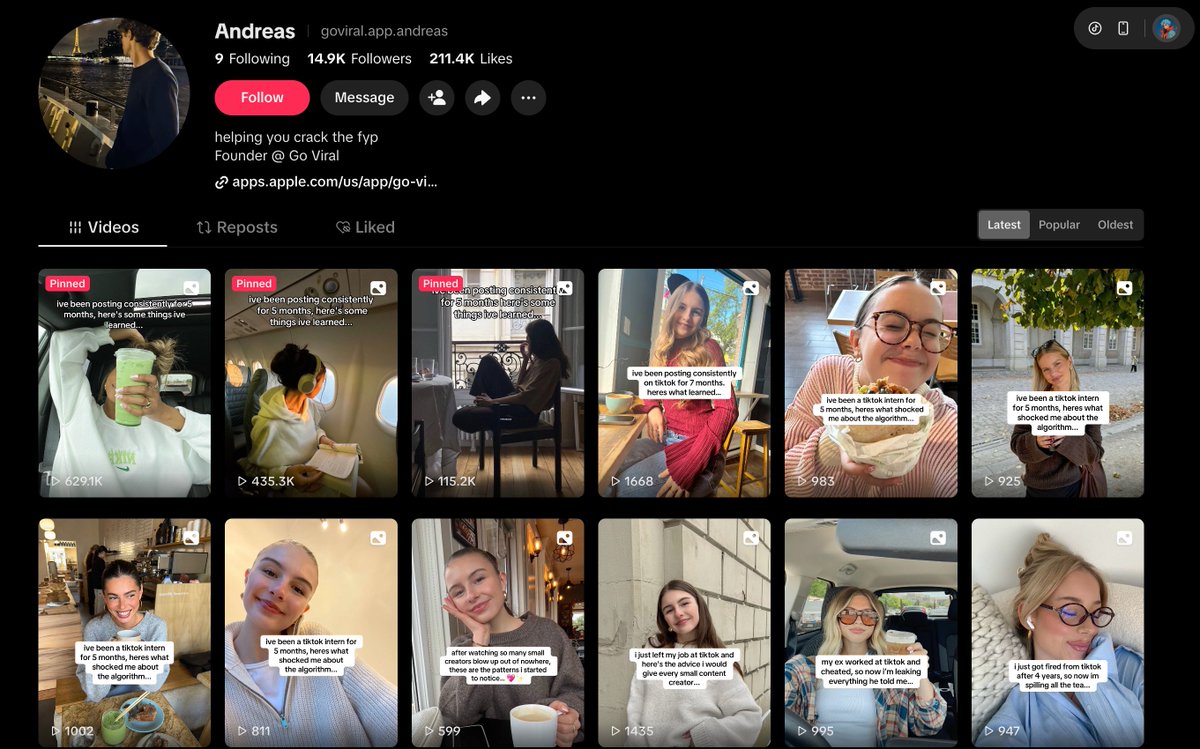
That does not mean copying a viral post. A better process is to extract the pattern. Is the post using a mistake frame, a numbered outcome, a personal story, a warning, a transformation, or a strong identity callout? Once the pattern is clear, AI can help create variations for your own niche and brand voice.
For example, a finance account might collect hooks around spending mistakes, saving milestones, or hidden budget traps. A fitness account might collect hooks around beginner errors, visible progress, or habit loops. The useful database is not a list of stolen captions. It is a pattern library.
Hook research fields worth tracking
- Niche: finance, study, fitness, lifestyle, ecommerce, or another account category.
- Hook structure: warning, list, confession, challenge, transformation, or question.
- Emotional trigger: curiosity, fear of missing out, empathy, surprise, or aspiration.
- Visual style: dark, clean, luxury, candid, minimal, or high contrast.
- Rewrite angle: how the idea should be adapted for your own audience.
Automate TikTok slideshow content without treating Pinterest as a free asset library
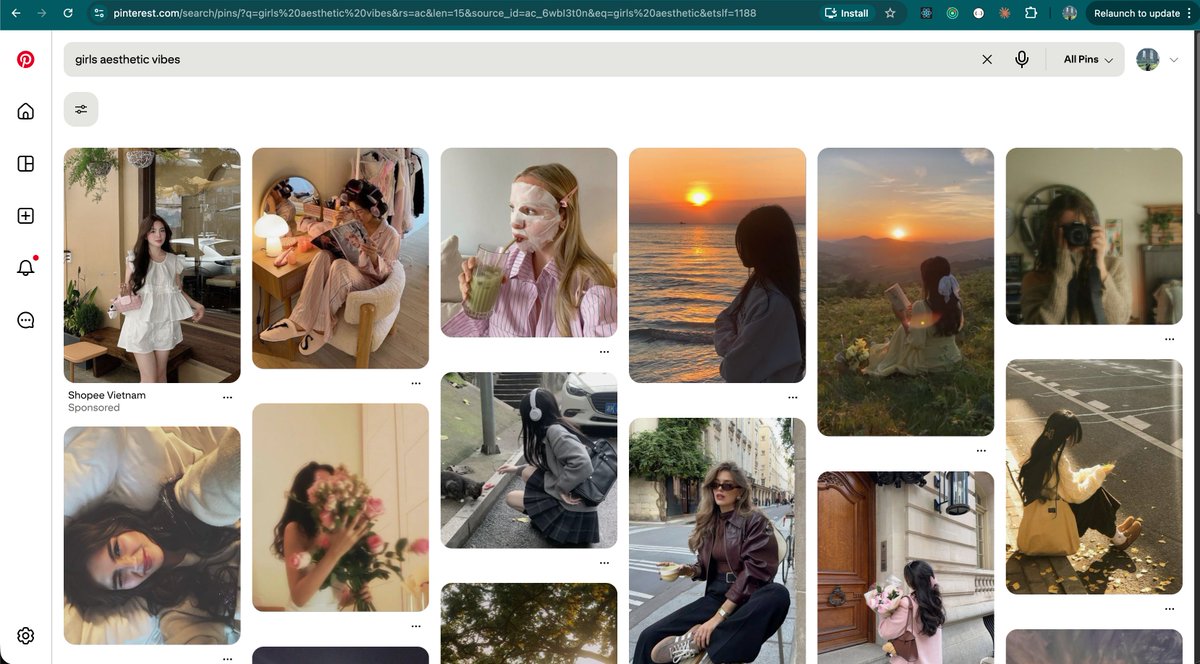
The original workflow uses Pinterest to find slideshow backgrounds. That can be useful because Pinterest search often surfaces strong visual styles. Check rights first.
However, teams should not assume every image found on Pinterest is free for commercial use. Pinterest’s copyright help page notes that permission may be needed from the copyright holder.
Use proof.
For a real content operation, split visuals into three categories. Start there. Owned assets are photos, product images, and designs your team controls. Licensed assets come from stock libraries or creators who grant usage rights.
Reference images are only used to guide mood, color, composition, or style. They should not be reposted directly.
This is where a local content library matters. Teams need to know where each image came from, which account group can use it, whether it has been used before, and whether it is approved for posting. Without that layer, automation simply makes copyright and brand-control problems happen faster.
For teams using MoiMobi, this maps naturally to multi-account management and content preparation. Assets should be assigned to accounts deliberately, not dropped into a shared folder and reused blindly.
Automate TikTok slideshow content with templates, not one-off design work
Once hooks and visuals are ready, the repeated design work can be automated. A simple slideshow template usually includes a 9:16 background image, a dark or light overlay, large readable text, and a consistent safe area. A script can turn a structured config file into finished PNG slides.
The key is to keep the content team out of the code. Operators should edit a JSON or spreadsheet-like config: image path, headline, supporting text, slide order, and CTA. Developers can maintain the rendering script. This keeps production fast without turning every post into a manual Canva session.
Use five small building blocks:
- Hook library: stores proven structures and variations
- Visual library: stores approved backgrounds
- Slide config: defines each slide’s text and image
- Render script: exports 1080×1920 PNGs
- Review queue: lets humans check final slides
Each block has a simple risk. Hooks can become too close to the source, and images can lack rights.
Config data can be wrong. Templates can drift. Review can be skipped when the team is rushed.
This approach also supports account segmentation. A study account, a finance account, and a fitness account should not all use the same visual language. Good automation should make variation easier, not push every account into the same template.
Automate TikTok slideshow content with draft-first scheduling
The original article makes a useful point: draft-first publishing is often safer than direct server-side auto-posting. TikTok’s official Content Posting API documentation describes a flow where users may need to continue editing inside the TikTok app and complete the post there. Postiz also documents TikTok-specific posting settings, including content posting methods.
The operational lesson is clear. Scheduling, uploading, reminders, and draft preparation can be automated. The final public publish action should stay under human control, especially for new accounts, high-frequency accounts, or accounts that need careful brand review.
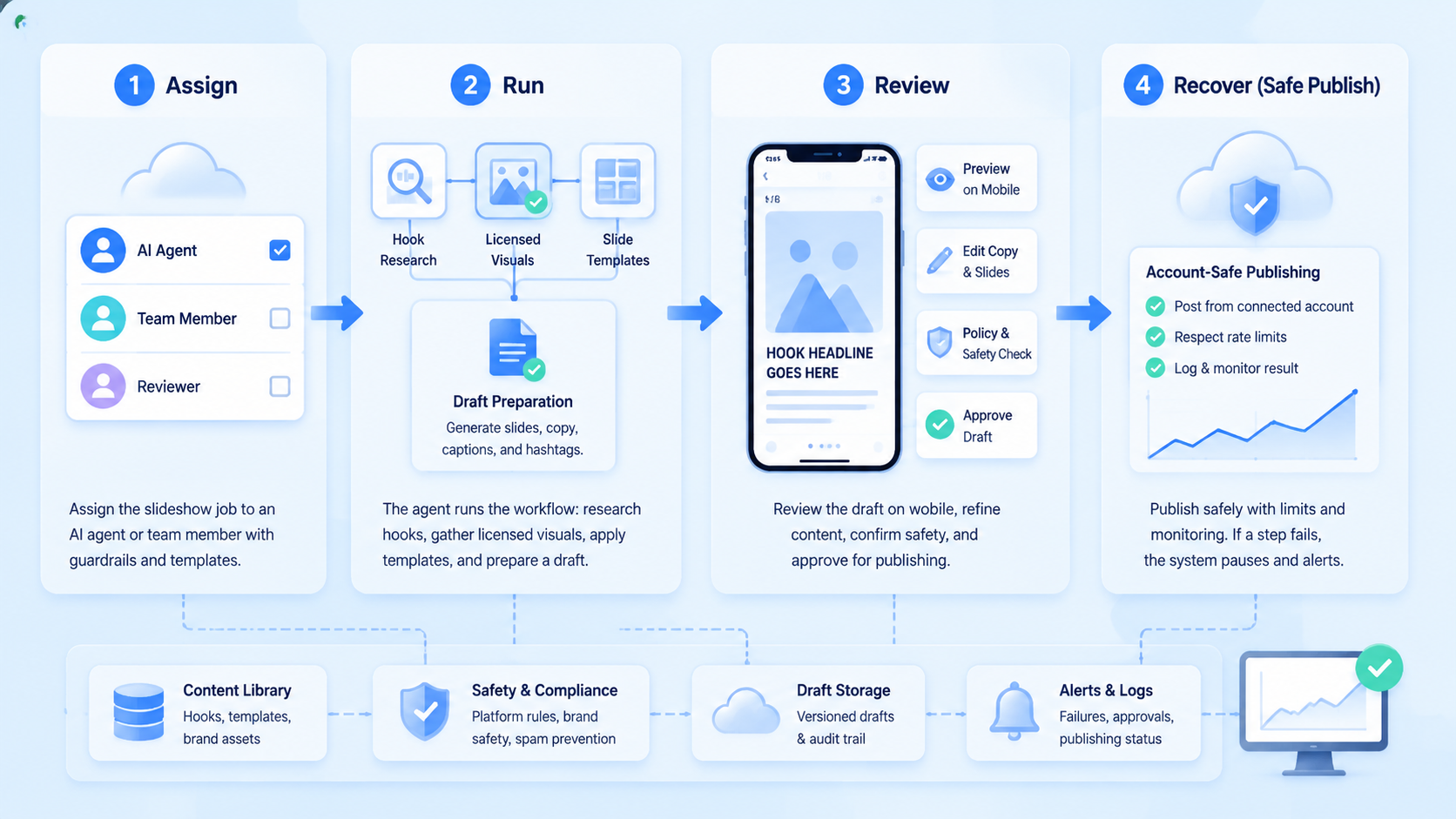
For multi-account teams, this becomes a three-stage workflow. First, generate slide assets and captions. Second, assign them to accounts and prepare drafts.
Third, publish from a real device or controlled mobile environment after review. This is more durable than firing scheduled posts from a server IP and hoping all accounts behave the same.
MoiMobi’s mobile automation and cloud phone concepts fit this pattern. The device remains the execution environment. Automation prepares the work. A human or controlled workflow confirms the final step.
Use account isolation before scaling the workflow
Automation becomes risky when multiple accounts share the same files, credentials, sessions, and publishing logic. A slideshow workflow should always know which account owns which draft, which visual set was used, who approved it, and when it was published.
That is why account isolation is not optional. Each account or account group should have its own environment, asset assignment, publishing queue, and execution log. When something goes wrong, the team should be able to trace the problem to a specific asset, hook, account, device, and action.
Good candidates for automation
- Hook pattern extraction.
- Caption variation generation.
- Template-based slide rendering.
- Draft preparation and reminders.
- Performance logging.
Keep under review
- Image licensing decisions.
- Brand claims and sensitive wording.
- Final public publishing.
- High-frequency account behavior.
- Any account showing risk signals.
A practical workflow to automate TikTok slideshow content for teams
Start with one niche and one account group. Do not try to automate every account on day one. Pick a repeatable format, such as “five mistake slides,” “three lessons,” or “one story with a final CTA.”
Build one template. Run it for one week. Track production time, review failures, publishing errors, and engagement.
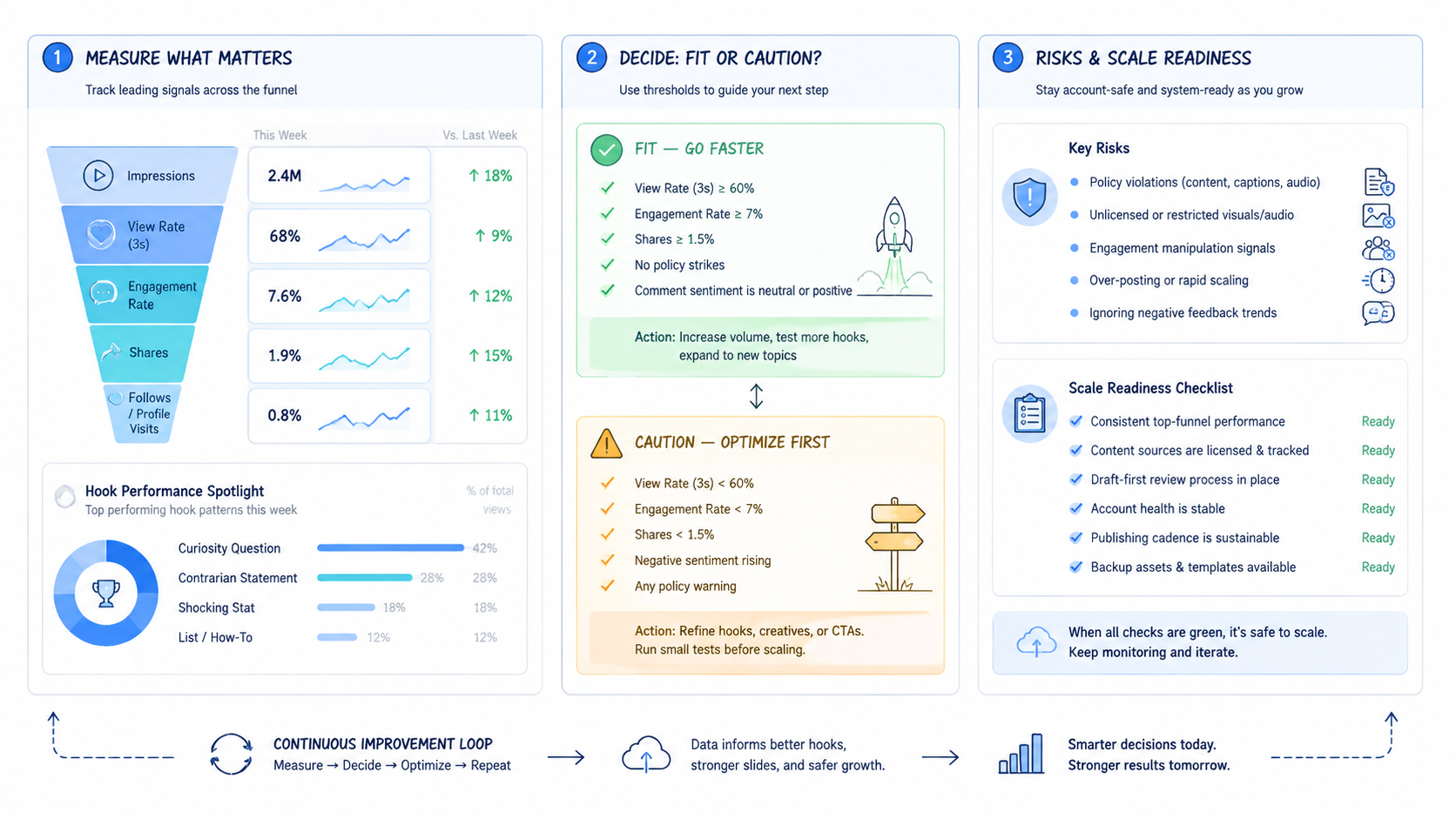
When the workflow reduces production time but increases publishing mistakes, the process is not ready to scale. If it produces many slides but no clear performance signal, the hook research process needs work. When the team cannot identify which asset was used on which account, the content library is not mature enough.
Pause there. For device-heavy operations, device isolation should be part of the system from the start. The more accounts you operate, the more important it becomes to keep environments, sessions, and logs separate.
Review gates before you scale beyond one account group
A slideshow production workflow can look productive while still being unsafe. The team may generate many posts, yet fail to answer basic operational questions.
Ask four plain questions before scaling:
- Which images were cleared for use
- Which hook structure was used
- Which account reviewed the draft
- Which device completed the final publish
If those answers are missing, the workflow is not ready for more accounts.
Set review gates before expanding. The first gate is rights clearance. Every visual should be tagged as owned, licensed, or reference-only.
The second gate is brand review. The first slide should be checked for exaggerated claims, sensitive wording, or misleading promises.
The third gate is account fit. A post that works for one account may be wrong for another account’s niche, language, or maturity.
The fourth gate is publishing method. If a post is still experimental, keep it in a draft-first path. If an account is new or warming up, avoid robotic intervals and repeated formats.
If an account has shown reduced reach or unusual review behavior, pause automation and review the account manually. Automation should make the team more aware of account state, not less aware.
Use a simple pass/fail checklist before each batch:
Use six gates:
- Asset rights: owned or licensed visual; stop when the source is unknown
- Hook quality: rewritten for the account; stop when it copies a viral post
- Slide readability: large text and safe margins; stop when the slide feels crowded
- Account match: assigned to the right account group; stop when it is shared across unrelated accounts
- Publishing mode: draft or reviewed path; stop when it goes straight to public posting
- Logging: asset, hook, account, and device recorded; stop when no one can trace the post
This checklist turns content automation into an operating system. It also gives managers a clear reason to approve, pause, or revise a batch. Without these gates, automation becomes a volume machine. With them, it becomes a controlled content pipeline.
Keep it simple. Here is the plain rule: let software do the prep, and let people approve the risk. The tool can find patterns, make drafts, move files, and keep logs.
The team should check rights, tone, account fit, and timing. That split keeps the work fast but not blind.
| Batch item | Simple check | Owner |
|---|---|---|
| Hook | Does it fit this account | Content lead |
| Image | Can we use it | Asset owner |
| Slide | Is it clear on a phone | Reviewer |
| Draft | Is it in the right account queue | Operator |
| Post | Is the device and account ready | Publisher |
A simple pilot plan for the first seven days
Start small. Pick one account group, one niche, one slide format, and one review owner. The first week should prove that the workflow is clean, not that the team can post the highest possible volume.
- Day one: choose hook types, source rules, the slide template, and the review list
- Day two: collect hook patterns and rewrite them in your own voice
- Day three: pick visuals and tag each asset as owned, licensed, or reference-only
- Day four: render a small batch and check each slide on a phone
- Day five: put posts into a draft or review queue
- Day six: post from the selected mobile environment
- Day seven: review results
The review should be plain. Use direct questions:
- Which posts were approved
- Which were rejected
- Which images caused questions
- Which hooks felt too close to the source
- Which account had a posting issue
This feedback is more useful than a generic “AI automation worked” note. It tells the team what to fix before adding more accounts.
Keep the first pilot boring. Boring means the workflow is traceable. Once the path is clean, the team can test more formats, more niches, and more account groups.
Quick checks before each publishing batch
Use this short checklist before any draft moves to a phone:
- Use one account group
- Use one approved visual folder
- Use one slide format
- Keep the hook short
- Check the first slide on a phone
- Save the draft
- Let a human approve the final post
Do not scale when these signs appear:
- The team cannot name the image source
- The draft owner is unclear
- The same caption appears on many accounts
- The account shows unusual reach or review changes
- Operators cannot find the post log
Use a simple team script for each batch: start with one niche, keep the file set small, and test the first slide on a phone. If the source is unclear, stop. Fix the library before the next batch so the same mistake does not move across accounts. A slow clean batch beats a fast messy batch.
Keep the words plain. A viewer should know the point before they swipe. If a slide needs a long note to make sense, rewrite it. Clear slides are easier to review, safer to reuse, and better for new team members.
| Team signal | Good sign | Bad sign |
|---|---|---|
| Files | Names are short and clear | People ask which file to use |
| Account | One owner checks the draft | No one owns the queue |
| Phone | The post is easy to read | Text feels too small |
| Source | Rights are known | Source is a guess |
| Review | Notes are logged | Feedback stays in chat |
| Pace | Batch size is steady | The team rushes every post |
How MoiMobi changes the workflow for multi-account teams
For a solo creator, the workflow can stay simple: one laptop, one account, one folder of images, one publishing routine. Multi-account teams need a stronger structure. They need isolated environments, assigned assets, review queues, device-level publishing, and performance logs.
That is where a mobile execution platform becomes useful. This matters.
MoiMobi can support this workflow in four practical ways. Start here. Cloud phone environments help keep publishing tied to mobile contexts instead of a generic server process. Device isolation helps prevent account sessions and account histories from blending together.
Multi-account management helps teams assign content batches to specific account groups. Operation logs help reviewers connect each published slideshow to the asset set and approval path that produced it.
This does not mean every action should be automated. The better model is controlled assistance. The system prepares slides, moves assets, organizes drafts, and reminds operators.
A person or approved workflow still confirms sensitive actions. This balance is especially important for social media accounts that depend on trust signals, consistent behavior, and human judgment.
When a team wants to automate TikTok slideshow content across many accounts, the safest first milestone is not “100 posts per day.” It is a repeatable batch where every post has a known source, a known owner, a known account, a known device, and a known review result.
Frequently Asked Questions
1. Can AI fully automate TikTok slideshow content
AI can help research hooks, rewrite variations, suggest visual directions, and prepare slide copy. It should not replace human review for brand claims, copyright, and final publishing decisions. No shortcut.
2. Is Pinterest safe for commercial image sourcing
Not automatically. Pinterest is useful for visual research, but commercial use requires proper rights. Use owned assets, licensed stock, or creator-approved material when posting. Keep proof.
3. Why use templates instead of a design tool
Templates reduce repeated manual work. They also keep typography, spacing, and safe areas consistent across many posts. A design tool is still useful for special posts.
4. Why not publish directly from an API
Direct publishing may be appropriate in some approved workflows, but multi-account teams often need review and account-health controls. Draft-first workflows keep final confirmation closer to the real device and account owner.
5. How many slides should one post have
Many slideshow formats work well with five to seven slides: hook, setup, three to four points, and a CTA. The exact count should be based on retention and completion data.
6. What should be measured
Measure production time, review failure rate, publishing errors, saves, completion rate, comments, and account-level performance. Do not measure only the number of posts created.
7. How does MoiMobi fit into this workflow
MoiMobi is useful when teams need controlled mobile environments, account isolation, and repeatable publishing operations. It helps turn content preparation into a managed multi-account workflow.
References
Conclusion
The strongest idea in the original post is not a specific script. It is the production system: study what already works, build a hook library, organize visuals, render slides from templates, prepare drafts, and keep final publishing controlled.
For serious social teams, the safe version of TikTok slideshow automation is draft-first, asset-aware, and account-isolated. It should reduce repetitive work while preserving human judgment where it matters: rights, brand, timing, and final publishing.
Keep the aim clear. Make fewer posts if that keeps the team in control. A small batch that every owner can trace is safer than a large batch that no one can explain. When in doubt, slow down, check the source, and post only after the account owner says yes.
The best system is easy to see. Each person knows the next step. Each file has a clear name. Each account has one owner.
Small habits help. Use short notes. Keep one source of truth. Review on the same kind of phone that will be used for the post.
Do less at first. Pick a small set of posts, a small set of files, and a small set of accounts. Check each step by hand.
When the batch is clean, add more next week. If it is messy, fix the path before adding speed.



