
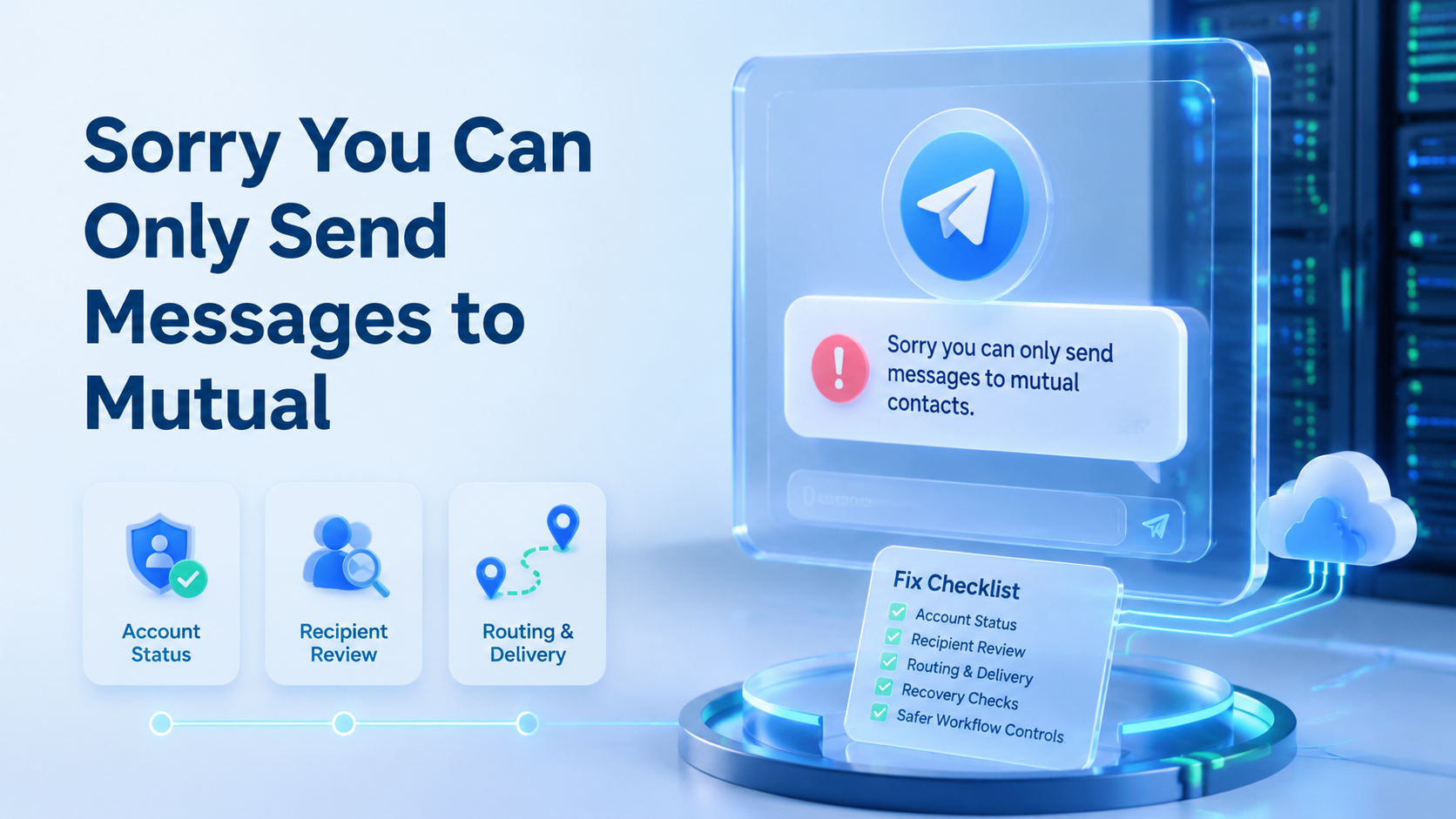
The message means Telegram is limiting who the account can start conversations with. The warning "sorry you can only send messages to mutual contacts" usually appears after an account looks risky or unwanted to recipients. The fix is not to push more outbound messages. The fix is to stop, check the account state, reduce risky behavior, and rebuild a cleaner operating process.
For a solo user, this may be a short inconvenience. Stop there. For a team running outreach, support, research, or community operations, it is an execution issue, because one warning can expose a weak handoff model. The account, device environment, routing, contact source, and operator behavior all need review before the team sends again.
Key Takeaways
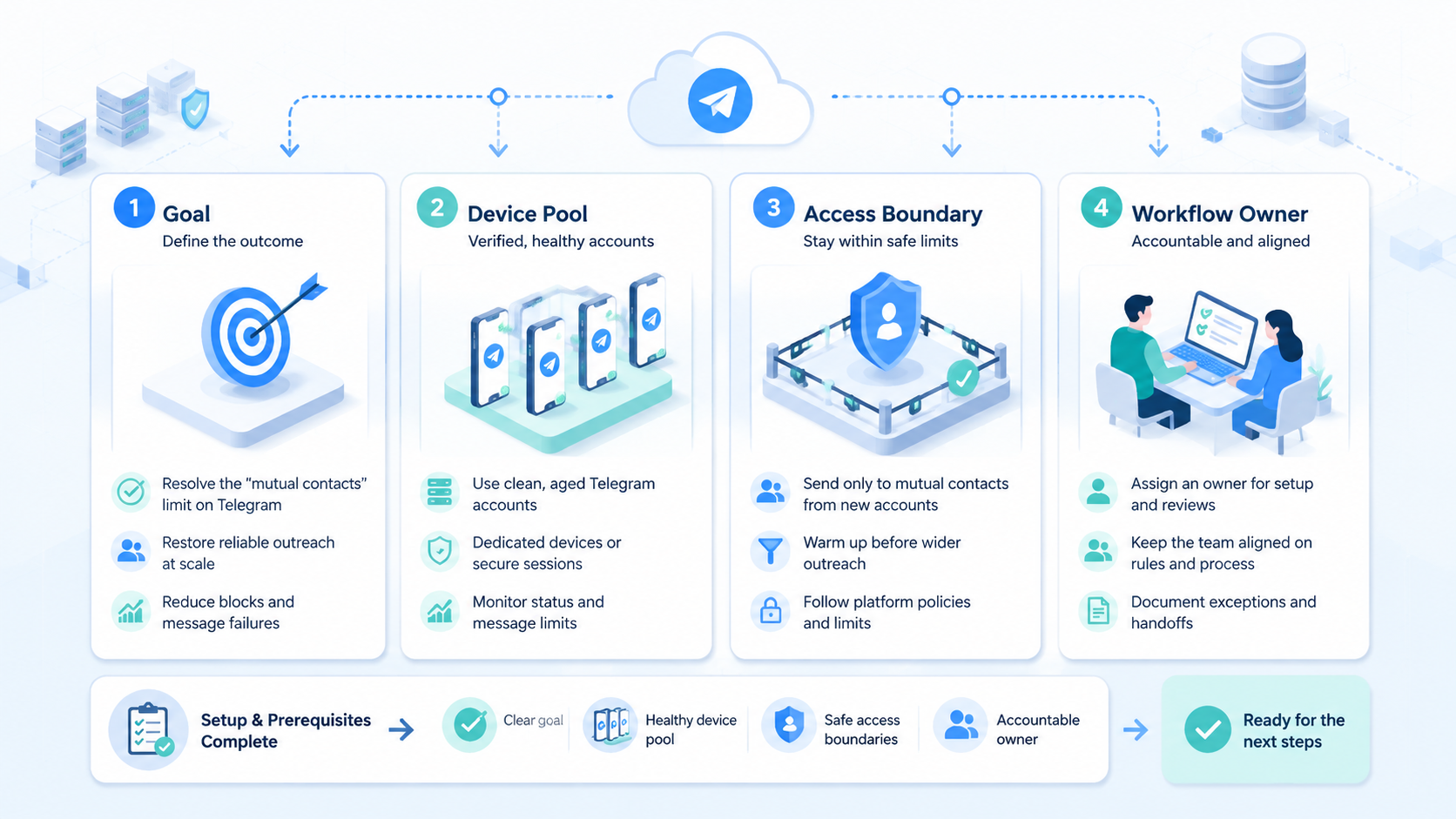
The warning usually means non-mutual outbound messaging is restricted. Stop repeated tests from new devices before the timeline gets messy.
Use Telegram's official support path, including SpamBot when available, before changing tools or routes. Log it. Then audit contact source, recent message pattern, account age, device context, routing, and operator ownership.
Pause first. Treat recovery as a workflow review, not a quick bypass.
What Is Sorry You Can Only Send Messages to Mutual Contacts: Telegram Fix Checklist?
The common misunderstanding is that this error is only a contact-list setting. Treat it as a sending restriction until proven otherwise. Telegram's spam FAQ says reported accounts may be limited and may only be able to send messages to people who have their number saved as a contact. That is the operating clue.
A practical checklist starts with the account, not the tool. Start there by keeping the first test inside the same account, same device lane, and same recipient type.
Check whether the account can reply to existing conversations. Check whether mutual contacts still work. Then check whether non-mutual DMs trigger the same warning.
The next layer is behavior. A new account that sends similar messages to people who did not expect them looks different from an account replying to active conversations. Telegram's own spam guidance warns that username search is not a tool for finding strangers to message. That should shape the recovery plan.
For teams, the checklist also includes the environment. If several operators share one device, one proxy route, or one unmanaged browser profile, the team cannot tell which factor changed. A controlled cloud phone lane makes that review easier because account state and device context stay in one place. That single lane gives the reviewer a cleaner before-and-after view.
Why Sorry You Can Only Send Messages to Mutual Contacts Matters
The restriction matters because it blocks the highest-risk part of Telegram work. The blocked action is starting conversations with people who have not saved or contacted the account. That is also the part many teams overuse when messaging becomes a volume task.
Operationally, the warning is a stop signal. A team should not respond by switching devices, adding more accounts, or repeating the same message from a different lane. Those actions make the root cause harder to read.
The safer response is to separate diagnosis from production. One operator reviews the account state. Another checks message logs and source quality. A third person pauses related automation until the team understands whether the problem is account-specific or workflow-wide.
Telegram's privacy policy also matters here because contact syncing and contact deletion are account-level behaviors. When a workflow depends on contact matching, teams need to know whether contacts are synced, outdated, duplicated, or not saved by the recipient. Contact data is part of the workflow, not a side note.
Key Benefits and Use Cases
The benefit of a fix checklist is not only getting one account unstuck. It gives the team a repeatable way to decide whether to pause, appeal, wait, or retire a workflow.
Use this checklist when the team runs these workflows:
- customer support handoff through Telegram
- moderation replies inside an existing community
- partner outreach where contacts are pre-qualified
- research conversations with known participants
- multi-account operations where each account owns a narrow role
The strongest use case is controlled recovery. If one account is limited, the team can keep unrelated work separate instead of letting one mistake contaminate every lane. That is where multi-account management becomes more than a dashboard. The operating value is an audit model that shows who owned the account, what changed, and why the team paused.
The weakest use case is cold volume messaging. A checklist will not make unwanted outreach safe. It can only show where the workflow is creating restriction risk.
How to Get Started with Sorry You Can Only Send Messages to Mutual Contacts
Start with a short recovery log. Do not begin by changing every setting at once. Record what happened, then test one controlled action at a time.
Recovery Checklist
Confirm the exact warning and save the wording, account, time, recipient type, and client used. Then check official account status through Telegram's SpamBot or the in-app support path when available.
Stop non-mutual outbound tests. Do not keep retrying against new recipients while the team is still diagnosing the account and comparing the failed action with the last clean send.
Review recent sends for repeated templates, fast sequences, unexpected recipients, complaints, or role handoff mistakes. After that, check whether recipients actually saved the number or contacted first, freeze automation, and resume only with expected replies or mutual contacts.
A team using mobile automation should add one more checkpoint: separate the automation rule from the account. The goal is to know whether the script, recipient list, operator process, or account history caused the problem.
Common Mistakes After Sorry You Can Only Send Messages to Mutual Contacts
The first mistake is treating the warning as a technical glitch. It may be temporary, but repeated retries create worse data, while a calm pause gives the reviewer a cleaner recovery path.
The second mistake is moving the account across too many environments. Switching phones, emulators, proxies, and browsers at once destroys the timeline, so keep one lane until the reviewer knows whether the account, route, or message pattern changed.
The third mistake is assuming every recipient is a valid lead. A saved contact, an expected conversation, and a public username are not the same thing; Telegram's spam guidance is clear that unwanted contact can be reported.
The fourth mistake is overusing templates. Similar first messages sent quickly to unrelated people make a workflow look mechanical, and the pattern may create complaints even when the business intent is legitimate.
The fifth mistake is ignoring routing. If several accounts share one route or change routes without logging, review becomes guesswork; a cleaner proxy network process keeps routing decisions visible.
Who It Fits and When It Is a Strong Match
This checklist fits teams that need Telegram as part of a controlled communication workflow. The team may handle warm leads, support conversations, community replies, partner coordination, or known-contact outreach. In those cases, recovery depends on process discipline.
It is also a strong match when the team already uses separate mobile lanes. A Telegram account can stay tied to one device environment, one operator role, one routing plan, and one recovery log. That makes it easier to see what changed before the warning appeared.
It is not a strong match for teams trying to force cold messaging at scale. Say no when the list source cannot prove why the recipient expected contact, because better tooling will not fix a bad contact source.
For mobile teams, device isolation is useful because it limits cross-account confusion. The purpose is not to promise account safety; the purpose is to keep each account's context readable during review.
Quick Team Rule
Keep the run book simple. One account, one role, one device lane, one route, one owner, and one log.
If any part changes, write it down before the next send. This small habit saves review time because the team can see whether the warning followed a send pattern, a route change, a contact import, or an operator handoff.
Use plain fields in the log: who sent, who got it, when it happened, what changed, what stopped, what worked, what failed, and who owns the next check. Simple records beat long guesses.
Pilot Rollout, Measurement, and Recovery Checks
Run the recovery process as a small pilot before changing the whole operation. Pick 1 restricted account and 1 clean reference account. Keep both in stable environments during the review.
Measure 5 fields in one short sheet so the next reviewer can understand the account state without reading a long chat history.
| Review field | What the operator records | Good sign | Stop signal |
|---|---|---|---|
| Account state | SpamBot reply support note visible limit and last failed action | status is clear and the team knows the next allowed action | status is unclear and people keep testing new recipients |
| Recipient source | saved contact first reply group context or public username source | recipient had a clear reason to expect contact | recipient came from broad username search or scraped lists |
| Message pattern | first line template custom note send speed and retry count | messages are tied to a named task and expected context | same opener repeats across unrelated people |
| Environment lane | device route operator app client and handoff owner | account stays in one review lane during diagnosis | account jumps across phones routes or operators |
| Recovery result | wait appeal reply only normal send or stop rollout | next step is narrow and written in the run book | team resumes broad sends without a rule |
Record account status first: SpamBot or support response, plus the action that triggered the check. Record recipient type next, including mutual contact, first reply, saved number, or public username.
Record message pattern with plain labels: template, custom note, sequence speed, or first-message retry. Record environment context too, including device lane, route, operator, and app client.
Finish with the recovery result. Use labels such as wait, appeal, reply-only, normal send, or stop broad rollout so nobody has to infer the next step.
The review should separate three outcomes: one account may be temporarily limited, one message pattern may be creating complaints, or one team process may be mixing contexts too loosely.
Only resume broader work after the pilot has a clear rule.
A useful rule sounds like this: "Use this account only for expected replies and mutual contacts until restriction status changes." Write the rule down. That beats a vague instruction such as "try again later."
Frequently Asked Questions
Does this error mean my Telegram account is banned?
No. It usually means the account is restricted from starting some conversations, so check Telegram's official status path before assuming the account is permanently unusable.
Can I fix it by changing devices?
Do not start there; changing devices during diagnosis makes the timeline harder to understand. Review account status and recent sends first, then decide whether the device lane needs review against a written 7-field log.
Should a team use a cloud emulator for recovery?
A cloud emulator can help testing, but it does not replace account review. The better question is whether the environment keeps account context stable for the same user, role, and route.
Is SpamBot the only step?
No. SpamBot or Telegram support can show account status, but the team still needs to review contact quality, message pattern, and workflow behavior across the last 7 work sessions.
Can automation continue while one account is limited?
Pause related automation until the cause is clearer; continuing may repeat the same risky action across more accounts before anyone has checked the log.
What if recipients are real leads?
Real leads still need expected contact. If people did not save the number, request the message, or start the conversation, the workflow may still look unwanted.
How should teams prevent repeat limits?
Keep each account tied to a stable role, device context, routing plan, and message policy. Review complaints and failed sends weekly, then update the 7-field run book.
Useful Official References
Use these official references during review: Telegram Spam FAQ, Telegram Privacy Policy, and Google Search Central helpful content guidance.
Conclusion
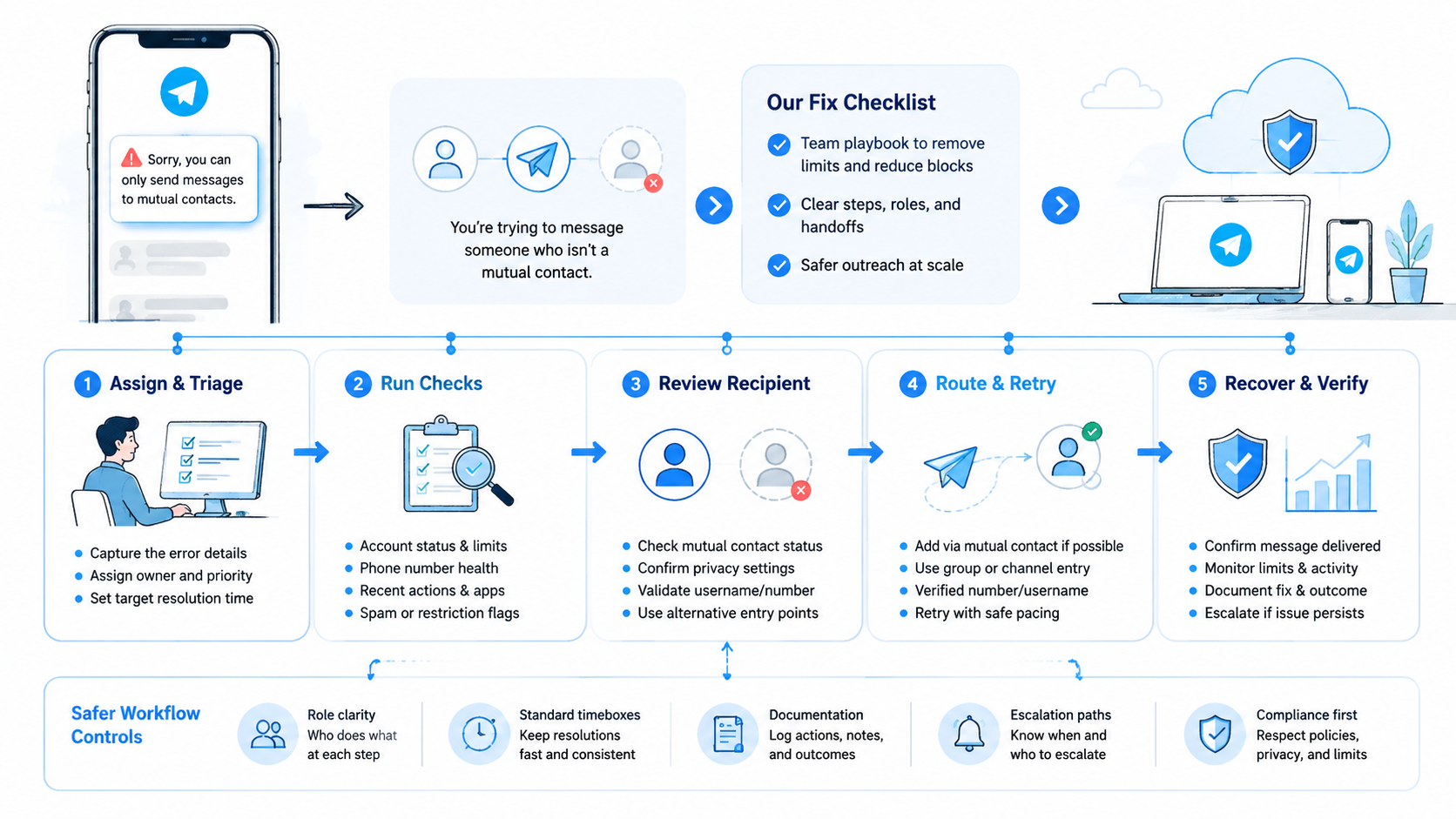
Handle the "sorry you can only send messages to mutual contacts" warning in order. Stop risky sends, check official account status, review recent recipient and message patterns, stabilize the environment, then resume with a narrow rule. The fastest fix is not more activity. It is a cleaner diagnosis.
For teams, the deeper lesson is operational. Telegram work needs separated lanes, clear contact logic, and recovery logs. If the team cannot explain which account did what, from which environment, and to which recipient type, the next restriction will be harder to fix.



