
Key Takeaways
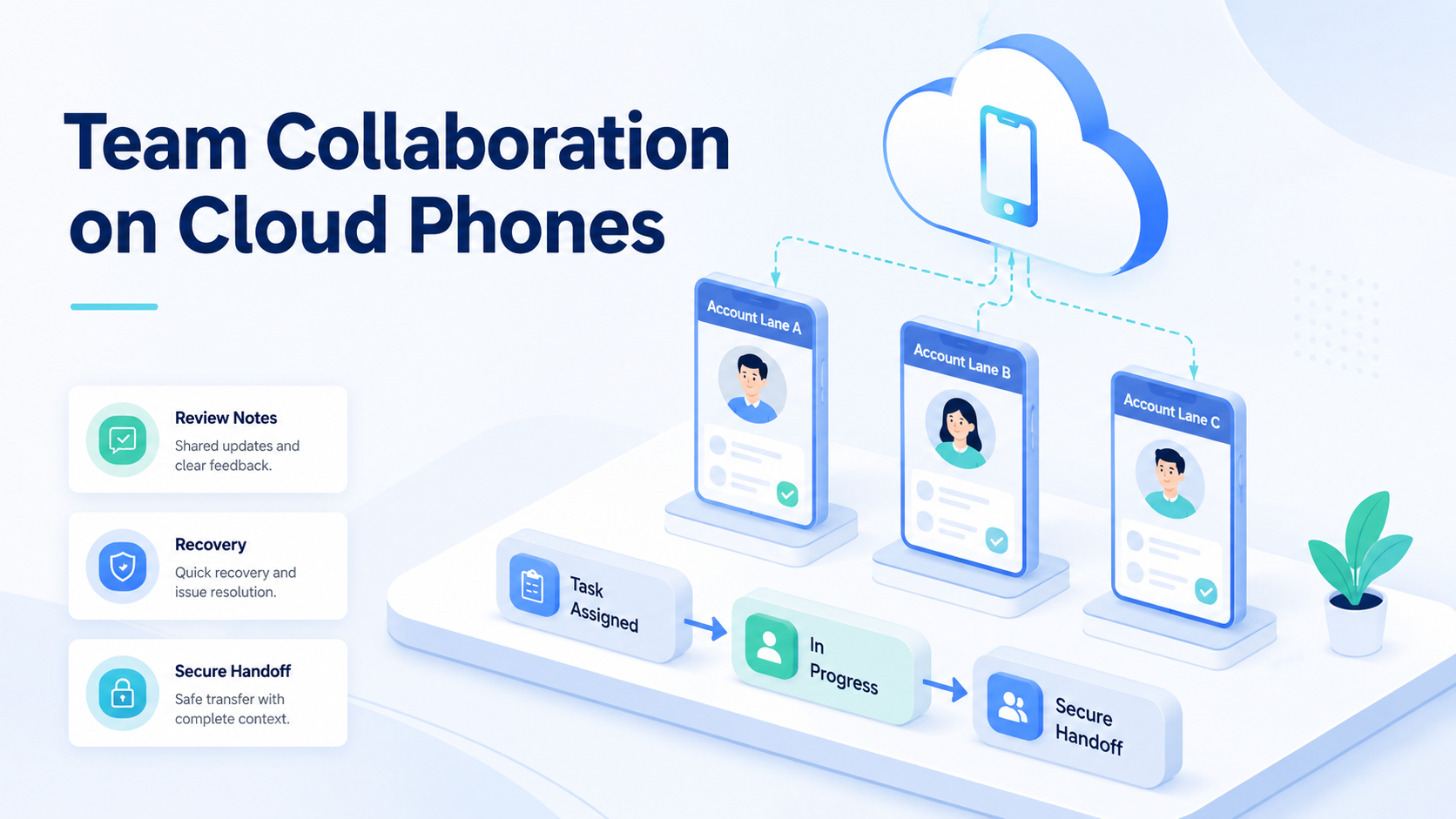
- Team collaboration on cloud phones works best when every account lane has an owner.
- Shared mobile execution needs device isolation, role rules, handoff notes, and recovery logs.
- MoiMobi helps teams treat cloud phones as workspaces, not loose remote devices.
Team collaboration on cloud phones is the process of assigning remote mobile environments to people, AI workers, accounts, and workflows with clear ownership. The goal is simple: the team should know who did what, on which phone, for which account, and what happens next.
Cloud phones are useful because mobile work can continue without passing around physical devices. That does not make collaboration automatic. Without structure, a shared device pool becomes a shared confusion pool.
MoiMobi frames the phone as part of an execution environment. A cloud phone lane should connect account context, task history, route notes, app state, and recovery ownership.
Why Team Collaboration Needs More Than Shared Access
Shared access is only the first layer. A team can log into a remote phone and still lose track of ownership, app state, and task history. Collaboration needs rules.
The core problem appears during handoff. One operator checks an inbox while another drafts replies.
A manager reviews the output. If the phone has no lane note, the next person asks the same questions again.
Use 5 required fields:
- account lane
- cloud phone ID
- current owner
- allowed task type
- next action
That structure gives every teammate the same starting point. It also makes AI-assisted workflows easier to review because the worker operates inside a known lane.
Team Collaboration Controls on Cloud Phones
A collaborative cloud phone workflow needs access control and operational control. Access control says who can open a workspace. Operational control says what that person or worker can do inside it.
| Control | Team question | Example |
|---|---|---|
| Role | Who can act? | Operator, reviewer, manager |
| Lane | Which account is assigned? | `IG-support-02` |
| Task boundary | What is allowed? | Draft replies, no sending |
| Handoff note | What changed? | Paused on unclear comment |
| Recovery owner | Who repairs failure? | Assigned before retry |
This is where device isolation matters. The account lane should keep its app state, device state, and task history separate enough for review.
Google Search Central's helpful content guidance is about content quality, but the same people-first idea applies to operations. A system should make work clearer for the people reviewing it.
Account Lanes for Multi-Account Teams
Multi-account management on cloud phones becomes easier when each account lane has a small record. The record should not be a long document. It should be a visible operating note.
Minimum lane record:
- lane name:
WA-support-03 - phone ID:
CP-18 - owner:
Lina - allowed work: inbox triage
- route note:
R-02 - last result: 12 messages reviewed
- recovery status: none open
That record prevents the team from treating phones as anonymous slots. It also helps during safe account warming on cloud phones, where teams may begin with low-complexity actions before moving to higher-impact work.
Do not mix unrelated account types in one lane. A publishing lane, support lane, and monitoring lane should have different rules. Different work creates different review needs.
Permission Matrix for Team Collaboration
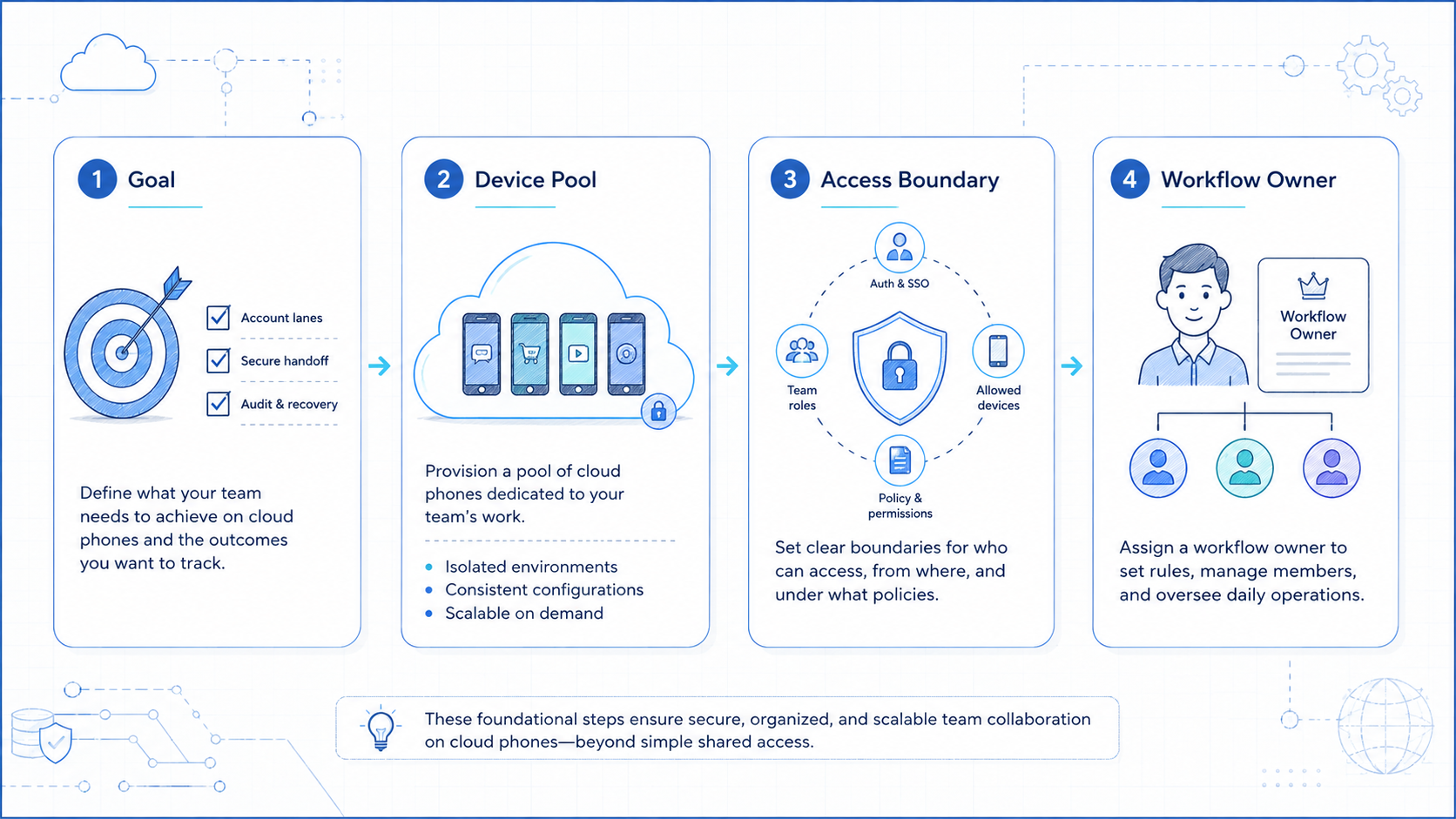
Team collaboration needs a permission model before the team adds more phones. The model does not need to be complex. It should answer four questions for every person and worker: which lane can they open, which task can they run, which action needs review, and who owns recovery.
Use roles instead of personal exceptions. If every teammate has a custom rule set, the system becomes hard to audit. A clear role matrix keeps the work understandable when the team changes shifts or adds new accounts.
| Role | Can do | Should not do | Review owner |
|---|---|---|---|
| Operator | Open assigned lanes, complete routine tasks, write handoff notes | Change routes or approve sensitive replies | Reviewer |
| Reviewer | Approve replies, check task quality, return unclear work | Reset device state without a recovery note | Manager |
| Manager | Change lane rules, assign owners, approve workflow changes | Skip audit records for urgent work | Team lead |
| AI worker | Draft, classify, monitor, collect, and flag | Make uncertain customer-facing decisions | Human reviewer |
| Recovery owner | Repair failed lanes and document the cause | Restart the same workflow without evidence | Manager |
This matrix also protects the team from accidental over-automation. A teammate may be allowed to draft 50 replies, but only a reviewer should approve replies that affect refunds, complaints, private information, or account status.
Team Collaboration Handoff on Cloud Phones
Handoff should be written before the task leaves the current operator. The next teammate should not need chat history to understand the phone state.
Use this handoff pattern:
- State: what screen or app state is visible
- Result: what the last task produced
- Blocker: what stopped progress, if anything
- Owner: who handles the next action
- Deadline: when review or retry should happen
Example: CP-18 / WA-support-03 drafted 6 replies, paused on 2 unclear requests, assigned review to Maya, and should be checked before 16:00.
Keep the note short.
Long notes do not improve collaboration if nobody reads them. The best note gives the next person a clean next action.
AI Workers in Team Collaboration
AI workers can support team collaboration when their role is narrow. They can collect, draft, classify, prepare, monitor, and flag. They should pause when a task reaches a sensitive or uncertain state.
Human roles still matter. A reviewer can approve customer-facing replies, and a manager can change lane rules.
An operator can repair login or app state. The platform should make those handoffs visible.
OWASP's Top 10 for LLM Applications is useful background for tool boundaries and unsafe actions. Any AI worker that touches tools should have permissions and logs.
Use this role split:
- AI worker: prepare the task
- operator: handle routine execution
- reviewer: approve sensitive output
- manager: change workflow rules
- recovery owner: repair failed lanes
No role should silently take over another role. Silent role drift is how teams lose accountability.
Team Collaboration Review Cadence
A collaboration system needs a rhythm. Without a review cadence, small mistakes stay hidden until the team has too many open lanes to understand what changed.
Use three lightweight checkpoints. At the start of a shift, confirm phone availability, lane owners, route notes, and unresolved recovery items. Mid-shift, review blocked tasks and customer-facing drafts. At the end of the shift, close completed tasks, assign recovery owners, and mark which lanes are ready for the next operator.
A simple schedule can look like this:
09:00: confirm lane ownership and open recovery items13:00: review paused tasks, unclear replies, and repeated errors17:30: close results, hand off active lanes, and update next actions
Weekly review should focus on patterns instead of single incidents. Look for lanes with repeated login issues, frequent human takeover, missing notes, slow reply approval, or task types that create too many exceptions. Those signals tell the team where to simplify the workflow.
This cadence is also useful for AI workers. If the worker drafts replies, collects leads, or monitors account activity, the review should check both output quality and stop-rule behavior. A good workflow does not only finish tasks. It also pauses clearly when the next action needs judgment.
Common Collaboration Mistakes
The first mistake is sharing one phone across unrelated accounts. It may feel efficient at first, but review becomes harder when account state and task history mix.
The second mistake is giving everyone full control. Collaboration does not mean every person can change routes, reset apps, send messages, and edit workflows. Access should follow role.
The third mistake is ignoring recovery. Account restriction recovery on cloud phones should start with evidence. Capture the lane, phone ID, current app screen, last task, route note, owner, and next action.
Stop work when:
- the wrong account opens
- a login reset appears
- the route differs from the lane note
- a customer-facing action needs judgment
- two similar failures repeat in one shift
The Google Play Policy Center is a useful reminder that mobile ecosystems have rules. Team workflows should not depend on ignoring provider requirements.
Pilot Plan for Secure Team Workflows
Start with 3 phones, 3 account lanes, and 1 task type. Run the pilot for 7 days. Keep the first workflow small enough to review.
Pilot example:
CP-11: Instagram comment triageCP-12: WhatsApp reply draftsCP-13: Telegram group monitoring
Measure completed tasks, failed tasks, handoff notes, takeover events, wrong-account events, and open recovery items. A team is ready to scale when another operator can explain the lane from the record alone.
Multi-account management should grow from that pilot. Add more accounts only after the first lanes have stable ownership and visible recovery notes.
Where MoiMobi Fits
MoiMobi connects cloud phones, account workspaces, device isolation, automation, and workflow review. It is not only a remote phone viewer.
Teams can use MoiMobi to assign mobile environments, structure account lanes, run repeatable tasks, and keep recovery visible. For social teams, social media marketing workflows can connect publishing, replies, monitoring, and review without mixing account context.
The operating model is clear: assign the lane, run the task, record the result, pause on uncertainty, and recover with an owner.
Frequently Asked Questions
What is team collaboration on cloud phones?
It is the practice of letting multiple teammates work through remote mobile environments with clear roles, lanes, and logs.
Why not just share one phone login?
Shared access alone does not show ownership, task history, recovery state, or account boundaries.
How many people should control one cloud phone?
Keep control narrow. One owner should manage the lane, while reviewers and managers handle approval or rule changes.
Can AI workers join the workflow?
Yes, when they have narrow tasks, visible logs, stop rules, and human review for uncertain actions.
What should be in a handoff note?
Include phone ID, account lane, current state, last result, blocker, next owner, and review time.
Is this only for social media teams?
No. It can also fit support, e-commerce, marketplace, and community operations.
What should teams measure first?
Measure handoff quality, wrong-account events, takeover events, failed tasks, and recovery time.
Conclusion
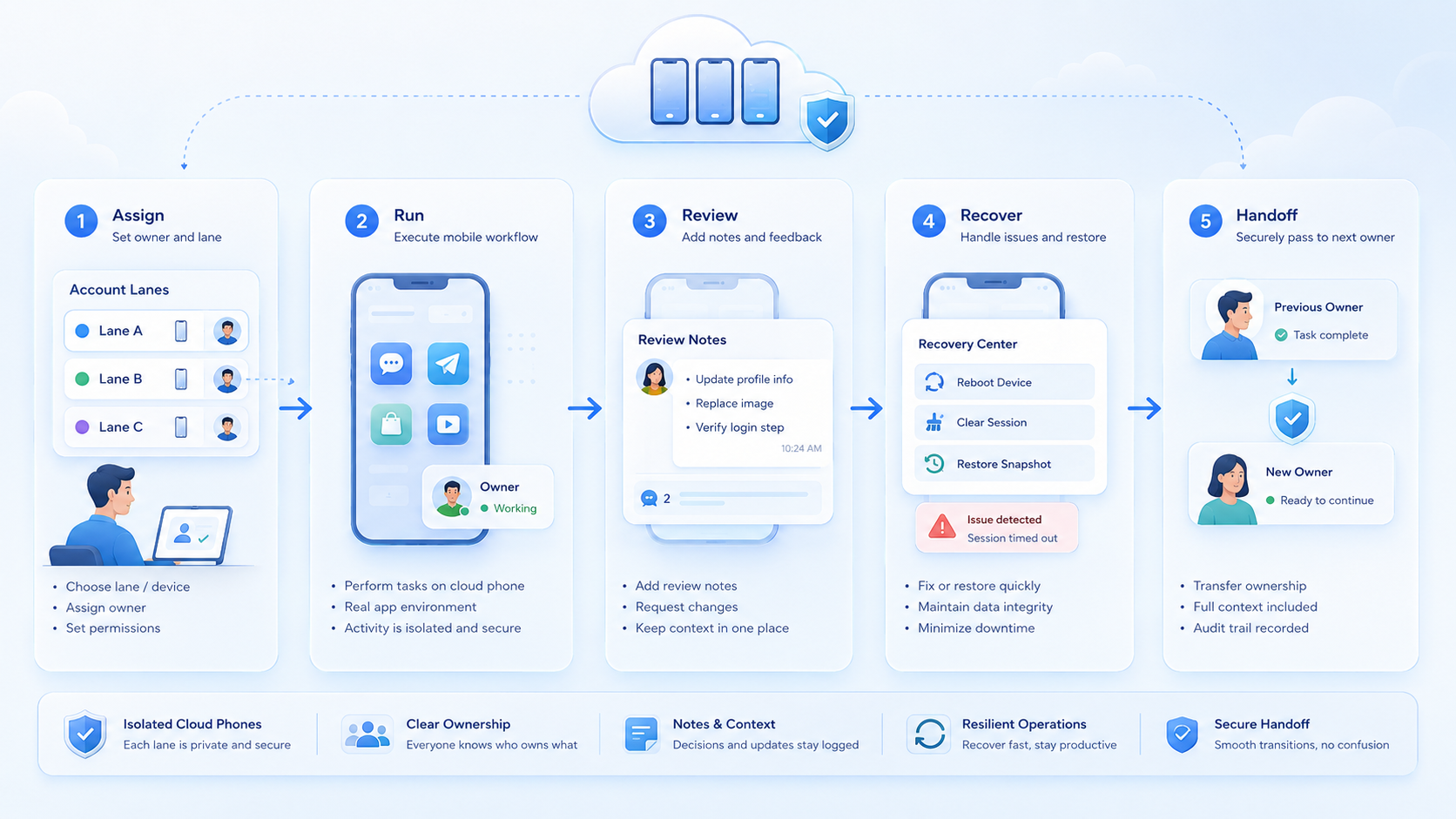
Team collaboration on cloud phones works when the phone becomes a controlled workspace. The team needs lanes, roles, task boundaries, and recovery notes.
Start with 3 lanes and 1 task type. If another operator can understand each lane without private chat history, the team is ready to add more phones, accounts, and workflows.



