
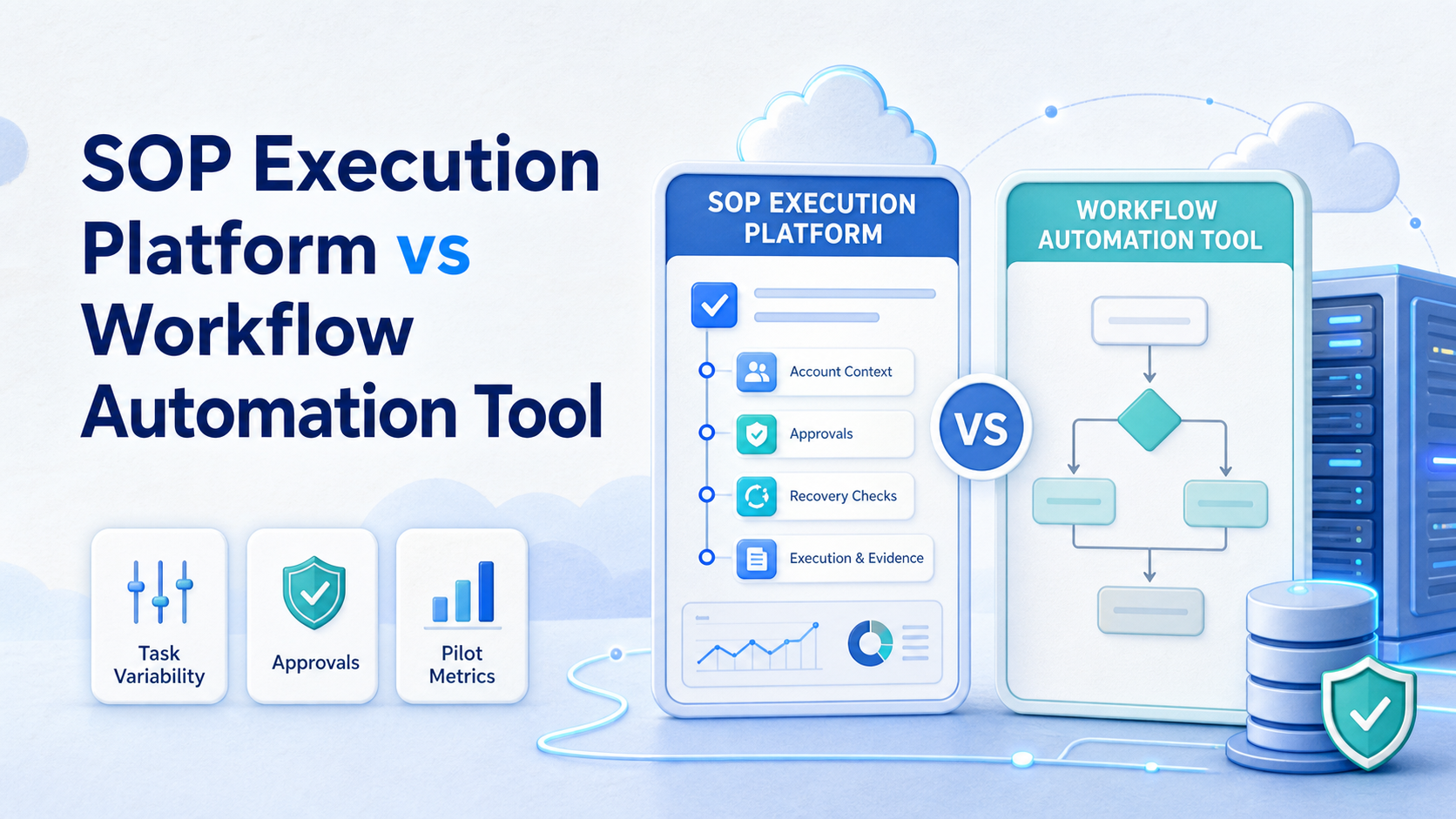
SOP execution platform vs workflow automation tool is a choice between guiding accountable people or agents through operating procedures and automating a predefined sequence between systems. Choose workflow automation when the inputs, rules, and endpoints stay predictable. Choose an SOP execution platform when work depends on changing context, approvals, account ownership, browser or mobile steps, and recovery decisions.
The two categories overlap, but they solve different bottlenecks. A workflow tool can move a new form response into a CRM, notify a channel, and create a task. An execution platform can also assign the task, show the required evidence, hold it for approval, record the outcome, and route an exception to the right owner. Teams often need both, but they should not buy both for the same job without a clear boundary.
The practical question is simple: where does the work stop being a deterministic handoff and start requiring operating judgment? That boundary determines the better first investment.
Key Takeaways
- Workflow automation is strongest for repeatable, system-to-system handoffs with stable rules.
- An SOP execution platform is stronger when tasks have owners, evidence, approvals, exceptions, and recovery paths.
- Compare the options by context variance, audit needs, integration depth, and failure recovery, not by feature-count alone.
- Start with one high-volume workflow, define a stop rule, and measure rework before a wider rollout.
- Mobile and account-based work needs explicit environment ownership in addition to workflow logic.
What to Compare Before Choosing an SOP Execution Platform vs Workflow Automation Tool
Start with the shape of the work, not the name of the software. A workflow automation tool is usually a strong match when a trigger, a set of data fields, and a destination can be described in advance. Examples include copying a qualified lead to a CRM, creating a support ticket, or sending a reminder when a document is approved.
An SOP execution platform becomes more relevant when people repeatedly ask questions that the workflow cannot answer alone. Which account should handle this task? Does the content need a human review? What evidence proves the step happened? Should a failed action be retried, paused, or escalated? Those are operating controls, not merely integration rules.
| Decision criterion | Workflow automation tool | SOP execution platform |
|---|---|---|
| Input variability | Best when fields and rules stay stable | Better when a reviewer must interpret context |
| Primary unit of work | Trigger, rule, and system action | Task, SOP step, owner, and evidence |
| Approvals | Often a branch or notification | Usually a visible gate with responsibility |
| Exceptions | Retries or error paths | Pause, investigate, recover, and record the decision |
| Account context | Usually outside the flow model | Can be assigned with task and environment context |
| Success signal | Action completed between systems | Outcome, evidence, owner, and next action are clear |
Do not assume that a visual workflow builder handles operational governance. A connector may successfully send a task to another app while the team still lacks a responsible owner, an approval record, or a way to recover after an account-level failure. Conversely, do not build an SOP layer around a simple data sync that should remain a small integration.
Ask four questions before selecting a category:
- Can the work be completed from structured fields alone?
- Does the operator need to see a browser, app, device, or account context?
- Can the team define an acceptable automated retry, or must someone assess each failure?
- Will a manager need a record of who approved, executed, and closed the work?
Key Differences Between SOP Execution Platform vs Workflow Automation Tool
The main difference is control depth. Workflow automation software coordinates events. It is designed to reduce repetitive transfers between tools. Its logic commonly looks like: when event A occurs, check condition B, then send data or create object C. This is valuable infrastructure for predictable operations.
An SOP execution platform coordinates work that still needs an operating environment and a clear decision trail. Its logic is closer to: assign this task to this role and account context, require these checks, capture this output, pause if a boundary is hit, and send the exception to the owner who can decide what happens next.
Consider a content approval scenario. A workflow tool can detect that a draft reaches an approved status and create a publishing task. An SOP platform can add the operating details: the correct brand account, the asset checklist, the review window, the executor, the approval evidence, and the response when the scheduled action cannot proceed. The first tool moves information. The second governs execution.
This distinction is also useful for teams that work across web and mobile interfaces. A cloud phone is not a workflow automation product by itself. It is an execution environment. When a mobile task needs an isolated device, a clear account assignment, and a handoff record, the environment becomes part of the SOP rather than an invisible implementation detail.
The security and governance implications are real. NIST's access-control guidance describes least privilege as restricting access to the minimum needed for assigned duties. That principle supports role and account assignment in operational systems, rather than broad shared access for every automation or operator. See NIST SP 800-53 AC-6.
SOP Execution Platform vs Workflow Automation Tool: Features and Trade-Offs
Workflow automation tools usually win on integration speed. They often provide connectors, triggers, mappings, schedules, and conditional routes. A marketing or support team can remove manual copy-and-paste work quickly when the source and destination systems have stable APIs.
Their limitation appears at the edge of the flow. A missing field, revoked permission, duplicate record, or unavailable endpoint can produce an error state. The tool may retry or notify someone, but it does not necessarily explain the next safe operating step. That gap becomes expensive when a team manages many accounts, approvals, or customer-facing tasks.
A controlled execution layer trades some configuration simplicity for visible operational control. It should make the task contract explicit: input, owner, environment, steps, approval requirements, evidence, time limit, failure reason, and recovery owner. This model fits work that crosses from a system event into browser or mobile execution.
- Data moves between known systems.
- The rule can be tested with clear inputs and outputs.
- Exceptions are rare and low impact.
- The result does not depend on a specific account environment.
- Tasks need review, evidence, or accountable ownership.
- People work in browser or mobile interfaces.
- Exceptions require a decision, not just another retry.
- Several roles must hand work off without losing context.
Neither option removes the need for process design. A poor SOP written into a task platform stays poor. A vague integration map also stays vague after automation. Before configuring either tool, map the actual completion condition and the conditions that require stopping work.
For browser and mobile-heavy teams, mobile automation can sit beside the SOP layer. The important boundary is that an automated action must still have the right account context, permission, and escalation path.
Pricing and Operational Considerations
Price comparisons can mislead because the cost units differ. Workflow tools commonly price around tasks, runs, connectors, or automation volume. SOP execution platforms may price around users, workspaces, tasks, environments, approvals, or execution capacity. Neither number is useful without a measure of avoided rework.
Start with the cost of the current process. Count the minutes spent re-entering information, finding the correct owner, checking a shared inbox, recovering failed work, and reconstructing what happened after a handoff. Then compare that number with the cost of the platform and the effort required to maintain it.
There are also governance costs. Broad integrations can make it easy to move sensitive or customer data farther than intended. NIST guidance on access control and accountability supports defining permissions, owners, and review records before connecting production workflows. CISA's Logging Made Easy likewise emphasizes that useful logging helps organizations investigate events and understand activity.
Avoid buying an execution platform solely because the workflow feels complicated. First isolate the complication. A single integration with weak field mapping may need better data hygiene. A repeated approval dispute may need a task contract. A recurring account or device issue may need device isolation and an owner model. Different causes require different fixes.
Which Option Fits Different Teams
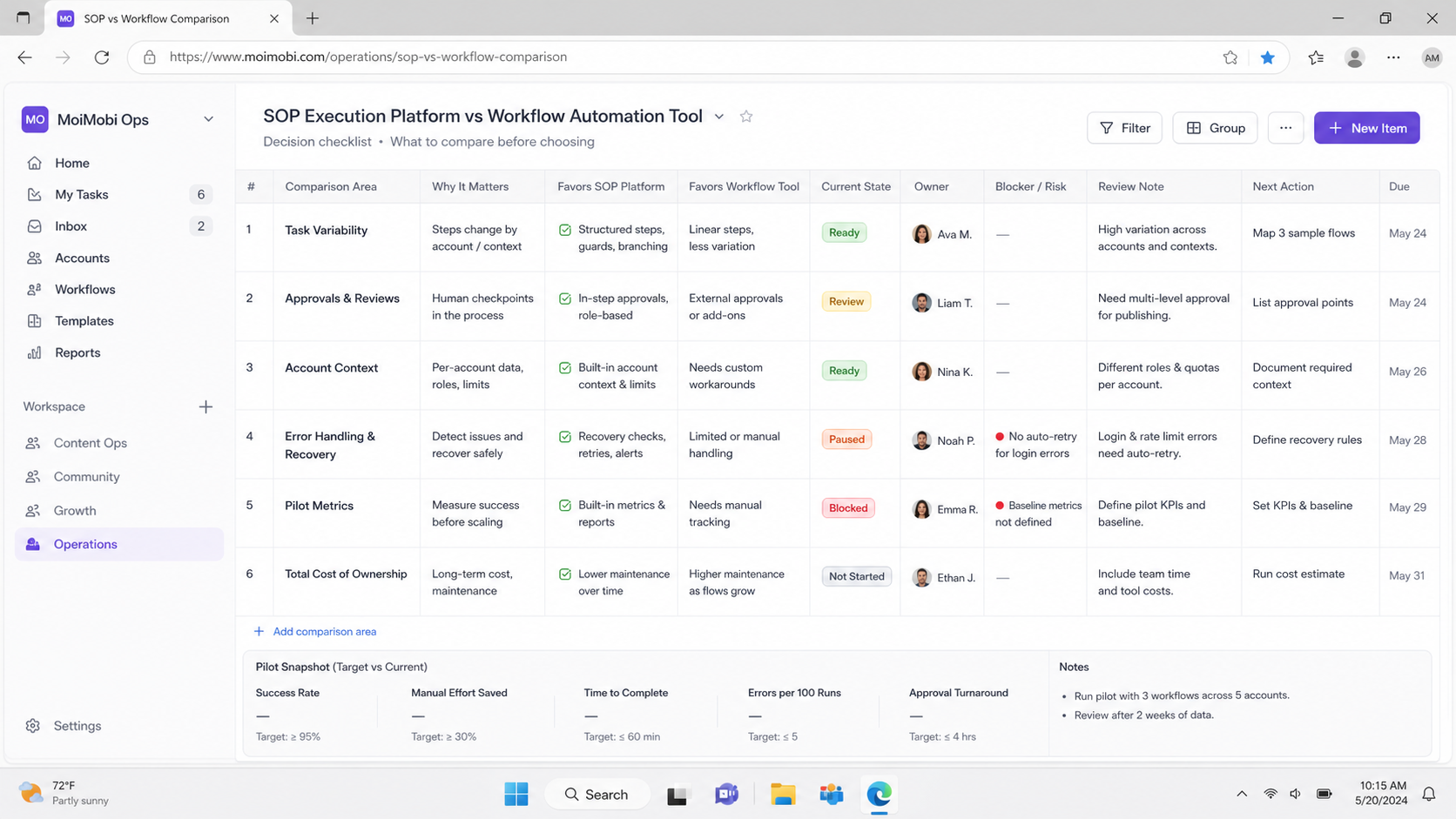
The usual misconception is that larger teams always need an SOP execution platform and smaller teams only need simple automation. Team size matters less than work variability. A three-person team can have high-risk, account-based work. A fifty-person team can have a clean, predictable data pipeline.
Choose a workflow automation tool when the team mostly needs reliable plumbing. Sales operations may create records from forms, enrich a lead from an approved source, and notify a rep. Finance may route a completed approval into an accounting system. These work well when the process can be validated with deterministic test cases.
Select an SOP execution platform when the team needs operating discipline. Social media operations, customer engagement, marketplace support, and multi-account workflows often involve different owners, assets, accounts, timing rules, and exception handling. The system should show which account is assigned, what happened, and why a task was paused.
Use both when one produces the other. A workflow tool can create a task when a qualified event occurs. The SOP platform can then govern the action that needs a person, an AI worker, or a controlled environment. For example, a form submission may create an approved follow-up task; the task should not trigger unsolicited bulk outreach or bypass platform requirements.
Teams with multiple identities or client workspaces should also consider multi-account management. The goal is not to make more actions happen without oversight. It is to keep account ownership, access boundaries, and work records clear.
Who It Fits and When It Is a Strong Match
This type of execution platform is a strong match when the team can name repeatable tasks but cannot safely reduce them to one rule. The process might include a checklist, approval gate, account selection, reviewer note, and recovery path. This pattern is common when operations move across several systems and interfaces.
It is not a strong first purchase for a single, reliable data transfer. If an approved lead should simply be inserted into a CRM, a small workflow can be easier to test, cheaper to operate, and less likely to create needless process overhead. Do not make operators fill out an SOP for a transfer that the integration can complete with clear validation.
| Team situation | Best starting point | Reason |
|---|---|---|
| One source system to one destination system | Workflow automation | The job is a predictable handoff. |
| Content needs approval before a channel action | SOP execution platform | Ownership and evidence matter as much as timing. |
| Customer follow-up needs account and policy context | SOP execution platform with integrations | The execution decision cannot be reduced to a send event. |
| High-volume, low-impact notifications | Workflow automation | Rules can be tested and monitored centrally. |
| Browser or mobile tasks with recurring exceptions | Execution platform plus targeted automation | The team needs an environment and a recovery owner. |
The strongest match is not defined by a product category. It is defined by whether the team can explain the work's inputs, permissions, completion proof, and failure response. If those four items are missing, pause selection and document the operating process first.
Pilot Rollout, Measurement, and Recovery Checks
Run a small pilot before migrating an entire operating area. Pick one workflow with enough volume to reveal bottlenecks, but not one that creates irreversible customer or account consequences. Write the current steps, the expected result, the approved owner, and the exact stop condition.
Use a compact pilot checklist:
- Baseline the work. Record volume, manual minutes, rework, delays, and frequent exceptions for two weeks if possible.
- Define the task contract. Specify inputs, systems, account context, approver, completion evidence, and recovery owner.
- Test normal paths. Confirm that the workflow completes with representative data and expected permissions.
- Test failure paths. Remove a permission, alter a required field, or simulate an unavailable destination. Verify that the task pauses and reaches a responsible person.
- Review records weekly. Check completion quality, exception category, recovery time, and repeated causes rather than only run counts.
Recovery needs its own design. NIST's Computer Security Incident Handling Guide separates preparation, detection, containment, eradication, recovery, and post-incident activity. Operational failures are not always security incidents, but the lifecycle is a useful reminder: recovery should be planned before scale, not improvised after a task breaks.
Set a stop rule such as: pause expansion when the pilot creates repeated duplicate actions, unclear ownership, missing evidence, or unresolved exceptions. A successful pilot reduces manual effort without making the team less able to explain what happened.
Frequently Asked Questions
Is an SOP execution platform the same as RPA?
No. RPA commonly focuses on automating repeatable interface actions. An SOP execution platform focuses on the operational contract around work: owner, context, approvals, evidence, and recovery. A team may use RPA or browser automation inside an SOP.
Can workflow automation tools manage approvals?
They can route approvals and notifications. The key question is whether the approval record, task owner, evidence, and exception path remain visible after the workflow moves to the next system.
Which option costs less?
A small, deterministic integration usually costs less to automate with a workflow tool. The cheaper total option changes when manual review, recovery time, account confusion, or repeated rework becomes the main cost.
Should a team replace all SOPs with automation?
No. Keep SOPs for judgment, policy boundaries, quality review, and exceptions. Automate only the parts with clear inputs, authorized actions, and measurable outcomes.
How do account environments affect this choice?
When a task must run in a named browser or mobile environment, the platform should attach that environment to the task and owner. Shared, untracked access makes recovery and auditing harder.
What should be measured during a pilot?
Measure completion quality, manual minutes, rework rate, exception rate, recovery time, and whether the right owner can explain the result. Run volume alone is not enough.
Can AI workers replace the approval step?
AI workers can prepare information and perform authorized repeatable steps. High-impact decisions, sensitive communications, policy interpretation, and unresolved exceptions should retain defined human accountability.
What is the best migration order?
Start with one stable workflow, document its exceptions, connect the necessary systems, then add controlled execution steps. Expand only after the team can review outcomes and recover from failure.
Conclusion
The best choice is usually determined by the point where a process stops being simple system plumbing. Use workflow automation for stable triggers, data movement, and repeatable rules. Use an SOP execution platform when execution needs an owner, an environment, evidence, approval, or a recovery decision.
Rank the next steps in this order: first map the task and its stop conditions; second choose the smallest tool that can govern the real work; third run a measured pilot; fourth scale only after exception records show that the process is controlled. That sequence keeps automation useful without hiding the operational work that still needs accountability.



