
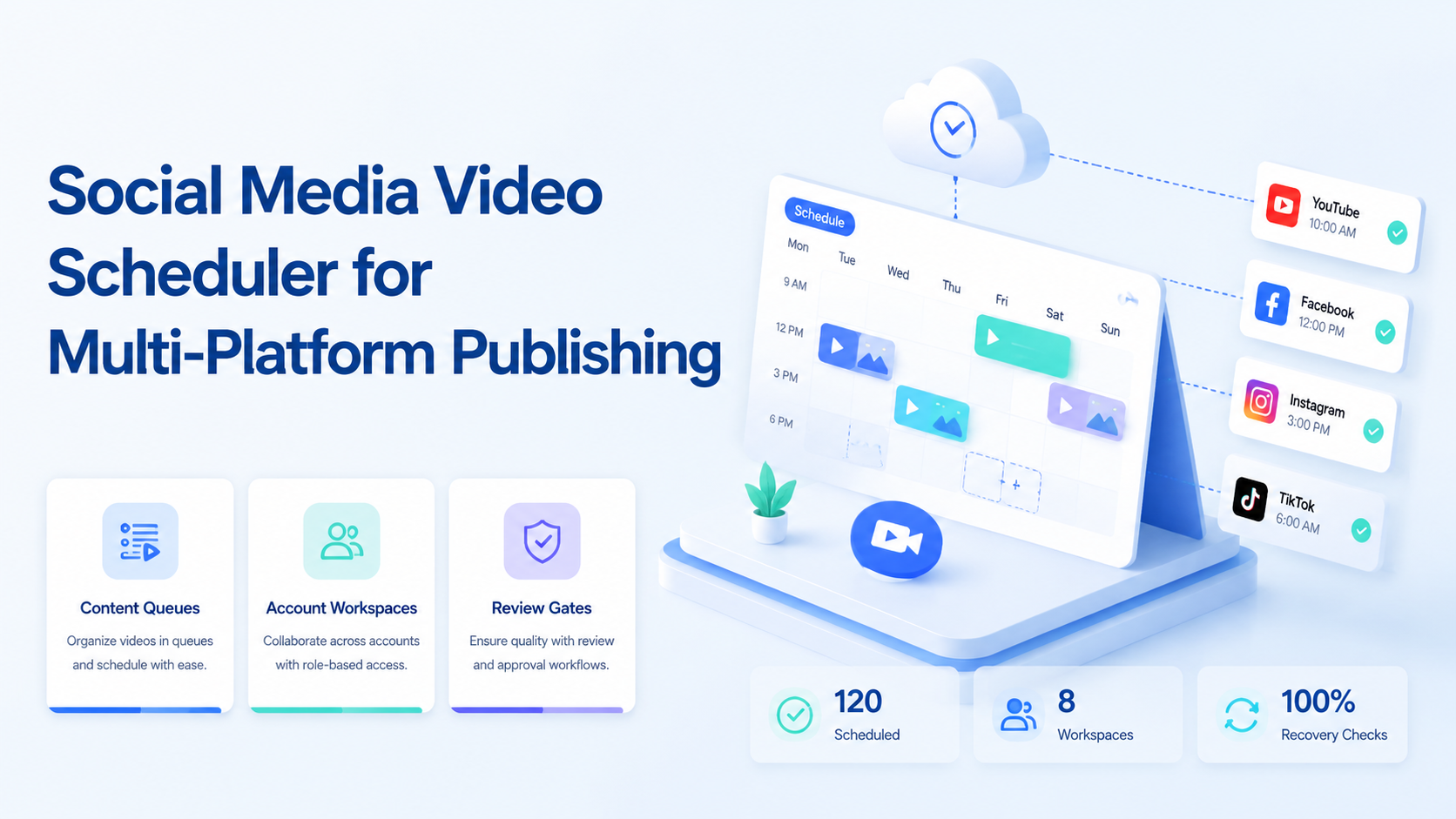
A social media video scheduler is software that helps teams prepare, review, schedule, publish, and track video posts across more than one platform. For creator and growth teams, the hard part is not only picking a publish time. It is keeping each video, account, caption, device environment, approval note, and result connected.
Multi-platform publishing becomes messy when TikTok, Instagram, YouTube Shorts, Facebook, and other channels each have different formats and operational steps. A scheduler helps when it creates a reliable queue. It fails when it only stores dates and ignores account context.
For Moimobi-style operations, scheduling is one layer inside an execution system. The workflow should connect content planning with mobile automation, account-specific workspaces, and review records.
Key Takeaways
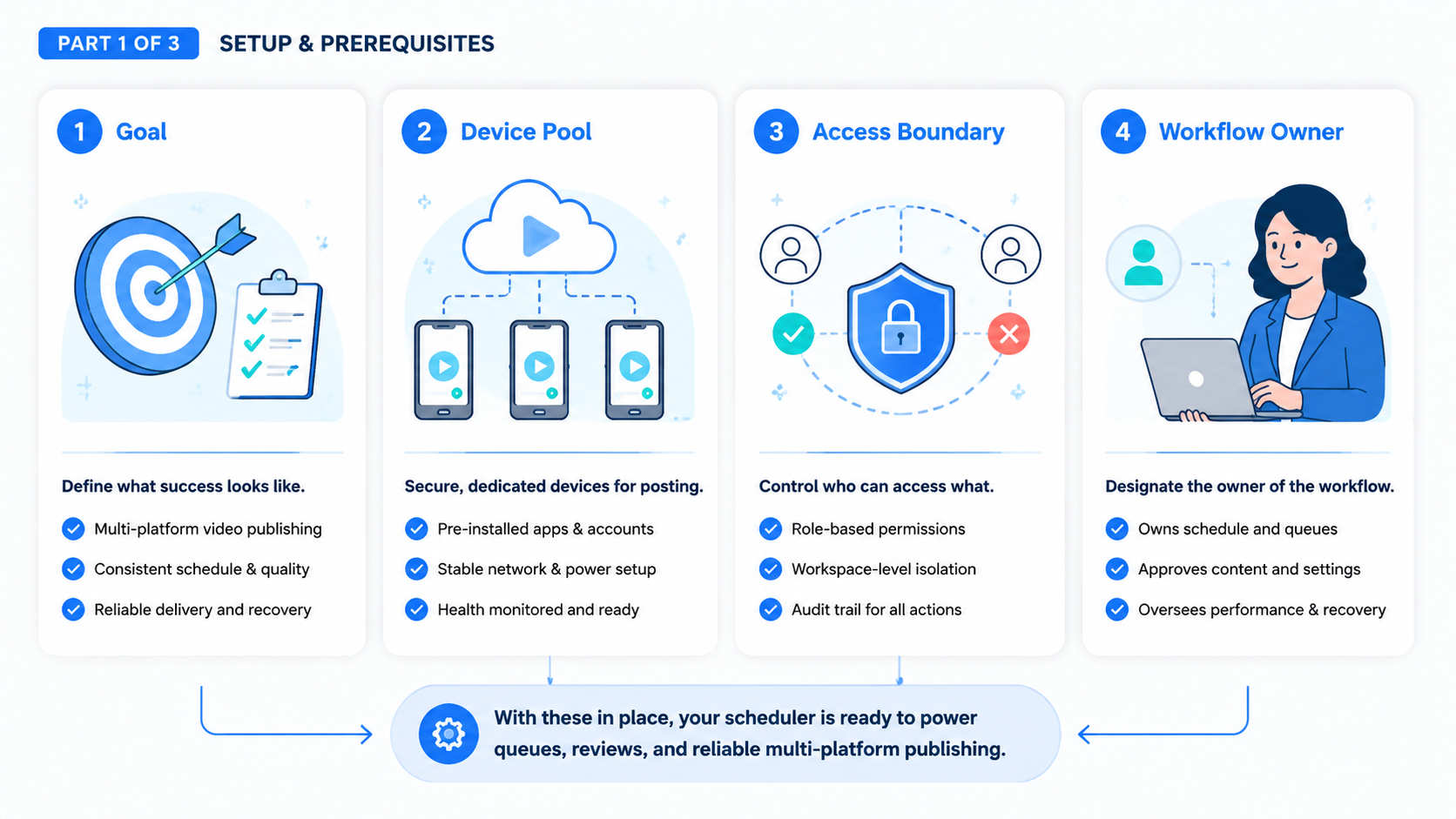
- A social media video scheduler should manage content state, account ownership, and publish readiness.
- Multi-platform workflows need review gates before scheduling and recovery checks after publishing.
- API-supported posting is useful, but many teams still need mobile execution for app-first work.
- Start with a small queue and measure completed posts, failed uploads, and manual repairs.
The Core Idea Behind a Social Media Video Scheduler
The core idea is simple: one video asset may need several platform-specific versions. Each version needs its own caption, thumbnail, account, publish window, and status.
TikTok's Content Posting API documents official paths for direct posting and upload workflows. YouTube's videos.insert method documents an official API path for uploading videos to YouTube channels. Those official APIs show why scheduling tools should respect platform-specific publishing flows instead of assuming every platform works the same way.
A good scheduler tracks more than time. It tracks readiness:
| Field | Why it matters |
|---|---|
| Asset version | The TikTok cut may differ from the YouTube Shorts cut. |
| Caption and hashtags | Copy may need platform-specific review. |
| Account workspace | Operators must know which account will publish. |
| Approval status | Drafts should not publish before review. |
| Execution path | API, browser, cloud phone, or manual review may differ. |
| Recovery state | Failed uploads need a visible next action. |
This is why a scheduler should connect to social media marketing operations instead of living as a separate calendar.
Why Teams Search for This Topic
Teams search for a social media video scheduler when publishing becomes more complex than one person can remember. The pressure usually appears after content volume grows.
A small team may start with a spreadsheet. That works until videos need multiple edits, several approvers, regional accounts, mobile app checks, and post-publish monitoring. Then the spreadsheet stops showing the real workflow.
Common triggers include:
- Several creators publishing from one content library.
- One video campaign split across TikTok, Instagram, and YouTube Shorts.
- Agencies managing client accounts with different approval rules.
- Cross-border teams that need account-specific routing and time zones.
- Customer teams that must monitor comments after video launch.
The scheduler becomes valuable when it prevents status confusion. It should answer: which video is ready, which account owns it, which environment will publish it, and what happened after the publish attempt?
For teams with many accounts, multi-account management becomes part of scheduling. Without account ownership, the calendar only shows dates. It does not show who can safely execute the work.
Who Benefits Most and In What Situations
The best fit is a team that already has recurring video workflows. A solo creator may only need a native platform scheduler or a simple checklist. A team with many accounts needs a real operating system for content.
Strong fit
- Creator agencies publishing across many brand accounts.
- E-commerce teams launching short video campaigns by product line.
- Cross-border teams coordinating regional account calendars.
- Support or community teams monitoring comments after launch.
Weak fit
- One creator publishing manually to one account.
- Teams without approval rules or content ownership.
- Workflows focused only on volume, not review and tracking.
The useful scheduler is not only a "post later" tool. It is a queue that coordinates content, people, accounts, and execution. That distinction matters when teams use cloud phone environments for mobile-first platforms.
For TikTok-heavy work, review a dedicated cloud phone for TikTok workflow. TikTok publishing may require app checks, mobile media handling, and account-specific routines that a generic calendar does not cover.
How to Evaluate or Start Using a Social Media Video Scheduler
Start with a narrow workflow. Pick one campaign, two platforms, and a small account group.
Use these checkpoints:
- Asset readiness: each video has the right cut, format, thumbnail, and caption.
- Account ownership: every scheduled post maps to one account and one owner.
- Execution path: the team knows whether publishing uses an API, browser, cloud phone, or manual step.
- Review gate: nothing moves from draft to scheduled without approval.
- Failure handling: failed uploads show a reason and next action.
- Post-publish check: operators confirm whether the post is live and comments need review.
TikTok and YouTube official API docs are useful references because they show that posting is not one universal action. Each platform has permissions, endpoints, media handling, and status checks. Your internal scheduler should keep those platform differences visible.
Teams that publish from mobile apps should connect scheduling to device isolation. The account environment should match the scheduled task. This reduces accidental account switching during busy publishing windows.
Mistakes That Reduce Results
The biggest mistake is scheduling before approval. A calendar full of unreviewed drafts creates stress, not scale.
Another mistake is using one caption across every platform. Short video platforms may reward different hooks, captions, and first-frame choices. Even when the asset is similar, the publish package may need different fields.
Avoid these operating failures:
- No status distinction between draft, approved, scheduled, published, and failed.
- No owner for the account workspace.
- No recovery note after a failed upload.
- No check for app-specific requirements.
- No comment or inbox follow-up after publishing.
- No record of who changed a publish time.
Do not treat automation as the entire workflow. Automation should move approved work through controlled steps. It should not hide missing approvals, weak captions, or unresolved account access.
Pilot Rollout, Measurement, and Recovery Checks
A pilot should measure completed work, not just planned work. A schedule is only useful if posts actually go live and can be checked afterward.
Run the pilot for one content batch. Track these signals:
- Number of videos approved before schedule time.
- Number of scheduled posts that published correctly.
- Number of posts needing manual repair.
- Number of account or environment mix-ups.
- Time from failed upload to next action.
- Comment review completion after posting.
Keep the pilot simple. One team member owns content readiness. One owns account workspaces. One checks publishing results. This separation helps the team find where the workflow breaks.
After the pilot, compare platform behavior. TikTok, Instagram, and YouTube may fail for different reasons. A useful scheduler records those differences so the next batch is easier to run.
How a Social Media Video Scheduler Fits an Execution Stack
A social media video scheduler should not sit alone. It should connect with the systems that hold the video asset, the approval record, the account environment, and the post-publish result. This is the difference between a calendar and an operating workflow.
In a simple setup, the scheduler only stores title, time, and platform. That may be enough for a small creator. In a team setup, each scheduled item should also carry operational metadata:
- the source asset and edited export;
- the platform-specific version;
- the account or account group;
- the workspace that will execute the task;
- the approval owner;
- the fallback action if publishing fails;
- the monitoring owner after the post is live.
This matters because multi-platform publishing often crosses browser and mobile work. A content lead may approve the caption in a browser dashboard. A mobile operator may check the TikTok or Instagram app state. A manager may review performance later from a reporting page. If these steps are disconnected, the team loses context.
A practical execution stack usually has four layers. The content layer stores videos, captions, thumbnails, scripts, and campaign notes. The scheduling layer decides timing and platform assignment. The execution layer handles the actual publish or verification step through an API, browser, cloud phone, or human review. The feedback layer tracks whether the post went live and what happened next.
Moimobi is most relevant in the execution and account environment layers. The scheduler can decide what should happen. The controlled browser or mobile workspace helps the team run the step under the right account context. This is especially useful for agencies and distributed teams where the person planning the campaign is not always the person doing the final check.
The stack should also separate "ready to schedule" from "ready to execute." A video may be approved for a campaign but still missing the correct account workspace, thumbnail, or mobile app check. Treating those as the same state causes rushed publishing and manual repair. A better workflow uses clear statuses: draft, reviewed, approved, scheduled, executing, live, failed, repaired, and archived.
Governance Rules for Safer Multi-Platform Publishing
Governance sounds heavy, but in daily publishing it simply means the team knows who can approve, who can execute, and who can change a schedule. Without those rules, a busy content calendar becomes fragile.
Set a few baseline rules before expanding the queue:
- Only approved assets can enter the scheduled state.
- Every scheduled post must have one account owner.
- Every platform version must have its own caption review.
- Failed tasks must be logged before the next retry.
- Time-sensitive changes must show who changed them and why.
- Post-publish monitoring must have a named owner.
These rules are also useful for content quality. A scheduler that only pushes more posts can create noise. A scheduler that forces review and accountability helps the team publish better work more consistently.
For multi-account teams, governance should include account grouping. Group accounts by brand, client, region, language, or platform. Do not build one large undifferentiated queue. When a video is assigned to a group, the scheduler should make the downstream environment obvious. That reduces the chance that an operator publishes from the wrong workspace during a busy launch window.
Finally, keep a simple weekly review. Look at missed schedules, failed uploads, manual repairs, and posts that needed comment follow-up. The goal is not to blame operators. The goal is to identify where the workflow needs a better status, clearer owner, or stronger execution path.
Frequently Asked Questions
What is a social media video scheduler?
It is software for preparing, scheduling, publishing, and tracking video posts across social platforms.
Is a scheduler the same as an auto uploader?
No. An auto uploader focuses on execution. A scheduler should also manage drafts, approvals, accounts, and recovery.
Do teams need official APIs?
Use official APIs when they fit the workflow. Some app-first tasks may still need mobile execution or manual review.
Should every platform use the same video package?
Usually no. Teams should review format, caption, thumbnail, and account context per platform.
What should teams automate first?
Automate status tracking, reminders, and approved publish steps before broad posting automation.
How do schedulers help agencies?
They help agencies separate clients, accounts, approvals, owners, and campaign results.
What is the best first pilot?
Use one campaign, two platforms, and a few accounts. Measure completed posts and failed-task recovery.
Conclusion
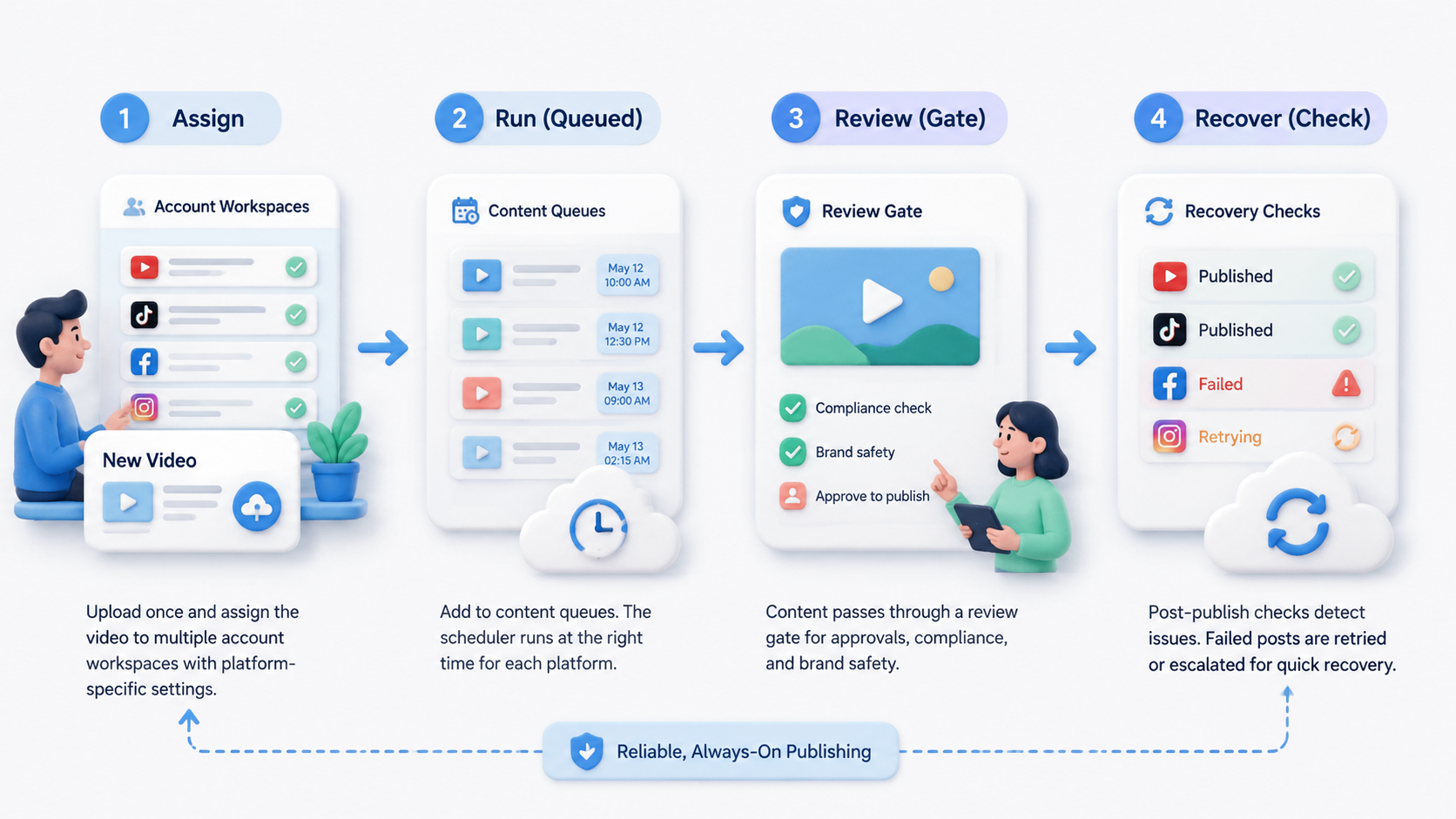
A social media video scheduler is useful when it manages the full publishing workflow. Prioritize asset readiness, account ownership, review gates, execution paths, and recovery notes.
Start small. Build one approved video queue, map each post to an account environment, and measure what actually publishes. Then expand the workflow across more platforms after the team can explain every failure.



