

Social media automation governance is the operating system behind safe and repeatable multi-account work. It defines who can run tasks, which accounts they can use, what needs approval, how results are logged, and when a workflow should stop for review.
This matters because social media automation is no longer just post scheduling. Teams combine AI captions, mobile-first apps, browser profiles, cloud phones, customer replies, content research, and multi-account publishing. Without governance, automation creates noise.
Moimobi helps teams manage that control layer by connecting AI-assisted workflows with isolated browser and mobile environments. For teams that run social media operations across many accounts, multi-account management should be designed as an operating model from the beginning.
Key Takeaways
- Assign each account to a clear owner, workflow, and execution environment.
- Use approval rules for public posts, sensitive replies, account settings, and policy-sensitive actions.
- Keep logs with account ID, environment ID, task owner, status, timestamp, and review notes.
- Review failed tasks weekly instead of treating automation as a set-and-forget system.
What Governance Means in Social Media Automation
Governance is the set of rules that keeps automated work aligned with business goals, platform requirements, customer expectations, and team accountability.
In a multi-account team, governance answers seven questions: account owner, execution environment, approver, allowed actions, review triggers, logs, and exception handling.
The NIST AI Risk Management Framework describes AI risk management around governance, mapping, measuring, and managing risks. For social media teams, AI output is only one part of the risk. Execution, account context, and review matter too.
Why Multi-Account Teams Need Governance
A single creator can often manage social accounts with simple tools. A team managing dozens or hundreds of accounts faces a different problem. The main risk is not only whether a caption is good. It is whether the right content is published from the right account, in the right environment, with the right approval path.
For agencies, cross-border sellers, creator teams, and support groups, account mix-ups are costly. A reply from the wrong account can damage trust. A campaign post before approval can create brand issues.
That is why social media marketing workflows should be tied to account roles, environment assignment, and approval stages. Automation should make the team more consistent, not less accountable.
Social Media Automation Governance Stack
A practical governance model has four layers.
The policy layer defines allowed actions, brand standards, customer communication rules, escalation paths, and prohibited tasks. Platform rules are not optional. TikTok's Community Guidelines and Meta's Platform Terms are first-party sources teams should review.
The workflow layer covers drafting, review, approval, execution, failure handling, and reporting. The environment layer defines where tasks run. Moimobi's device isolation helps separate account workspaces across browser and mobile environments. The evidence layer records logs, screenshots, timestamps, account IDs, operator notes, and task status.
When these layers work together, governance is built into the way social media work gets executed.
Role Design for Social Media Automation
Governance starts with roles. A multi-account team should avoid giving every operator the same access to every workflow. Start with six roles: strategist, content operator, reviewer, execution operator, analyst, and admin. The workflow should know who can approve, who can execute, and who can change the rules.
For a comment-reply workflow, the content operator drafts or asks AI to prepare options. The reviewer approves sensitive responses. The execution operator sends approved replies from the assigned account environment. The analyst reviews failed replies and correction notes every week.
| Field | Example rule |
|---|---|
| Account owner | One owner per 10 profiles |
| Review trigger | Refund, complaint, pricing, legal, or partner mention |
| Environment | Assigned browser profile or cloud phone only |
| Log fields | Account ID, task ID, operator, status, timestamp |
2026 decision rule: if a message includes "refund," "cancel," "legal," "sponsor," or a price claim, mark it needs_review and set a 4-hour review SLA.
Approval Rules: What Should Never Run Blind
Some tasks are safe to automate after clear rules are defined. Others should always require human review.
Tasks that often need approval include complaints, refund requests, sensitive customer messages, public comments on controversial posts, content that names partners or competitors, campaign posts tied to pricing, account setting changes, and workflows that affect payments or customer data.
The FTC guidance on AI claims is a useful reminder: teams should not overstate automation or AI capabilities. In social media operations, not every AI-generated reply is ready to publish.
Account Isolation in Social Media Automation Governance
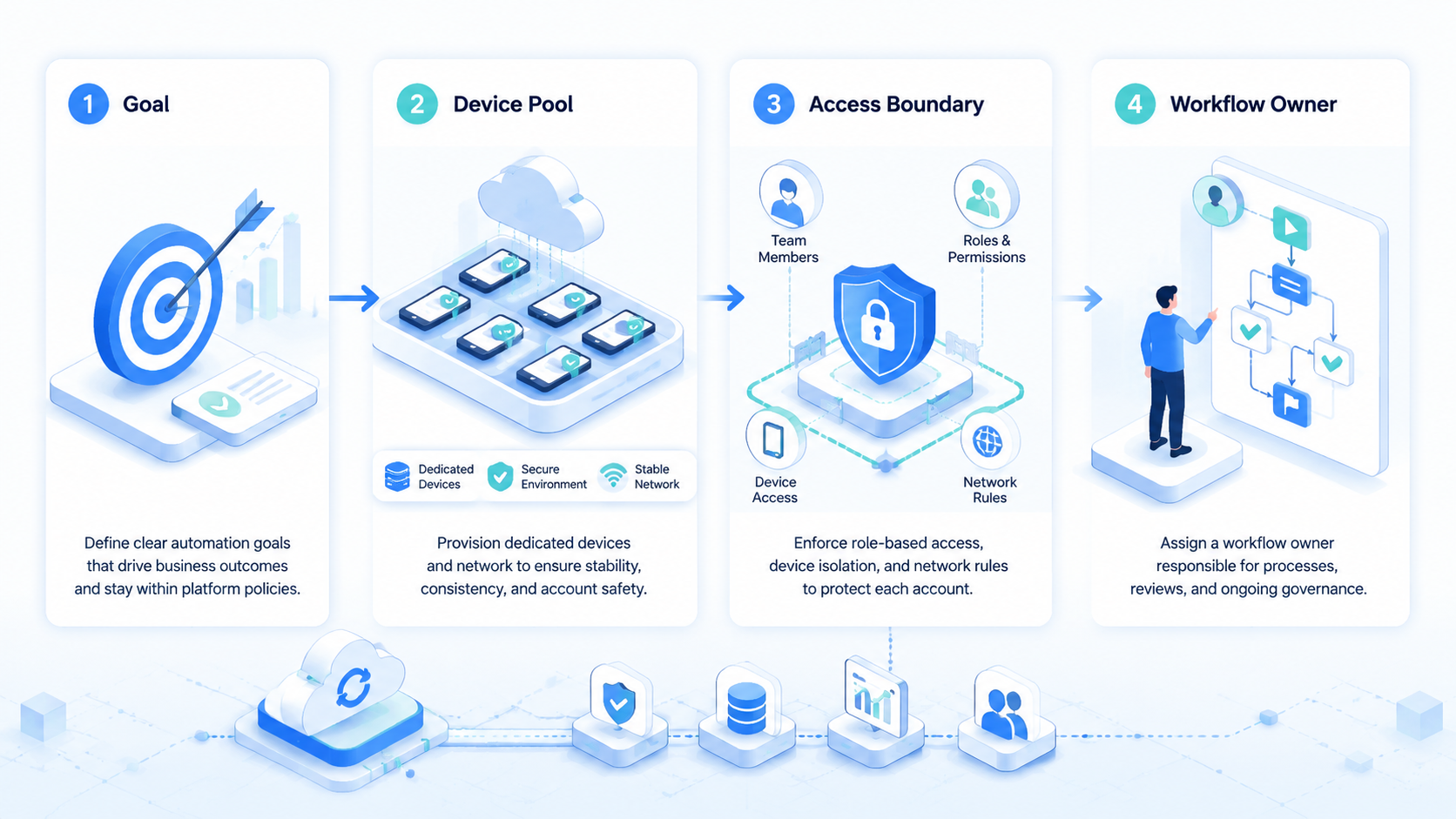
Account isolation is often discussed as a technical feature, but it is also a governance control. If each account has a clear workspace, device assignment, and task history, the team can answer basic accountability questions.
For example, the log should show which cloud phone or browser profile was used, which user initiated the task, which account was active, whether the task was approved, and the final status.
Moimobi's cloud phone and browser/mobile environment model helps teams align execution with account ownership. A separated workspace is easier to govern than a shared, informal login flow.
Building a Governance Checklist
A simple checklist can reduce many operational mistakes.
Before launching a workflow, confirm:
- The target account is defined.
- The execution environment is assigned.
- The workflow owner is known.
- The allowed actions are documented.
- The approval rules are configured.
- The external platform policy has been reviewed.
- The task output is logged.
- The failure path is clear.
For recurring workflows, add a weekly review: failed tasks, slow approvals, unusual account activity, frequent AI corrections, and workflows that should be simplified or retired.
How AI Changes the Governance Model
AI adds speed, but it also adds variability. Use AI for captions, comment summaries, question grouping, checklists, and next-action suggestions. Keep human review for final publishing decisions, sensitive messages, policy-sensitive content, account changes, and new templates.
Measurement for Social Media Automation Governance
Governance should be measurable. If the team cannot see where workflows succeed or fail, it cannot improve them.
Track tasks completed by account, approval rate, rejection rate, failed reason, 24-hour response time, duplicate task frequency, correction rate, policy exceptions, and environment assignment errors.
These metrics help teams decide whether automation is improving operations or simply increasing task volume.
Common Governance Mistakes
The biggest mistakes are treating approvals as optional, ignoring environment assignment, using risky goals, and not reviewing failures.
Frequently Asked Questions
What is social media automation governance?
It is the system of roles, rules, approvals, environments, and logs that controls automated social media work.
Why does governance matter for multi-account teams?
Multi-account teams need to reduce account mix-ups, unapproved posts, inconsistent replies, and unclear responsibility.
Does governance slow down automation?
It can add review steps, but the goal is not to approve every click. The goal is to approve tasks with business or platform risk.
How does account isolation support governance?
Account isolation gives each account a clearer workspace and execution history.
Should every AI-generated reply be reviewed?
Not always. Low-risk replies can use templates, while complaints and public brand statements should have review.
What external rules should teams check?
Teams should review first-party platform policies plus internal brand and customer communication rules.
What is the first governance workflow to build?
Start with one task, such as comment review, inbox triage, or approved publishing.
Conclusion
Social media automation governance turns a messy set of tools into a controlled operating model. It connects account ownership, execution environments, AI assistance, approvals, and logs.
For multi-account teams, governance is not a separate layer added later. It is the structure that makes automation usable at scale.



