

Social media automation for e-commerce is the use of repeatable systems to prepare, route, publish, reply, monitor, and report on selling workflows. For TikTok and Instagram teams, the goal is not to remove judgment. The goal is to reduce repeated manual work while keeping account ownership, content review, and platform rules visible.
E-commerce teams need speed, but they also need control. A product launch may require short videos, captions, creator notes, comment triage, customer follow-up, and performance reporting. When that work is spread across people and accounts, a simple scheduler is rarely enough.
Moimobi frames this problem as execution infrastructure. A team can combine social media marketing, account workspaces, browser tasks, and mobile app workflows. The result is a controlled operating layer for teams that manage many posts, products, and customer touchpoints.
Key Takeaways
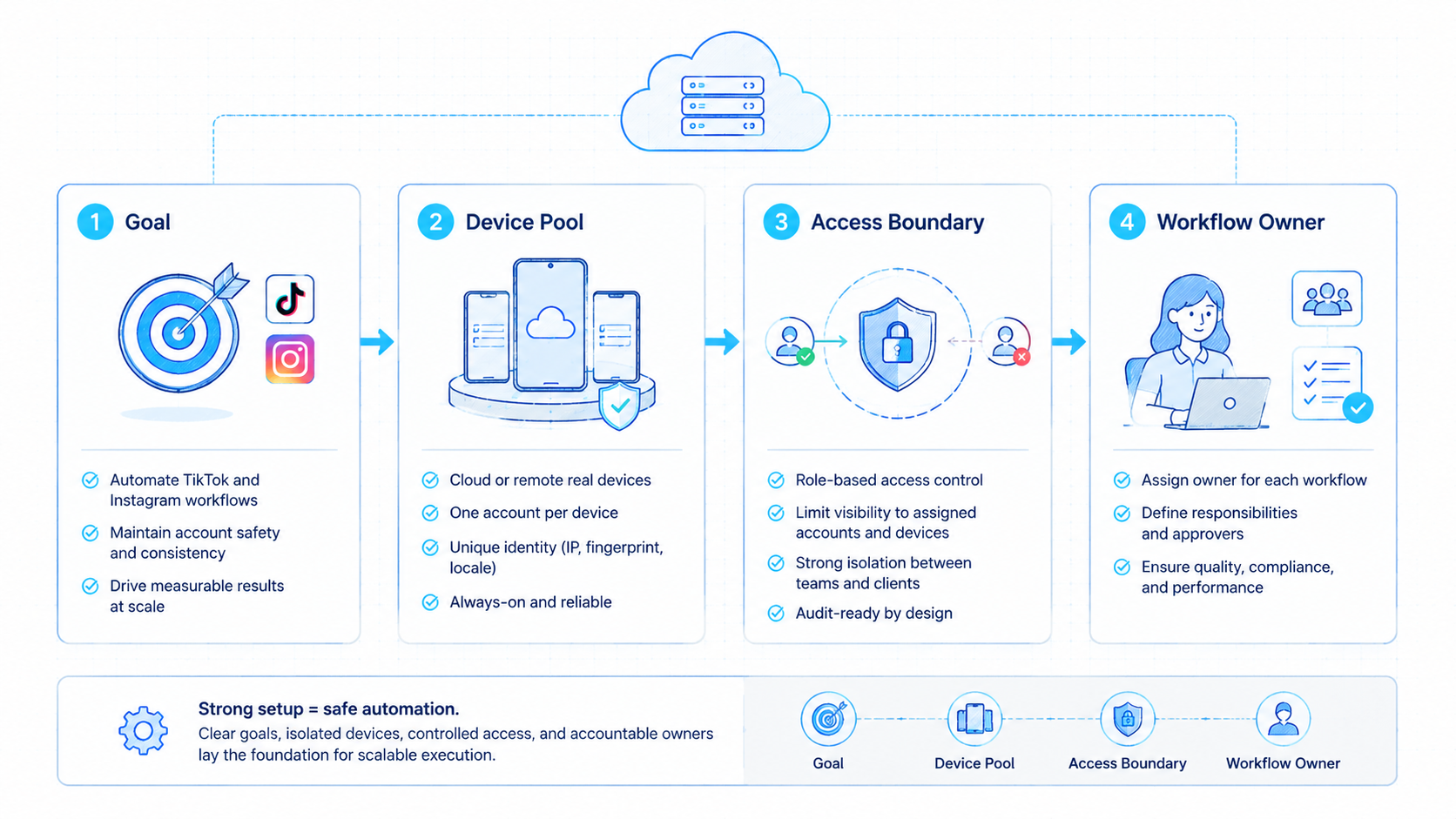
- Social media automation for e-commerce should connect content, accounts, approvals, replies, and reporting.
- TikTok and Instagram workflows need different execution paths and review rules.
- Automation should support platform-compliant operations, not fake engagement.
- Account isolation matters when multiple stores, regions, or brands share one team.
- A pilot should measure completion quality, review time, reply accuracy, and exception causes.
What Is Social Media Automation for E-Commerce?
Social media automation for e-commerce covers the repeatable parts of content operations and customer engagement. It can prepare captions, organize post assets, assign accounts, collect public performance signals, route replies, and update task status.
It is not just a TikTok automation tool. A posting tool handles one slice of work. An e-commerce operation also needs product context, campaign timing, customer questions, team permissions, and recovery notes when something fails.
The most practical model has four layers:
- Content readiness: product media, caption, offer, SKU note, region, and approval status.
- Execution environment: browser profile, mobile workspace, cloud phone, or official API path.
- Human review: final checks for claims, tone, brand fit, and sensitive replies.
- Feedback loop: post status, reply status, errors, and campaign learning.
TikTok's Content Posting API documentation shows that official publishing paths use defined scopes and app review requirements. Instagram's content publishing documentation also describes specific media publishing flows. These references matter because automation should respect permission models instead of assuming every action belongs in a browser script.
Why Social Media Automation for E-Commerce Matters
E-commerce social work is time-sensitive. A new product drop, flash campaign, or seasonal offer can lose value if the team waits too long to post, reply, or collect feedback. Manual execution becomes the bottleneck when every account needs the same repeated steps.
Automation matters most when the task is predictable. A team may need to prepare ten caption variants, assign two accounts, upload approved videos, check comments, and flag purchase-intent replies. Those steps can be organized into a repeatable workflow.
The risk is over-automation. Meta's inauthentic behavior policy makes clear that deceptive identity and coordinated misuse are not acceptable. E-commerce teams should design workflows around transparency, account ownership, and human review.
That means a TikTok posting automation setup should not be sold as a shortcut around platform rules. The better promise is operational discipline: right content, right account, right reviewer, right log.
This discipline also protects the team from tool sprawl. Without a workflow map, one operator may use a scheduler, another may use a browser profile, and a third may track replies in a spreadsheet. The team then has activity, but no shared operating record.
Use Cases That Usually Make Sense
The strongest use cases sit between manual content work and final public actions. They reduce repetitive preparation while keeping judgment in the loop.
Good candidates include:
- preparing product captions from approved product notes;
- routing approved short videos to the right account workspace;
- checking whether a post is live after publishing;
- collecting post URLs for campaign reports;
- drafting replies for common product questions;
- flagging comments that mention size, shipping, returns, price, or stock;
- creating daily summaries for social commerce operators.
A common scenario is a cross-border seller running TikTok and Instagram accounts for different regions. The team may use multi-account management to separate account workspaces, then use automation to prepare daily checks and reply drafts. Human staff approve the public response.
For mobile-first steps, a browser-only workflow may not cover enough ground. Teams that need app execution should evaluate mobile automation and cloud phone environments together.
How to Get Started
Begin with one campaign workflow. Do not automate the whole social operation at once. A narrow pilot gives the team enough control to inspect quality.
- Map the workflow. Write the exact path from product asset to post, reply, report, or escalation.
- Assign account environments. Separate accounts by brand, region, store, or operator before adding automation.
- Choose the execution route. Use official APIs where they fit. Use browser or mobile execution only for supported operational tasks.
- Add approval gates. Require review for claims, sensitive replies, promotions, and public-facing final actions.
- Track exceptions. Record login issues, missing assets, unclear instructions, platform changes, and reviewer edits.
This path keeps the first rollout grounded. It also helps the team compare a TikTok automation tool, a browser workflow, and a mobile execution setup without mixing their roles.
Social Media Automation for E-Commerce Account Isolation
Account isolation matters because e-commerce teams often operate across brands, stores, regions, and campaigns. Shared sessions create confusion. They also make it harder to know which operator or workflow caused a problem.
A clean model gives each important account its own workspace. That workspace can include a browser profile, device identity, routing setup, login state, task queue, and review history. Moimobi's device isolation approach is built around this operational need.
For TikTok, a cloud phone for TikTok workflow can support mobile-first tasks where app context is required. For Instagram, browser and official API routes may fit different steps. The team should not force one execution method into every task.
Use this rule: if the task is content preparation, use the lightest safe workflow. If the task requires a logged-in account or mobile app context, use a separated environment with logging and review.
Teams should also document which environment owns each account. A store account, regional brand account, and support account should not share one session just because they sit under the same company. That record helps operators recover when logins expire, assets are missing, or a reviewer asks who handled the last run.
Common Mistakes to Avoid
The first mistake is treating automation as a volume machine. More posts or replies do not help if the content is weak, the product claim is wrong, or the reply creates customer confusion.
The second mistake is skipping platform-specific checks. TikTok video publishing automation and Instagram content publishing do not have identical constraints. File readiness, caption rules, account permissions, and review paths should be checked separately.
The third mistake is letting the automation own judgment. A system may draft a reply to a shipping question, but customer support should approve sensitive messages. Returns, complaints, and payment questions need clear escalation.
Another common failure is weak reporting. If the team only tracks that a task ran, leaders still do not know whether it helped. Better reporting tracks post status, review edits, reply category, exception reason, and next action.
Fit and Not-Fit Guide
Social media automation for e-commerce fits teams with repeated campaign work, multiple accounts, and clear product information. It is especially relevant for sellers that manage TikTok, Instagram, marketplaces, and customer messages together.
Product drops, approved content libraries, repeated reporting, comment triage, and daily account checks.
Public replies, promotional claims, creator outreach, paid campaign changes, and customer complaints.
Unclear brand voice, no account ownership, random posting, or campaigns with no measurement plan.
This guide prevents a common rollout problem. Teams often automate before they know which tasks matter. Better results come from automating proven workflows, not from adding AI to every surface.
Pilot Rollout and Measurement
A useful pilot should run for one campaign cycle or one account group. It should include enough tasks to expose issues, but not so many that the team loses control.
Track these metrics:
- Asset readiness: how many tasks fail because media, caption, or product data is missing.
- Review time: how much time editors spend approving drafts or replies.
- Execution completion: how many posts, checks, or reports finish as planned.
- Exception reasons: login issue, permission mismatch, platform change, unclear instruction, or customer escalation.
- Business signal: whether the workflow improves response speed, reporting clarity, or campaign coordination.
Recovery should be part of the test. When a UI changes, an API permission fails, or a reviewer rejects a draft, the system should log the reason. Silent failure is worse than manual work.
Frequently Asked Questions
Is social media automation for e-commerce only about scheduling posts?
No. Scheduling is one part. E-commerce teams also need content readiness, account assignment, reply routing, reporting, and review workflows.
Can automation publish TikTok videos?
It can support TikTok video publishing automation when the execution route, account permissions, and review rules are defined. Use official paths where they fit.
Can Instagram replies be automated?
Drafting and routing can be automated. Sensitive replies should still have human review, especially for orders, refunds, complaints, or personal data.
What should a TikTok automation tool include?
Look for content preparation, account mapping, publishing state, exception logging, and reviewer controls. Profile count alone is not enough.
Does a cloud phone replace a social media scheduler?
No. A cloud phone provides a mobile execution environment. A scheduler manages timing and planning. Teams may need both.
How many accounts should a pilot include?
Use a small set of accounts with similar workflows. Expand only after the team understands failure patterns and review load.
What should remain manual?
Campaign strategy, product claims, sensitive customer replies, pricing decisions, and final brand judgment should remain human-led.
What is the biggest setup risk?
The biggest risk is automating a messy process. Define account ownership, content approval, escalation rules, and measurement before scaling.
Conclusion
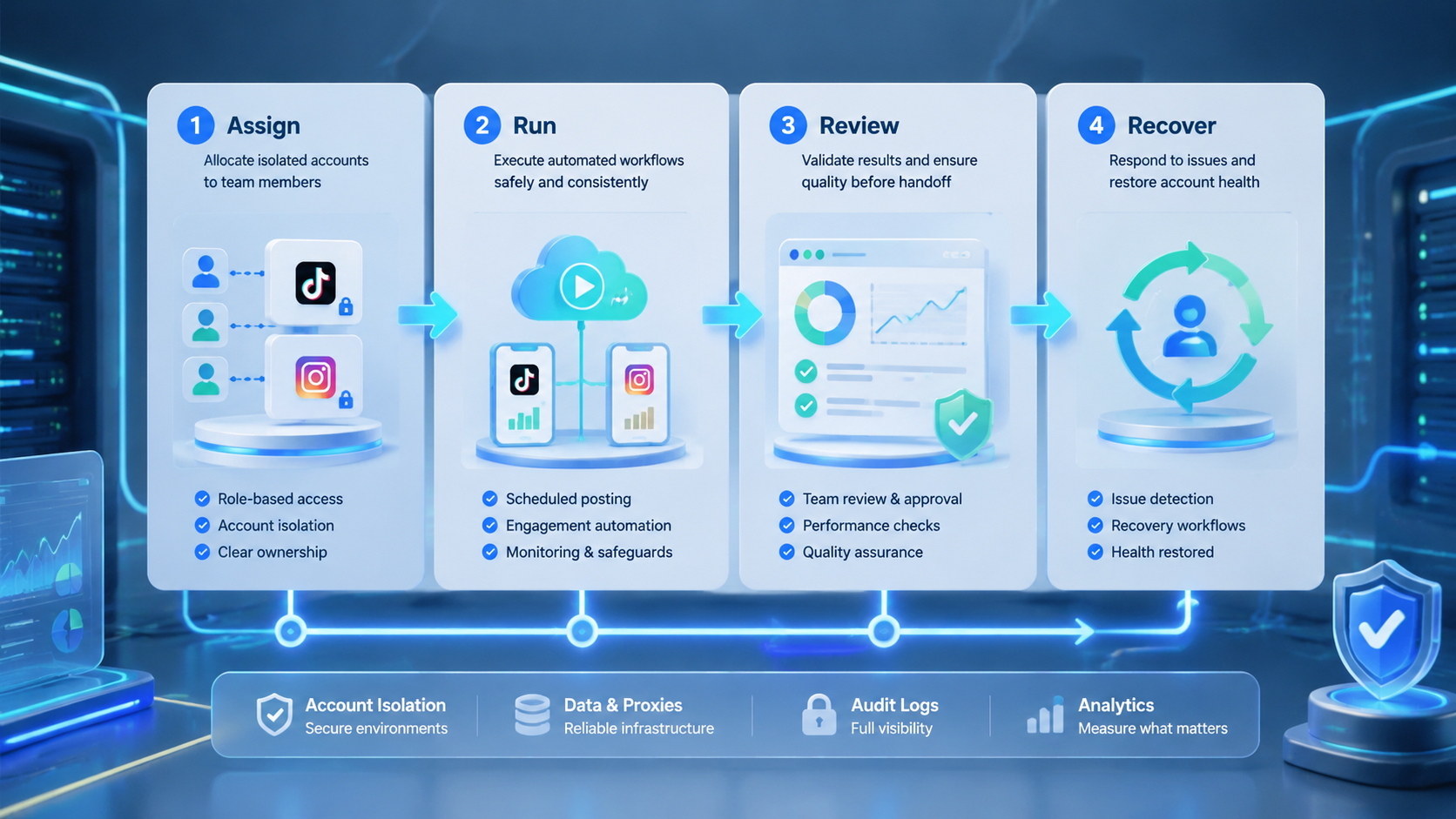
Social media automation for e-commerce works best when it is treated as an operating system for repeated tasks, not a shortcut for uncontrolled posting. TikTok and Instagram workflows need content readiness, account isolation, execution routing, human review, and feedback.
Start with one campaign, one account group, and one measurable workflow. Confirm that the team can prepare assets, execute the task, review public actions, and recover from errors. After that, expand into more accounts, more products, and more mobile execution capacity.



