
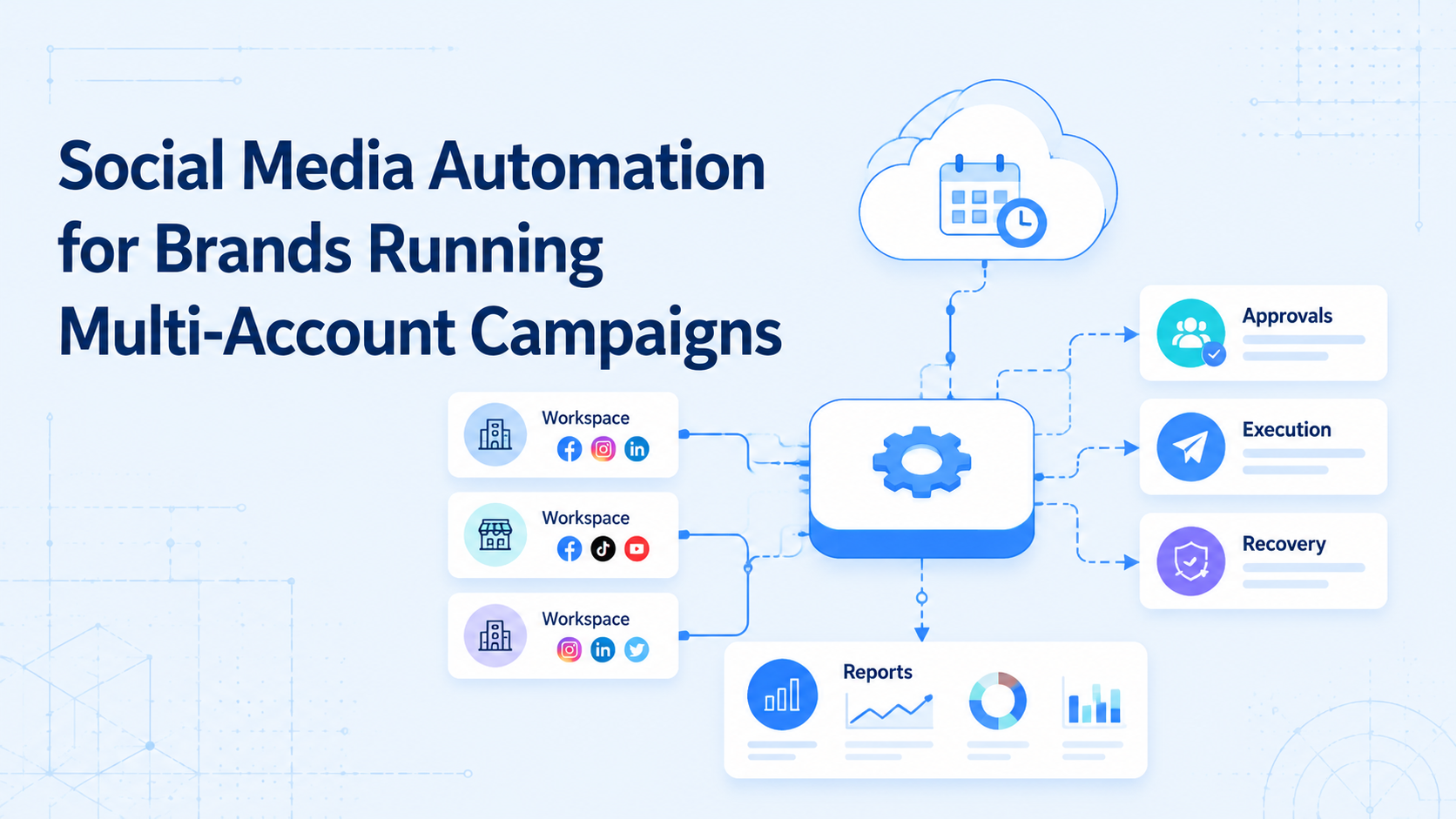
Social media automation for brands is a controlled workflow system for planning, approving, publishing, replying, monitoring, and reporting across owned or managed accounts. It is not just a scheduler. For multi-account campaigns, the harder problem is keeping content, accounts, operators, and results connected.
Brands run into friction when every account needs a slightly different version of the same campaign. A product launch may need TikTok clips, Instagram posts, Facebook replies, regional captions, and after-publish monitoring. Automation helps when it reduces handoff errors and makes each account lane visible.
Moimobi supports this work as execution infrastructure. A brand can connect multi-account management, mobile workspaces, browser sessions, and review records instead of relying on scattered spreadsheets.
Key Takeaways
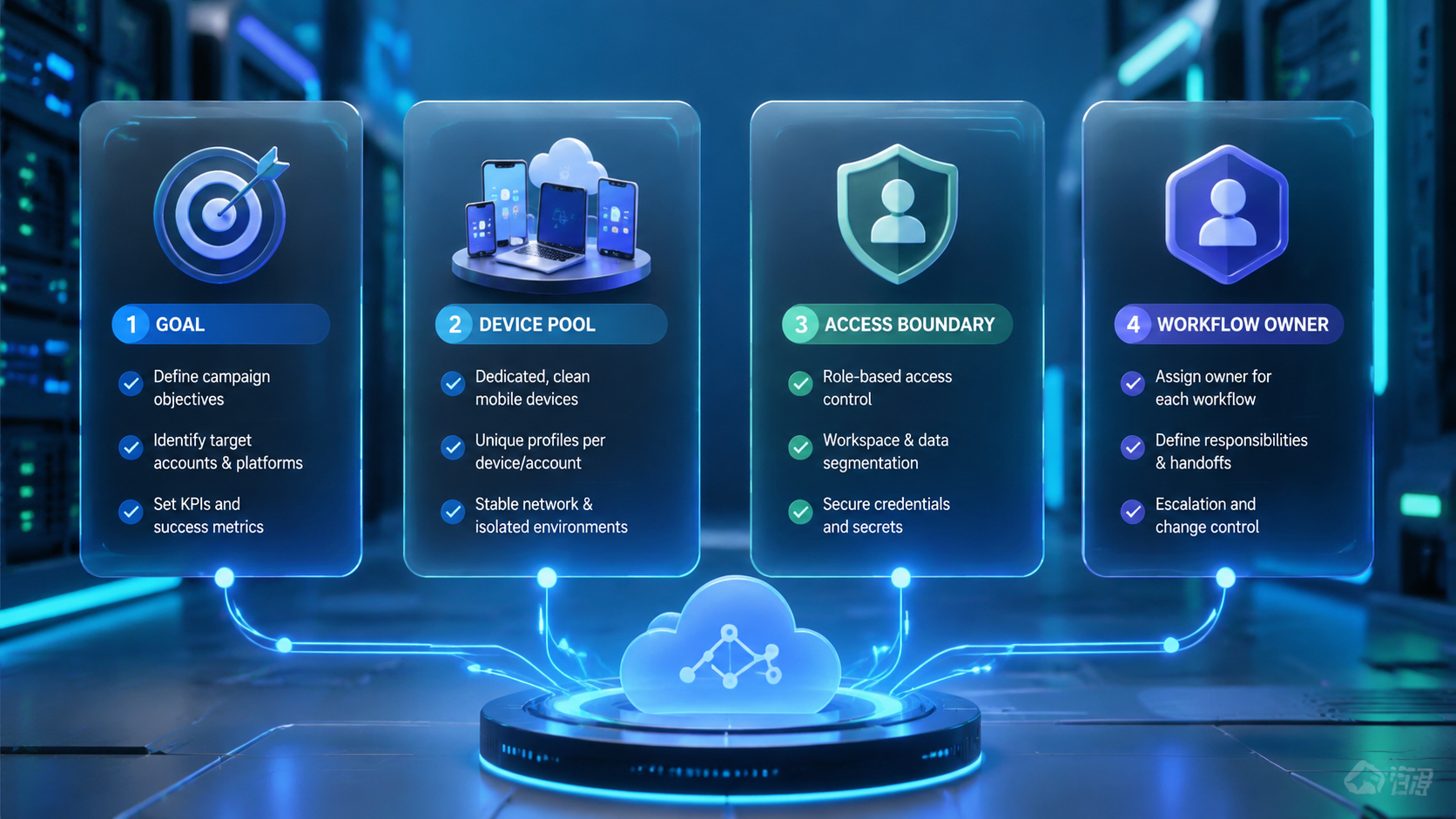
- Social media automation for brands should coordinate workflows, not only schedule posts.
- Multi-account campaigns need account ownership, review gates, and environment mapping.
- Platform-supported APIs and mobile execution paths should be handled separately.
- Pilot automation with one campaign before expanding across regions or brands.
The Core Idea Behind Social Media Automation for Brands
The common mistake is thinking automation means "post more everywhere." The better model is controlled campaign execution. Each account receives the right content package, runs through the right approval path, and records the result.
TikTok's Content Posting API shows that content posting is a platform-specific workflow with upload, direct post, and status concepts. Browser tools have their own patterns. Playwright documents browser contexts as isolated sessions with separate cookies and storage.
Those examples show why brands should not treat every platform as the same channel. A good system separates planning from execution. Planning decides what should happen. Execution confirms which account, workspace, platform, and approval state should be used.
For social teams, this structure usually has four layers:
| Layer | What it controls |
|---|---|
| Content | Assets, captions, thumbnails, scripts, briefs |
| Account | Brand, region, client, owner, workspace |
| Execution | API, browser, cloud phone, or manual review |
| Feedback | Live status, replies, failures, campaign notes |
This is more durable than a calendar-only workflow.
Why Teams Search for This Topic
Teams search for automation when campaign volume starts to break manual coordination. The problem is rarely one missing tool. It is usually unclear ownership across many accounts.
A brand may have separate accounts for countries, products, stores, languages, or creator partnerships. Each account may need different captions, publishing windows, and response rules. Without workflow control, operators can publish the wrong asset, miss reply follow-up, or lose failure notes.
Meta's Inauthentic Behavior policy is also a useful boundary. Brands should avoid deceptive account behavior and fake engagement patterns. Automation should support authentic publishing, customer response, and monitoring work.
The commercial reason is simple. Teams want reliable campaign throughput. They also need evidence of what happened. A manager should be able to see which accounts are ready, which posts are live, which replies need review, and which tasks failed.
Who Benefits Most and In What Situations
The strongest fit is a brand team with recurring campaigns and several account owners. It also fits agencies running campaigns for multiple clients.
Strong fit
- Brands with regional social accounts.
- Agencies managing campaign calendars for clients.
- E-commerce teams launching products across platforms.
- Support teams that need reply triage after campaign posts.
Weak fit
- One account with one operator.
- Campaigns without approval requirements.
- Teams focused only on bulk engagement actions.
- Brands without clear account ownership.
For teams with mobile-first accounts, cloud phone environments can be mapped to specific account lanes. For dashboard-heavy work, browser profiles and account workspaces may carry more of the load.
The fit becomes stronger when content publishing and customer response are connected. A campaign does not end when a post goes live. Comments, DMs, competitor reactions, and reporting often create the next work queue.
How to Evaluate or Start Using Social Media Automation for Brands
Do not start by automating every action. Start by defining what must stay controlled. Multi-account campaigns fail when teams skip approval, lose account context, or ignore failed tasks.
Use this setup path:
- Map campaign accounts. Group accounts by brand, region, platform, or client.
- Define campaign assets. Store the approved video, image, caption, and link package.
- Assign owners. Every account lane needs one owner and one backup.
- Choose execution paths. Decide which tasks run in browser, mobile, API, or manual review.
- Create approval states. Use draft, reviewed, approved, scheduled, live, failed, repaired.
- Log recovery notes. Failed posts and reply issues need a next action.
- Review results. Measure completed work, not only planned work.
For teams with app-heavy workflows, mobile automation should sit beside the content plan. The account environment should be assigned before a task starts.
Mistakes That Reduce Results
More automation does not fix unclear campaign operations. It usually makes unclear operations faster and harder to audit.
The first failure is account mixing. One operator may handle several brands in the same day. Without separated workspaces, account context becomes fragile.
The second failure is approval drift. A post may be drafted, but not approved. A reply may be accurate, but not suitable for the brand voice. Automation should stop at those review points.
Avoid these patterns:
- one shared workspace for unrelated accounts;
- no owner for campaign publishing;
- publishing without final asset approval;
- treating comments as an afterthought;
- no reason recorded for failed posts;
- no distinction between planned, scheduled, live, and repaired;
- measuring only post count.
Brands should also avoid automation that imitates fake popularity. The stronger use case is campaign coordination: content readiness, account routing, publishing checks, reply triage, and reporting.
Pilot Rollout, Measurement, and Recovery Checks
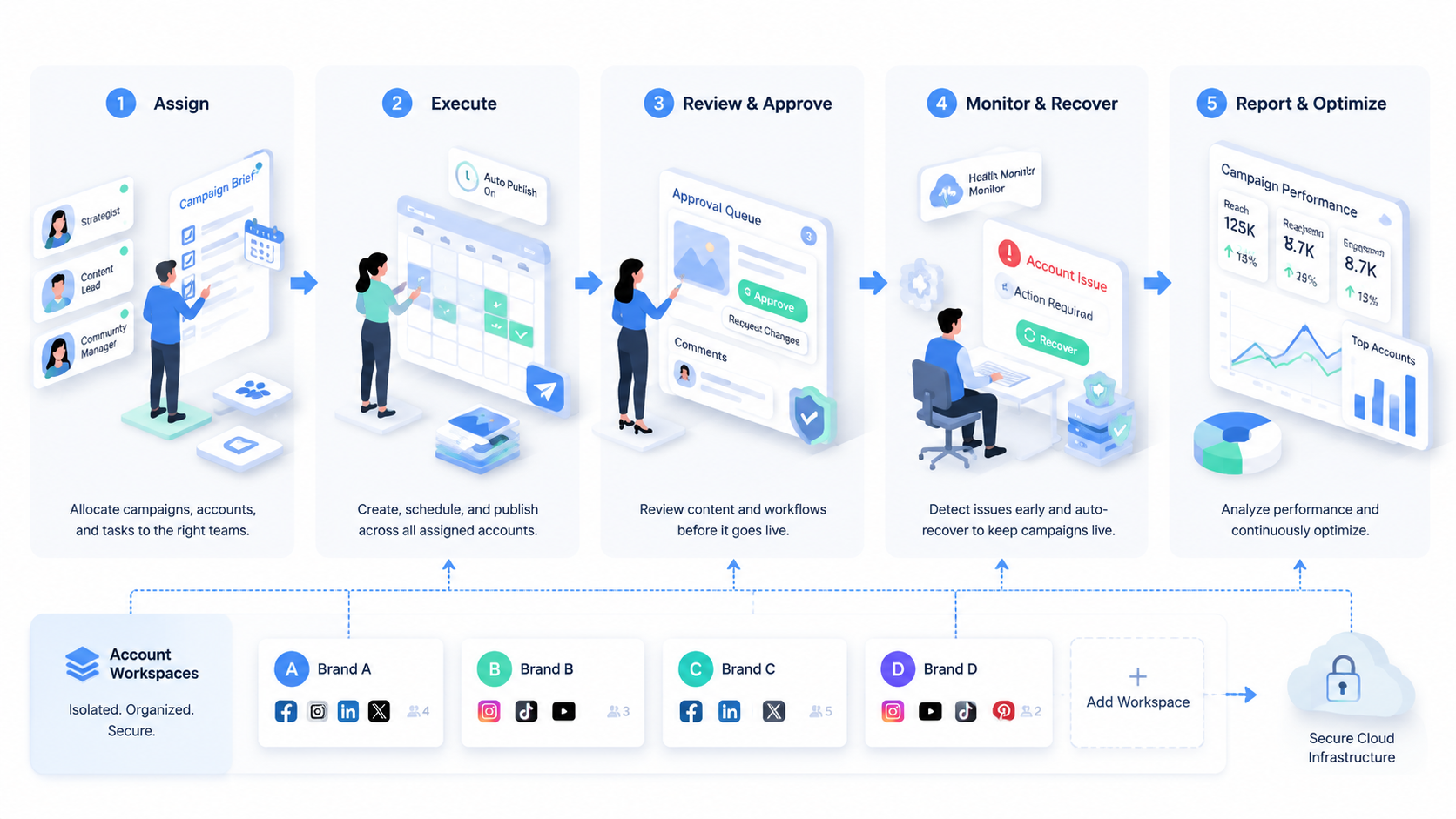
A pilot should prove that the workflow is controllable. It should not prove that every account can run at once.
Pick one campaign, two platforms, and a small account group. For example, test a product launch across five regional accounts and one primary brand account.
Track these signals:
- approved assets before schedule time;
- successful publish attempts;
- failed publish attempts by reason;
- comment and DM review completion;
- wrong-account incidents;
- repair time after a failed task;
- operator handoff clarity;
- campaign summary completion.
Recovery checks turn automation into a learning system. If a post fails, operators should know the account, environment, asset, step, owner, and next action. Without that record, the next campaign repeats the same failure.
After the pilot, expand only one dimension at a time. Add more accounts, more platforms, or more task types. Do not add all three together.
Account Workspace Design for Brand Campaigns
Brand campaigns need account workspaces before they need more automation. A workspace is the operational lane for one account or account group. It holds the platform, owner, environment, content rules, and task history.
The workspace should answer practical questions:
- Which account does this campaign task belong to?
- Which operator can execute it?
- Which browser or mobile environment is assigned?
- Which assets are approved?
- Which replies need review?
- Which campaign result should be checked after publishing?
This structure is useful when a brand has regional accounts. A U.S. account may need a different posting time, caption style, landing page, or customer reply rule than a German account. Automation should preserve those differences instead of flattening every account into the same sequence.
Agencies need the same separation by client. A client campaign should not share task notes, assets, or workspaces with another client. The account workspace becomes the handoff layer between strategist, content editor, operator, and account manager.
For mobile-first accounts, the workspace should include the assigned cloud phone or Android environment. For dashboard-heavy campaigns, it should include the assigned browser profile. The point is not tool decoration. The point is making the execution path visible before the task starts.
Account Tiering for Social Media Automation for Brands
Not every account deserves the same automation depth. A flagship brand account, a regional account, and a test account have different review needs.
Create simple tiers before expanding automation:
- Tier 1 accounts: flagship or high-risk accounts. Require human approval for publishing and sensitive replies.
- Tier 2 accounts: regional or campaign accounts. Allow more prepared workflows, but keep post-publish monitoring.
- Tier 3 accounts: test or low-risk accounts. Use them to validate task templates and recovery rules.
This tiering prevents one operating rule from being applied everywhere. A brand may use the same campaign assets across accounts, but the review level should match business impact. The team should document the tier inside each account workspace, so operators know how much review is required before action.
Campaign Review Loops After Automation Runs
Automation is incomplete without a review loop. Brands need to know what happened after the system ran, not only whether a task was scheduled.
Review the campaign in four passes:
- Readiness review. Were assets approved before execution?
- Execution review. Which posts or replies succeeded, failed, or paused?
- Monitoring review. Were comments, DMs, and account prompts checked?
- Workflow review. Which step caused the most manual repair?
Each pass should produce one action. If asset approval was late, improve the approval deadline. If mobile execution failed, inspect the workspace mapping. If comments were not reviewed, create a separate monitoring task. If operators kept asking where to work, rename or regroup the account lanes.
This review loop also prevents vanity automation. A brand can publish many posts and still miss customer replies or campaign failures. Completed workflow quality is a better signal than activity count.
For a growing team, the weekly review should be short and concrete. List the top three failures, assign owners, and update the workflow before the next campaign. That discipline makes the automation system stronger over time.
Frequently Asked Questions
What is social media automation for brands?
It is a workflow system for coordinating campaign tasks across brand accounts, platforms, and operators.
Is it only a scheduler?
No. Scheduling is one layer. Brands also need approvals, account workspaces, execution records, and monitoring.
What should a brand automate first?
Start with campaign readiness, asset checks, approval routing, and post-publish monitoring.
Can automation handle comments and DMs?
It can prepare triage and drafts, but sensitive replies should stay under human review.
How does Moimobi support this?
Moimobi connects account workflows with browser and mobile execution environments.
What is the main risk?
The main risk is losing account context: wrong account, wrong asset, or wrong approval state.
How should brands measure results?
Measure completed campaigns, failed tasks, repair time, reply completion, and account-workspace accuracy.
Conclusion
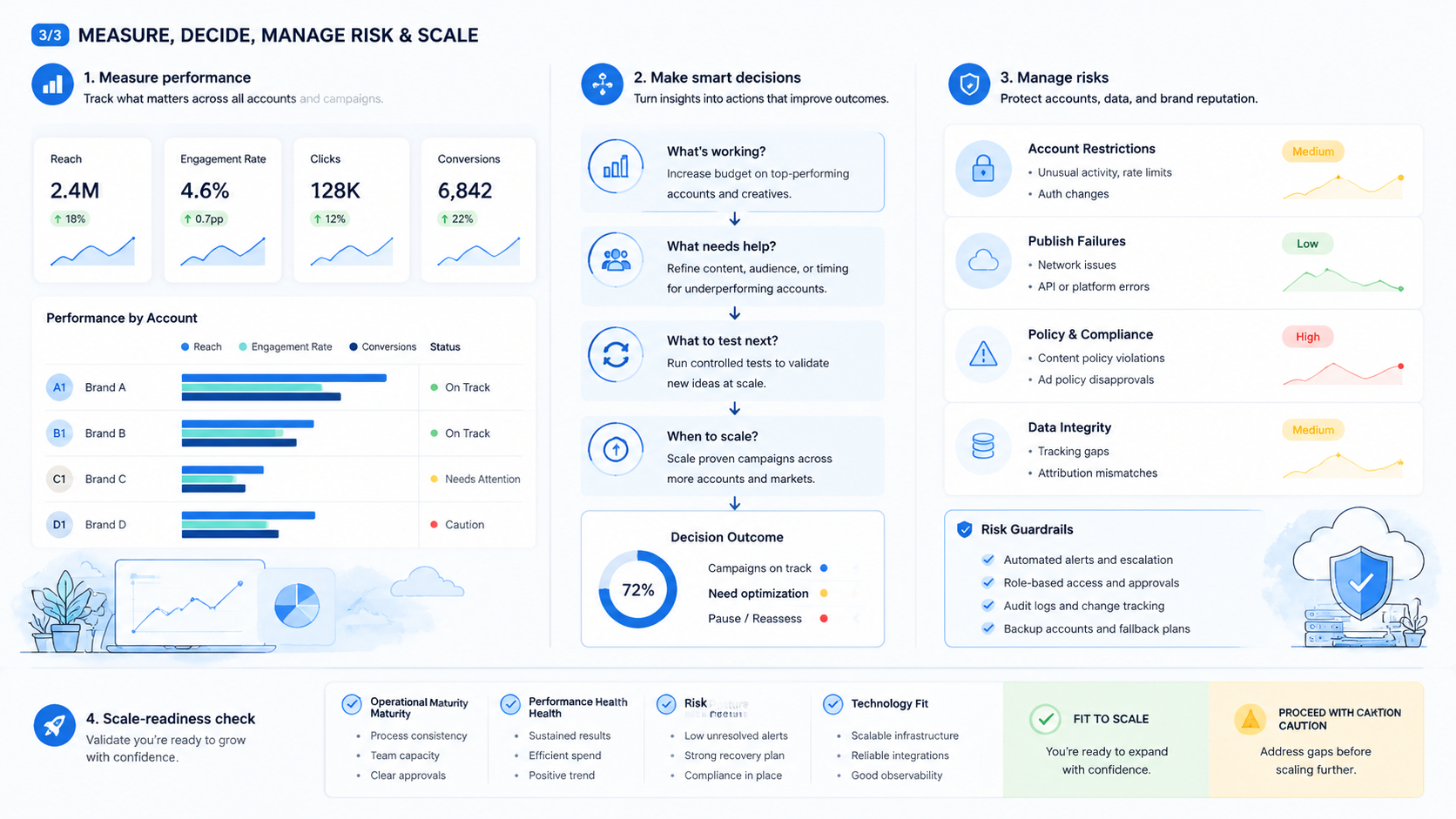
Set the operating model before scaling automation. Brands need account maps, asset readiness, approval gates, execution paths, and recovery logs.
Start with one campaign. Confirm that each account has an owner, each asset has approval, and each failed task has a repair path. Then expand the system gradually.



