
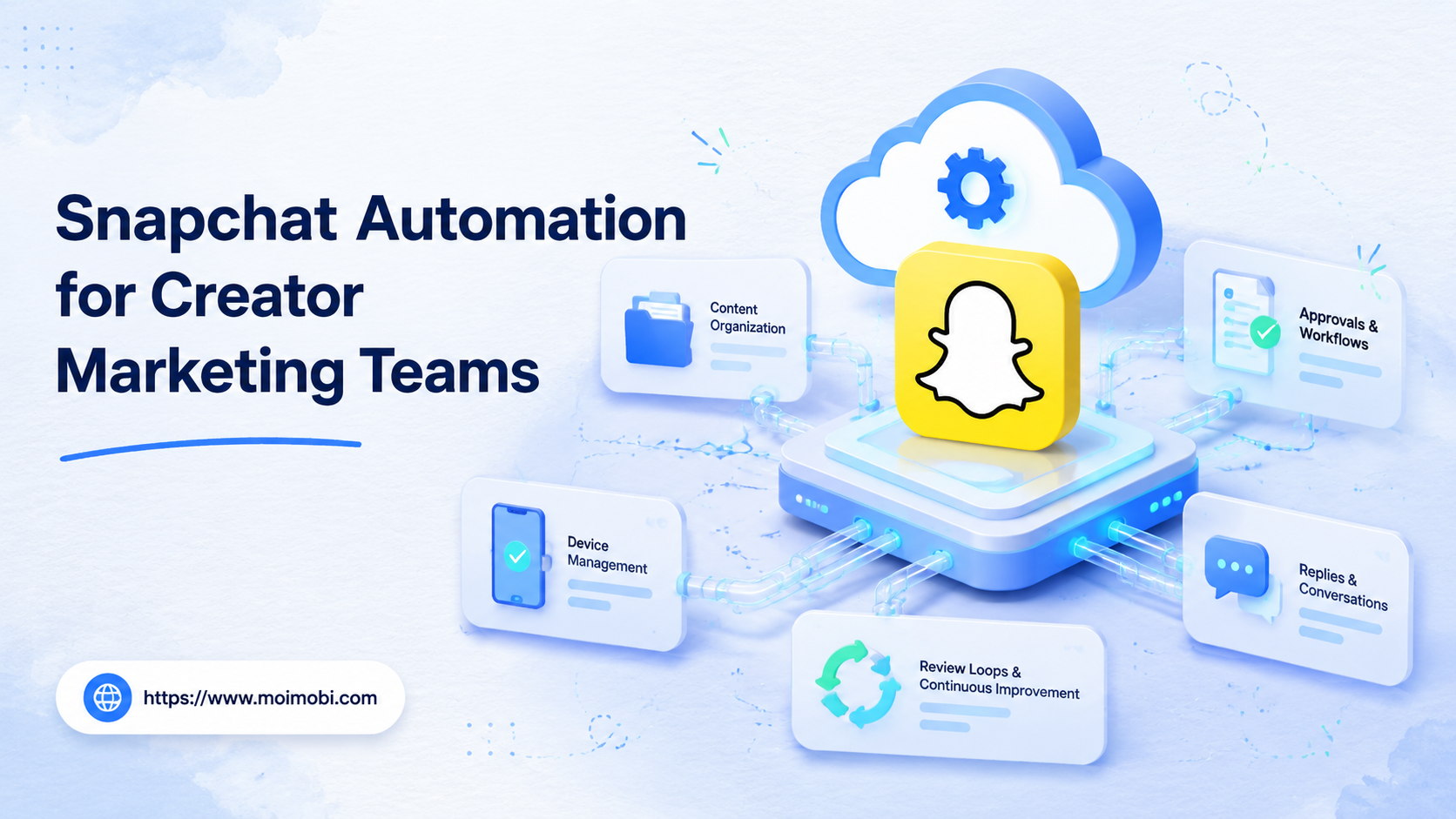
Snapchat automation is the use of repeatable workflows, approvals, account environments, and execution tools to help creator marketing teams run Snapchat work with less manual coordination. It should not mean uncontrolled mass posting, spammy messaging, or unattended account behavior.
For creator teams, the practical goal is simple: keep content production, publishing checks, account access, mobile execution, reply handoff, and performance review in one controlled process. Snapchat has business account, Public Profile, role, and policy surfaces that teams should respect, so the safest operating model is workflow automation with human review at the right points.
Key Takeaways
- Snapchat automation should begin with approvals, account roles, and task records.
- Creator teams should automate preparation and tracking before execution volume.
- Mobile execution matters when Snapchat work depends on the app environment.
- Policies, spam boundaries, and human review should shape the workflow.
- A small pilot is better than scaling an unclear process across many accounts.
Here is the practical scenario. A creator team has five Snapchat accounts, three operators, one campaign manager, and a support lead. The team does not need a tool that only says "post at 4 PM." It needs a way to turn campaign intent into approved tasks, run those tasks in the right environment, and keep a record that another teammate can audit later.
What Is Snapchat Automation for Creator Marketing Teams?
Snapchat automation for creator marketing teams is best understood as an operations layer. It connects planning, content preparation, account assignment, mobile execution, and follow-up tracking.
The workflow usually has three parts:
- Content preparation: turn campaign briefs into Snap ideas, captions, reply prompts, and posting checklists.
- Execution environment: assign work to a controlled browser, mobile device, or cloud phone environment when the task needs mobile execution.
- Review and reporting: record who approved the task, which account ran it, what happened, and what needs follow-up.
This model is different from a simple scheduler. Snapchat work often depends on account roles, mobile app context, creative review, and customer interaction. For example, Snapchat Business Help explains that team access can be managed through organization, ad account, and Public Profile roles, which makes permission planning part of the workflow rather than an afterthought.
A clean setup treats each campaign task as a work object. That object should include the account, content asset, reviewer, execution environment, due time, result, and recovery owner. Once the task has those fields, automation can help prepare drafts, notify the right person, queue the work, and record the outcome.
Teams should also separate creative support from execution support. Creative support helps the campaign manager prepare Snap ideas, short copy, story sequences, and reply suggestions. Execution support helps the operator open the right environment, perform the approved action, and log what happened. Mixing those two jobs is one reason automation programs become hard to control.
Why Snapchat Automation Matters for Creator Marketing Teams
Creator marketing teams usually handle many small tasks that are easy to miss. A campaign may need asset collection, creator approvals, story posting, inbox checks, screenshots, reporting, and customer follow-up. Manual handoff works for one account, then becomes fragile when several creators, markets, or brands are involved.
Snapchat automation matters because it gives the team a repeatable operating path:
| Workflow area | What to standardize | What not to automate blindly |
|---|---|---|
| Account access | Role, owner, reviewer, backup contact | Shared passwords with no audit trail |
| Content work | Brief, asset, caption, approval status | Posting unreviewed creative |
| Mobile execution | Device, login state, operator, task log | Random device switching |
| Replies | Triage, saved answers, escalation rules | Repeated unsolicited messages |
| Reporting | Task result, issue, next action | Only tracking published count |
Snapchat's Community Guidelines prohibit spam and deceptive behavior. That matters for operations design. The workflow should reduce repetitive preparation and tracking, not push teams toward unwanted engagement or unclear identity.
The second reason is accountability. Snapchat Business Help documents role and permission concepts for ad accounts and Public Profiles. That shows why teams should map work to permissions before they automate execution. A teammate who prepares creative may not need the same access as the teammate who manages profile settings.
The third reason is recovery. A manual workflow often loses context when something fails. Nobody remembers whether the issue came from content approval, login state, device context, or account permission. A structured workflow gives the team a place to record the failure type and assign the next action.
Key Benefits and Use Cases
The strongest benefit is control, not volume. Creator teams need to know which account ran which task, which assets were approved, and which replies need a human.
Useful use cases include:
- Campaign launch preparation. Build story concepts, captions, asset checklists, and approval queues before posting.
- Creator account coordination. Assign tasks by creator, brand, region, or campaign without mixing responsibilities.
- Mobile-first execution. Run app-based tasks through mobile automation workflows when desktop tools are not enough.
- Reply and lead triage. Sort inbound questions, draft suggested answers, and route sensitive replies to a human.
- Weekly review. Compare completed tasks, missed approvals, account issues, and follow-up actions.
MoiMobi fits this pattern as an AI execution platform for teams that need controlled browser and mobile environments. AI can help prepare captions, briefs, and reply drafts, while the execution layer keeps task ownership and environment separation clear.
Another useful case is creator handoff. A creator may approve the theme, while an internal operator handles execution and reporting. Automation can keep that handoff visible. It can show which asset was approved, which account used it, and whether the result needs a follow-up reply or escalation.
Customer engagement is a separate use case. Teams can draft answer suggestions for common questions, but they should keep a human in the loop for pricing, complaints, sensitive topics, and any reply that could affect brand reputation. That is a workflow boundary, not a technical limitation.
Snapchat Automation Workflow: Account, Content, Execution, Review
A workable Snapchat automation workflow has four layers. The first layer is the account workspace. It records who owns the account, which role they have, which device or browser environment is assigned, and which campaign the account is supporting.
The second layer is the content pipeline. It covers brief, asset, caption, review status, version history, and publishing decision. AI can help draft options, but the approval field should stay explicit.
The third layer is execution. This is where the approved task runs in a browser or mobile environment. Execution should record the operator, start time, completion state, failure reason, and screenshot or note when needed.
The fourth layer is review. The campaign manager checks task results, reply backlog, failed tasks, and next actions. Review is where automation becomes operational memory instead of a one-time action.
Use this field list when building the first workflow:
| Field | Why it matters | Example value |
|---|---|---|
| Account owner | Shows who is responsible | Creator lead, agency operator |
| Role type | Prevents access confusion | Admin, reviewer, operator |
| Environment | Keeps execution traceable | Mobile device, browser profile |
| Content status | Blocks unapproved posting | Draft, approved, rejected |
| Task result | Supports review | Done, failed, paused |
| Recovery owner | Prevents silent failures | Support lead, campaign manager |
The field list should be short enough for operators to complete. If the team adds twenty required fields, people will bypass the system. Start with the fields needed to prove ownership, approval, execution, and recovery.
How to Get Started with Snapchat Automation
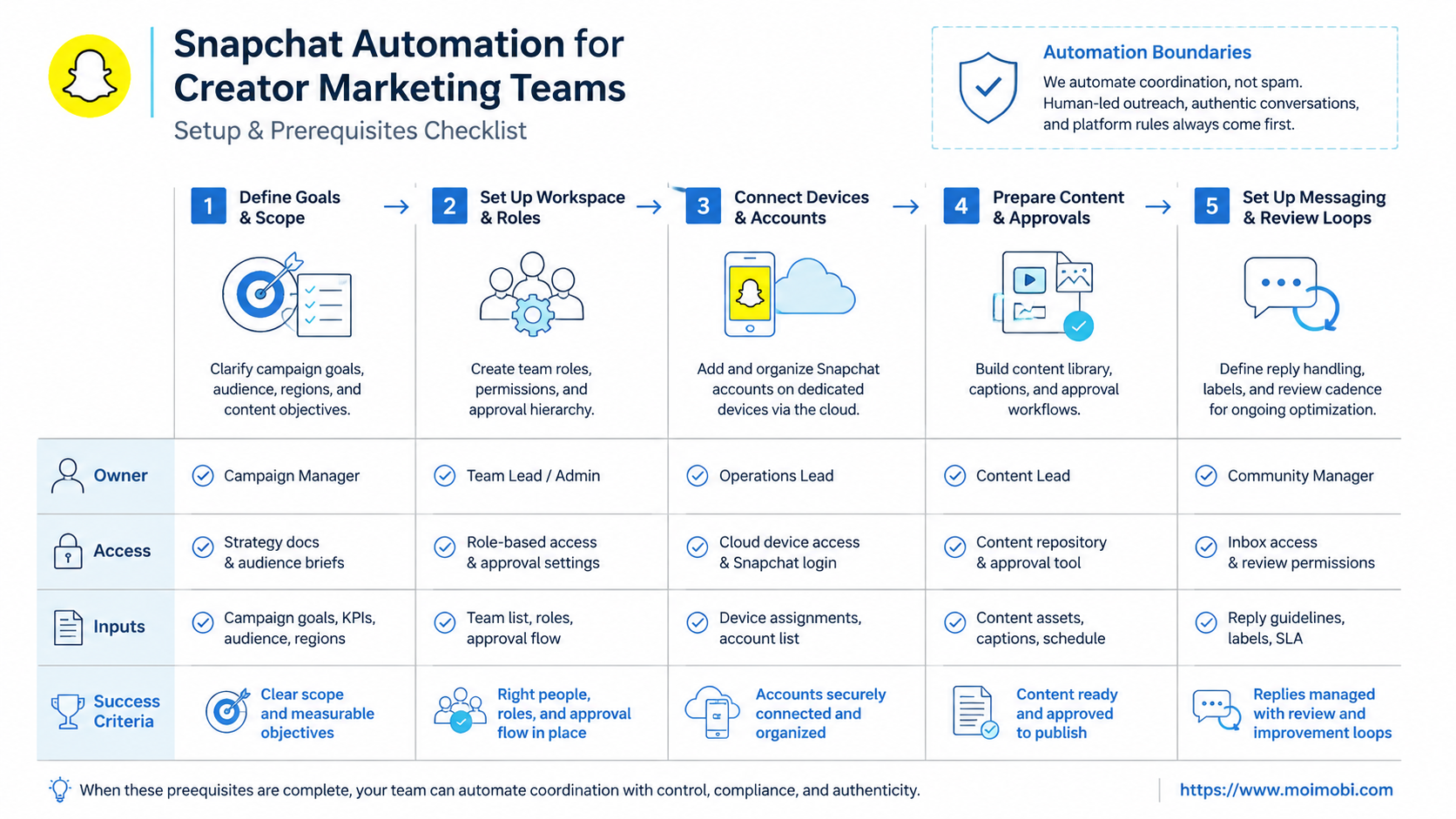
Start with preparation before tools. A workflow that has no owner, no stop rule, and no review step will create more cleanup work than it saves.
Preflight checklist
- Confirm the Snapchat account type, campaign owner, and responsible operator.
- Review Snap's Terms of Service and relevant platform policies before adding automation around account actions.
- Set up Public Profile or business access only where it fits the campaign. Snapchat Business Help describes how businesses can create Public Profiles through Ads Manager with an organization admin.
- Define which tasks need human approval before execution.
- Decide which work should run in a browser workspace, a mobile device, or a separated device isolation setup.
- Create fields for task status, account, operator, approval, result, and next action.
Basic workflow sequence
- Collect campaign brief, creative assets, audience, and account list.
- Turn the brief into content drafts, captions, reply prompts, and task cards.
- Assign each task to an account environment and owner.
- Review creative and sensitive replies before execution.
- Execute the approved task in the correct browser or mobile environment.
- Record result, screenshot, issue, and next action.
- Review results before repeating the workflow.
For teams that manage multiple creator accounts, connect this process to multi-account management rather than relying on spreadsheets alone.
After the first sequence works, add one improvement at a time. A good second step is reply triage. A good third step is reporting. Avoid adding creative generation, execution, replies, and analytics all at once. Too many moving parts make it hard to know which part failed.
The first test should also include a stop rule. For example, pause the workflow if approvals are missing, if the wrong account is selected, if the device environment is not available, or if the reply queue contains sensitive messages. Stop rules keep the team from treating automation as permission to continue blindly.
Common Mistakes to Avoid
The first mistake is treating Snapchat automation as a sending machine. That framing pushes teams toward repetitive messages, weak review, and unclear accountability.
A better model is task control. Automate briefs, checklists, routing, reminders, and records first. Keep human approval for creative judgment, sensitive replies, complaints, account changes, and anything that could affect brand trust.
Another mistake is mixing environments. Creator teams sometimes use the same device, browser, or login flow for too many accounts. That makes work harder to audit. Separate environments, clear ownership, and consistent task logs make recovery easier when an account has an issue.
The third mistake is measuring only output. A dashboard that only says "posted" is not enough. Track approvals, failed tasks, reply backlog, unresolved issues, and follow-up ownership.
A fourth mistake is copying another platform's workflow without checking Snapchat context. Creator teams may already have an Instagram or TikTok process, but Snapchat has different account surfaces, audience behavior, and mobile usage patterns. Keep the shared operating model, then adjust the task fields and review steps for the platform.
A fifth mistake is removing people too early. Automation can draft, route, remind, and record. It should not decide brand voice, policy boundaries, or customer escalation by itself. Mature workflows usually increase human control because the review points become visible.
Who It Fits and When It Is a Strong Match
Snapchat automation is a strong match for teams that already have a repeatable creator workflow. It works best when the team publishes regularly, manages more than one account, and needs a clear chain from brief to execution.
It is not a good fit when the team has no content strategy, no reviewer, or no policy boundary. Automation will not fix unclear positioning or poor campaign planning.
Use this fit check:
- Good fit: creator campaigns, account operations, mobile publishing, structured reply triage, weekly reporting.
- Weak fit: one-off posting, experimental accounts with no SOP, cold unsolicited messaging, unclear ownership.
- Needs extra review: regulated products, minors, sensitive topics, or campaigns with legal disclosure needs.
Teams running social channels beyond Snapchat can also align the same workflow with social media marketing operations.
Agency teams are another strong match. They often manage client approvals, creator briefs, reporting screenshots, and internal QA. A shared workflow helps them show clients what was done without giving every client direct access to every execution environment.
Small creator teams can use a lighter version. They may not need a complex approval chain, but they still benefit from account mapping, task logs, and a weekly review. The key is to keep the workflow small enough that it becomes a habit.
Solo creators may not need this level of structure. A simple checklist or native platform workflow may be enough until the creator starts delegating work to editors, operators, or support staff.
Pilot Rollout, Measurement, and Recovery Checks
A pilot should prove control before scale. Run the first test on a small account set, a narrow task type, and a short review window.
Track five signals:
- Did every task have an owner?
- Did every posted item have approval evidence?
- Did each account use the intended environment?
- Were failed tasks and exceptions recorded?
- Did replies move to the right human when needed?
Recovery planning is part of the pilot. If a task fails, pause the workflow, record the cause, and decide whether the issue is content, permission, environment, or timing. Do not keep increasing volume while the team is still guessing where the failure happened.
Snapchat also provides official help for Public Profile members and roles, which is useful when teams need to separate publishing, profile management, and campaign responsibilities.
Use a weekly pilot review with four columns:
| Review column | Question | Action |
|---|---|---|
| Content | Were assets approved before execution? | Tighten brief and review rules |
| Access | Did the right person run the task? | Adjust roles or ownership |
| Environment | Did the task run in the intended place? | Fix device or workspace mapping |
| Recovery | Did failures have owners? | Add escalation and pause rules |
The pilot is successful when the team can explain both completed and failed work. If only successful tasks are visible, the system is not ready to scale. A useful automation program makes failure review easier, not invisible.
How MoiMobi Fits the Snapchat Automation Stack
MoiMobi is not a replacement for Snapchat's official business tools or policies. It is an execution infrastructure layer for teams that need AI assistance, browser environments, mobile devices, and account-level task control.
The stack usually looks like this:
- Planning layer: AI helps create briefs, captions, reply suggestions, and campaign variants.
- Workspace layer: accounts, permissions, and environments are mapped before work starts.
- Execution layer: approved tasks run in the right browser or mobile environment.
- Review layer: results, issues, replies, and next steps return to the team.
This structure is useful because creator teams rarely fail from one missing feature. They fail when planning, execution, ownership, and reporting are scattered across too many tools. MoiMobi's value is keeping those pieces closer together while leaving policy-sensitive decisions with the team.
Frequently Asked Questions
Is Snapchat automation the same as a social media scheduler?
No. A scheduler handles timing. Snapchat automation for creator teams also covers approvals, mobile execution, account environments, replies, and task records.
Can creator teams automate every Snapchat task?
They should not. Creative review, sensitive replies, complaints, and account changes usually need human judgment.
What should be automated first?
Start with briefs, caption drafts, task routing, approval reminders, and reporting. These reduce manual work without removing review.
Does Snapchat automation require a mobile execution environment?
Not always. A controlled mobile execution environment is useful when the task needs app context, persistent device state, or separated account environments.
How should teams handle multiple creator accounts?
Assign one owner, environment, and task log per account. Avoid shared access patterns that make mistakes hard to trace.
What metrics matter in the pilot?
Track completed tasks, approval coverage, failed executions, reply backlog, and unresolved account issues. Published count alone is too narrow.
How does MoiMobi support this workflow?
MoiMobi connects AI planning with browser and mobile execution environments, so teams can prepare, run, and review creator workflows in one controlled system.
Conclusion
Snapchat automation works best when it improves control before speed. Start with account roles, campaign briefs, approval steps, environment assignment, and task logging.
The next priority is a small pilot. Choose one campaign, one account group, and one repeatable workflow. Measure ownership, approval quality, execution errors, and reply handoff before expanding to more creator accounts.



