
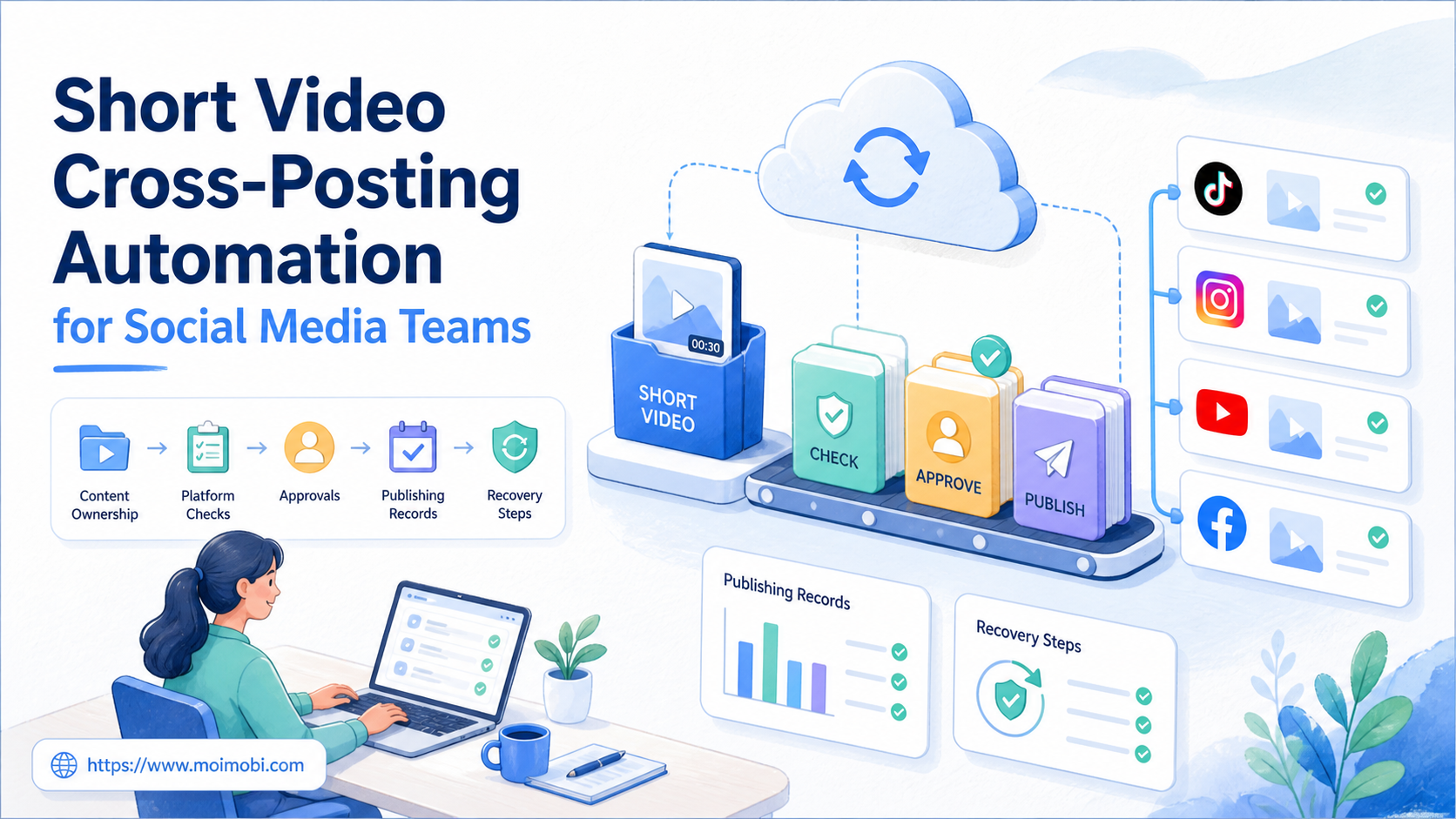
Short video cross-posting automation is a workflow for preparing, approving, publishing, and recording an approved video across designated channels. It should coordinate team work, not turn one upload into indiscriminate publishing. Each destination has its own account, audience settings, rights requirements, and review considerations.
For a social team, the real value is a repeatable handoff. The producer knows which asset is final. The reviewer knows which copy and destination are approved. The operator can see the assigned account, publish state, and recovery step if a platform process does not finish.
Use cloud phone capacity only as an execution environment within that model. It does not replace content rights checks, platform rules, or client approval. A strong workflow keeps those responsibilities visible before any publishing task starts.
Key takeaways
- Treat each destination as a separate approved task, even when the source video is shared.
- Lock the asset version, copy, account lane, and approval state before publishing.
- Record upload, review, publish, and exception states separately.
- Stop the workflow when rights, client scope, or platform settings are unclear.
What Short Video Cross-Posting Automation Actually Controls
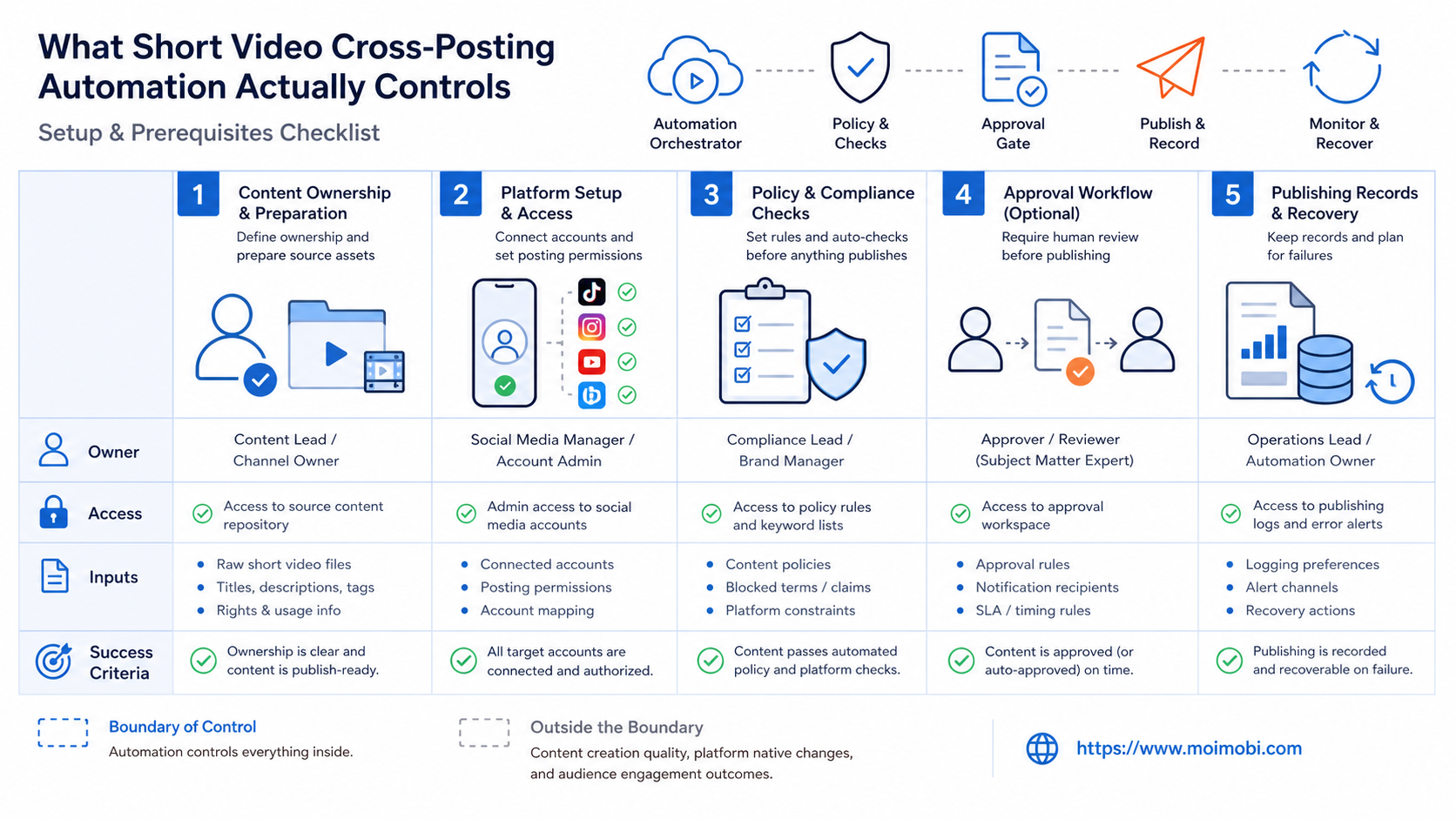
Short video cross-posting automation controls the handoff between a content package and an approved destination. A content package normally includes the video file, source reference, version, caption or description, destination-specific copy, owner, and approval status. It is more than a filename in a shared folder.
The workflow should not assume that every platform uses the same settings. A public post, private draft, scheduled item, audience declaration, sound choice, and disclosure may need separate confirmation. Store those checks with the destination task rather than assuming that an approved source asset approves every downstream use.
| Workflow field | What it records | Why it matters |
|---|---|---|
| Asset version | The final source file and change reference | Prevents an older edit from being published after review |
| Destination lane | Platform, account, and content purpose | Keeps account context attached to the task |
| Approval state | Approved, paused, needs client review, or rejected | Separates preparation from authorization |
| Publish evidence | Result link, timestamp, or platform status | Lets the next operator verify completion |
YouTube distinguishes between uploading a video and publishing it, and its creator guidance includes settings such as title, audience, visibility, and checks. That is a useful reminder that a file arriving at a platform is not the same as a completed publishing decision. See YouTube's official upload guidance for the platform's current workflow.
Prepare the Content Package Before Any Cross-Posting
Preparation starts with ownership. Name the person who controls the source asset and the person who can approve the final package. When agencies work with client content, note any approval limitation, campaign period, rights concern, or brand instruction that affects where the video may appear.
Create platform-specific copy rather than cloning everything automatically. A caption, link, tag, or disclosure that is valid for one destination may not fit another. The package can still reuse approved ideas, but the destination task should contain its own ready-to-review text.
The team also needs a stop rule. Stop and escalate when the source is incomplete, the client has not approved the destination, a rights question remains open, or the required account is not assigned. Publishing a partial package to “keep the schedule moving” creates a larger recovery job later.
For teams coordinating several client accounts, a cross-account publishing queue can connect the content package to the proper owner and operating lane. The queue should show the next decision, not only the next click.
A Controlled Short Video Cross-Posting Workflow
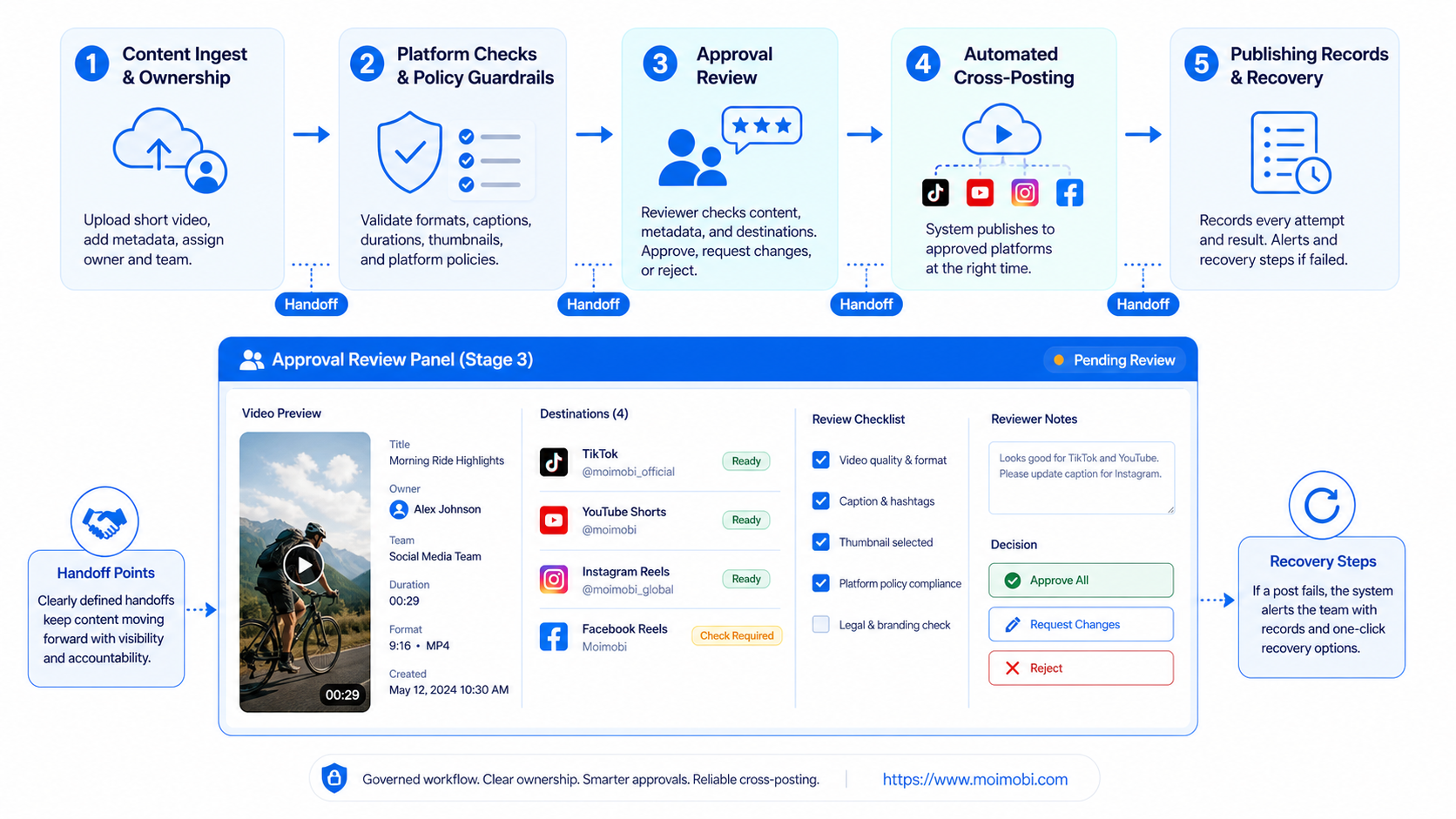
- Lock the source version. Record the final asset reference and the reason for the approved version.
- Create destination tasks. Add the platform, account lane, required copy, visibility, and owner for each intended post.
- Review destination details. Confirm that title, caption, audience, disclosures, and rights instructions match the approved scope.
- Assign the environment. Link the task to the approved account workspace and named operator.
- Publish or save as required. Record whether the item is a draft, submitted upload, scheduled post, or completed publication.
- Verify and close. Save the result reference and route any exception to the appropriate reviewer.
This sequence keeps the workflow flexible. A team can pause one destination without blocking a separately approved destination. It can also correct an account-specific caption without altering the source asset or confusing the client history.
When work uses mobile applications, task-bound mobile execution can preserve the relationship between a publishing task and its assigned operating environment. It should be used with normal platform permissions and an accountable human owner.
Platform Rules, Rights, and Approval Boundaries
Cross-posting does not remove the need to follow each platform's terms. TikTok's Terms of Service require users to comply with applicable terms and laws. A team should review the current platform guidance for its intended publishing method instead of assuming an old workflow remains valid.
Rights management is equally important. A client may approve a video for one campaign or one platform but not another. Music, branded material, creator permissions, and paid partnership disclosures can also affect the destination decision. The content package should reference the approved scope; it should not rely on informal memory.
Approval boundaries protect the team as well as the client. Define who can approve routine copy edits, who can authorize a new destination, and who handles a policy or rights question. A workflow becomes safer to operate when exceptions reach the right person before publication.
Common Mistakes That Create Rework
The first mistake is treating cross-posting as a single action. A source asset can be shared, but every destination needs its own account context, settings, and evidence. The result may be an upload that exists but is not suitable to publish.
The second mistake is mixing draft and live states. A team should be able to see whether a video was saved as a draft, uploaded for review, scheduled, published, or rejected. A generic “done” status hides the actual task state.
Another mistake is allowing several people to edit the same package without a version owner. When copy changes after approval, the workflow needs a new review point. Record that change instead of assuming the earlier approval still applies.
Build a Destination Readiness Check
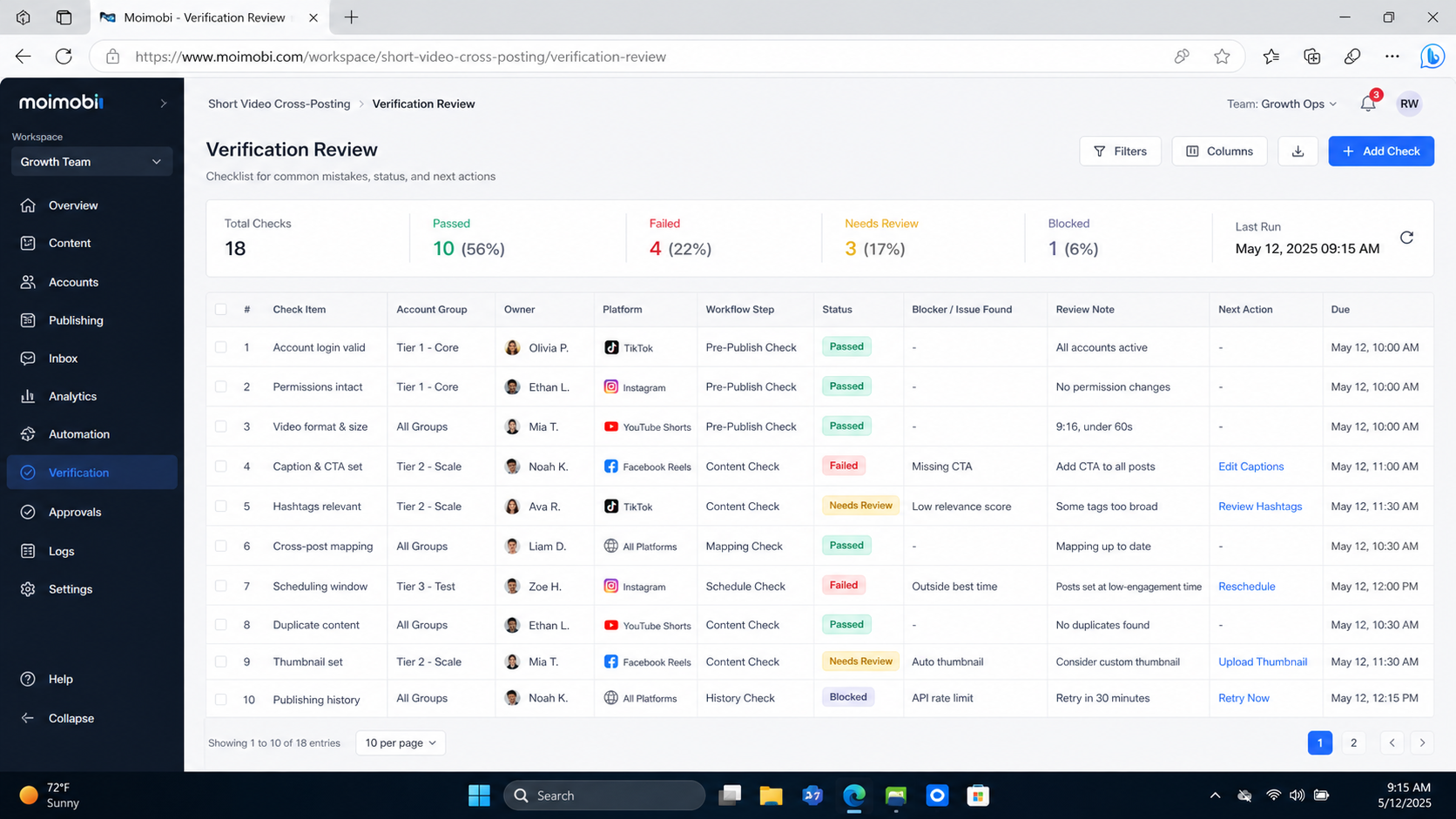
Before a task enters a publishing queue, run a destination readiness check. This is a short operational review, not a second content-writing exercise. It confirms that the team has the inputs required to perform the approved action in the assigned account.
The check should verify the asset version, destination, account lane, final copy, visibility state, rights note, owner, and approval reference. For a scheduled post, include the proposed schedule and the person who can change it. For a draft-only task, state what must happen before it can move to publication.
- Asset check. Confirm the final file and source reference match the reviewed version.
- Account check. Confirm that the task names the intended account and its responsible operator.
- Copy check. Compare destination-specific text with the approved content scope.
- Settings check. Record visibility, audience, schedule, and any required disclosure decision.
- Evidence check. Verify that a reviewer can find the approval record and the next action.
Readiness checks reduce avoidable rework because they catch missing information before a team member enters the publishing flow. They also give a client-facing manager a clear way to distinguish a content delay from an account, rights, or approval issue.
Version Control for Short Video Teams
Version control does not require a complex media system. It requires a reliable answer to three questions: which file is final, who approved it, and what changed after approval. Store those answers with the content package rather than inside an operator's private notes.
Use a simple version label and change reason. A change to a caption may require a destination review. A change to the video itself may require new client approval. A correction to an account setting may only require a publishing owner to confirm the new state. These distinctions keep the workflow proportional.
Do not overwrite a final record when a new edit is requested. Preserve the previous decision and create the next version as a separate item. This makes it possible to explain what was intended, what was changed, and why a particular destination task was paused or replaced.
Publishing Statuses That Support Recovery
Use distinct task statuses. “Ready for review” means the package is complete but not authorized. “Approved for publishing” means the task can enter the assigned account workflow. “Submitted” means the platform process has started. “Scheduled,” “published,” “failed,” and “paused” each require different follow-up.
The status should describe the actual state, not a hoped-for result. For example, an upload that is processing is not a published item. A scheduled item may still require a later verification. A failed task should retain its asset and approval context so the recovery owner can decide whether to retry, correct, or escalate.
This state model becomes more valuable as a team adds accounts. It prevents one person from repeating a task because another person saw an incomplete status. It also supports reporting that distinguishes completed publication from work that remains in review or recovery.
Add a short note when a status changes. The note can say what changed, who changed it, and whether another person must act. That small record is enough to make a cross-posting workflow usable across shifts, client teams, and separate account lanes without creating a large reporting burden for daily operations, weekly reviews, client reporting, audit handoffs, and careful client escalation.
Who This Workflow Fits
Agencies, brand teams, and distributed creators with recurring short-video work across client accounts, multiple destinations, or approval layers.
A solo creator publishing an occasional original video with no client handoff or shared account responsibility can use a smaller checklist.
The workflow is not a fit for a plan that depends on publishing content without rights, client permission, or compliance with platform rules. Automation can organize approved work, but it cannot authorize content that has not been cleared.
Use account-isolated workspaces when the operating model requires separate client or account contexts. The separation supports clean handoffs; it does not justify attempts to evade platform controls.
Pilot Rollout, Measurement, and Recovery Checks
Pilot one content format and two approved destinations. Choose a workflow that already produces repeated manual handoffs. During the pilot, track missing approvals, incorrect destination copy, task states that cannot be verified, and exceptions that required a verbal reconstruction.
Run a recovery check after each interruption. Another qualified operator should be able to find the source version, destination account, current status, approval history, and next step from the task record. If any of those details are missing, revise the workflow before adding channels or clients.
Avoid using raw publishing volume as the only success metric. A better initial measure is whether the team can complete and review the workflow without duplicate posts, unclear ownership, or unrecorded exceptions.
FAQ: Short Video Cross-Posting Automation
Can one video be posted everywhere with the same settings?
Not reliably. The source may be the same, but each destination can have different account context, visibility, audience, copy, and rights requirements.
Who approves destination-specific copy?
The approval role should be stated in the content package. Routine edits may be delegated, while new claims, disclosures, or client scope changes should reach a reviewer.
What should happen when an upload does not finish?
Record the current state, preserve the source version, and assign the recovery action. Do not assume that a failed upload means nothing changed.
Is a draft the same as a published video?
No. Record drafts, uploaded files, scheduled items, and live publications as separate states so the team can verify the result.
How should agencies handle client approvals?
Attach the approved scope to the content package and create a new review point when the destination, material claim, or asset version changes.
Can automation replace rights review?
No. Automation can route tasks and preserve records. Rights, brand, and policy decisions require the appropriate accountable person.
What is the best first pilot?
Choose one repeatable video format, two approved channels, a clear account owner, and a short review period. Test the handoff before adding volume.
Conclusion
Short video cross-posting automation works best as an accountable publishing workflow. Lock the source asset, create destination-specific tasks, verify approval, record the actual publication state, and make exceptions recoverable.
Start with one small pilot. Expand only when the team can explain every video’s version, destination, owner, approval state, and next action without relying on undocumented chat history.


