
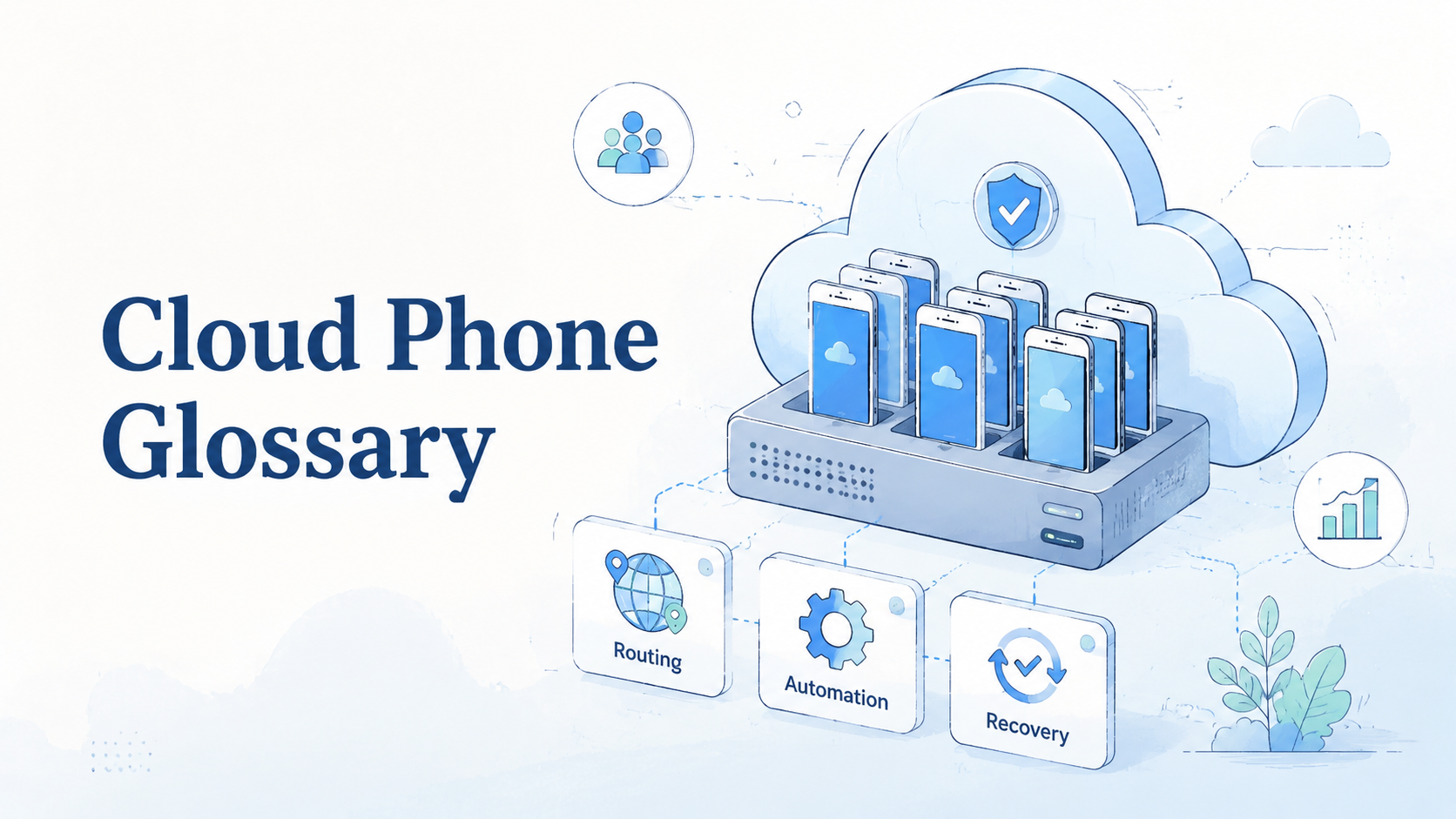
A cloud phone glossary is a plain-English reference for the terms teams use when they run mobile work on hosted Android devices. It explains how cloud phones, phone farms, device isolation, routing, app state, and mobile automation fit into real work.
For MoiMobi, the glossary is not only a vocabulary page. It is an operating map for teams that need cloud phone environments, phone farm capacity, device isolation, and mobile automation without mixing account context.
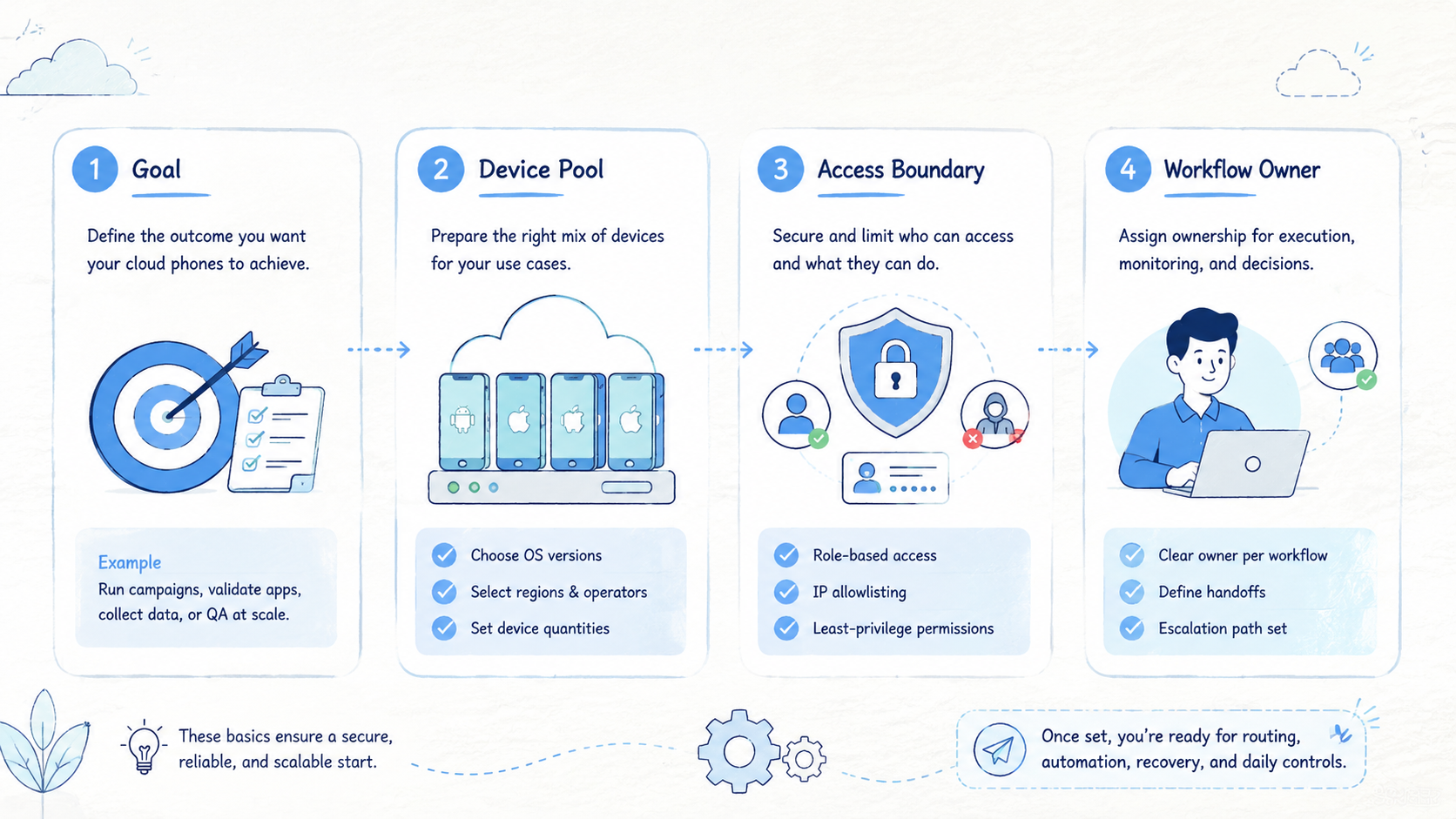
The practical rule is simple. Define the terms before you scale the workflow. A team that cannot explain ownership, phone state, routing, review, and recovery will struggle once 5 phones become 50.
Key Takeaways
- A cloud phone glossary gives teams shared language for mobile execution
- The most useful terms describe ownership, state, isolation, routing, and recovery
- Cloud phones should be managed as work environments, not only remote screens
- A glossary helps operators, managers, and support teams avoid mixed context
- The best next step is to map terms to real workflows before buying capacity
Cloud Phone Glossary Basics
The core misunderstanding is treating a cloud phone as a single feature. A cloud phone is one layer in a larger operating system for mobile work. Teams also need account assignment, state labels, review rules, routing notes, and recovery steps.
Google's SEO Starter Guide makes a useful point about organization: clear structure helps people understand what exists and where to go next. Mobile operations need the same discipline. Operators should know which device belongs to which task, not guess from chat history.
Start with these baseline terms:
| Term | Meaning | Operating use |
|---|---|---|
| Cloud phone | A hosted Android device accessed remotely | Runs mobile apps without a local handset |
| Phone farm | A managed pool of cloud phones | Supports parallel mobile workflows |
| Device isolation | Separation between device environments | Reduces mixed sessions and work conflicts |
| App state | The current login, files, screens, and settings | Helps another operator continue a task |
| Workspace | A named environment for one account, team, or workflow | Keeps ownership visible |
| Routing policy | The route or proxy rule tied to the device | Keeps traffic rules documented |
| Stop rule | A condition that pauses work for review | Prevents unclear tasks from continuing |
These terms sound simple, but they change how a team works. Instead of asking "which phone is free," the team asks "which workspace is clean, assigned, and ready for this task."
Why a Cloud Phone Glossary Matters for Teams
A shared glossary reduces operational noise. Without shared terms, people use loose phrases like "that device," "the test phone," or "the account phone." Those labels fail when the team grows or when work moves across shifts.
The first value is handoff. If an operator says a workspace is "active," a reviewer should know what that means. If a phone is marked "reset-needed," no one should reuse it until the reset owner clears it.
The second value is training. New operators learn faster when the team has a small vocabulary. They do not need to memorize every exception. They need to know how account lanes, device state, routing, and review work together.
The third value is recovery. A task can fail because an app times out, a file is missing, a login prompt appears, or a customer message needs approval. Shared terms make those failures easier to report.
Use this operating rule:
| Question | Glossary term that helps |
|---|---|
| Who owns the device right now | Owner |
| What can happen inside this phone | Allowed task |
| Can another person continue the task | Handoff record |
| Is the device clean enough to reuse | State label |
| What route context applies | Routing policy |
| When should work pause | Stop rule |
Google's guidance on creating helpful content favors material that answers real user needs. A glossary works the same way. It is useful only when it helps the team make clearer decisions.
Core Terms in the MoiMobi Cloud Phone Glossary
This part of the cloud phone glossary covers the terms operators usually need before a workflow goes live. Each definition should connect to a work decision, not only a technical feature.
| Term | Short definition | Work decision it supports |
|---|---|---|
| Cloud phone | Remote Android environment for mobile apps and app state | Which mobile task runs in which workspace |
| Phone farm | Managed pool of cloud phones | How much parallel mobile capacity the team needs |
| Device isolation | Separation between work environments | Which accounts or clients must not share context |
| Proxy network | Route control for mobile workflows | Which route expectation belongs to each workspace |
| Mobile automation | Repeatable steps for a stable manual path | Which actions can run without constant human clicking |
| Android antidetect | Environment controls for separated device signals | Which workspace rules reduce mixed-context work |
| Manual takeover | Human pause or resume point | Which replies, checks, or recovery cases need judgment |
The route definition deserves care. A route note should not make broad promises about platform outcomes. Its job is to keep expectations visible for the operator, reviewer, and recovery owner.
Automation also needs boundaries. In a good setup, automation follows labels, permissions, and stop rules. It should never hide unclear state from the team.
Workflow Terms for Mobile Execution
The most valuable glossary entries are not only technical. They describe how work moves.
| Workflow term | Definition | Example |
|---|---|---|
| Account lane | A dedicated path for one account or account group | Instagram-Brand-A or WhatsApp-Support-02 |
| Owner | The person responsible for the current task | Operator A handles morning checks |
| Backup owner | The person who can continue work if the owner is unavailable | Manager B reviews paused replies |
| State label | The current condition of the phone | Clean, active, paused, reset-needed |
| Task record | A short note of action, result, and next step | Checked inbox, 3 replies need approval |
| Recovery owner | The person allowed to reset or quarantine a device | Admin handles login prompt cases |
These terms matter because mobile work is stateful. A web dashboard may show a clean status after refresh. A mobile app may preserve drafts, local files, login prompts, notifications, or half-finished actions.
Teams should write these terms into their SOPs. A simple table is enough. Each account lane needs a phone ID, owner, backup owner, allowed tasks, review point, and stop rule.
Cloud Phone Glossary for Use Cases
Social media teams use cloud phones when platform work depends on mobile app context. A team may check comments, review drafts, prepare assets, inspect app notifications, or confirm that scheduled work appears correctly. The glossary keeps those actions separated by account and role.
Customer engagement teams use cloud phones for mobile inboxes and app-based support flows. The main issue is not speed; the issue is knowing which messages need approval, which account was checked, and who owns the follow-up.
Ecommerce teams may use cloud phones for marketplace apps, seller tools, order checks, product listing reviews, and regional seller checks that move between operators. A glossary helps split store work by region, operator, or account group.
QA and product teams use cloud phones to test Android app behavior. In that case, a cloud emulator may also enter the discussion. The difference is workflow fit: emulators are common for development tests, while managed cloud phone environments are stronger when shared access, state, and team handoff matter.
Use this fit boundary:
- Use a simple emulator when one developer needs a short local test
- Use a cloud phone when a business workflow needs remote mobile access
- Use a phone farm when several tasks need parallel capacity
- Use device isolation when account lanes or client work must stay separate
- Use mobile automation after the manual task path is stable
How to Build Your Own Glossary
Begin with the workflow, not the tool list. Pick one recurring mobile task and write every term that operators use during that task. The first draft may be rough. That is fine.
Use a 5-step process:
| Step | Action | Output |
|---|---|---|
| 1 | List the exact workflow | Comment review, inbox triage, app QA, or marketplace monitoring |
| 2 | Name the environments | One account, one client, one region, or one operator |
| 3 | Define state labels | Clean, active, paused, under review, reset-needed, archived |
| 4 | Write stop rules | Login prompt, missing file, customer complaint, unclear account state |
| 5 | Test handoff | A second operator continues from the record and phone state |
The glossary is ready when another person can understand the workspace without a private explanation. If the second person needs to ask what a label means, the term needs a clearer definition.
Pilot and Measurement Terms
Pilot terms help the team decide whether a setup is ready to expand. Avoid vague success signals like "it worked." Use measurable fields.
| Pilot field | Definition | Why it matters |
|---|---|---|
| Setup time | Minutes needed to prepare a workspace | Shows onboarding cost |
| Completion time | Time from task start to done | Reveals repeatability |
| Handoff count | Number of tasks continued by a second person | Tests team readiness |
| Recovery time | Time needed to clear a failed phone state | Shows support burden |
| Wrong-context event | Task done in the wrong account or workspace | Flags process risk |
| Manual takeover | Human intervention after automation pauses | Shows where judgment is needed |
Run the pilot with 3 to 5 cloud phones for 1 or 2 weeks, then keep the sample small enough to inspect. A wider launch is harder to diagnose.
Review the glossary after the pilot. Remove unused terms, add labels that appeared during real failures, and keep the language short enough for operators to use during a busy shift.
Glossary Governance for Team Use
A glossary needs an owner. Without ownership, terms drift as teams add new accounts, apps, clients, regions, temporary campaigns, and recovery rules. Assign one person to approve new terms, remove unused labels, and keep examples current.
Use a monthly review for active operations. The review can be short as long as it answers 4 questions:
- Which labels did operators use every week
- Which labels caused confusion during handoff
- Which failure states were missing from the glossary
- Which terms should be merged or removed
Version control matters in a small way. Add a date to the glossary and note what changed. When an operator says "reset-needed," the team should know the current meaning, not an older version from a past campaign.
Keep examples close to the term. A definition like "paused" is too thin by itself. A stronger entry says "paused means work stopped because the next action needs approval, missing assets, or a login-state check." That example reduces debate during a live shift.
The glossary should also connect to permissions. Not every operator should reset a phone, change a route note, approve a sensitive reply, archive a workspace, or clear a phone after an error. Terms such as recovery owner, reviewer, and admin are only useful when the team knows who can take each action.
Fit and Not-Fit Boundaries
The glossary is a strong fit when several people share mobile work. It also helps when accounts, regions, clients, or task types need separated environments.
The fit is weaker when one person uses one temporary phone for a short test. In that case, a simple note may be enough. Heavy vocabulary can slow down a small task.
Good fit
- 5 or more recurring mobile tasks
- Multiple operators or reviewers
- Account lanes that must stay separate
- Workflows that need recovery records
Weak fit
- One-off app testing
- No handoff between people
- No repeatable account workflow
- No need for state labels or review
This boundary keeps the glossary practical. Use it when language reduces work friction. Avoid turning it into paperwork that no operator reads.
Common Mistakes to Avoid
Mistakes appear when the glossary becomes detached from daily work. Keep every term tied to a decision an operator actually makes.
| Mistake | What goes wrong | Better rule |
|---|---|---|
| Too technical | Operators cannot use the term during handoff | Use work language first |
| Too policy-heavy | A label starts to sound like a promise | Describe visible state only |
| No failure states | Phones return to the pool in unclear condition | Define paused, reset-needed, quarantined, archived |
| Automation too early | A script name replaces the workflow definition | Define task, action, stop rule, and review point first |
| Too many local labels | Every client or operator invents new words | Keep one approved list and update it on review day |
The glossary should reduce variation. Add a new term only when it solves a real handoff, review, or recovery problem.
Frequently Asked Questions
What is a cloud phone glossary
A cloud phone glossary is a list of terms that explains hosted Android devices, phone farms, isolation, routing, state labels, and workflow controls.
Why does MoiMobi need glossary terms
MoiMobi supports team-scale mobile execution. Shared terms help operators understand phones, accounts, tasks, review, and recovery the same way.
Is a cloud phone the same as an emulator
No. An emulator is often used for testing. A cloud phone is better suited to shared remote mobile workflows that need state, handoff, review, and recovery notes.
What term should a team define first
Define workspace first. It anchors ownership, account lane, app list, routing policy, state labels, reviewer role, recovery owner, file rules, and the next review step.
Should automation be part of the glossary
Yes. Treat automation as an operating term. Define the exact action it may perform, the state label that allows it, the record it updates, the stop condition it follows, and the person who can take over.
How many terms should the first glossary include
Start with 10 to 15 terms. Add more only after real tasks expose missing language during handoff, review, recovery, or a cross-shift account check.
Where should the glossary live
Keep it beside the team's SOP. Operators should not need to search through long documents during a shift, especially when a phone is paused and a customer-facing action needs review.
Conclusion
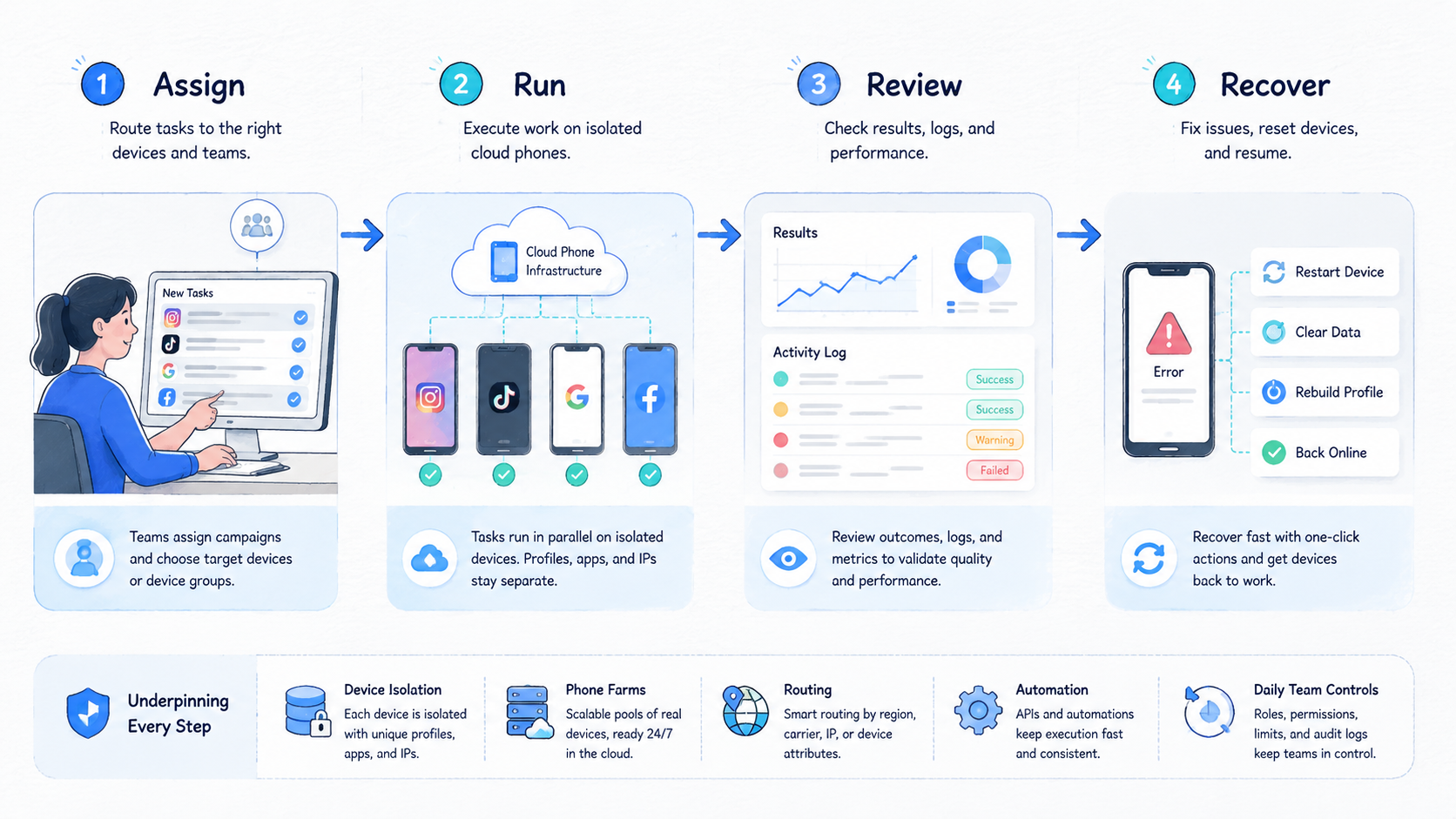
The most useful cloud phone glossary is short, practical, and tied to work. It defines the terms that control account lanes, device state, routing, automation, review, and recovery without forcing operators to decode internal language during a live workflow.
Start with the terms that change daily decisions. Define cloud phone, phone farm, workspace, account lane, device isolation, routing policy, state label, stop rule, and manual takeover. Then test whether a second operator can use those terms to continue a task.
MoiMobi fits teams that need mobile environments to work as organized execution lanes. Use the glossary as the first operating layer. Once the vocabulary is clear, the team can evaluate cloud phones, phone farms, isolation, and automation with less confusion.



