
AI monetization works best when the AI helps someone else make or save money first. The practical path is not “sell AI.” It is to find a repeated workflow in a traditional business, turn that workflow into a small tool, test it with a real user, and price it against time saved.
The original thread is useful because it does not stay in abstract advice. It walks through practical tool ideas for legal work, ecommerce, restaurants, real estate, education, accounting, content teams, community commerce, and recruiting. This rewrite keeps the core idea but adapts it for operators who care about repeatable workflows, account ownership, mobile execution, and team-scale delivery.
Key Takeaways
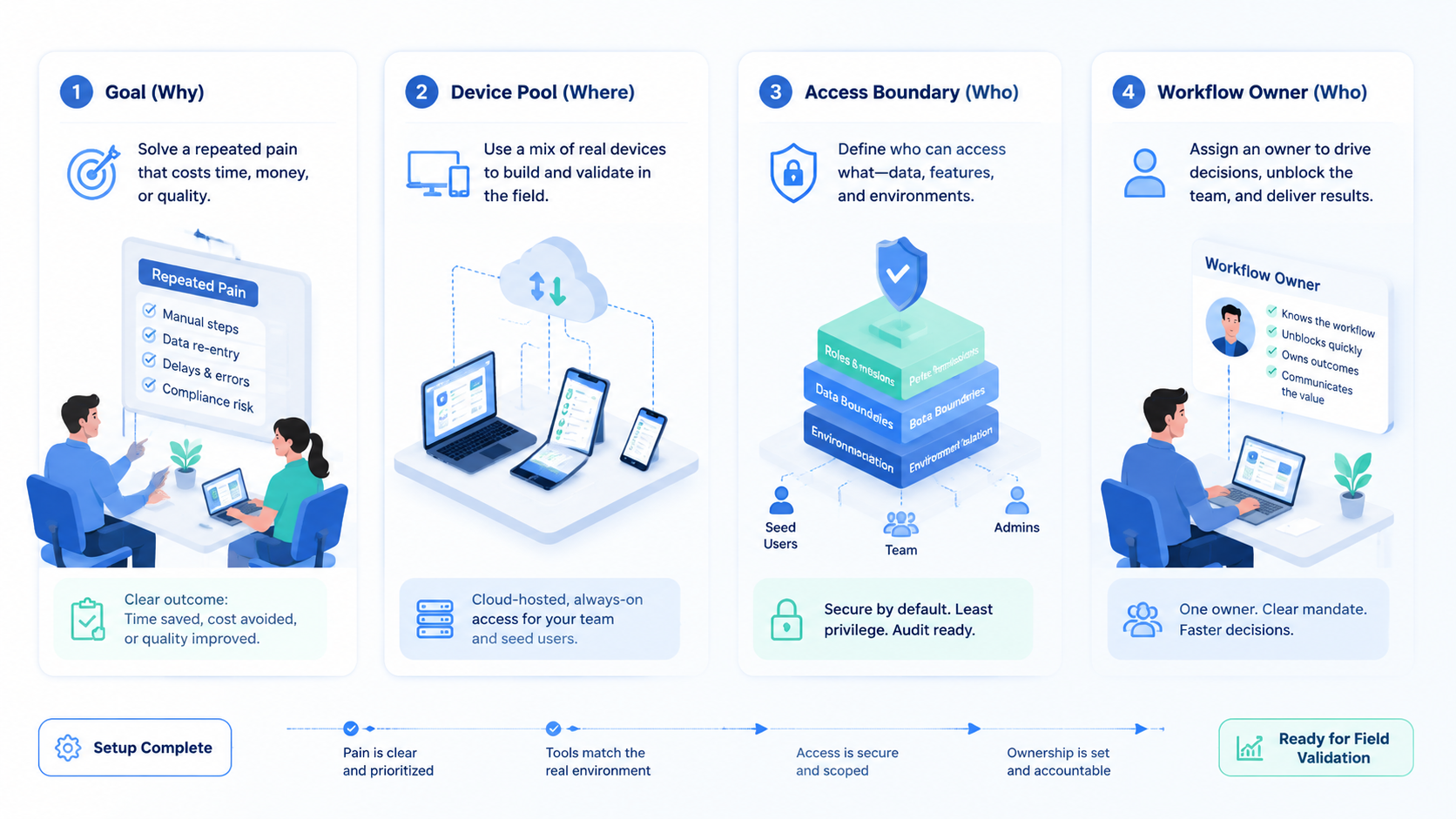
- AI monetization should start with a repeated user workflow, not with model hype
- The paid value usually comes from fewer manual steps, fewer errors, and a simpler handoff
- When generated assets move into social or mobile accounts, teams also need execution logs, account ownership, and device separation
AI monetization starts with repeated pain, not model choice
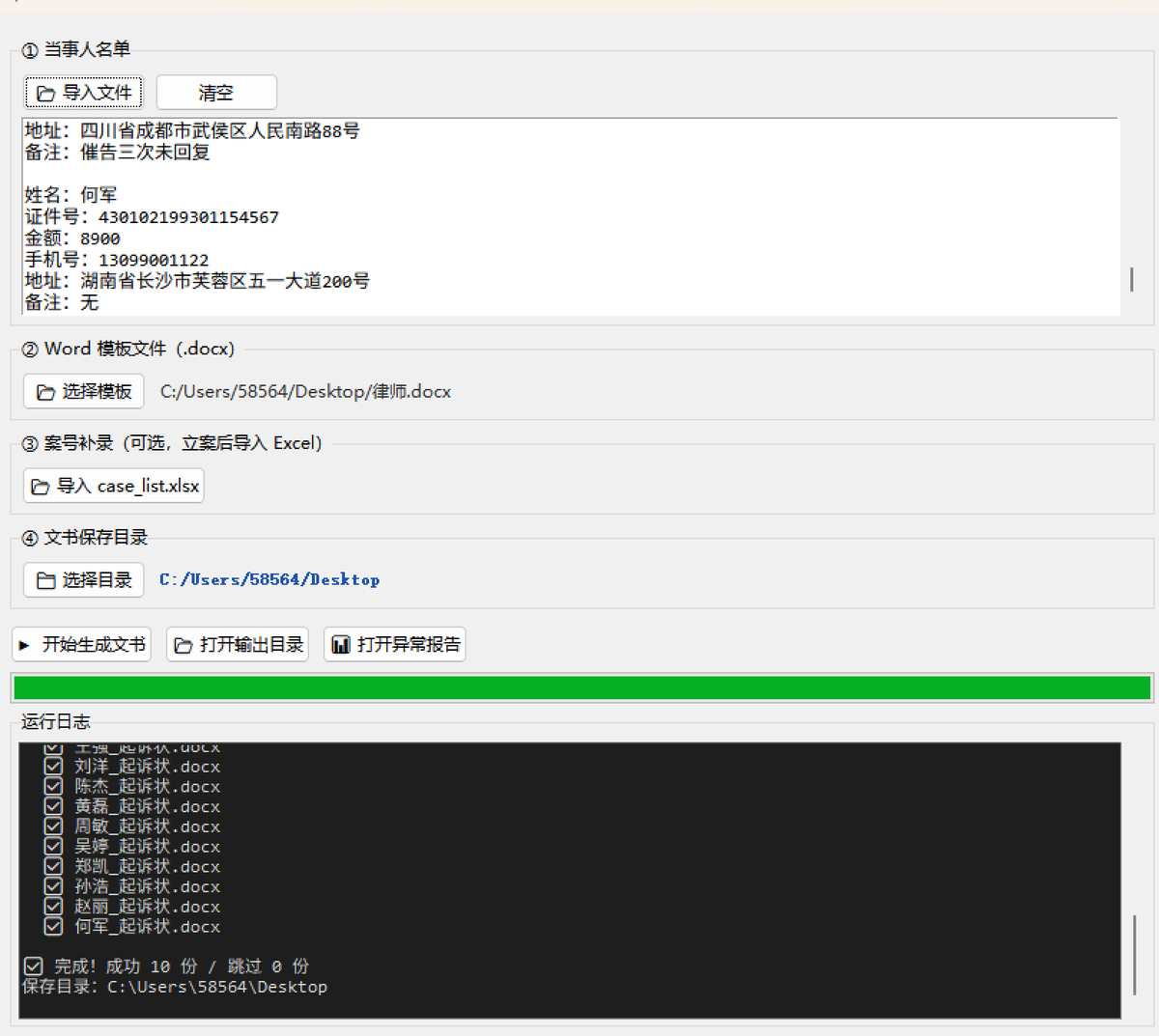
The legal example in the source article is the clearest one. A lawyer handles many similar claims. The complaint structure is mostly the same, while names, ID numbers, amounts, addresses, and special notes change from person to person.
That is a real workflow. It has input data, a template, validation rules, output files, and a second phase after the case number arrives. A useful utility can turn pasted text into documents, block bad data, generate reports, and produce files that the lawyer can use without touching code.
This is different from a generic AI demo. A demo says, “AI can write.” A paid tool says, “This saves four hours on a batch of thirty files and reduces the chance of missing a case number.”
Good AI monetization ideas usually pass four tests:
- The task repeats often.
- The user already follows a rough process.
- Errors are painful.
- A first version can be tested in days, not months.

Build tools around the user’s normal workflow for AI monetization
The strongest design lesson in the source article is friction control. If a lawyer already receives client details as text, forcing that lawyer to build a clean spreadsheet adds work. If a shop owner already keeps product titles in a list, the tool should accept pasted lines. If a teacher already has notes in an Excel file, the tool should use that file instead of asking for a new system.
Small friction kills usage. A technically strong tool can still fail because the user has to switch formats, install dependencies, open a terminal, or learn a naming rule that does not match their day.
Use a simple product map:
| Layer | Practical question | Bad sign |
|---|---|---|
| Input | How does the user already store the data | The tool demands a new format |
| Validation | What must be checked before output | Errors appear only after export |
| Generation | What should be produced | The output needs heavy editing |
| Exception report | What failed and why | Bad rows disappear silently |
| Stage handling | What happens before and after approval | The tool only works once |
| Delivery | How will the user open it | The user must run source code |
The point is not to make the most advanced tool. The point is to make the tool that gets used.

Traditional industries offer clear tool patterns
The source article lists many industries. The surface details change, but the tool pattern stays consistent.
For ecommerce sellers, the pain is batch title rewriting and risk word checks before a sale season. The utility can take product category, old titles, and a campaign name, then return new titles with length checks and banned-word flags.
For restaurants, the pain is image resizing across delivery and social platforms. The product photo can be uploaded once and exported in the right aspect ratios for each platform without adding watermarks or fake labels.
For real estate agents, the pain is rewriting the same listing for different channels. The core property facts can become separate copy for social posts, short video scripts, community groups, and marketplace titles.
For teachers, the pain is writing many personalized student comments. Scores and teacher notes can become short comments with a specific strength, a weak point, and one concrete suggestion.
For finance teams, the pain is reconciliation. A small app can compare bank transactions with invoices by amount, date range, and customer-name similarity, then export exact matches, likely matches, and unmatched items.
For content teams, the pain is repurposing one long article into many platform-native formats. The tool should not just shorten text. It should rewrite for tone, opening style, length, and call to action.
Pause here.
For HR teams, the pain is resume screening. A screening app can parse files, score candidates by declared criteria, and keep a decision log. The score should not depend on age, gender, photos, or other unfair signals.

The prompt is valuable only when it encodes domain logic
Many people treat prompt writing as wording tricks. In paid tools, the prompt matters because it contains domain logic. The legal example is not strong because it uses AI. Its strength comes from knowing the difference between the pre-filing stage and the post-filing stage.
That knowledge is hard to fake. A programmer can build a form. A model can generate text. But the useful workflow comes from knowing what the user does before, during, and after the output.
A strong tool-building prompt should include:
- Who uses the tool
- What file, text, image, or table the user starts with
- What fields must be parsed
- What rules must block bad output
- What files must be exported
- What error report must be created
- How the tool should be packaged
- What the tool must not do
Official prompt engineering guidance from OpenAI emphasizes clear and specific instructions. In this context, “clear” means business-specific. Streamlit can help turn scripts into simple web apps, pandas can handle spreadsheet workflows, and PyInstaller can package Python scripts as one-file executables, but the tool still needs real workflow logic.

Price the AI monetization tool by time saved
The buyer usually does not care which model or framework you used. They care whether the tool helps them finish sooner, reduce mistakes, or serve more customers.
A simple pricing conversation starts with the old workflow:
- How many times per month does the user do this task
- How long does one batch take
- What errors cost money or trust
- Who has to review the output
- What happens if the task is delayed
Then compare the new workflow. If the tool saves four hours on a batch, the price can be tied to that saved time. A one-time tool can be sold as a small package.
A repeated workflow can become a monthly subscription. A multi-user workflow can become private deployment or managed service.
Start with small buyers. A small law office, restaurant owner, real estate agent, teacher, bookkeeper, creator, or HR manager can give direct feedback. Large companies may have more budget, but their approvals, security checks, procurement rules, and legal review can slow down early learning.

Seed users are real AI monetization product research
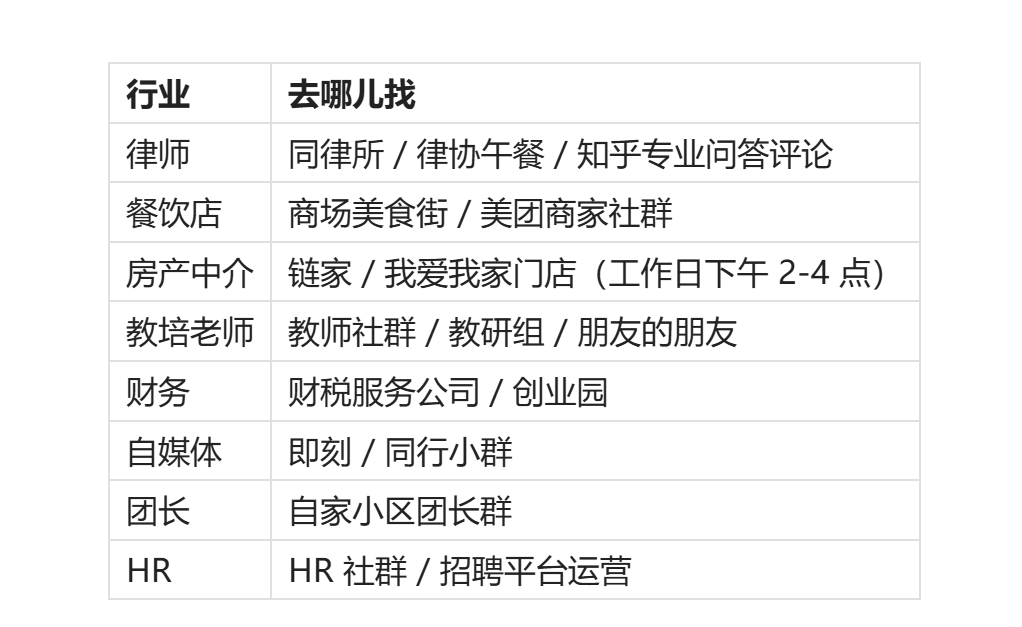
The source article’s seed-user advice is practical: do not announce a tool in public and hope people care. Go to a target user and say that you built a small tool for a specific problem. Let them use it for a week, then watch what breaks.
The user’s complaints are not noise. They are the roadmap. A bad button label should be changed.
A wrong export file name should be changed. A user who wants step two before step one is showing that the workflow map is wrong.
Use this loop:
- Pick one industry where you can reach real users
- Ask how they do the task now
- Convert the workflow into input, rules, output, and review
- Build a first version
- Watch the user run it
- Write down every complaint
- Ship the second version
- Charge once the value is visible
Do not skip observation. A tool that looks clean to the builder may be confusing to the buyer.

Where mobile execution systems fit
Change the frame.
Many AI tools end at file generation. That is enough for legal documents, school comments, or accounting exports. But some tools need to move into mobile and social workflows.
For example, a content repurposing tool may create posts for several platforms. A community commerce tool may generate group messages, personalized images, and reminders. An ecommerce operator may need product copy, image variants, and publishing tasks across many accounts.
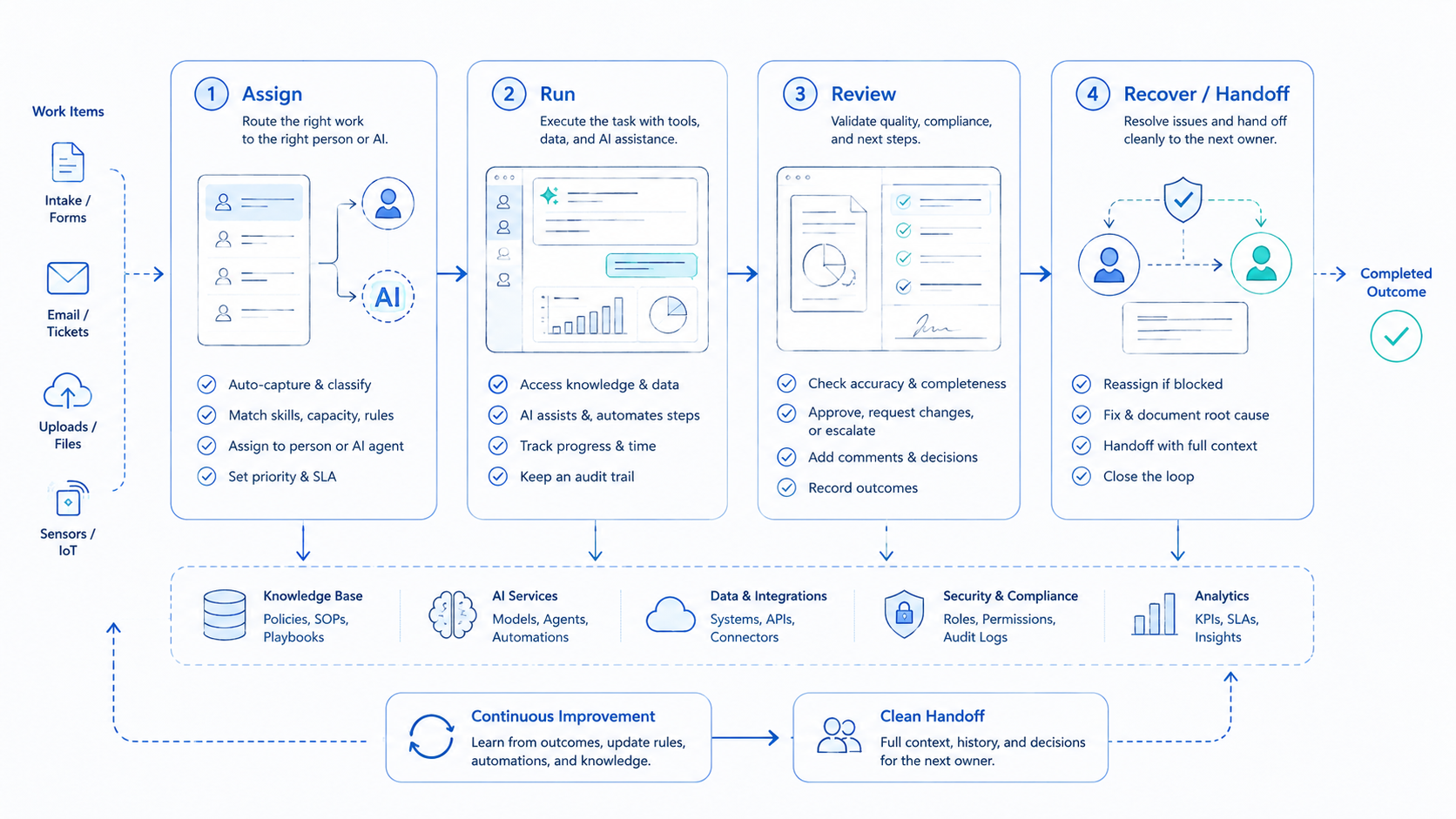
This is where local tools become team operations, because the output now moves through accounts, phones, reviewers, timing windows, and logs instead of staying as a file on one laptop.
At that point, the problem becomes execution infrastructure. Track five questions before the content moves:
- Who owns the account
- Which device posts the content
- Which account group receives the asset
- Who reviewed the message
- Which post produced replies or leads
This is where a platform like MoiMobi becomes relevant. A cloud phone can provide persistent mobile environments, while device isolation helps keep account work separated.
Mobile automation can turn repeated mobile steps into controlled workflows, and multi-account management helps teams assign the right content to the right account group.
Do not blur those roles. The safer model is not blind posting. It is tool-generated assets, reviewed drafts, account-aware assignment, mobile execution, and logs.

A practical build plan for the first tool
Start with one user, one task, and one output file. Do not start with a platform.
Use a seven-day build path:
- Day one: interview the user and record inputs, file names, copy steps, and review points
- Day two: write the tool spec with input, validation, generation, output, error report, packaging, and forbidden behavior
- Day three: build the first version with the simplest stack that can run locally or in a small web app
- Day four: test bad rows, missing fields, long text, duplicate files, strange characters, and empty uploads
- Day five: give it to the user and watch quietly
- Day six: fix labels, previews, output order, and reports
- Day seven: ask for a paid pilot and price it against saved time, not development hours

Turn one tool into a repeatable system
After one user pays, the job is not finished. The next step is to make the workflow repeatable without turning it into a bloated product.
Keep these assets:
- The user interview notes
- The input template
- The validation rules
- The prompt or instruction stack
- The sample bad data
- The output examples
- The pricing argument
- The onboarding steps
This becomes the reusable asset. The code may change. The model may change.
The framework may change. The workflow knowledge is the durable part.
For teams that run social accounts, those assets can also become operating playbooks. The content tool creates the asset, the account owner reviews it, the cloud phone or mobile workflow executes it, the team logs the result, and the next batch improves.
That handoff is the point.
AI monetization checklist before scaling
Use this checklist before turning one paid tool into a repeatable offer:
- One user has tested the tool with real data
- The tool has a clear input template
- Bad rows, missing fields, and duplicate files create visible reports
- The output can be opened by a non-technical user
- The saved time can be explained in one sentence
- The next buyer has the same workflow, not only the same job title
AI monetization gets stronger when the second buyer does not require a full rebuild. Small changes for the second buyer mean the workflow is becoming reusable. A fresh product for every buyer means the offer is still consulting.
There is no need to scale too early. First make the tool boring, clear, and repeatable. Then add onboarding, pricing, support, and account handoff.

Risks and rules
AI monetization tools should not become black boxes, especially in legal, finance, education, and hiring workflows.
Use these rules:
- Keep human review for sensitive outputs
- Log why an item was accepted, flagged, or rejected
- Do not make protected traits part of scoring
- Export error reports instead of hiding failures
- Use simple file formats that users can inspect
- Avoid claims that the tool removes all operational risk
For recruiting tools, decision logs matter. For accounting tools, matching rules matter.
For legal tools, template ownership and review matter. For social tools, account ownership and posting context matter, especially when several people share a publishing queue across devices and accounts.
The useful tool is not the one that removes people. A better tool removes repeated work while keeping people in control.
Keep the control visible.

Frequently Asked Questions
1. What is the best first AI monetization idea
The best first idea is a repeated workflow you can observe directly. When you can sit with the user and watch the task, your chance of building something useful is much higher.
2. Should the first version be a SaaS product
Usually no. Start with a small tool, one user, and one output. Build a SaaS only after the workflow proves that people use it and pay for it.
Too early is costly.
3. Are prompts more valuable than code
In these workflows, the valuable part is not the wording alone. The durable value is the domain logic inside the prompt: stages, fields, exceptions, output rules, and user habits.
4. How should an AI tool be priced
Price it against saved time, avoided mistakes, and repeated use. A tool that saves hours every week is easier to sell as a monthly product than as a one-time script.
5. When does mobile automation become necessary
Mobile automation becomes useful when generated content must be assigned, reviewed, and executed across real mobile accounts or app environments.
6. How does MoiMobi support this kind of workflow
MoiMobi helps when the workflow moves from local file generation into mobile execution. It provides cloud phone environments, device separation, routing control, and team workflows.
7. What is the biggest mistake in AI monetization
The biggest mistake is building from an AI capability instead of a user workflow. Start with the job, not the model.
Conclusion
The original thread’s strongest idea is simple: AI monetization comes from converting industry know-how into usable tools. The tool does not need to be huge. It needs to match the user’s normal input, block common errors, produce the right output, and save enough time that payment feels practical.
For mobile and social operations, the next layer is execution. Once a tool creates content, images, messages, or account tasks, teams still need clean handoff, account ownership, mobile environments, and logs. That is where small AI tools can become part of a larger operating system instead of staying as one-off scripts.
References