
Title: Multi-Profile Browser Automation for Social Media Accounts
Multi-profile browser automation means running browser-based workflows through separated profiles instead of forcing many social media accounts through one shared browser session. For social media teams, the point is not only convenience. The goal is cleaner account separation, repeatable execution, and fewer operational conflicts between operators, campaigns, and client accounts.
This matters because agencies, e-commerce teams, and support teams often run separate brands, regions, inboxes, and client accounts. One shared browser window cannot carry that model cleanly.
Key Takeaways
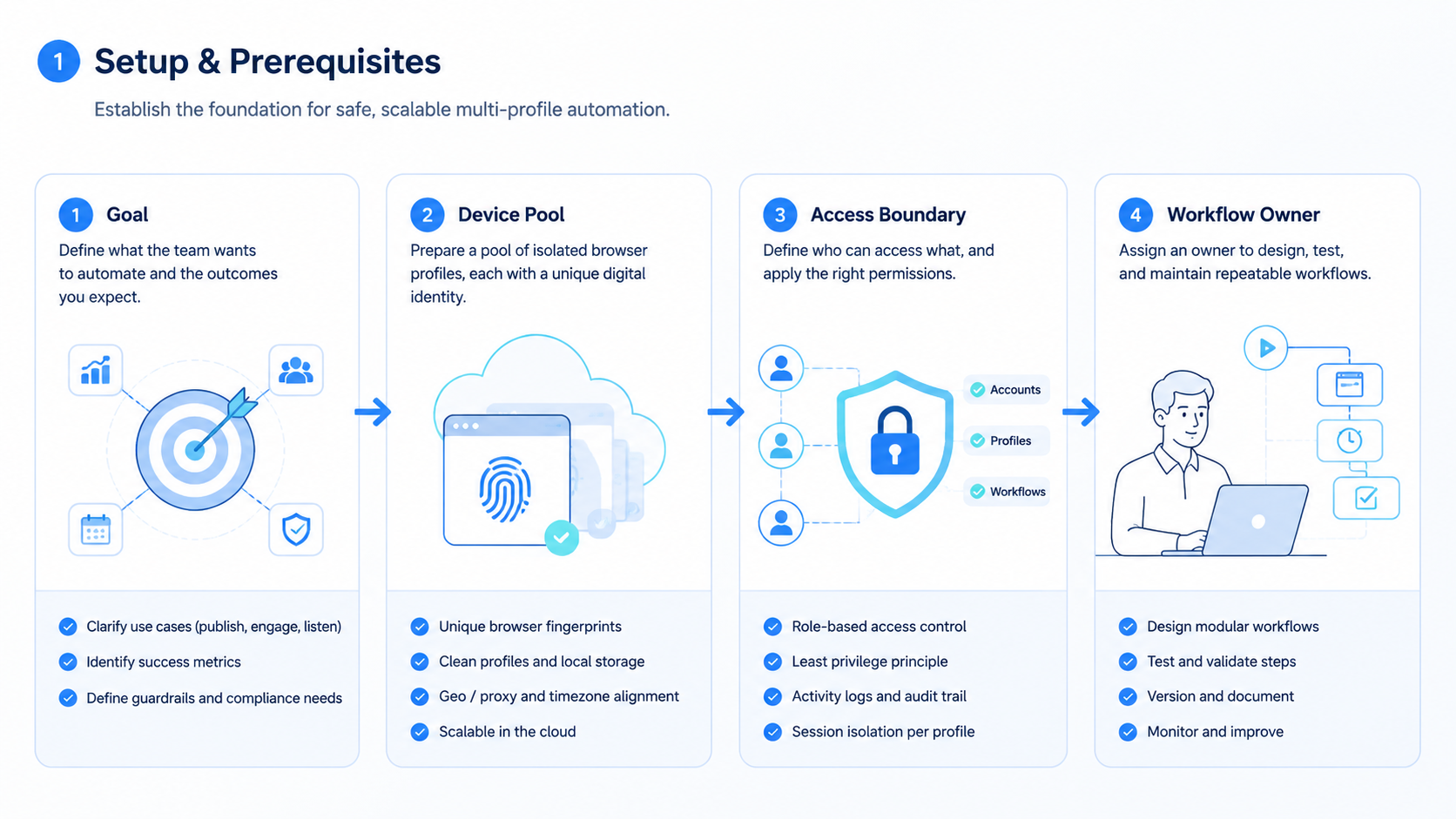
- Multi-profile browser automation is easiest to govern when each account has a dedicated browser profile.
- Profiles should store account ownership, login state, routing setup, workflow access, and task history.
- AI can help draft and classify work, but execution still needs a controlled browser environment.
- Teams should treat profile data and authentication state as sensitive operational infrastructure.
- Browser profiles fit web workflows; mobile app workflows may need cloud phone environments.
Why social teams use multi-profile browser automation
The basic problem is session mixing. If operators switch between several accounts in one shared browser, cookies, local storage, login state, permissions, and bookmarks can bleed into the wrong workflow. Playwright's browser context documentation is a useful technical reference because each context has separate local storage, session storage, and cookies. A production account workspace still needs more than clean storage: persistence, ownership, routing, and audit history.
Playwright's browser context isolation documentation is a useful technical reference because it shows how separated contexts prevent storage and cookie state from leaking between runs.
For a team, multi-account management means deciding which account runs in which environment, who can access it, and what happens when a task needs review.
What a browser profile should contain
A browser profile should represent one account workspace, not a random tab. At minimum, it should contain a persistent login state, profile settings, assigned proxy or routing setup, operator ownership, task history, and basic recovery notes.
The W3C WebDriver specification is a useful reminder that browser automation works through sessions and commands bound to browser state. Teams need to decide which session owns which account before any workflow starts.
A practical profile model should include:
- account or client owner
- platform and login status
- browser environment ID
- permission level for each operator
- allowed workflows
- last successful task
- current status, such as ready, blocked, under review, or needs login
Without those fields, multi-profile browser automation becomes loose browser windows. That breaks down once the team grows.
Profile isolation is different from automation scripts
Automation scripts describe what to do. Profiles define where that work happens. Mixing the two causes fragile operations.
For example, a content publishing script may work perfectly in one account but fail in another account because the profile is logged out, routed through the wrong network, missing a platform permission, or already controlled by another operator. The fix is not always a better script. Often the fix is a better workspace model.
Moimobi's device isolation model helps teams keep account environments separate, then attach workflows to those environments instead of rebuilding browser setup every day.
| Layer | What It Controls | Why It Matters |
|---|---|---|
| Profile | Cookies, storage, login state | Keeps account sessions separated |
| Workflow | Allowed task steps | Prevents the wrong automation from running |
| Owner | Operator and reviewer | Makes recovery and review easier |
| Audit | Task result and failure history | Shows what happened inside each account workspace |
When a fingerprint browser becomes useful
A normal browser profile can separate cookies and local storage. A fingerprint browser adds more control around environment identity, profile configuration, routing, and team management. That can be important for social media, marketplace, and agency work where accounts should not share the same operational workspace.
Teams comparing profile tools often look at AdsPower alternative pages because the real question is broader than a browser UI. Teams want browser profiles, mobile execution, operator roles, and workflow automation to fit together.
The safe way to describe this is account isolation and workspace separation. Do not frame the goal as bypassing platform rules. A profile system should help legitimate teams reduce internal mistakes, keep responsibilities clear, and avoid accidental session conflicts.
How to structure profiles for social media accounts
Start with one account per profile. That model is simple and auditable. If one account has a problem, the team can review that profile's task history, login state, and owner without digging through a shared browser.
Then group profiles by business purpose:
- client accounts for agencies
- regional brand accounts
- creator accounts
- support inbox accounts
- paid social or campaign accounts
- monitoring and intelligence accounts
Each group should have different permissions and workflow rules. A junior operator may be allowed to monitor comments but not publish. A support specialist may reply to messages but not change account settings. A growth operator may run monitoring workflows but not touch customer inboxes.
Where AI fits into multi-profile browser automation
AI should not be treated as a magic account operator. It should be treated as a planning and assistance layer. AI can draft replies, summarize messages, classify tasks, suggest campaign ideas, and prepare a next action. The execution layer still needs a real profile, a real session, and a controlled workflow.
That is why Moimobi positions browser and mobile environments as execution infrastructure. AI can help decide or prepare the work, while the browser profile supplies the account workspace where that work is executed.
Security and permission basics
Playwright's authentication guide notes that stored authentication state can include sensitive cookies and headers. In team operations, profile storage should be treated as sensitive infrastructure: avoid casual exports, raw cookie sharing, and broad access to every account workspace.
A simple operating model
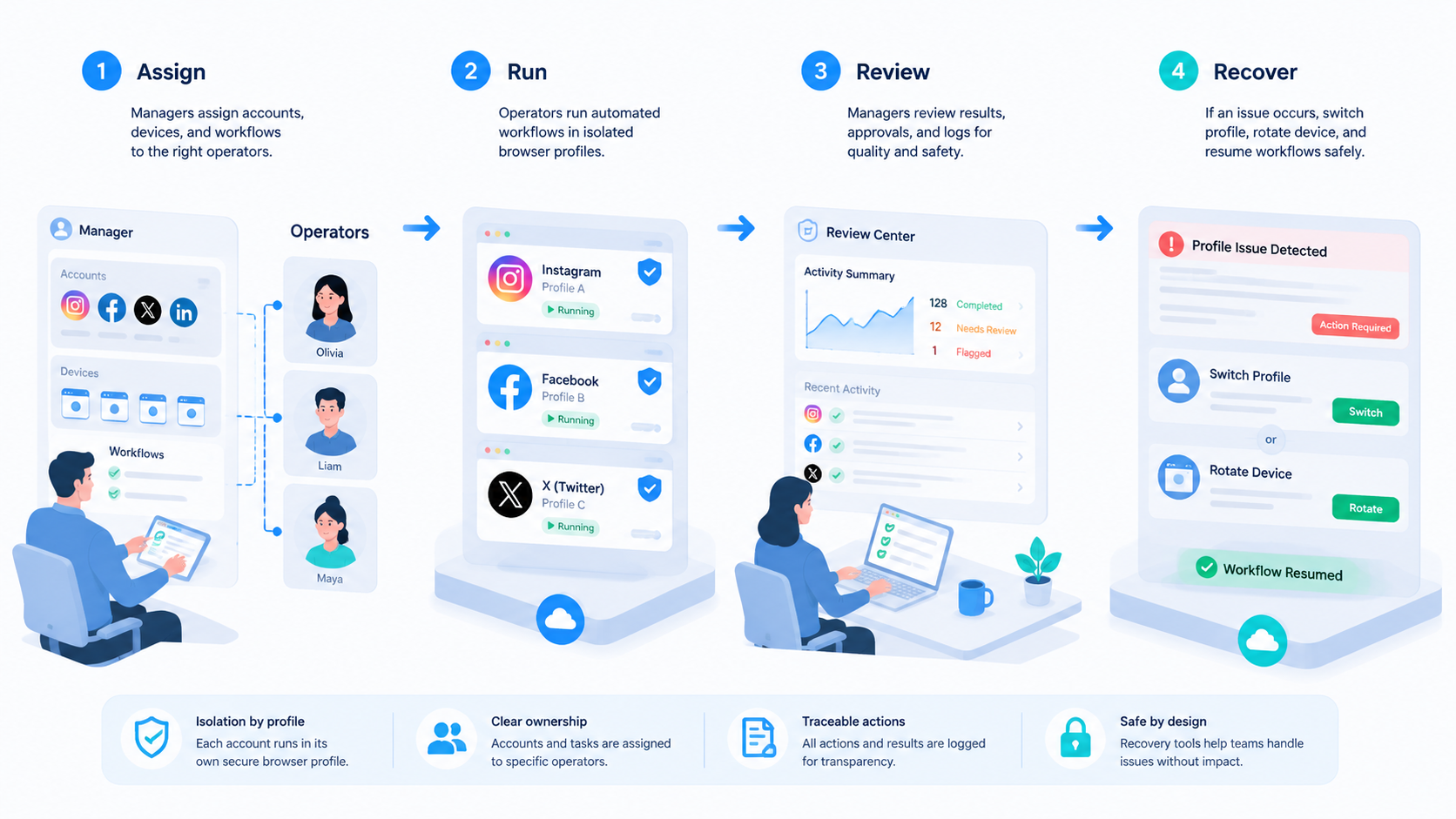
A practical operating model looks like this:
- Create one profile per social account.
- Assign a profile owner and backup owner.
- Bind allowed workflows to that profile.
- Track login state, last task, and last failure.
- Route AI-assisted drafts through review before publishing or replying.
- Audit task outcomes and profile health weekly.
This keeps multi-profile browser automation grounded in operations rather than scripts. The browser profile becomes an account workspace, not just a technical container.
Frequently Asked Questions
What is multi-profile browser automation?
It is the practice of running browser workflows through separated browser profiles so each account has its own session, settings, history, and operational context.
Is it only for agencies?
No. It also helps e-commerce teams, support teams, creators, and any company that manages several social media accounts.
Does a browser profile replace a cloud phone?
No. Browser profiles are useful for web workflows. A cloud phone is better when the task must run inside a mobile app environment.
How many accounts should share one profile?
For most operational teams, one account per profile is the cleanest model. It is easier to audit, recover, and assign.
Can AI run tasks inside browser profiles?
Yes, but AI still needs a controlled execution environment. The profile provides the logged-in workspace; AI assists with planning, drafting, and task execution.
What should be tracked for each profile?
Track account owner, login status, routing setup, allowed workflows, last task result, errors, and review status.
Is multi-profile browser automation the same as social media scheduling?
No. Scheduling is mostly about publishing time. Multi-profile browser automation is about separated account workspaces and repeatable browser execution.
What is the next step?
Map your accounts first. Then decide which accounts need browser profiles, which need mobile environments, and which workflows require human review.



