
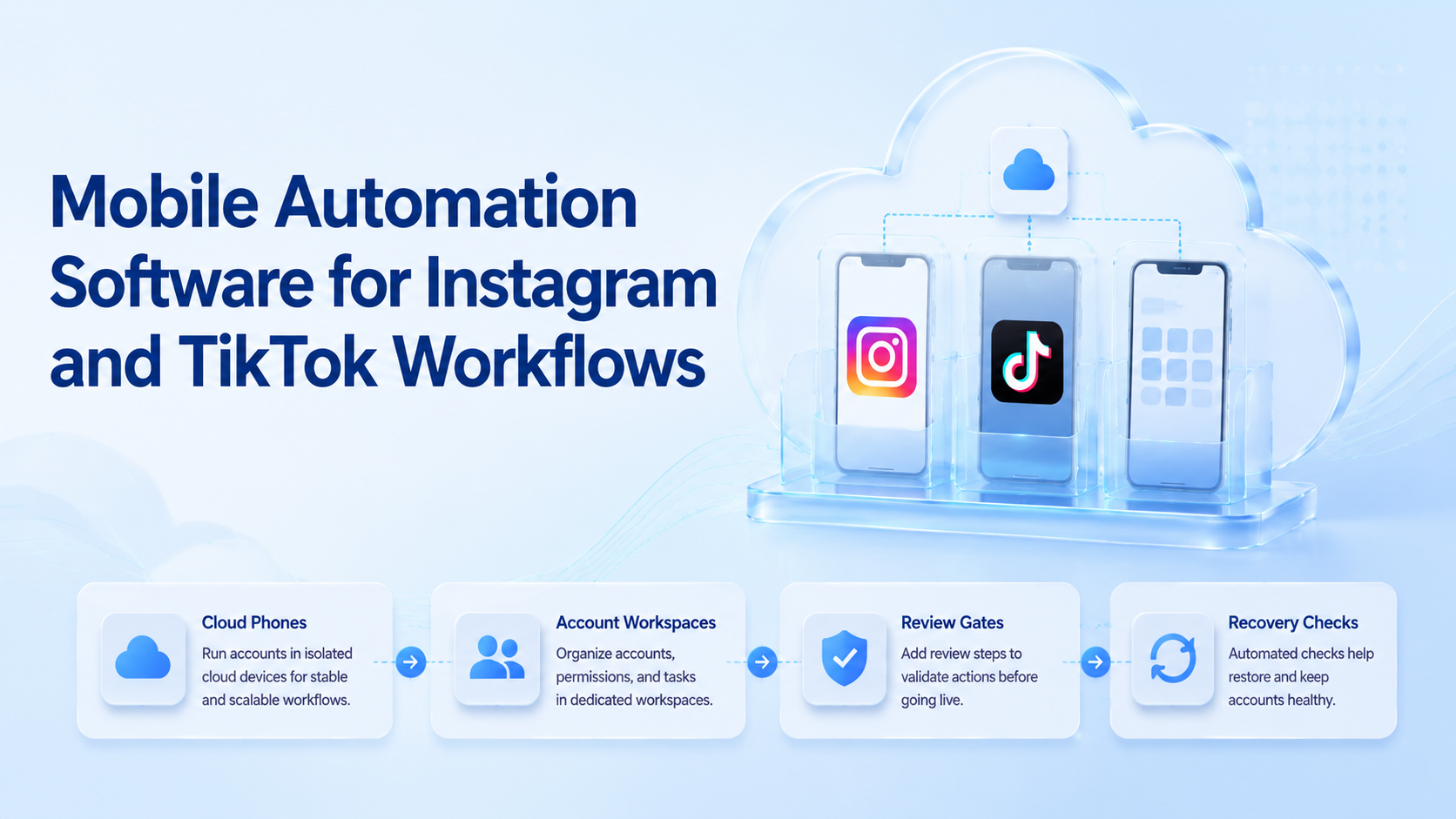
For Instagram and TikTok workflows, mobile automation software helps teams run repeatable tasks inside mobile app environments with controlled steps, account context, and review records. It should support publishing, monitoring, replies, asset handling, and recovery checks without turning the process into unmanaged bulk activity.
The best fit is not a tool that only clicks inside an app. Teams need mobile environments, account workspaces, task status, operator review, and logs. That is especially true when one team manages many creator, brand, or regional accounts.
Moimobi positions mobile automation as part of a broader execution stack. Cloud phones, browser workspaces, device isolation, and account management should work together.
Key Takeaways
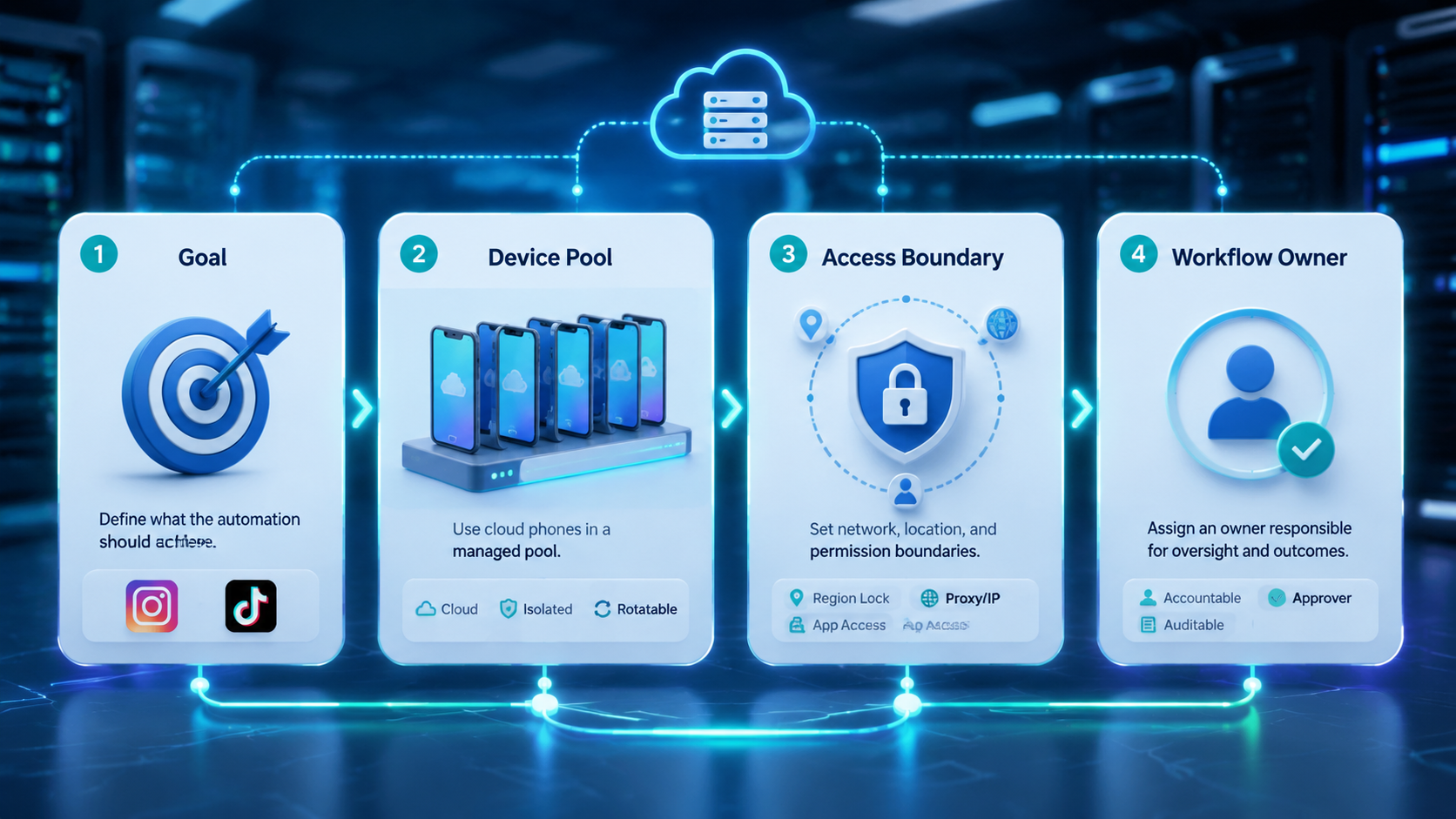
- Mobile automation software should execute controlled app workflows, not replace team judgment.
- Instagram and TikTok operations need account-specific mobile environments and recovery notes.
- Cloud phones are useful when mobile app state matters more than a browser dashboard.
- Pilot with a small account set before scaling scheduled tasks or reply workflows.
The Core Idea Behind Mobile Automation Software
The core idea is repeatable mobile execution. A team defines a task, assigns it to an account environment, runs it, and records the result.
Android Developers' testing tools documentation shows that mobile apps can be tested and automated through several official tool families. That documentation is for app testing, not social operations, but it confirms a basic point: mobile workflows need device context, app state, and repeatable execution methods.
TikTok's Content Posting API and YouTube's videos.insert documentation also show that official posting paths differ by platform. A social operations team should therefore avoid assuming one universal upload flow.
For Instagram and TikTok, practical mobile workflows may include:
- Preparing media on the right device workspace.
- Opening the correct account session.
- Uploading or reviewing content.
- Checking post state.
- Reviewing comments and messages.
- Escalating failed or sensitive tasks.
The value comes from connecting those steps to account ownership and review.
Why Teams Search for This Topic
Teams search for mobile automation software when browser tools are not enough. Some social workflows are app-first. Others start in a dashboard but need mobile verification.
Common reasons include:
| Trigger | What the team needs |
|---|---|
| Many mobile-first accounts | Separate app environments and account ownership. |
| Repeated uploads | Media preparation, task status, and recovery. |
| Comment operations | Review queues and escalation rules. |
| Creator campaigns | Platform-specific content checks. |
| Cross-border teams | Consistent routing and handoff notes. |
A browser profile may handle dashboards, analytics, or ad tools. A cloud phone handles app sessions, mobile media handling, and app-specific checks. Teams often need both.
For TikTok-specific operations, use a dedicated cloud phone for TikTok workflow. TikTok app tasks may include mobile content checks, account routines, and post-publish monitoring.
Who Benefits Most and In What Situations
The strongest fit is a team with recurring mobile app work. A solo creator may not need automation. An agency or e-commerce team with many social accounts often does.
Strong fit
- Agencies managing Instagram and TikTok accounts.
- E-commerce teams publishing short video campaigns.
- Creator teams reviewing comments and messages daily.
- Cross-border teams needing account-specific workspaces.
Weak fit
- One creator using one phone manually.
- Teams without content approval rules.
- Workflows focused on repetitive low-quality engagement.
For multi-account teams, multi-account management is the control layer. Each account should have an owner, an environment, allowed workflows, and a recovery path.
Device separation also matters. Device isolation helps teams keep account environments and task history clearer when several operators share work.
How to Evaluate or Start Using Mobile Automation Software
Build a workflow map before writing or buying a bot script.
Use this sequence:
- Choose one platform and one account group.
- List the exact mobile task, such as upload review or comment triage.
- Assign each account to a mobile environment.
- Define what the automation may do and where humans review.
- Record every prompt, failed upload, and manual repair.
- Review results before adding more accounts.
This approach keeps the team close to the task. It also reduces hidden failures. A task that completes once is not proof that the workflow is ready for scale.
Teams comparing cloud tools should also compare alternatives such as browser profile tools or physical phones. A physical phone farm gives direct hardware ownership, but it creates charging, cabling, access, and maintenance work. A cloud phone platform can reduce hardware handling when the team needs remote mobile execution.
Mistakes That Reduce Results
The common mistake is confusing automation with strategy. Repeating weak actions faster does not improve operations.
Another mistake is letting mobile workflows run without review gates. Content uploads, replies, and account changes may need a human check. Automation should prepare and execute controlled steps, then surface results.
Avoid these patterns:
- Running the same action pattern across many accounts.
- Mixing accounts in one mobile workspace.
- Skipping content approval before upload.
- Ignoring app prompts or failed states.
- Tracking browser tasks separately from mobile tasks.
- Measuring only action count instead of completed workflow quality.
Platform policy boundaries should shape the workflow. Teams should avoid deceptive engagement, spam behavior, or activity designed only to mimic popularity. Mobile automation is stronger when it supports real publishing, reply handling, monitoring, and recovery.
Pilot Rollout, Measurement, and Recovery Checks
A pilot should answer one question: can the team repeat the workflow and explain every result?
Keep the first scope narrow. For example, test five Instagram accounts for comment review, or five TikTok accounts for publish verification. Do not mix every platform and task at once.
Track these metrics:
- Successful task completion.
- Failed task reason.
- Manual repair time.
- Account-environment mismatch.
- Operator handoff clarity.
- Review approval rate.
- Post-task monitoring completion.
The recovery check is the most important part. When a mobile task fails, the team should know the account, device, app state, workflow step, owner, and next action.
After one week, review failures before expanding. If operators cannot explain what happened, adding more accounts will only increase noise.
What Mobile Automation Software Should Control
The workflow state matters more than the screen interaction alone. Teams often focus on taps and swipes because those are visible. The more important part is the operating record around each task.
For Instagram and TikTok workflows, the system should know which account is active, which mobile environment is assigned, which asset is being used, which action is allowed, and what result was recorded. Without that record, a completed click sequence may still be operationally unclear.
The control model should include:
- account-to-device mapping;
- media file readiness;
- caption and reply approval;
- task status;
- prompt detection and escalation;
- failed-task reason;
- post-task monitoring status.
This model keeps mobile execution tied to business intent. A team may use the same app task for different reasons: publishing a campaign video, checking whether a post is live, reviewing comments, or preparing a customer reply. The workflow should label the intent before execution starts.
It is also useful to define stop conditions. If the app shows an unexpected prompt, if the account does not match the assigned workspace, or if the media asset is missing, the automation should pause. A paused task with a clear reason is better than a completed task that creates account confusion.
Instagram and TikTok Workflow Examples
Instagram and TikTok workflows should be designed separately even when the team uses the same content calendar. The apps, account routines, content formats, and monitoring needs are different.
For Instagram, common mobile workflows include story checks, reel review, comment triage, DM routing, profile checks, and campaign asset verification. A controlled workflow may prepare the task, open the assigned mobile environment, verify the active account, surface the content package, and then require a human approval before posting or replying.
For TikTok, common workflows include video upload checks, caption review, comment monitoring, competitor observation, and post state verification. Some teams may use official APIs for supported posting flows, while app-side review remains useful for visual confirmation and account context.
In both cases, the team should avoid turning every repeated action into broad automation. Start with tasks that reduce mistakes: account verification, asset readiness checks, comment queue preparation, and post-publish monitoring. These tasks improve reliability before the team expands into more active execution.
Here is a simple split:
| Workflow type | Good first automation target | Human review point |
|---|---|---|
| Publishing | Asset readiness and account check | Final caption and post confirmation |
| Comments | Queue collection and tagging | Sensitive or brand-risk replies |
| DMs | Conversation triage | Sales, refund, or complaint messages |
| Monitoring | Post state and competitor checks | Strategic interpretation |
| Reporting | Screenshot or status capture | Campaign decisions |
The goal is to make the operator faster and more consistent, not invisible.
How Teams Should Compare Cloud Phones, Physical Phones, and Browser Tools
A good evaluation starts with the workflow, not the tool category. If the task lives inside a mobile app, a cloud phone or physical device is usually more relevant than a browser. If the task lives in a dashboard, browser profiles may be simpler.
Physical phones provide direct device ownership. They may fit teams that need local hardware access or controlled lab setups. The tradeoff is maintenance: charging, cabling, replacement, remote access, inventory, and operator coordination.
Cloud phones reduce local hardware handling. They can be useful for distributed teams, remote operators, and account-specific mobile workspaces. The team still needs governance: naming, ownership, access control, logs, and recovery.
Browser tools are useful for web dashboards, analytics, reporting, account settings, and browser-based customer operations. They should not be forced into app-first workflows when mobile context is the real requirement.
Many teams end up using a combined stack. Browser profiles handle web tasks. Cloud phones handle mobile app tasks. A central account management layer connects both. That is the cleanest model for Instagram and TikTok teams managing many accounts.
Operating Metrics That Matter
Action count is not enough. A team can run many mobile tasks and still produce poor results if those tasks fail silently or require constant manual repair.
Track workflow quality instead:
- percent of tasks completed without repair;
- average repair time;
- number of account-environment mismatches;
- number of paused tasks with clear reasons;
- approval rate before execution;
- comment or DM escalation rate;
- post-publish verification completion.
These metrics show whether the system is improving operations. They also prevent the team from celebrating volume while ignoring reliability.
Frequently Asked Questions
What is mobile automation software?
It is software for running repeatable tasks inside mobile app environments with account context and task records.
Is it the same as a cloud phone?
No. A cloud phone is an execution environment. Mobile automation software controls workflows that may run on cloud phones.
Why use it for Instagram and TikTok?
Both platforms include mobile-first workflows where app state, media handling, and account context matter.
Can mobile automation replace human operators?
Not fully. Operators still need to review content, sensitive replies, failed tasks, and account prompts.
Should teams use browser profiles too?
Often yes. Dashboards and reports may work better in browsers, while app actions run on mobile environments.
What should teams automate first?
Controlled checks, status tracking, media preparation, and review workflows are better first targets than high-volume actions.
How do teams measure success?
Measure completed tasks, repair time, approval rate, mismatch events, and post-task monitoring.
Conclusion
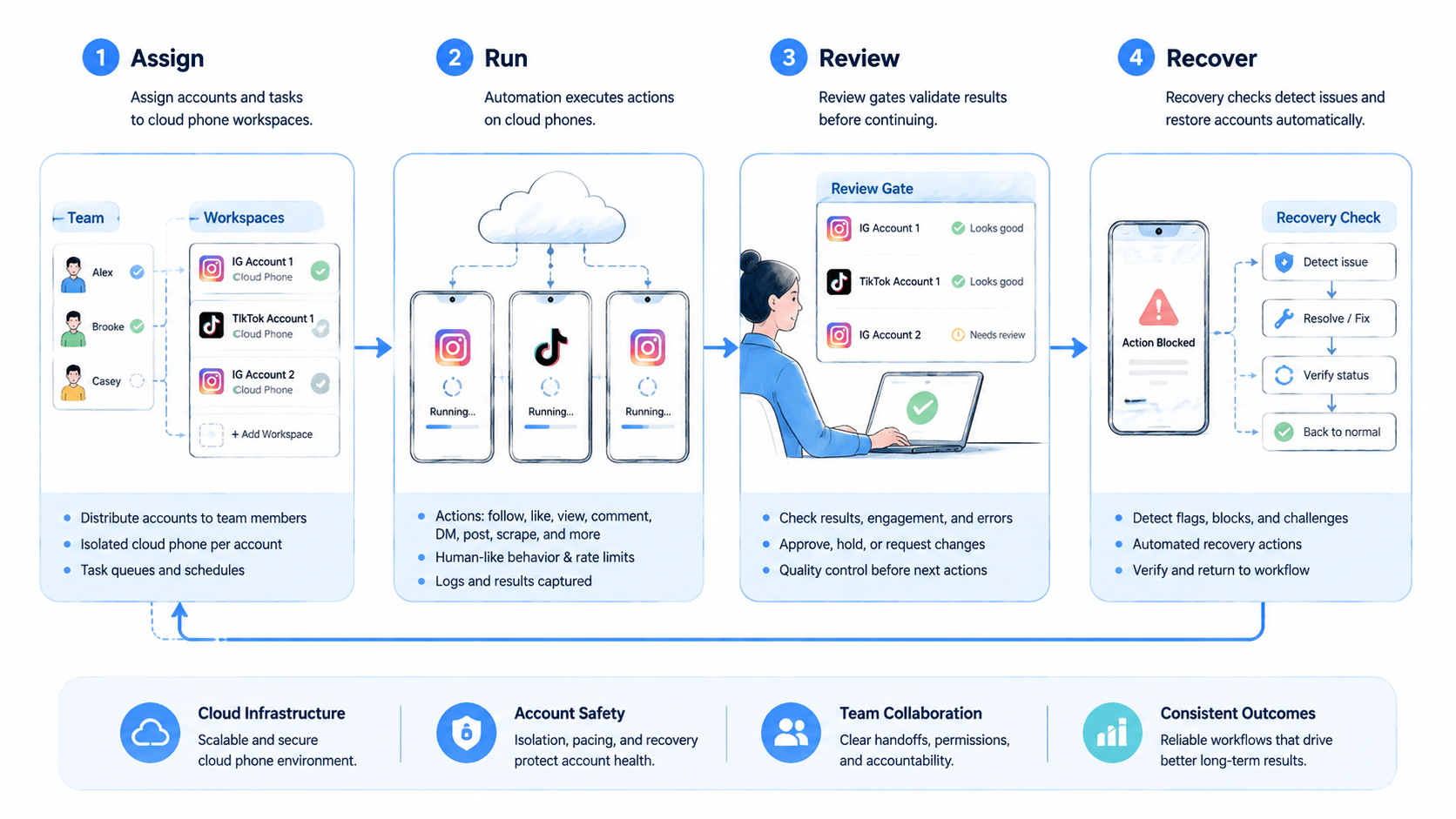
The strongest mobile execution setup connects app actions with account ownership, review gates, and recovery records. Prioritize clean environments before broad task volume.
Use one workflow, one platform, and a small account set for the first rollout. Measure completed work, failed states, and manual repairs. Then expand only after the team can explain each result.



