
To manage multiple YouTube accounts, first map the Google login, intended channel and permitted operator to a named browser workspace. Prepare owner approval, the channel's recognizable identity and a read-only verification task. The expected result is a repeatable way to open the correct channel with the right access, before editing or publishing anything.
Browser isolation organizes work, but it does not grant channel permissions. A window can have the expected name while YouTube is using another channel. This tutorial therefore checks channel selection and delegated access separately. It is not a demonstration of a tested Moimobi YouTube connector, nor a method for concealing account relationships.
Key Takeaways
- Record Google login and YouTube channel as separate identities.
- Choose channel permissions before sharing an owner's signed-in workspace.
- Check the current channel after opening or switching a workspace.
- Treat interface access and API access as different requirements.
- Use a read-only task to verify setup before content changes.
Prepare to manage multiple YouTube accounts
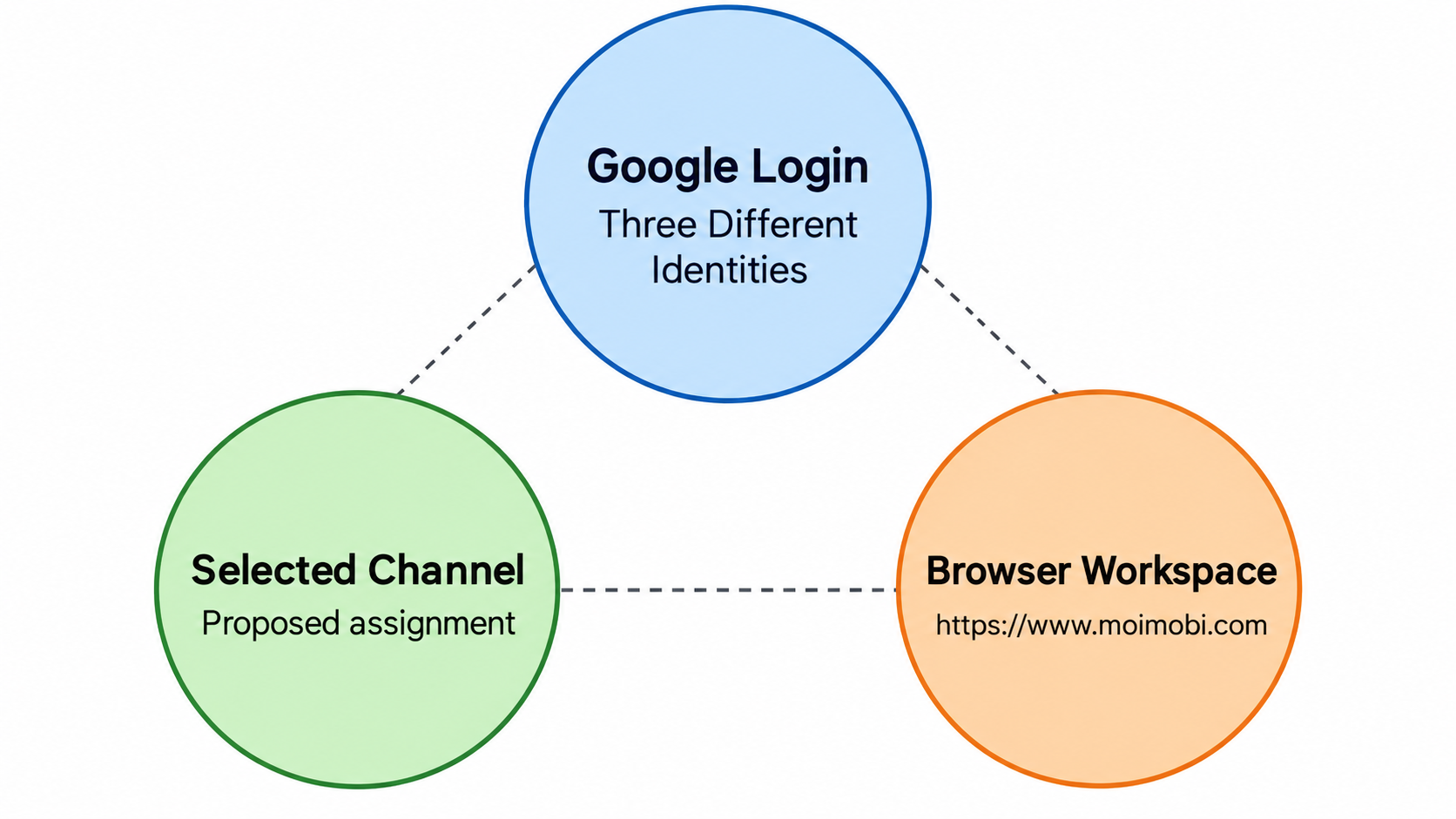
Create a channel register rather than a list of passwords. For each assignment, record the channel name, recognizable channel reference, business owner, operator, requested task and browser workspace. Also record the access model: the owner's own account or an invited member's account.
Keep similar channel names distinguishable. A hypothetical agency might manage a client channel and that client's separate regional channel. Naming both workspaces after the client leaves an avoidable ambiguity. Add the region or channel purpose to the workspace label, while keeping the actual channel reference in the assignment record.
Define the first task narrowly. A read-only review of channel identity or available content is easier to inspect than a publishing workflow. Its completion record should say which channel opened and what access was observed. It should not imply that a future upload, live stream or API operation has been tested.
Review shared ownership before creating more profiles. YouTube's channel-switching instructions explain that connected channels can be selected under a Google Account. Thus, channel count and Google-account count are not interchangeable. Decide whether separation is needed for different authorized operators, business contexts or saved browser state.
Choose channel permissions instead of distributing owner sessions
YouTube's channel-permissions guidance describes giving people channel access without access to the owner's Google Account. It also distinguishes access levels. Read the current role description for the specific job before requesting a grant.
For a proposed team setup, start with the action the member needs to perform. A person reviewing channel information should not receive broad account control just because another teammate needs to publish. Likewise, having a browser profile does not establish that a person should be invited to the channel.
The owner should approve the invitation and role. An operator can then use a workspace associated with their own permitted account. This avoids treating a copied owner session as the normal handoff mechanism. Changes to channel ownership require a separate decision; this article does not recommend performing them during profile setup.
An account-to-workspace coordination model can help the team describe these assignments. Keep the Google login, channel and owner visible in that model. A single field called account is too vague when the same login can operate in more than one channel context.
Steps to manage multiple YouTube accounts in separate workspaces
- Confirm the channel assignment. Ask the owner to identify the intended channel and permitted task. Compare that information with the register before creating or reusing a browser workspace. An unclear assignment should return to the owner.
- Select the approved access model. Establish whether the operator uses their own invited account or another explicitly approved arrangement. Do not copy an owner's browser state merely to avoid the permission decision.
- Name the workspace for the assignment. Include the channel purpose and operator role in a stable label. Keep confidential login information out of that name, since labels often appear in screenshots or handoff messages.
- Open the permitted login. Use the organization's normal sign-in process. If authentication or account recovery is requested, let the authorized account holder complete it. Avoid passing credentials through a task note.
- Select and confirm the channel. YouTube's desktop guide directs users to the profile picture and Switch account menu. Choose the intended channel, then check its name and icon. Use the assignment's channel reference when names alone are ambiguous.
- Run the read-only verification task. Inspect the permitted destination without uploading, deleting or changing settings. Record the observed channel and whether the required view is available. A page opening successfully does not prove access to every feature.
- Return a bounded handoff. Give the next operator the workspace reference, channel assignment, task result and unresolved issue. State whether permission was verified or merely requested. Recheck the channel before the next consequential action.
The desktop switching guide also recommends YouTube Studio when an accessible channel does not appear in the switcher. Treat that as a check, not permission to create a replacement channel. If the intended identity remains unavailable, stop and have the owner review access.
Verify identity when you manage multiple YouTube accounts
A useful verification record answers three questions. Which Google login is present? Which channel is currently selected? Does the requested task belong to that channel role? These checks solve different problems and should not be collapsed into one green status.
There is another important distinction for delegated work. YouTube's permissions documentation separates public channel actions from private activity associated with the delegate's personal account. Review that distinction before using viewing or searching activity as evidence of channel work.
For a hypothetical reviewer, opening an assigned channel page can confirm the destination context. It does not show that every action elsewhere on YouTube will be attributed to that channel. The reviewer should stay within the approved task, and the team should record the actual outcome rather than infer attribution from the workspace label.
If your evaluation uses scripted browser tests, protect their authentication files. Playwright's authentication guide warns that saved state can contain sensitive cookies and headers. Its testing model is not proof that a production profile or channel role has the same lifecycle. Keep test state out of shared content folders and source repositories.
Limits and failures that need owner review
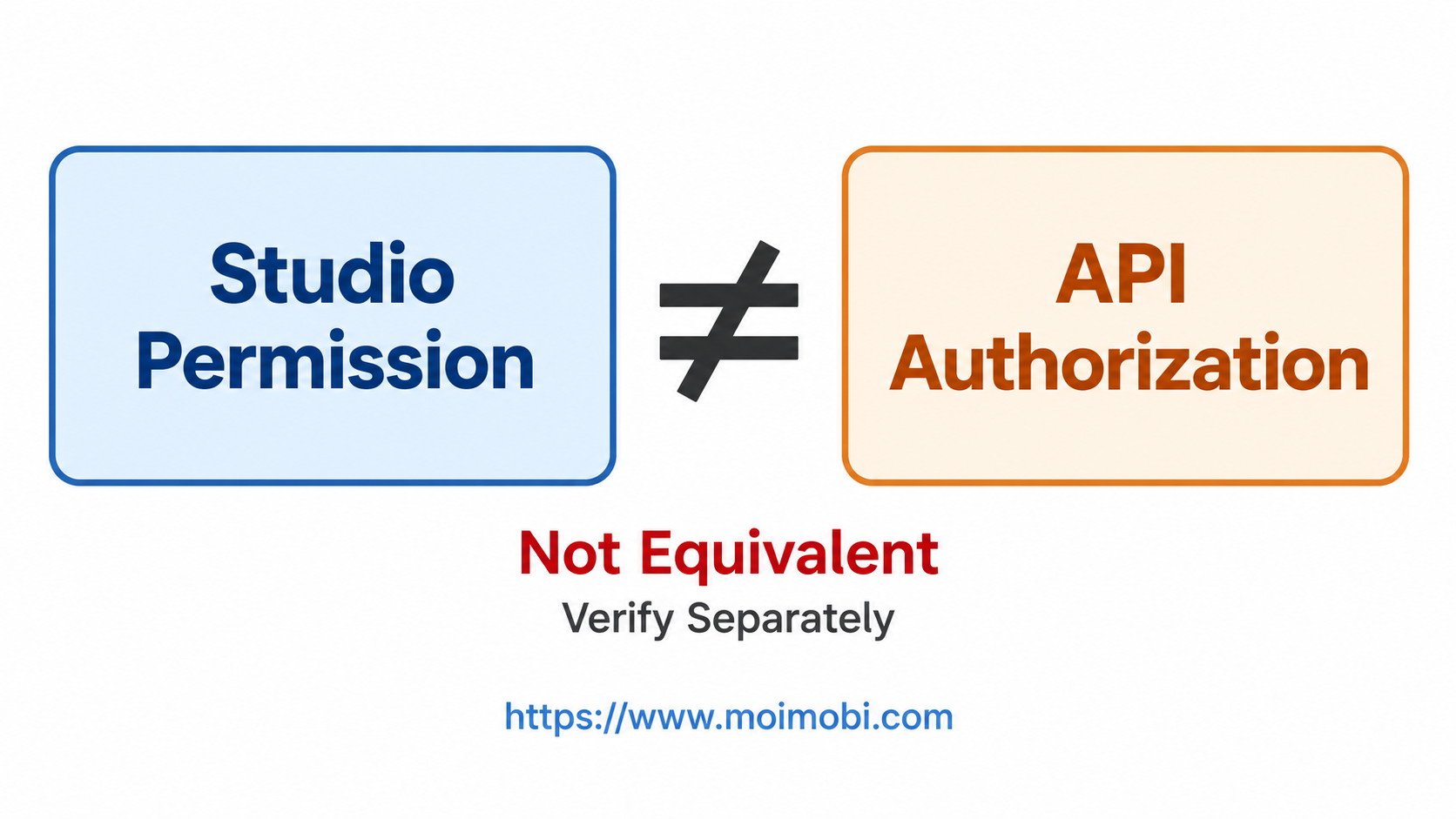
Interface access does not establish API eligibility. YouTube's permissions page identifies YouTube APIs among features unavailable through channel permissions. Verify a separate supported authorization route before designing an API task. More browser profiles do not resolve that limitation.
Stop when the selected channel differs from the assignment, required access is absent, authentication is unresolved or the requested action exceeds the approved role. Preserve the workspace reference and a minimal description of the mismatch. Avoid repeatedly switching accounts and attempting edits to discover which identity works.
For routine browser work, evaluate profile-based task environments around observable identity checks, not anonymity claims. If the same team also uses a cloud phone for mobile tasks, validate that environment separately. Evaluate its mobile-task execution requirements against the actual approved assignment. A desktop permission check does not certify the mobile interface or its available actions.
Review the assignment after an operator leaves or a role changes. Removing a local workspace is not the same as changing platform access. The account owner should use the platform's supported permission controls, then the team should update its register and retire obsolete workspaces.
Frequently Asked Questions
Is one browser profile required for each channel?
No universal mapping fits every team. Decide based on operators, task context and saved state, while checking the selected channel separately.
Does an invited member need the owner's password?
Channel permissions provide a supported way to grant access without the owner's Google Account. Choose the appropriate role for the job.
Can a profile label confirm the current channel?
No. Inspect YouTube's current channel identity. Labels are useful navigation aids, not evidence of platform state.
What if a channel is missing from the switcher?
Check the official Studio route and approved access. Ask the owner to resolve the mismatch instead of creating another channel.
Does Studio access mean API access?
No. Review API authorization separately. Channel-permission access has documented feature limits.
Is the procedure a live publishing test?
No. It proposes a read-only setup check. Publishing requires its own approved task and destination verification.
What should be measured after setup?
Track wrong-channel detections, unresolved access and handoff clarity. Compare observed results with the previous process before claiming improvement.
Finish with a channel-aware workspace map
Isolated browser profiles are most useful when the team knows which identity and task each workspace represents. Keep channel selection, operator permissions and browser state distinct. A verified channel-aware assignment is a stronger starting point than a collection of windows carrying similar account labels.



