
Title: How to Manage Multiple TikTok Accounts Without Losing Operational Control
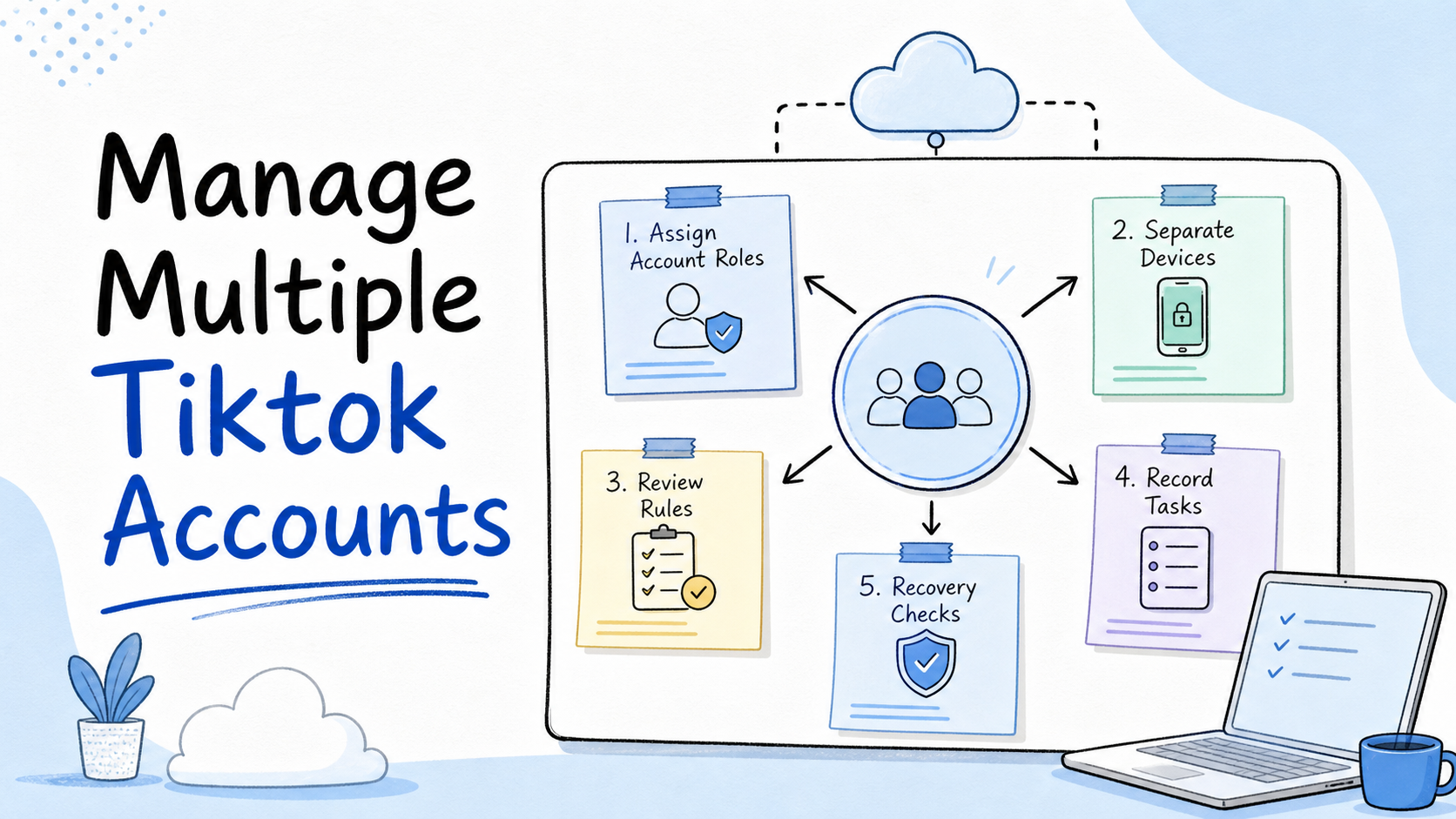
Managing multiple TikTok accounts is a team workflow for assigning account roles, separating execution environments, reviewing public actions, and recording recovery steps. The goal is not to push more activity through every account. The goal is to keep content, comments, inbox work, and account changes traceable.
This matters because TikTok operations often cross several roles. One person prepares videos. Another checks account status. A third reviews comments or messages. A fourth owns performance review. Without a shared operating model, multiple accounts become a pile of logins, devices, media folders, and private notes.
Key Takeaways
- Managing multiple TikTok accounts starts with account roles and ownership.
- Separate browser, device, route, and operator rules reduce operational confusion.
- Public actions need review rules, especially comments, replies, and account changes.
- Cloud phones are useful when TikTok work depends on mobile app execution.
- Teams should measure handoff quality, failed tasks, recovery time, and review queue age.
Key takeaways
- Managing multiple TikTok accounts starts with account roles and ownership.
- Separate browser, device, route, and operator rules reduce operational confusion.
- Public actions need review rules, especially comments, replies, and account changes.
- A cloud phone is useful when TikTok work depends on mobile app execution.
- Teams should measure handoff quality, failed tasks, recovery time, and review queue age.
Pre-Setup Requirements to Manage Multiple TikTok Accounts
Start with an account map. Do not begin by adding every account to one device group or automation queue.
The account map should include:
- account name and role
- owner and backup owner
- platform task type
- device or browser environment
- route rule
- media folder
- review rule
- pause condition
This map turns a vague account pool into an operating system. A content account may focus on publishing. A reply account may focus on comments and inbox work. A test account may only validate media, captions, or app-state checks.
TikTok's public rules focus on platform safety, authenticity, and content standards. Teams should treat those rules as operating boundaries, not afterthoughts. Multi-account work should avoid spam behavior, misleading activity, and unreviewed public actions.
Add a naming system before work begins. Account labels, device labels, media folders, and task names should follow the same pattern. For example, a team may use market, brand, role, and owner in the label. The exact format matters less than consistency.
Permission rules should also be clear. A content operator may upload drafts but not approve sensitive comments. A reviewer may approve replies but not change account settings. An admin may change environments, but those changes should be recorded.
Account, Device, and Role Mapping Table
A table helps teams avoid hidden overlap. It also makes handoff easier when an operator is absent.
| Account Role | Primary Task | Execution Environment | Review Signal |
|---|---|---|---|
| Publishing account | Upload approved videos and captions | Dedicated cloud phone or browser workflow | Post status and content approval |
| Engagement account | Review comments and route replies | Mobile app environment with inbox access | Resolved threads and pending review |
| Research account | Check trends, competitor posts, and ideas | Lower-risk research environment | Useful references captured |
| Client account | Handle brand-specific tasks | Isolated account workspace | Client owner and task log |
This structure is not about making accounts identical. It is about making them understandable. Each account should have a purpose, an environment, and a review signal.
Do not overload one account with every job. A research account, publishing account, and support account may behave differently because their work is different. Keeping those roles separate makes review easier.
The Core Workflow for Multiple TikTok Account Control
The main mistake is running all accounts through the same daily checklist. Different accounts have different risk, value, and task boundaries.
Use this workflow:
- Group accounts by purpose. Separate publishing, engagement, research, testing, and client accounts.
- Assign environments. Decide which account runs on which cloud phone, browser profile, or operator lane.
- Prepare media and copy. Keep videos, captions, hashtags, and notes in predictable folders.
- Define approval points. Public replies, sensitive edits, and account changes should not run without review.
- Run one task batch. Start with a small group before expanding to all accounts.
- Record outcomes. Log completed tasks, skipped tasks, blocked reasons, and recovery actions.
This is where multi-account management matters. The team should know which account is active, which task is pending, and which operator owns the next step.
Use one batch size during the pilot. If the first test uses five accounts, keep that size until the team understands normal completion time and failure patterns. Changing account count, content type, and device rules at the same time makes the result hard to read.
Keep AI assistance in a defined lane. AI can prepare caption options, summarize comments, classify messages, and suggest next steps. Human reviewers should still approve public replies, sensitive account changes, and unusual recovery actions.
How Cloud Phones Fit TikTok Account Operations
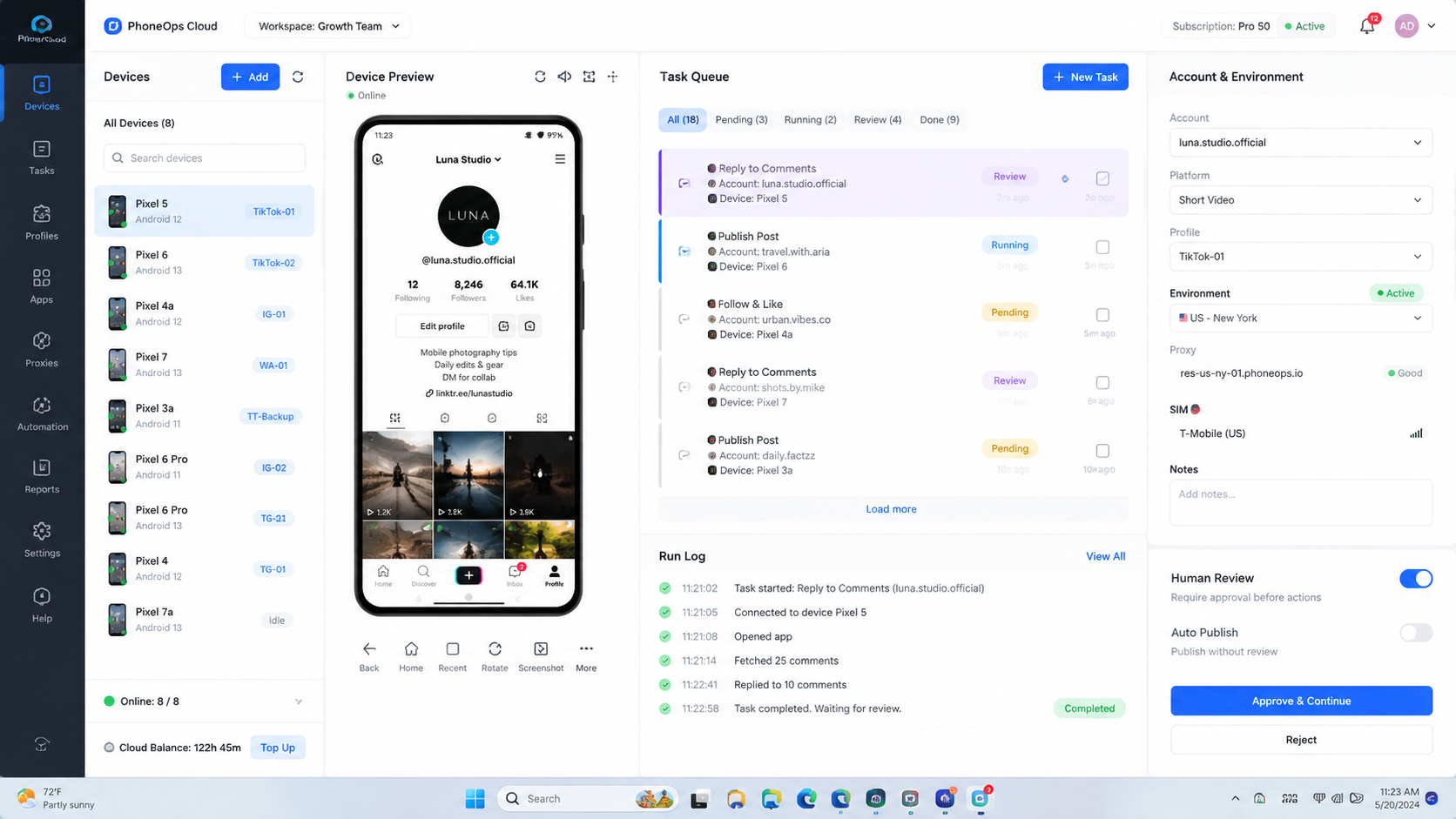
Cloud phones fit TikTok work when mobile app execution is part of the workflow. They give teams remote Android environments for app checks, media review, account status checks, and mobile-first tasks.
They do not replace content strategy, moderation judgment, or platform compliance. They provide an execution lane. The team still needs account rules and review ownership.
Use cloud phones when:
- TikTok work depends on mobile app sessions
- operators need shared but separated device access
- accounts should not run from personal phones
- account status checks need a repeatable process
- mobile workflows need logs and recovery notes
Use a browser or dashboard workflow when the task is web-based. A complete TikTok operation may need both. MoiMobi connects mobile automation, device separation, and account workflows for teams that need this combined model.
The practical benefit is handoff. A remote team can assign an account group to a prepared Android environment, then let another operator continue from the same task record. That is different from asking every operator to use their own phone.
Cloud phones also reduce local device overhead. Teams do not need to ship phones between operators, manage charging, or keep all account work tied to one desk. They still need account rules, route rules, and review rules.
How to Verify the Setup Is Working
Verification should answer whether the team can operate without guessing. If the answer depends on private chat history, the setup is weak.
Use this pass/fail checklist:
- Can each TikTok account be matched to one role?
- Can each account be matched to one environment rule?
- Can the team see who owns the next task?
- Can public actions be reviewed before execution?
- Can failed tasks be recovered by a second operator?
- Can route or device changes be reviewed later?
Run a handoff test. Ask a second operator to continue a paused task using only the task record. They should understand the account, environment, media asset, last action, and next step.
If the handoff fails, do not add more accounts. Fix labels, task fields, and review rules first.
Verification should also cover content readiness. Operators should know which video is approved, which caption is current, and which comments need review. If the media asset and account environment are correct but the caption is unclear, the task should pause.
Run one audit after the first week. Pick three completed tasks, one paused task, and one failed task. Check whether each task has an account owner, environment record, action summary, and next step.
Where Teams Usually Get Stuck
Teams get stuck when they optimize for volume before control. More accounts create more coordination work. They do not automatically create better output.
Common failure points include:
- duplicate media folders
- unclear account owners
- mixed personal and team devices
- missing approval rules for comments
- no recovery notes after failed tasks
- no difference between test and production accounts
Another failure is treating account warming as a mechanical checklist. Account activity should match the account role and content plan. Repeated generic behavior can create user experience and policy problems.
Teams also confuse content failure with environment failure. A weak video, missing caption, failed upload, account warning, and operator mistake are different problems. Put each issue into the correct bucket before changing the environment.
Use a simple issue taxonomy:
- content issue: weak hook, wrong caption, missing asset, or brand mismatch
- environment issue: device, app state, route, login, or storage problem
- workflow issue: unclear owner, missing approval, wrong task order
- platform issue: account status, moderation, or policy-related review
This prevents the team from changing devices when the content process is the real problem. It also prevents content teams from ignoring environment records when device changes caused the issue.
Who It Fits and When It Is a Strong Match
This workflow fits agencies, creator teams, cross-border ecommerce teams, and social media operators that manage several TikTok accounts across people and devices. The common pattern is repeated work plus shared responsibility.
It is less useful for a solo creator with one account. A simple content calendar and official app workflow may be enough. It is also less useful when a team only needs analytics or scheduling through approved tools.
Use this fit boundary:
Strong fit
Multiple accounts, mobile app tasks, several operators, public replies, and account status review.
Partial fit
Several accounts but only light mobile work, such as periodic checks and basic content review.
Weak fit
One account, one operator, no handoff, and no recurring account operations.
The decision should follow the operating model. If TikTok work creates device, account, and handoff complexity, device isolation becomes part of the stack.
Pilot Rollout, Measurement, and Recovery Checks
Do not roll out the full account pool on day one. Start with one group, one role, and one repeatable task.
Measure these fields:
- accounts active in the pilot
- posts or tasks completed
- tasks paused for review
- failed tasks with clear reasons
- operator handoff success
- time spent on recovery
- repeated failure causes
Run the pilot for one review cycle. Then decide whether to continue, reduce scope, or expand. If every issue requires the original operator to explain what happened, the workflow is not ready.
Add one recovery drill. Pause a task on purpose and ask a second operator to resume it. This shows whether the account map, media folder, environment rule, and task note are good enough.
A good recovery drill should feel boring. The second operator reads the task record, finds the account environment, checks the media folder, reviews the last action, and resumes or rejects the task. If they need hidden context, improve the record.
Track the reason for every pause. Some pauses protect account quality. Others expose unclear instructions. The team should not treat all pauses as failure.
Next Steps After the First Pass
Use checkpoints instead of vague improvement goals.
Account checkpoint: each account has one role, owner, backup owner, and environment rule.
Content checkpoint: every video, caption, and note has a clear source and approval state.
Device checkpoint: every account group has a device or browser rule that can be reviewed later.
Review checkpoint: public actions have approval rules, and sensitive tasks can pause.
Recovery checkpoint: failed tasks leave enough evidence for another operator to continue.
Once these checks pass, expand to the next account group. Keep the next group similar to the first one. A publishing group and a customer reply group may need different controls.
Before expansion, archive the first pilot notes. Keep the account map, task checklist, issue taxonomy, and recovery results. These documents become the training material for the next operator.
Expansion should add one variable at a time. Add more accounts, another market, another operator, or another task type. Do not add all four in the same week.
If the second batch performs worse, compare it with the first batch. The gap will usually point to owner clarity, media preparation, app environment, review load, or recovery quality.
Frequently Asked Questions
What does it mean to manage multiple TikTok accounts?
It means operating several TikTok accounts with clear roles, owners, environments, task rules, and review records.
Do teams need cloud phones for every TikTok account?
Not always. High-value or mobile-heavy account groups usually need stronger separation. Test accounts may use lighter rules.
Can AI automate TikTok account work?
AI can help prepare captions, replies, summaries, and task plans. Public actions should still have review rules.
What is the biggest operational risk?
The biggest risk is losing track of ownership, environment changes, and task history across accounts.
Should all accounts use the same workflow?
No. Publishing, research, engagement, and client accounts need different rules.
How should teams handle account restrictions?
Pause the affected group, record recent actions, check environment changes, and resume only after review.
Where does MoiMobi fit?
MoiMobi fits teams that need cloud phones, device isolation, mobile execution, and multi-account workflow control.
Conclusion
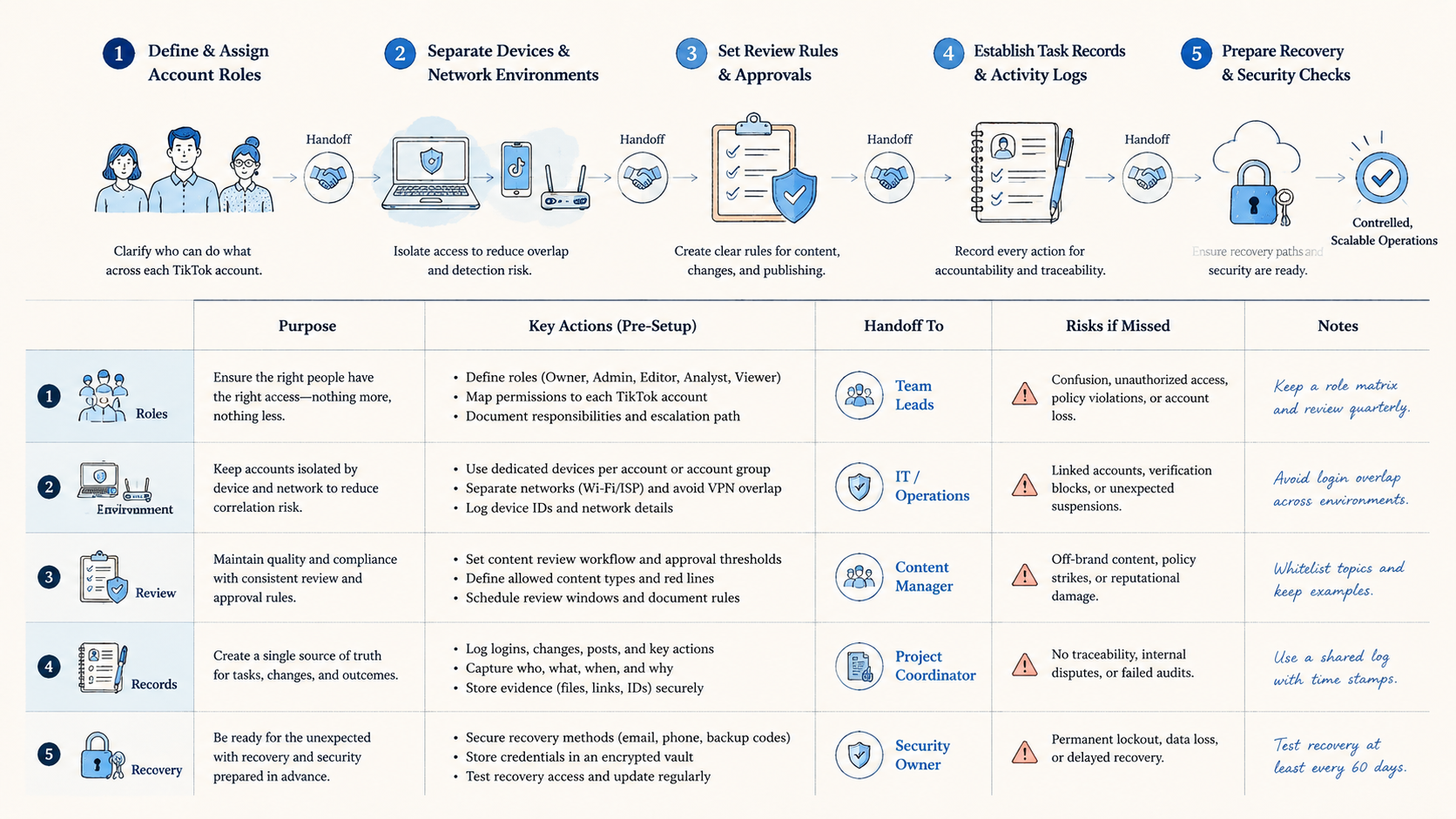
The priority order is account role, environment rule, task boundary, review point, and recovery record. That order keeps TikTok operations understandable as account count grows.
Start with one account group. If the team can publish, review, pause, and recover tasks without private explanations, expand carefully. If not, fix the operating model before adding more accounts.
References:



