
Key Takeaways
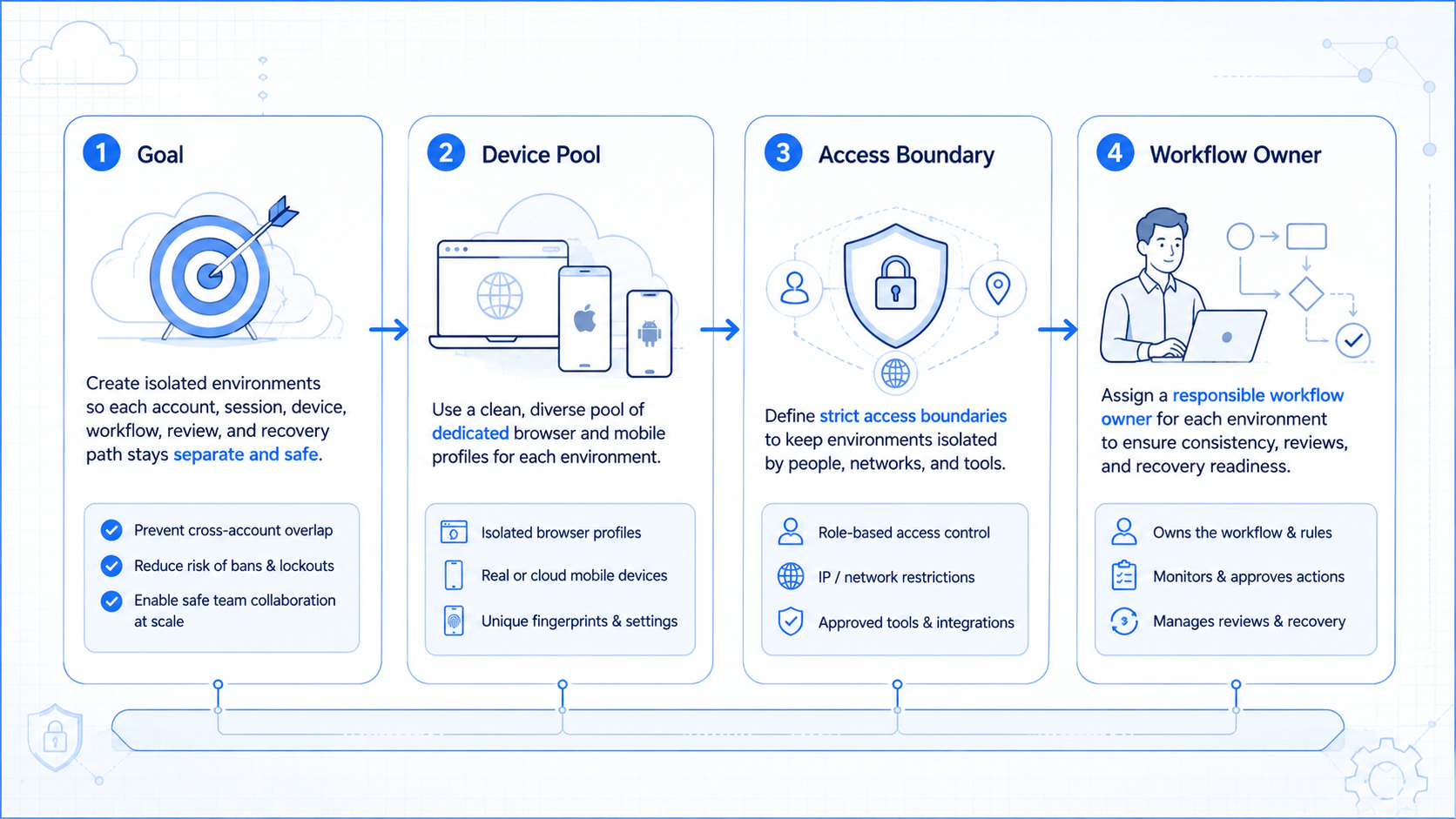
- An isolated environment separates account work into clear browser or mobile lanes.
- The goal is cleaner work, not reckless volume or bypass language.
- Teams should map one account, one environment, one owner, and one review path.
- A pilot should track completion, exceptions, account lane accuracy, and recovery time.
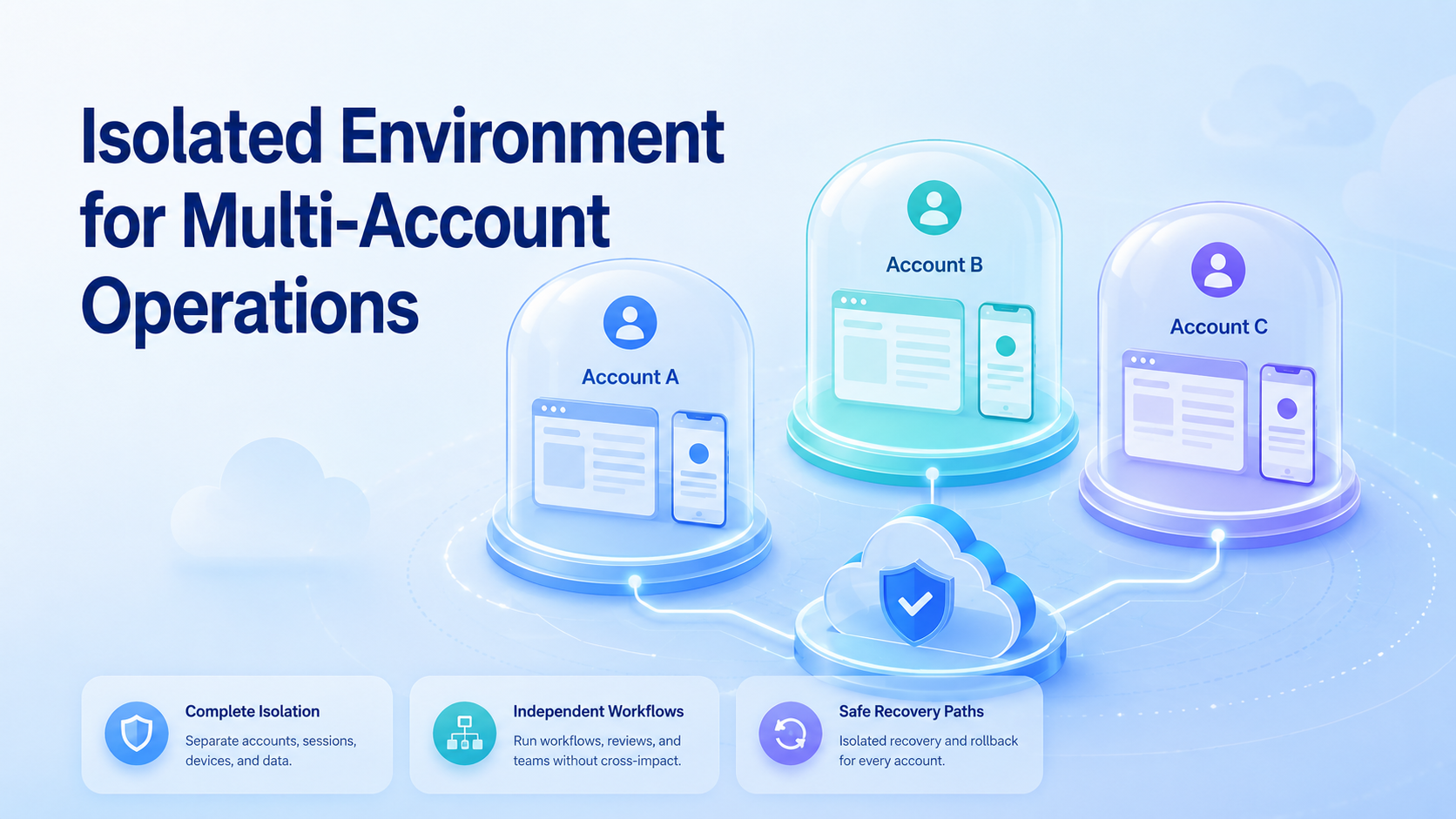
An isolated environment is a dedicated browser, mobile, or cloud device workspace used to keep one account's sessions, data, and workflow separate from others.
For multi-account operations, this separation matters because the team needs clear ownership. The question is not only "Can we run more accounts?" It is "Can we run them without mixing logins, notes, tasks, and responsibility?"
Moimobi treats separation as part of the work stack. A cloud phone can act as one mobile lane, while device isolation helps teams keep account work easier to inspect and hand off.
What Is an Isolated Environment for Multi-Account Operations?
A dedicated account lane gives each account its own operating space. That space may be a browser profile, cloud phone, Android device, proxy route, or a combined workspace.
The practical value is a clear log. If a social account publishes a post, replies to a message, or triggers a review task, the team can see which lane and owner were involved.
This also cuts team confusion. Instead of one shared browser handling ten accounts, each account lane has its own session state, task notes, and fix path.
Why an Isolated Environment Matters
Isolation is not a magic shield. It does not replace platform rules, content quality, customer trust, or human review.
The workable view is simpler. Teams need clean boundaries. A shared environment can mix cookies, app state, login sessions, draft content, and task history. That makes troubleshooting slower when something breaks.
Google Play's policy center shows how platform owners publish rules for app and account behavior. Teams working across mobile tasks should treat policy review as part of daily work, not as an afterthought. See the Google Play Policy Center.
Key Benefits and Use Cases
Use an isolated environment when the work has repeated account-level actions. Common cases include social publishing, customer replies, marketplace research, lead follow-up, and app-based account maintenance.
| Use Case | Why Isolation Helps |
|---|---|
| Social media accounts | Keeps content, login state, and reply history easier to separate. |
| Customer support | Connects each inbox lane to a clear owner and review path. |
| E-commerce operations | Separates store accounts, device context, and task logs. |
| AI worker workflows | Gives each worker a controlled place to execute repeatable steps. |
Moimobi connects this model with multi-account management, mobile automation, and cloud device tasks.
How to Get Started with an Isolated Environment
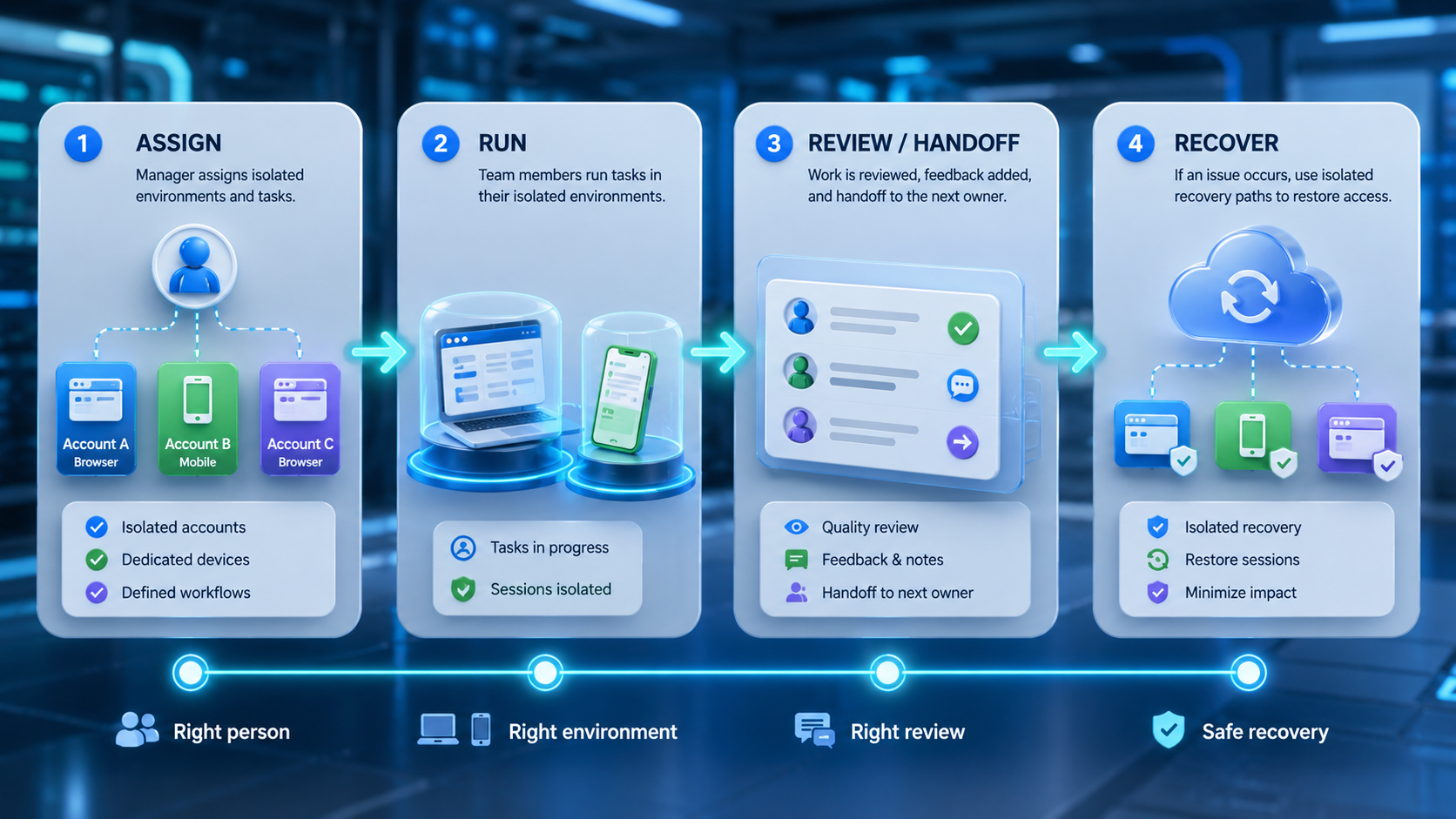
Do not start by cloning every account into a large pool. Start with one workflow that needs clear boundaries.
| Step | Action | Check |
|---|---|---|
| Pick the account type | Choose TikTok, Instagram, WhatsApp, marketplace, or support accounts | One account group is in scope |
| Assign the lane | Use a browser profile, cloud phone, or Android device lane | One account maps to one lane |
| Record ownership | Write down who manages the account and what work is allowed | The owner can review issues |
| Add a pause rule | Stop on login prompts, unclear messages, or policy questions | The team knows when to stop |
| Review week one | Compare done tasks, failed steps, and human edits | Expansion waits for clean notes |
Use a simple setup sheet before the first run:
| Field | What to Record |
|---|---|
| Account name | The exact account or store in use |
| Lane ID | Browser profile, cloud phone, or Android lane |
| Owner | The person who reviews issues |
| Allowed work | Posting, replying, research, support, or monitoring |
| Stop rule | The event that pauses work for human review |
| Notes field | Login prompts, failed actions, edits, and fix steps |
Common Mistakes to Avoid
The biggest mistake is using isolation as a substitute for good work. Separate lanes do not fix weak content, unclear customer replies, rushed account handling, missing owners, poor notes, or unclear stop rules.
Another mistake is treating "device spoofing" as the goal. Safer language and better practice focus on workspace separation, account ownership, review logs, and clean routing. Avoid evasion claims.
Teams lose control when no one reviews issues. A useful isolated environment should make issues visible. It should not hide login prompts, failed steps, skipped notes, unclear account activity, or owner gaps.
Do not hide errors.
Who It Fits and When It Is a Strong Match
This model fits teams that manage many accounts across browser and mobile channels. Agencies, sellers, social media teams, and support teams usually feel the need first.
It is a weaker match for one-person tasks with one account and low complexity. In that case, a simple password manager, content plan, spreadsheet, shared note, or standard browser profile may be enough.
The strong match appears when several people, accounts, and tasks interact. For example, one team may use a secure cloud phone for mobile replies and a browser profile for dashboard checks.
Pilot Rollout, Measurement, and Fix Checks
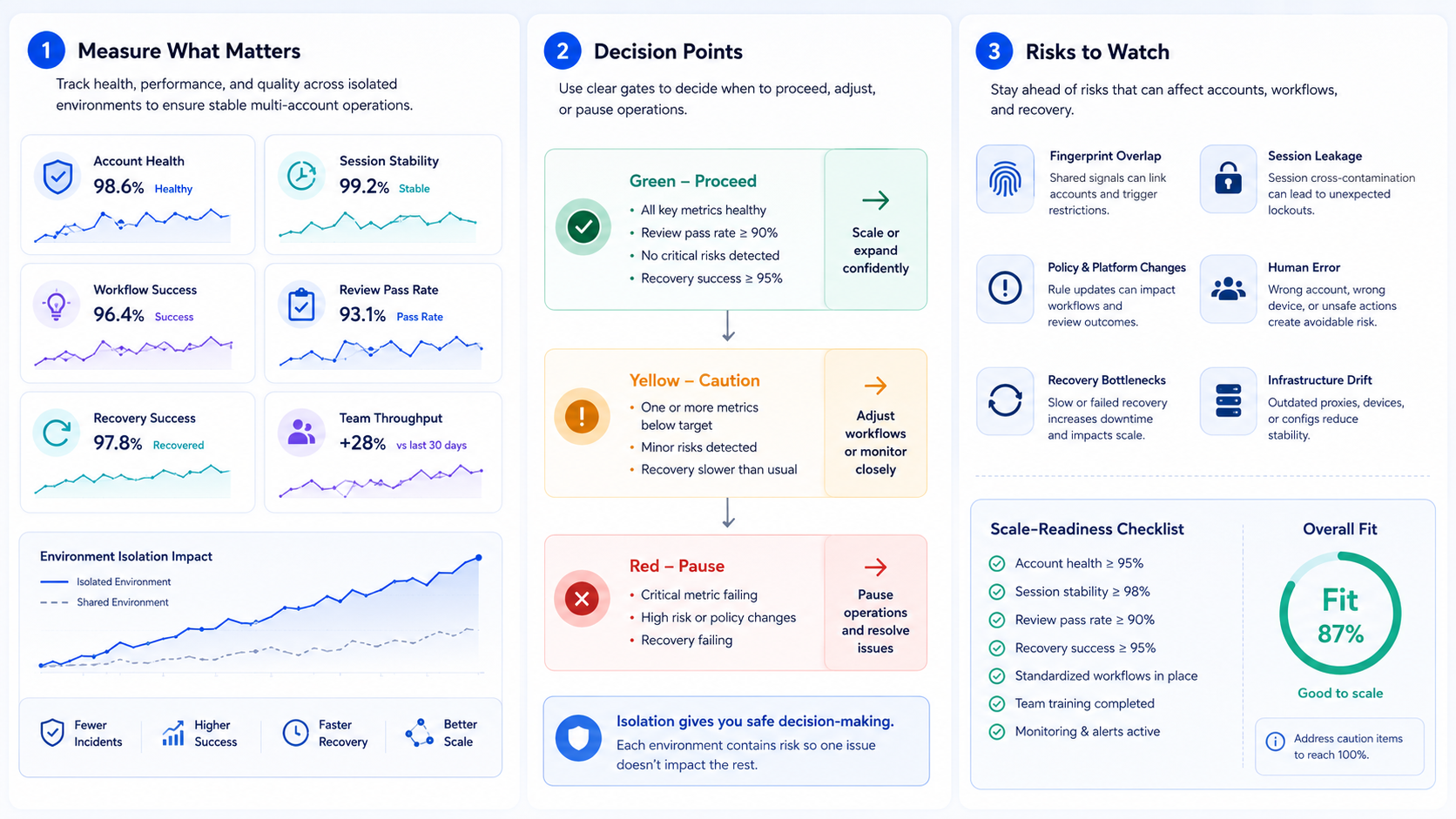
A pilot should prove that separation improves control. It should not only count how many accounts were created or opened.
Use a short operating scorecard before adding more accounts:
| Check | Pass Signal | Pause Signal |
|---|---|---|
| Lane accuracy | The right account used the right environment | Work happened in the wrong profile or device |
| Done work | The assigned task finished with notes | Steps were skipped or unclear |
| Issues | Prompts and errors were logged | Prompts were ignored or hidden |
| Fix path | A person could inspect and restart work | Ownership was unclear |
Google Search Central's helpful content guidance is about publishing, but the principle applies here: output should be useful and sound for people. Teams running AI-assisted account work should review results before treating the task as finished. See creating helpful content.
Frequently Asked Questions
What is an isolated environment?
It is a separate browser, mobile, or cloud workspace for one account, one task path, and one owner, so the team can inspect the work later.
Does isolation mean accounts are automatically safe?
No. It improves separation and logs, but platform rules and human review still matter.
Is this only for cloud phones?
No. It can include browser profiles, Android devices, cloud phones, account workspaces, routing notes, review logs, and pause rules for team handoff.
How many accounts should use one environment?
For controlled work, one account per lane is usually easier to audit.
Can AI workers use isolated environments?
Yes. An AI worker can operate inside a dedicated browser or mobile lane when the workflow is clearly defined.
What should teams measure first?
Start with lane accuracy, done tasks, issues, and fix time.
When should a team pause expansion?
Pause when issues rise, review quality drops, or ownership becomes unclear.
Conclusion
This setup is most useful when account work needs clear separation, review, and a fix path.
Start with one account type, one workflow, and one lane per account. Then measure whether the setup improves logs before adding more accounts.
The next step is an account map. List every active account, its owner, its lane, and its allowed task scope. That map shows where isolation should start.



