
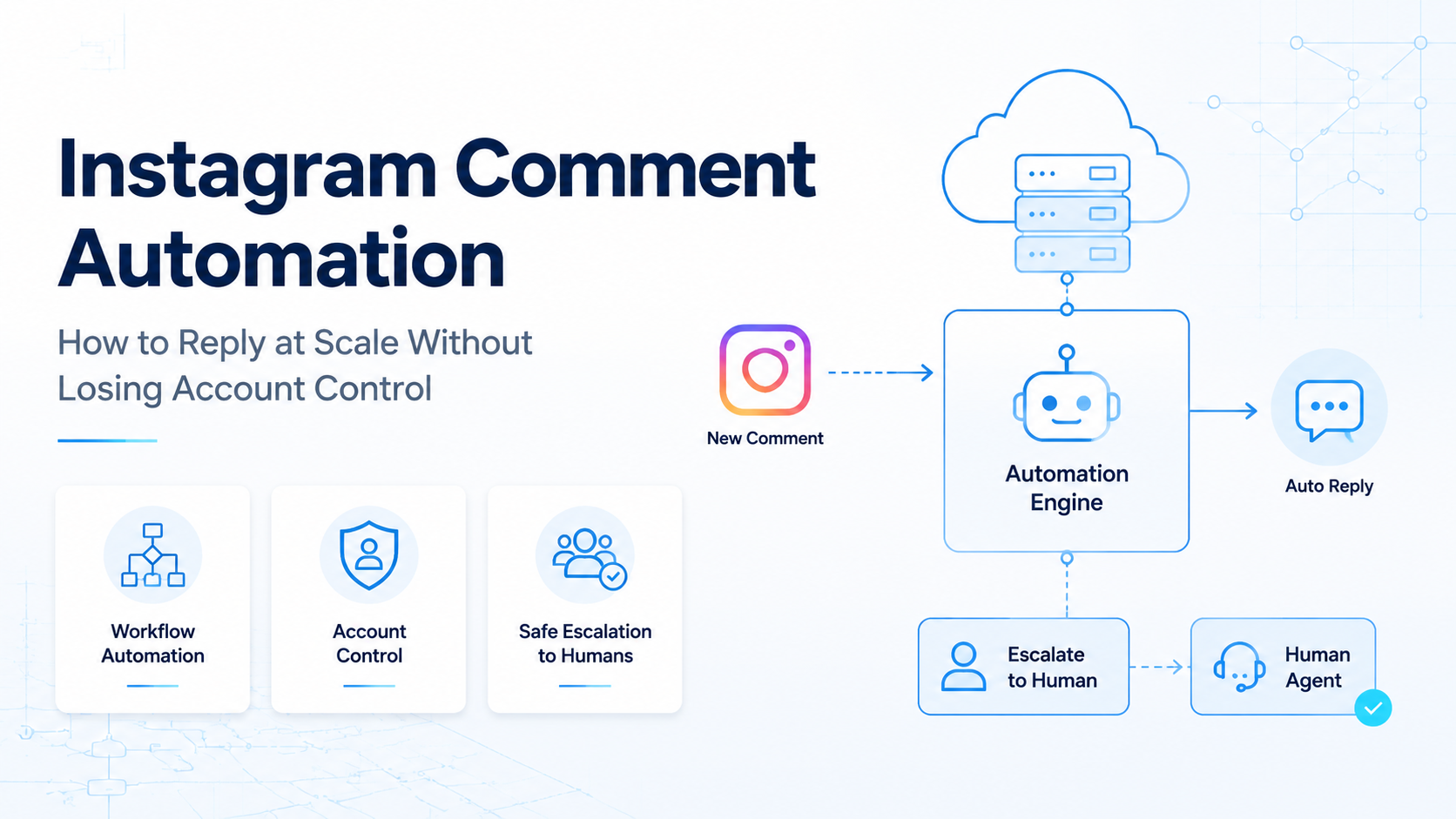
Instagram comment automation is a workflow for sorting, drafting, routing, and replying to comments with rules, review controls, and account-level limits. It is not just a bot that posts the same reply everywhere.
The real problem is control. A social team may need faster replies across many posts and accounts, but it still needs tone review, escalation paths, platform policy awareness, and clean account ownership. A good workflow keeps the account, the message, and the operator visible.
MoiMobi treats comment work as execution infrastructure. Teams can combine isolated mobile environments, browser workspaces, and human review so replies do not become a blind mass-action system.
Key Takeaways
- Instagram comment automation should start with triage, not posting.
- Teams need clear boundaries for public replies, hidden comments, escalation, and manual takeover.
- The workflow should respect Meta's official APIs and policy boundaries.
- Account isolation matters when several operators manage many profiles.
- A pilot should measure reply quality, response time, and recovery events, not only volume.
What You Need Before You Start with Instagram Comment Automation
Begin with account access, message rules, and review ownership. Tools matter, but the first risk is an unclear operating model.
Meta provides official Instagram Platform documentation for professional account workflows, including API-based access patterns. Use those official routes as the reference point before choosing any automation stack.
Meta also documents comment moderation capabilities for eligible professional account workflows. Its public policy center defines inauthentic behavior as deception through inauthentic assets or enforcement evasion, so the workflow should avoid fake coordination or identity confusion.
A workable setup usually needs four parts:
- A source of comments from posts, ads, or community activity.
- A rule layer that tags questions, complaints, spam, sales intent, and sensitive cases.
- A drafting layer that suggests replies or templates.
- An execution layer where a human or approved workflow sends the response.
For multi-account teams, the account environment is part of the workflow. Use multi-account management practices when one team handles many Instagram profiles, client brands, or regional accounts.
How to Get Started with Instagram Comment Automation
Do not begin by automating every reply. Begin by deciding which comments should never be automated.
- Map comment types. Separate simple FAQs, shipping questions, product questions, complaints, abuse, creator mentions, and legal issues.
- Define the response owner. Decide who approves brand replies, who handles support cases, and who can pause automation.
- Create approved reply patterns. Use short templates with variables, but keep them editable.
- Route sensitive comments to humans. Complaints, refunds, medical claims, legal issues, and public disputes need review.
- Test on a small account group. Run the workflow on low-risk posts before using it across a full account pool.
- Log every action. Store comment ID, account, operator, draft text, final text, timestamp, and result.
The first version can be simple. A shared inbox, tagging rules, and a reply queue may be enough before adding AI drafting or deeper automation.
Best Practices During Setup
The best Instagram comment automation workflow is boring on purpose. It should reduce repeat work without making public replies feel unmanaged.
| Decision Area | Safer Operating Choice | What to Avoid |
|---|---|---|
| Reply generation | Draft suggestions with human approval for edge cases | One template sent to every comment |
| Account access | Named operators and separated environments | Shared logins without ownership |
| Platform behavior | Use official API documentation as the boundary | Unclear scripts that mimic fake activity |
| Escalation | Stop rules for complaints and sensitive comments | Letting automation argue publicly |
Meta's Instagram Platform docs should guide what can be done through official access. For broader trust boundaries, Meta's inauthentic behavior policy is useful because it explains the kind of deceptive coordination the platform does not allow.
For teams that also operate mobile-first workflows, mobile automation can keep routine checks, inbox review, and account handoff in one execution system.
Common Mistakes to Avoid
Many failed comment workflows are not technical failures. They are control failures.
- Replying before classifying. A comment asking for support is not the same as a comment using a product keyword.
- Treating all accounts the same. A creator account, store account, and paid media account may need different reply rules.
- Skipping escalation. Public complaints can become brand issues when a workflow keeps responding without context.
- Ignoring operator logs. If nobody knows which tool or person replied, the team cannot debug problems.
- Confusing automation with fake engagement. Comment management should support genuine response work, not simulate popularity.
- Using one global template. Repeated public replies look weak and may frustrate real users.
A safer rule is simple: automate the queue, the draft, and the routing before automating the public action.
Who It Fits and When It Is a Strong Match
Instagram comment automation fits teams with repeatable comment patterns and clear ownership. It is strongest when comments create real workload, not when the team only wants more visible activity.
It fits:
- E-commerce teams answering product, delivery, and availability questions.
- Agencies managing several client accounts with different tone rules.
- Creator teams that need to sort comments before sending replies.
- Support teams that need to move public comments into private channels.
- Growth teams monitoring campaigns across many posts.
It is a poor fit when the account strategy depends on fake comments, copied replies, or unclear identity. It is also weak when the team has no escalation process. In those cases, the first project should be governance, not automation.
Teams that manage several profiles should also review device isolation. Separate execution environments reduce accidental session mixing and make handoff cleaner.
Pilot Rollout, Measurement, and Recovery Checks
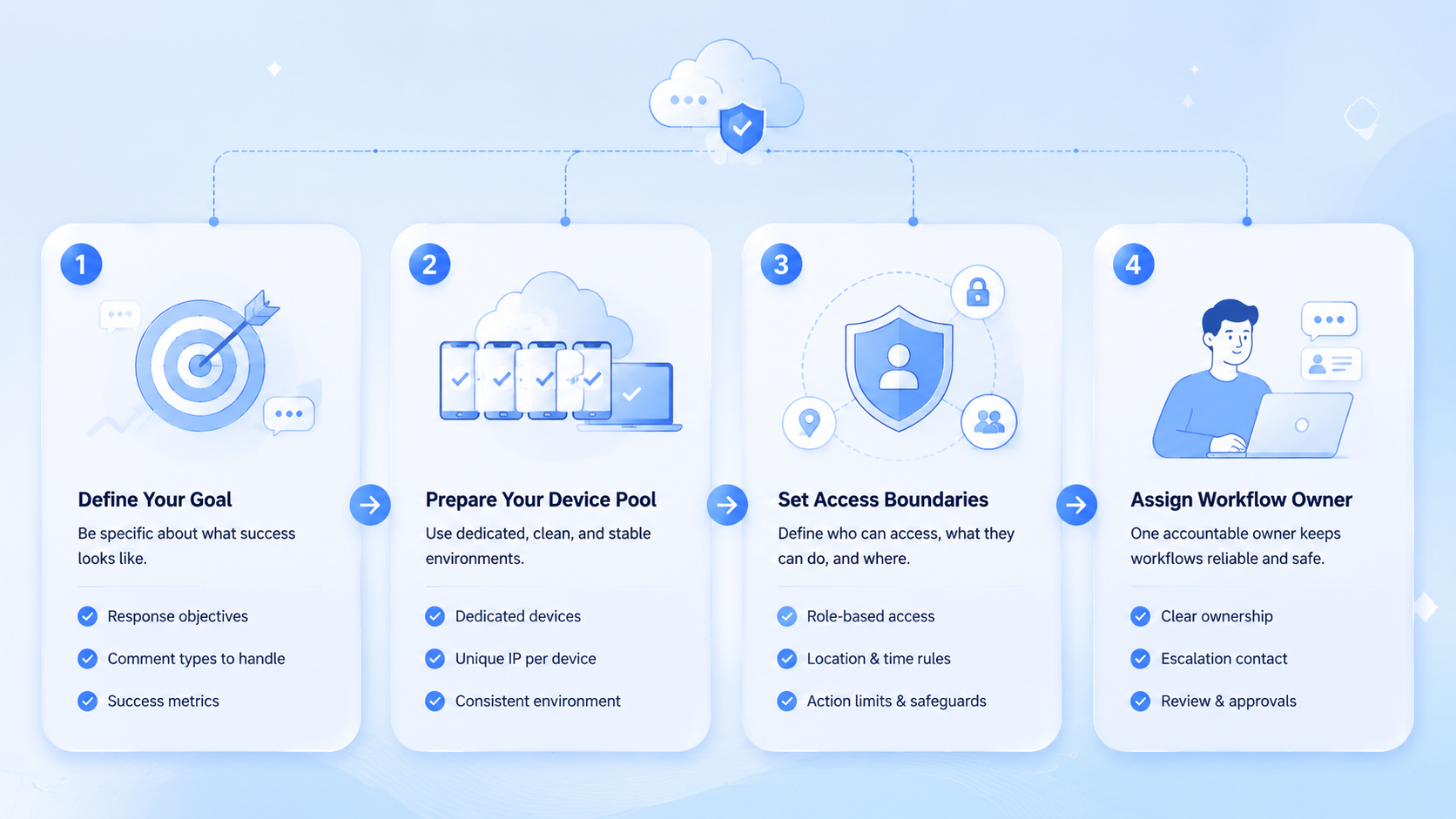
A pilot should prove that the workflow improves control. Do not judge it only by the number of replies sent.
Track these fields during the first two weeks:
- Reply approval rate.
- Average time from comment received to first action.
- Number of comments routed to a human.
- Number of public replies edited after drafting.
- Number of paused rules.
- Account or session issues during execution.
- Customer sentiment on replied threads.
Use a pass/fail checklist at the end of the pilot.
If the pilot fails, reduce automation scope. Keep triage and drafting, but move final replies back to manual approval until the team fixes the rule set.
What to Do Next
Build the smallest system that proves control. Pick one account, one content category, and three comment types.
Use a workflow like this:
- Pull comments into a queue.
- Tag each comment by intent.
- Draft a reply for low-risk comments.
- Route sensitive comments to a human.
- Send approved replies from the correct account environment.
- Review the logs at the end of each day.
If the workflow is stable, expand account by account. MoiMobi's social media marketing use case is built around this kind of controlled, multi-account execution.
Review Roles for Instagram Comment Automation
Role design is where Instagram comment automation becomes manageable. A tool can move comments into a queue, but a team still needs clear authority over public replies.
Use four roles during setup. The account owner controls the profile and can pause the workflow. The reviewer approves comments that affect brand tone. The support owner handles order, refund, or product issues. The workflow operator checks logs and fixes broken rules.
Small teams can combine roles, but they should not remove them. One person may be both reviewer and support owner, yet the workflow still needs those decision points. Without them, every exception becomes a chat message.
Create a simple routing rule for each comment type:
- Product question: draft reply, then reviewer approval.
- Order issue: route to support, then move to private channel when needed.
- Spam or abuse: flag for moderation review.
- Creator or partner mention: route to the campaign owner.
- Legal, health, finance, or safety claim: manual review only.
This role map also helps with vendor evaluation. A platform that cannot show who approved, paused, or edited a reply is weak for team use. It may still work for a solo operator, but it will be hard to audit across accounts.
Account Environment Checks Before Scaling
The execution environment should be checked before any automation expands. The team needs to know which account is open, which operator owns the task, and which device or browser profile is being used.
Use a short preflight check:
- Confirm the account name and workspace.
- Confirm the active campaign or content group.
- Confirm the reply rule being tested.
- Confirm the escalation owner.
- Confirm that logging is active.
This check sounds basic, but it prevents the most expensive mistakes. Wrong-account replies, reused client language, and unlogged edits create cleanup work that automation was supposed to remove.
For larger teams, build the check into the workflow itself. The operator should not need to remember every account rule from memory. The system should display the account, task, owner, and stop condition before action.
Frequently Asked Questions
Is Instagram comment automation allowed?
It depends on how it is implemented. Use official Meta documentation as the boundary and avoid deceptive activity, fake engagement, or unclear account control.
Should AI write every reply?
No. AI can draft routine replies, but sensitive comments need review. Keep manual takeover easy.
What is the safest first workflow?
Begin with triage and drafts. Delay automatic public posting until logs, review, and stop rules are working.
Can agencies use it for client accounts?
Yes, if each client account has clear access, tone rules, approval paths, and reporting.
Does automation replace a social media manager?
No. It reduces queue work. A manager still owns tone, escalation, and campaign judgment.
What should be logged?
Log the account, comment ID, draft, final reply, operator, timestamp, rule used, and outcome.
How many accounts should a pilot include?
Use one account or a small account group. Expand only after reply quality and recovery checks pass.
What is a bad sign during testing?
Repeated replies, rising complaints, unclear ownership, or missing logs are signs to pause the workflow.
Conclusion
Instagram comment automation works best as a controlled operations workflow. It should help teams classify comments, draft responses, route exceptions, and reply from the right account environment.
Before scaling it, check three things: the team can pause automation, every action is logged, and sensitive comments reach a human quickly. If those checks pass, the workflow can expand with less operational confusion.



