
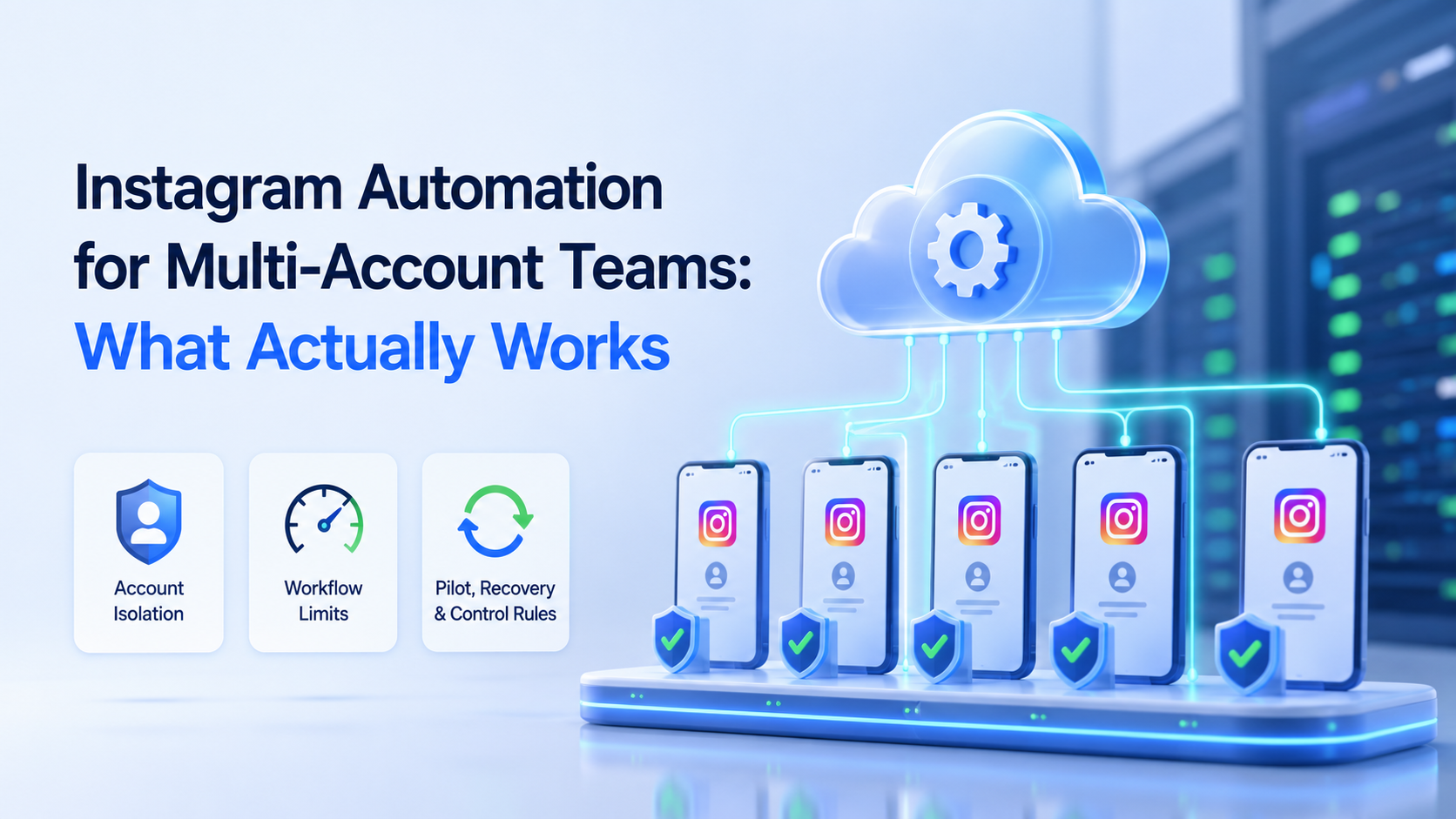
Instagram automation for multi-account teams is a controlled way to manage repeated Instagram tasks across several accounts with queues, isolated environments, and review rules. It works when it supports real operations, not when it tries to manufacture engagement.
The practical answer is narrow. Automate task preparation, routing, reminders, drafts, monitoring, and reporting first. Be careful with public actions, repeated interactions, and any behavior that can look deceptive or unmanaged.
For a team running several brand, creator, or regional accounts, MoiMobi is best understood as execution infrastructure. It connects mobile environments, account isolation, and repeatable workflows so operators can work without mixing sessions.
Key Takeaways
- Multi-account Instagram automation should start with workflow control, not volume.
- Account isolation and operator ownership matter more than one-click scripts.
- Public actions need review rules, rate discipline, and a pause path.
- Meta policy language around inauthentic behavior should shape the boundaries.
- A pilot should measure quality, recovery events, and handoff clarity.
The Core Idea Behind Instagram Automation for Multi-Account Teams
The core idea is to separate workflow automation from account behavior. Workflow automation helps the team see what needs action. Account behavior is what actually happens on Instagram.
This distinction matters because multi-account work has more failure points than single-account work. Operators can open the wrong account, reuse the wrong reply, miss a client-specific rule, or act without context. Automation should reduce those mistakes.
A useful model has five layers:
- Account workspace. Each account has a known environment and owner.
- Task queue. Posts, comments, messages, checks, and reports become assigned work.
- Rules. The team defines what can be drafted, skipped, escalated, or paused.
- Execution. Work happens in the right browser or mobile environment.
- Review. Results are logged and checked before the workflow expands.
Multi-account management is the center of this model. The team is not only posting more. It is keeping account work separated, inspectable, and recoverable.
Why Teams Search for This Topic
Teams usually search for Instagram automation after manual work becomes inconsistent. A manager may handle five accounts well, but twenty accounts create handoff problems.
The common misunderstanding is that automation means replacing operators. In practice, strong teams use automation to make operators more consistent. They standardize checklists, surface comments, draft replies, schedule review, and report results.
Meta's Inauthentic Behavior policy is a useful boundary because it focuses on deception, fake assets, and enforcement evasion. Teams should avoid workflows that hide identity, simulate popularity, or coordinate fake activity.
Official Instagram Platform documentation also matters. When a workflow needs programmatic access, use Meta's developer documentation as the source of truth. Do not design around vague third-party claims.
Meta's comment moderation documentation is also a better source than forum snippets when teams design comment review workflows.
Who Benefits Most and In What Situations
Instagram automation fits teams with repeatable account operations. It does not fit teams that lack account ownership, content rules, or a review process.
The strongest use cases are operational:
- Monitoring comments after campaigns.
- Drafting replies for common product questions.
- Preparing post captions for review.
- Checking account activity across regions.
- Routing private messages to the right support owner.
- Collecting campaign output for weekly reports.
For mobile-first work, cloud phone environments give each account a persistent place to operate. That matters when a team needs Android app access, not only browser access.
How to Evaluate or Start Using Instagram Automation for Multi-Account Teams
Begin with a controlled pilot. Do not connect every account on day one.
- Choose one workflow. Pick comment triage, content review, inbox routing, or daily checks.
- Choose a small account group. Use accounts with active but manageable volume.
- Define action levels. Separate observe-only, draft-only, approve-to-send, and manual-only actions.
- Assign owners. Every account needs an operator and backup owner.
- Use separated environments. Avoid mixing sessions across accounts or clients.
- Record outcomes. Track what the workflow did, who approved it, and what changed.
- Review weekly. Expand only after quality and recovery checks pass.
Teams that need mobile app execution can use mobile automation to support repeatable app-side workflows. When the concern is account separation, review device isolation before expanding.
Mistakes That Reduce Results
The biggest mistake is treating Instagram automation as a volume engine. More actions do not mean better operations.
Common failure modes include:
- No account map. The team cannot tell which account belongs to which client, region, or campaign.
- No stop rule. Automation continues after negative comments, complaints, or policy-sensitive issues appear.
- No review queue. Drafts move straight to public replies without context.
- No environment separation. Operators switch accounts in shared sessions and lose traceability.
- No source of truth. Templates, campaign rules, and account notes live in chat messages.
- No recovery plan. Nobody knows what to do when a workflow breaks or an account needs manual review.
A better approach is slower at the start. Build rules, logs, and handoff first. Then automate the repeated pieces that remain predictable.
Operating Model for Instagram Automation for Multi-Account Teams
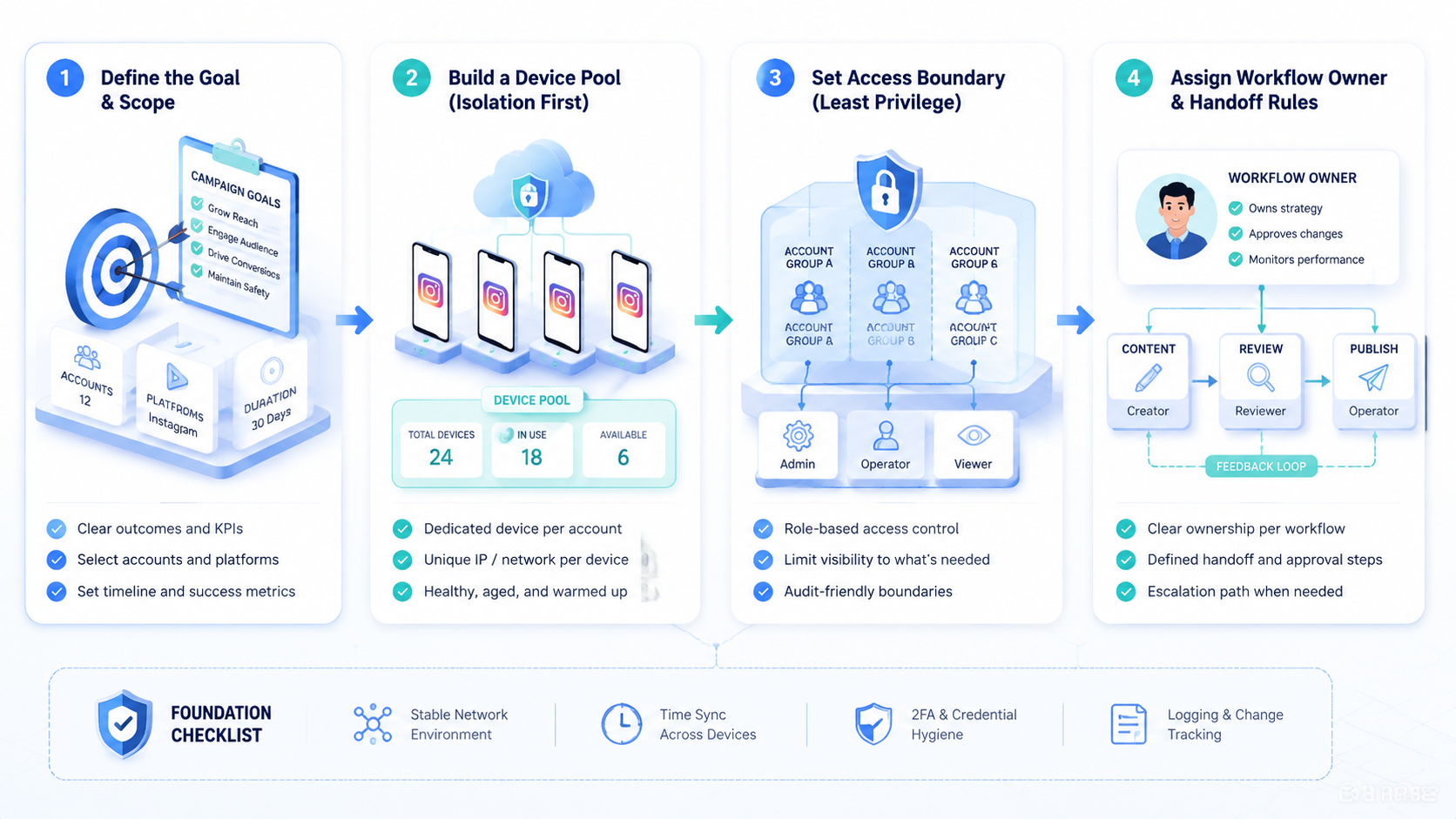
The operating model should tell every operator what to do before a tool runs. Without that model, automation only moves confusion faster.
Begin with account grouping. Put accounts into clusters by client, region, brand, campaign, or workflow type. A skincare brand account should not share the same reply rules as a B2B lead generation account. A local market account may also need a different language owner.
Next, define the action ladder:
- Observe. The workflow collects posts, comments, DMs, and account checks.
- Classify. The workflow tags intent, urgency, content type, and risk level.
- Draft. AI or templates prepare suggested captions, replies, or notes.
- Approve. A human approves public actions or sensitive account changes.
- Execute. The action runs in the right account environment.
- Record. The result is stored for reporting and review.
The ladder gives managers a way to scale safely. Some accounts may stop at classify and draft. Others may allow approved replies. High-value accounts may stay manual for public actions while using automation for monitoring.
This model also helps procurement. A tool that only executes actions is not enough for serious multi-account work. The platform should support task records, account separation, owner assignment, and recovery.
Account Isolation and Handoff Rules
Account isolation is not only a security idea. It is an operations rule.
Each account should have a known workspace, owner, and handoff path. If an operator leaves a shift, the next operator should see the same account context. They should not guess which browser, phone, proxy, or template belongs to the account.
Use these handoff fields:
- Account name and platform.
- Workspace or device ID.
- Current campaign.
- Last completed task.
- Open exceptions.
- Reply or content rules.
- Owner and backup owner.
This is where cloud phones and isolated workspaces are useful. They give the team a persistent place to run mobile app work. The value is not only remote access. The value is reduced confusion when several people touch the same account pool.
Without this map, automation should stay limited. Add accounts only when ownership and recovery are clear.
Governance Rules Before Expansion
Governance turns Instagram automation for multi-account teams into a repeatable system. It gives operators a rulebook before volume increases.
Create three lists before expanding. The first list defines allowed actions. These may include checking posts, tagging comments, drafting captions, preparing reports, and routing messages. The second list defines restricted actions. Public replies, sensitive DMs, and account setting changes may need approval. The third list defines stop actions. Complaints, policy-sensitive comments, login warnings, and account access changes should pause the workflow.
Assign a review cadence as well. Daily review works for active campaigns. Weekly review may be enough for low-volume monitoring. The review should cover what ran, what failed, what was edited, and what needs a rule change.
Governance also protects client work. Agencies can show clients which workflows ran and which actions stayed manual. That record is useful when a client asks why a reply was delayed or why a comment was escalated.
The expansion rule is simple: never add more accounts than the team can audit. A smaller controlled account pool is better than a large pool with unclear ownership.
Pilot Rollout, Measurement, and Recovery Checks
A good pilot answers one question: can the team run more accounts without losing control?
Use a scorecard instead of a simple volume target.
| Metric | Why It Matters | Healthy Signal |
|---|---|---|
| Manual takeover rate | Shows where automation needs human judgment | Sensitive cases are routed quickly |
| Reply edit rate | Measures draft quality | Routine replies need light edits only |
| Account mix-up events | Tests workspace control | No wrong-account actions |
| Paused rules | Shows whether stop controls work | Operators can pause without engineering help |
| Weekly output review | Connects execution to business results | Managers can see what ran and what failed |
Recovery checks should be practical. Keep a list of accounts under automation, the workflow owner, the last successful run, and the last manual exception. If one of those fields is missing, do not scale the workflow.
For broader account workflows, the social media marketing use case can act as the next evaluation page.
Frequently Asked Questions
What works best in Instagram automation for multi-account teams?
Task routing, draft creation, comment triage, monitoring, reporting, and operator handoff usually work best as early workflows.
What should not be automated first?
Avoid starting with public mass actions. Build review, logging, and stop rules first.
Do teams need cloud phones for Instagram automation?
They may need them when workflows require persistent mobile app environments across many accounts.
How many accounts should a pilot include?
Use a small group first. Expand only when logs and recovery checks are reliable.
Can agencies use this for clients?
Yes, if each client has separate rules, access, ownership, and reporting.
What is the biggest operational risk?
The biggest risk is losing account control through shared sessions, unclear ownership, or repeated public actions.
How should teams measure success?
Measure reply quality, task completion, operator handoff, account mix-ups, and recovery events.
Is AI required?
No. AI can help with drafts and classification, but the core workflow is operational control.
Conclusion
Instagram automation for multi-account teams works when it behaves like a managed operations system. It should keep accounts separated, make tasks visible, route exceptions, and leave a clear trail.
The next step is simple: pick one workflow, one account group, and one owner. If the pilot improves speed without reducing control, expand the system one account cluster at a time.



