
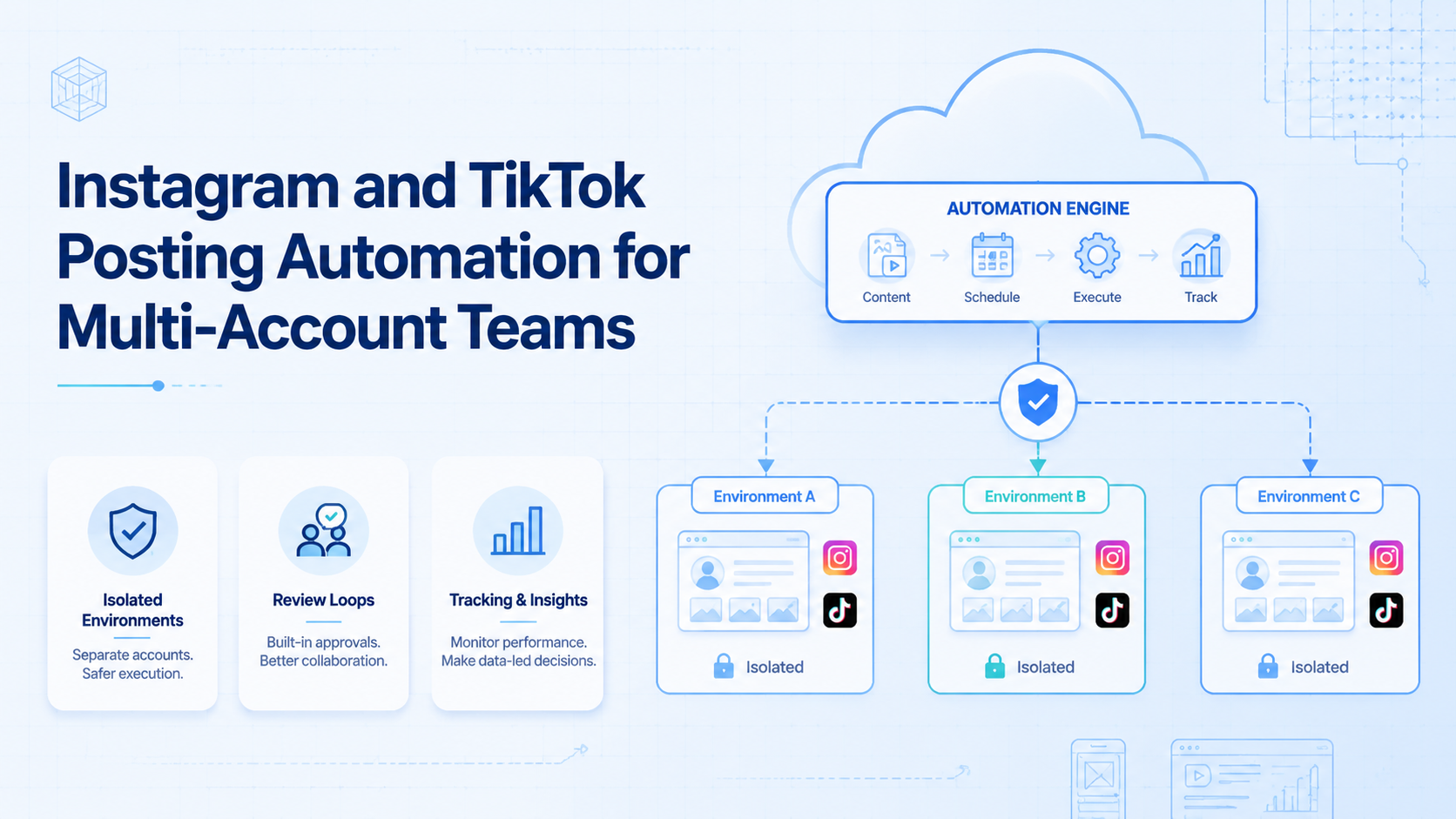
Instagram and TikTok posting automation is the process of turning repeated content publishing tasks into controlled workflows across multiple accounts. For a single creator, that may mean scheduling drafts. For an agency or growth team, it means preparing videos, assigning accounts, checking captions, publishing from the right environment, and tracking what happened after the post goes live.
The hard part is not pressing publish once. The hard part is keeping account work separated when many people, accounts, devices, and campaigns are involved. A practical system needs content control, account isolation, mobile execution, review steps, and a recovery plan when a task fails.
Moimobi fits this problem as execution infrastructure, not only as a scheduler. Teams can combine multi-account management, mobile automation, cloud phone environments, and browser profiles for workflows that need real web and mobile execution.
Key takeaways
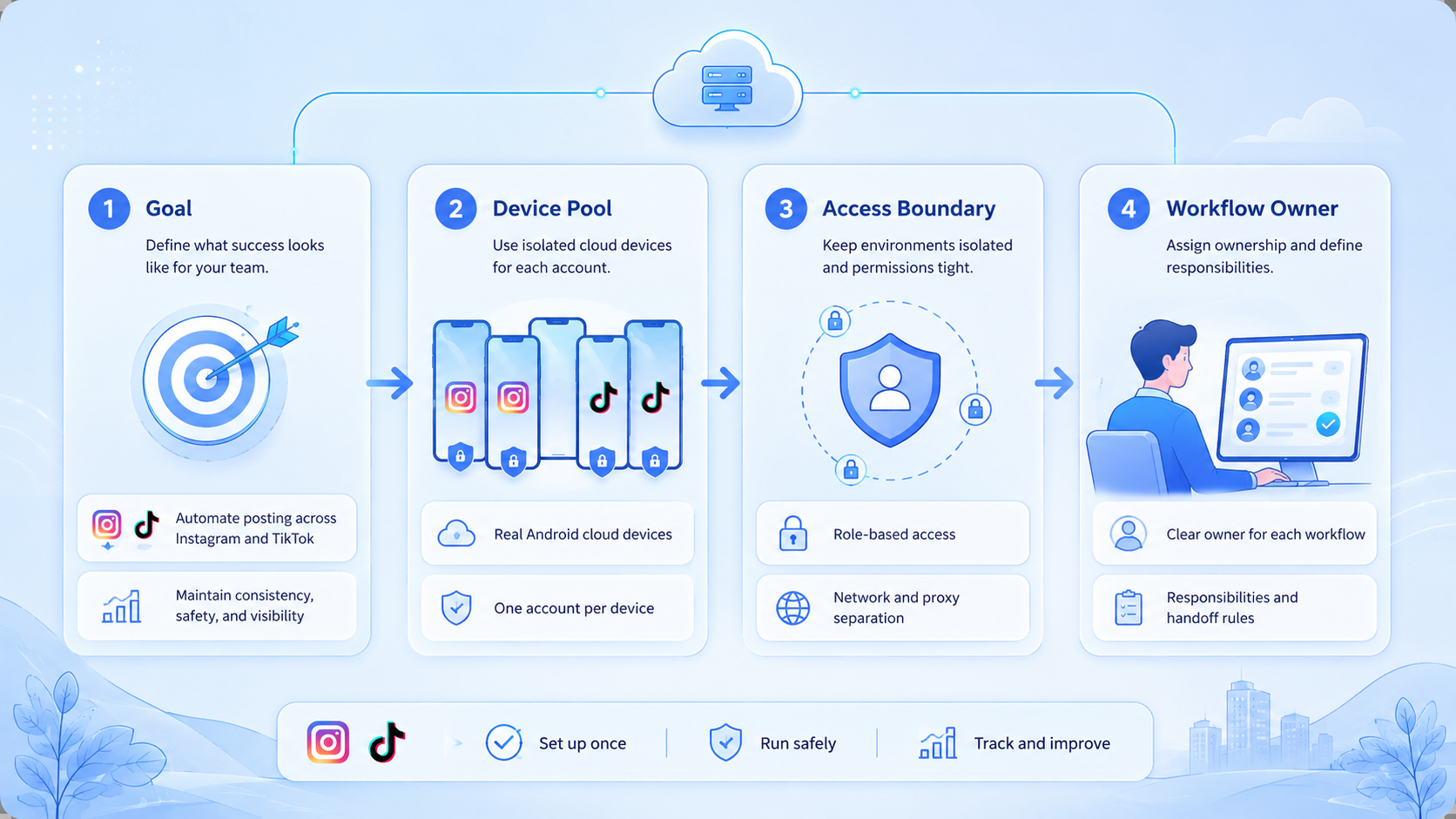
- Posting automation should control the full workflow, not only the calendar.
- Instagram and TikTok workflows often need different execution paths.
- Multi-account teams need separate environments for account work.
- Official APIs help where supported, but not every task is API-first.
- A pilot should measure success, failure, review time, and account-level activity.
- Automation should include human review for captions, creative fit, and customer-facing replies.
What Is Instagram and TikTok Posting Automation for Multi-Account Teams?
Instagram and TikTok posting automation means building a repeatable publishing workflow that can run across more than one account without mixing sessions, assets, or operator actions. It usually covers content preparation, account selection, caption review, posting, status checking, and reporting.
For one account, a calendar tool may be enough. For ten client accounts, a team needs clearer boundaries. The system should know which account owns a post, which operator approved it, which environment performed the action, and what status came back after posting.
Official platform features matter here. TikTok documents a Content Posting API for approved integrations, which shows that direct posting can be API-based in supported cases. Meta documents the Instagram Platform for business and creator workflows. These official paths are useful, but teams still need operational rules for tasks that happen in app interfaces, browser dashboards, or mixed workflows.
That is why execution environments matter. A browser profile can support dashboard work. A mobile device or cloud phone can support app-first flows. A controlled account workspace keeps publishing, checking, and handoff more predictable than shared logins inside one general browser.
Why Instagram and TikTok Posting Automation Matters
The main business case is consistency. Teams that publish across many accounts can lose time to repeated uploads, caption changes, login switching, file transfers, and status checks. Small delays become operational drag when every campaign has many accounts and platforms.
The second case is control. A social media manager may approve creative, while another teammate handles publishing. Without a shared workflow, posts can go out from the wrong account, with the wrong caption, or without the right tracking note.
Automation also changes the review process. Instead of asking a person to remember every step, the workflow can require fields before execution. For example, a TikTok post can require video file, caption, account, scheduled window, campaign tag, and reviewer approval. Instagram may need a different asset ratio, account group, and post type.
The goal is not blind auto-posting. The goal is repeatable work with fewer manual switches. Teams still need platform-aware judgment, creative review, and compliance checks before customer-facing actions.
Where APIs, Browser Workflows, and Mobile Execution Fit
Different posting paths solve different problems. A strong workflow does not assume one method is right for every account.
| Execution path | Best fit | Watch out for |
|---|---|---|
| Official API | Supported publishing, approved integrations, structured reporting | Requires permissions, app review, and supported account types |
| Browser workflow | Creator portals, business dashboards, web-based review work | Needs session separation and reliable browser state |
| Mobile execution | App-first tasks, mobile-only checks, account operations | Needs device isolation and clean handoff |
| Manual review | Captions, sensitive replies, brand checks | Can become a bottleneck without clear queues |
The W3C WebDriver specification defines a standard model for browser automation, and Playwright documents isolated browser contexts for separating browser sessions. Those concepts are useful because social workflows are full of logged-in states. Separate contexts reduce accidental session mixing when a team runs many accounts.
Mobile workflows have another layer. AWS Device Farm describes remote real-device app testing, which reflects a broader operational point: some mobile app behavior needs a real or managed mobile environment. For posting teams, a device isolation layer can keep account work clearer than rotating through one shared phone.
What Instagram and TikTok posting automation should measure
Good Instagram and TikTok posting automation should create an operating record. A team needs more than proof that a video was uploaded. It needs enough detail to understand whether the workflow worked and why a task failed.
Start with account-level fields. Record the account, platform, campaign, content file, caption version, reviewer, execution environment, and publish result. Add failure categories that a human can act on, such as missing asset, login issue, unsupported format, reviewer delay, or manual pause.
Then measure handoff time. A workflow may publish successfully while still wasting team time. Long waits between content approval and execution can reveal broken naming rules, unclear ownership, or missing campaign data.
Finally, track recovery quality. A failed task is not only a negative event. It is a test of the system. The workflow is stronger when a failure routes to the right person with enough context to fix it.
How to Get Started with Instagram and TikTok Posting Automation
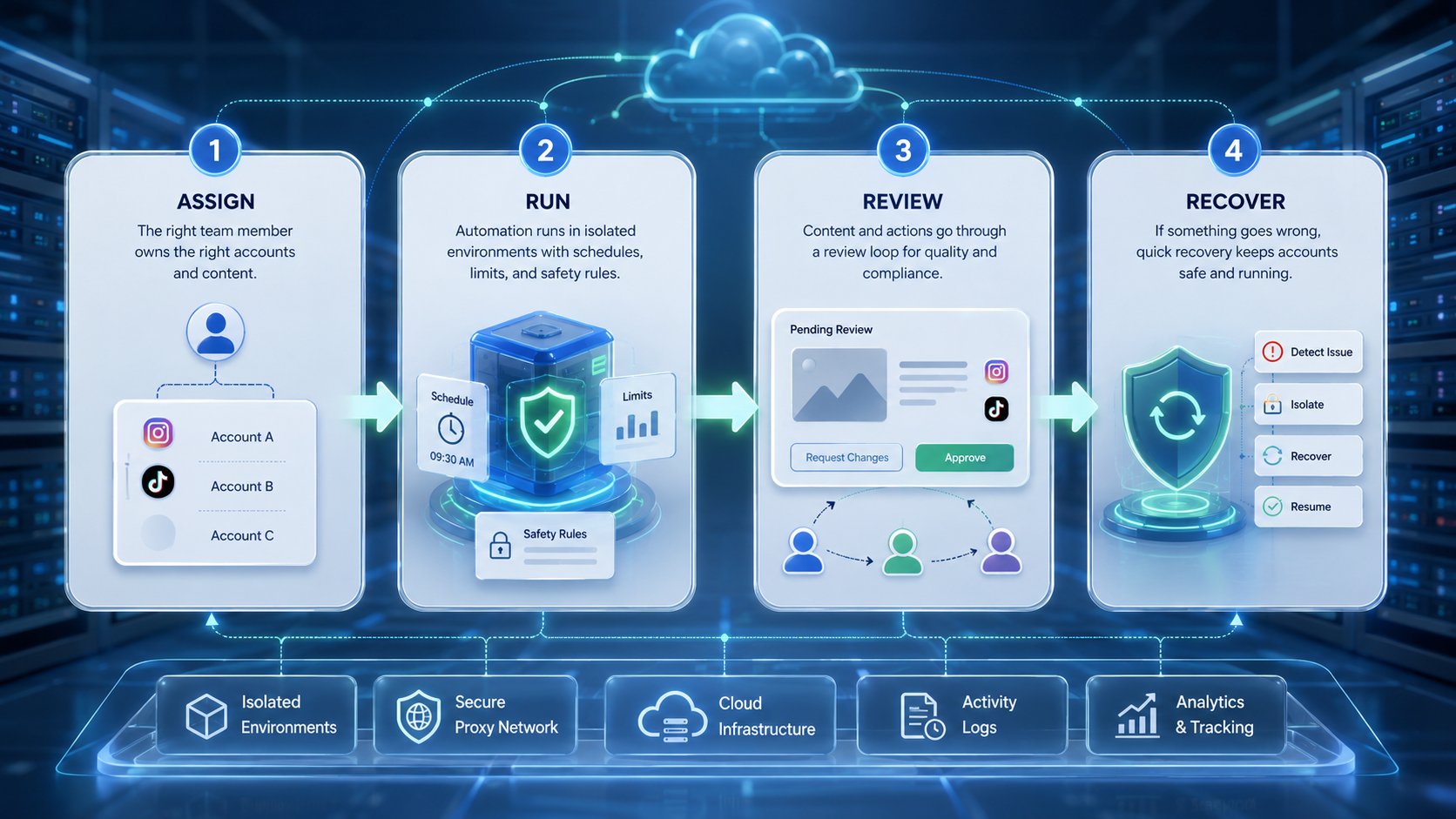
Start with the workflow before choosing tools. A tool cannot repair a broken operating model.
-
List the exact posting steps.
Include upload, caption, hashtags, account selection, review, publish, and status check. -
Separate account groups.
Keep client, brand, region, and test accounts in different workspaces. -
Decide the execution path.
Use official APIs when supported. Use browser or mobile execution when the task needs an interface. -
Add review gates.
Require approval for brand-sensitive captions, replies, and campaign changes. -
Track every run.
Store account, asset, operator, environment, status, error reason, and timestamp. -
Pilot with a small account set.
Use three to five accounts first. Measure errors before expanding. -
Create a recovery path.
Define who reviews failed posts, duplicate posts, missing media, and delayed publishing.
Moimobi works best when the team treats each account as an operational unit. One account should map to one controlled environment whenever possible. That pattern is easier to audit than one shared login pool.
Common Mistakes to Avoid
The most common mistake is treating posting automation as only a schedule. Calendars help with planning, but execution still happens through accounts, sessions, files, and devices.
Another mistake is mixing all accounts in one browser or one phone. That may look faster at the start. It becomes harder to debug when a login expires, a campaign uses the wrong account, or a teammate cannot tell which environment performed an action.
Teams also over-automate customer-facing actions too early. Posting a planned video is different from replying to a complaint. Keep publishing, comments, DMs, and follow-up workflows separate. The risk level and review needs are not the same.
Avoid vague reporting. "Published" is not enough. A useful report should show which account, which platform, which environment, what asset, what time, and what result. Failed tasks should have a reason, not only a red status.
Who It Fits and When It Is a Strong Match
Instagram and TikTok posting automation fits teams with repeated publishing work across account groups. Agencies, cross-border sellers, creator teams, and social media operations teams are common examples.
It is a strong match when the team already has repeatable content workflows. For example, a campaign team may publish localized videos across multiple TikTok and Instagram accounts every week. Automation can reduce repeated upload and checking work.
It is a weak match when the team has no content pipeline, no account ownership model, and no review process. In that case, automation may only make disorder move faster.
Use this fit check:
- Good fit: repeated posting steps, many accounts, clear approval roles.
- Possible fit: small team with two or three accounts and growing workload.
- Poor fit: one personal account, irregular posting, no defined content process.
Teams that need a broader execution layer can connect posting workflows with social media marketing, mobile checks, and account workspaces instead of buying separate tools for each narrow step.
Pilot Rollout, Measurement, and Recovery Checks
A pilot should test the operating system, not only the button. Pick a small group of accounts and run one campaign through the workflow from draft to post-check.
Track four numbers during the pilot:
- Setup time per account.
- Review time per post.
- Successful publish rate.
- Failed task reasons.
Also track human interventions. If every post needs manual correction, the workflow is not ready to scale. The issue may be caption templates, missing fields, account permissions, or unclear asset naming.
Recovery checks should be boring and explicit. A failed TikTok publish should create a queue item. A missing Instagram asset should return to content operations. A login issue should route to the account owner. Nobody should search chat history to find out what happened.
After the pilot, improve the smallest broken step first. Expanding too early can spread the same failure across more accounts.
Frequently Asked Questions
Is Instagram and TikTok posting automation the same as scheduling?
No. Scheduling controls time. Posting automation controls the workflow around upload, approval, execution, and status tracking.
Should teams use official APIs first?
Use official APIs where they support the required action and account type. Keep browser or mobile workflows for tasks that need an interface.
Why do multi-account teams need isolated environments?
Isolation helps separate sessions, account states, operators, and workflows. It also makes failures easier to trace.
Can AI write captions for these workflows?
Yes, AI can help draft captions and campaign ideas. Human review should remain for brand tone and sensitive topics.
Is mobile execution needed for every post?
No. Some tasks work through web dashboards or APIs. Mobile execution matters when the workflow depends on app-first behavior.
What should a pilot measure?
Measure publish success, review time, setup time, failed reasons, and manual corrections.
How does Moimobi fit this workflow?
Moimobi provides controlled browser and mobile environments for multi-account execution, review handoff, and repeated workflows.
Conclusion
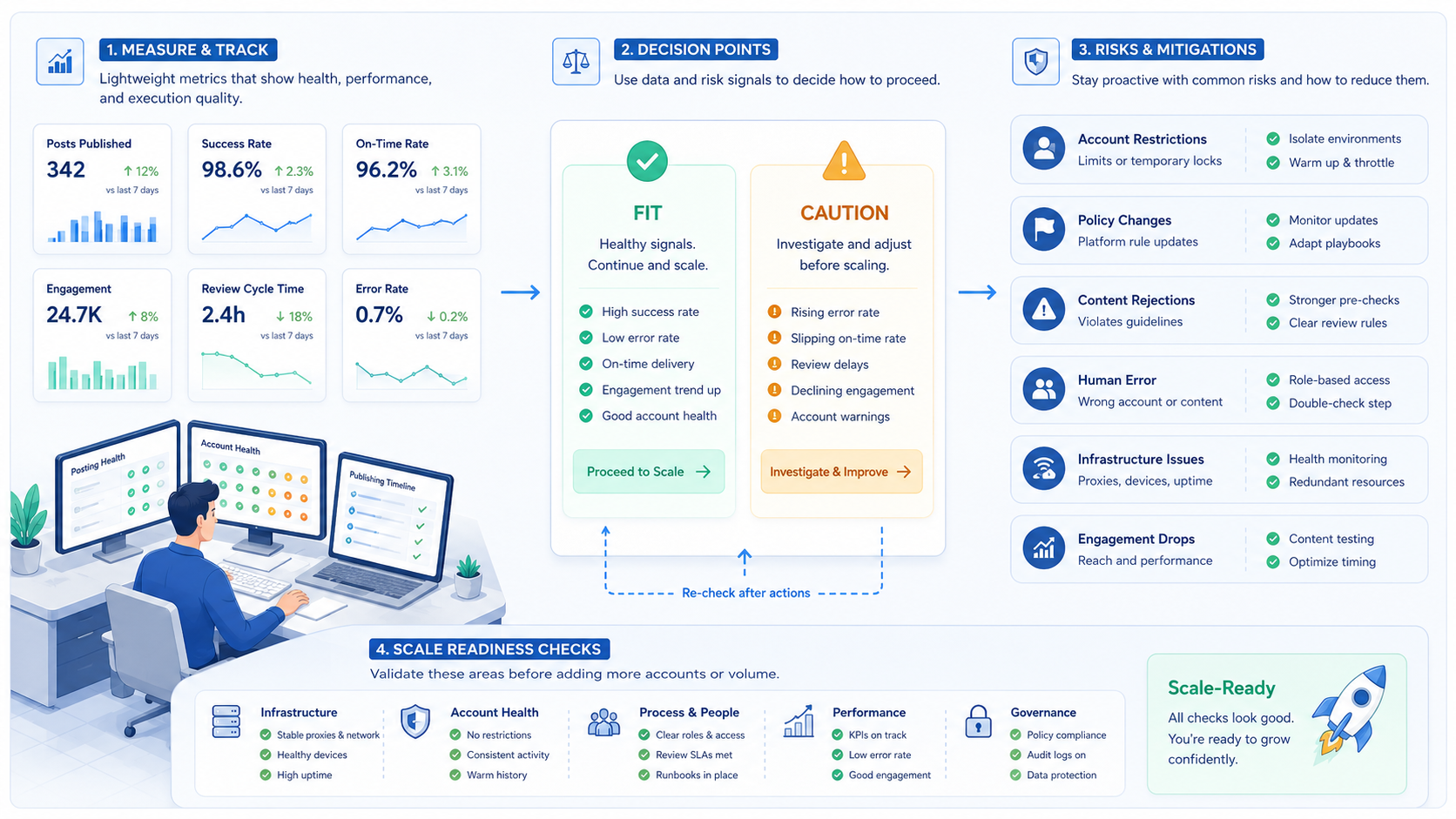
Instagram and TikTok posting automation works when teams design it as an execution workflow. The best setup separates accounts, chooses the right execution path, adds review gates, and records what happened after each run.
Before scaling, check three things: whether each account has a clear workspace, whether every post has an approval path, and whether failed tasks create useful recovery data. Once those basics are in place, Moimobi can support the execution layer for teams that need browser and mobile workflows across many accounts.



