
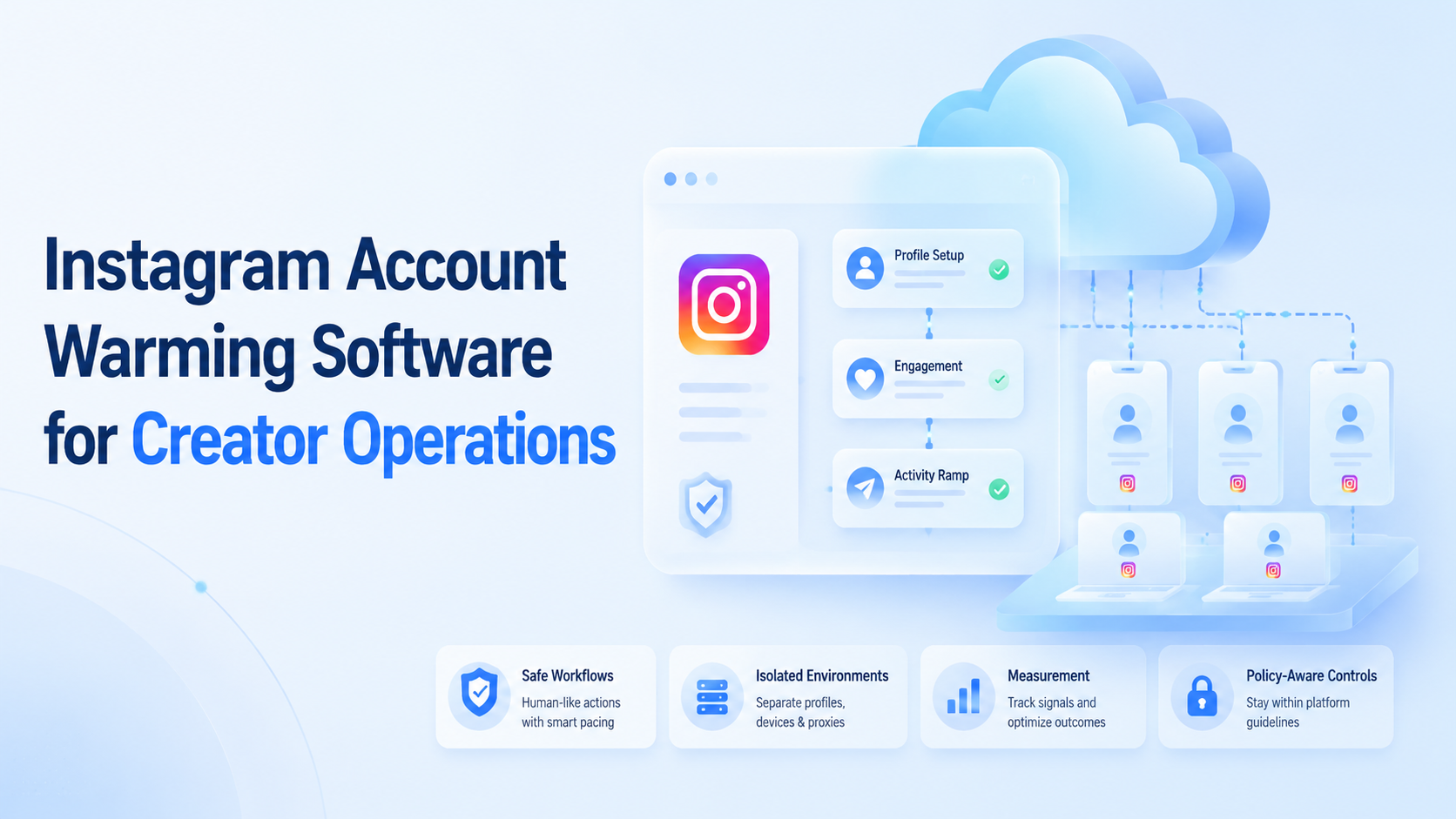
Instagram account warming software is a workflow system for gradually preparing creator accounts for planned work, while keeping activity controlled, visible, and tied to the right account environment. It should not mean fake engagement, spam comments, or automated behavior that ignores platform rules.
For creator teams, the useful version of warming is operational readiness. The team checks profile setup, device environment, routing consistency, content cadence, comment handling, and recovery steps before scaling publishing or engagement work.
The right tool is not the one that clicks the most. It is the one that helps operators run consistent account routines, avoid workspace confusion, and measure whether accounts are ready for real campaigns.
Key Takeaways

- Instagram account warming software should prepare real account workflows, not manufacture engagement.
- Creator teams need clear owners, isolated environments, content readiness, and recovery checks.
- A small pilot should prove login stability, upload flow, reply review, and task visibility.
- Avoid volume-first automation when the team has not defined safe operating rules.
What Is Instagram Account Warming Software for Creator Operations?
Instagram account warming software should be understood as a preparation workflow. It helps a team move an account from "created" to "ready for assigned work" with a repeatable process.
The process may include profile completion, app login checks, media readiness, basic content planning, comment review, inbox routing, and task scheduling. In a mature setup, every action belongs to a named account workspace.
Meta's own Instagram Platform documentation frames programmatic Instagram access through approved APIs, permissions, and professional account features. That matters because creator teams should separate compliant API-supported work from risky unofficial automation.
A practical warming workflow has three parts:
- Account setup: profile, credentials, roles, and recovery access.
- Environment setup: phone, browser profile, routing, and session state.
- Work setup: content queue, reply rules, monitoring, and escalation.
Moimobi treats this as an execution problem. A cloud phone gives a persistent mobile environment, while account workspaces help teams keep browser and mobile activity separated.
Why Instagram Account Warming Software Matters
Warming is not a shortcut. It is a control layer for teams that manage more than one creator account.
Without a process, operators make inconsistent choices. One person changes the profile. Another uploads media from a different device. A third person replies without knowing the account history. The account may still work, but the team cannot explain what happened.
Meta's Inauthentic Behavior policy is a useful boundary. It describes networks of inauthentic assets used to deceive Meta or users as prohibited behavior. Creator teams should therefore design warming around real account readiness, not deceptive networks or manufactured engagement.
The operational goal is simple:
| Area | Warming check | Team benefit |
|---|---|---|
| Identity | Profile and role ownership are clear. | Fewer handoff disputes. |
| Environment | Account uses a dedicated workspace. | Less session confusion. |
| Content | Drafts and assets are prepared before posting. | Fewer rushed uploads. |
| Engagement | Reply rules and escalation paths are defined. | Better response control. |
| Recovery | Login and task failures are recorded. | Faster repair. |
This approach turns account preparation into a managed workflow, not a hidden script.
Key Benefits and Use Cases
The strongest use case is multi-account creator operations. A small brand may run one Instagram account manually. A creator agency may manage many accounts, languages, regions, and posting calendars.
In that environment, multi-account management is the real need. The team needs to know which account is assigned to which operator, which device environment is active, and which tasks are safe to repeat.
Common use cases include:
- New creator account onboarding before a campaign.
- Account handoff from setup staff to content operators.
- Controlled publishing tests before full schedule rollout.
- Comment and inbox review before customer-facing promotion.
- Recovery review after login, media upload, or session issues.
Instagram's official help center also documents user-facing comment controls, including filtering and comment management settings. Those controls show that comment quality and moderation are part of normal account operations, not only automation design.
For teams that work across Instagram and TikTok, warming should also connect to social media marketing workflows. The same team may need content publishing, reply tracking, and account monitoring across platforms.
Creator operations also need a content boundary. Warming should not be separated from the assets that will later be published. The account, media files, captions, approval notes, and posting schedule should live in a workflow the team can inspect.
This keeps the first real campaign from becoming a scramble. Operators can see which account is ready, which content is approved, and which environment should execute the task. Managers can also compare the planned routine with the actual result.
How to Get Started with Instagram Account Warming Software
Do not start by increasing activity volume. Start by defining what "ready" means for one account.
Use a small checklist before any scale-up:
- Confirm the account owner, role, and recovery path.
- Assign the account to one browser or mobile environment.
- Check routing and region consistency for the workspace.
- Prepare profile information and content assets.
- Publish or review only low-risk planned content first.
- Track login, upload, reply, and monitoring results.
- Pause when the account shows unexpected prompts or review needs.
This is where device isolation becomes practical. Separate environments reduce mixed-session mistakes. They also make it easier to see which operator or workflow touched an account.
For mobile-first work, the team may use mobile automation to repeat controlled steps. The important word is controlled. Each step should have a purpose, a limit, and a recovery path.
Add a review gate after the first few tasks. The gate does not need to be heavy. One operator checks whether the account profile, environment, content, and notes still match the plan. Any mismatch becomes a fix before the next account enters the same workflow.
Common Mistakes to Avoid
The most dangerous mistake is treating warming as a volume hack. More actions do not mean better readiness.
Another mistake is mixing accounts in the same workspace. Shared environments can make it hard to understand which cookies, sessions, files, or app states belong to which account. That is a workflow problem before it is a technical problem.
Avoid these patterns:
- Running the same action pattern across many accounts.
- Using fake comments or low-quality engagement.
- Changing device, region, and operator at the same time.
- Ignoring account prompts or recovery warnings.
- Treating a completed task as proof that the workflow is healthy.
Meta's policy language around inauthentic behavior should guide the boundary. The safer operational framing is account preparation, content readiness, and team control. Avoid language and workflows that imply deception or artificial popularity.
Another mistake is using one warming template for every creator. A fashion creator, a local service brand, and a B2B founder account may need different posting cadence, comment review, and content approval rules. The shared system should provide structure, not erase account context.
Teams also create problems when they skip documentation. If only one operator knows why an account paused, the workflow is fragile. A simple note field for prompts, manual checks, and failed uploads can save hours during campaign launch.
Who It Fits and When It Is a Strong Match
Instagram account warming software fits teams that already have a legitimate content or customer workflow. It does not fit teams looking for spam systems, fake engagement, or shortcuts around platform standards.
Strong fit
- Creator agencies onboarding multiple accounts.
- Brands preparing campaign accounts before launch.
- Teams that need account-specific content, replies, and monitoring.
Weak fit
- One creator managing one account manually.
- Teams without documented roles or content rules.
- Workflows focused on artificial engagement volume.
For TikTok-heavy workflows, review the cloud phone for TikTok model separately. TikTok and Instagram may share team processes, but app behavior, content formats, and account routines differ.
Pilot Rollout, Measurement, and Recovery Checks
Pilot the workflow with a small account group. Ten accounts are too many if the team cannot explain what happened to two accounts.
Measure readiness with practical signals:
- Profile completion and role clarity.
- Successful login from the assigned environment.
- First content upload or draft review.
- Comment moderation or reply review.
- No unexplained handoff or session conflict.
- Clear notes for any prompt, lockout, or failed upload.
The recovery check is just as important as the success check. When a task fails, operators should know the account, environment, step, error, and next action. If the system only says "failed," the team cannot improve the process.
Use a review loop each week:
- Which accounts completed warming?
- Which accounts needed manual repair?
- Which steps caused the most friction?
- Which workflow should be changed before adding more accounts?
This is how warming becomes an operations system rather than a one-time setup task.
The final pilot question is not "did activity increase?" The better question is "can the team explain the account state?" If the answer is yes, the warming workflow is becoming manageable. If the answer is no, adding more accounts will likely multiply confusion.
Keep one manual review checkpoint even after the pilot passes. A weekly review of prompts, failed uploads, and account notes helps the team catch slow drift before it becomes a launch problem.
Frequently Asked Questions
What is Instagram account warming software?
It is software that helps teams prepare accounts through controlled setup, environment checks, content readiness, and workflow tracking.
Is account warming the same as fake engagement?
No. A responsible workflow should not manufacture fake engagement. It should prepare real accounts for planned work.
How long should warming take?
There is no universal timeline. Use readiness checks instead of a fixed number of days.
Can warming software prevent account restrictions?
No tool can promise that. It can reduce operational confusion, but teams still need policy-aware behavior and quality content.
Should each Instagram account have its own environment?
For teams, yes. A separated workspace makes activity easier to track and hand off.
What should teams measure first?
Measure login stability, profile readiness, content upload success, reply handling, and failed-task recovery.
Is this useful for solo creators?
Usually less so. Solo creators may only need a manual checklist unless they manage several accounts or teams.
Conclusion
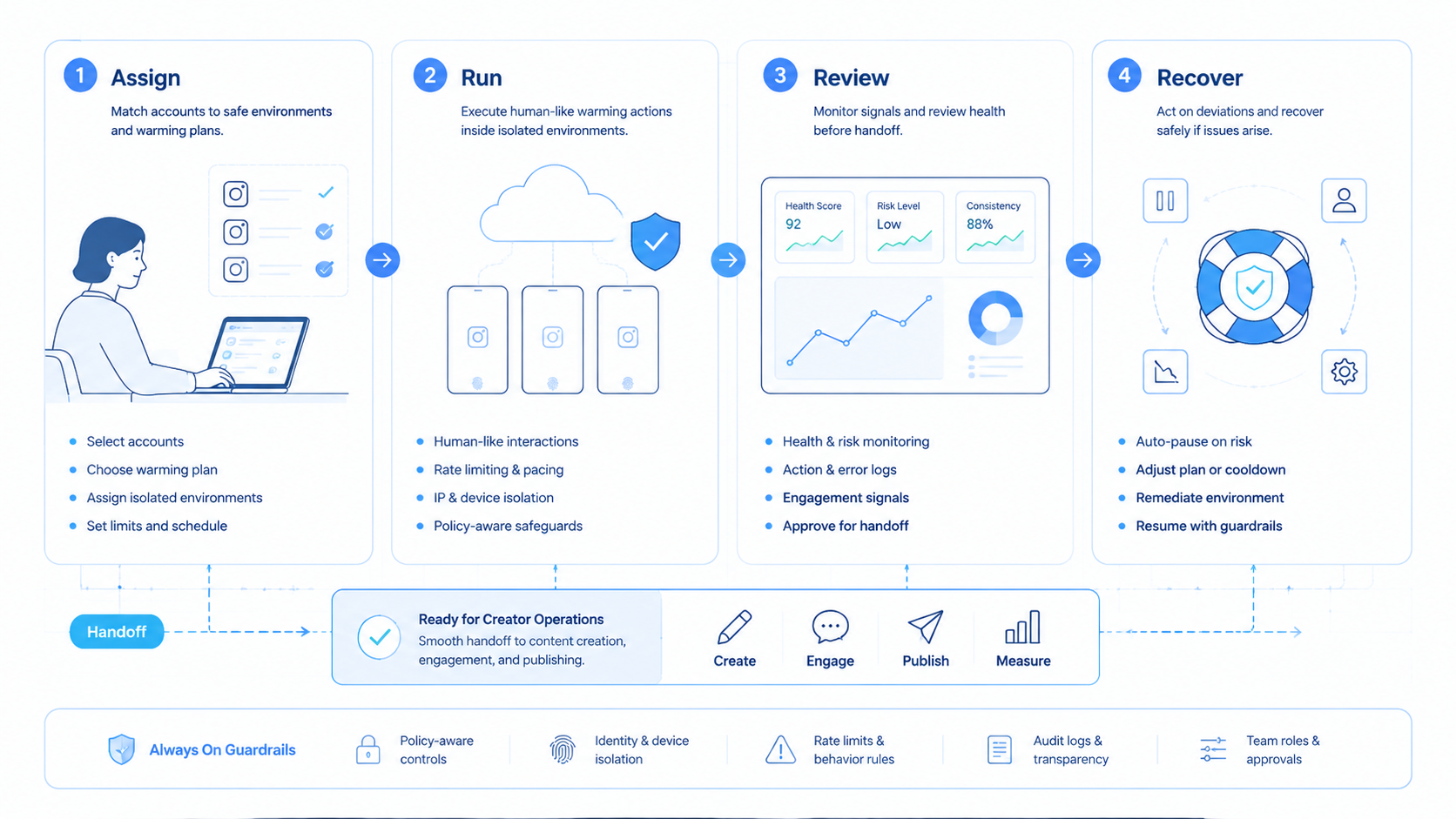
Instagram account warming software is valuable when it makes creator operations cleaner, not when it creates more activity. The right system gives each account a clear environment, a documented workflow, and a recovery path.
Start with one account group. Define readiness, run a short pilot, and review the failures. If the process reduces confusion and improves task visibility, expand gradually.



