

Instagram account management automation is a structured way to repeat account tasks across creator profiles, content queues, inboxes, comments, and reports. For creator teams, the goal is not to remove people. It is to remove preventable switching, missed handoffs, and inconsistent follow-up.
The useful version of automation starts with clear roles. A creator may own voice and direction. An operator may prepare tasks. A reviewer may approve replies. A manager may track output and performance.
Moimobi supports this work through multi-account management, mobile automation, device isolation, and social media marketing. It is designed for teams that need execution environments, not only content ideas.
Key Takeaways
- Instagram account management automation should organize tasks, not override creator judgment.
- Creator teams need account ownership, review queues, mobile execution, and reporting.
- Human review should stay in the loop for public replies and brand-sensitive decisions.
- Browser and mobile workspaces should be separated by account or client.
- A pilot should measure completion rate, review time, error reasons, and handoff quality.
- Moimobi fits teams that manage repeated Instagram operations across several accounts.
What Is Instagram Account Management Automation?
This workflow model covers repeatable work around creator accounts. It may include content preparation, publishing checks, comment collection, inbox triage, competitor monitoring, and campaign reporting.
This is not the same as replacing the creator. The creator still owns voice, positioning, and audience judgment. Automation supports the operational layer around that work.
Meta documents the Instagram Platform for business and creator use cases. Teams should treat official platform capabilities as one part of the stack. Internal workflow design still matters because account work crosses people, assets, approvals, and devices.
Platform-supported workflows still need operations support. A creator team may plan content in one place, approve assets in another, execute account checks in a mobile app, and report outcomes in a dashboard. Automation should connect those steps without hiding responsibility.
For creator teams, the core question is simple: which tasks repeat often enough to standardize, and which tasks still need human context?
Why Creator Teams Need a System
Creator operations become messy when one person is no longer doing everything. A manager may approve a campaign, an editor may prepare the asset, an operator may publish, and a support teammate may handle replies.
Without a system, the team loses time in handoffs. People ask where the latest caption is, which account is ready, whether comments were checked, and who owns follow-up.
Queue-based automation helps by turning repeated actions into structured work. The task can show account, asset, owner, status, review decision, and result. That gives the team a shared source of truth.
The browser side also needs structure. The W3C WebDriver standard describes browser automation as remote control of browser behavior. Playwright's browser context model shows why isolated sessions are useful for logged-in work. Creator teams should apply the same lesson operationally: separate account workspaces make troubleshooting easier.
Mobile execution adds another reason for structure. Instagram workflows often move through app screens, browser dashboards, files, and chat tools. AWS Device Farm shows how managed remote devices are used for app workflows in a controlled environment. A creator team is not running the same test process, but it still needs controlled mobile access when account work depends on app behavior.
Key Benefits and Use Cases
The strongest benefit is operational consistency. A team can repeat the same task path without depending on memory or chat messages.
Useful workflows include:
- Preparing post or Reel checklists for each creator account.
- Opening comment queues and collecting items for review.
- Drafting reply options without publishing them automatically.
- Checking whether campaign posts are live.
- Collecting competitor examples for content research.
- Updating client or manager reports after each workflow.
These workflows are not all equal. Reply drafting needs more review than status collection. Publishing checks are easier to verify than tone decisions. A good system separates those risk levels.
Moimobi can also connect Instagram work with cloud phone environments when the mobile app is part of the workflow.
Another benefit is cleaner client or manager reporting. Creator work can look vague when the only record is "handled today." A workflow record can show the account, task type, reviewer, outcome, and follow-up owner. That makes team work easier to defend and improve.
The use cases become stronger when the team links them to a campaign. For example, a product launch may need post checks, comment collection, creator reply review, and daily reporting. Those tasks are repeated, but they still need judgment at the review stage.
How to Get Started with Instagram Account Management Automation
Use checkpoints instead of vague goals. "Automate Instagram" is too broad. "Collect comments from five creator accounts for human review every morning" is measurable.
- Account checkpoint: each account has an owner, workspace, and campaign label.
- Task checkpoint: the workflow has a clear trigger and success state.
- Review checkpoint: public-facing actions require approval unless explicitly pre-approved.
- Environment checkpoint: browser and mobile sessions are assigned to the right account.
- Reporting checkpoint: task results are written back to a tracker or dashboard.
Start with one creator group. Keep the first workflow narrow. A daily comment collection queue is a good pilot because the team can easily compare manual and automated handling.
Common Mistakes to Avoid
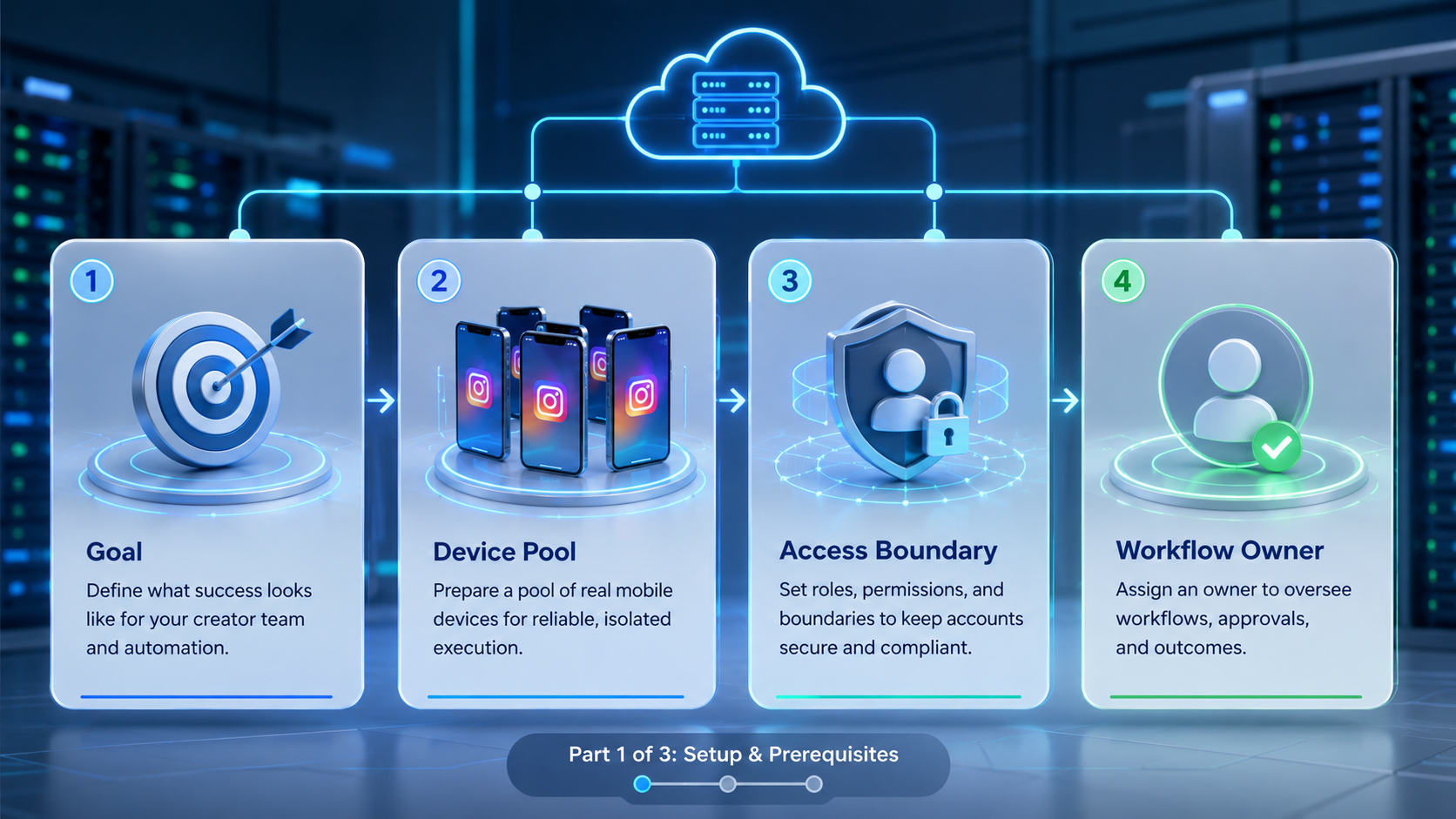
Avoid treating every creator account the same. A personal creator profile, brand partnership account, and regional campaign account may need different review rules.
Keep public replies on a review path. Comments and DMs can include support issues, sensitive complaints, or partnership questions. The automation layer should prepare context and drafts, then route decisions to people.
Avoid shared environment habits. If several accounts run through the same browser session or mobile workspace, troubleshooting becomes harder. The team may not know which account created a result or error.
Another mistake is reporting only outputs. A report that says "20 tasks completed" is weaker than one that also shows failures, review delay, and follow-up owners.
Avoid building the first workflow around the hardest account. Pick an account with normal activity, clear access, and a cooperative reviewer. A messy account can hide whether the automation is weak or the process is simply unclear.
Silent queues are a failure mode. If comments are collected but nobody reviews them, the system has not improved operations. Every queue needs an owner and a service expectation.
Teams should also avoid changing voice rules mid-pilot. If the reviewer changes the approval standard every day, results become hard to compare. Lock the review criteria for the test period, then revise after the review.
Fit Boundaries for Creator Teams
The setup is a strong fit when the team manages several creator accounts or campaigns. It is also a fit when multiple people touch the same account workflow.
It works well for agencies, creator studios, social commerce teams, and in-house growth teams. These groups often need repeatable execution plus review control.
A solo creator with one account may not need this much structure. A basic content calendar and manual inbox routine may be enough. Workflows that change every day and cannot be described as an SOP are also weak candidates.
The best signal is repeated friction. If the same account handoff question appears every week, the team likely needs workflow automation.
Another fit signal is role separation. When the creator, editor, operator, and manager are different people, the workflow needs more structure. Automation helps most when it reduces coordination overhead.
The not-fit case is equally important. A full operations platform may be too heavy when the creator personally writes every caption, answers every message, and publishes every post. The team should wait until repeated handoffs appear.
Moimobi becomes more relevant when account count, mobile execution, and review work grow together. The platform can support separated workspaces and account-level execution instead of leaving every task in personal devices.
Pilot Rollout, Measurement, and Recovery Checks
Run the pilot as an operations test. Select one workflow, one owner, a small account set, and a clear review period.
Track these pilot fields:
| Field | Why it matters |
|---|---|
| Account | Confirms ownership and workspace |
| Task type | Shows which workflow ran |
| Environment | Separates browser and mobile execution |
| Result | Shows completed, failed, skipped, or reviewed |
| Error reason | Turns failures into process fixes |
| Review time | Shows whether automation creates bottlenecks |
| Follow-up owner | Prevents unresolved customer or creator issues |
A weekly recovery review should inspect failed tasks first. Login problems, missing assets, unclear instructions, or review delays each require different fixes.
The pilot is ready to expand only when the workflow produces stable results and useful failure data. If the team cannot explain failures, scaling will create more confusion.
Add a review-quality metric. Count how many prepared items were approved, edited, escalated, or rejected. That shows whether automation is producing useful work or simply moving rough tasks into the review queue.
Add a handoff metric too. Track how often a teammate asks for missing context before approving a task. Frequent context questions mean the workflow record is incomplete.
Use one clear expansion rule. Expand only when the workflow completes most runs, reviewers understand the output, and failures are easy to categorize. Failed checks mean the SOP needs work before more accounts are added.
Account Workspace Design for Instagram Teams
Account workspace design decides how clean the operation feels. Each workspace should connect an Instagram account with the people, devices, assets, and workflow history that belong to it.
A basic workspace should include:
- Account name and owner.
- Campaign or client label.
- Assigned browser or mobile environment.
- Asset folder or content queue.
- Review owner.
- Active workflows.
- Recent failures and follow-up notes.
This structure helps teams avoid scattered execution. An operator should not ask which device to use. A reviewer should not ask which campaign the comment belongs to. A manager should not ask whether an account has pending work.
Workspace design also helps with onboarding. A new operator can see what belongs to the account before touching the workflow. That reduces dependency on informal training.
Frequently Asked Questions
Can Instagram account management automation publish content?
It can support publishing workflows when assets, account access, and review rules are defined. Final approval should remain human for sensitive content.
Is this useful for creator agencies?
Yes, especially when several teammates manage different creator accounts, campaign assets, comments, and reports.
Does automation replace a community manager?
No. It can collect comments, prepare drafts, and organize queues. A community manager still handles judgment and tone.
What should be automated first?
Start with comment collection, status checks, report updates, or asset queue preparation. These tasks are easier to verify.
Do teams need mobile environments?
They often do when Instagram work depends on mobile app behavior. Browser dashboards can still support planning and reporting.
How does Moimobi help?
Moimobi connects account workspaces, cloud phones, mobile automation, and isolation layers for repeated creator operations.
What is the main setup mistake?
The main mistake is skipping account ownership. Every task needs a clear account, environment, owner, and review rule.
When should a team avoid automation?
Avoid it for crisis response, sensitive partnership decisions, or replies that need personal creator judgment.
Conclusion
This model works best as a team operating layer. It organizes repeated tasks, keeps account workspaces separate, and gives reviewers a clearer queue.
Prioritize the setup in this order: account ownership, environment assignment, workflow definition, review rules, then reporting. That sequence prevents the team from scaling a messy process.
Moimobi is a strong fit when creator teams need browser and mobile execution across multiple accounts with cleaner handoffs and measurable results.



