
Key Takeaways
- Teams get better results when each AI worker has a clear task lane, account context, and review rule.
- Daily operations should start with repeatable tasks, not broad autonomous goals.
- Browser and mobile execution environments matter when tasks happen inside logged-in tools and apps.
- A pilot should track completion, failure, handoff, and recovery before scale.
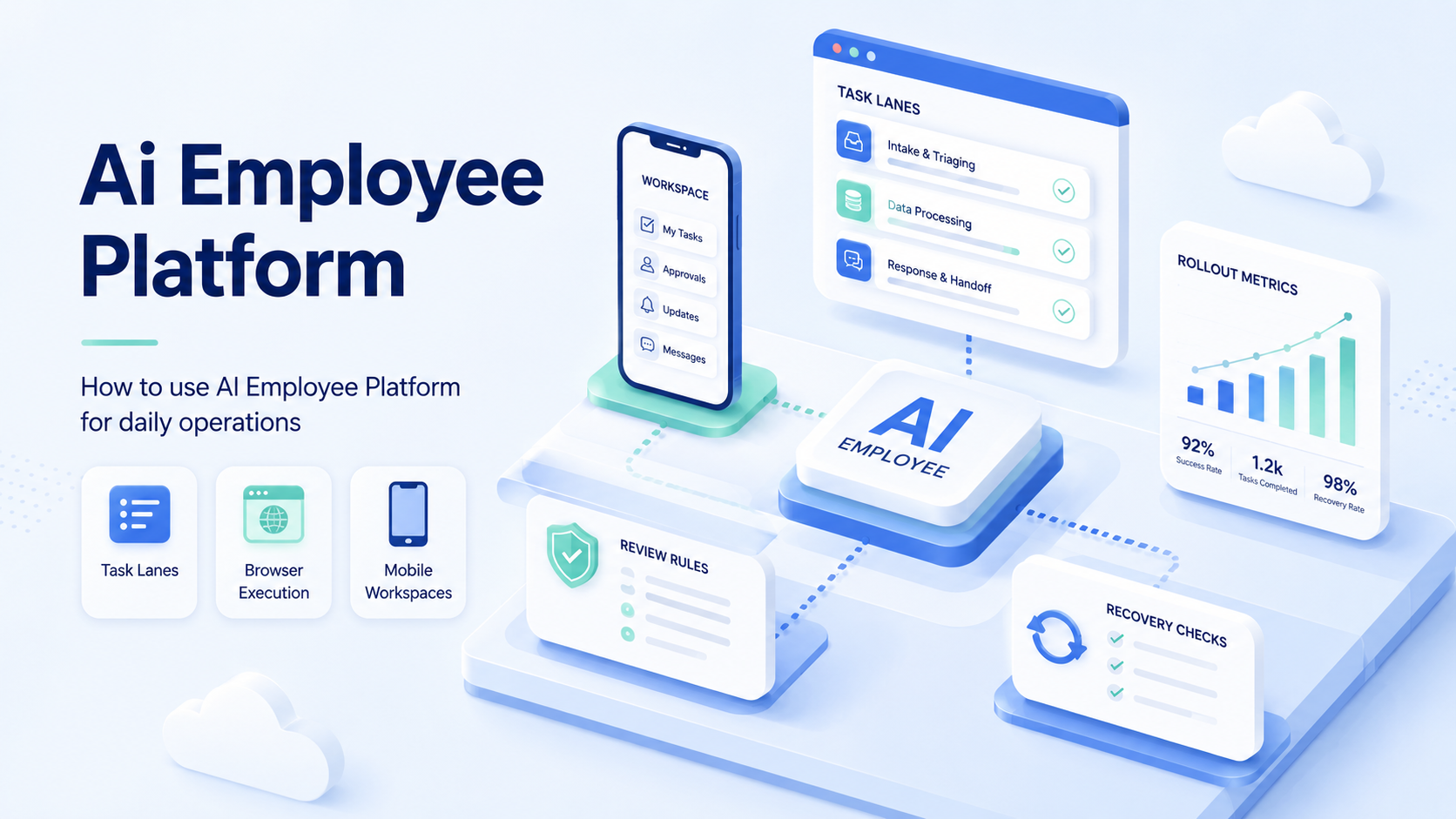
This AI employee platform setup is a system for assigning repeatable business tasks to AI workers that can plan, execute, report, and stop for review.
For daily operations, the goal is not to replace every manual step at once. The better starting point is a small set of repeatable tasks: checking dashboards, preparing replies, updating records, publishing content, monitoring comments, or collecting leads. Teams should connect each task to an account, an execution environment, a human owner, and a visible result.
What You Need Before You Start with an AI Employee Platform
The first mistake is treating an AI employee like a chatbot. A chatbot answers questions. By contrast, AI workers need a place to work.
That place may be a browser profile, a remote Android device, a cloud phone, a workflow runner, or an internal tool connection. MoiMobi frames this as execution infrastructure. An AI browser can handle web tasks, while cloud phones support mobile-first workflows.
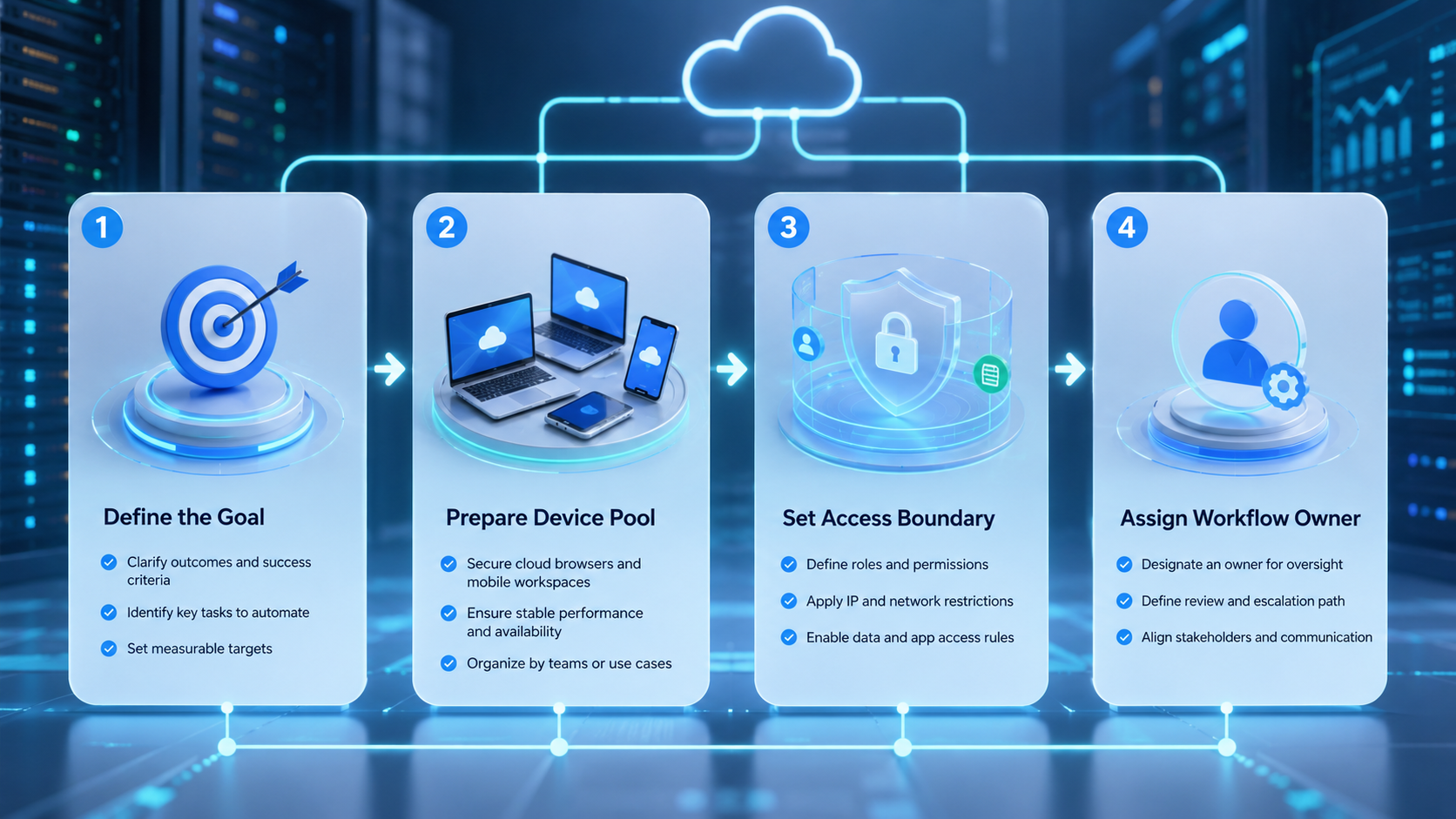
Before setup, define four basics:
| Setup Item | Decision to Make |
|---|---|
| Task lane | What task repeats every day? |
| Account lane | Which account owns the work? |
| Review rule | When must a human approve? |
| Stop rule | What failure should pause the run? |
Google Search Central's helpful content guidance is written for content quality, but the principle applies here: automation should serve real users and real work.
How to Get Started with This Daily Operations Workflow
Start with one workflow, not a whole department.
- Pick one daily task with a clear input and output
- Assign one account or workspace to the AI worker
- Define the allowed actions and blocked actions
- Add a review step before customer-facing changes
- Run the task manually once and capture the normal path
- Let the AI worker run the same path with logs enabled
- Review the result before adding more accounts
For example, a support team may start with comment triage. The AI worker reads new comments, labels urgency, drafts replies, and stops before posting. A human reviews the queue and approves the final message.
Best Practices During AI Employee Platform Setup
Keep the first version narrow. A focused AI worker is easier to test than a broad one.
Use account-based workspaces when the task touches logged-in systems. A web dashboard should run in the right browser profile. A mobile app task should run in a controlled mobile environment. MoiMobi's mobile automation layer is built for this kind of execution model.
Create simple fields for every task:
run_idworker_idaccount_idworkspace_idtask_typestatuserror_codehuman_review_required
These fields make the daily review practical. They also help the team see whether problems come from the prompt, the account, the page, the app, or the workflow.
Common Mistakes to Avoid in Daily Rollouts
Avoid vague goals. "Manage social media" is too broad for a first worker, but "draft replies for yesterday's unanswered Instagram comments" gives the system a bounded job with a visible output.
Avoid shared sessions. Several accounts in one browser profile create unclear state, so multi-account management is a better fit when each account needs its own lane.
Avoid silent retries. A failed login, changed button, missing field, or unexpected warning should not loop forever; the worker should stop, record the reason, and hand off.
Avoid measuring only speed. Faster work is not useful if the team cannot explain the result. Track quality, review time, and recovery cost.
What to Do Next with an AI Employee Platform
Once the first task runs cleanly, add one adjacent task. Do not jump from one support workflow to a full operations system.
A practical sequence looks like this:
- Start with monitoring or data collection
- Add drafting or classification
- Add human-approved publishing or replies
- Add scheduled runs
- Add more accounts only after review logs are clear
Teams that run both web and mobile work should map the execution environment early. Browser tasks, mobile app tasks, and backend API tasks need different controls. Device isolation becomes relevant when account state and mobile state must stay separated.
Official automation tools show why this split matters. Playwright focuses on browser automation for web interactions, while the Model Context Protocol documents a standard way for AI systems to connect with external tools and context. An operations team still needs account ownership, review rules, and recovery paths around those capabilities.
Who It Fits and When It Is a Strong Match
Good fit
- Daily tasks repeat with similar inputs
- Accounts need separate workspaces
- Teams need review before final action
- Managers need run history and recovery notes
Poor fit
- The task changes every day
- No one owns the workflow result
- The team has no account structure
- Leaders expect unsupervised automation from day one
An AI employee platform is a strong match for support teams, agencies, social media teams, e-commerce operators, and growth teams. It is weaker when the team has not documented the task yet.
Pilot Rollout, Measurement, and Recovery Checks
Run a small pilot before scaling.
Use one worker, one account lane, and one task type for the first week. Track five numbers: runs started, runs completed, runs stopped, human approvals, and repeated error codes. If the same error repeats 2 times on the same account, pause that lane and review the account state.
Use a pass/fail review:
| Check | Pass | Fail |
|---|---|---|
| Task scope | One clear output | Broad goal |
| Review | Human sees risky actions | Worker posts directly |
| Logs | Error codes are visible | Failures disappear |
| Recovery | Owner can restart safely | Team reruns blindly |
The pilot should make the next decision obvious: expand, revise, or stop.
Frequently Asked Questions
What is this kind of platform?
This kind of platform assigns repeatable work to AI workers with execution, review, and reporting.
How is it different from AI chat?
AI chat gives answers. An AI employee platform connects tasks to execution environments, account lanes, workflow records, and review checkpoints, which makes it easier to supervise repeated operational work.
What task should I start with?
Start small. Choose a low-risk daily task with a clear input, a clear output, and a reviewer who already understands the manual version of the work.
Does it need browser automation?
Yes, when the work happens inside logged-in websites, dashboards, forms, or account tools. If the task only uses an internal API, browser execution may not be necessary.
Does it need mobile automation?
Use mobile automation when the workflow depends on mobile apps, mobile inboxes, push notifications, or Android account state that cannot be represented accurately in a desktop browser.
How many AI workers should a team start with?
Start with one worker and one workflow. Add more only after the review logs show stable completion, clear failures, and predictable human handoff points.
What is the main risk?
The main risk is unclear scope. A worker without stop rules can repeat bad steps faster, especially when it has access to multiple accounts or customer-facing actions.
Conclusion
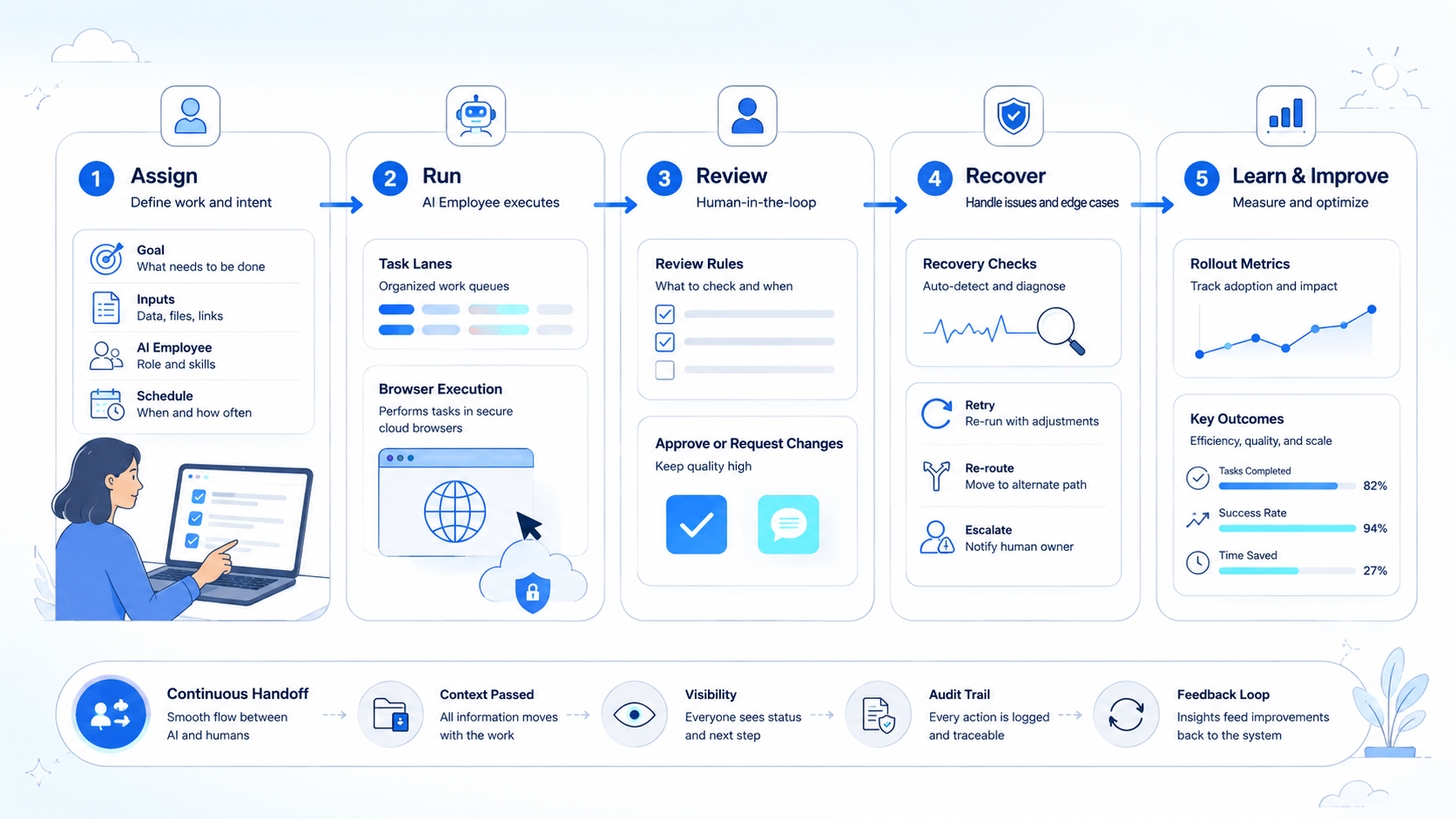
Use an AI employee platform by starting small: one task, one account lane, one reviewer, and one recovery rule.
After the first pilot, review the run logs. Expand only when the team can explain what the worker did, where it stopped, and how a human can safely take over.



