

A social media reply review SOP is a written process for deciding which comments or messages can be answered, edited, escalated, or left untouched. It gives teams a repeatable way to review replies before they go live.
This matters when a team uses AI drafts, shared account access, or multiple operators. A reply is not just text. It belongs to a platform, account, customer thread, campaign, and brand tone.
Moimobi supports this kind of work by giving teams controlled execution environments for account-based social operations. The Moimobi platform connects browser and mobile workspaces so teams can manage replies with clearer ownership.
Key Takeaways
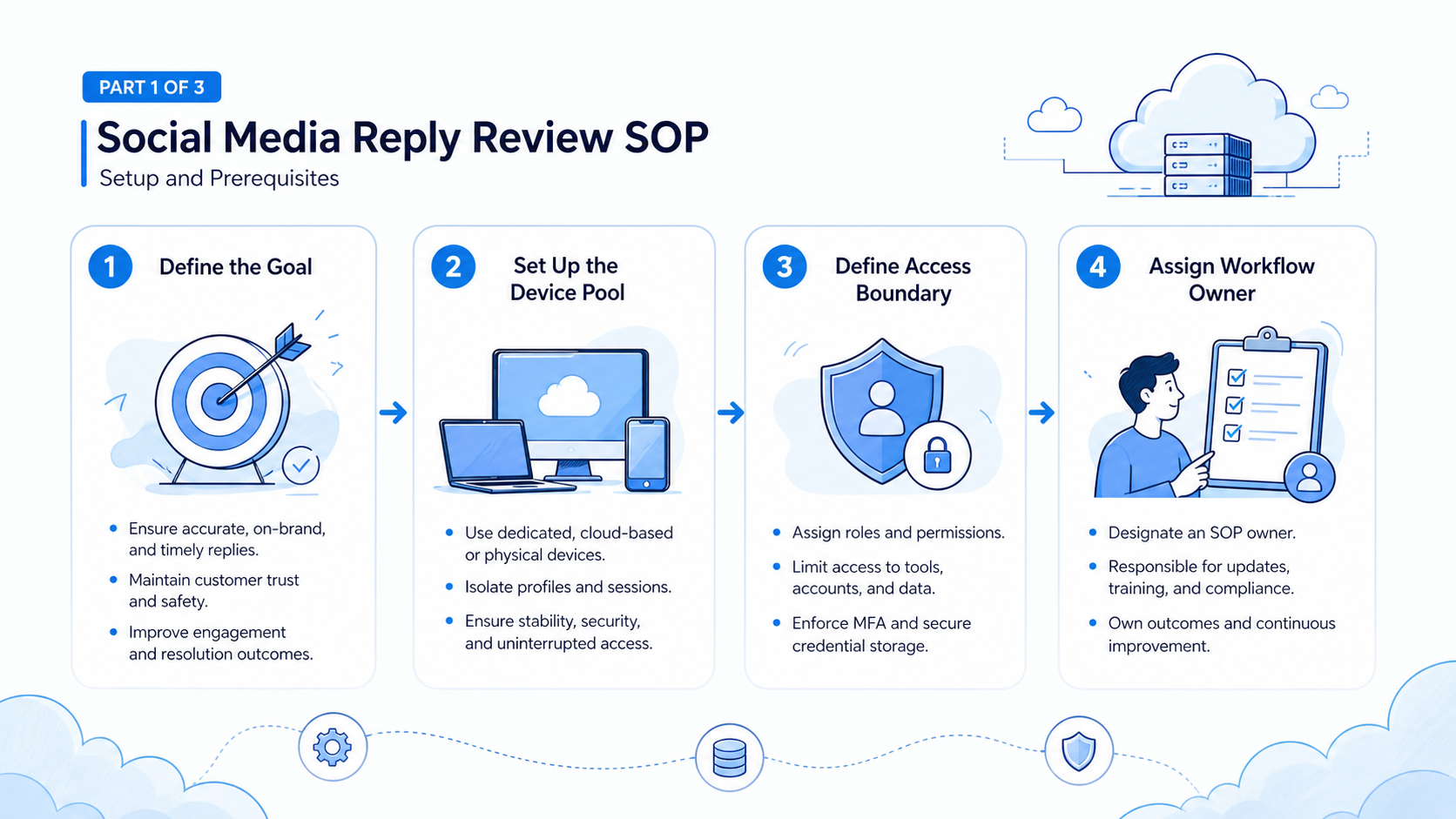
- A reply SOP should define categories, owners, approval rules, and stop rules.
- AI can help draft replies, but uncertain messages need human review.
- Multi-account teams should keep each reply tied to an account environment.
- The first SOP should cover common comments before handling sensitive cases.
- Metrics should track edits, escalations, missed replies, and recovery time.
What a Social Media Reply Review SOP Should Include
A practical SOP needs four fields before anything else: message type, allowed action, reviewer, and stop condition. Those fields prevent the team from treating every comment as the same task.
Official platform resources show why teams need platform-aware reply rules. Instagram for Business explains business account and messaging surfaces. TikTok for Business documents campaign and business workflows. Facebook business help covers page and messaging tools.
The SOP does not replace platform tools. It tells the team how to use them.
| Message Type | Default Action | Review Rule |
|---|---|---|
| Simple FAQ | Use approved reply | Spot check weekly |
| Product question | Draft from product notes | Review if facts are missing |
| Complaint | Escalate | Human approval required |
| Sales lead | Route to owner | Log next action |
| Unclear message | Pause | Reviewer decides |
Step 1: Define Reply Categories
Start with categories that reviewers can recognize quickly. Do not begin with twenty labels. Five to seven categories are enough for the first version.
Good first categories include simple FAQ, product question, complaint, lead, spam, duplicate, and unclear. Each category should have one default action. If the action is not obvious, the category is too broad.
For teams already using social media marketing workflows, reply categories should map to campaign goals. A product launch may need different rules from a customer support week.
Step 2: Map Accounts to Review Owners
Multi-account work breaks down when ownership is unclear. A reply should show which account received the message, which environment was used, who reviewed it, and what final action was taken.
Use a simple ownership record:
- Platform and account.
- Message category.
- Assigned reviewer.
- Draft status.
- Final action.
- Follow-up owner.
Moimobi’s multi-account management use case fits this step because reply work often spans many profiles. Without account mapping, reviewers cannot audit what happened.
Step 3: Add AI Drafting Boundaries
AI drafting should begin with low-risk categories. Store hours, product availability, public FAQs, and simple campaign replies are easier to review than refunds or disputes.
The SOP should state what AI may not handle. Private customer details, legal complaints, angry customers, and unclear product issues should pause for human review.
For mobile-first inboxes, teams may also need mobile automation. Some replies must be checked inside an app, not only in a desktop browser.
Step 4: Build the Review Queue
The review queue should be short and practical. Each item needs the original message, draft reply, account, category, reviewer, and final decision.
Use these status labels:
- New.
- Drafted.
- Needs review.
- Approved.
- Edited.
- Escalated.
- Closed.
These labels give operations leads a simple view of reply health. They also make handoffs easier between shifts.
Step 5: Measure and Improve the SOP
Track the SOP for two weeks before expanding it. The goal is not to send more replies. The goal is to reduce unclear work.
Measure draft approval rate, reviewer edit rate, escalations, missed messages, and average time to next action. If reviewers edit the same category often, rewrite the category rule.
Teams running account-based workflows should also review device isolation. A reply record is more useful when it stays tied to the right account workspace.
Frequently Asked Questions
What is a social media reply review SOP?
It is a repeatable process for reviewing, approving, editing, or escalating social comments and messages.
Should AI send replies automatically?
Start with drafts and classification. Send only approved categories after the review loop works.
What messages should be escalated?
Escalate complaints, private account issues, refunds, disputes, and unclear product questions.
How many categories should the SOP start with?
Start with five to seven categories. Add more only after reviewers can apply them consistently.
Who should own reply review?
Assign owners by account, campaign, or message type. Avoid one shared queue with no clear reviewer.
Does this require mobile execution?
It does when the inbox or account state depends on a mobile app.
What should be measured?
Track approvals, edits, escalations, missed replies, and time to next action.
What is the biggest mistake?
The biggest mistake is letting AI send uncertain replies before category rules are tested.
Conclusion
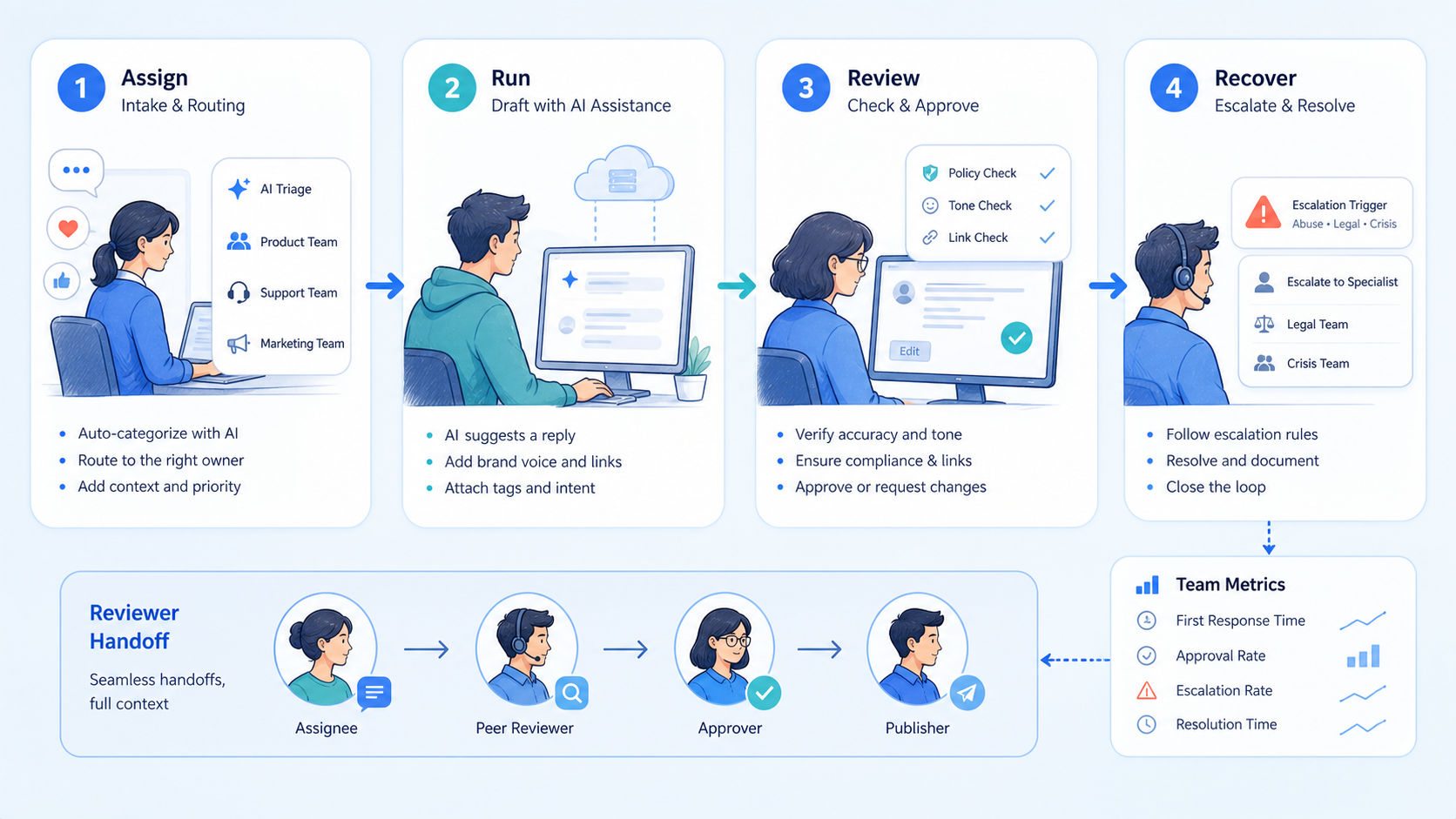
A social media reply review SOP turns social inbox work into a visible operating process. It defines categories, owners, review rules, and stop conditions.
Start with common comments, one review queue, and a two-week measurement loop. Once reviewers trust the categories, expand the SOP to more accounts and reply types.



