
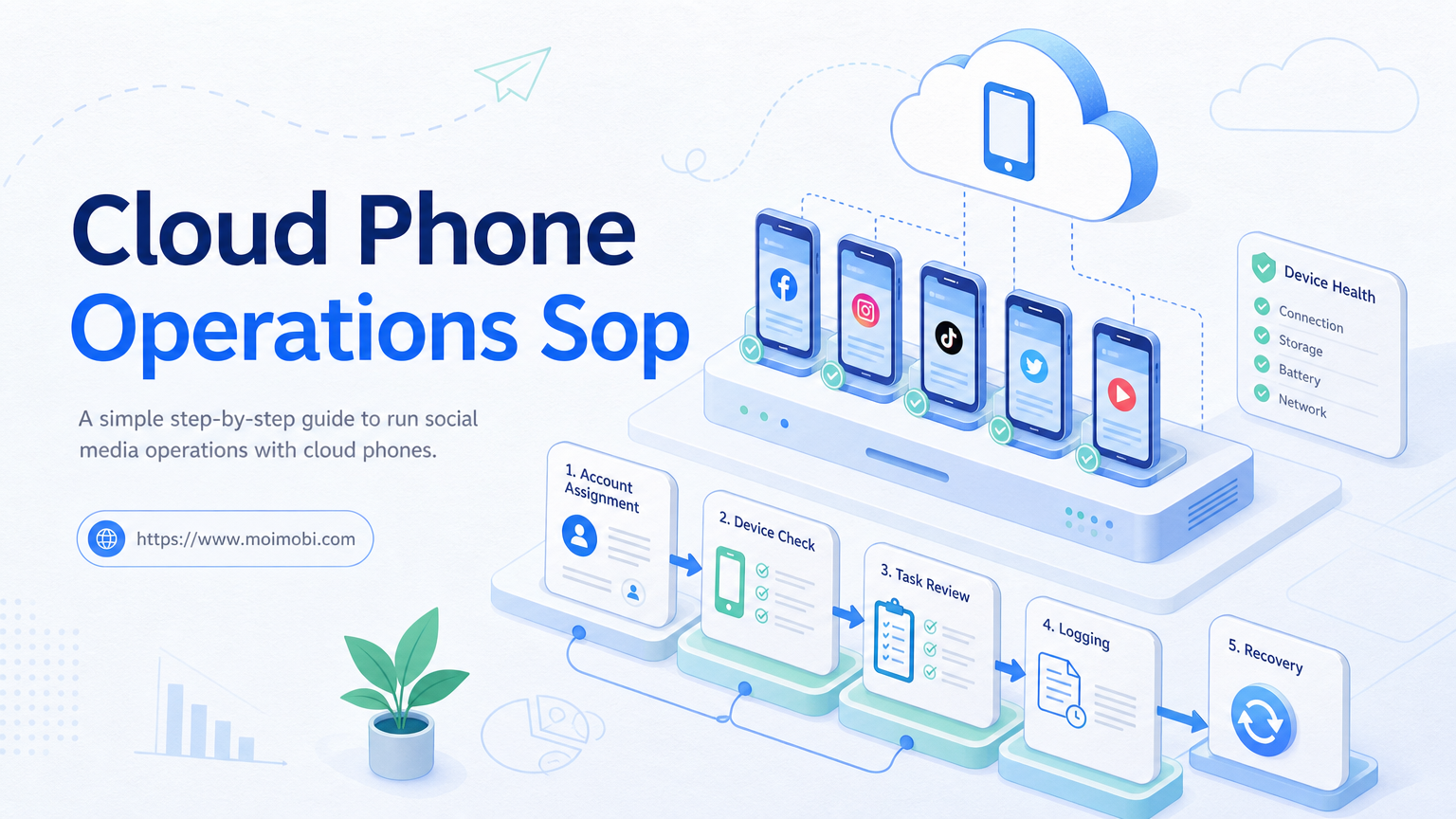
Key Takeaways
- A cloud phone operations SOP defines how social accounts, devices, tasks, owners, and recovery steps are managed.
- The SOP should start with account assignment and environment rules before any automation is scaled.
- Teams need approval, pause, retry, and logging rules for publishing, replies, inbox work, and monitoring.
- The first rollout should test a small account group and one workflow, not the full account pool.
- Moimobi fits teams that need cloud phones as part of a controlled execution system.
A cloud phone operations SOP is a written workflow for assigning accounts, running tasks, reviewing actions, and handling failures across cloud phones. It gives social media teams a repeatable way to operate accounts without relying on memory or informal handoff.
The goal is not to make every task automatic. The goal is to make every task accountable. A good SOP explains who owns each account, which cloud phone can run it, what tasks are allowed, and when work must pause.
Social media workflows touch public posts, customer comments, direct messages, and account settings. Platform rules differ. X publishes automation rules for automated behavior, Meta documents official Instagram comment moderation actions, and TikTok separates developer capabilities by API product and permission. An SOP helps teams keep those boundaries visible.
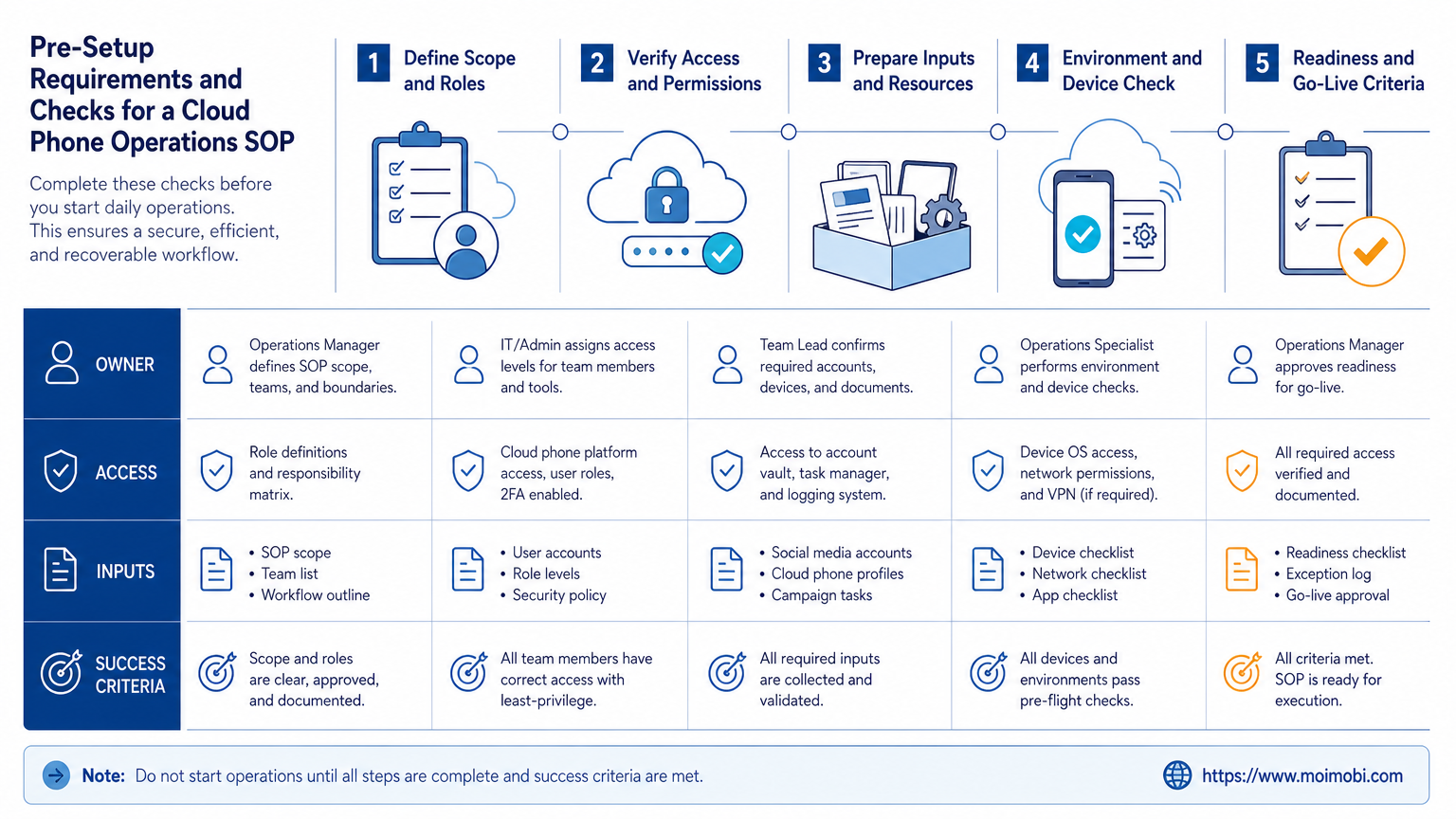
Pre-Setup Requirements and Checks for a Cloud Phone Operations SOP
Start with the parts that must exist before execution begins. If these pieces are missing, the SOP will become a document no one follows.
Use this preflight checklist:
- Account list with platform, role, owner, and status.
- Cloud phone list with device ID, region label, app version, and assignment.
- Task catalog for publishing, replying, inbox checking, monitoring, and reporting.
- Approval rules for public replies, sensitive messages, and account changes.
- Pause rules for login issues, repeated failures, and unclear ownership.
- Audit fields for task ID, account ID, device ID, operator, timestamp, and outcome.
| SOP Area | Required Decision | Failure If Missing |
|---|---|---|
| Account ownership | Who is responsible for each account? | Duplicate work and unclear escalation |
| Device assignment | Which cloud phone can run each account? | Mixed sessions and weak traceability |
| Task scope | Which actions are allowed? | Automation runs beyond team intent |
| Review rules | Which actions need human approval? | Public mistakes are harder to catch |
Do not start with tool settings. Start with responsibility. Tool settings only work when the team already knows account ownership and task boundaries.
The Core Workflow for How to Build a Cloud Phone Operations SOP for Social Media
Build the SOP in a fixed order. Each step should produce a record.
- Map account groups. Separate brand accounts, support accounts, testing accounts, and inactive accounts.
- Assign execution environments. Connect each active account to a specific cloud phone or account workspace.
- Define approved tasks. List what each account can do, such as publish, reply, monitor, or collect leads.
- Set approval gates. Require review for first-contact replies, complaints, pricing, and account changes.
- Create task records. Log task ID, account, device, operator, status, and recovery action.
- Run a limited pilot. Test one account group and one workflow before adding more devices.
This order prevents a common failure. Teams often connect devices first, then define ownership later. That creates confusion because the environment exists before the operating rule.
Moimobi should sit at the execution layer. Teams can use device isolation and mobile automation to run work, while the SOP defines who can run it and how results are reviewed.
How to Verify the Setup Is Working
Verification should happen before scale. A workflow that completes one task is not enough. The team must be able to explain the full path.
Use these pass/fail checks:
- Can every social account be matched to one owner?
- Can every active account be matched to an approved cloud phone?
- Can every task be found by task ID?
- Can reviewers see whether AI, automation, or a person drafted the action?
- Can failures be grouped by account, task type, and device?
- Can managers pause one account without stopping the whole team?
NIST log management guidance focuses on collecting, analyzing, and protecting logs so organizations can detect and investigate events. Social media operations need a lighter version of the same idea. The logs should help the team investigate tasks, not only count completed actions.
Run a recovery drill. Pick one failed task and reconstruct what happened from account to device to operator to final status. If the team cannot do that, the SOP is not ready.
Where Teams Usually Get Stuck
The first sticking point is shared ownership. When several operators use the same account, no one owns the final result. Assign one owner even if several people contribute.
The second sticking point is device sprawl. Teams add more cloud phones without a clean naming system. Use simple labels such as platform, account group, region, and device number.
The third sticking point is approval drift. A workflow may start with review, then operators slowly bypass it because speed feels better. The SOP should define which actions can never skip review.
The fourth sticking point is unclear retries. A retry is not just another attempt. It should record why the first attempt failed and who approved the second attempt.
Avoid comparing cloud phone vs physical phone farm only by price. Physical phone farms, cloud phone platforms, and browser profile tools solve different execution problems. The SOP should define the job first, then choose the environment.
Next Steps After the First Pass
Do not expand the SOP immediately after the first successful run. First, review what the pilot exposed.
Use this post-pilot sequence:
- Remove inactive or unclear accounts from the active pool.
- Fix missing task fields before adding new workflows.
- Review all manual approvals and decide which categories stay manual.
- Write stop rules for repeated login failures, duplicated actions, and wrong-account actions.
- Add one new account group only after the recovery drill passes.
This approach keeps the system understandable. When a team scales too fast, small naming and ownership problems become expensive cleanup work.
Who It Fits and When It Is a Strong Match
A cloud phone operations SOP fits teams that run social media work as a process. It is useful for agencies, cross-border sellers, support teams, creator operations, and brands with several platform accounts.
- Multiple accounts need separate execution environments.
- Several people publish, reply, or monitor accounts.
- Managers need task records and recovery history.
- Mobile app workflows are part of daily operations.
- One person handles one account manually.
- The team has no repeatable task list.
- There is no approval owner.
- The goal is only to increase task volume.
Tools like GeeLark, MoreLogin, BitBrowser, and other profile or cloud phone products may appear in the same buying discussion. The SOP should not start with a vendor comparison. It should start with execution needs: app access, browser access, account isolation, approval flow, and logging.
Pilot Rollout, Measurement, and Recovery Checks
Run the first pilot on one platform and one account group. For example, test Instagram comment triage or TikTok content publishing before combining both.
Track five metrics:
- tasks completed;
- tasks paused;
- manual approvals;
- failed retries;
- recovery time.
Also track one quality signal: whether the final action matched the account’s role and review rule. A fast workflow that replies from the wrong account is not a successful workflow.
Recovery checks should be strict. If a login fails twice, pause and inspect. If an account appears on the wrong device, stop the task. If a public reply lacks approval, escalate the workflow owner.
The pilot is complete only when managers can read the records without asking the operator to explain everything from memory.
SOP Template Fields to Copy Into Your Workspace
Make the SOP easy to copy into a team workspace. Keep the fields short enough for daily use.
Use this template as the first version:
- Account group: platform, account name, region, account role, owner.
- Execution environment: cloud phone ID, app version, network label, assigned account.
- Allowed tasks: publishing, comment triage, inbox review, lead capture, monitoring, reporting.
- Approval gates: what needs review, who approves, and what cannot be automated.
- Daily start checks: login state, app version, device status, task queue, owner availability.
- Daily end checks: completed tasks, paused tasks, failed retries, open escalations.
- Incident fields: task ID, account, device, operator, error category, recovery action.
This template creates one shared language. A support operator, growth operator, and manager can all read the same record. That matters when work crosses time zones or teams.
Keep the first version strict. It is easier to relax a field after several clean weeks than to rebuild missing history after a problem.
Role Design for a Cloud Phone Operations SOP
Role design should separate decisions. One person should not own every decision in a scaled workflow.
Use a simple role map:
- Account owner: approves account scope and escalation rules.
- Operator: runs approved tasks and records outcomes.
- Reviewer: checks public replies, sensitive messages, and unusual actions.
- Workflow manager: adjusts task templates, pause rules, and reports.
- Admin: manages cloud phone access, permissions, and environment assignment.
Small teams can combine roles, but the responsibility should still be named. For example, one person may act as both operator and reviewer during a pilot. The SOP should still record when that person is operating and when that person is approving.
Clear roles prevent silent drift. Without role names, operators may change account assignment, retry failed tasks, and approve replies without a second check. That may be fast in the moment, but it weakens review later.
Weekly Review and Improvement Loop
Weekly review turns the SOP into an operating system. Without review, teams collect records but do not improve operations.
Review these items once a week:
- accounts with repeated failures;
- devices with abnormal pauses;
- tasks that needed manual correction;
- reply categories with frequent edits;
- workflows that skipped required approvals;
- operators who need clearer task instructions;
- fields that were often left blank.
The review should produce a small change list. Update one approval rule, one task template, or one device assignment rule at a time. Avoid changing every part of the workflow after one bad day.
For social media teams, this loop is where the SOP becomes useful. It turns task history into better routing, cleaner ownership, and fewer repeated mistakes.
Add one final acceptance test before rollout. Give a manager a random task ID from the pilot. The manager should be able to find the account, cloud phone, operator, approval status, result, and recovery note in a few minutes. If that check fails, the SOP needs clearer fields before more accounts are added.
Define the handoff standard as well. A second operator should be able to take over a paused task without private chat history or verbal explanation. The record should show the current account state, last action, next allowed action, and the reason work paused. If handoff depends on memory, the workflow is not ready for shift-based operations.
Save one approved handoff example so new operators can copy the format later.
Frequently Asked Questions
What is a cloud phone operations SOP?
It is a written operating procedure for assigning cloud phones, running tasks, reviewing actions, and handling failures.
Why does social media need this SOP?
Social media work involves public actions, customer replies, account access, and repeated workflows. Teams need clear ownership and records.
Should every account get its own cloud phone?
Not always. The decision depends on account role, task type, platform requirements, and review needs.
What should be included first?
Start with account ownership, device assignment, allowed tasks, approval rules, pause conditions, and audit fields.
Can this replace a social media manager?
No. It organizes execution. Human owners still decide strategy, review sensitive actions, and handle escalation.
How many accounts should be in the first pilot?
Use a small group. The right number is the amount the team can review without losing traceability.
What is the biggest warning sign?
The biggest warning sign is a task that no one can connect to an account owner, device, and approval record.
Where does Moimobi fit?
Moimobi provides browser and mobile execution infrastructure for teams that need controlled account operations.
Conclusion
Build the SOP in this order: account ownership, device assignment, task scope, approval gates, logs, pilot, then scale.
Before adding more cloud phones, run one recovery drill. If the team can explain account, device, task, owner, approval, and result, the SOP is ready for the next account group.



