
Key Takeaways
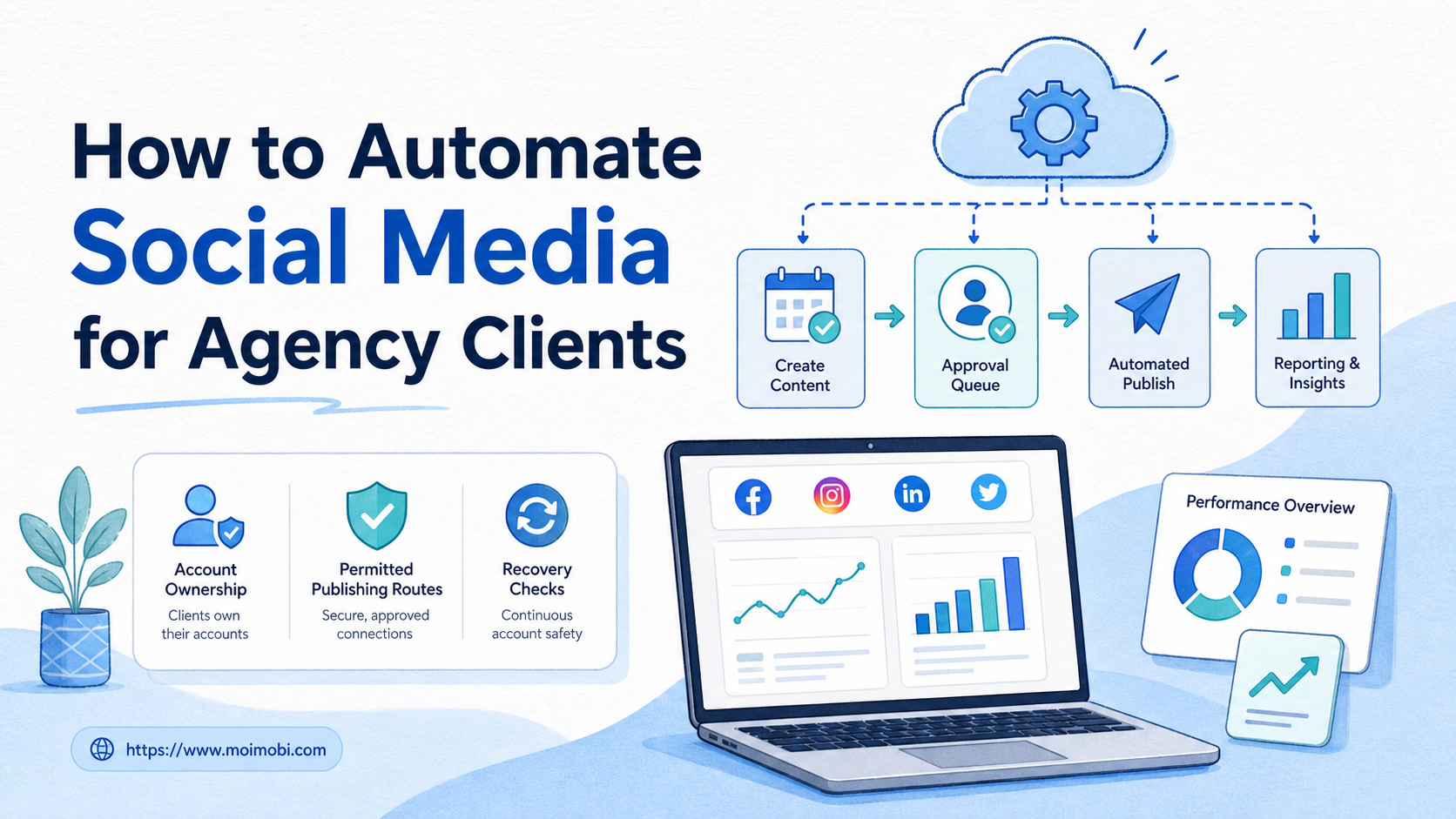
- To automate social media for agency clients, automate the repeatable preparation, approval, routing, and reporting work before attempting customer-facing actions.
- Each client account needs an owner, a permitted route, an asset record, and a clear approval boundary.
- A small pilot proves whether automation reduces handoff time without hiding errors or mixing client workspaces.
How to automate social media for agency clients starts with a workflow decision, not a posting tool. The agency should identify repeated tasks such as collecting approved assets, routing captions for review, preparing a publishing request, recording a result, and creating a client report. Those activities can be standardized while each client keeps control of their own account, permissions, and brand decisions.
The aim is reliable coordination. A client should know what needs approval. An account manager should know the next owner. An operator should know the permitted route. When one of those facts is missing, the right response is to pause the task instead of automating around the gap.
Official platform routes matter. TikTok's Content Posting API, for example, requires the relevant app configuration, authorization scope, and target-user authorization for supported posting flows. TikTok's posting guide shows why an agency cannot treat a generic automation instruction as a replacement for consent and platform rules.
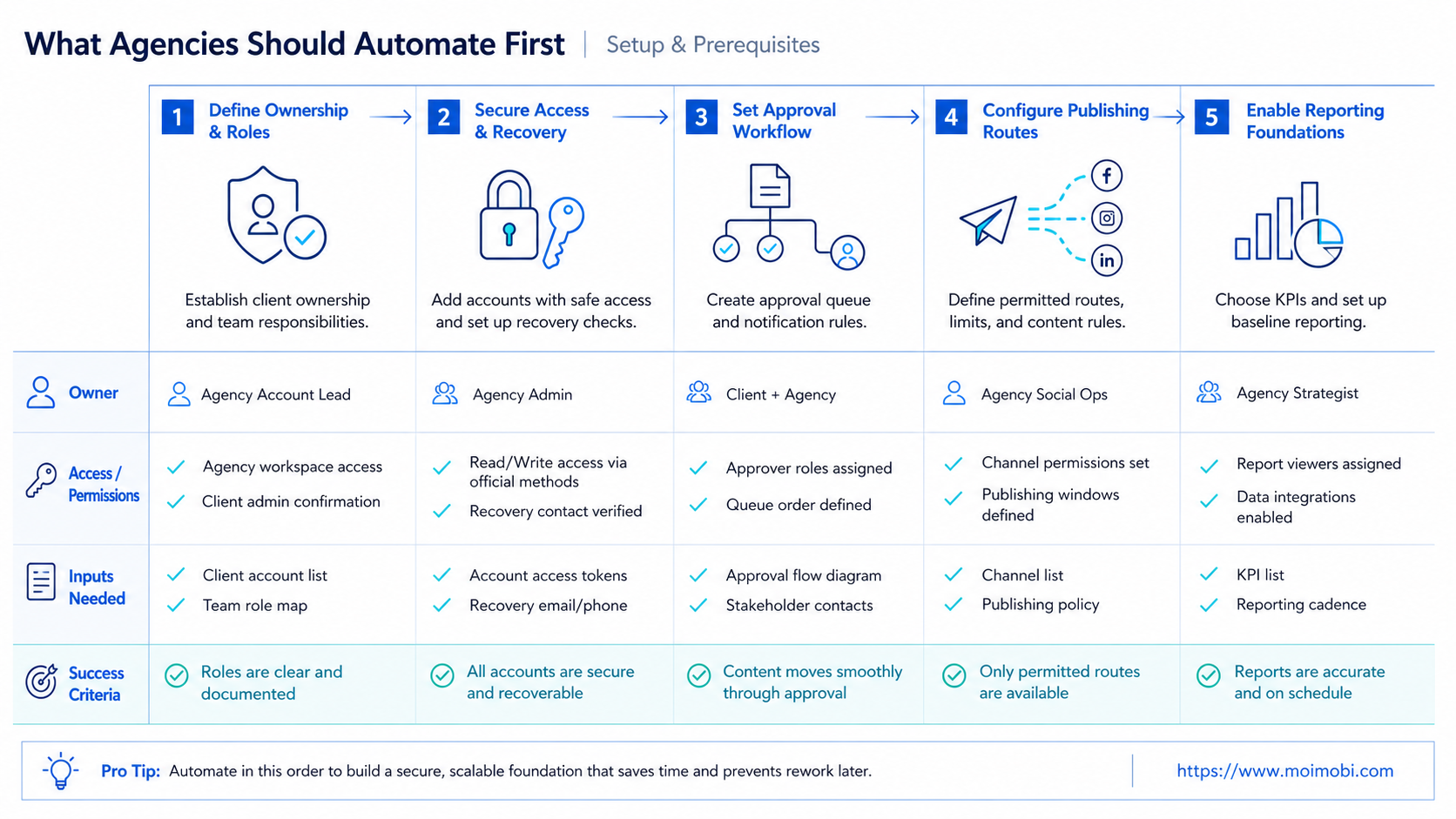
What Agencies Should Automate First
Start with internal work that has a clear input and a visible result. Good first candidates include asset intake, content calendar updates, caption versioning, approval reminders, task assignment, performance-report preparation, and status summaries. These tasks create less risk because they do not automatically send a public message or modify an account.
Delay broad publishing, direct messages, comments, or account-setting changes until the agency has documented ownership and review gates. A content approval should not silently authorize a different action. An approved caption may still require a channel-specific check, a client release decision, or a platform-supported permission.
| Workflow area | Good first automation | Keep human review for |
|---|---|---|
| Content intake | Collect asset links, briefs, and requested dates | Brand interpretation and missing requirements |
| Approval | Route a versioned draft and send reminders | Creative, legal, or customer-facing decisions |
| Publishing route | Prepare an authorized API or workspace task | Final release when the client requires it |
| Reporting | Collect approved metrics and draft summaries | Performance interpretation and recommendations |
This order helps agencies get operational value before they depend on complex execution. It also produces the task data needed to improve the next stage.
Build a Client-Safe Social Media Workflow
Create one work item for one intended outcome. A useful item includes client name, owned account, target platform, asset version, caption version, requested action, reviewer, due date, and completion evidence. It should not contain copied passwords, loose session data, or a vague instruction such as “manage the account.”
Use separate states for creative approval, account approval, and release result. A client can approve the content while the agency waits for a platform route or a final time slot. That distinction prevents a work item from being marked complete before the real action is confirmed.
For a supported posting route, follow the platform's own product flow. TikTok explains that an upload route can create content for the creator to review and post later, while direct posting has its own authorization and configuration requirements. TikTok's Content Posting API overview illustrates why “uploaded,” “submitted,” and “published” are different business states.
When an agency needs a client-specific web or app task, use a named workspace rather than a shared browser session. Multi-account management can help teams keep ownership, task assignment, and account boundaries visible. For an approved mobile-first step, assign a cloud phone to the right workflow after the client and account are confirmed.
How to Automate Social Media for Agency Clients Step by Step
- Map one client journey. Pick one recurring deliverable, such as a weekly short-form post, and list every handoff from brief to confirmed result.
- Define ownership. Name the client approver, agency account manager, content owner, and authorized operator for that journey.
- Standardize the inputs. Require a current asset, caption, destination, requested date, and source of approval before a task can move forward.
- Choose the permitted route. Prefer an official API for supported actions. Otherwise create a narrow browser or mobile task with a stop condition.
- Add a release gate. Pause before any public post, message, account change, or customer-facing action when client policy requires review.
- Record the outcome. Store the confirmed status, platform response or evidence, exception reason, and the next owner.
- Review the cycle. Each week, remove unnecessary steps and fix the most common cause of a pause or rework.
Keep the first version small. One platform and one client workflow expose the real friction more clearly than a large rollout. The agency can then reuse the same fields for another client while preserving separate accounts and approval rules.
Use Approval Queues Instead of Chat Threads
Chat tools are useful for discussion, but they make poor systems of record for release decisions. A queue item keeps the current asset, the correct reviewer, and the decision history together. It also makes overdue work visible without forcing the team to reconstruct context from several messages.
Give reviewers only the decision they need to make. A client may need to approve a caption and media preview. They do not need access to browser sessions or internal task logs. An operator may need the account assignment and a final release token, but not unrelated client conversations.
Use clear status labels: drafting, ready for review, changes requested, approved for route check, released, or paused. “Approved” alone is too vague for a multi-client workflow. The label should state which decision was approved and what remains.
How to Automate Social Media for Agency Clients During Onboarding
Onboarding is where an agency decides whether future automation will be maintainable. Do not begin by connecting every client account. First create a short operations sheet for one client that names the business goal, account owner, content approver, approved channels, asset location, reporting cadence, and escalation contact.
Then convert the sheet into a reusable intake form. The form should ask only for information required to move a task: target account, audience, content goal, media link, caption owner, client reviewer, proposed date, and any mandatory legal or brand check. If the team needs information later, add it after observing a real pause. Too many fields at the beginning make the form less likely to be completed correctly.
Use one client-specific approval rule rather than a generic agency rule. A regulated client may require approval before every public release. A mature client may approve a monthly content direction and ask the agency to release routine posts within that boundary. Both approaches can work when the workflow records the agreement and handles exceptions.
The agency should also write a simple exit plan. If access changes, a client pauses a campaign, or a team member leaves, the account environment and unfinished tasks must be easy to locate. A documented social media marketing workflow gives the team a clearer handoff than relying on personal browser profiles or informal messages.
Verification Checklist Before Expanding a Client Workflow
After the first cycle, review completed and paused items together. The goal is to check whether the system preserves business context, not merely whether a task finished.
- Confirm the asset. Verify that the released media and caption match the version the client approved.
- Confirm the account. Check that the result belongs to the assigned client workspace and target channel.
- Confirm the route. Record whether the action used an approved API, a reviewed browser task, or a manual step.
- Confirm the outcome. Store the final platform status or a clear pause reason rather than an ambiguous technical event.
- Confirm the handoff. Make sure the next report, revision, or client response has a named owner.
If these checks reveal repeated gaps, improve the intake or approval rule before adding another client. Growth comes from repeatable decisions, not from connecting more accounts faster.
Keep a short change log for the workflow itself. Note when the agency changes an approval owner, publishing route, required asset field, or report definition. This gives new team members a practical, durable record and prevents an old assumption from silently becoming the operating rule.
Reporting Automation Without Misleading Clients
Reporting is often a better second automation than automatic publishing. The agency can pull approved metrics into a consistent outline, group results by campaign or content type, and ask AI to draft questions for the account manager. The final interpretation remains a human responsibility.
Do not report causation when the evidence only shows timing. A post receiving more engagement after a competitor launch does not prove the launch caused the result. Keep source dates, metric definitions, and limitations beside the summary.
The FTC's advertising and marketing guidance is relevant when agencies turn observations into claims: public performance discussions and client-facing marketing should remain accurate and supportable. Automation can improve consistency, but it cannot make an unsupported claim credible.
Fit Boundaries and Failure Modes
This approach fits agencies with recurring content operations, multiple client accounts, and clear service roles. It works best when the agency can state which actions are permitted, who can approve them, and what evidence closes the task.
It is not a fit for unapproved direct messaging, copied account credentials, hidden collection of personal information, or a plan to bypass platform controls. Those activities should not be reframed as operational automation.
Watch for these failure modes:
- Shared workspaces: client sessions mix and responsibility becomes unclear.
- Unversioned assets: a reviewer approves one caption while another one is submitted.
- Missing stop rules: a failed action retries without confirming the business result.
- Unowned reports: AI generates a summary that nobody validates before the client sees it.
Each failure has an operational fix: isolate client environments, attach a version identifier, require a human recovery decision, and name the report owner.
Pilot Metrics and Recovery Checks
Run a two-week pilot for one client workflow. Measure time from brief to first review, time waiting on approvals, rework caused by missing inputs, number of paused tasks, and confirmed completion rate. These measures show whether automation reduced coordination work rather than simply moving it into another dashboard.
Inspect every exception during the pilot. If a post status is uncertain, do not resubmit it immediately. Check the account, source asset, approval record, and platform result first. TikTok provides status checking for its content-posting flow because processing and final outcomes can differ; an agency workflow should preserve the same careful distinction. TikTok's status documentation is an example of the evidence a result record should capture.
After the pilot, expand one variable at a time: another client, another platform route, or another report format. Keep the same ownership and review fields. That produces a system the agency can explain and maintain.
Frequently Asked Questions
Can an agency automate posting for every client?
Only when the client agreement, account authorization, platform capability, and review process support the specific action. Different clients may need different release paths.
What should be automated before publishing?
Start with intake, versioning, approval reminders, task assignment, and reporting preparation. These steps reduce manual coordination without creating public actions.
Should a client approve every post?
That depends on the service agreement and brand policy. The workflow should make the required approval visible instead of assuming one rule for all clients.
Why use separate account workspaces?
Separate workspaces make it easier to connect a task to the right client account and authorized operator. They also reduce accidental context mixing.
Can AI write client reports automatically?
AI can draft a structured summary from approved inputs. An account manager should verify the numbers, context, and recommendations before sending it.
What is the first metric to track?
Track approval delay and paused-task reasons. They often reveal missing ownership or unclear inputs before publishing metrics do.
When should the agency stop an automated task?
Stop when the account is unclear, the asset changed after approval, a permission is missing, or the platform result is uncertain. Review the evidence before retrying.
Conclusion
To automate social media for agency clients, first automate the coordination work that makes client operations repeatable. Keep accounts separate, route each decision to a named owner, prefer permitted platform paths, and record a confirmed result.
Start with one client workflow and one measurable bottleneck. Once the agency can show where every item is, who owns it, and how it closed, it can extend the same operating model without losing control.



