
Key Takeaways
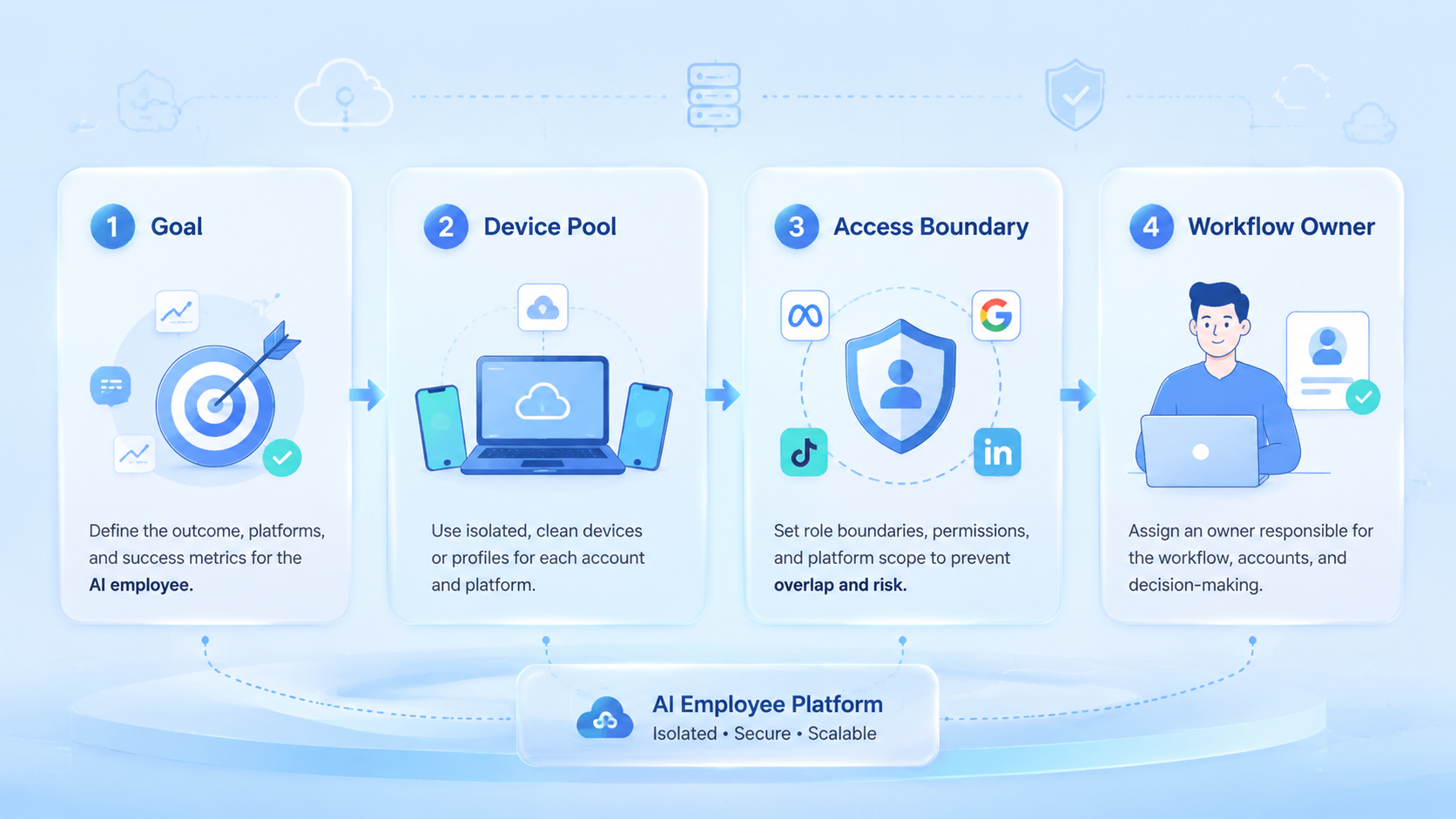
- AI employees work better with narrow role boundaries
- Browser and mobile tasks should not share one generic runtime
- Account isolation reduces mixed sessions and cleanup work
- A pilot should track corrections, escalations, and completion quality
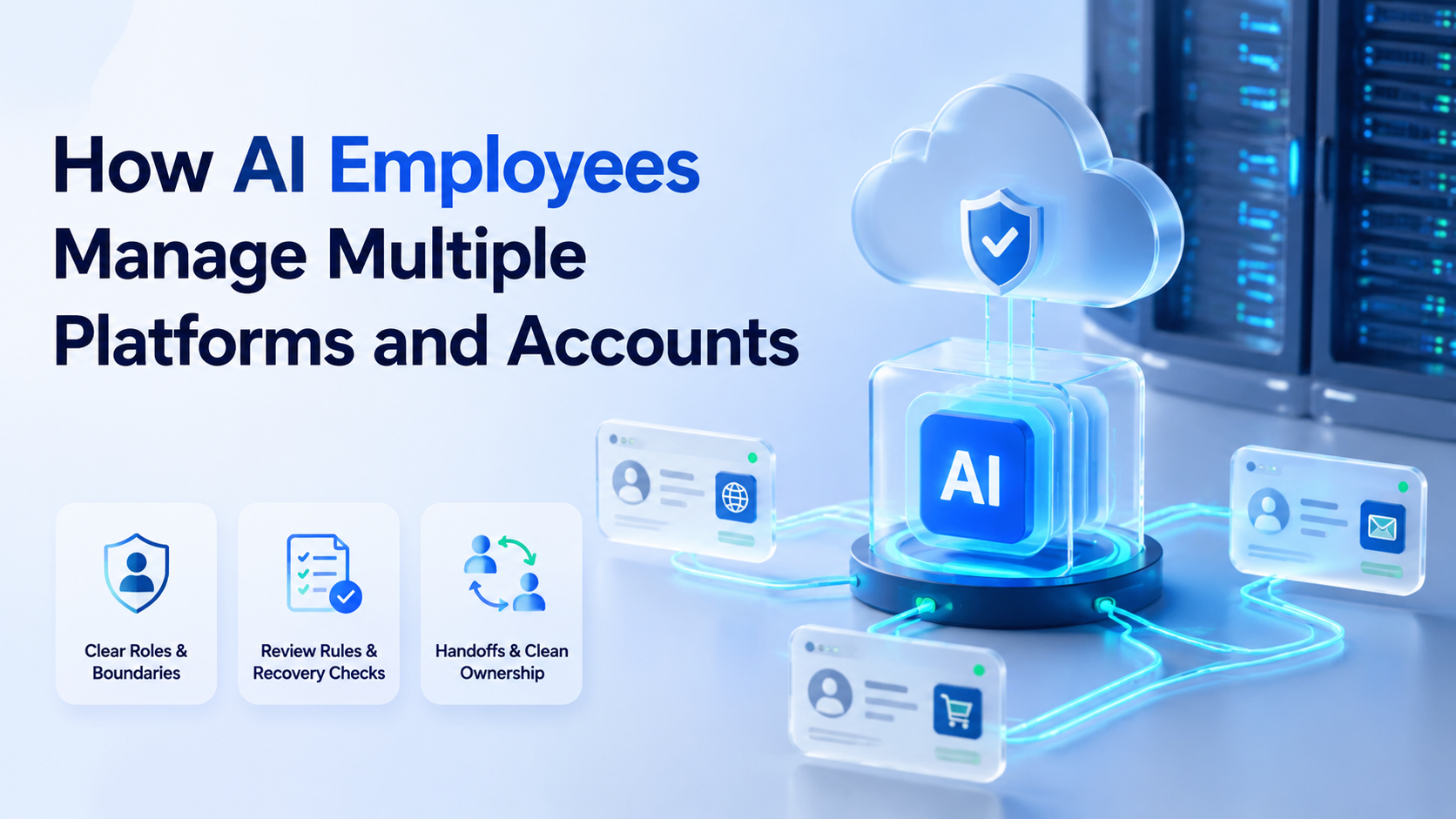
How AI employees manage multiple platforms and accounts is a work design question inside an AI employee platform. The answer is not one broad agent. The better answer is a controlled system where each worker has a role, a setup, and a review boundary.
Teams usually reach this topic when they handle publishing, inboxes, outreach, dashboards, and account checks across more than one channel. Once the workflow crosses both browser and mobile surfaces, generic automation stops working well. Small gaps turn into real cleanup work. That is where MoiMobi acts as execution infrastructure instead of a single-purpose tool.
The Core Idea Behind How AI Employees Manage Multiple Platforms and Accounts and AI employee platform
An AI employee platform connects planning with real work setups. That often means browser sessions for dashboard work and mobile setups for app-first tasks. The split should stay visible.
The core rule is simple: one worker should know what it owns, where it runs, and when it must stop. Browser automation standards such as WebDriver assume controlled sessions and defined commands.1 Playwright also separates browser contexts to avoid state leakage between runs.2 That is not just test hygiene. It is operating hygiene.
That same rule extends to mobile fleets. Android Enterprise documentation emphasizes managed setups and policy boundaries for business devices.3 When teams apply this model, handoff gets cleaner. So does review.
Why Teams Search for This Topic and AI employee platform
Most teams do not search this topic because they want more AI. They search it because manual coordination is breaking.
One common case is a social team that publishes in browser dashboards, replies through mobile apps, and monitors comments across several accounts. Another is an e-commerce team that updates listings, checks messages, and follows results across multiple screens. A broad social media marketing workflow often spans both web and app surfaces.
An AI employee platform becomes useful when the team needs:
- repeatable task ownership
- a shared review model
- account-level control
- setup-level separation
Without those elements, execution turns into prompt testing plus manual cleanup. Teams lose time twice.
Who Benefits Most and In What Situations
This model fits teams with high task repetition and clear account boundaries.
It is a strong fit for:
- social teams running many accounts
- support teams handling repeat inbox actions
- growth teams doing repeat checks and follow-up
- agencies that need role separation across client assets
It is a weaker fit for high-judgment work. If every task needs custom strategy, negotiation, or policy reading, the worker should support the operator instead of replacing the operator. Judgment-heavy work needs a human lead.
For teams that handle several channels at once, multi-account management and device isolation usually matter more than raw speed.
How to Evaluate or Start Using How AI Employees Manage Multiple Platforms and Accounts
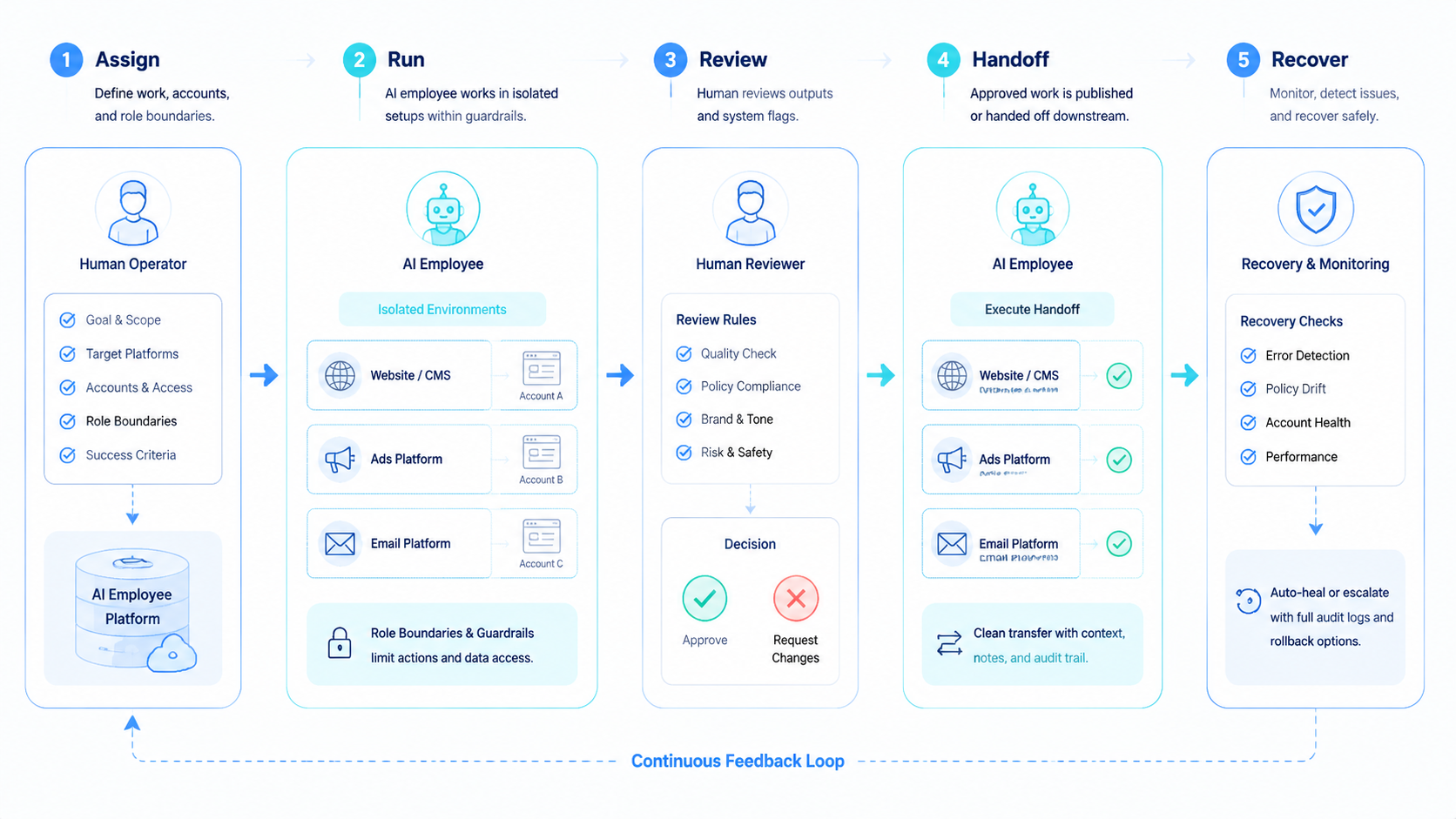
Start with one controlled path instead of a full rollout.
- Pick one workflow. Good first candidates are publishing, inbox triage, or dashboard monitoring.
- Map the platform surface. Note which steps happen in browser pages and which depend on mobile apps.
- Assign one account boundary. Keep the first worker limited to one account or one small account group.
- Choose the runtime. Use mobile automation or a cloud phone if the task depends on app-first execution.
- Define the stop rule. Decide when the worker should escalate to a human.
- Review five to ten runs. Measure accuracy before scale.
AWS Device Farm and BrowserStack both frame device automation as controlled repeat execution, which is the right mental model for early validation.4 5 Start small. Then widen the lane.
Mistakes That Reduce Results
The first mistake is putting too many platforms into one worker role. A worker that posts, replies, researches, and reports across unrelated accounts becomes hard to review. It also becomes hard to trust.
The second mistake is weak account ownership. When several workers can act on the same account with no clear gate, audit trails get messy. Responsibility starts to blur.
The third mistake is assuming every task belongs in a browser. Some actions depend on Android app behavior, device state, or notification flow. In those cases, phone farm capacity or Android-based execution is usually the cleaner choice.
Another weak pattern is measuring only throughput. A worker that finishes quickly but creates extra review work does not reduce team load.
Use this quick pass or fail check:
| Check | Pass | Fail |
|---|---|---|
| Role scope | One narrow job | Several unrelated jobs |
| Account boundary | Explicit owner | Shared informal access |
| Runtime choice | Matches browser or mobile need | One runtime forced on every task |
| Review loop | Human checkpoint exists | No correction path |
How AI Employees Manage Multiple Platforms and Accounts Review Checks
Run these checks at the end of the day:
- Did each task end in done, paused, or escalated?
- Did one person own the next step?
- Did browser and mobile logs match the same account lane?
- Did the team fix the same error more than once?
If one answer is unclear, the workflow needs a tighter role or a cleaner handoff. Keep it simple. Clear state names save time.
Try a plain test case. One worker posts. One worker checks replies.
Another worker watches results. Each worker has one lane, one log, and one stop rule.
That is much easier to run than one broad worker with five jobs.
A Simple Rollout Pattern for Small Teams
Small teams do not need a big orchestration layer on day one. They need one lane that is easy to inspect.
Use a narrow launch pattern:
- one worker for one role
- one account owner for each lane
- one browser or mobile environment per task type
- one review checkpoint at the end of each batch
This pattern is boring on purpose. Boring systems are easier to debug. They also make weekly reporting cleaner because the team can see which role created work and which role removed work.
If a lane stays clean for two weeks, add one more account or one more shift. If the lane creates repeated correction work, keep the scope flat and fix the handoff first.
Frequently Asked Questions
Are AI employees the same as chat agents?
No. Chat agents generate responses. AI employees also need an execution setup and workflow rules.
Can one AI employee handle several platforms?
Yes, if the platforms share the same work logic and review boundary. If not, split the role.
When should a team use mobile execution?
Use it when the task depends on Android apps, device state, or app-first interaction patterns.
Does every account need isolation?
Not every case, but isolation often helps when session mixing would create confusion.
What should a first pilot measure?
Track completion quality, correction rate, and time to escalation.
Is this only for social media teams?
No. The same model can support e-commerce, support, and monitoring workflows.
What is the best first use case?
Choose the most repetitive low-judgment workflow with a clear pass or fail rule.
Conclusion
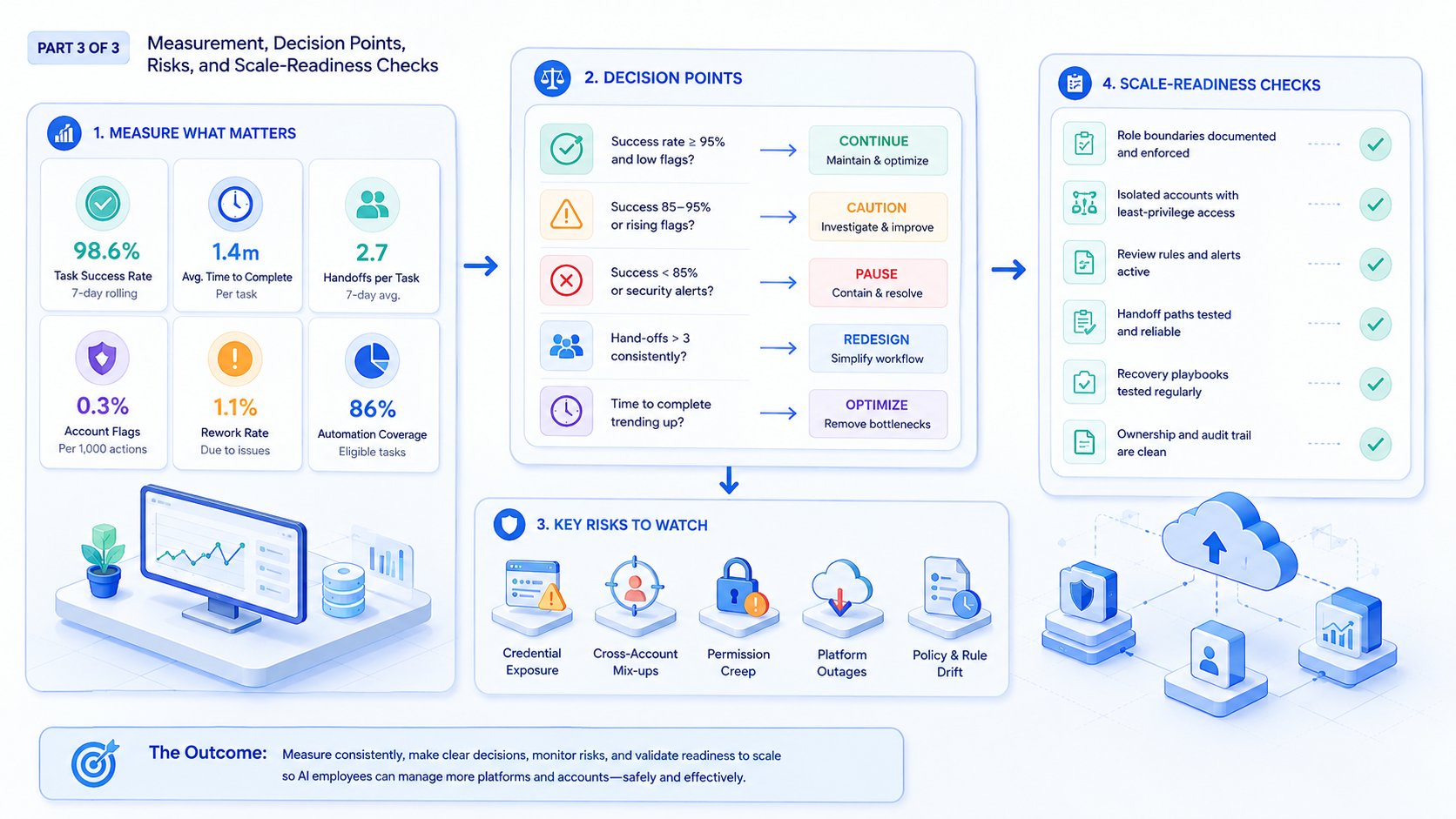
AI employees manage multiple platforms and accounts by working inside fixed boundaries. The boundary is the real control layer: role, account, runtime, and review.
Before rollout, verify one workflow, one ownership model, and one escalation path. If those are clear, the team can scale with less confusion and less cleanup.



