
Key Takeaways
- A faceless AI creator workflow is a repeatable system for persona, scripts, voice, video, posting, replies, and feedback.
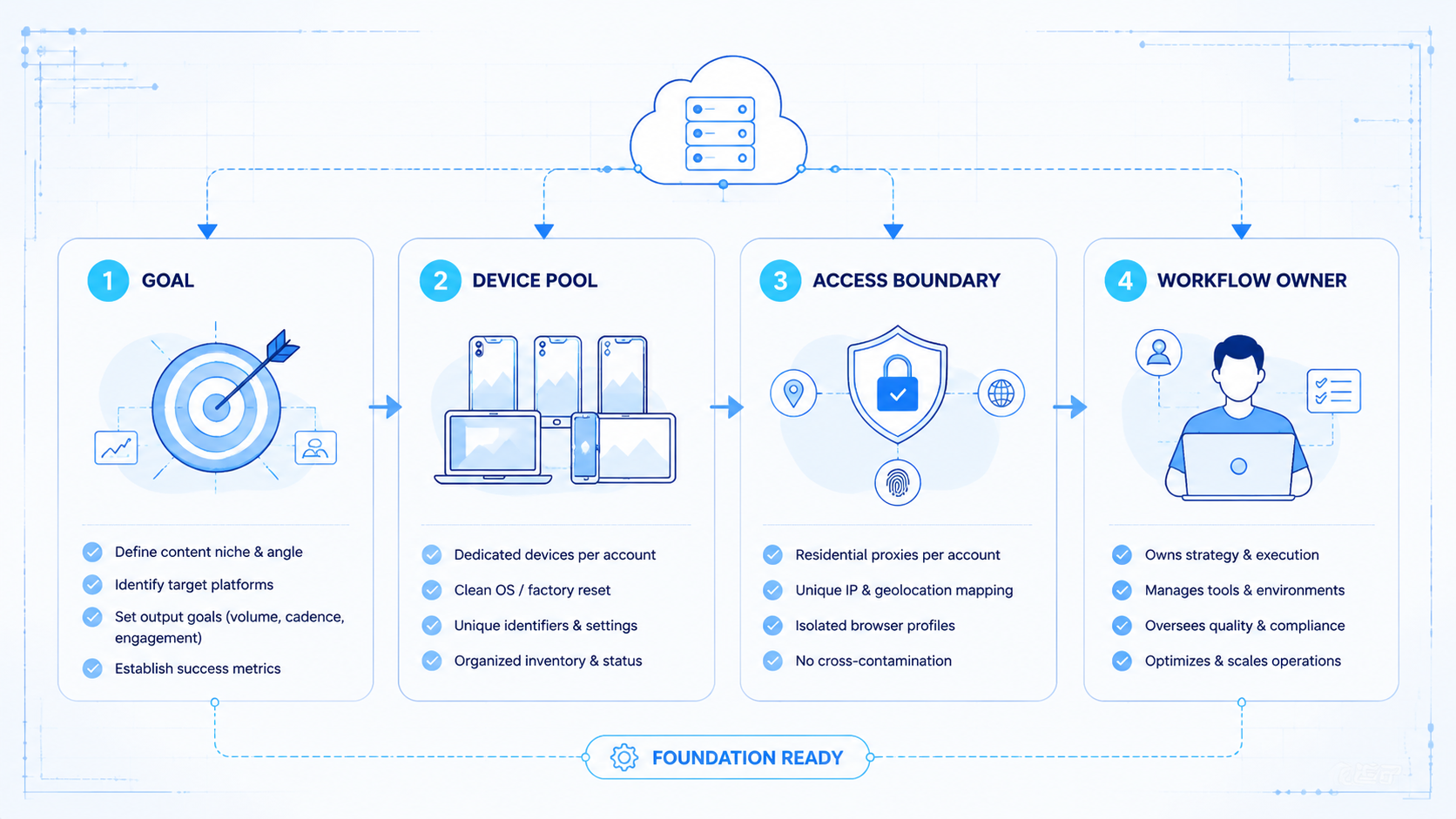
- The production layer can use AI writing, voice, video, and scheduling tools, but teams still need real browser and mobile environments for account execution.
- The workflow becomes useful when it moves from one generated video to multiple accounts that publish and respond consistently.

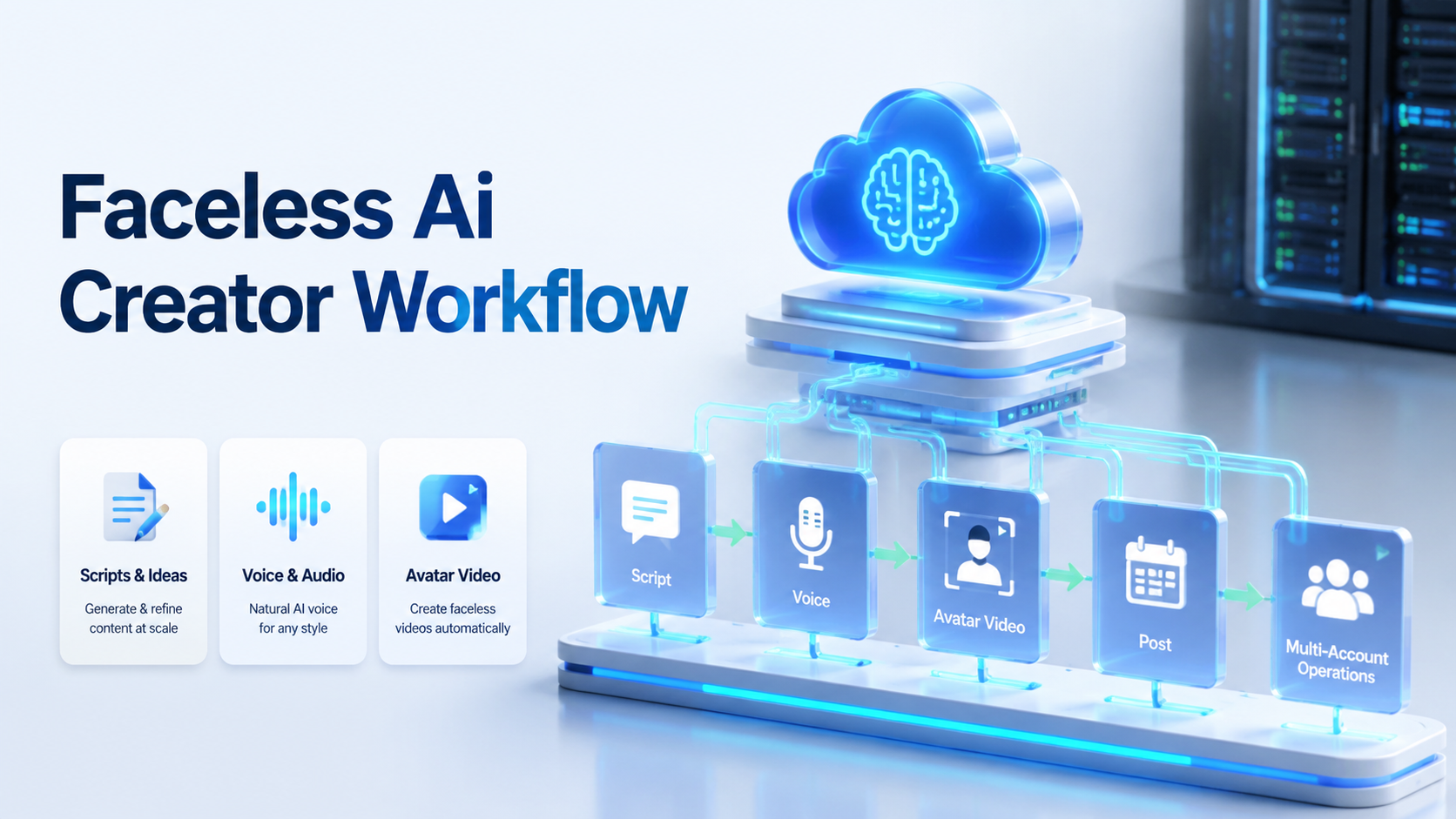
A faceless AI creator workflow is the process of turning a defined persona into repeatable short-form content without putting a real person on camera. It usually includes persona design, script generation, AI voice, avatar video, editing, publishing, replies, and performance review.
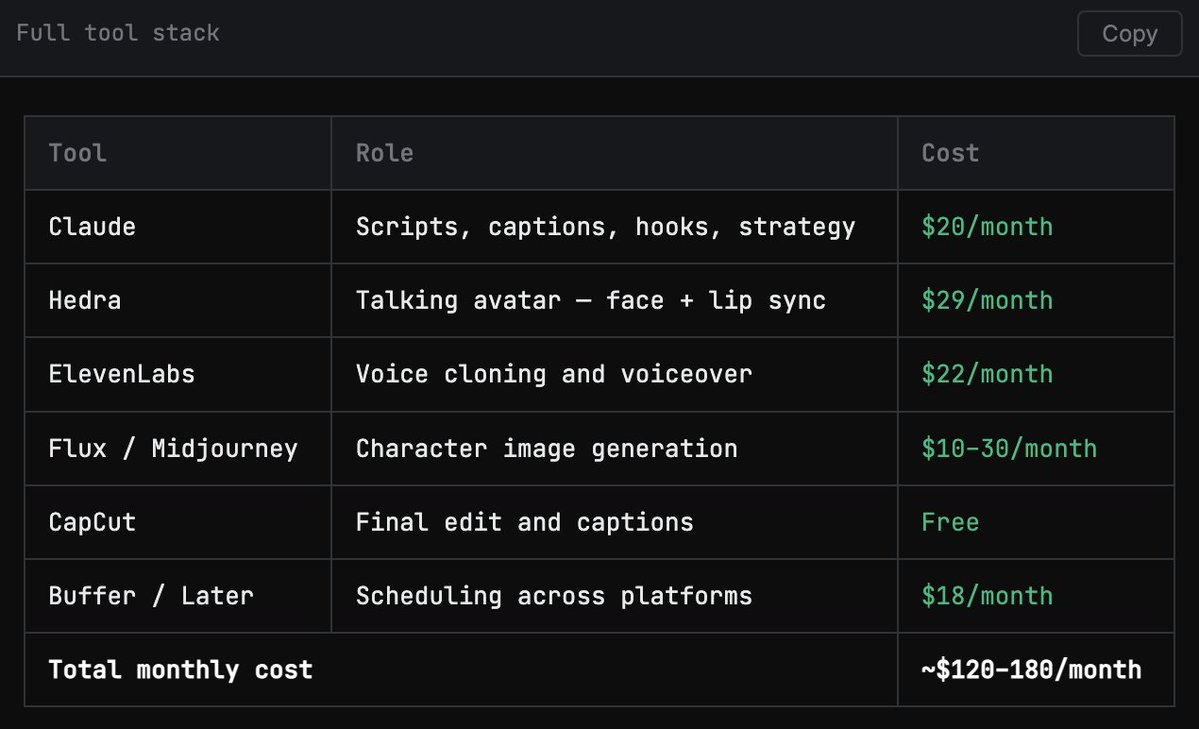
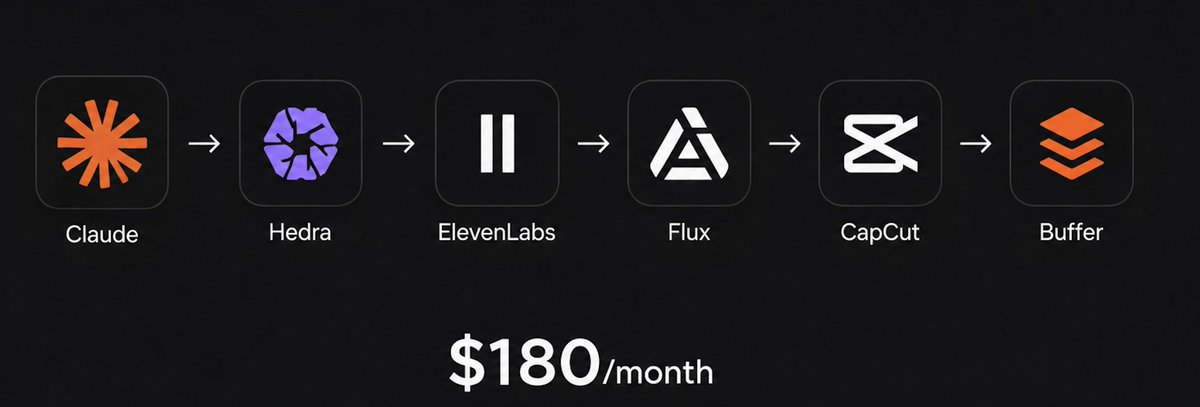
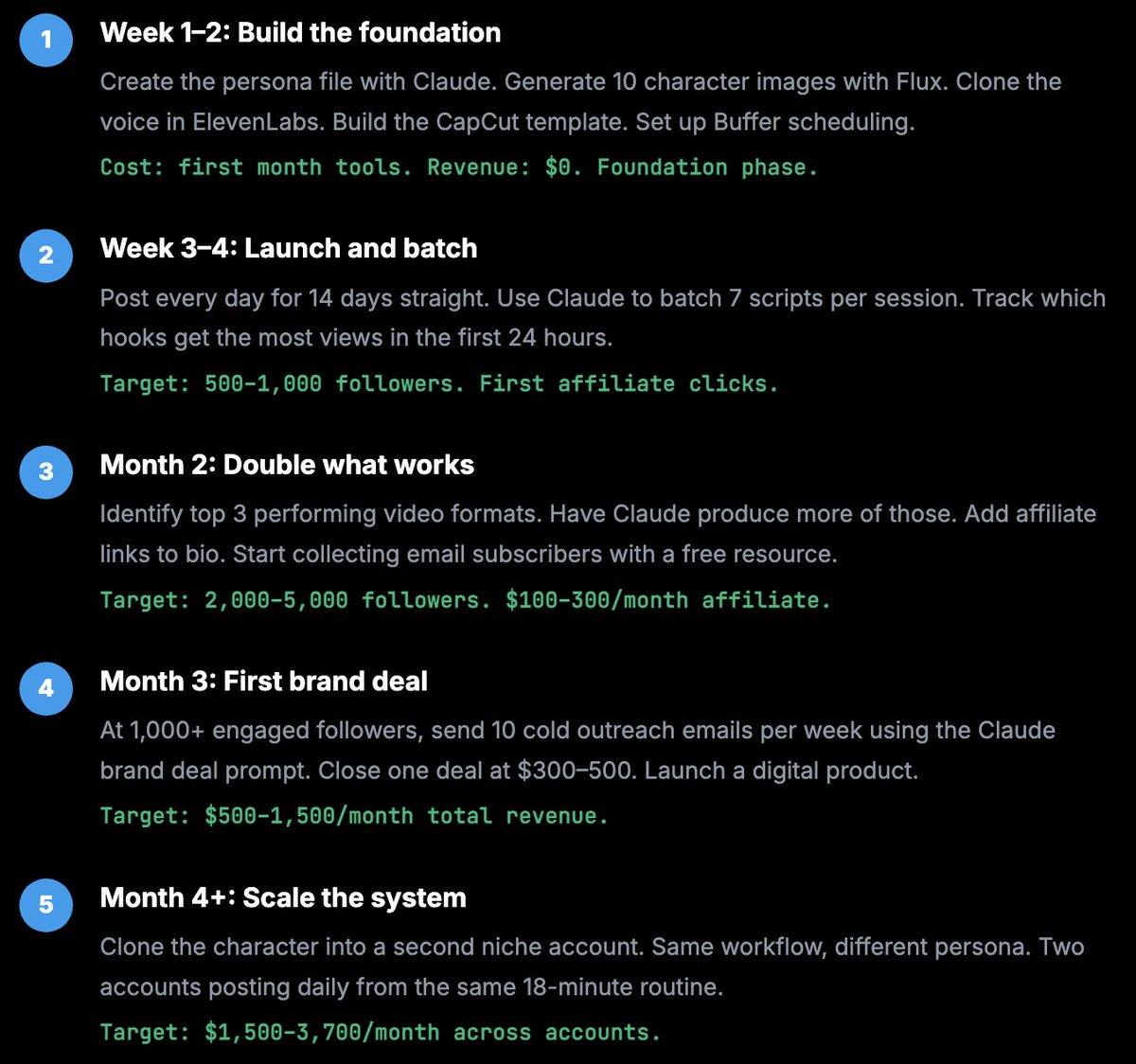
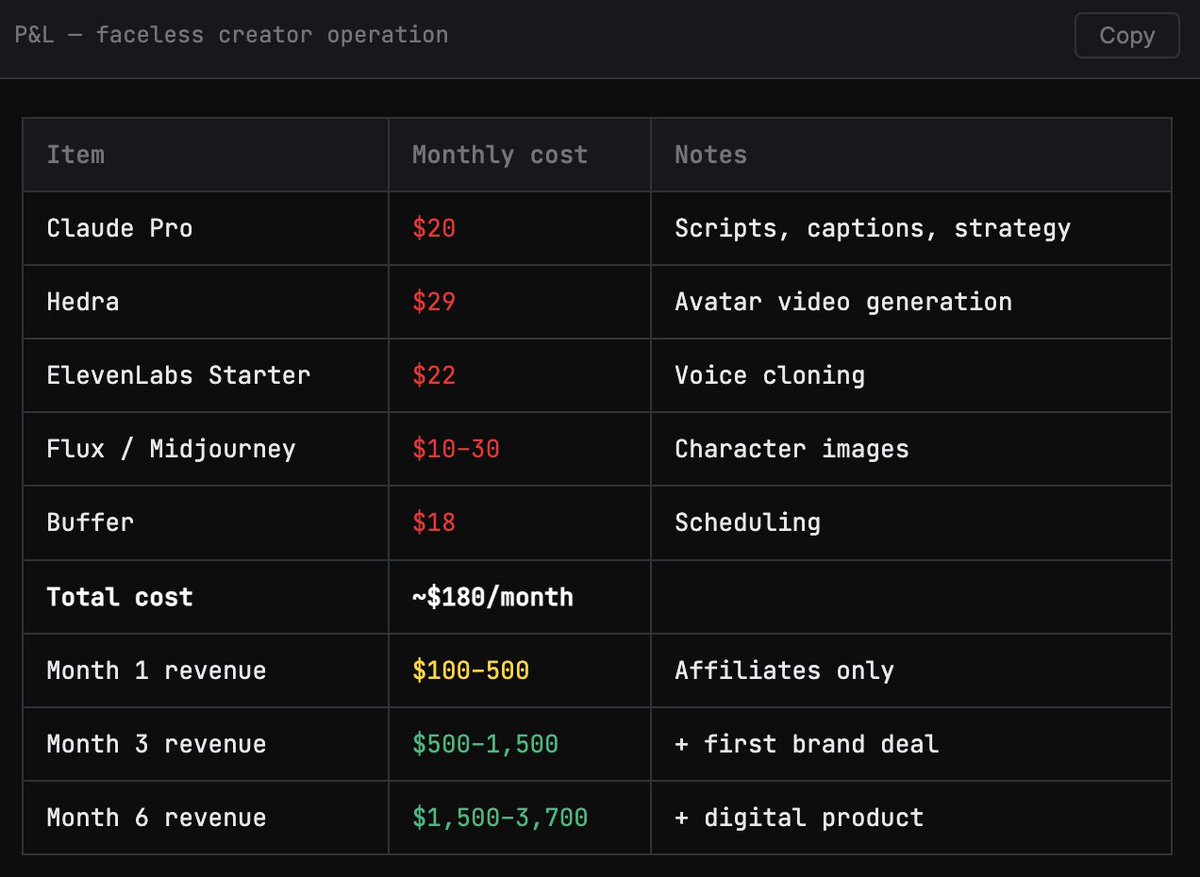
The June 2026 source workflow framed the setup around a $20 Claude subscription and a broader tool stack described as about $180/month. The useful lesson is not the exact spend. It is that the creator is treated as a system, not a one-off asset. A real team needs review rules, account separation, publishing lanes, comment workflows, and feedback loops. That is where content automation meets execution infrastructure. A platform like MoiMobi focuses on that second layer: real browser and mobile environments where online work can run.
What a Faceless AI Creator Workflow Includes
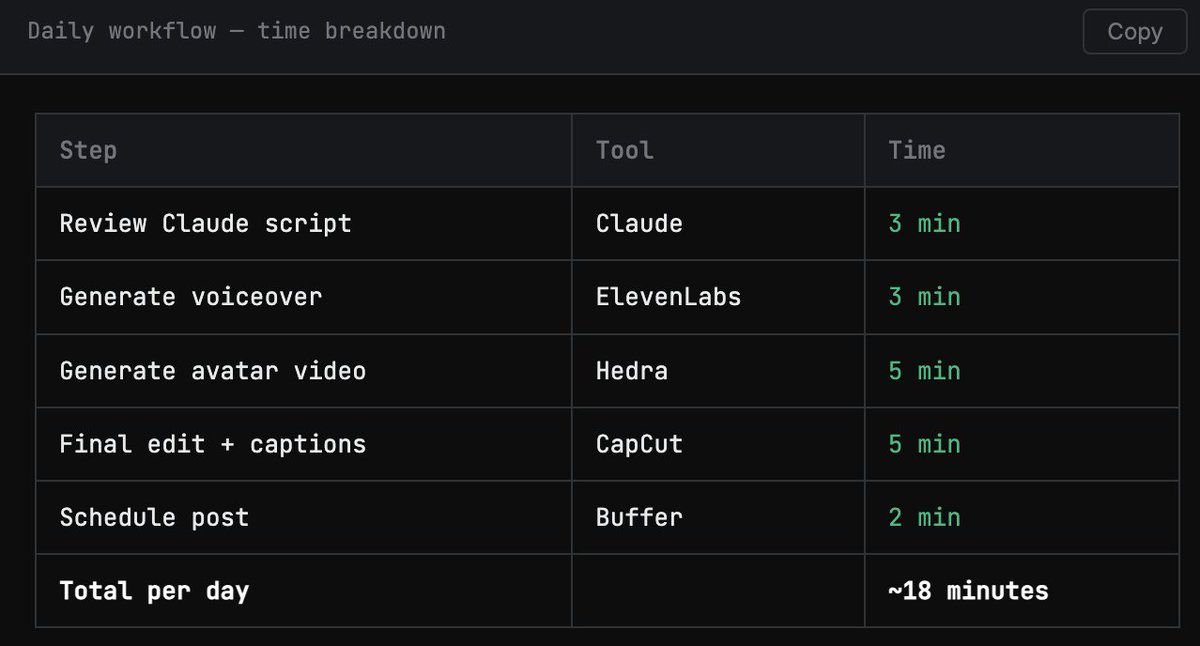
The operating model has five steps: build the creator persona, generate weekly scripts, create a consistent voice, generate talking-avatar video, then edit, caption, schedule, and repeat.
The persona file is the reusable asset. It should define the creator's name, visual style, tone, 5 content pillars, audience, 3 caption examples, reply examples, and topics to avoid. If that file is weak, every output drifts. If it is clear, scripts, captions, and replies stay consistent across a 30-post content run.
For teams, the persona file also makes handoff easier. A new operator can understand how the account should speak before touching scripts, comments, or DMs.
Build the Content Engine Before the Calendar
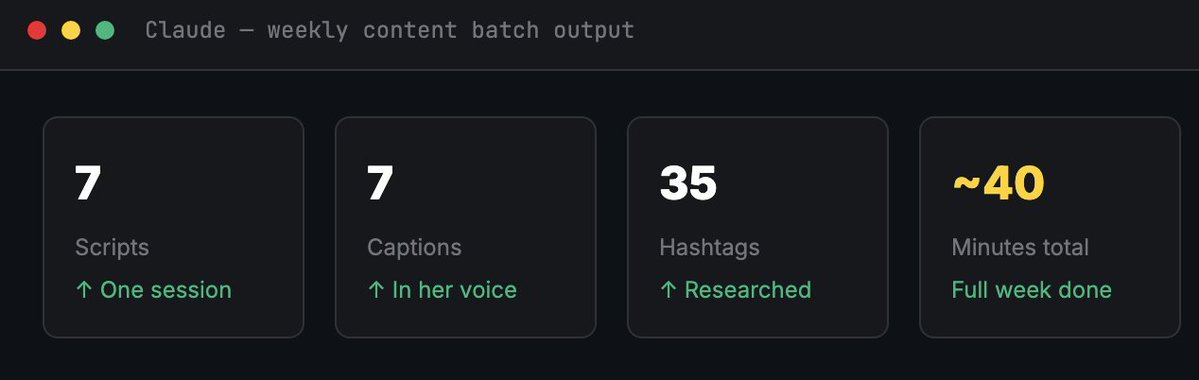
A faceless AI creator workflow needs a content engine, not a daily blank page. The better pattern is to create a weekly topic list and turn it into 7 hooks, 7 short scripts, 7 captions, hashtag sets, thumbnail text, and reply ideas in one batch.
AI assistants such as Claude can help with ideation, writing, rewriting, and style control. The team still needs a review layer. AI can produce volume, but operators decide what fits the brand, what needs edits, and what should not be published.
A simple batch system should include topic selection, script generation, human review, asset production, publishing, and feedback. If content ends in a spreadsheet and manual upload queue, the workflow still depends on human babysitting. If it enters an execution layer with mobile automation and cloud phones, it becomes easier to scale.
| Workflow field | Example rule |
|---|---|
| Persona owner | One operator approves voice, tone, and visual drift |
| Script batch | 7 scripts per account every Monday |
| Review gate | No post moves forward until claims, CTA, and brand fit are checked |
| Publishing lane | One account group maps to one browser or mobile environment |
Keep Voice and Avatar Production Consistent
The source stack uses ElevenLabs for voice and Hedra for talking-avatar video. ElevenLabs focuses on AI voice capabilities, while Hedra is positioned around AI video and character creation. The specific tools can change, but the rule stays the same: consistency beats novelty.
Teams should avoid changing the voice, visual style, or delivery pattern too often. Audiences build memory through repetition. Use 1 approved voice, 1 base visual identity, 1 subtitle style, and versioned prompts such as persona-v1, caption-v2, and reply-v1. Review every output for tone, visual drift, and platform fit.
Publishing Turns Content into an Execution Problem
Publishing is where AI content systems break. A finished 60-second video still needs platform-specific upload, caption adjustment, account selection, timing, comment monitoring, and follow-up.

Tools such as Buffer and Later can help where scheduling workflows are supported. Multi-account operations often need more. Teams may need persistent logins, separate app states, stable device boundaries, and accountable task history.
MoiMobi's multi-account management direction is built for this problem. The value is not simply posting more content. The value is connecting each account to a controlled environment so the team knows which account, device, task, and operator are involved.
Why Account Environments Matter in a Faceless AI Creator Workflow
Faceless creator systems become messy when many accounts share one loose operating setup. One operator may use a browser, another may use a local emulator, and another may publish from a personal phone. That can work for experiments. It does not work well for a real account portfolio.
A cleaner model maps one account or account group to a dedicated execution environment. That environment may be a cloud phone, an Android device, a fingerprint browser profile, or a team workspace for review and handoff. This is about cleaner operations, not a promise to avoid platform rules.
For example, a growth team might run 3 creator accounts: one TikTok-first account, one Instagram-first account, and one YouTube Shorts account. Each account gets its own persona file, asset folder, publishing checklist, and mobile environment. The operator can see which post failed, which account needs replies, and which environment should stay untouched during the 24-hour review window.
| Account task | Better execution lane |
|---|---|
| TikTok app posting | Cloud phone or Android environment |
| Instagram replies | Mobile workspace with saved session |
| Web dashboard review | Browser profile |
| Lead follow-up | Dedicated account workspace |
Turn the Faceless AI Creator Workflow into SOPs
The fastest way to scale a faceless AI creator workflow is to turn each stage into a simple SOP. Start with the manual path before automating it.
Persona SOP defines how the creator speaks, what the creator posts, and which examples represent the right style. Script SOP defines how weekly topics become hooks, short scripts, captions, hashtags, and CTAs.
Production SOP defines voice settings, video format, subtitle template, thumbnail style, file naming, and review checks. Publishing SOP defines which account posts which asset, on which platform, at what time, from which environment. Engagement SOP defines how comments, DMs, lead replies, and support questions are handled within the first 2 hours after posting.
Track the Whole System, Not Just Views
Once the system runs, track production metrics, publishing metrics, engagement metrics, and business metrics. Views matter, but they do not explain whether the workflow is healthy.
Useful signals include scripts created, videos produced, review rejections, posts completed, failed uploads, comments, DMs, lead replies, trial signups, affiliate clicks, and product inquiries. A simple weekly review can compare 7 planned posts, 7 completed posts, reply backlog, and failed-upload count. These signals connect the creator workflow to social media marketing workflows, not just content output.
FAQ
What is a faceless AI creator workflow?
A faceless AI creator workflow is a repeatable process for creating and operating a short-form creator account without a real person appearing on camera.
Why does the workflow need execution environments?
Content generation creates assets. Execution environments let teams publish, reply, monitor, and manage accounts with clearer ownership and less context mixing.
Should teams start with many AI creator accounts?
No. Start with one account, prove the persona, scripts, production, publishing, and reply workflow, then copy the operating structure to more accounts.
Final Thought
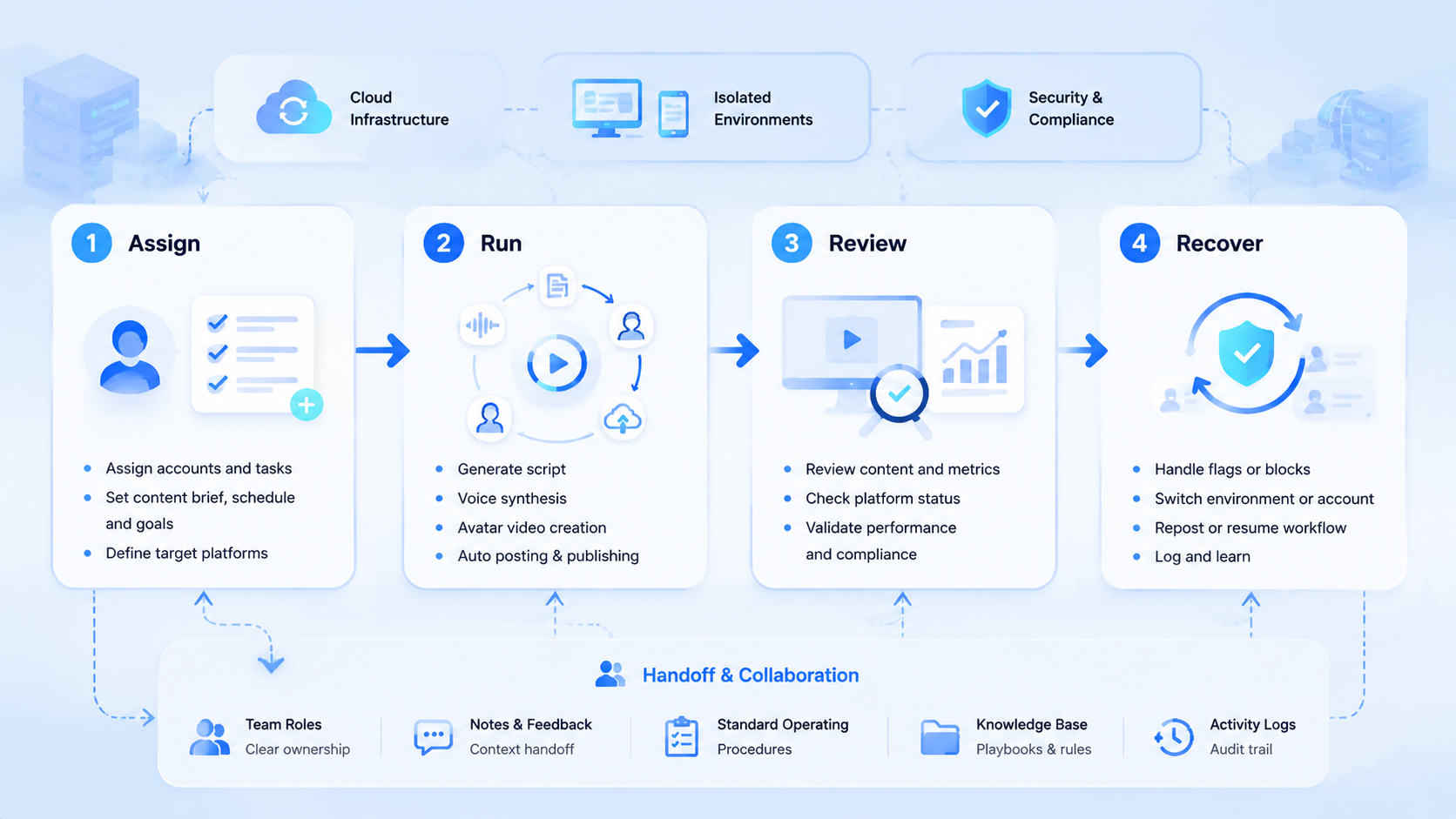
The faceless AI creator trend is not only about replacing cameras or editors. It is about turning content work into a repeatable system. AI can help generate the persona, scripts, captions, and voice. Video tools can turn assets into short-form clips. But a team still needs real execution environments where accounts can publish, reply, monitor, and improve.
For one creator, a simple tool stack may be enough. For a team running many accounts, the execution layer becomes the bottleneck. That is why browser profiles, cloud phones, mobile automation, and multi-account workspaces matter. They turn generated content into real online operations.



