
Key Takeaways
- Account work needs clear ownership, device context, and review rules
- Cloud phones are useful when store tasks depend on mobile apps or mobile-first account checks
- Browser dashboards, APIs, and phones should each handle the tasks they fit best
- A 7-day pilot should measure done rate, failed steps, review load, and fix time
Ecommerce account operations are the daily tasks that keep store, seller, and buyer work moving across accounts. On cloud phones, those tasks run inside remote mobile phones instead of only on a local device or browser dashboard.
This matters when a team manages many stores, seller accounts, message apps, or social commerce tasks. The goal is not to replace every operator. The goal is to give repeated mobile work a clear place to run, with logs and human review.
Moimobi helps teams connect cloud phone groups with account workspaces, browser profiles, and repeatable task runs.
What Ecommerce Account Operations Include
Store work usually mixes admin steps, phone checks, and buyer activity. A team may update product copy, review orders, check app alerts, respond to messages, and collect notes.
Not every task belongs on a phone. Amazon's Selling Partner API docs show that sellers can access orders, reports, payments, and related data through official API paths: Amazon SP-API. When a supported API covers the job, it should usually be the first option.
Cloud phones fit tasks that still need mobile apps, mobile login state, app alerts, or phone-only review screens; they are places to run work, not a replacement for clean data sync.
Ecommerce Account Operations Scenario
A practical run might start with an order exception list. The operator checks store_id, account_owner, order_status, customer_channel, and next_action before the task reaches a phone.
The cloud phone then handles the phone-only step, such as checking an app alert or confirming a buyer chat state. The result should write back as completed, needs_review, or failed_with_reason.
Small is fine. A clean first task might be one missed-message check after each daily order review. Don't add product edits until that check is boring.
Use a narrow field list for the first version:
| Field | Example value | Why it matters |
|---|---|---|
account_owner |
Maya, support lead | Names the task owner |
device_ref |
phone-042 | Shows which phone ran the task |
task_type |
notification_check | Separates mobile checks from admin edits |
review_status |
needs_review | Stops high-risk work before submit |
Daily run sheet:
- Open the store task list
- Pick one account
- Check the phone state
- Run the mobile step
- Save proof
- Mark the next owner
- Stop on the first unclear result
Why Cloud Phones Fit Mobile Account Work
Cloud phones give teams a remote Android phone for account-specific work. That helps when an operator needs to inspect an app state, prepare a reply, check a social commerce flow, or run a mobile-first task.
AWS Device Farm's remote access docs describe a model where users interact with real devices through a browser and can capture screenshots, video, and logs: AWS Device Farm remote access. Store teams can borrow that review pattern. Mobile work should produce proof, not just a final status.
For Moimobi users, mobile automation is the layer that turns repeated phone actions into task steps. The account phone should stay separate from other accounts.
Account Operations Workflow Map
| Task type | Best place | Review signal |
|---|---|---|
| Order data export | Official API or web dashboard | Report file and timestamp |
| Mobile app alert check | Cloud phone | Screenshot, app state, or task log |
| Customer message draft | AI plus human review | Approved reply status |
| Store profile update | Browser profile or app | Before/after field record |
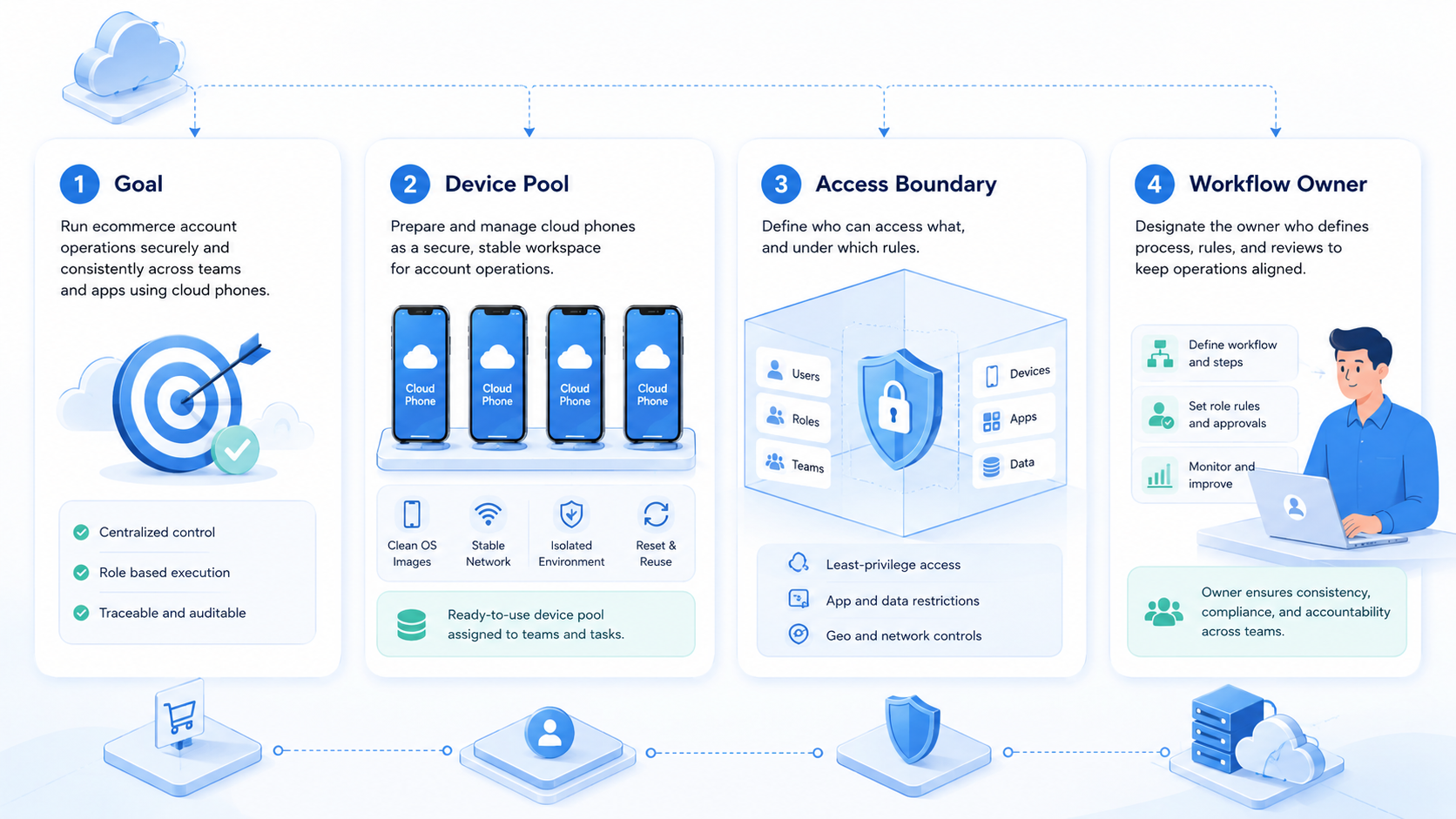
The map should prevent one common mistake: teams should not push every task into the same tool. Use the place that matches the account, role, and audit need.
Fit and Not-Fit Rules
This approach fits teams that manage many ecommerce accounts, cross-border stores, seller tasks, or app-based buyer channels. It also fits agencies that need separate work spaces for different clients.
It is not a strong fit when the team has one store, one operator, and no mobile task; a normal admin dashboard may be enough. It is also a poor fit when the manual process is unclear.
Shopify's role docs explain that roles map work to permissions for different business areas: Shopify roles. Apply the same logic to cloud phone work: assign each phone to a role, not just to a device label.
For larger account groups, connect the phone layer with multi-account management so ownership stays visible.
Pilot Checks for Ecommerce Account Operations
Start with one workflow and one account group; use a 7-day pilot before adding more accounts. Do not begin with account settings, payments, disputes, or irreversible changes.
Measure four signals:
- Done rate: finished correctly
- Review load: steps needing human approval
- Failure reason: login, app state, missing data, or judgment
- Fix time: issue understood quickly
Fix speed matters because mobile work changes: apps update, sessions expire, and account roles shift. Device isolation helps keep these failures easier to trace.
A simple pilot can stay plain: pick one store, one phone, one owner, and one daily task. Run it at the same time each day. Keep the task small enough that a person can check the result in two minutes.
Use short notes, not long reports: write down the phone name, the account name, the step that ran, and the next step. If a task fails twice in a row, stop the run and fix the cause before adding more work.
Use a simple pass/fail gate before adding more accounts:
| Check | Pass condition |
|---|---|
| Ownership | Every phone has an account owner |
| Evidence | Each task records a visible result |
| Review | High-risk actions pause before submit |
| Fix | Failures have a named cause |
Frequently Asked Questions
What are ecommerce account operations?
They are the repeated tasks that keep stores, seller accounts, buyer channels, and seller work running
Why use cloud phones for ecommerce work?
Use them when the task depends on mobile apps, mobile sessions, app alerts, or mobile-first account checks
Should APIs replace cloud phones?
Use official APIs when they cover the task. Use cloud phones for app-based work that still needs a phone
Can AI handle customer replies?
AI can draft or sort replies. High-risk replies should still pause for human review
How many accounts should a pilot include?
Start small. Use a few accounts and one task until the team understands failures
What should teams avoid first?
Avoid payments, disputes, account settings, and hard-to-reverse changes during the first pilot
How does Moimobi fit this workflow?
Moimobi connects cloud phones, browser profiles, account isolation, and task runs for controlled work.
Conclusion
Ecommerce account operations on cloud phones work best when the phone is treated as a work space, not a rented device. Start with one mobile task, assign ownership, track proof, and review failures before scaling.
If the work spans stores, apps, and accounts, Moimobi can help connect cloud phones with browser profiles and account tasks. If the process is still unclear, document the manual SOP before automation.



