
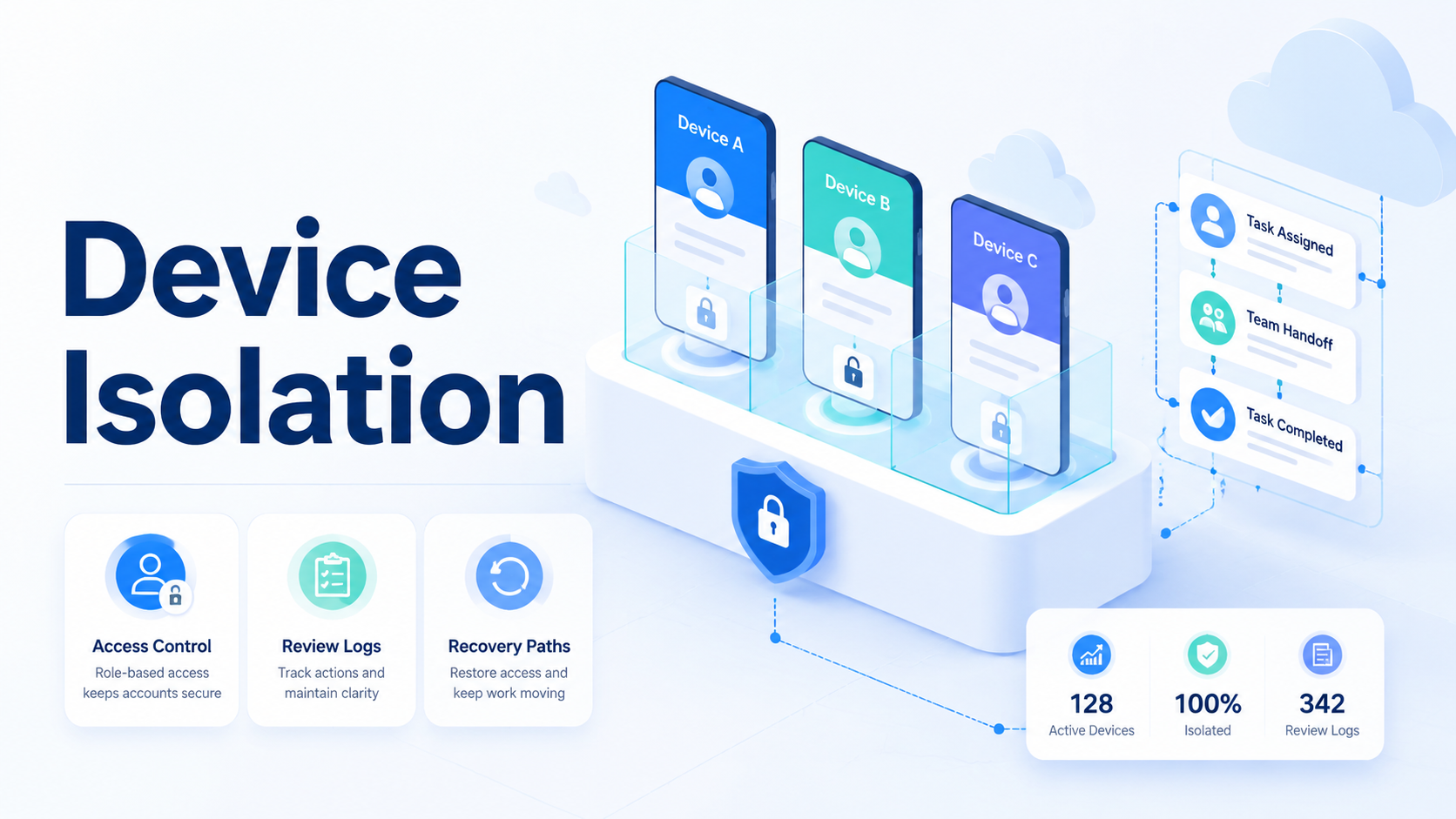
Device isolation is the practice of keeping each account's mobile environment, device context, routing, permissions, and task history separated from other accounts. For teams running cloud phones, it helps prevent one account workflow from bleeding into another. This is not a magic shield. Treat it as an operating control.
The decision matters when several people manage many accounts. A loose setup may rely on memory: which phone belongs to which account, which proxy route was used, and who approved the last action. That model works poorly at scale.
MoiMobi treats device isolation as part of the execution layer. A secure cloud phone should give teams a clear place to run mobile work, attach proof, and recover failed tasks without guessing.
This guide explains what device isolation means, why it matters, how to start, and which mistakes create confusion. The focus is operational clarity, not exaggerated safety claims.
Key Takeaways
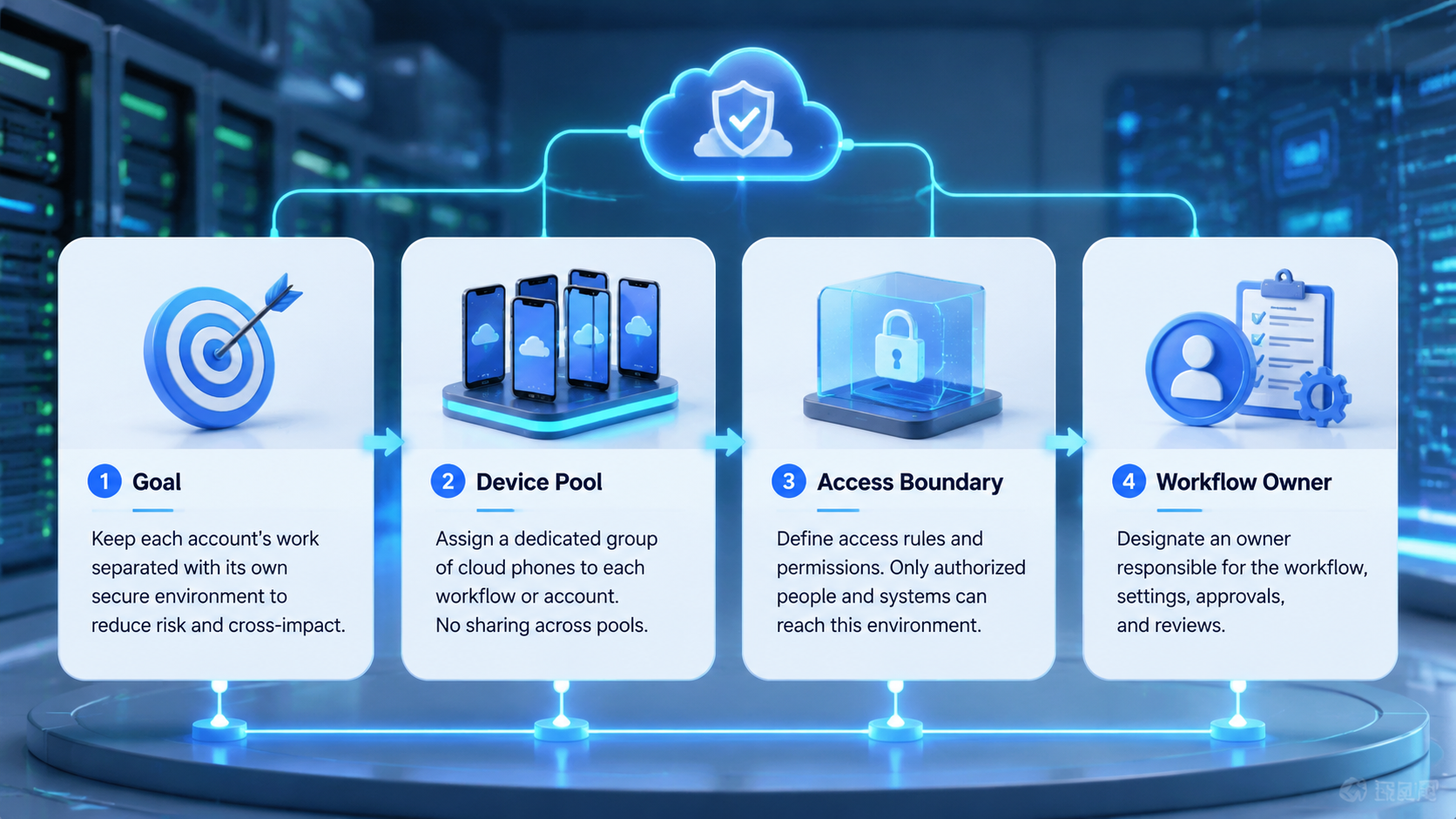
- Device isolation keeps account environments separated across cloud phone work.
- It matters most when teams run many accounts, devices, routes, and reviewers.
- Good isolation includes account mapping, route control, permissions, logs, and recovery labels.
- Device isolation on cloud phones should be tested with real handoff and failure cases.
- The goal is clear operations, not unsafe claims about account outcomes.
What Is Device Isolation?
Device isolation means each account gets a defined mobile environment instead of sharing one unclear device pool. In practical terms, a team maps account group, cloud phone, route, operator, reviewer, and run history together.
Start with the simplest model.
- One account group
- One assigned cloud phone
- One route policy
- One operator owner
- One reviewer rule
- One recovery label set
This model reduces overlap. It also makes later review easier. When a task fails, the team can see which environment was used and what should happen next.
Device isolation is different from device spoofing. Spoofing language often implies surface-level changes to identity signals. Isolation is broader. It is about keeping work streams separate so operators do not mix accounts, files, sessions, or proof.
Use clear boundaries.
| Concept | Main question |
|---|---|
| Device isolation | Is each account workflow separated and traceable |
| Device spoofing | Are device signals being changed or masked |
| Device fingerprint mismatch fix | Did the environment drift from the expected account context |
| Secure cloud phone | Can mobile work run in a controlled remote environment |
The best test is not a feature label. Run a task. Then ask whether another teammate can explain which account, phone, route, and reviewer were involved without asking for private notes.
Why Device Isolation Matters for Account Teams.
Device isolation matters because account work is easy to confuse when teams scale. Two operators may touch similar dashboards, while several accounts may need similar mobile app checks. One review queue may also handle different clients or brands.
The risk is not only technical. The real problem is operational. A person may use the wrong phone, attach proof to the wrong task, or retry a failed action without knowing the original context. That creates slow cleanup.
Multi-account management needs explicit boundaries. Each account should have a known environment and a visible task trail. Without that, the team may spend more time explaining work than doing it.
Device isolation also supports review. Public actions, account changes, messages, or campaign edits should not depend on memory. A reviewer should see the account, phone, route, evidence, and proposed action in one record.
Use a simple rule: if a teammate cannot explain the environment after the run, isolation is too weak.
Key Benefits and Use Cases
The common misunderstanding is that isolation is only a security feature. It is also a workflow feature. It helps teams run account work with less cross-talk between people, devices, and tasks.
For social operations, isolation keeps creator, brand, or client account groups separate. For ecommerce work, it helps campaign teams connect app checks to the right account. For support workflows, it makes proof easier to review before a reply or account action.
MoiMobi's device isolation context is most useful when a team needs repeated mobile work across many accounts. The cloud phone is the runtime. Isolation is the rule that keeps work from mixing.
Useful benefits include:
- Clear account-to-device assignment
- Cleaner handoff between staff
- Easier review of app-state proof
- Better recovery after session or route errors
- Less reliance on chat history
- Cleaner reporting by account group
The benefit is visible during failure. If a run stops, the operator should know whether to retry the same phone, refresh the route, escalate to a reviewer, or pause the account group. Guesswork is the enemy.
How to Get Started with Device Isolation
Do not start by creating a large phone pool. Start by defining the account boundary. A large pool without ownership rules creates more places to lose context.
Use this setup path.
- Pick one account group
- Assign a cloud phone to that group
- Define the route policy for that group
- Name the operator role
- Name the reviewer role
- Define allowed actions and blocked actions
- Add failure labels before the first live run
- Run a small pilot and inspect every record
Short test first.
The pilot should include normal and failed cases. Test one expired session and one app-state mismatch.
Add one reviewer delay. A clean system should make each failure easy to explain.
For routing, connect isolation with the proxy network only when the workflow needs route control. The key is not adding more settings. The key is making sure the route belongs to the account group and appears in the run record.
Access control should be plain. Operators should only see the phones and account groups they need. Reviewers should see the evidence needed for approval. Admins should see enough to audit the queue.
Fit Boundaries for Device Isolation on Cloud Phones
Device isolation on cloud phones fits teams that need repeatable account work. It is less urgent for one-person workflows with one account and no handoff. Use the right level of control.
Good fit
- Multiple account groups
- Several operators or reviewers
- Mobile app checks tied to tasks
- Need for recovery labels
- Client or brand separation
Weak fit
- One account only
- No staff handoff
- No sensitive actions
- No need to review app proof
- No recurring task queue
This boundary matters. Overbuilding adds friction. Underbuilding creates confusion. Choose isolation depth based on the number of accounts, staff, review steps, and failure cases.
For app-heavy workflows, Android antidetect may also be part of the evaluation. Use careful language. Isolation organizes account environments; it does not remove the need for policy-aware behavior, good content, and human review.
Common Mistakes to Avoid
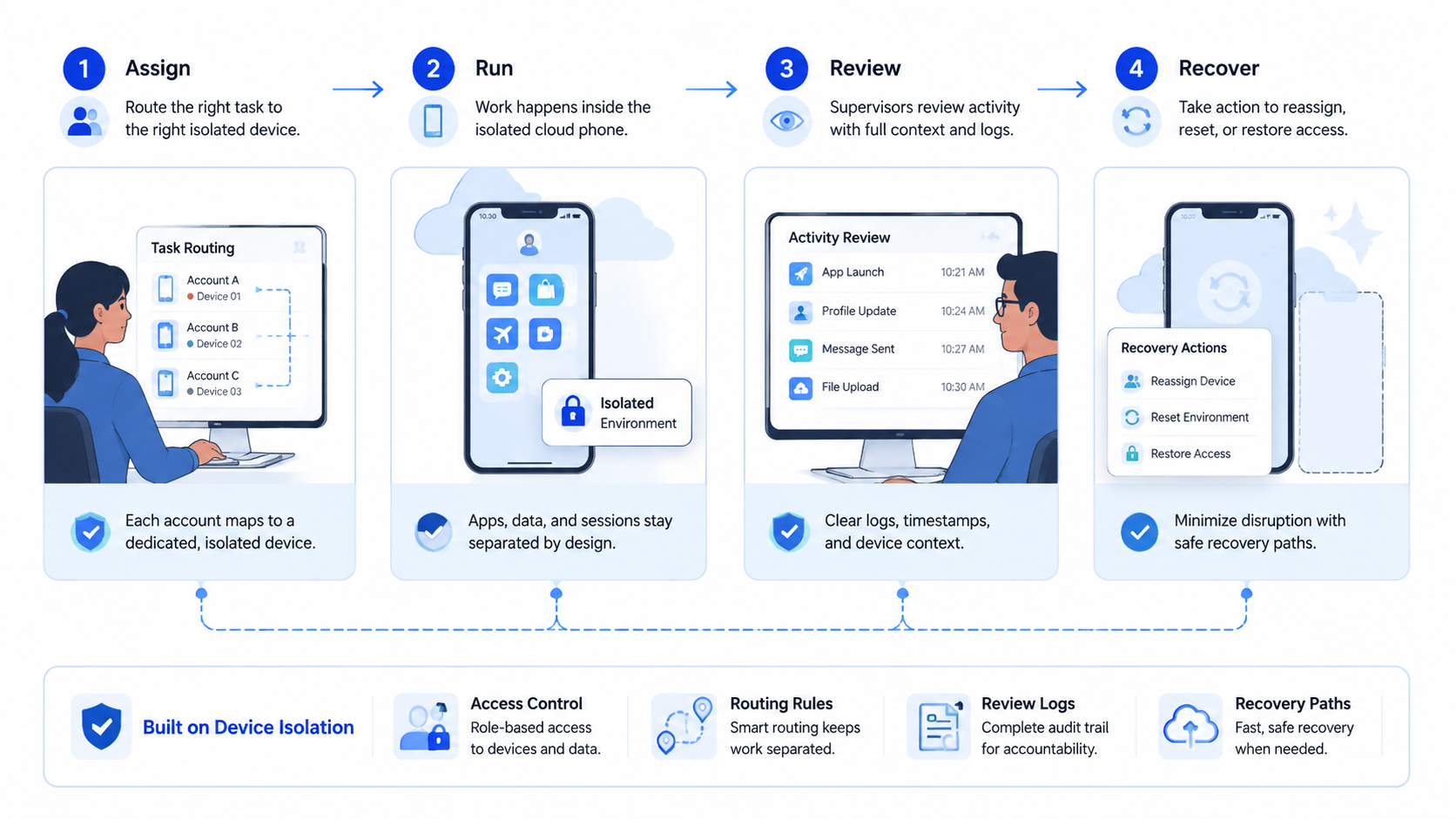
The first mistake is sharing one phone pool without account ownership; it may feel flexible, but it makes audits harder when a reviewer asks who used which environment.
Assign the environment before the work starts, and do not treat screenshots as enough proof because a screenshot without account, device, route, and task context is weak evidence.
Keep proof attached to the run, and use clear labels such as session_expired, route_mismatch, app_state_changed, reviewer_timeout, and manual_review_needed so a failure does not become a mystery.
Avoid broad access: operators do not need every phone or every account group, and smaller access scopes are easier to train and easier to audit.
One more mistake is confusing isolation with outcome certainty; Google Play policy resources show why app ecosystems rely on policy and review rules, so account work should respect platform rules and internal approval boundaries.
Pilot Metrics and Recovery Review
Measure device isolation with work records, not opinions. A pilot should show whether the environment stays clear after normal work and after failures.
Use five checks.
| Check | Pass signal |
|---|---|
| Account mapping | The run shows the account group |
| Device mapping | The run shows the assigned cloud phone |
| Route mapping | The run shows the route policy used |
| Review mapping | The run shows who approved or blocked the action |
| Recovery mapping | The run shows the next owner and label |
Stop expansion when the record is unclear. Pause if operators cannot explain 3 failed runs in a row. Also pause if reviewers wait more than 30 minutes during active work, or if two account groups share an environment by accident.
These numbers are internal checks, not universal benchmarks, and they force the team to repair the workflow before adding more accounts.
Helpful content principles from Google Search Central are written for search, but the operating lesson applies: systems should be built around real user value. In account operations, that means reviewable work, clear ownership, and records people can understand.
Team Rollout and Access Design
Rollout should start with roles, not device count. Name the people who can start work, approve work, audit work, and repair failed runs. Keep each role small enough to train.
Use a plain access map.
| Role | Access needed | Access to avoid |
|---|---|---|
| Operator | Assigned account group and phone | Other client groups |
| Reviewer | Evidence, action request, and status | Admin-only settings |
| Queue lead | Run status and failure labels | Personal credentials |
| Admin | Policy, route, and phone assignment | Day-to-day approval shortcuts |
This map reduces hidden shortcuts. A new operator should not need a private message to know which phone to open. A reviewer should not need admin access to approve a normal task. The work record should carry the needed context.
Keep proof simple. Store the app-state screenshot, run label, operator, reviewer, and next owner together. A clean proof bundle is easier to inspect than a chat thread.
Training should use real failure cases. Show the team what a route mismatch looks like and what changed in the record.
Show an expired session next. Show a reviewer timeout after that. Short examples build better habits than a long policy note.
Run the first week with fewer accounts than capacity allows. Slow down. The goal is to see whether the model holds under normal work, not to fill every phone at once. When the queue stays clear, add the next account group.
Audit Checklist for a Secure Account Environment
A secure account environment should be easy to audit. The audit does not need to be complex. It needs to answer the same questions every time.
Use this weekly check.
- Which account groups changed phones
- Which routes changed
- Which operators touched each group
- Which reviewers approved sensitive actions
- Which failures repeated
- Which records needed manual explanation
The last item is the most useful. Manual explanation means the system did not carry enough context. Fix the field, rule, or handoff that caused the gap.
Audit work also helps with content and account quality. Google Search Central's SEO Starter Guide is written for websites, but the same operating pattern applies here: clear structure helps people maintain work over time. Account teams need records that a second person can review without private knowledge.
Do not wait for a major incident before checking the model. Review small failures early. A missed route label, unclear screenshot, or shared phone assignment is easier to fix in a pilot than after a large queue goes live.
Handoff Rules for Daily Operations.
Daily handoff is where a separation model proves its value. The next operator should know the account group, phone, route, last action, reviewer state, and stop reason before opening the app.
Make the handoff note short.
- What account group is active
- What phone is assigned
- What task was attempted
- What proof was attached
- What failed or passed
- Who owns the next step
This note should live with the run, not only in chat, because chat is useful for discussion but weak as a long-term record for account work.
One team pattern works well: close every task with a status label such as ready_for_review, approved, retry_needed, manual_check, or paused, because plain labels make queues easier to scan.
Another pattern is a daily exception review: spend 10 minutes on the runs that failed, not on every successful run, so repeated gaps are found before they become habits.
When a handoff needs private explanation, treat that as a process bug; add the missing field, tighten the role rule, or improve the proof bundle before more accounts join.
Frequently Asked Questions
What is device isolation in cloud phone work?
Device isolation means each account workflow has a separated mobile environment and task record, with less overlap between accounts, phones, routes, and operators.
Is device isolation the same as device spoofing?
No. Device spoofing usually refers to changing or masking signals, while account separation is about keeping work separated and traceable.
Who needs device isolation most?
Teams with many accounts, operators, reviewers, or client groups need it most, while a solo workflow with one account may not need the same depth.
Can device isolation fix a fingerprint mismatch?
It can help teams detect environment drift, but a device fingerprint mismatch fix depends on the exact cause, so check account mapping, phone assignment, route policy, and recent changes.
Does device isolation replace human review?
No. Review remains important for public actions, sensitive account changes, and unclear app states, and a separated environment makes review easier to perform.
How should a team start?
Start with one account group and one assigned cloud phone, then add route policy, operator role, reviewer role, and failure labels before expanding.
What should be logged?
Log account group, phone, route policy, operator, reviewer, proof, task result, failure label, and next owner in a record that remains easy to inspect.
Where does MoiMobi fit?
MoiMobi fits teams that need separated account environments inside broader mobile execution, especially when work spans cloud phones, reviewers, routes, and recurring queues.
Conclusion
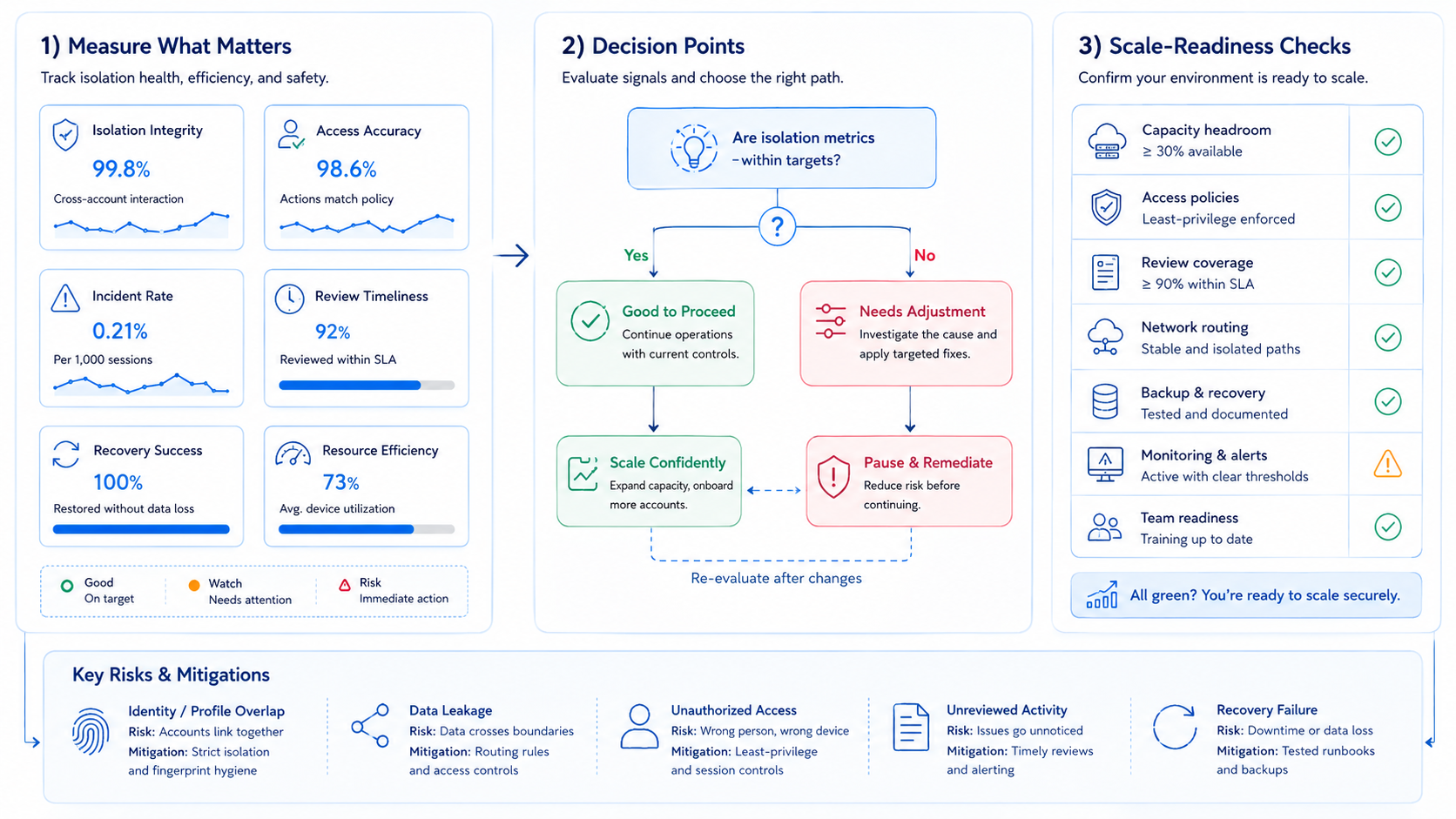
Device isolation should be judged by the clarity it gives the team. First, map each account group to a known cloud phone. Second, connect route policy, operator access, and reviewer rules. Third, test failure recovery before expanding.
The priority order is simple: account boundary, environment boundary, access boundary, review boundary, and recovery boundary. Each boundary should be visible in the run record.
Start with one account group. Run a real task, one failed task, and one reviewer delay.
If another teammate can explain every result without private notes, the isolation model is ready for the next group. If not, fix the record before adding more devices. Keep every queue readable. Use simple checks.



