
Key Takeaways
- AI UGC slideshow automation is not just script generation
- It is a full production and execution workflow
- The system connects analysis, scripts, images, format, account routing, and review
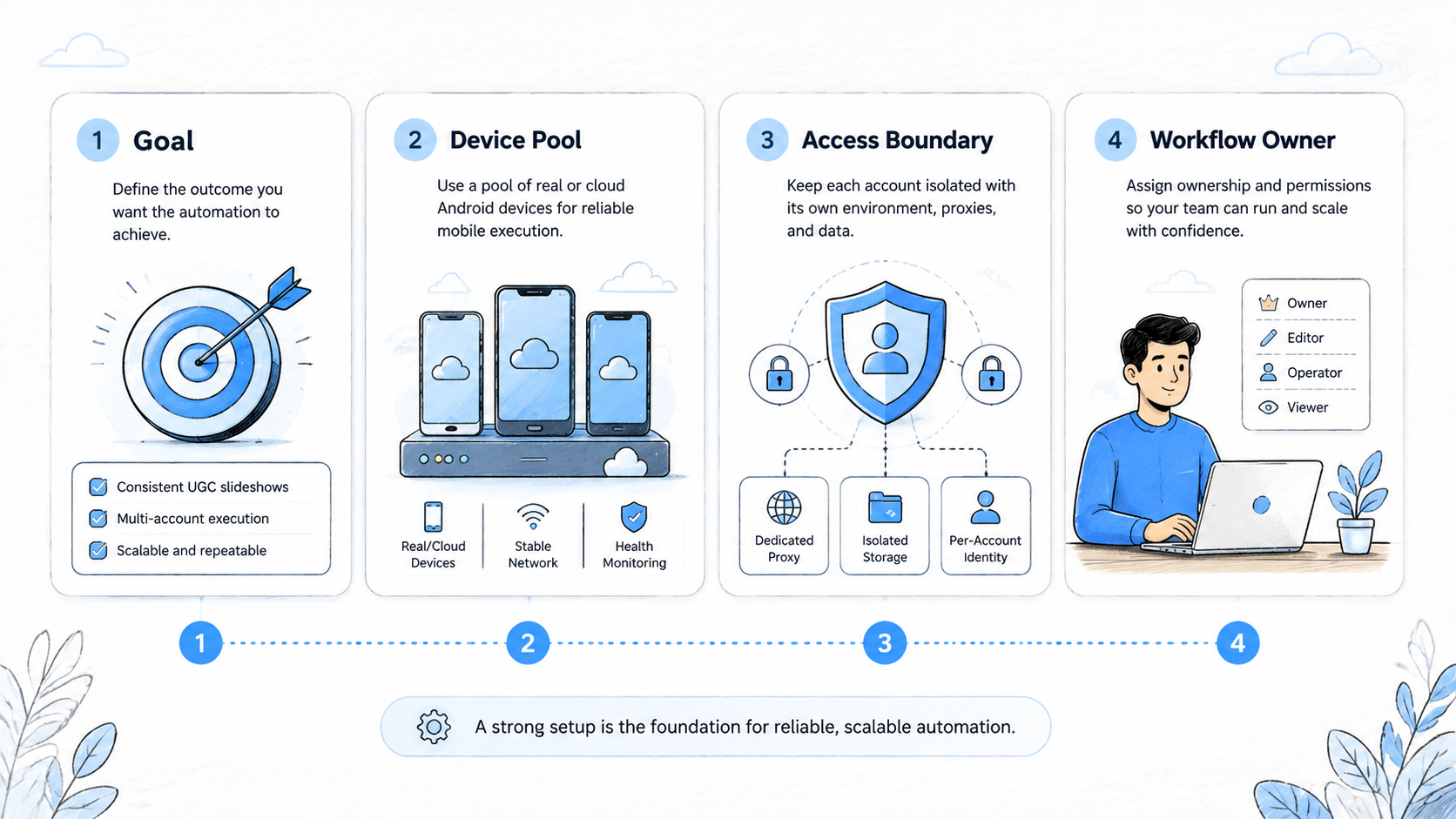
- Multi-account teams need isolated browser or mobile environments
- Cloud phones matter when slideshow work moves into real app execution
Why AI UGC Slideshow Automation Is More Than Content Generation
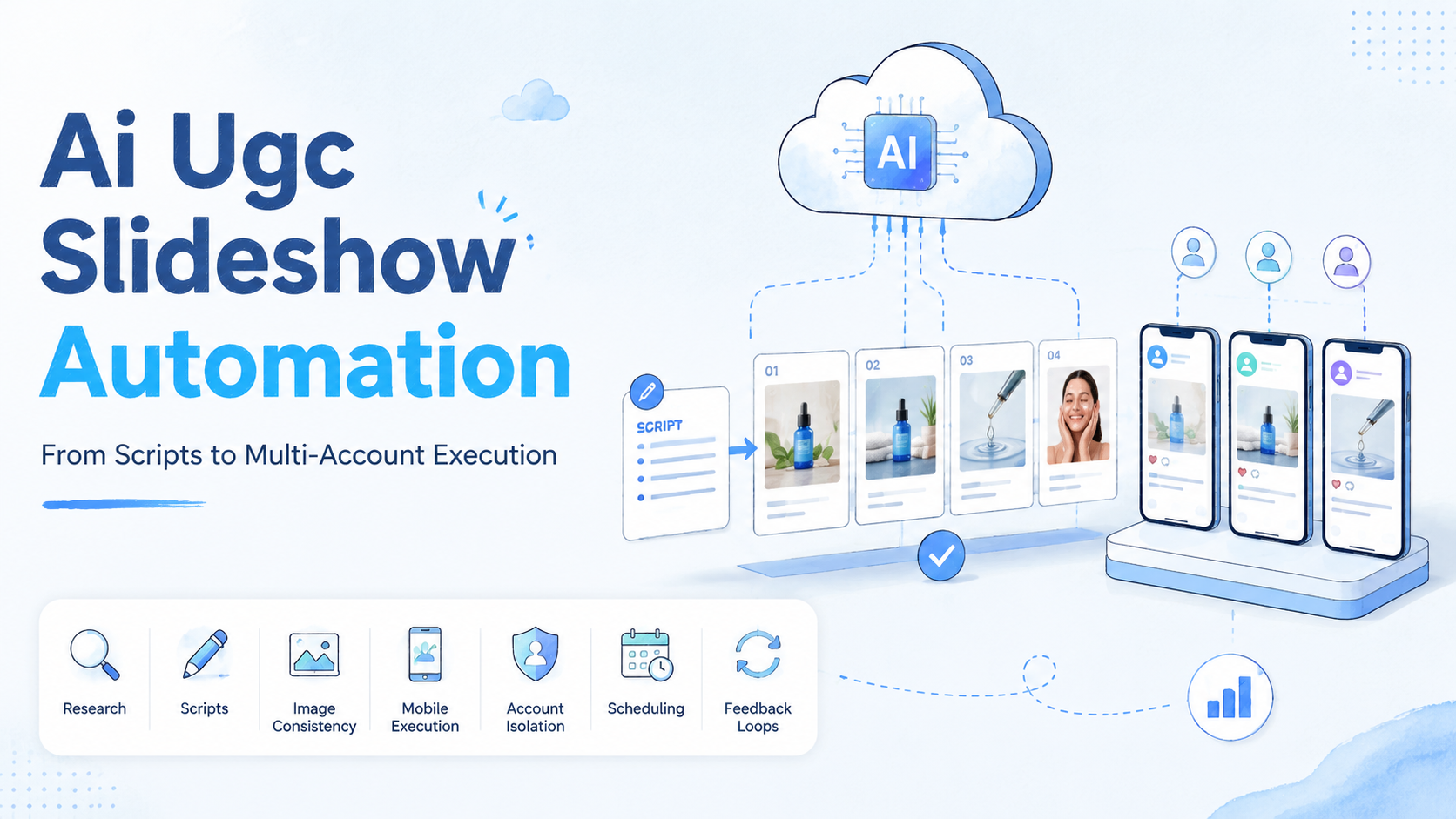
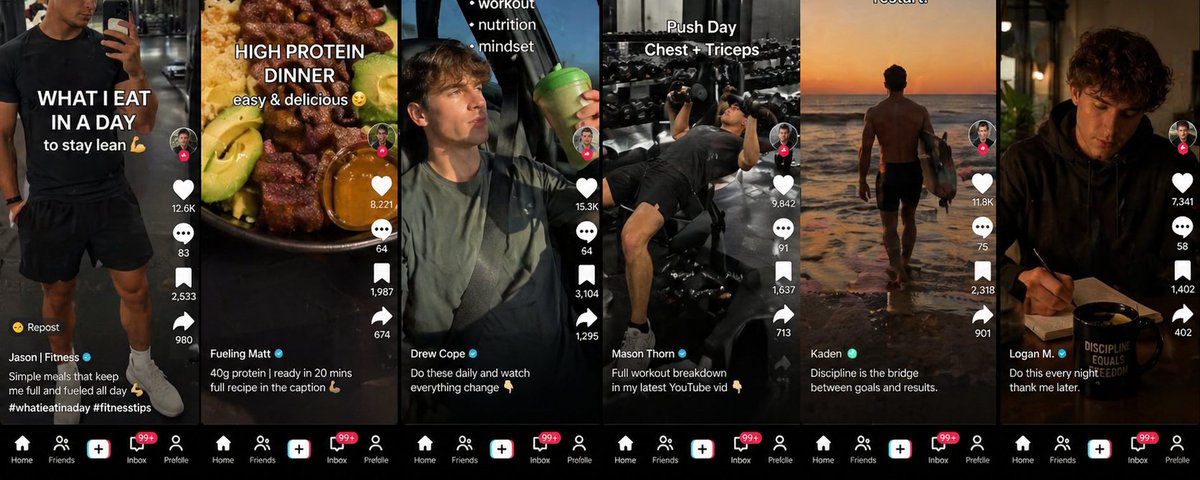
AI UGC slideshow automation is a repeatable workflow for planning, producing, assembling, routing, publishing, and reviewing slideshow-style content with AI support. It is not just a prompt for slide copy; the system has to move finished assets into the right account environment.
Manual production breaks once a team needs daily volume. One operator may handle ideas, slide text, image prompts, overlays, uploads, and checks for a small batch. Ten accounts create a different job.
The workflow solves an execution problem. Teams need a way to decide what to produce, create platform-ready variants, route each piece to the right account, publish at the right time, and review results without losing context.
Scale exposes weak links fast. More production still stalls if publishing remains manual; more publishing creates risk if account environments are mixed; more reporting adds little value if the next batch cannot use the signals.
MoiMobi supports that execution layer through four product areas:
Together, those layers help teams turn AI-generated content into controlled work across browser and mobile workspaces.
Start With the Daily Production Brief
A strong slideshow workflow should not start with a blank prompt. It should start with a content brief based on recent results.
The brief answers a few practical questions:
- Which slideshow formats performed best yesterday
- Which hooks kept users moving through the slides
- Which content categories are still expanding
- Which topics are becoming saturated
- Which accounts produced useful engagement signals
- Which platform needs more weight in the next batch
This brief turns automation into a decision system. Without it, the team is just asking an AI model to guess. With it, the model receives direction from actual account results.
The source workflow described a daily analysis stage that reviews results across TikTok, Instagram, Facebook, and YouTube Shorts before creating the next batch. The important lesson is not the exact tool used. The lesson is the operating pattern: data first, content second, posting third.
For a multi-account team, that pattern keeps content volume tied to feedback instead of intuition.
How AI UGC Slideshow Automation Generates Scripts in Batches
Once the brief is clear, the next step is script production. A slideshow script should include more than the text that appears on each slide. It should include the role of each slide, the visual prompt, the platform format, and the call to action.
A practical script request should specify:
| Input | Why it matters |
|---|---|
| Target platform | Controls aspect ratio, pacing, and caption style |
| Slideshow format | Keeps the batch organized by content type |
| Target audience | Prevents vague copy |
| Slide count | Controls length and production cost |
| Hook type | Defines how slide one earns attention |
| Visual prompt per slide | Connects copy with image generation |
| CTA | Aligns engagement with the business goal |
| Restrictions | Reduces off-brand or risky output |
The workflow becomes more efficient when one production session creates platform-specific outputs:
| Platform | Production adjustment |
|---|---|
| TikTok | Stronger first-slide hook and 9:16 framing |
| Instagram carousel | Saveable sequence with a second-slide hook |
| YouTube Shorts | Title and description support |
| Longer caption space and slower pacing |
Manual teams usually lose time after the first draft. They generate one generic version, then adapt it by hand. A better system builds platform calibration into the generation step.
If teams use official posting or queue tools, they should also check platform rules and API limits. TikTok's Content Posting API documentation is a useful reference. It helps teams understand where auto posting fits and where review may still be required.
How AI UGC Slideshow Automation Keeps Images Consistent
The biggest quality problem in AI-generated slideshows is visual drift.
A single generated image can look good. A sequence of six generated images can still feel wrong if the character, lighting, room, camera angle, or realism changes from slide to slide. Users may not consciously name the issue, but the content feels assembled rather than created.
A better image workflow uses reference layers:
- Character reference: the same face, age range, wardrobe, and overall look across the slideshow.
- Scene reference: the same room, lighting direction, color palette, and spatial baseline.
- Technical style rules: natural skin texture, casual phone framing, realistic imperfections, and non-studio lighting.
- Variant selection: several image candidates per slide, with weak outputs regenerated instead of accepted by default.
This does not mean every slideshow should look polished. In UGC, over-polish can hurt results. The goal is believable consistency. The content should feel like one creator produced the sequence in one workspace, not like six unrelated images were stitched together.
For teams managing multiple accounts, visual consistency should be account-specific. One account can have one creator style. Another account can have a different creator style. The mistake is mixing those visual identities without a system.
Assemble for the Platform, Not for a Generic Template
Assembly is the stage where generated text and images become platform-ready content.
For TikTok-style slideshows and YouTube Shorts, 9:16 vertical framing usually makes sense. Text overlays need stronger contrast and larger placement because the first frame has to work quickly. For Instagram carousel content, a 4:5 layout can work better, and the second slide often needs to function as a second hook.
The assembly layer should control:
- aspect ratio
- text placement
- caption density
- slide order
- visual contrast
- CTA placement
- audio or sound guidance
- export naming
Audio also matters. Trend research can help, but the sound has to match the emotional register of the content. Teams can use TikTok's official Creative Center to study current trends, but trends should not replace brand fit, audience fit, or content quality.
The better workflow is controlled adaptation. One content system can create multiple platform-ready variants without forcing operators to redesign every piece manually.
Move From Production to Execution Environments
At small scale, a team may upload content manually from one device. At multi-account scale, that becomes fragile.
The issue is not just speed. It is account context. A social media team may manage different brands, regions, product lines, or creator personas. Each account should have its own environment, assets, login state, notes, and workflow record.
Execution environments matter at this point:
| Layer | Role in the workflow |
|---|---|
| Cloud phone | Persistent Android workspace for mobile app tasks |
| Device isolation | Separated account context, sessions, and work records |
| Mobile automation | Repeatable checks, queue handling, and structured handoff |
For browser-based steps, profile separation matters as well. For mobile-first social workflows, cloud phones help move the process closer to the real app environment. The point is not to create reckless automation. The point is to keep repeated work organized, separated, and reviewable.
Stagger Posting Across Accounts
A common mistake in multi-account posting is sending too many similar posts at the same time.
Even when the content is legitimate, same-time posting makes measurement harder. The team cannot tell whether results came from the creative, the account, the time slot, the audience, or the platform condition. It also creates a work pattern that is not useful for long-term account management.
A stronger workflow staggers posts by account and audience window. Each account should have its own rhythm based on when its audience engages. This also gives the team cleaner first-hour data.
For a 20-account portfolio, the system might route content like this:
| Account group | Posting logic | Review focus |
|---|---|---|
| Main brand accounts | Highest-quality assets, tighter review | Saves, comments, profile visits |
| Test accounts | New hooks and formats | Early retention and swipe depth |
| Regional accounts | Localized text and timing | Country fit and response quality |
| Support or community accounts | Reply-driven content | Comment quality and customer questions |
That structure turns posting into an operating system instead of a queue.
Use a Daily AI UGC Slideshow Automation Rhythm
The workflow should become a daily rhythm, not an occasional batch task.
A practical workflow may look like this:
| Stage | Output |
|---|---|
| Results review | The next content brief |
| Script generation | Slide-by-slide copy and image prompts |
| Image production | Consistent visual assets |
| Assembly | Platform-ready slideshow files |
| Environment routing | Account-specific posting queue |
| Scheduling and review | Staggered release plan |
| Feedback loop | Next-day optimization notes |
The exact timing depends on team size and quality bar. The structure matters more than the stopwatch. Each step should pass usable information to the next step.
The best teams do not just ask, "How many slideshows did we produce?" They ask:
- Which accounts produced useful signals
- Which hooks should be reused
- Which image styles felt believable
- Which platform needs a different format
- Which tasks failed during execution
- Which workflow should be retired
That is how content automation becomes an operating system.
Where MoiMobi Fits in the Workflow
MoiMobi does not replace creative strategy. It supports the execution layer that strategy needs once the work becomes operational.
An AI model can generate plans, captions, scripts, prompts, and review notes. Social media teams still need a place where that work can run, plus account separation, mobile access, repeatable workflows, and a clear record of what happened.
MoiMobi fits after the content plan and before the results review:
- AI produces or assists the content batch
- Operators review quality and platform fit
- Assets are assigned to accounts and environments
- Cloud phones or browser profiles handle account-specific execution
- Workflows run with structured timing
- Results feed the next content brief
That difference separates content generation from execution capacity.
Best Practices for Controlled AI Slideshow Operations
Use these rules before scaling volume:
- Keep one account tied to one stable environment
- Review AI-generated claims before posting
- Use different content angles across account groups
- Store assets by account, platform, and campaign
- Avoid posting every account at the same minute
- Track failed tasks, not just successful posts
- Keep human approval for new brands, sensitive industries, or high-value accounts
- Use platform-native formats instead of forcing one universal template
These practices make the workflow slower at first. They make it safer and easier to scale later.
AI UGC Slideshow Automation Checklist for Multi-Account Teams
Before scaling an AI slideshow workflow, teams should check whether production, execution, and review are connected.
Start with account structure. Each account should have a defined role, market, content angle, and environment. A generic account list is not enough. Operators need to know which account tests hooks, which account publishes brand-safe content, which account handles customer replies, and which account should stay in a slower review lane.
Next, define the asset record. Every slideshow should have a campaign name, platform, account owner, script version, image set, final file, posting time, and review status. This prevents the common problem where the content team produces assets but the operations team cannot tell which version was used.
Then define the approval lane. New hooks, new offers, sensitive claims, and new brand accounts should not auto-publish by default. They should move through human review. Mature formats can move faster once the team knows the failure modes.
Finally, define the feedback loop. A workflow is not complete when content is posted. The next content brief should use data from saves, swipe depth, comments, replies, profile visits, account growth, and task failures. Automation compounds when every batch gives the next batch better instructions.
For teams using cloud phones or browser profiles, the checklist should also include workspace health. Check whether the account stayed logged in, whether assets uploaded correctly, whether scheduled posts matched the right account, and whether any task required manual takeover. These details are plain work, but they decide whether the workflow can scale without constant cleanup.
Simple Rollout Plan
Start with three to five accounts that have clear roles. Give each account one content angle, one target user, and one posting lane instead of opening the whole portfolio at once.
Run one simple content batch first: one core offer, two hook styles, and one visual style. The goal is workflow proof, not queue volume.
Review the batch before it goes live:
- Check slide text
- Check the image set
- Match each file to the right account
- Confirm the target environment
After posting, wait for early signals. Look at saves, replies, comments, and profile visits. Do not judge the system only by views. A smaller post with strong replies can teach the team more than a large post with weak fit.
In the second week, add more accounts only if the first lane stayed clean. If login state, asset names, or posting notes became messy, fix the system first. More volume will make that mess worse.
A simple rollout can look like this:
| Week | Goal | Checkpoint |
|---|---|---|
| 1 | Test one clean lane | Are files, accounts, and notes easy to trace |
| 2 | Add two more lanes | Can the team review without delay |
| 3 | Add more hooks | Which hook style should repeat |
| 4 | Expand the account set | Which accounts deserve more work |
This slow start protects the team from a common error. Many teams scale output before they can track basic work. A clean small system is easier to grow than a large unclear one.
Keep the first run plain:
- Use names the team can read
- Put files in one place
- Record who checked each post
- Mark which account used each file
- Save the result after the post goes live
Small habits reduce later cleanup. A team that can trace one post can trace one hundred. A team that loses one file in week one will lose more when the queue grows.
Frequently Asked Questions
What is AI UGC slideshow automation?
It is a workflow that uses AI to help plan, script, generate, assemble, and route slideshow content for social platforms. A complete system also includes account routing, posting control, and feedback review.
Is slideshow automation only for TikTok?
No. TikTok is a strong use case, but the same system can adapt to Instagram carousels, YouTube Shorts, Facebook slideshows, and other visual content formats.
Why do cloud phones matter for slideshow workflows?
Cloud phones provide persistent mobile environments for app-based tasks. They help teams manage mobile-first workflows without relying on one physical device or shared login setup.
Why is account isolation important?
Account isolation keeps environments, sessions, assets, and workflow records separated. That makes repeated work easier to manage and reduces operational interference between accounts.
Should AI slideshows be fully auto-published?
Not always. Many teams should use AI for content work and automation for routing, while keeping human approval for final posting decisions.
How many slideshows should a team produce per day?
The right number depends on review capacity, account count, and results feedback. A smaller controlled batch is better than high output with weak quality control.
How should teams measure AI slideshow results?
Track saves, swipe depth, comments, account growth, profile visits, customer replies, conversion events, and workflow failure points. Views alone are not enough.
Conclusion
This type of automation becomes valuable when it connects production with execution.
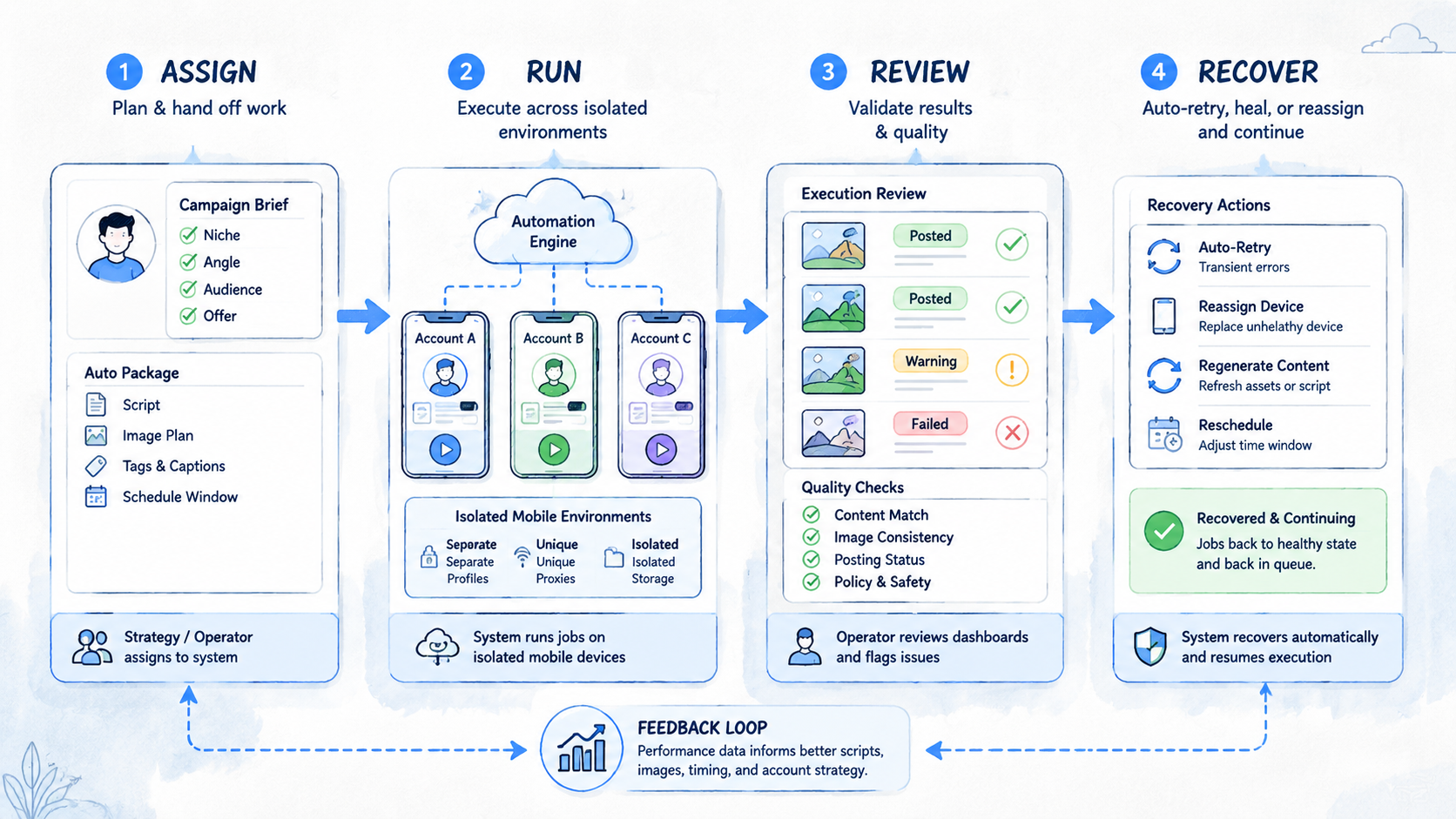
Scripts and images are only the first layer. The real system includes platform formatting, asset review, account routing, workspace isolation, staggered posting, and results feedback. Without those layers, teams create more content but not more operating capacity.
For teams running social media, e-commerce, or customer engagement workflows across many accounts, the next step is not just better prompts. The next step is a controlled execution layer where AI-generated content can move through real browser and mobile workspaces with clear records and separation.



