
Content Type: guide
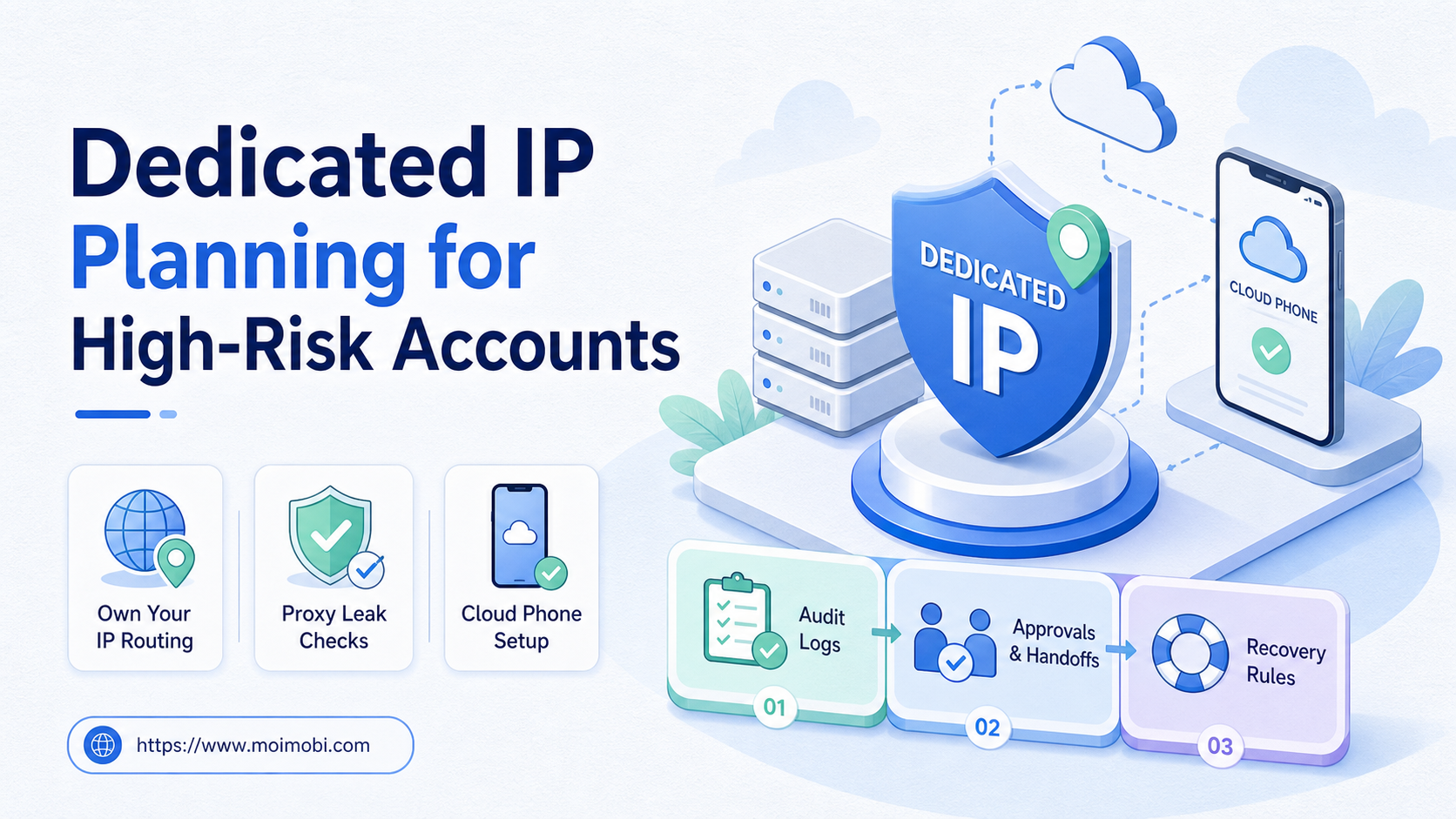
A dedicated ip is an IP address reserved for one account, workspace, customer, or operating role instead of being shared across unrelated work. For high-risk accounts, the point is not to promise safety. The point is to reduce routing confusion and make account operations easier to audit.
High-risk accounts usually mean high-value accounts, customer-facing profiles, payment-related dashboards, or accounts with many operators. These accounts need cleaner ownership than ordinary test accounts. A routing mistake may create support work, unclear logs, or customer confusion.
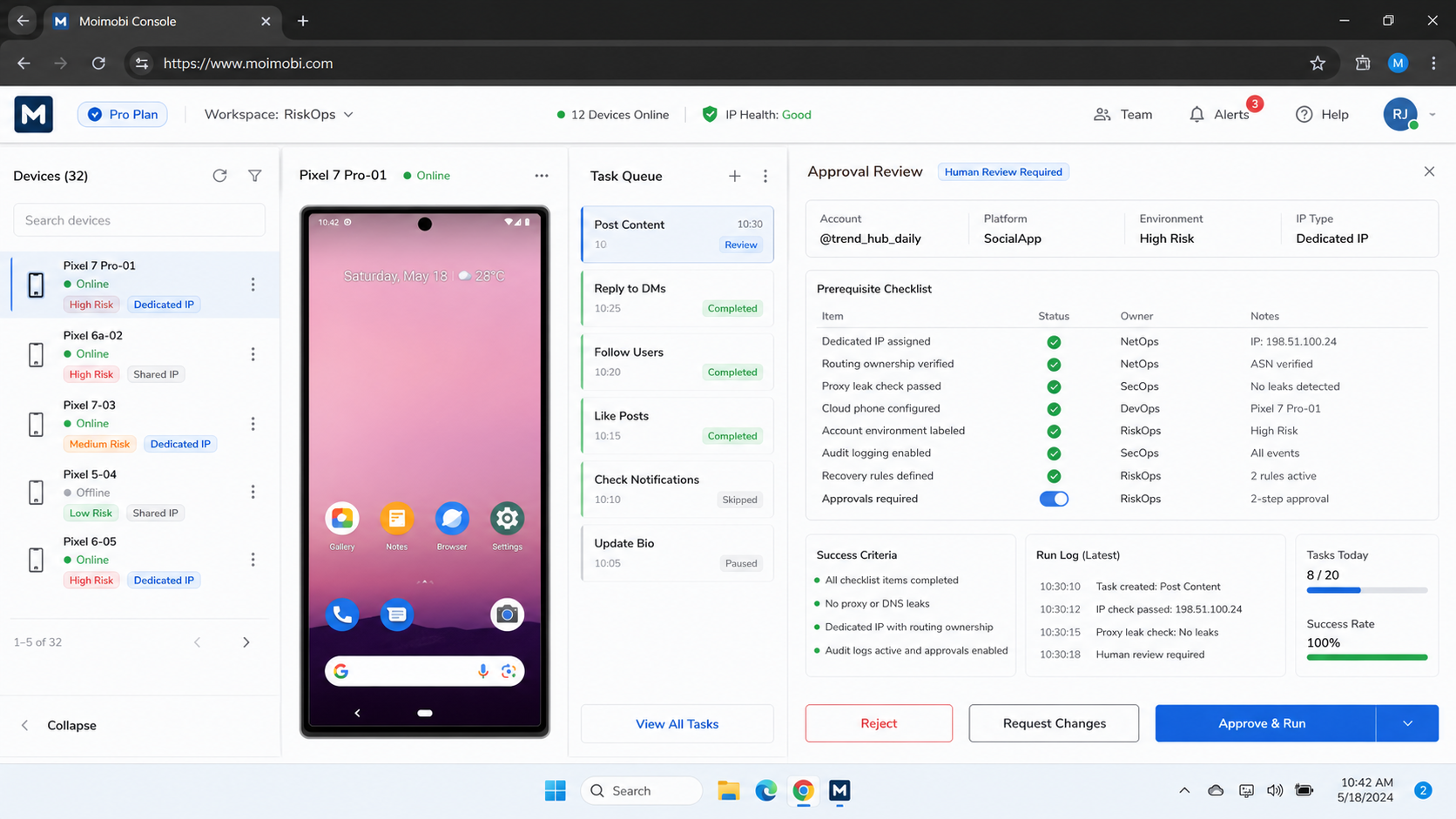
In a cloud phone workflow, dedicated IP planning should sit beside device assignment, account ownership, proxy records, and task logs. It is one part of execution design, not a substitute for platform rules, clean credentials, or human review.
Key Takeaways
- A dedicated ip is useful when an account needs stable routing, clear ownership, and easier incident review.
- It does not remove platform policy risk or replace clean operating rules.
- Teams should map account, device, proxy, owner, and workflow before scaling.
- Proxy leak checks should be part of setup and recovery, not an afterthought.
- Shared IP pools can still fit test or low-value workflows when records are clear.
The Core Idea Behind Dedicated IP Planning
Dedicated IP planning starts with account importance. A team should not assign special routing to every account by default. It should decide which accounts need stable routing because the account is valuable, customer-facing, or operationally sensitive.
Cloudflare explains a dedicated IP address as one assigned to a single user or domain rather than shared with others. That general networking idea matters in operations because shared routes can make incident review harder. See Cloudflare's dedicated IP explainer.
For multi-account work, the planning question is practical: which account should keep the same route, same device environment, same operator group, and same approval rule? If the team cannot answer that, a dedicated route may only add cost and confusion.
| Account type | Routing default | Why |
|---|---|---|
| Customer-facing production account | Dedicated route | Cleaner ownership and review trail |
| Testing or sandbox account | Shared or rotating pool | Lower sensitivity and more experimentation |
| Payment or permission account | Dedicated route with approval | Higher operational impact |
| Short-lived research account | Case-by-case | Depends on data and platform rules |
The framework is simple. Stable routing belongs to accounts where review clarity matters. Flexible routing belongs to workflows where variation is part of testing and the account impact is limited.
Why Teams Search for Dedicated IP Guidance
Teams usually search for this topic after routing becomes hard to explain. They may have multiple accounts, several operators, shared proxies, and mobile devices running parallel tasks. When a problem appears, nobody can quickly say which route was used.
A dedicated ip plan helps answer three questions:
- Which account used which route?
- Which operator or workflow used the account?
- What changed before the issue appeared?
That does not make the account immune from platform review. It only gives the team a cleaner operating record. This distinction matters because platform rules still apply. Google Play policy documentation, for example, groups policies around developer behavior, user safety, and app quality. A routing setup cannot replace compliance with platform rules. See the Google Play Policy Center.
For social and commerce teams, the real benefit is diagnosis. If a customer-facing account behaves oddly, the manager can inspect routing, device, account, task, and operator history together. Without that record, every incident becomes guesswork.
Who Benefits Most and In What Situations
The right fit is not "every account gets a dedicated IP." The right fit is an account group where routing continuity supports a business process. A support account, brand publishing account, ad operations dashboard, or store admin account may deserve stricter assignment than a test login.
Teams managing regional services also benefit when they need customer separation. If two customers share the same loose route, the service team may struggle to explain an incident. Dedicated planning makes each customer workspace easier to document.
The model is weaker for low-value experiments. A team testing UI flows, collecting non-sensitive research, or validating internal SOPs may not need one route per account. A shared pool can be acceptable if the team still records usage.
Preflight checklist
- Classify accounts by business impact.
- Name one owner for each high-risk account.
- Assign device, route, proxy, and workflow together.
- Store setup notes in a shared record.
- Define which changes require approval.
- Decide what happens when a route fails or leaks.
- Review platform policy boundaries before automation runs.
If the workflow uses mobile execution, pair routing records with isolated Android workspaces. The goal is cleaner separation between accounts, devices, and tasks.
How to Evaluate Dedicated IP Planning for High-Risk Accounts
Start with a small routing map. Do not redesign every account at once. Pick the accounts where confusion would create the most operational cost.
- List high-risk accounts. Include customer-facing, admin, payment, publishing, or support accounts.
- Assign an operating owner. The owner is responsible for route changes and incident notes.
- Map the route. Record IP type, provider, region, account, device environment, and intended workflow.
- Check for leaks. Test whether traffic exits through the expected route before running live work.
- Set change rules. Require approval before changing route, region, proxy provider, or device assignment.
- Log exceptions. Record failed connection, route change, account warning, or manual override.
- Review weekly. Remove dedicated routes from accounts that do not need them.
Amazon describes Elastic IP addresses as static public IPv4 addresses designed for dynamic cloud computing, which is a useful reference for why persistent routing needs allocation and management. See AWS Elastic IP addresses. The lesson for account operations is similar: stable addresses still need ownership and lifecycle control.
Teams that operate many mobile accounts should also document proxy routing for device workflows. A route without a record is hard to audit when several people touch the same account.
Mistakes That Reduce Results
The biggest mistake is treating a dedicated IP as an account-safety product. It is not. It is an operating choice that can make routing more consistent and review easier when the rest of the workflow is disciplined.
Another mistake is mixing route ownership. If one team member can change proxy settings, another can switch devices, and a third can run tasks, the record becomes weak. High-risk accounts need fewer owners and clearer approvals.
What not to do
- Do not put all accounts on dedicated routes without impact scoring.
- Do not use a dedicated route while sharing the same account across many operators.
- Do not change proxy or region settings without writing a reason.
- Do not ignore platform policy because the route looks stable.
- Do not keep paying for dedicated routes that no longer protect a real workflow.
For accounts tied to social campaigns, connect routing decisions with multi-account operating rules. IP planning alone cannot fix weak account ownership.
Build a Dedicated IP Tiering Model
Route planning becomes easier when the team uses tiers. A tiering model prevents two bad habits: over-protecting low-impact work and under-documenting sensitive accounts. Each tier should say who owns the account, which route type is allowed, and what approval is required before changes.
Tier 1 should include the accounts that affect revenue, customer trust, or platform access. These accounts need stable routing, strict owner records, and a change log. The team should avoid casual route changes because each change adds one more variable during incident review.
Tier 2 covers routine operating accounts. These accounts may still need clean assignment, but they do not always need the highest-cost routing. The team can use a managed pool when the account role, region, and device state are recorded.
Tier 3 covers tests, training, and short experiments. These accounts should not borrow Tier 1 routes. Mixing test work with high-value account infrastructure creates audit confusion and weakens the operating model.
| Tier | Account example | Routing rule | Review rule |
|---|---|---|---|
| Tier 1 | Main brand, customer admin, payment-related account | Dedicated route with named owner | Approval before route or device change |
| Tier 2 | Routine publishing or support account | Assigned route or managed pool | Weekly exception review |
| Tier 3 | Sandbox, QA, training account | Flexible route with usage log | Review after failure or experiment |
The tier should appear in the task record. When a workflow starts, the operator should see whether the account is Tier 1, Tier 2, or Tier 3. That small label changes behavior. It tells the operator when to pause, when to escalate, and when a route change is not allowed.
What the Execution Record Should Contain
A dedicated route is only useful when the record is complete. Store the route next to the account, device, owner, workflow, and last change. Keeping these fields separate across tools makes recovery slower.
Use a minimum record set:
- Account ID or workspace name.
- Customer or internal owner.
- Assigned device environment.
- Route type and provider reference.
- Region or network label.
- Last route change and reason.
- Current workflow and task queue.
- Open incidents or unresolved exceptions.
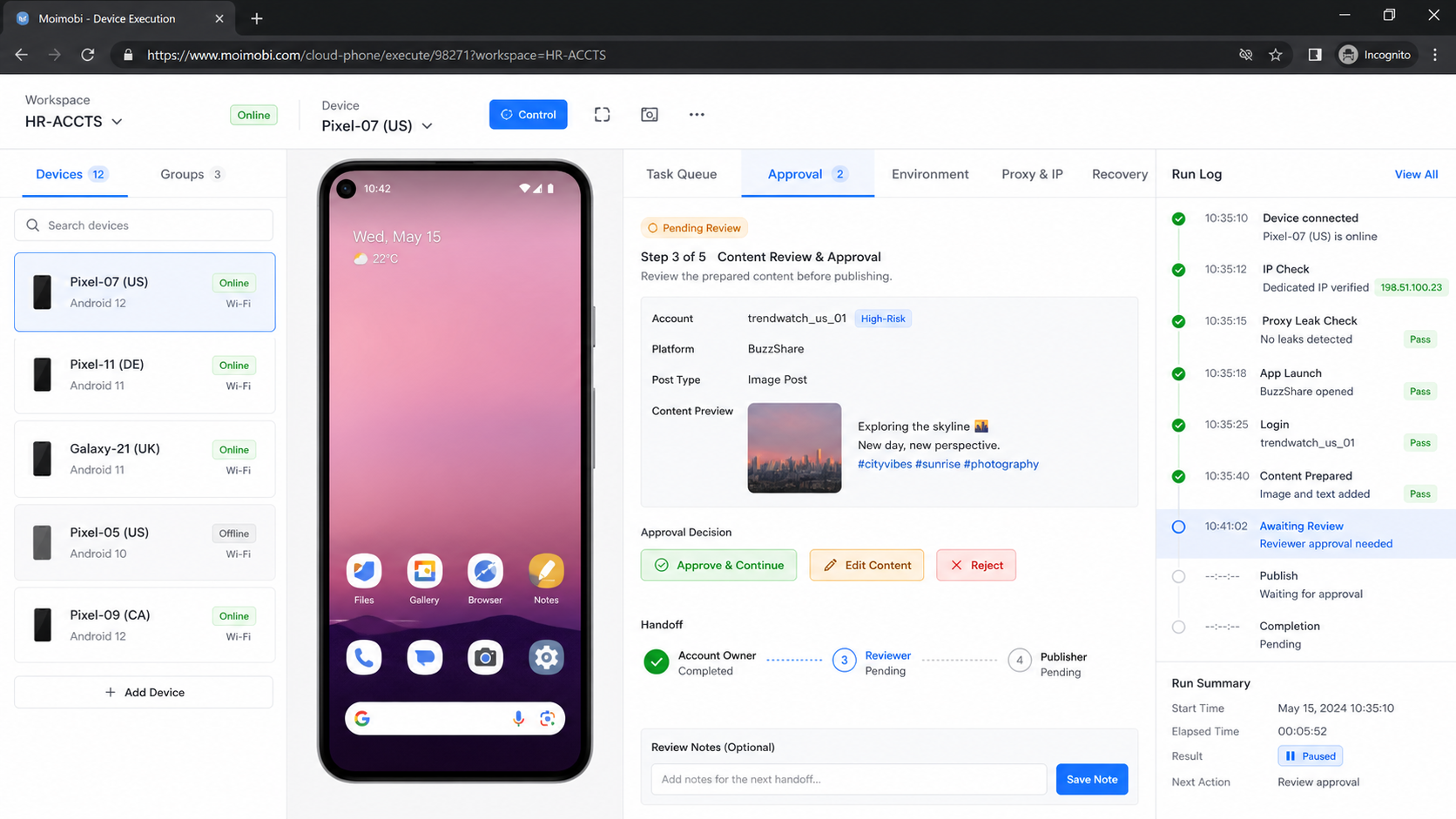
The record should also show who approved changes. A route switch without an approver creates uncertainty later. During an incident, the team should be able to answer what changed, when it changed, who approved it, and which task ran after the change.
For service teams, this record becomes part of customer reporting. It does not need to expose sensitive infrastructure details. It should show that the team controls account environments and reviews exceptions with discipline.
Verification and Recovery Checks
Setup is only the first step. A team needs a repeatable check before using a high-risk account for live work. The check should confirm route, account, device, workflow, and operator state.
Use this verification list:
- The expected IP route is active.
- The device environment matches the account record.
- The assigned owner is visible.
- The task queue matches the account role.
- The route change log is current.
- The account has no unresolved exception.
- The operator knows the stop rule.
Recovery should be just as clear. When a route fails, pause the workflow, record the failed state, and assign one person to diagnose. Do not let operators keep retrying from different routes without a record.
If the account is tied to TikTok work, a dedicated route may appear inside a broader cloud phone for USA TikTok accounts setup. The same rule applies: keep route, device, account, and task history connected.
Frequently Asked Questions
What is a dedicated IP in account operations?
It is an IP address assigned to a specific account, customer workspace, device, or operating role instead of shared across unrelated work.
Does a dedicated IP prevent account restrictions?
No. It can support cleaner routing records, but platform rules, account behavior, content, and user reports still matter.
Which accounts deserve dedicated routes first?
Start with customer-facing, admin, payment, support, or publishing accounts where confusion would be costly.
Is shared routing always bad?
No. Shared routing can fit testing, low-value workflows, or short-lived internal tasks when records are clear.
What is a proxy leak check?
It is a setup check that confirms traffic exits through the intended route before live work begins.
How often should routes be reviewed?
Review routes during weekly operations, after failures, and before expanding a workflow to more accounts.
How does MoiMobi fit this process?
MoiMobi helps teams connect device environments, account ownership, routing records, task execution, and review workflows in one operating model.
Conclusion
Dedicated IP planning is useful when a high-risk account needs cleaner routing and clearer responsibility. Start with account impact, not provider selection. Then map the owner, device, route, workflow, approval rule, and recovery path.
The practical next step is a small audit. List the accounts where routing confusion would hurt operations, then decide which ones deserve dedicated routes. If the team cannot explain the current account-route-device relationship, fix the record before adding more infrastructure.



