
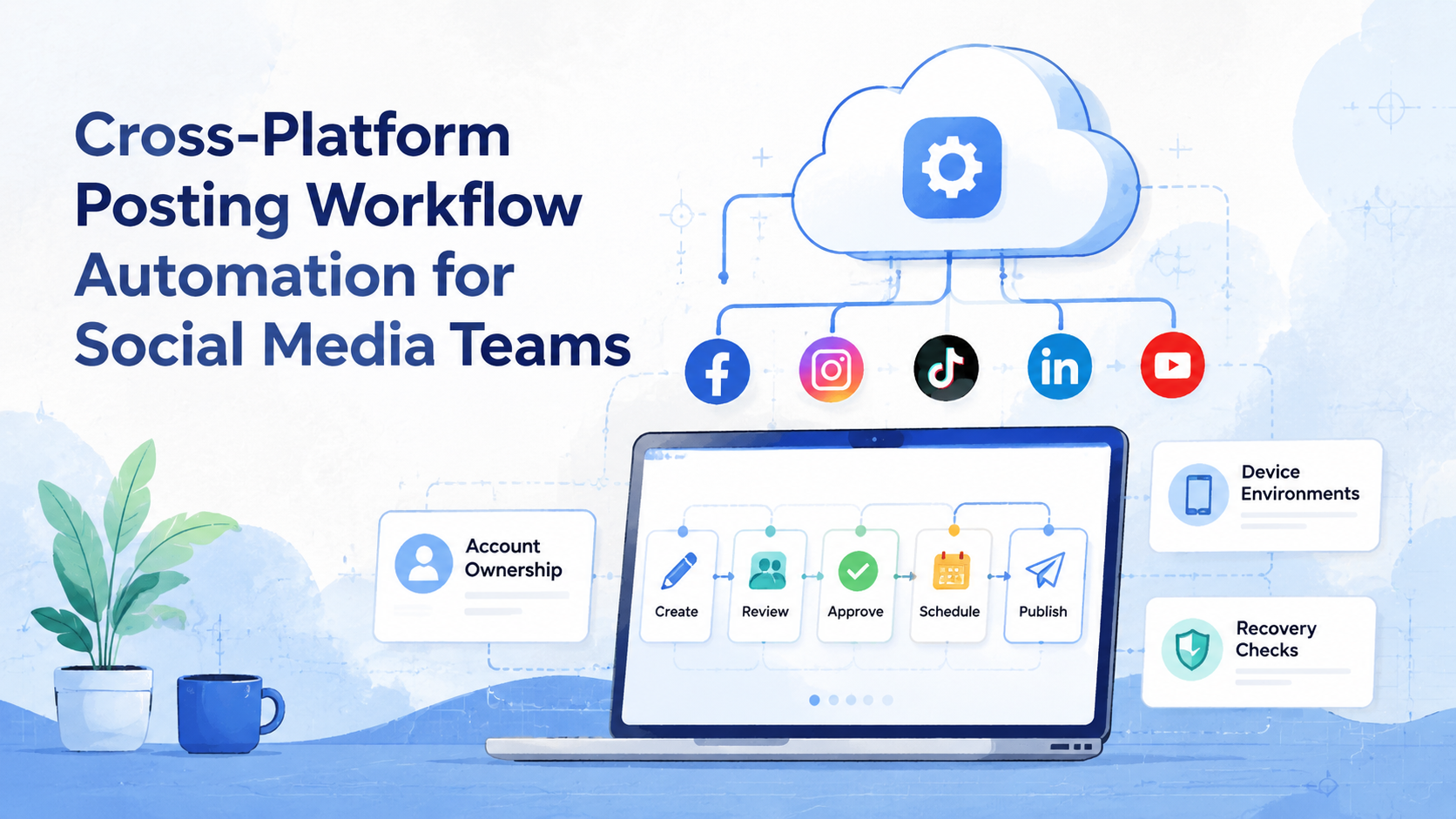
In social operations, cross-platform posting workflow automation is the process of turning publishing across several platforms, accounts, and roles into a repeatable operating flow. It does not stop at scheduling. A workable system also covers content preparation, account assignment, approval, execution environment, posting evidence, and recovery after failures.
For social media teams, the hard part is rarely writing one caption. The harder problem is making sure the right asset, caption, account, device, reviewer, and posting window stay aligned when work spans TikTok, Instagram, X, YouTube Shorts, or messaging channels. That is where a workflow view matters.
Official APIs can help in some cases. Meta documents Instagram APIs for publishing and media management, TikTok provides Content Posting APIs for direct or draft posting flows, and X documents endpoints for creating posts through authenticated apps. Those API paths still require account authorization, platform permissions, and workflow design. Teams also need a plan for the cases where a platform workflow depends on mobile app execution, human review, or account-specific handling.
Key Takeaways
- Cross-platform posting workflow automation works best when it starts with roles, account ownership, and approval rules.
- A scheduler alone usually does not solve multi-account execution, mobile-only steps, review evidence, or failure recovery.
- Teams should separate content planning, account assignment, execution, monitoring, and rollback checks.
- Platform APIs should be treated as one execution path, not the only path.
- For mobile-first accounts, a cloud phone or isolated mobile environment can help keep app execution separate from browser-based planning.
What Is Cross-Platform Posting Workflow Automation for Social Media Teams?
The common mistake is treating cross-platform posting workflow automation as “send the same post everywhere.” That model breaks quickly. Each platform has different formats, account rules, creative expectations, API capabilities, and review needs.
A better model is to treat posting as an operations workflow. The team prepares content once, adapts it per platform, assigns it to accounts, checks approvals, runs execution, records results, and reviews exceptions. That workflow can use API publishing, browser execution, mobile execution, or manual confirmation depending on the platform and account.
The practical goal is not to remove every human decision. The aim is to remove repeated coordination work. A manager should not need to ask where a video file is, which account owns it, whether a caption was approved, or whether a failed post was retried.
Why Cross-Platform Posting Workflow Automation Matters
Social publishing becomes fragile when every account has a different spreadsheet, folder, browser profile, mobile device, and message thread. A small team can keep that in memory for a while. A larger team needs a system that preserves ownership and state.
Platform documentation also shows why one generic path is not enough. Meta positions Instagram APIs around business and creator account workflows. TikTok’s Content Posting APIs describe both direct posting and draft export options. X’s API documentation separates authenticated post creation from other timeline and search operations. Those differences matter when teams choose execution paths.
The decision is operational: which steps should be automated, which should be reviewed, and which should stay manual. A team posting across multiple brand accounts may automate file preparation and task assignment while keeping final caption review under a human owner.
Operating Model: Roles, Fields, and State
A posting workflow becomes easier to manage when every task carries the same minimum fields. Without those fields, teams depend on memory, chat history, or personal folders. That creates gaps when someone is absent or when a campaign changes quickly.
At minimum, each posting task should record the campaign, platform, account, asset, caption variant, owner, reviewer, execution path, scheduled window, result evidence, and exception state. These fields do not need to create a heavy process. They create a shared language for the team.
The owner field is especially important. One person or role should own the task until it reaches a terminal state. Terminal states should be simple: published, skipped, failed, cancelled, or needs human review. Avoid vague states such as “done” when the team still needs a post URL or screenshot.
For multi-account teams, the account field should also point to an environment. That environment may be a browser profile, a mobile device, an API authorization, or a human-operated queue. The main point is traceability. If a post fails, the team should know which account and environment were involved.
Preflight Checklist for Cross-Platform Posting Workflow Automation
Before connecting tools, confirm the workflow has a stable base. Otherwise automation only moves confusion faster.
| Preflight area | What to confirm | Failure signal |
|---|---|---|
| Account ownership | Each account has a platform, owner, reviewer, and execution environment. | Several people publish from the same account with no record. |
| Content readiness | Assets, captions, hashtags, links, and variants are attached to the task. | Operators copy files from chat threads at posting time. |
| Approval | Posts have a review state and a person allowed to approve changes. | Drafts get edited after approval without visible history. |
| Execution path | The team knows whether the task uses API, browser, mobile, or manual posting. | Failures are blamed on the tool before the path is defined. |
| Evidence | Each run records time, account, result, post URL, screenshot, or failure reason. | People only know a post failed because someone noticed later. |
MoiMobi fits this layer when teams need account-based execution environments, not only a calendar. Social teams can connect planning with multi-account management, browser sessions, and mobile automation without mixing every account into one shared operator lane.
A Practical Workflow Sequence
Begin with a small controlled workflow. Do not automate every account on the first pass.
- Create a content packet. Attach the asset, caption, platform variant, link, tags, campaign name, and publishing window.
- Assign platform variants. Decide which version belongs to TikTok, Instagram, X, YouTube Shorts, or another channel.
- Map accounts to environments. Connect each account to the correct browser profile, mobile device, or API authorization.
- Run review. Require approval before the task moves from “ready” to “scheduled” or “execution.”
- Execute by path. Use API publishing where appropriate, browser execution for web dashboards, and mobile execution for app-first flows.
- Record the result. Save the post URL, screenshot, time, operator, and failure reason.
- Route exceptions. Send failed, blocked, or unclear tasks to a human owner instead of retrying forever.
This is where an execution platform differs from a basic scheduling tool. A scheduler focuses on timing. A workflow system connects timing with account state, environment state, task ownership, and retry evidence.
Choosing the Right Execution Path
Teams should not force every post through one execution method. The correct path depends on the platform, account type, approval requirement, and available integration.
| Execution path | Best use | Control needed |
|---|---|---|
| API publishing | Approved app workflows where the platform supports the target format. | OAuth scopes, account permissions, response logging, and failure handling. |
| Browser execution | Web dashboards, content review panels, admin consoles, and manual approval steps. | Persistent browser sessions, account isolation, and operator takeover. |
| Mobile execution | App-first posting, mobile-only review, and workflows that depend on app state. | Device assignment, media preparation, app login state, and visible run logs. |
| Human confirmation | High-risk creative, sensitive campaigns, or uncertain platform states. | Clear stop rules, reviewer ownership, and a way to resume or cancel. |
This split prevents over-automation. A team can use API publishing for one account group, browser execution for another dashboard, and mobile execution for app-based posting. The workflow remains unified even when the execution method changes.
For teams with both browser and mobile accounts, device isolation should be considered part of the operating model. Account environments should stay separate enough that review, login state, and execution history remain understandable.
Key Benefits and Use Cases
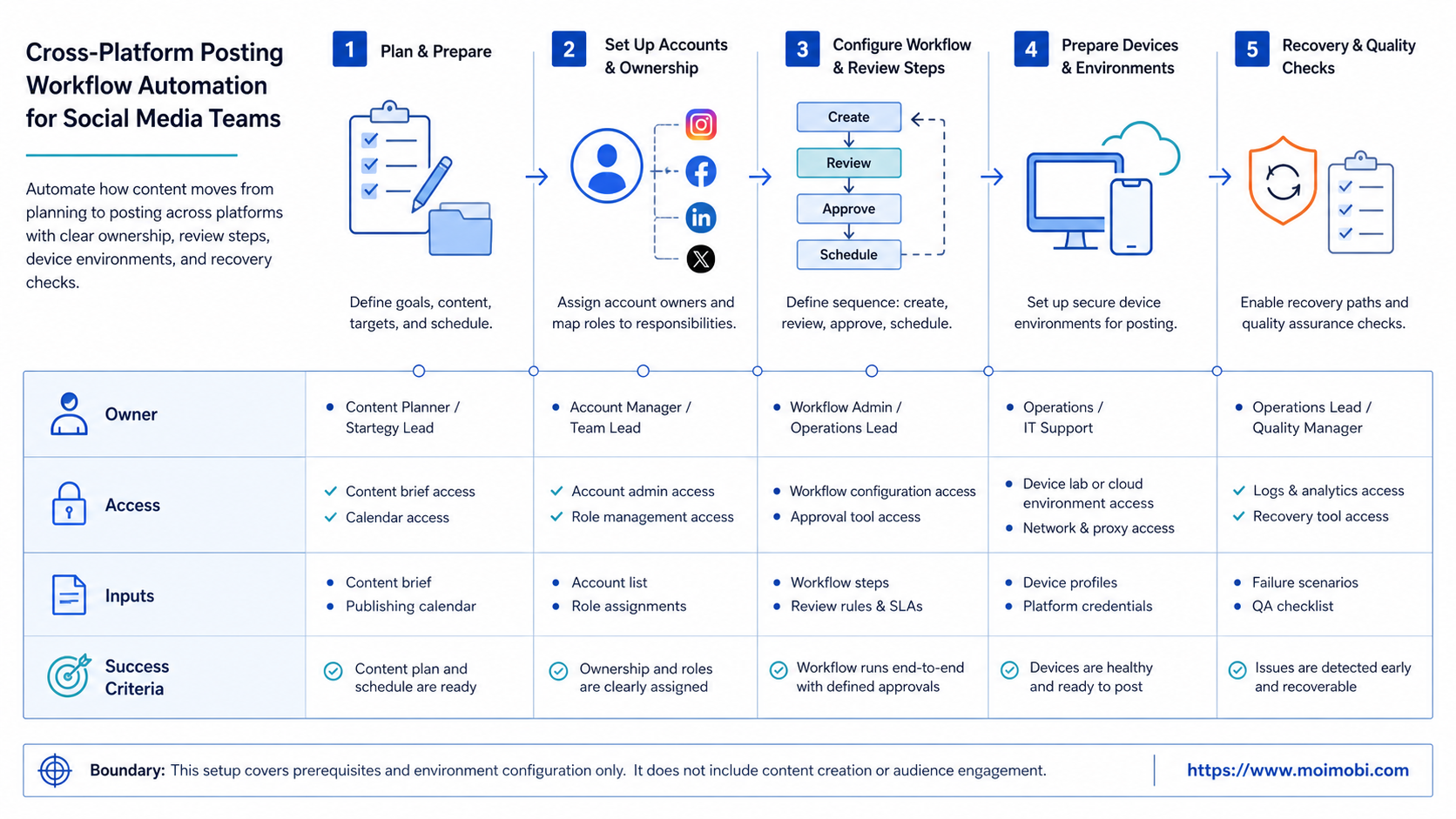
The first benefit is cleaner accountability. A workflow tells the team who prepared the post, who approved it, which account executed it, and what happened afterward.
The second benefit is environment separation. Teams running multiple accounts should avoid treating every account as the same workspace. Browser sessions, device state, routing, and app login state can affect operations. Device isolation helps teams think in separate account workspaces instead of one shared machine.
Common use cases include campaign posting, product launch updates, creator content distribution, cross-border social operations, and customer engagement follow-ups. In each case, the workflow should define the handoff between planning and execution.
One useful example is a product launch. The content team prepares a launch video, a short caption, a long caption, a support reply template, and a link list. The operations team then maps those variants to platform-specific accounts. The reviewer approves the final package before execution begins.
Another example is creator marketing. A brand may need to publish the same campaign idea across several creator accounts, but each account has a different tone and posting window. A workflow prevents the team from treating those accounts as interchangeable. It keeps the asset shared while keeping the caption, owner, and execution environment account-specific.
Who It Fits and When It Is a Strong Match
This approach is a strong fit when the team has repeated work, multiple accounts, and clear review needs. The fit is weaker when one person posts occasionally to one account.
It fits agencies that manage client accounts, e-commerce teams coordinating product launches, and social teams that run platform-specific content variants. It also fits teams that need app-based execution where API coverage is limited or not suitable for the workflow.
The model is not a strong match for spam-style outreach, unauthorized account use, or bulk posting without review. A stable system should reduce mistakes and improve visibility. It should not encourage reckless posting.
What Not to Automate First
The first automation target should not be the final “publish” click for every account. That is usually the most sensitive step. Start with the steps that create less risk and more visibility.
Good early targets include asset packaging, caption variant routing, account assignment, reviewer reminders, status updates, result collection, and failure classification. These tasks are repetitive, but they do not remove judgment from the workflow.
Post execution can come later. Once the team understands common failures, platform differences, and review patterns, it can decide which account groups are ready for API, browser, or mobile execution. This staged approach keeps the workflow useful even before full automation is enabled.
Common Mistakes to Avoid
Do not start with “how many posts can we push?” Start with “which account owns which task?” Volume is a poor first metric if the workflow cannot explain mistakes.
Avoid using the same caption across every channel without adaptation. Platform APIs and creation tools exist in different contexts, and audiences respond to different formats. A TikTok draft, an Instagram post, and an X update usually need different review fields.
Do not hide manual steps. If a mobile app requires a final human confirmation, put that into the workflow. Hidden manual work creates broken automation later.
Pilot Rollout, Measurement, and Recovery Checks
Run the pilot with one campaign, two or three platforms, and a limited account group. The first test should prove the operating loop, not maximum volume.
Track a small set of fields:
- number of prepared posts
- approval time
- execution success rate
- failed tasks by reason
- posts requiring human intervention
- missing result evidence
Recovery matters as much as success. A useful workflow tells the team what failed, which account was affected, whether the post should be retried, and who owns the next action. If the team cannot answer those questions, the automation is not ready to scale.
Use a verification checklist before expanding the workflow:
- every published post has a URL, timestamp, or screenshot
- every failed task has a reason, not only a red status
- every task has one owner at the time of failure
- approval changes are visible before execution
- mobile tasks show whether media was prepared for the device
- browser tasks show which account workspace was used
- repeated failures are grouped by cause before retry rules are changed
The pilot should also expose missing data fields. If operators keep asking the same question in chat, that question probably belongs in the task record. Good workflow design turns repeated questions into visible fields.
For teams evaluating an execution layer, MoiMobi’s social media marketing workflow pages are the next place to map use cases. Teams that need both browser and mobile account operations can also review MoiMobi as a broader execution infrastructure layer.
Frequently Asked Questions
What is cross-platform posting workflow automation?
The workflow prepares, reviews, assigns, executes, and tracks social posts across multiple platforms and accounts.
Is it the same as a social media scheduler?
No. A scheduler mainly handles timing. A workflow also handles account ownership, approvals, execution paths, task evidence, and recovery.
Can platform APIs handle all posting work?
Not always. APIs can support some publishing paths, but each platform has its own permissions, account requirements, and supported formats.
When should a team use mobile execution?
Use mobile execution when the platform workflow depends on the mobile app, mobile login state, or account-specific app environment.
How many accounts should the first pilot include?
Start with a small group. Two or three platforms and a limited account set are enough to test handoff, review, execution, and evidence.
What should be measured first?
Measure approval time, successful posts, failed posts by reason, missing evidence, and tasks needing human intervention.
Does automation remove the need for review?
No. Review is still important for brand voice, policy-sensitive content, campaign accuracy, and account-specific judgment.
How does MoiMobi help this workflow?
MoiMobi helps teams connect account environments, mobile execution, browser workflows, and multi-account operations into one controlled execution layer.
Conclusion
Cross-platform posting workflow automation should make social operations easier to control. It should not turn posting into blind bulk distribution. The strongest systems define content packets, account ownership, review gates, execution paths, and recovery checks before they scale.
Begin with one campaign and a small account group. If the team can see who approved the content, where it ran, what failed, and what happens next, the workflow is ready for a wider rollout.



