
Key Takeaways
- Comment workflow automation for YouTube should organize review, routing, and records; it should not turn comments into repetitive, unreviewed replies.
- A reliable workflow separates moderation decisions, customer questions, creator feedback, and sales-sensitive requests before anyone drafts a response.
- The right operating metrics are response ownership, review time, resolution quality, and recurring themes, not a raw count of comments answered.
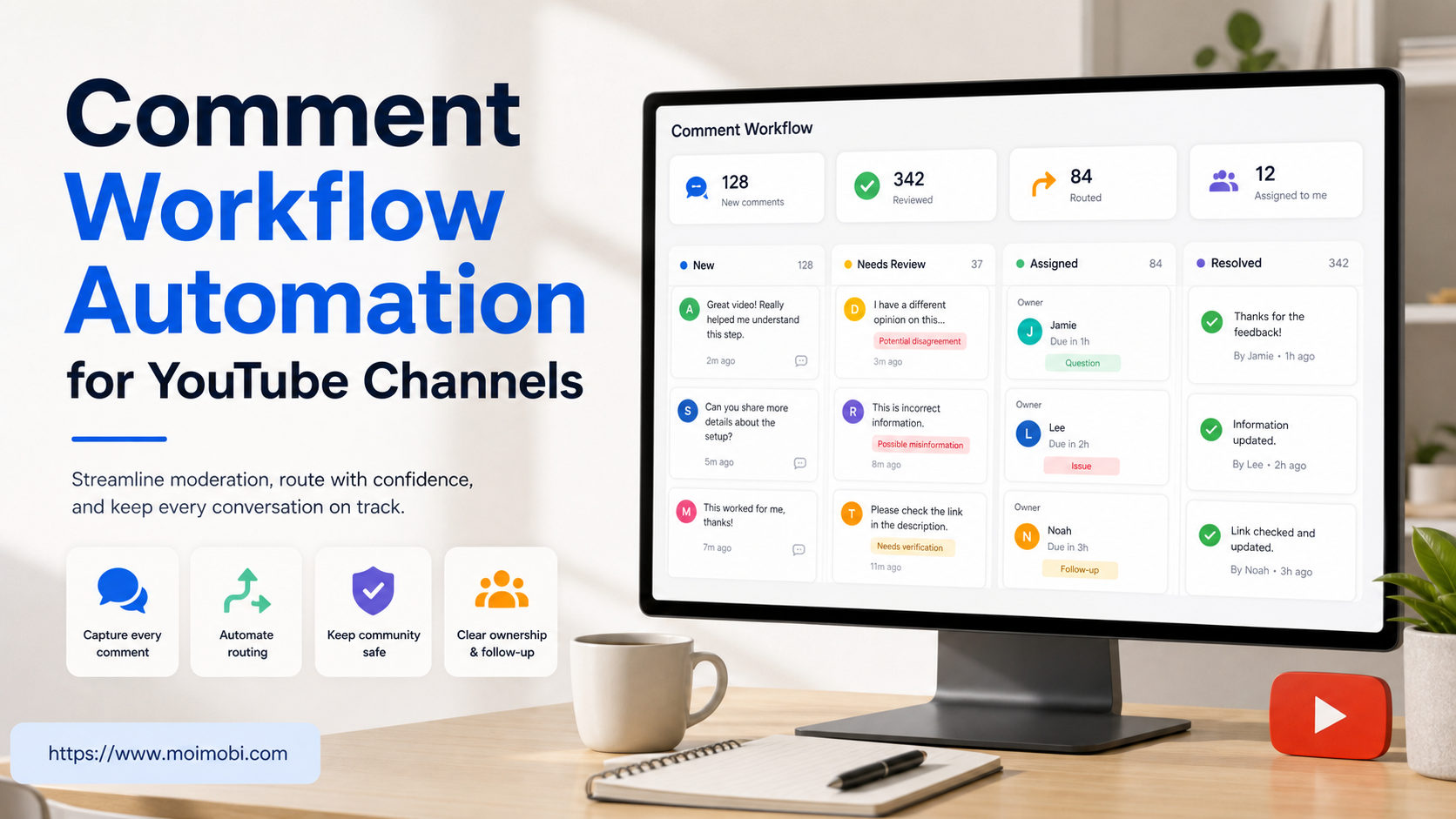
Comment workflow automation for YouTube is a repeatable way to collect approved comments, assign them to the right owner, prepare a response, and record what happened. It is useful when a channel receives more discussion than one person can review consistently. It is not a reason to post the same reply everywhere, evade YouTube controls, or treat every viewer interaction as a sales lead.
The practical problem is usually coordination. A creator wants to answer useful questions. A support person needs to see a product issue. A community manager must spot a policy problem. An editor may want to capture recurring requests for the next video. Without a shared workflow, comments are missed, two people answer the same viewer, or a sensitive thread is handled by the wrong person.
YouTube provides comment moderation settings and review capabilities for channel owners. Its comment moderation guidance and Community Guidelines are useful boundaries: the workflow should support thoughtful moderation and human judgment rather than bypass platform rules. Build the process around approved access and accountable review.
What Comment Workflow Automation for YouTube Actually Covers
The word automation can hide several different jobs. In a healthy channel operation, the automated portion is narrow and observable. It can collect comment metadata through an approved connection, classify an item into a work queue, attach the relevant video and timestamp, notify an owner, and save a final status. The decision to hide a comment, discuss a complaint, make a promise, or escalate a safety issue remains a human responsibility.
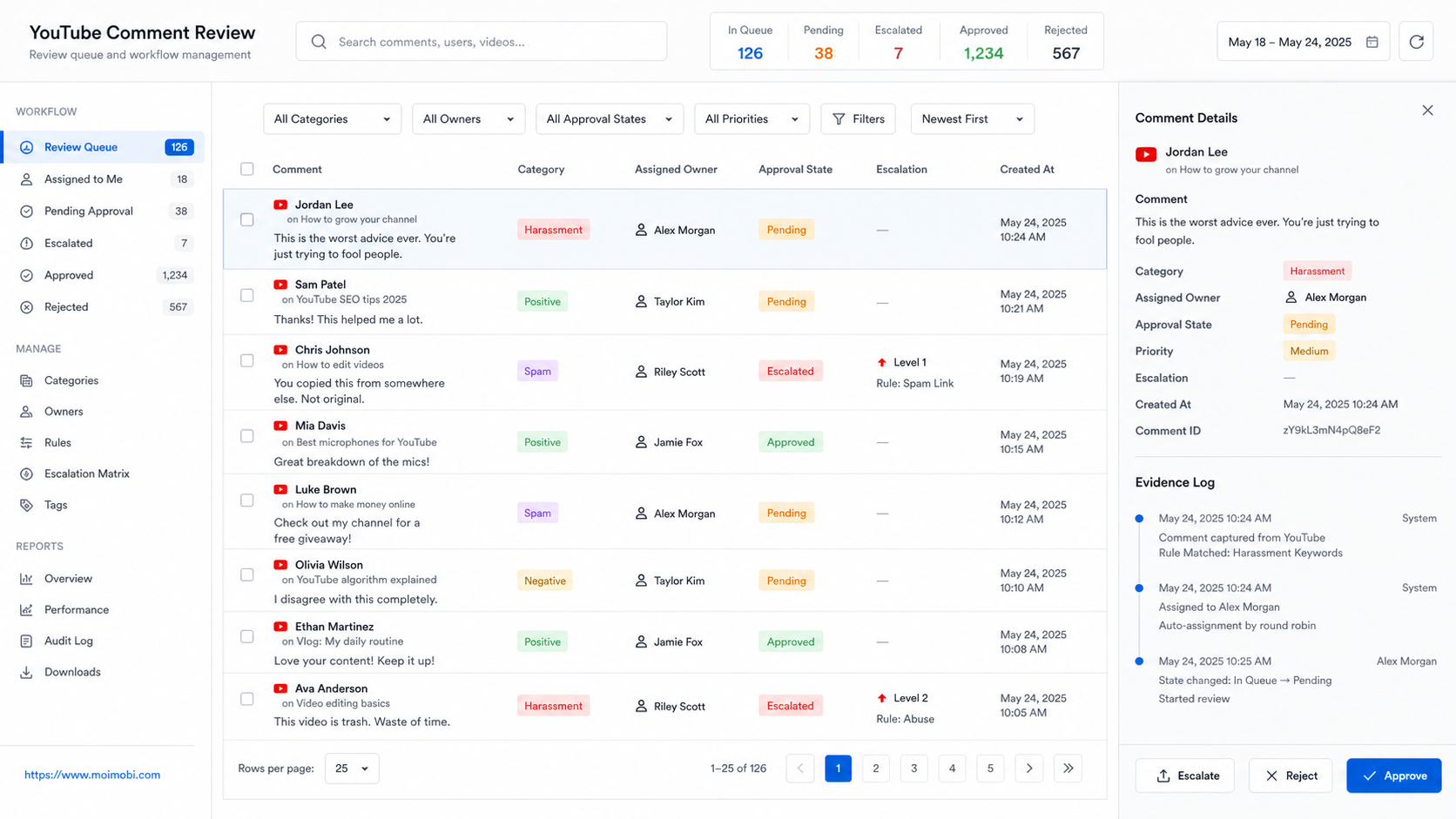
Think of the workflow as a queue with decision points. Every item needs a source, category, owner, state, and next action. A small team might manage this in a shared review board. A larger team may route items into a help desk, content system, or managed browser and mobile workspace. The design principle is the same: the team can explain why an item was handled in a particular way.
| Workflow stage | Safe automation support | Human decision that remains |
|---|---|---|
| Intake | Collect permitted comment references and video context | Decide whether the item deserves a response |
| Triage | Suggest a category based on topic or language | Confirm category and priority |
| Assignment | Route to the declared owner or queue | Reassign when context changes |
| Draft preparation | Surface an approved knowledge-base answer | Approve wording, tone, and any offer |
| Moderation | Flag items matching documented review rules | Hide, report, or retain a comment |
| Reporting | Count states, handoffs, and recurring themes | Decide which process or content change is needed |
This scope also makes failures easier to investigate. If the team sees a response missing, it can ask whether collection failed, triage was unclear, ownership was absent, or the review gate was not completed. A single “automation failed” label would not reveal that difference.
Start With Categories, Not Reply Templates
Teams often begin with reply text because it feels productive. That is backwards. A reply library is only useful after the team knows what sort of comment it is handling. Start with a short category set that reflects real operational decisions.
For example, a channel can use: viewer question, technical support, order or account issue, content request, positive feedback, possible spam, policy or safety concern, and partnership inquiry. Keep the categories mutually understandable. If a new operator cannot classify a comment without asking three follow-up questions, the list is too detailed.
Each category needs an owner and a service expectation. A product question may go to a knowledgeable community manager. A billing issue should go to support through a secure channel, not be resolved in a public thread. A policy concern needs a moderation owner. A video idea can be added to an editorial backlog with no public promise to the viewer.
This is where an AI social media operations workflow can assist: it can present context and route work across declared roles. It should not infer consent, make customer commitments, or publish a response that has not passed the team’s approval rules.
Design the Intake Record
An intake record should be concise enough that the team will use it, but specific enough that a later reviewer can reconstruct the decision. Do not copy private customer data into a general tracking sheet. Keep a link or reference to the approved system of record when sensitive information is involved.
Use these fields for each reviewable item:
- Comment reference and video reference.
- Date and time collected.
- Category and priority.
- Assigned owner and backup owner.
- Proposed next action: answer, request support follow-up, retain for content research, moderate, or no action.
- Evidence reference, such as an approved reply log or a support ticket ID.
- Final state: completed, awaiting review, escalated, deferred, or closed without reply.
The official YouTube Data API commentThreads resource documents the data model available through approved API use. Even when a team uses a browser-based review process, the same discipline helps: preserve a reference to the original item, record the visible outcome, and do not rely on a copied screenshot as the only source of truth.
Build an Approval Path for High-Risk Replies
Not every answer requires the same level of review. A simple factual clarification may be approved by a trained community owner. A response about prices, refunds, regulated claims, safety, personal data, or a public dispute should have a stronger gate. The workflow should make those routes explicit before a busy day creates pressure to answer quickly.
| Reply type | Default owner | Review needed before posting | Preferred next step |
|---|---|---|---|
| General video question | Community owner | Sample review for new staff | Reply with verified information |
| Product troubleshooting | Support owner | Yes, if diagnosis is uncertain | Move to a support channel when needed |
| Refund or account issue | Support lead | Yes | Ask for a secure follow-up path |
| Partnership request | Business owner | Yes | Log and reply only when qualified |
| Abuse or policy concern | Moderator | Yes for ambiguous cases | Apply channel policy and retain evidence |
| Content request | Editorial owner | No promise of delivery | Add to research backlog |
This does not slow the team down when it is designed well. It prevents the more expensive form of delay: a public reply that needs correction, a complaint that lacks an owner, or a sensitive request left in an inbox nobody is watching.
A Daily Operating Sequence for YouTube Comment Work
Run the workflow in short, scheduled reviews rather than in one uncontrolled stream. The exact cadence depends on channel size, time zones, and expected support load. A new channel may need one review window. A product channel with active launches may need several. The important part is that the schedule is visible and that a missed review is itself recorded.
First, collect newly eligible items from the agreed channels and videos. Second, remove duplicates and attach the correct video context. Third, classify and assign. Fourth, review high-priority or sensitive items before drafting. Fifth, post approved answers through the team’s authorized access path. Finally, record the result, any escalation, and the next review date.
For teams using more than one account or device environment, multi-account management should clarify which channel identity is allowed to respond. A task record should show the assigned account, but it should not encourage different accounts to repeatedly contact the same viewer. Where the review requires mobile-only work, a mobile automation workflow can keep the task boundary, owner, and evidence reference visible without turning the operation into a volume-driven reply system.
Scenario: A Feature Question Turns Into Support Work
Suppose a viewer asks under a tutorial whether a feature works with their existing setup. The community owner can first determine whether the answer is already documented. If it is, the owner posts a concise, accurate answer with the approved resource. If the question includes account-specific details or indicates an incident, the item moves to support with a reference to the comment.
The report should then show two distinct outcomes: the public acknowledgement and the private support handoff. Recording both matters. Otherwise the team may count the comment as resolved when the viewer is still waiting for a support response.
The same pattern applies to negative feedback. Do not automatically hide criticism merely because it is inconvenient. Review it against documented moderation rules. If it contains a real problem report, capture the issue and give the responsible team enough context to investigate. If no public response is appropriate, the record should still explain the decision.
Metrics That Improve the Workflow
Measure whether the workflow creates clarity. Useful measures include the percentage of items with an owner, median time from collection to first review, number of unresolved escalations at the end of a review window, category mix, and repeated questions per video topic. These are operating signals, not vanity metrics.
Avoid a target such as “reply to every comment.” Some comments do not need a reply. Others need a careful human answer later. A volume target can cause staff to publish generic messages, ignore important distinctions, or rush moderation decisions.
Review a small sample of completed items each week. Check whether the category was correct, the answer was accurate, the right channel identity was used, and the record includes a clear next step. Then compare repeated questions with the content plan. If viewers keep asking the same basic question, the best response may be to improve the next video or help page.
Using Comment Workflow Automation for YouTube to Improve Content
The comment queue is also a research input. It can show the exact terms viewers use when they are confused, the point in a tutorial where they need another example, and the difference between a feature request and a support problem. That information is more useful when the workflow links each item to a video topic and a confirmed outcome.
During a weekly content meeting, review the five most repeated question categories and the items that were escalated more than once. Decide whether one answer belongs in an existing description, pinned resource, support article, or a future video. Record the decision next to the category so the team does not repeat the same research next week.
Keep the distinction between research and outreach. A viewer’s comment may inform a better tutorial, but it is not permission for repeated contact. The workflow should preserve context for the team while respecting the channel relationship that prompted the comment in the first place.
Common Failure Modes
The first failure is making every comment a marketing opportunity. Viewers can tell when a reply does not address their question. Keep the first response useful and relevant. Do not use comments for unsolicited repetitive promotions.
The second failure is mixing moderation and customer support in a single owner queue. Moderators need to apply channel rules. Support staff need product context and secure follow-up processes. They can share a record but should not lose their separate responsibilities.
The third failure is relying on copied reply templates without maintenance. Review templates after product changes, policy changes, or common misunderstandings. Retire text that is no longer true.
The fourth failure is reporting only completed actions. Include pauses, escalations, and closed-without-reply decisions. Those states show whether the team is using judgment or simply trying to make the dashboard look busy.
Frequently Asked Questions
What is comment workflow automation for YouTube?
It is a structured process for collecting eligible comments, assigning owners, preparing approved responses, recording outcomes, and reviewing repeated patterns. It is not a bulk-reply system.
Can a team automate every YouTube comment reply?
That is not a sound operating model. Automated assistance can sort and prepare work, while people should decide sensitive responses, moderation actions, and customer-specific commitments.
Which comments should be escalated?
Escalate account-specific support, payment or privacy issues, safety concerns, partnership requests, threats, and any item where the responder cannot verify the answer.
Should negative comments be removed?
Not automatically. Apply the channel’s documented rules and YouTube policy. Constructive criticism can reveal a product or content issue; abusive or policy-violating content needs a separate moderation decision.
How often should a channel review the queue?
Use a visible cadence based on audience expectations and staffing. Record missed review windows and temporary coverage changes so unanswered work is not silently lost.
What is the best first metric to track?
Start with the percentage of reviewable items that have a named owner and clear next action. It reveals coordination gaps before a team relies on volume metrics.
Conclusion
Comment workflow automation for YouTube works when it gives a team better context, ownership, and evidence. Start with categories, a small intake record, clear approval routes, and weekly sampling. Keep moderation, support, and editorial decisions accountable. The result is a channel operation that can respond more consistently without treating viewers as targets for unreviewed automation.



