
Key Takeaways
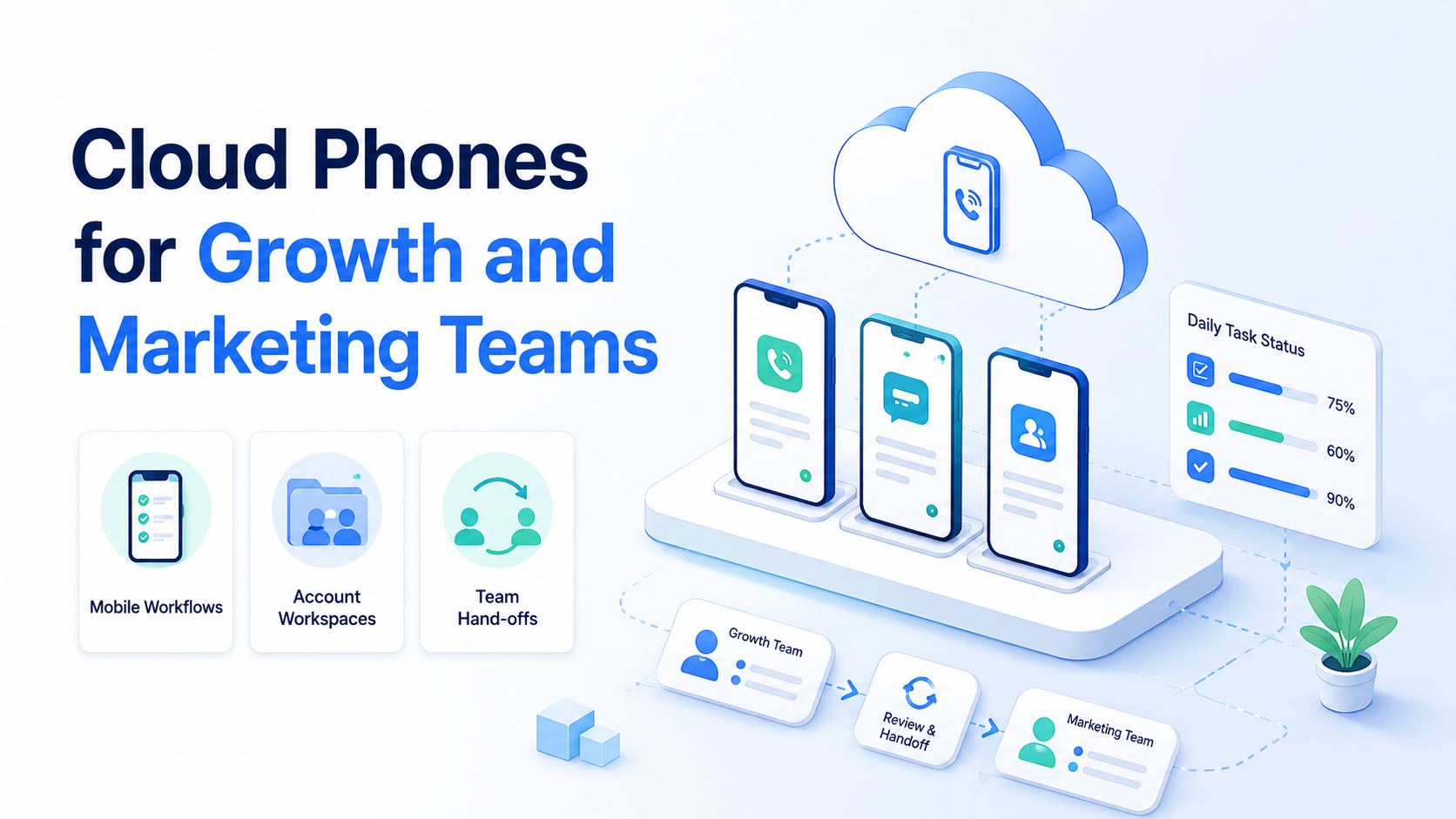
- Cloud phones for growth and marketing teams are remote mobile workspaces for account-based work
- The main value is controlled mobile execution, not just cheaper device rental
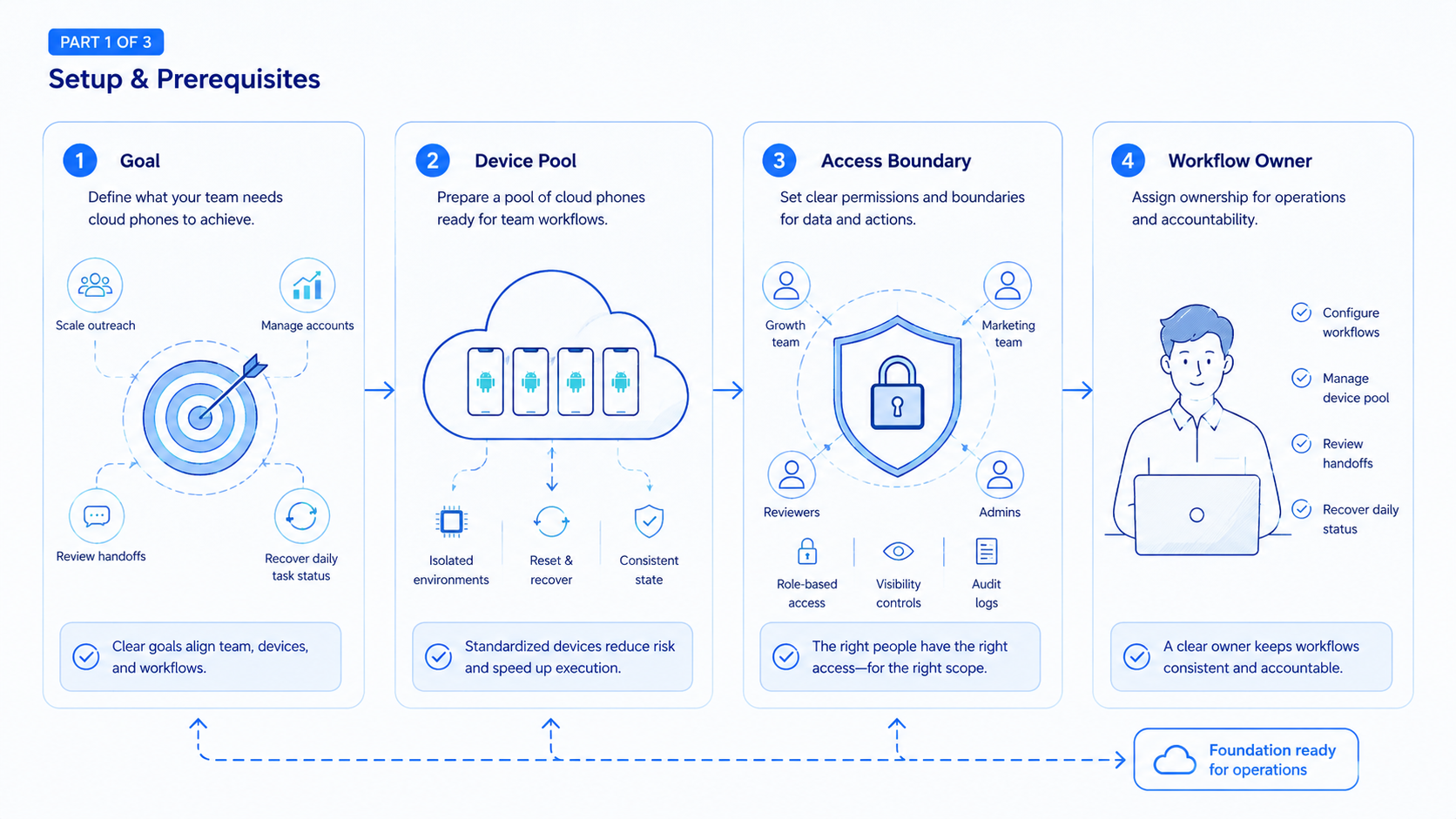
- Teams should map each cloud phone to an account, role, workflow, and review path
- Start with one campaign or account group before scaling to a full mobile operations system
Cloud phones for growth and marketing teams are remote Android workspaces used to run mobile-first account tasks, campaign checks, replies, publishing steps, and operational reviews. They give a team a mobile execution layer without passing physical phones around the office.
The practical problem is simple. Growth and marketing teams often run work across social apps, web dashboards, inboxes, analytics tools, and account-specific environments. A cloud phone helps when the workflow needs a persistent mobile space, account separation, and team-level handoff.
The Core Idea Behind Cloud Phones for Growth and Marketing Teams
The core idea is not "one more device." It is a controlled mobile workspace.
A growth team may need to test creative variations, check app-only account prompts, reply to customers, review community activity, and track publishing status. Marketing operators often share the same account work, so the real issue is continuity: the next person must know what happened without borrowing a personal phone or rebuilding context from chat.
Cloud phones fit that pattern because the device runs remotely, while operators access it through a managed session. AWS Device Farm describes remote access as a way to interact with hosted devices from a browser session (AWS Device Farm). Although that service is built for testing rather than marketing operations, it proves the core operating model: remote devices can still support interactive, accountable work.
For Moimobi, the cloud phone layer belongs inside a broader execution system. A team can combine cloud phone workspaces, account assignment, task history, and review rules instead of treating phones as isolated rentals.
Why Teams Search for This Topic
Teams search for cloud phones when mobile work becomes too hard to coordinate with personal devices. The pain usually appears in handoff, account ownership, or repeated app-based tasks.
Common triggers include:
- Operators need access to mobile-first accounts during different shifts
- A campaign requires app-side checks, not only web dashboards
- Teams want account workspaces separated by client, brand, region, or role
- Managers need visibility into who worked on which account
- A failed mobile prompt needs a named recovery owner
Android Enterprise documentation focuses on managing Android devices for organizations (Android Enterprise). The details differ from a cloud phone platform, but the business lesson is similar: mobile devices need policy, assignment, and management when they support team work.
Cloud phones for growth teams should therefore be evaluated as operations infrastructure. The question is not only "How many devices do we get?" The stronger question is "Can each account, operator, workflow, and result be managed cleanly?"
Who Benefits Most and In What Situations
The best fit is a team with repeated mobile account work. Social media marketers, growth teams, e-commerce operators, agencies, creators' support teams, and customer engagement teams can all hit this need.
Consider a social campaign team where content is prepared in a web workspace, app-side comments are reviewed by another operator, and account prompts are checked by a third person. Personal phones make that handoff fragile; controlled mobile workspaces make the same flow easier to inspect.
Strong fit:
| Team situation | Why a cloud phone helps |
|---|---|
| Social media account operations | Keeps mobile account work in assigned spaces |
| Agency client workflows | Separates accounts by client, brand, or project |
| Customer replies in mobile apps | Supports shift handoff and review |
| E-commerce app checks | Keeps app-side prompts and status visible |
| Growth experiments | Lets teams test workflows without personal devices |
Weak fit:
- One person manages one account
- The workflow is entirely browser-based
- All tasks already live inside a mature SaaS platform
- No one owns account review or recovery
- The team only needs content generation, not execution
When the workflow is mostly social, the next step may be Moimobi's social media marketing page. When the workflow spans many accounts, start with multi-account management.
How to Evaluate Cloud Phones for Growth and Marketing Teams
Do not evaluate cloud phones only by device count. A large device pool can still create confusion if accounts, roles, and review rules are unclear.
Use this evaluation checklist:
| Area | What to confirm |
|---|---|
| Account assignment | Each cloud phone maps to a clear account or account group |
| Operator role | Each teammate knows which actions are allowed |
| Workspace history | The team can see task status and recent activity |
| Review path | Sensitive replies and account prompts move to a human lead |
| Recovery owner | Failed tasks have a named owner |
| Access control | Device access changes when a person changes role |
| Reporting | Managers can review completed, failed, and pending work |
Microsoft Entra groups documentation explains how groups help manage access at scale (Microsoft Learn). Growth teams can use the same operating logic. Instead of granting every person every device, assign access by role, account, and campaign.
Moimobi's device isolation layer is relevant here. Each mobile workspace should be tied to a clear account context, not a shared device everyone uses for everything.
Common Mistakes That Reduce Results
The first mistake is treating a cloud phone as a shared utility device. Shared utility devices work for occasional testing, but growth operations need ownership. Each important account should have a named workspace and owner.
The second mistake is skipping task logs. A manager should not need to ask five people whether a reply was sent or a prompt was reviewed. The workflow should record device, account, operator, task, result, and next step.
The third mistake is mixing unrelated workflows in one phone. Content publishing, customer replies, and recovery work often need different permissions, so they should share a device only when the owner and review path are explicit.
The fourth mistake is using automation before the manual path is clear. Mobile automation should follow the team's proven workflow, not hide an unclear account model.
Meta Business Help Center documentation separates access and permissions for business assets (Meta Business Help Center). The same principle applies to cloud phone operations. The account owner, operator, and reviewer may be different people.
Pilot Rollout for Cloud Phones for Growth and Marketing Teams
A safe pilot should be small enough to inspect. Pick one platform, one campaign, three accounts, and one operator group.
Run the pilot for 7 days and track:
- Accounts assigned
- Tasks completed
- Tasks sent to review
- Failed prompts
- Recovery notes
- Average handoff time
- Owner of the next step
The pilot should answer one question: does the cloud phone workflow reduce operational confusion? If the team still needs chat threads to understand what happened, the platform setup needs work.
Use a pass/fail check:
| Check | Pass | Fail |
|---|---|---|
| Account ownership | Every phone has one owner | No one knows who owns the account |
| Review path | Sensitive steps pause for review | Operators guess case by case |
| Handoff | Next operator sees the status | Work depends on chat memory |
| Recovery | Failed tasks have a named owner | Failed tasks repeat without a rule |
| Reporting | Managers see status by account | Only raw device count is visible |
Only scale after the pilot. Add more accounts when the team can explain each device, account owner, task result, and recovery path.
Metrics for Cloud Phones for Growth and Marketing Teams
The strongest metric is not raw device usage. It is whether mobile work becomes easier to control. Growth teams should measure account-level outcomes before they measure total phone count.
Useful metrics include:
- Time from task assignment to first action
- Percentage of tasks completed without manager follow-up
- Number of account prompts sent to review
- Number of failed tasks with recovery notes
- Average time to hand off a mobile account between operators
- Percentage of sensitive replies reviewed before sending
These metrics keep cloud phones connected to business operations. A device that stays online all day is not automatically valuable. A device is valuable when it helps a team know which account is active, what task was completed, who reviewed the result, and what should happen next.
For weekly reviews, managers can group results by account, workflow, and operator role. That makes it easier to spot repeated failure points. If one workflow keeps failing on the same step, the team may need clearer instructions, a narrower AI task, or a human review checkpoint before scaling.
Cloud Phones, Browser Work, and AI Employees
Growth and marketing teams rarely work in only one surface. A campaign may start in a browser, continue inside a mobile app, and end in a report.
That is why cloud phones should connect to the wider execution stack. Browser profiles handle web apps and dashboards. Cloud phones handle mobile-first tasks. AI-assisted workers can help draft replies, classify tasks, or prepare next actions when review rules are clear.
The split is practical:
- Browser profile: web dashboards, CRM updates, competitor research
- Cloud phone: mobile app checks, app-only prompts, mobile inboxes
- Human lead: sensitive replies, account recovery, final approval
- Task history: status, result, next action, and owner
Cloud phones for social media marketing work best when they are not isolated from the rest of the operation. They should be part of one account workspace model.
Frequently Asked Questions
What are cloud phones for growth and marketing teams?
They are remote mobile workspaces used to run mobile account tasks, campaign checks, replies, app reviews, and team handoffs.
Are cloud phones only for social media?
No. Social media is a common use case, but e-commerce, support, community, and lead follow-up workflows can also need mobile environments.
Do cloud phones replace browser automation?
No. Browser automation handles web surfaces. Cloud phones are better for mobile app workflows and app-specific account states.
How many cloud phones should a team start with?
Start with a small pilot. Use a few accounts and one workflow before buying or assigning a large device pool.
What should managers review?
Managers should review failed prompts, sensitive replies, account ownership, recovery notes, and unclear handoffs.
Can cloud phones support AI workers?
Yes, when the AI worker has a narrow task, clear account scope, stop rules, and a review path.
What is the biggest setup mistake?
The biggest mistake is giving many operators broad access without assigning account owners, review paths, and activity logs.
Conclusion
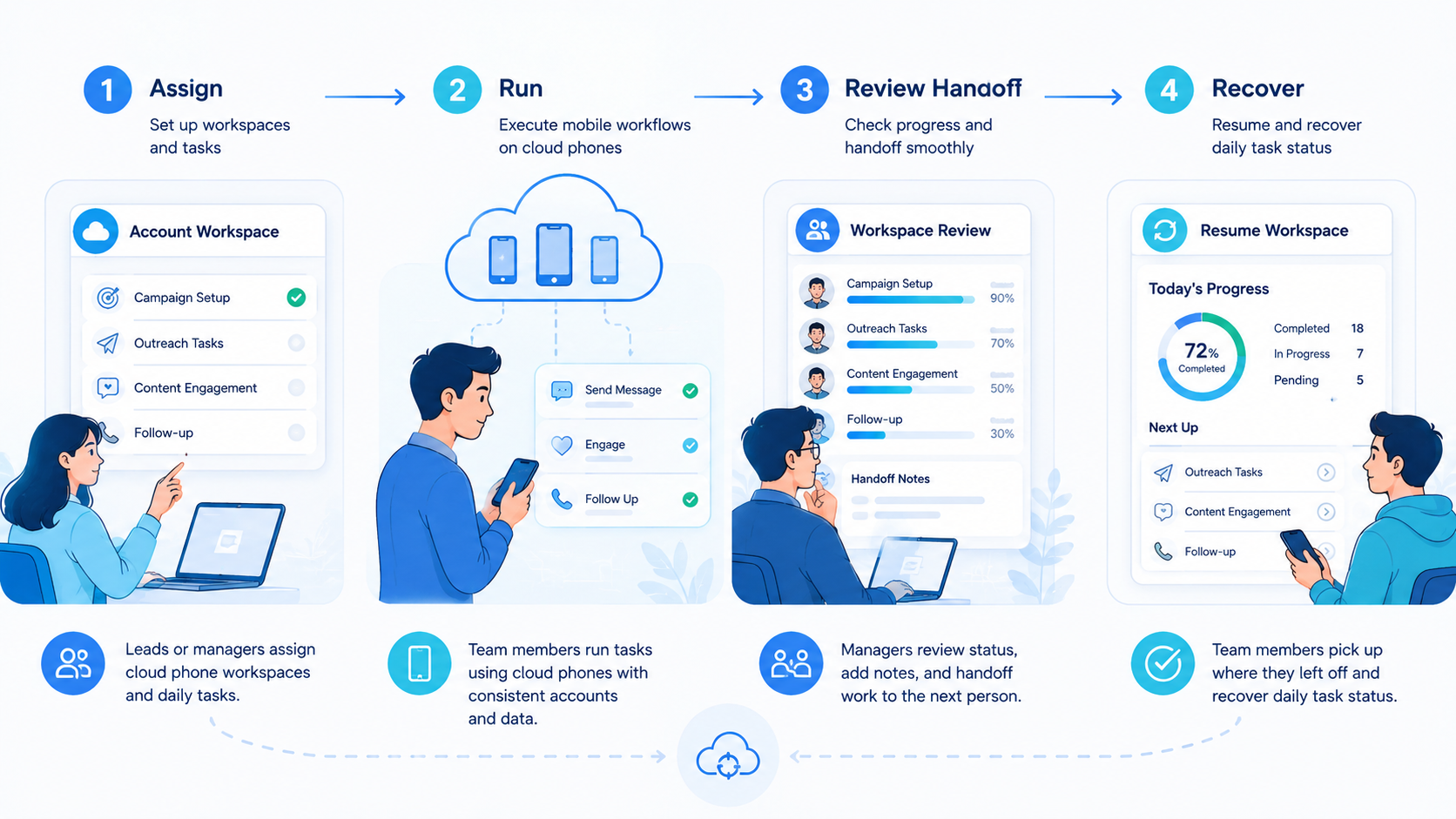
Cloud phones for growth and marketing teams are most useful when they become controlled mobile workspaces. They should connect accounts, operators, tasks, review rules, and recovery notes.
Start with one campaign or account group. Assign owners. Track task results for 7 days. Then decide whether to scale based on handoff clarity, recovery speed, and whether the team can explain every account state without searching through chat.



