
Key Takeaways
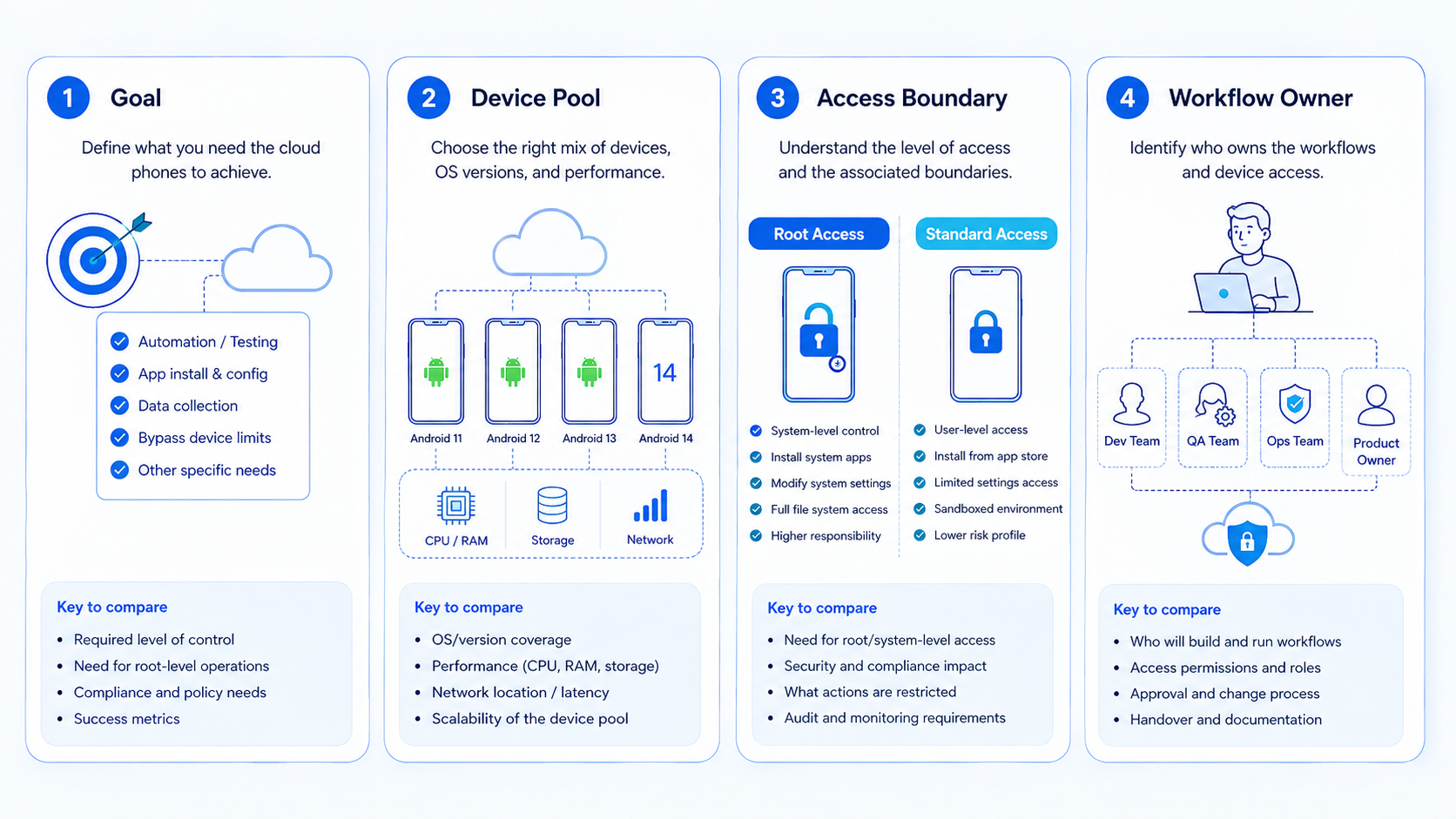
- A cloud phone with root access fits developer testing, low-level diagnostics, and controlled automation experiments
- Standard cloud Android fits social media, customer engagement, and repeatable team workflows
- Root access adds control, but it also adds setup, maintenance, ownership, and review burden
- Teams should pilot one workflow, measure failure causes, and keep rooted environments separate from normal account operations
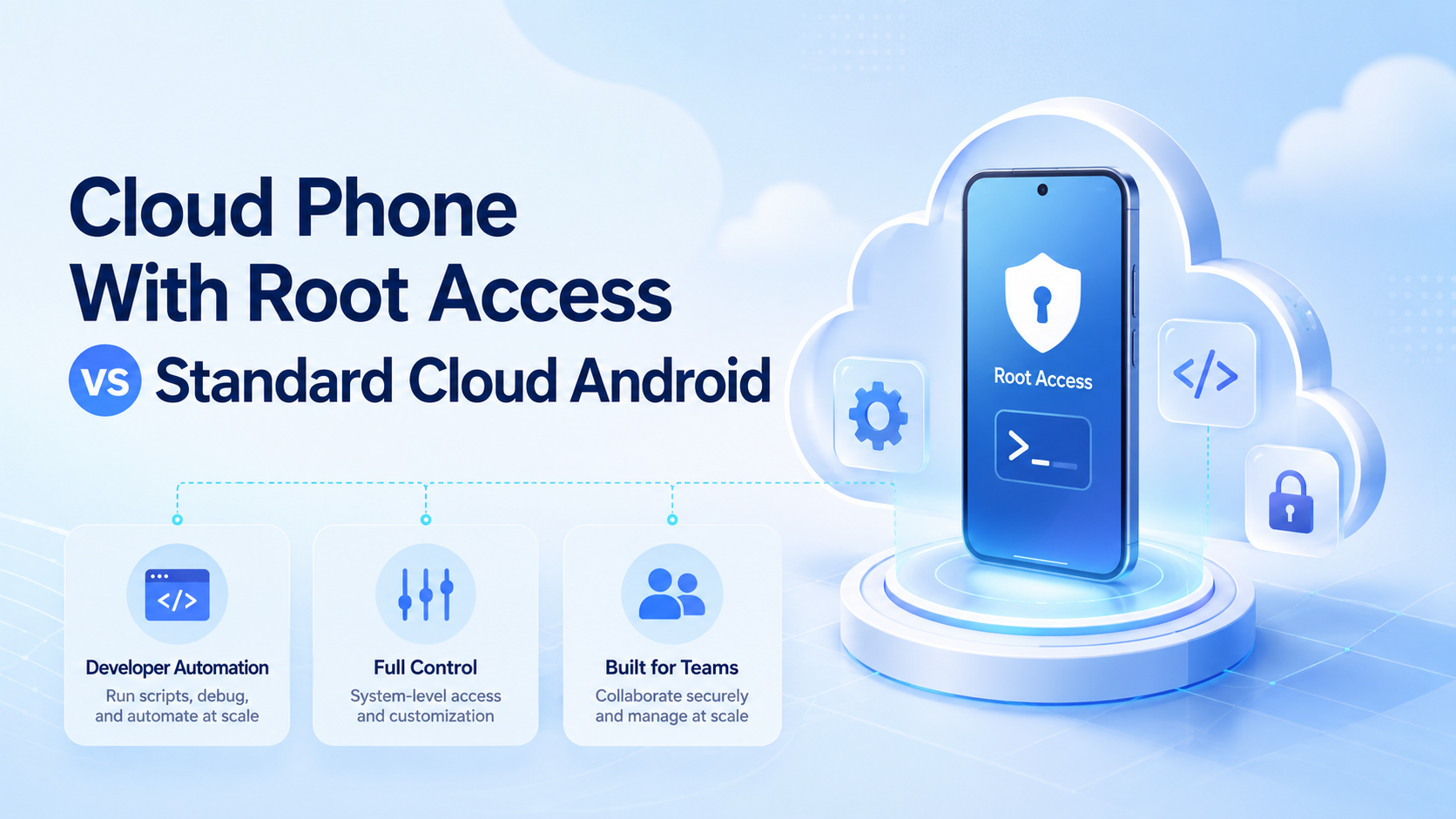
A cloud phone with root access is a remote Android environment that gives operators privileged system-level control. Standard cloud Android gives teams a managed mobile environment without that extra privileged layer.
The selection rule is direct: choose rooted cloud phones only when the workflow truly needs low-level Android control. Choose standard cloud Android when the team needs repeatable app execution, account workspaces, content operations, or customer workflows with fewer moving parts.
Moimobi treats the cloud phone as one layer inside a broader execution platform. The goal is not to rent devices in isolation. The goal is to run mobile workflows with clean environments, team review, and reliable handoff. Start there.
What to Compare Before Choosing Cloud Phone with Root Access
Start with the reason for root. Be specific. If the team cannot name the exact system-level action it needs, standard cloud Android is usually the cleaner starting point.
Root access may fit developer automation when a team needs deeper debugging, package inspection, file-system access, or controlled test scenarios. Android's official ADB documentation describes ADB as a command-line tool for communicating with Android devices. That kind of tooling belongs closer to engineering workflows than daily social operations. Keep that lane technical.
Standard cloud Android fits operational work when the workflow happens inside normal apps. Examples include checking inboxes, publishing content, replying to customers, collecting screenshots, or running scheduled task steps. These jobs usually need persistence, isolation, and review more than privileged system access.
Use this first comparison:
- Need to test app behavior at a system level: consider rooted environments
- Need to run app workflows across accounts: start with standard cloud Android
- Need both: keep the rooted lane separate from the production operations lane
Key Differences Between Cloud Phone with Root Access vs Standard Cloud Android
The main difference is control depth. Rooted environments expose more of the system. Standard environments keep the workflow closer to normal Android usage.
| Decision Area | Cloud Phone with Root Access | Standard Cloud Android |
|---|---|---|
| Control level | Higher system-level control | Managed app-level control |
| Best fit | Developer testing, diagnostics, special automation | Team operations, app workflows, account execution |
| Setup burden | Higher, usually needs technical ownership | Lower, easier for operations teams |
| Review need | Strong change control and audit notes | Task logs, account notes, operator review |
| Risk surface | Wider because privileged actions are possible | Narrower for routine app workflows |
| Scaling model | Smaller controlled pool | Larger account or workflow pool |
System-control changes need owner review. Google's Android security checklist explains that Android includes app sandboxing and permission controls.
Google Account Help notes that modified rooted Android versions can lose some protections and may allow broader access to device data. That does not make every rooted workflow wrong. It means the decision needs written ownership.
Features and Trade-Offs for Cloud Phone with Root Access
Rooted environments are about control. Standard cloud Android is about repeatability. Confusing those goals leads to poor platform choices.
For a mobile automation team, root may unlock specialized test flows. A developer might need to inspect app files, test behavior under unusual settings, or run a controlled diagnostic sequence. Those cases should have named owners, logs, and a rollback plan.
For a growth or support team, standard Android environments usually match the job. Operators need app access, stable sessions, screenshots, notifications, task queues, and handoff. Privileged system control can become a distraction when the real problem is workflow structure. That distinction matters.
Moimobi's mobile automation layer is designed for repeatable tasks such as app checks, publishing steps, message handling, and review routines. Its device isolation layer helps teams keep one account's mobile state from blending into another account's work. Keep lanes separate.
Pricing and Operational Considerations
Pricing should be judged by total operating cost, not only the device rate. A rooted cloud phone may require technical setup, access decisions, extra monitoring, and stricter owner review. Count the review time.
Standard cloud Android can be easier to scale because the operating pattern is simpler. Teams can assign one device lane to one account, define daily tasks, and review outcomes. That model works well for social media automation, e-commerce checks, and customer engagement tasks.
Rooted pools should stay smaller unless the engineering reason is clear. A useful rule is to separate environments by purpose:
- Developer test pool: rooted devices, engineering owners, technical logs
- Operations pool: standard cloud Android, account owners, workflow logs
- Review pool: test accounts and human approval before wider rollout
Mixing these pools makes audits harder. It also makes training harder for non-technical operators.
Which Option Fits Different Teams in This Comparison
Developer automation teams
Rooted cloud phones may fit when the task needs privileged inspection, controlled diagnostics, or low-level Android automation. The team should document each privileged action.
Social media operations teams
Standard cloud Android fits publishing, replies, account warmup, inbox review, and content checks across multiple accounts.
Customer support teams
Support teams normally need persistent app sessions, assigned owners, and review logs. Root access rarely solves the main queue-management problem.
Cross-border e-commerce teams
Standard environments help teams separate marketplace apps, social apps, and messaging apps while keeping operator handoff simple.
This fit model keeps the decision tied to work reality. A root feature may sound powerful, but it is only useful when the workflow requires it. Otherwise, standard Android keeps the environment easier to train, monitor, and repeat.
Who It Fits and When It Is a Strong Match
A cloud phone with root access fits teams with an engineering owner. The owner should understand Android automation, access boundaries, and rollback steps. The workflow should also have a written reason for root instead of a vague desire for more control. Write it down.
Standard cloud Android fits teams that need multi-account management across mobile apps. A social media team may assign one account to one cloud phone. A customer team may assign one messaging account to one operator lane. Keep handoff simple.
Moimobi fits when the team needs more than a device. It can connect social media marketing, app workflows, account lanes, and review routines in one operating model.
Pilot Rollout for Cloud Phone with Root Access
Do not start with a large rooted pool. Start with one test workflow and one environment type. Stay small.
Use a plain rule. If a step can be done in a normal app screen, use standard Android first. If a step needs system files or deep test hooks, put it in a root test lane.
Keep the two lanes apart. Very clear. This rule saves review time when a test goes wrong and helps the team find the right owner fast.
For a rooted pilot, write the technical action list before the first run. Include package, command, expected result, failure signal, and recovery step. Only engineering owners should approve changes to that list.
For a standard cloud Android pilot, define an app workflow instead. Example: open the app, check notifications, capture account status, draft a reply, and send the result to review. Track completion rate, manual corrections, app errors, and time per run.
Use the same scorecard for both options:
| Pilot Field | What to Record |
|---|---|
| Workflow owner | Person responsible for the lane |
| Environment type | Rooted cloud phone or standard cloud Android |
| Allowed actions | What the operator or automation may do |
| Stop rule | When the workflow must pause |
| Recovery step | Who reviews and what gets reset |
| Success signal | Completed task, clean log, and reviewed result |
This record prevents a common mistake: scaling a device choice before the workflow is proven. Validate the work first. Add capacity later.
Keep notes plain. Use names, dates, app names, task IDs, and the next step. Simple notes make it easier for a manager to spot what failed and who should fix it. Plain beats clever here.
What Not to Do
Avoid using root access as a default answer to every automation problem. More privilege does not automatically create clearer workflows.
Avoid mixing rooted experiments with account operations. A developer test lane and a social media account lane have different owners, logs, and review needs. Separate the lanes.
Keep human review for high-impact actions. Publishing, sending messages, deleting data, changing account settings, or modifying payment-related fields should have clear approval rules before work leaves the review lane. This applies to both rooted and standard environments.
Frequently Asked Questions
What is a cloud phone with root access in plain language?
It is a remote Android environment that allows privileged system-level control. It usually fits developer testing more than routine account operations.
Is standard cloud Android enough for mobile automation?
For many app workflows, yes. Publishing steps, inbox checks, screenshots, customer replies, and account review often need persistence and isolation more than root, debug tools, or system-file access.
When should a team choose root access?
Choose it when a named technical workflow requires privileged control, has an engineering owner, and cannot be run through normal app screens. Examples include diagnostics, inspection, or test cases.
Does root access reduce daily operational work for non-technical teams?
Not by itself, and sometimes it adds work. Measure. It can add setup, review, and recovery work. Teams should measure whether the extra control solves a specific problem.
Is rooted Android necessary for social media automation?
Usually not as a default. Social workflows tend to need stable app sessions, account separation, and review logs rather than privileged system changes.
How should pricing be compared?
Compare device cost plus setup, engineering support, access control, review time, and recovery overhead. The cheaper option is not always cheaper to operate.
Can Moimobi support both models?
Moimobi focuses on execution infrastructure for mobile workflows. Teams can use standard cloud Android for operations and reserve rooted environments for controlled technical work when needed.
Conclusion
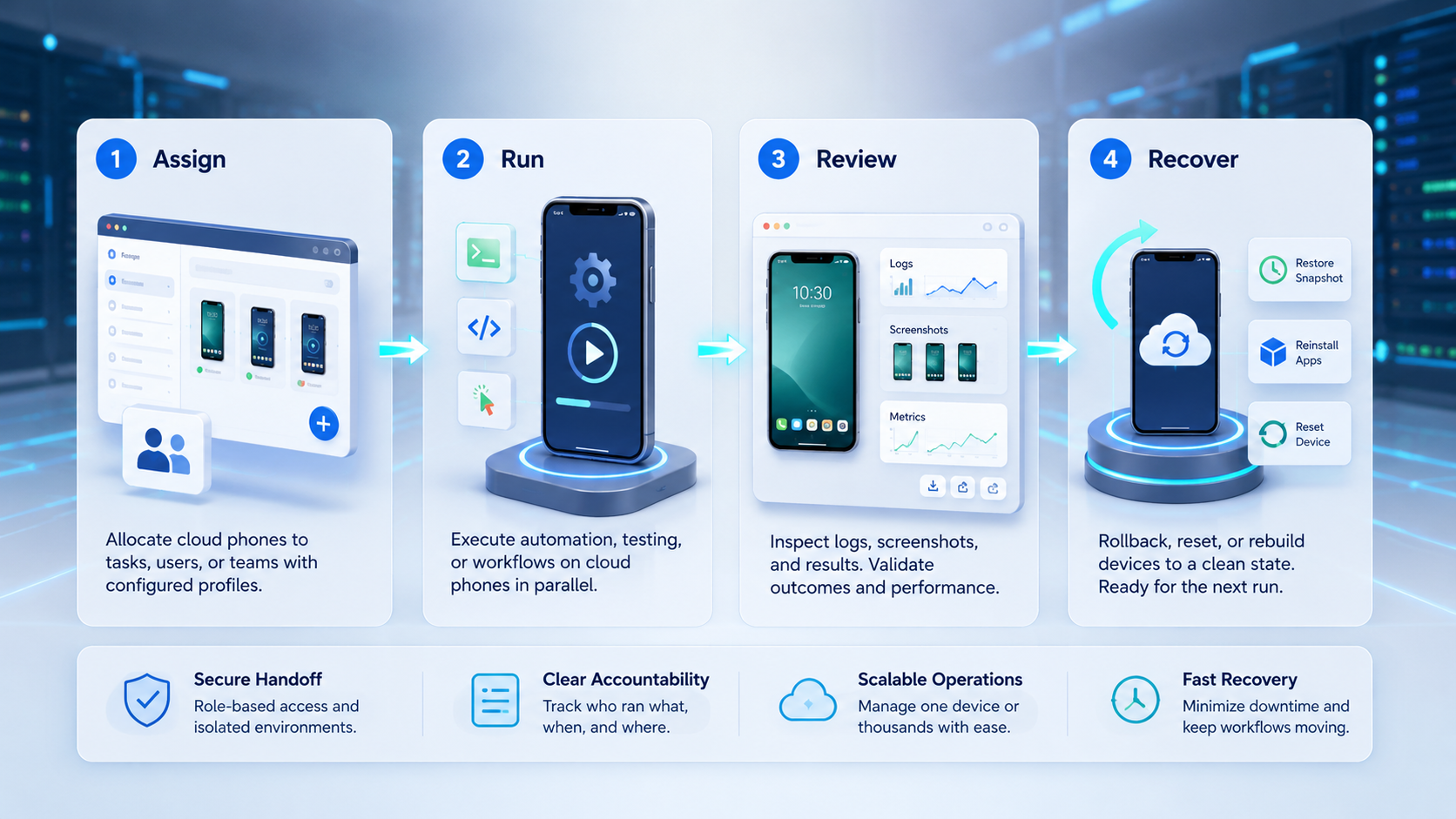
Cloud phone with root access vs standard cloud Android is a control decision. Rooted environments belong in technical lanes with engineering ownership. Standard cloud Android is the cleaner default for repeatable mobile workflows, account operations, and team execution. Run the pilot first.
Before choosing, write one workflow on paper. Name the owner, allowed actions, stop rule, recovery step, and success signal. If privileged control is not required, start with standard cloud Android and keep the workflow easier to scale.



