
Key Takeaways
- A cloud phone usage report turns device activity into a reviewable record of assigned tasks, availability, handoffs, and exceptions.
- The report should measure work quality and recovery, not just hours online or the number of devices running.
- Start with a limited field set that gives a manager enough evidence to improve workflows without collecting unnecessary account or customer data.
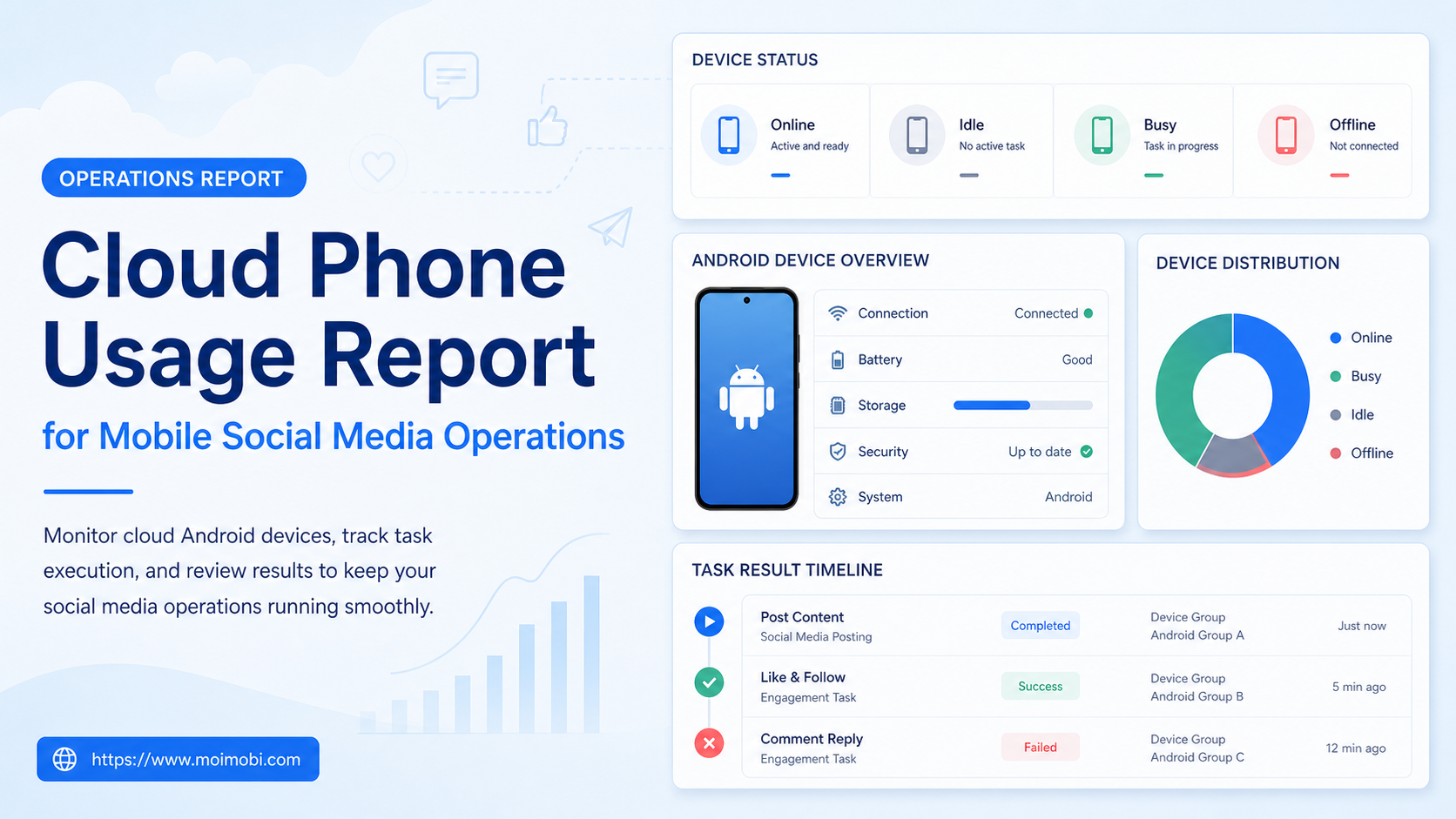
A cloud phone usage report is an operations record that shows how assigned mobile workspaces were used for approved tasks. For mobile social media operations, it can connect a device or workspace to a task, owner, result, and exception. It is not a scorecard for sending more messages, creating more accounts, or bypassing platform controls.
The report helps a team answer practical questions: Which devices were assigned? Which tasks completed with evidence? Where did handoffs slow down? Which app or session events caused a pause? Those answers help managers improve capacity and SOPs without guessing from a device count alone.
Android's device-testing documentation emphasizes that environment and result context matter when evaluating mobile work. Firebase Test Lab and Android device streaming are useful examples of platforms that expose device and test context rather than only a final pass/fail label. A social operations report needs the same discipline around task outcomes.
What a Cloud Phone Usage Report Should Track
Begin with operational fields that support a real decision. The report does not need to capture every screen event. It needs enough information to explain who used a workspace, what approved task ran, how the task ended, and whether someone needs to follow up.
| Field | Why it matters | Example use |
|---|---|---|
| Workspace or device ID | Identifies the assigned environment | Review availability and maintenance needs |
| Task type | Separates meaningful work from idle time | Content review, status check, or support handoff |
| Owner and shift | Shows who can explain the result | Resolve an incomplete handoff |
| Outcome state | Distinguishes complete, paused, and escalated work | Find recurring exception patterns |
| Last confirmed action | Prevents uncertain retries | Decide whether a task can resume |
| Evidence reference | Lets a reviewer verify the result | Task log, approved screenshot, or platform status |
Keep account credentials, personal customer content, and unrelated browsing history out of the report. The report should point to an approved task or evidence record when a reviewer needs more detail.
Why Device Hours Alone Are a Weak Metric
Online hours may describe capacity, but they rarely explain value. A device can be online while waiting for a reviewer, blocked by a verification prompt, or open on the wrong account. Counting that time as productive use hides the problem that the team needs to solve.
Measure assigned task time and exception time separately. For example, a workspace may be assigned to prepare an approved content draft, wait for a client decision, and then hand the next step to a human operator. The report should show the distinct states instead of presenting one uninterrupted “active” period.
This distinction also prevents poor incentives. If a team rewards only device activity, people may leave workspaces open or create unnecessary motion. If it reviews confirmed outcomes, handoff quality, and recoverable pauses, it can improve the actual workflow.
Cloud Phone Usage Report: Daily Collection Workflow
- Assign the workspace. Link the device or cloud phone workspace to one approved account and one task owner.
- Open a task record. Record the task purpose, expected result, required approval, and stop condition.
- Capture status changes. Mark when the task starts, pauses, transfers, completes, or requires escalation.
- Save the result evidence. Store a reference to the documented result rather than a broad narrative of device activity.
- Close or hand off. Name the next owner and last confirmed action if work continues across shifts.
- Aggregate the report. Group records by workflow, not only by device, so the manager can see where operations are blocked.
The daily workflow should be lightweight. Operators should not spend more time filling out a report than performing the approved work. Use structured status labels and a few required fields instead of asking for long free-form notes on every task.
Scenario: Mobile Content Review Across Two Shifts
Consider a team that reviews mobile-first social content for several client accounts. The day shift prepares a content item, checks that the correct mobile workspace is assigned, and places it in a review queue. The evening shift handles approved items and records the final outcome or pause reason.
The cloud phone usage report shows that one workspace completed two review preparations, one item waited for client approval, and one item paused because the target account was not confirmed. A manager can see that the issue is not device capacity. It is an account-assignment or approval problem.
Without the report, the same team might decide it needs more devices because several workspaces appear busy. With task-level information, it can fix the intake form or approval queue instead. That is a better use of operational data.
For related browser-side work, connect the report to multi-account management. The goal is one view of tasks and ownership across the environments that the team actually uses.
Metrics That Lead to Better Decisions
Use a small set of metrics at first. Track assigned workspace availability, task completion with evidence, average time in a pause state, number of handoffs requiring clarification, and recurring exception category. These measures reveal whether the team has a capacity issue, a training issue, or an unclear policy.
Avoid treating a high completion count as proof of quality. Review a sample of completed tasks each week. Check that the account matched the task, the evidence supports the recorded outcome, and the next owner was clear when the work did not finish.
Set a manager review question for each metric. If pause time increases, ask which step caused it. If a workspace has repeated sign-outs, ask whether access ownership or maintenance needs review. If handoffs fail, ask whether the task template omits the required context.
Cloud Phone Usage Report Fields That Make Reviews Reproducible
A useful report does not need to be long, but its fields must mean the same thing from one shift to the next. Define each field once in the operating procedure, then keep the daily entry short. This reduces subjective status notes and makes weekly patterns easier to compare.
| Report field | What to record | Review question |
|---|---|---|
| Workspace reference | The assigned device or workspace label | Was the task performed in the approved environment? |
| Task reference | The approved task type and ticket or campaign reference | Can another operator understand the intended outcome? |
| State | Scheduled, active, paused, escalated, or completed | Does the recorded state match the supporting evidence? |
| Evidence reference | A permitted confirmation such as a task log, timestamp, or approval record | Can a reviewer verify the outcome without opening private content? |
| Exception category | Access, device availability, policy review, content approval, or unclear instruction | Which team owns the next corrective action? |
| Recovery owner | The named role responsible for the next decision | Is a task waiting on someone who has not been notified? |
Keep customer messages, credentials, and raw session details out of the operational report unless a documented security or support process requires them. A reference to the system of record is usually enough. This is both easier to audit and less likely to spread sensitive information across a team spreadsheet.
For a new workflow, test the field definitions with five to ten approved tasks before making them mandatory. Ask two reviewers to classify the same examples. If they assign different states or exception categories, the definition is too vague. Update the SOP before the report is used to judge performance.
Handling Exceptions Without Distorting the Report
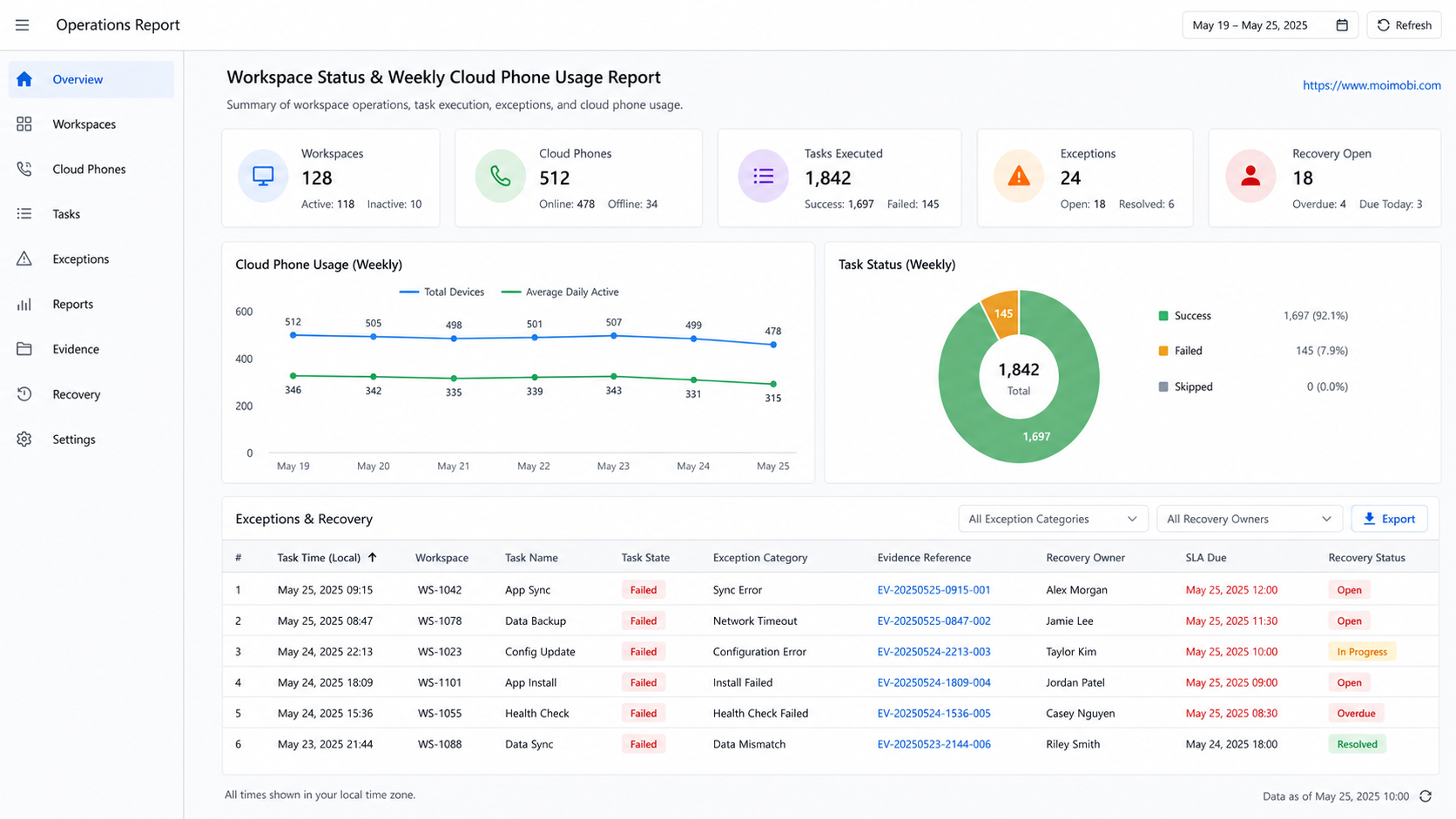
An exception is not automatically a failure. A task can pause because a manager must approve content, a customer has asked for a human response, an app session needs legitimate reauthentication, or the required evidence is missing. The report should show that decision clearly instead of forcing every item into “complete” or “failed.”
Use a simple sequence: preserve the last confirmed action, select one exception category, assign a recovery owner, and set the next review time. This makes handoffs traceable while keeping the team from repeating the same task after a pause. It also helps managers distinguish workflow design issues from normal approval work.
For example, if a mobile content review cannot continue because copy approval is pending, the correct record is “paused: approval required,” with the editor or campaign owner as the next decision maker. It is not a device outage. Conversely, repeated app launch failures across several approved workspaces should be grouped as a device or environment issue and sent to the person responsible for availability.
At the end of each week, sort exceptions by category and look for recurrence. A single unusual event may only need a note. A recurring category should trigger a change to the intake form, task instructions, access process, or review gate. That is how the report becomes an operational control rather than a historical device log.
Account Boundaries and Data Minimization
Each cloud phone workspace should have a documented account assignment. The usage report should reference that assignment, not turn the report into a repository of session data. This makes it possible to review operations while limiting access to sensitive information.
For mobile social tasks, use cloud phone as the high-level execution environment and link to a specific cloud phone platform evaluation when the team is deciding on capacity or product features. The reporting rule is the same in both cases: log the task and outcome, not unnecessary private content.
When a workspace needs reset, reauthentication, or reassignment, record the reason and the person who approved the change. This prevents an old device history from being mistaken for an active assignment.
Common Reporting Mistakes
The first mistake is reporting only uptime. Uptime can be useful for infrastructure maintenance, but it does not tell a social operations manager whether a task completed correctly.
The second mistake is combining several unrelated workflows into one device total. A content-review delay and a support escalation have different owners and different fixes. Grouping them together makes the report less actionable.
The third mistake is recording an error without a next owner. A task marked “failed” does not help the next shift unless it includes the last confirmed action, evidence, and the person who decides recovery.
The fourth mistake is using the report to create pressure for unreviewed activity. A healthy report rewards clear, approved outcomes and appropriate pauses, not volume for its own sake.
Weekly Review and Recovery Checks
Run a weekly review with operations, account owners, and the person responsible for device availability. Sample completed, paused, and escalated tasks. Verify the account-to-workspace assignment, outcome evidence, and recovery decision for each sample.
If an exception repeats, improve the workflow before adding more capacity. For example, repeated missing approvals suggest an intake problem. Repeated sign-outs suggest an access or maintenance problem. Repeated unclear outcomes suggest the task needs a better stop condition.
This review turns the cloud phone usage report into an improvement loop. The team learns which tasks deserve automation support, which need a stronger human gate, and which should return to manual handling.
Frequently Asked Questions
What is a cloud phone usage report?
It is an operational report that connects an assigned mobile workspace with a task, owner, result, and exception record.
Should the report measure device hours?
Track availability if it helps capacity planning, but pair it with task outcomes and pause reasons. Hours alone are not a reliable measure of work quality.
What is the most useful first metric?
Start with confirmed task completion and pause categories. They show whether the workflow has a clear result and where it needs improvement.
Can the report include client account names?
Use the minimum account identifier needed for operations. Limit sensitive account or customer data to the systems and roles that require it.
How should a team record a failed task?
Record the workspace, last confirmed action, evidence reference, pause or error reason, and next owner. Avoid a vague “failed” label alone.
How often should managers review the report?
Daily summaries can support shift handoffs. A weekly review is useful for recurring exceptions, capacity, and SOP improvements.
Does a cloud phone usage report replace platform analytics?
No. Platform analytics describe channel results. The usage report describes the team's operational execution and handoffs.
Conclusion
A cloud phone usage report gives mobile social media operations a clearer view of work than device hours alone. Track assigned tasks, outcomes, handoffs, and exceptions so managers can improve the process that produces those results.
Start with a small structured report. When the team can explain who used a workspace, what happened, and what needs to happen next, it has a practical foundation for scaling mobile operations.



