
Key Takeaways
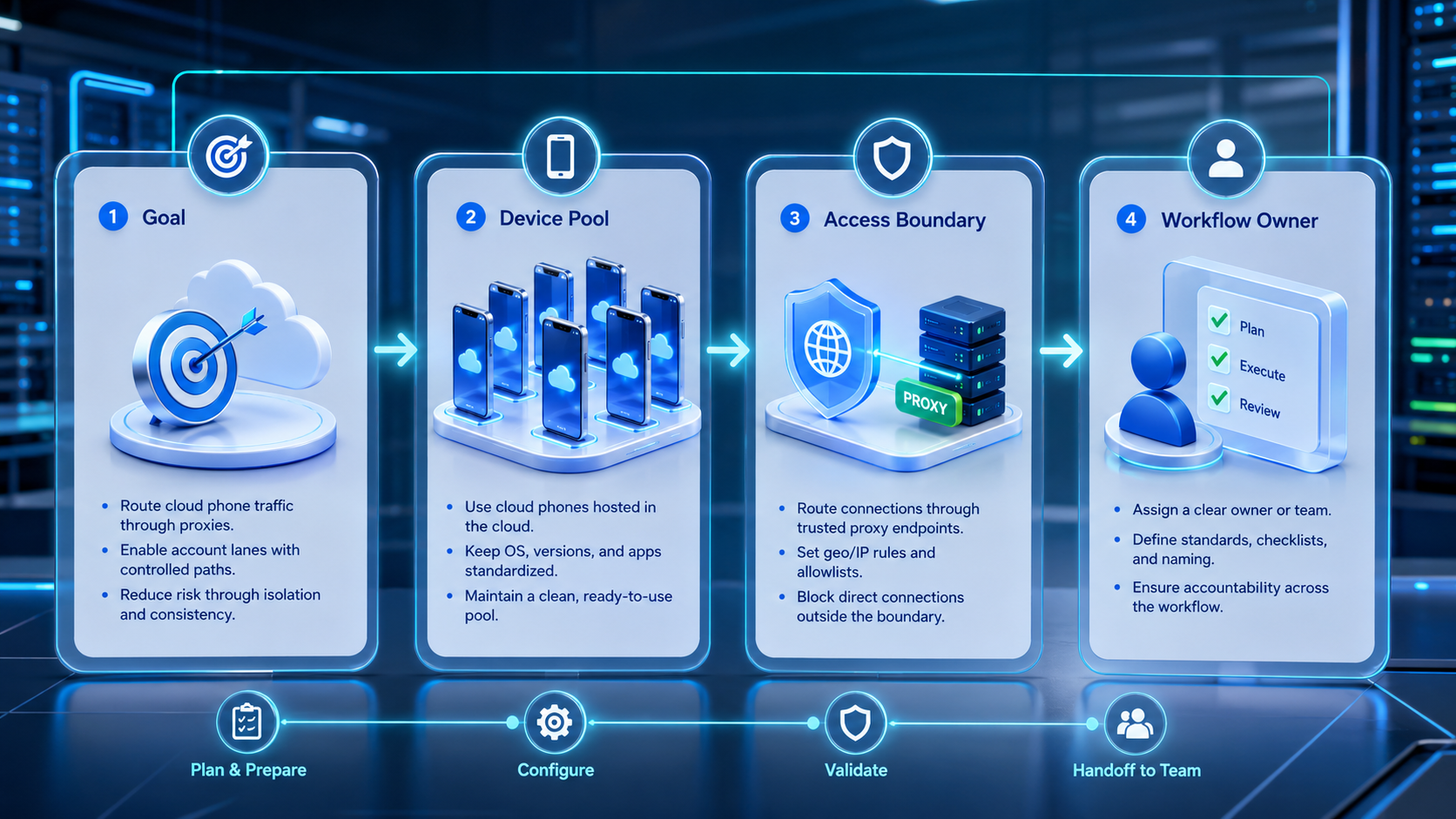
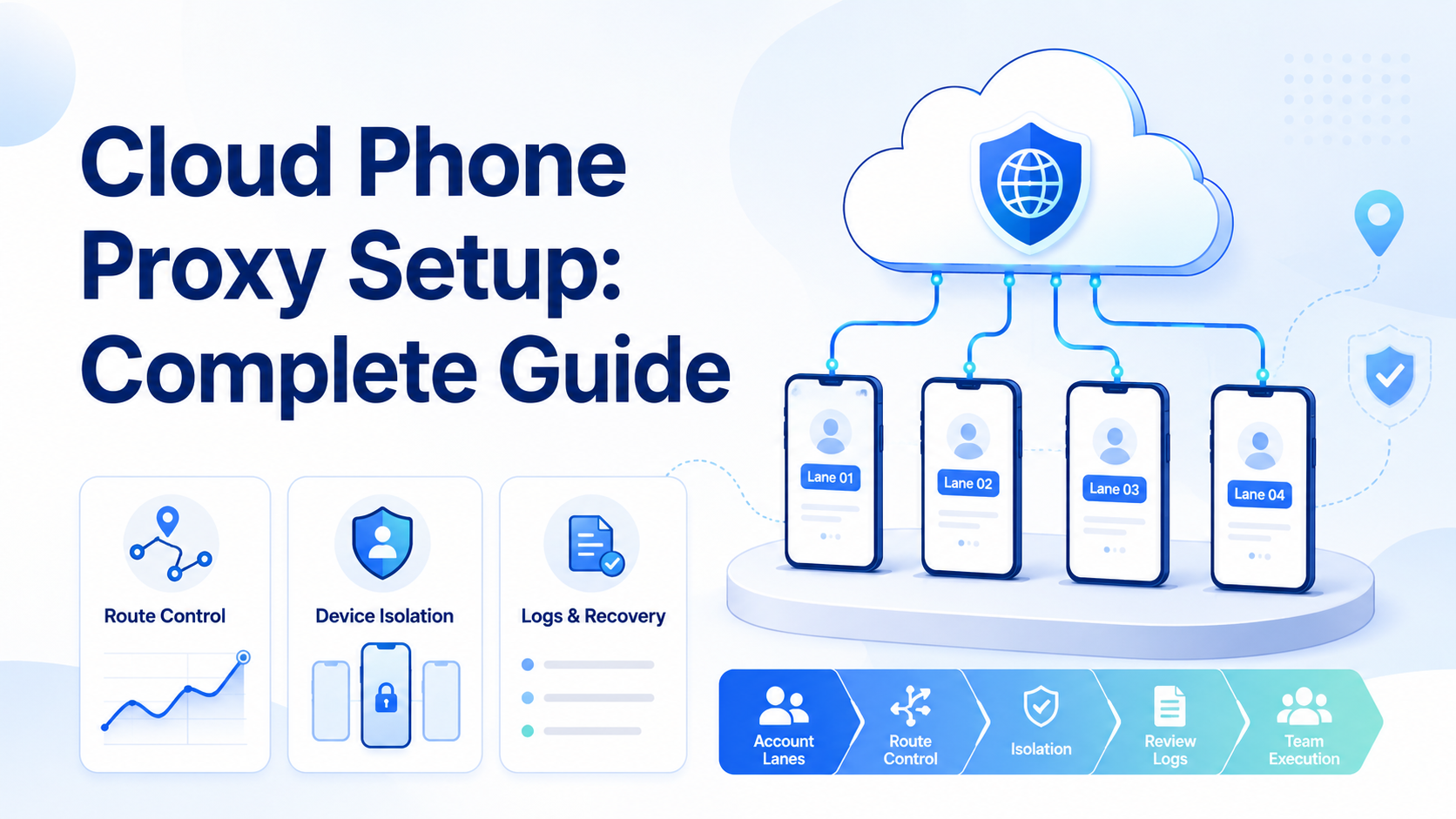
- Cloud phone proxy setup should connect route, device, account lane, and owner.
- Route changes need notes, not random switching.
- Teams should test one lane before adding more phones or accounts.
Cloud phone proxy setup is a routing control process for cloud phone teams. It assigns controlled network routes to cloud phone workspaces so account work stays reviewable. It is not only an IP setting.
The practical goal is traceability. Operators should know which route belonged to which cloud phone, which account used it, which task ran, and who approved a change. Without that record, every failure becomes harder to explain.
Keep the route boring.
The best setup is usually the one a manager can audit quickly. A route nobody can explain is not a control.
That is the point.
What Cloud Phone Proxy Setup Means
A cloud phone proxy setup ties a mobile workspace to a route policy. That policy may include route type, account lane, owner, change rule, and recovery notes.
The proxy should not be managed separately from the device. Route, app state, account login, and task history belong in the same review lane. When those layers split, operators lose context.
Teams feel that gap during recovery, because the operator has to ask whether the route, device, account, or task instruction changed first.
This matters for teams that run repeated mobile workflows, whether a support team handles inbox tasks or a growth team prepares follow-ups.
An agency may manage several client account lanes, and each case needs clear route ownership.
Start with one route and one account group, then add more only after the first lane can be reviewed without guessing.
Slow first. Faster later.
Core Setup Layers
Cloud phone proxy setup has several layers, and teams should treat them as one operating chain.
| Layer | Control point | Review question |
|---|---|---|
| Account lane | Account, owner, task type | Who owns this work? |
| Cloud phone | Android workspace and app state | Which device ran the task? |
| Proxy route | Network path and change rule | Did routing change before failure? |
| Workflow log | Task, result, rescue event | What happened during the run? |
| Recovery note | Repair owner and next action | What should change before retry? |
MoiMobi connects proxy network, device isolation, and account workspaces so those layers can be reviewed together.
How to Start a Cloud Phone Proxy Setup
Begin with a narrow pilot. Use one account group, one task type, and one route policy. Do not begin with a full account pool.
Use this sequence:
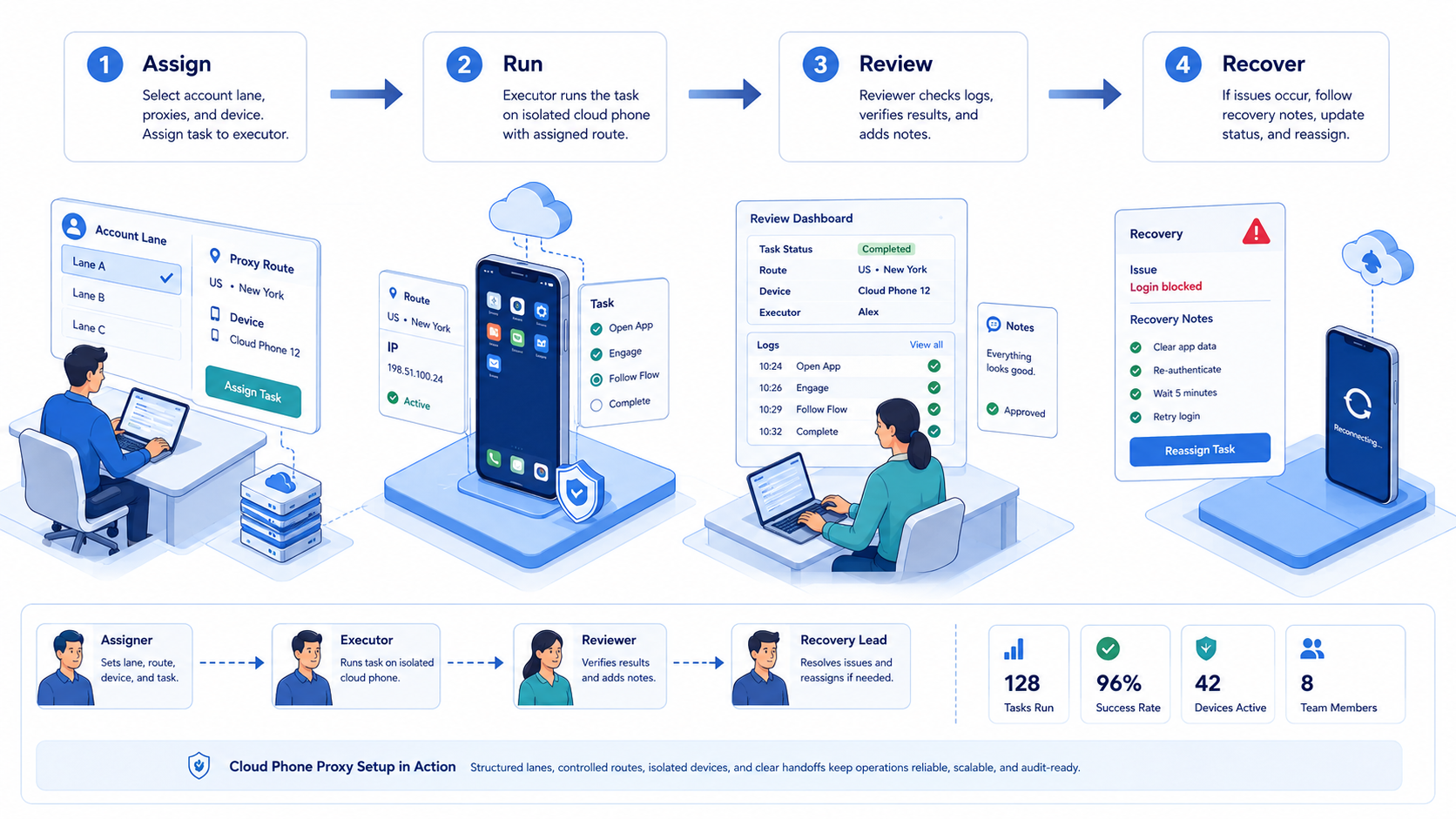
- Assign the account lane: name the account group, owner, and task type
- Attach the cloud phone: connect the lane to one persistent Android workspace
- Set the route policy: document which route belongs to the lane
- Define change rules: require owner, reason, date, and next task for every route change
- Run a small task: use a repeatable workflow such as checking an inbox or preparing a reply
- Review rescue events: record every human takeover and the reason behind it
Pass check: another operator can explain the route, device, account, task, and last result without asking in chat.
If that pass check fails, the setup is not ready for wider account work.
Concrete example: lane IG-support-01 uses cloud phone CP-17, route policy R-03, owner Lina, review window 09:00-11:00, and recovery SLA 24 hours. The team does not add a second lane until this lane completes 3 clean runs with no unexplained route change.
For a 2026 operating plan, this kind of naming matters more than a large device count. A team with 10 accounts and clear lane records will usually debug faster than a team with 50 accounts and no route history.
Common Proxy Setup Mistakes
The first mistake is rotating routes without a business reason. Random switching can make review weaker. A route change should support a known lane decision.
The second mistake is ignoring app state. A route can look correct while the app session is stale, reset, or logged into the wrong account. Device state and routing must be checked together.
The third mistake is expanding before recovery works. A team that cannot repair one failed lane should not add ten more.
Use short stop rules:
- wrong account opens;
- route changes without a note;
- login state resets;
- repeated task failure appears;
- customer-facing action needs judgment
Google Search Central’s helpful content guidance focuses on people-first content. The same operating idea applies here: automation should make work clearer, not hide weak process.
Route Review and Leak Prevention Checks
Teams often ask how to prevent proxy leaks on cloud phones. The safer framing is route verification. The team should verify that the route expected by the lane is the route being used before important work runs.
Use a simple review:
- confirm route assignment;
- confirm app account;
- confirm device workspace;
- confirm last route change note;
- confirm the workflow about to run
Do not treat the proxy as separate from the task. A route check without account context gives incomplete evidence.
Review after failures too. If a task fails after a route change, compare the previous successful run with the failed one. The difference may be route, app state, task instruction, or operator action.
Proxy Testing Before Production Work
Proxy testing should happen before real account work. A test should confirm the route, device workspace, app session, and account lane. Keep the check visible.
Use a preflight checklist:
- route assigned to the correct lane;
- app opened in the expected workspace;
- account login state confirmed;
- last route change note reviewed;
- task owner named;
- stop rule visible
This check prevents avoidable confusion. A route may pass a basic connectivity test and still be wrong for the account lane. Operators need both network evidence and workflow evidence.
When AI workers are involved, proxy testing should also confirm tool boundaries. OWASP’s LLM Top 10 is useful background for thinking about tool use, permissions, and uncontrolled actions.
Troubleshooting Cloud Phone Proxy Setup
Troubleshooting should begin with the lane, not the whole fleet. Pick one failed run and reconstruct the chain: account, cloud phone, route, app state, task, result, and rescue note.
Use this troubleshooting order:
- Check the account lane: confirm the correct account and owner
- Check the device state: confirm app session, screen, and recent reset history
- Check the route note: confirm whether the route changed before failure
- Check the task rule: confirm the workflow did not continue after an unexpected screen
- Check the recovery action: confirm who owns the repair
Do not change several variables at once. If the team resets the app, changes the route, edits the workflow, and changes the operator in the same retry, the next result will be hard to explain.
Google’s SEO Starter Guide is not about proxy operations, but its emphasis on clear structure is relevant to content workflows. Weak routing cannot fix weak content, poor approval, or confusing customer messages.
Team Handoff for Cloud Phone Proxy Setup
Proxy setup becomes a team system when handoff is clear. The next operator needs to know whether the route is stable, whether the app session is current, and whether the account lane has open issues.
Use a short handoff note:
- lane name;
- route state;
- device workspace;
- last completed task;
- open issue;
- next action
Governance should stay simple: only assigned owners should change account routes, sensitive actions should pause for review, and repeated failures should block scaling until a repair is named.
Keep records small.
A useful note should take less than a minute to read. The goal is not paperwork. The goal is a clean next action.
No hidden handoff.
Daily Operating Routine for Proxy-Controlled Cloud Phones
Daily routine keeps proxy setup from drifting. Start by checking the route note, active account, app session, and task queue. Then run only the approved task type.
Use a short status block:
- active account lane;
- assigned route;
- last route change;
- open task;
- exception owner;
- next review point
This status block should live where operators work. Private messages are easy to lose. A visible lane note gives the next shift a clear starting point.
Midday review should focus on exceptions. A route change, login reset, wrong account, or unclear app screen should pause the workflow. Repair first.
End the day with one sentence. Name what worked, what failed, and what needs repair tomorrow.
For teams with several operators, the routine should also define what nobody is allowed to change casually. Route, account, and device should not move just because a task feels slow. A manager can approve a change after the team has a clear reason, but the default should be stability.
Hold the line.
Stable lanes make review faster, and faster review makes automation easier to trust.
When to Scale Cloud Phone Proxy Setup Beyond One Route
Scaling should follow evidence. The team should add more routes only after one lane can complete, pause, recover, and report without confusion.
A practical scale rule is simple:
- three clean runs;
- no unexplained route changes;
- rescue reasons recorded;
- owner assigned for every exception;
- no repeated failure left unrepaired
This rule is not universal, but it keeps expansion grounded because more routes create more places for mistakes. Prove the operating model before widening the account pool.
When the pilot improves, document the route policy, device assignment rule, stop rule, and review process so the next team does not need to reinvent the setup.
Scaling is not only adding more phones. It is repeating a working control model across more account lanes. If the original lane has clean notes, stable ownership, and visible recovery steps, the next lane can copy the same model with fewer surprises.
Metrics for Cloud Phone Proxy Setup
Measure control before volume. Track completed tasks, route changes, rescue events, login resets, correction rate, and repeated failure reasons.
Weekly review is enough for many teams. Falling rescue events suggest improvement, while repeated route-related failures suggest the rules need repair.
Good metrics answer three questions:
- Can the team explain exactly what happened, with route, device, owner, and task evidence?
- Can the same state be repeated?
- Can the team repair failures before adding more accounts and more routes?
Mobile automation works better after those answers are clear. Automation should run inside a known lane, not across a vague device pool.
Metrics should change behavior, otherwise they are only reports.
Frequently Asked Questions
What is cloud phone proxy setup?
It is the process of assigning and managing network routes for cloud phone workspaces and account lanes.
Is proxy setup enough for multi-account work?
No. Teams also need device isolation, ownership, workflow logs, and recovery rules.
Should teams rotate proxies often?
Not without a reason, because frequent unexplained changes make failures harder to review and weaker for team handoff.
How do teams prevent proxy leaks on cloud phones?
They verify route assignment, device workspace, app account, and route change notes before sensitive tasks run.
Run preflight first.
Can AI workers use proxy-controlled cloud phones?
Yes, when the workflow has task boundaries, logs, and human review for uncertain states.
Uncertain screens should pause.
What should be recorded after a route change?
Record owner, reason, date, lane, next task, and whether failures changed after the update.
That record protects the next operator.
Is a cloud phone proxy setup the same as device isolation?
No. Proxy setup controls routing, while device isolation separates workspace state, account context, and app history.
Where does MoiMobi fit?
MoiMobi connects proxy routes, cloud phones, device isolation, and automation workflows for team execution.
Conclusion
Cloud phone proxy setup works best as an operating system for routes, not as a random switching habit. Start with one account lane, one cloud phone, one route policy, and one task type.
The next step is review. Confirm route state, device state, account ownership, task result, and recovery notes before scaling. A clean setup is one the team can explain.
MoiMobi helps teams connect proxy routing with cloud phones and account workflows. That connection makes mobile execution easier to assign, inspect, and improve.



