
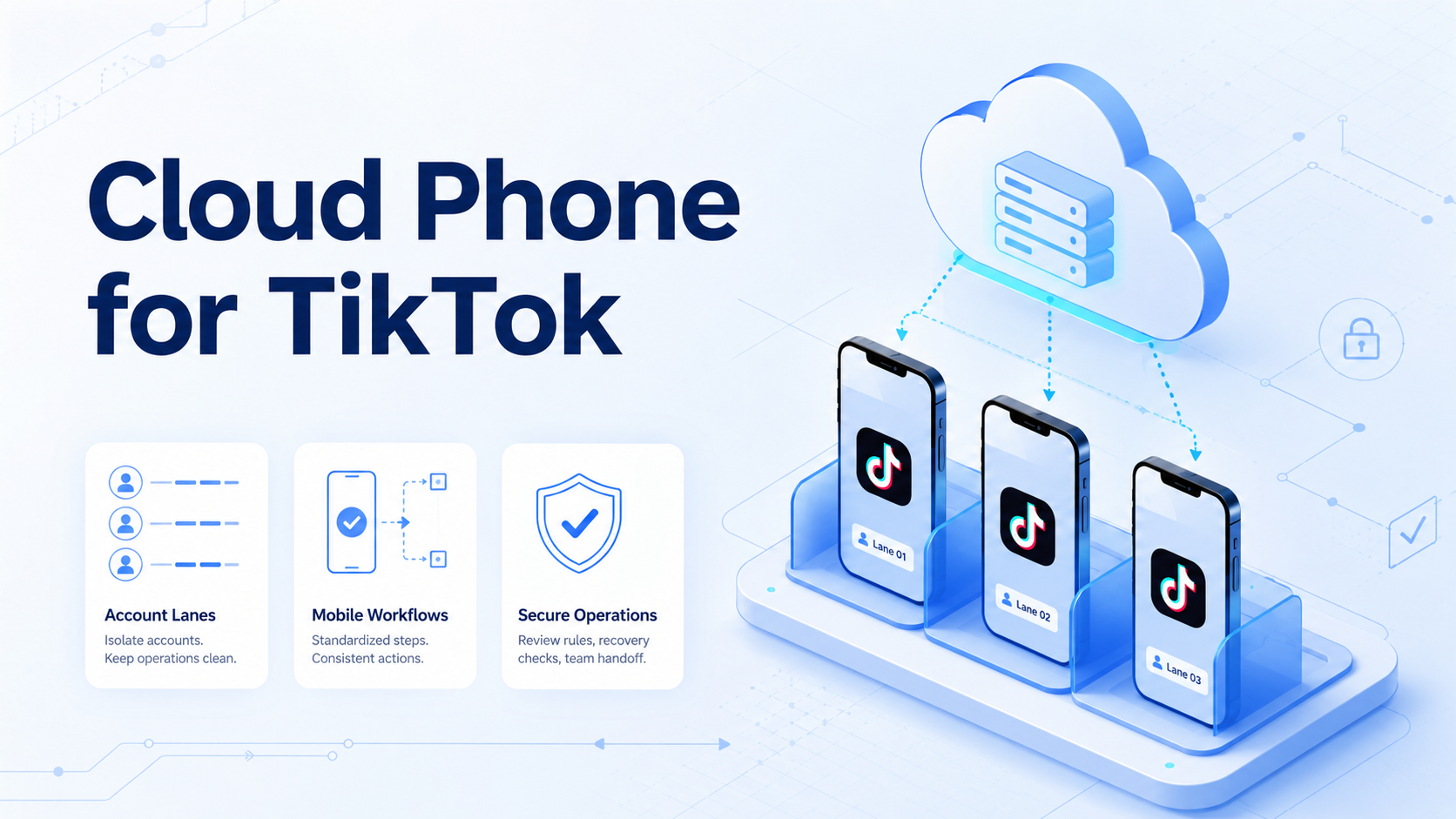
Key Takeaways
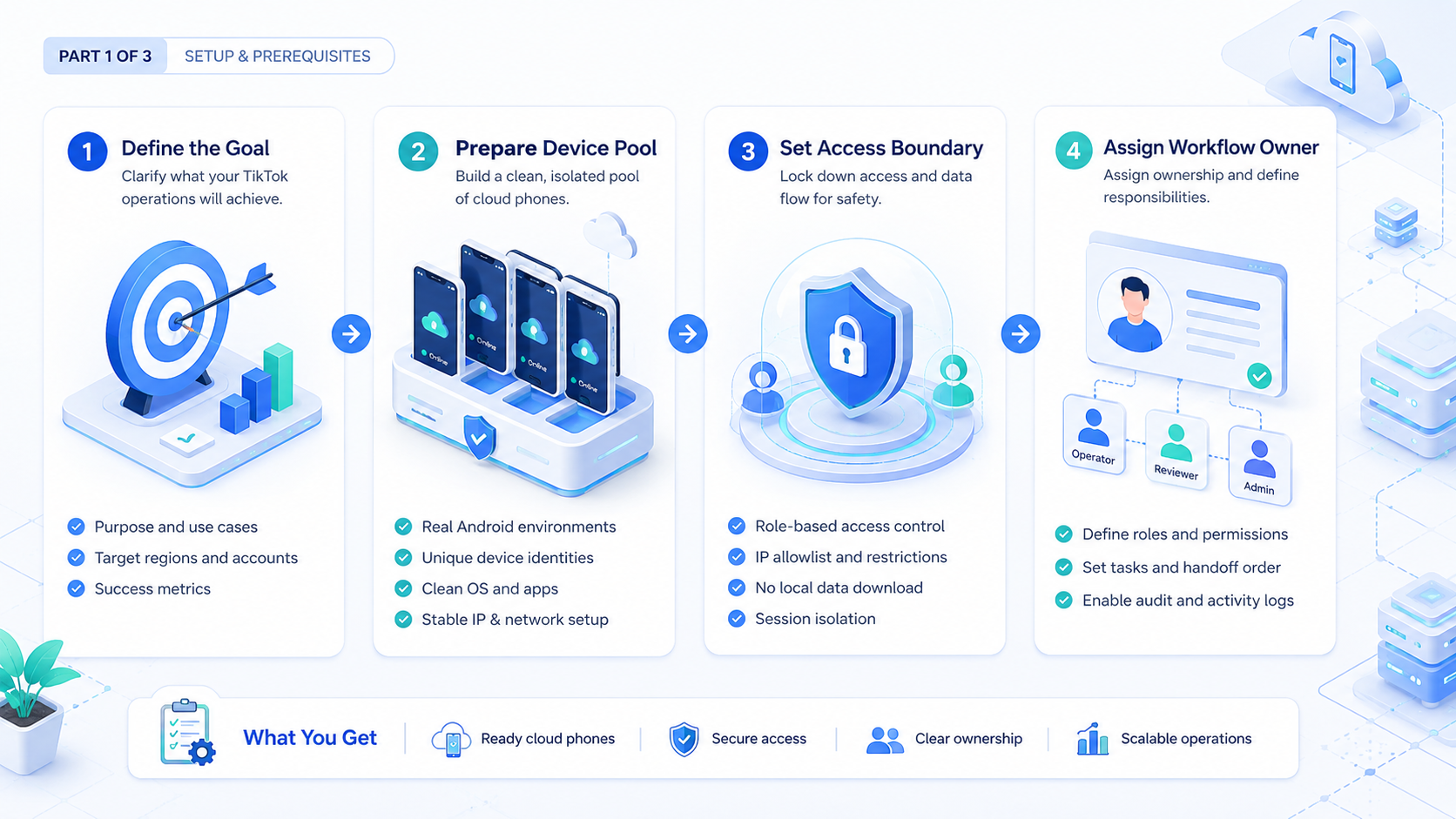
- A cloud phone for TikTok gives teams a remote mobile environment for app-based account operations.
- Secure operations depend on account lanes, role ownership, review rules, and recovery logs.
- Cloud phones are strongest when TikTok work repeats across accounts, regions, clients, or operators.
- Teams should avoid blind automation and run one controlled pilot before scaling.
A cloud phone for TikTok is a remote Android phone environment used to run TikTok app workflows without relying on one local physical device.
For teams, remote app access is only the starting point. The real question is whether the team can assign accounts, run repeatable tasks, review outputs, and handle exceptions without mixing ownership.
Moimobi treats cloud phone capacity as part of a broader execution system. A team can connect cloud phones with mobile automation, browser work, account workspaces, and review workflows. This helps TikTok teams handle content checks, comments, inbox triage, research, and client account operations.
What Is Cloud Phone for TikTok?
Cloud phone for TikTok operations means using remote Android environments for TikTok app-based work. A team can assign one account or account group to a specific device lane, then run approved workflows from that lane.
This setup is different from a simple emulator. The operational value is the workspace around the device: account assignment, notes, permissions, task history, review status, and recovery handling. Without that structure, a cloud phone becomes only a remote screen.
For example, an agency may place one client account group in a dedicated mobile lane. One operator checks comments, another reviews draft replies, and a manager inspects exceptions. The cloud phone is the execution environment, but the workflow rules keep the account work understandable.
TikTok's own Community Guidelines make one point clear for any team: content and behavior still need to follow platform rules. A tool should support cleaner operations, not create reckless automation habits.
Why Secure TikTok Operations Need More Than Devices
The common misunderstanding is that more devices automatically create better operations. More devices can add capacity, but they can also create confusion if no one knows which account belongs to which lane.
Secure TikTok operations depend on traceability. Teams need to know who owns each account, what workflow ran, what content was prepared, and what needed review. That is especially important when several operators work across social accounts or client projects.
Use a simple operating model:
| Control Area | What to Define |
|---|---|
| Account lane | Which TikTok account or group belongs to each cloud phone |
| Operator role | Who can research, draft, review, or publish |
| Task boundary | Which actions are allowed without approval |
| Review path | Which actions must pause for a human decision |
| Recovery record | What happens when the app shows an unexpected prompt |
This structure does not remove the need for judgment. It makes judgment easier to apply at the right point.
Key Benefits and Use Cases
The strongest use cases are repeated mobile workflows. TikTok work often includes app-only views, short review cycles, and account-specific context that does not fit neatly inside a browser-only process.
Common use cases include:
- Checking TikTok account notifications and app inboxes
- Preparing content publishing workflows for review
- Reviewing comment queues before replies go out
- Monitoring competitor posts and content angles
- Separating client account operations in agency workflows
- Assigning mobile tasks to AI workers or human operators
- Recording task outcomes for weekly operations review
Moimobi is useful when these tasks connect to a broader team system. A TikTok operator may need mobile access, while a manager needs task history and account visibility. A growth team may also pair TikTok work with social media marketing workflows across other platforms.
The benefit is not "set and forget." The benefit is cleaner execution capacity: more work can be prepared, checked, and reviewed without every step living in private notes or personal devices.
How to Get Started with a Cloud Phone for TikTok
Choose one workflow, not the full TikTok operation. A small pilot gives the team enough data to decide whether the setup works.
Use these setup checkpoints:
| Checkpoint | Pass Condition |
|---|---|
| Account mapping | Each TikTok account has one clear phone lane |
| Role assignment | Operator, reviewer, and manager responsibilities are named |
| Task scope | The pilot covers one workflow, such as inbox review or comment triage |
| Approval rule | Public or customer-facing actions pause for review |
| Exception log | Prompts, errors, unclear messages, and manual edits are recorded |
| Weekly review | The team reviews completion rate, edits, exceptions, and recovery time |
Do not begin by adding many devices. Device count only helps after the workflow is clear. A single well-run lane teaches more than a large setup with unclear ownership.
Google's SEO Starter Guide is written for search structure, but the lesson transfers well to operations. Clear organization helps people and systems understand what they are managing.
Daily Workflow Design with a Cloud Phone for TikTok
The daily workflow should separate preparation from public action. This keeps the team from treating every mobile step as equal.
A practical TikTok lane may include four task types:
| Task Type | Typical Owner | Review Need |
|---|---|---|
| Account check | Operator or AI worker | Low, unless an alert appears |
| Content preparation | Operator, creator, or AI worker | Medium, because captions and timing affect brand voice |
| Comment triage | Operator or support teammate | Medium to high, depending on topic sensitivity |
| Publishing or reply action | Approved operator | High, because the action is public |
This separation is useful for agencies and growth teams. One teammate can prepare the work. Another can review what will be posted or answered. The cloud phone lane keeps the mobile environment consistent, while the task log keeps the handoff visible.
Good daily design also limits multitasking inside the same lane. A comment-triage lane should not become a research lane without a note, because later review depends on knowing what the device was used for.
Common Mistakes to Avoid
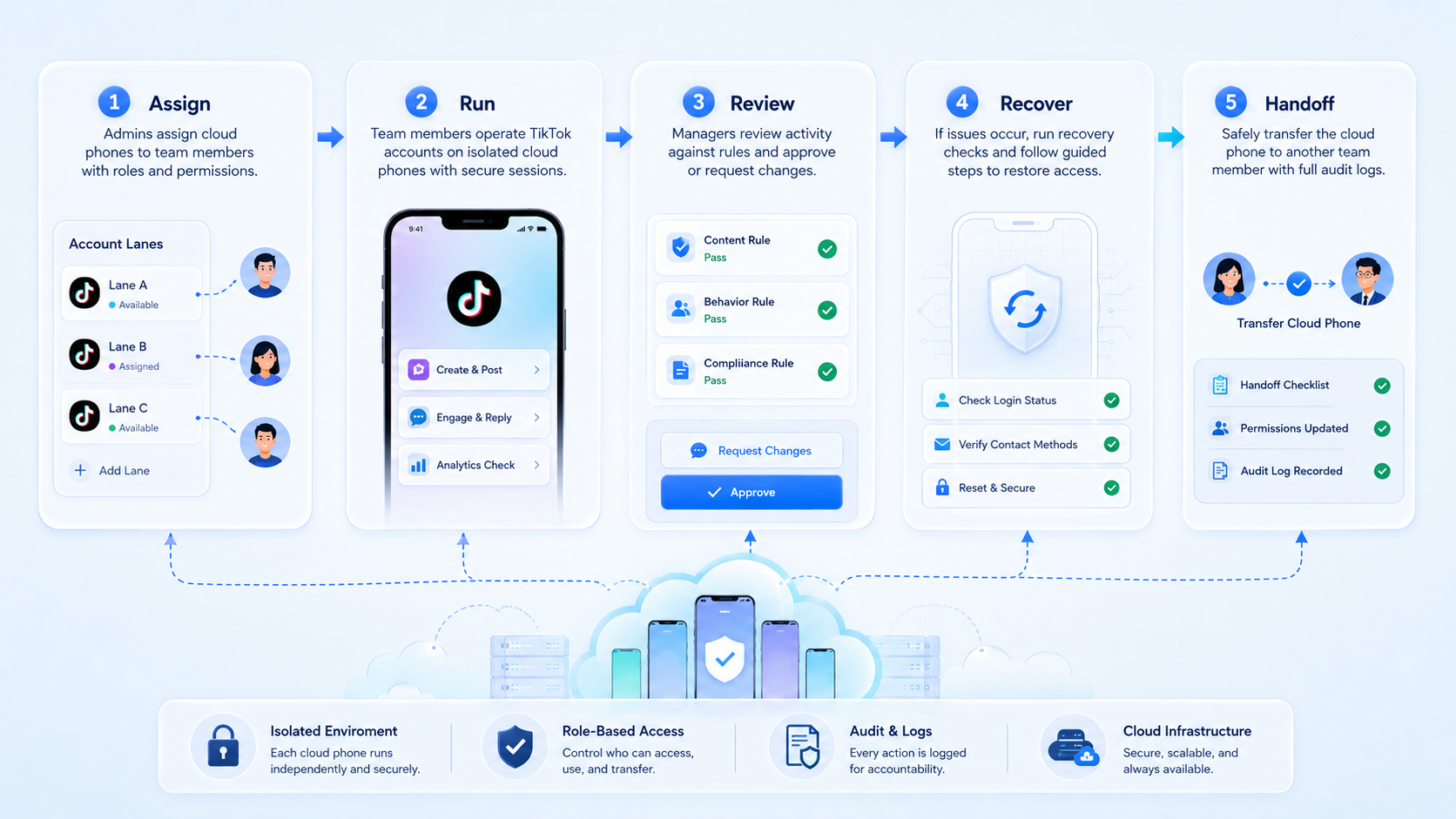
The first mistake is treating cloud phones as a shortcut around platform judgment. TikTok operations still need content quality, appropriate behavior, and account-level review. Keep platform policy in the workflow.
Account context is the next failure point. When several accounts share unclear devices or notes, the team loses track of what happened. Review becomes slower.
Public action should come later. Drafting, classifying, and preparing work are usually easier to manage than posting or replying. Customer-facing steps need clearer approval rules.
The fourth mistake is ignoring recovery. Apps change and prompts appear. Login state can require attention, so the team should decide who handles each exception before the pilot starts.
Fit Boundaries for TikTok Teams
A cloud phone for TikTok is a strong fit for teams that operate more than one account or need mobile execution as part of a daily workflow. It is less useful for one-off viewing or casual posting.
- Agency account operations
- TikTok content workflow review
- Comment and inbox triage
- Mobile-first research tasks
- Multi-account team handoff
- One personal account
- No defined SOP
- No review owner
- Pure content ideation
- Untracked public automation
Moimobi is strongest when TikTok work is part of a larger operating system. That may include device isolation, account workspaces, cloud phones, and browser-based planning. The tool should make account work easier to understand, not harder to audit.
Pilot Rollout for Cloud Phone for TikTok Teams
A pilot should prove that the workflow is manageable. It should not try to prove every possible TikTok use case at once.
Begin with one lane. Assign one account group, one task type, and one reviewer. Run the pilot for a complete operating cycle, then review the evidence.
Track these fields:
- Account lane
- Operator name or role
- Task type
- Completion status
- Human edits
- Exception type
- Recovery time
- Reviewer decision
The recovery check matters most. When a task pauses, the operator should know why it paused and what to do next. Unexplained exceptions are a stop signal.
For AI-assisted workflows, NIST's AI Risk Management Framework is a useful reference for teams building oversight practices. It encourages measurement, monitoring, and risk controls instead of invisible automation.
Security and Handoff Rules for TikTok Operations
Security in this context means clean operational boundaries. No tool removes every platform or account risk.
Define these handoff rules before the team scales:
- Each TikTok account has a named lane and owner
- Each lane has a current task purpose
- Each public action has a reviewer or approval rule
- Each exception has a recovery owner
- Each weekly review checks what changed in the account lane
These rules are simple, but they prevent common team failures. Operators know where to work. Reviewers know what to inspect. Managers can see whether the workflow is adding capacity or creating hidden cleanup work.
For teams using AI assistance, the same boundaries matter even more. The AI can prepare drafts, classify comments, or summarize inbox patterns, but the team should decide which steps require human approval. That line should be written down before the workflow runs.
Cloud Phone vs Emulator for TikTok Team Work
A cloud emulator can be enough for simple testing, but team operations usually need more than an Android runtime. They need device lanes, access control, notes, task logs, and repeatable review.
Use this practical distinction:
| Option | Better Fit |
|---|---|
| Local physical phone | Solo work, direct manual control, occasional tasks |
| Basic emulator | App testing or lightweight technical checks |
| Cloud phone platform | Remote team workflows, account lanes, handoff, review, and recovery |
The decision is not about naming alone. Evaluate the workflow. If the team needs repeated TikTok tasks with ownership and review, a cloud phone platform is usually easier to manage than scattered personal devices.
Frequently Asked Questions
What is a cloud phone for TikTok?
It is a remote Android phone environment for TikTok app workflows, account reviews, comment checks, inbox triage, and team handoff.
Is a cloud phone the same as an emulator?
No. A cloud phone platform adds remote access and team controls. A basic emulator is usually closer to a local runtime for testing.
Can teams use it for TikTok automation?
Teams can use it for structured workflows such as monitoring, draft preparation, inbox triage, and review queues. Public or sensitive actions should include review and platform policy checks.
What should a TikTok team automate first?
Begin with monitoring, inbox triage, draft preparation, and workflow review before testing any public action.
Does this remove the need for platform compliance?
No. Teams still need TikTok rules, internal content standards, and customer communication rules before work reaches public channels.
How should agencies organize accounts?
Map each client or account group to clear device lanes, owners, notes, review rules, and weekly recovery reports.
Where does Moimobi fit?
Moimobi fits teams that need TikTok cloud phones connected to mobile automation, account isolation, and operations review.
Conclusion
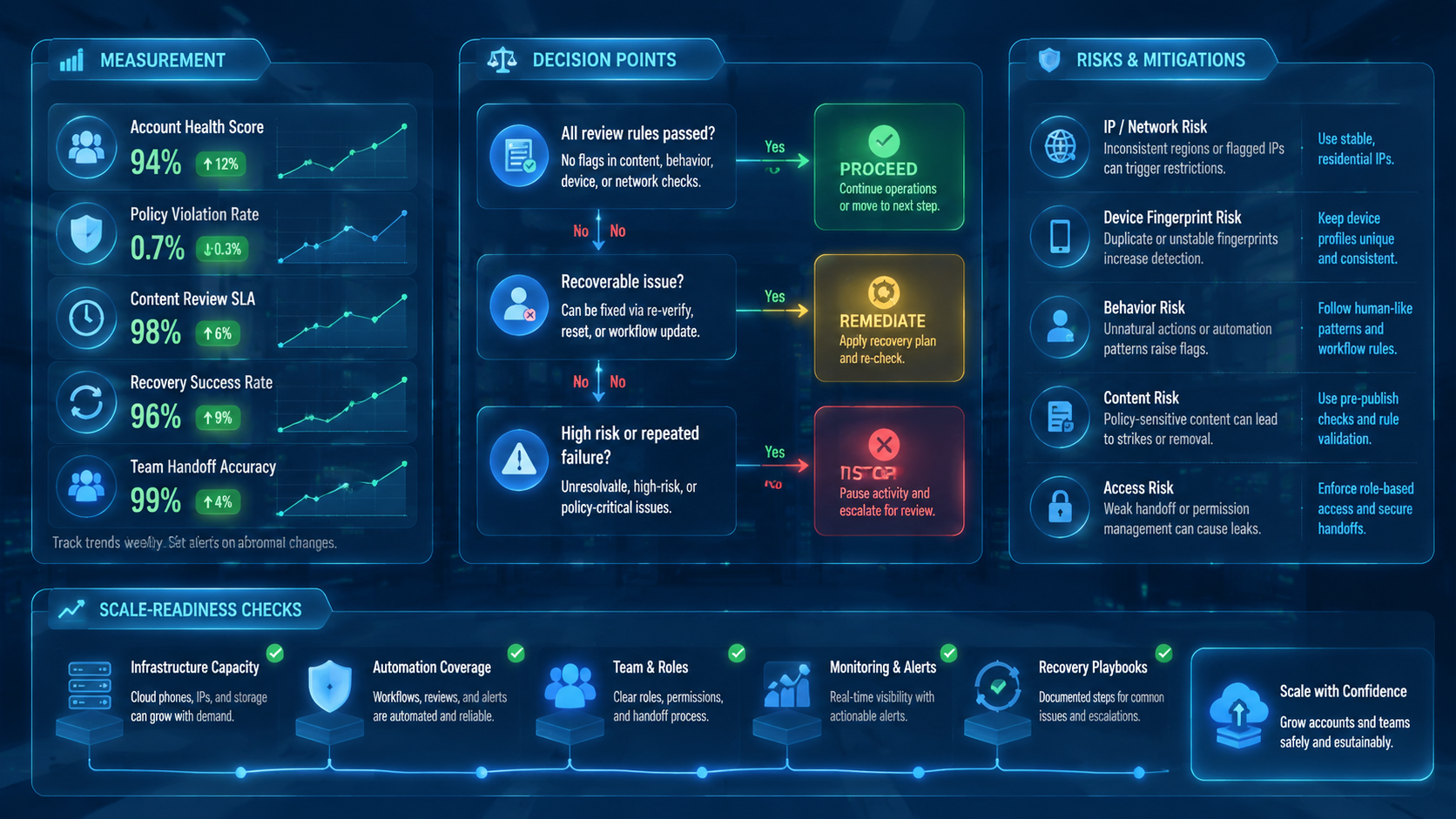
A cloud phone for TikTok is most useful when teams need controlled mobile execution, not just remote app access. The decision should focus on account lanes, review rules, recovery checks, and team handoff.
Start with one account group and one workflow. If the team can run the task, review the result, explain exceptions, and keep ownership clear, the setup is ready for a broader TikTok operations pilot.



