
Cloud phone automation pricing is the cost of running remote Android devices, account workspaces, routing, and repeatable workflows for TikTok and Instagram operations. The price is not only a monthly device number.
For social teams, the real buying question is operational. How many accounts need a persistent mobile environment? How many workflows run at the same time? How much human review, routing, storage, and recovery support does the team need?
MoiMobi treats cloud phones as one execution layer inside a broader account operations system. That matters because TikTok and Instagram workflows often combine mobile apps, content review, comments, messages, and reporting.
Key Takeaways
- Cloud phone automation pricing depends on devices, active time, concurrency, routing, automation, storage, and support.
- TikTok and Instagram operations need account-level workspaces, not only generic Android access.
- A low device price can be costly if operators wait or account sessions get mixed.
- Compare pricing by workflow output, not only by device count.
- A pilot should measure cost per completed workflow and recovery effort.
The Core Idea Behind Cloud Phone Automation Pricing
Cloud phone automation pricing starts with capacity. A team pays for environments that can run mobile workflows, but the useful unit is not always one device. The useful unit may be one active account workspace, one scheduled task lane, or one operator shift.
Public cloud device services show this logic clearly. AWS Device Farm pricing includes pay-as-you-go device minutes and unmetered slots, which shows how time and parallel capacity both affect cost. A social operations platform may package pricing differently, but the same questions still apply.
TikTok and Instagram also have platform-specific boundaries. TikTok's Community Guidelines define what behavior is acceptable on the platform, and Meta provides official Instagram Platform documentation for professional account workflows. Pricing should include the cost of working inside those boundaries with review and logs.
Why Teams Search for This Topic
Teams usually search for pricing after manual phone work becomes slow. A manager may have five accounts under control. Fifty accounts need a system.
The hidden cost is coordination. Operators need to know which account is active, which task is running, and which action needs human approval. When each device is treated like an isolated rental, the team often pays again in manual work.
Cloud phone automation pricing should answer these questions:
- How many mobile accounts need persistent environments?
- How many tasks must run at peak time?
- Which accounts need dedicated routing?
- Which workflows need human approval?
- How quickly must failed sessions recover?
- How much reporting does management need?
For account-heavy work, review multi-account management before comparing plan pages.
Who Benefits Most and In What Situations
The strongest fit is a team that uses TikTok and Instagram as production channels. These teams need app access, repeatable checks, and clear ownership.
Strong-fit cases include:
- Agencies managing many client accounts.
- E-commerce teams reviewing comments, messages, and campaign posts.
- Creator operations teams preparing content and monitoring replies.
- Cross-border teams working across time zones and regions.
- Support teams that need mobile app access for customer replies.
Weak-fit cases are different. A solo creator may only need a phone and a scheduler. A developer testing an app may need Android Emulator or a device testing service instead. Android's official Emulator documentation describes a local development tool, not a managed social operations workspace.
For TikTok-specific work, the cloud phone for TikTok page is a closer evaluation path than a generic device comparison.
How to Evaluate Cloud Phone Automation Pricing
Start by modeling workflows. Do not start with the cheapest device plan.
- List account groups. Separate TikTok, Instagram, client, region, and campaign accounts.
- List workflows. Include content checks, publishing prep, comment review, inbox checks, reporting, and recovery.
- Estimate active time. Some devices run all day. Others run scheduled tasks.
- Estimate concurrency. Count how many accounts must run at the same time.
- Map routing needs. Decide whether accounts need stable proxy or region rules.
- Define approval points. Public replies, campaign changes, and sensitive issues may need human review.
- Track recovery work. Include failed sessions, relogins, manual checks, and support time.
This creates a cost-per-workflow view. A plan with a higher device price can be cheaper if it reduces waiting, mistakes, and recovery.
Cost Drivers That Change the Final Price
| Cost Driver | Why It Matters | Pricing Question |
|---|---|---|
| Device count | Sets the number of account workspaces | How many accounts need persistent environments? |
| Concurrency | Controls peak throughput | How many workflows run at once? |
| Routing | Supports consistent account environment planning | Does each account need a stable network path? |
| Storage | Affects media-heavy workflows | How much video and asset transfer happens? |
| Automation | Reduces repeated setup work | Which steps can be scheduled or reused? |
| Support | Reduces downtime during production work | Who helps when sessions fail? |
Device isolation should be included in the cost model when accounts belong to different clients or campaigns. Shared environments may look cheaper, but cleanup can become expensive.
Pricing Scenarios for TikTok and Instagram Teams
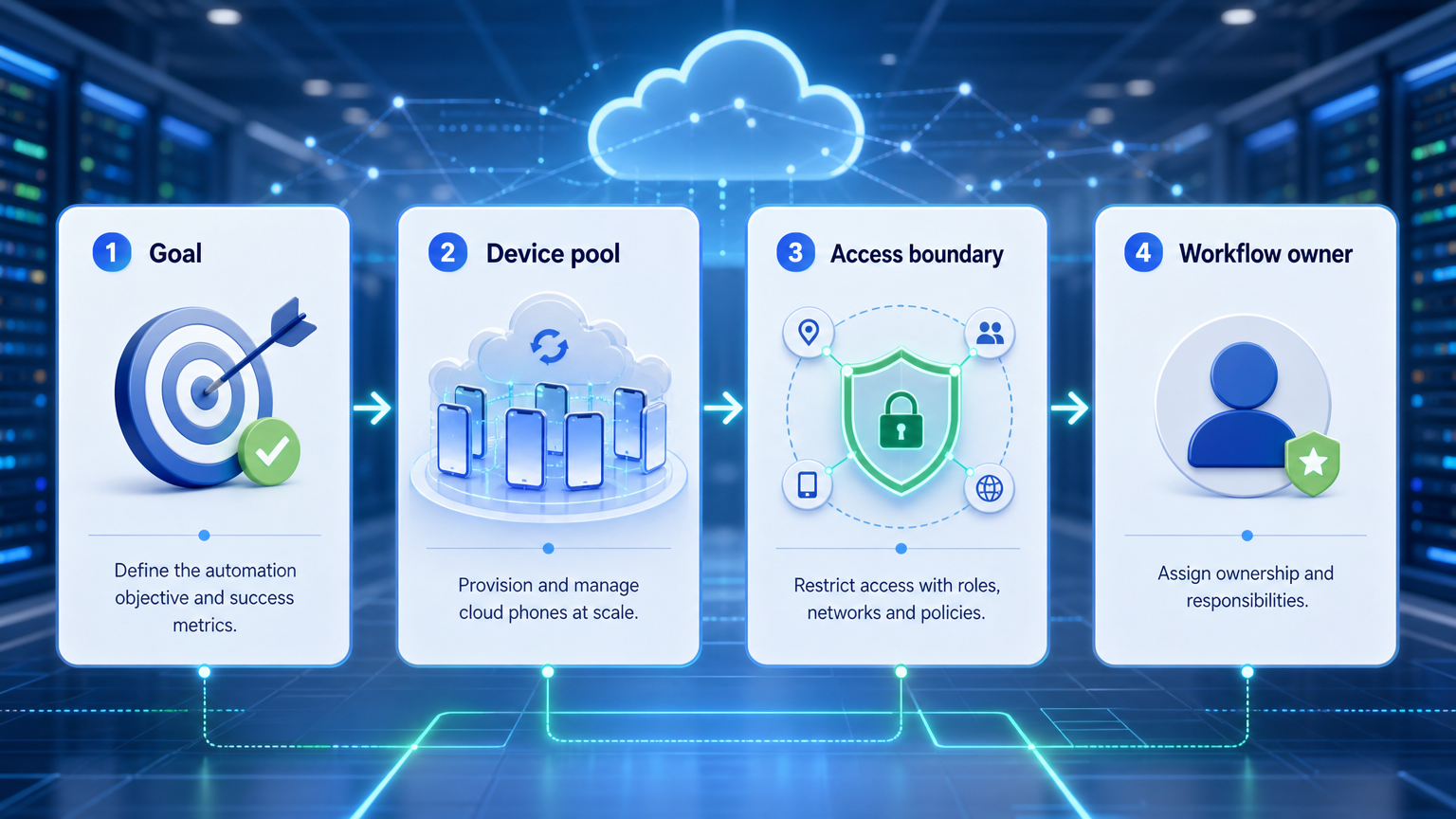
Different teams can use the same cloud phone plan and get different cost results. The workflow pattern changes the real price.
Scenario 1: scheduled content review. A team checks 20 TikTok and Instagram accounts twice per day. Devices do not need to run all day. The main costs are persistent sessions, operator access, and clean assignment.
Scenario 2: campaign launch monitoring. A brand runs a three-day launch and needs many accounts watched at the same time. Concurrency becomes the main cost driver. A low device price does not help if operators wait for slots.
Scenario 3: customer engagement operations. A support team checks comments and messages throughout the day. Review queues, logs, and recovery support matter as much as device count.
Scenario 4: agency client separation. An agency manages accounts for several clients. Account isolation and permission control become part of the price because mistakes have client-facing cost.
These scenarios show why pricing should be modeled with both normal load and peak load. Normal load tells you the base plan. Peak load tells you whether the system can handle campaign windows without extra manual work.
Cloud Phone vs Physical Phone Farm Cost
A physical phone farm can look cheaper when the team only counts hardware. The full cost includes device purchase, charging, storage, remote access, network setup, maintenance, and staff time.
Cloud phones turn those costs into a platform model. The trade-off is recurring spend. The benefit is faster provisioning, remote access, and easier assignment across operators.
Use a simple comparison:
- Physical phones fit teams that need full hardware control and can maintain devices.
- Cloud phones fit teams that need remote Android workspaces and faster scaling.
- A hybrid model fits teams with a small set of high-control physical devices and a larger pool of cloud workspaces.
For infrastructure planning, the phone farm page helps compare managed capacity with physical device operations.
Mistakes That Reduce Results
The first mistake is buying devices without defining workloads. A team may buy too few devices for peak campaign windows or too many devices that sit idle.
Common pricing mistakes include:
- Comparing only monthly device price.
- Ignoring account isolation needs.
- Forgetting media storage and bandwidth.
- Treating TikTok and Instagram workflows as identical.
- Underestimating operator review time.
- Choosing a plan without recovery logs.
- Expanding before the pilot has stable results.
Another mistake is using "automation" as a vague label. Content upload prep, comment review, inbox routing, and reporting have different cost shapes. Price them separately.
Pilot Rollout, Measurement, and Recovery Checks
A pilot should prove whether cloud phone automation reduces total operating cost. It should not only prove that remote devices can open the apps.
Run the pilot with a real workflow. For example, test 10 accounts across TikTok and Instagram for daily content checks, comment review, and reporting. Track operator time before and after the workflow.
Measure:
- Cost per active account.
- Cost per completed workflow.
- Operator waiting time.
- Failed session count.
- Manual recovery minutes.
- Number of account mix-up events.
- Review queue accuracy.
- Content or comment tasks completed per device.
Use a stop rule. If the pilot increases confusion, reduce scope. Keep the devices, but remove public actions until ownership and logs are clear.
What a Buyer Should Ask Before Signing
The buying conversation should focus on workflow evidence. Ask how the platform handles practical operations, not only how many devices are included.
Ask these questions:
- Can each account keep a persistent mobile workspace?
- Can operators see which account they are controlling?
- Can tasks be scheduled without hiding ownership?
- Can failed sessions be traced?
- Can routing and proxy choices be assigned by account group?
- Can the team export or review activity logs?
- Can public actions stay under manual approval?
- Can managers see cost per workflow, not only cost per device?
The best answer is usually a pilot record. If the vendor can show how tasks are assigned, executed, logged, and recovered, the pricing conversation becomes clearer.
Also ask which costs appear only after scale. Storage, bandwidth, extra operators, or priority support can change the real monthly number.
Frequently Asked Questions
What affects cloud phone automation pricing most?
Device count, runtime, concurrency, routing, storage, automation depth, and support usually drive the final cost.
Is pricing different for TikTok and Instagram?
The platform does not set the cloud phone price, but workflows differ. TikTok and Instagram may need different review rules and schedules.
Should every account have its own device?
Not always. High-value, client, or sensitive accounts usually need stronger separation.
Is a physical phone farm cheaper?
It can look cheaper at hardware level. Include staff time, maintenance, routing, remote access, and recovery.
Can browser tools replace cloud phones?
Browser tools fit web workflows. Cloud phones fit mobile app workflows that need Android environments.
What should a pilot include?
Use real accounts, real workflows, operator logs, recovery tracking, and a clear expansion rule.
How does automation change cost?
Automation can reduce repeated setup work, but it adds value only when logs and approval rules are clear.
What is the best buying metric?
Cost per completed workflow is usually more useful than cost per device.
Conclusion
Cloud phone automation pricing for TikTok and Instagram should be judged by account workflows, not only by device plans. The right plan depends on active accounts, peak concurrency, routing, review work, and recovery needs.
Before expanding, run one pilot and measure output per workflow. If the team saves operator time and keeps account control clear, the pricing model is working.



